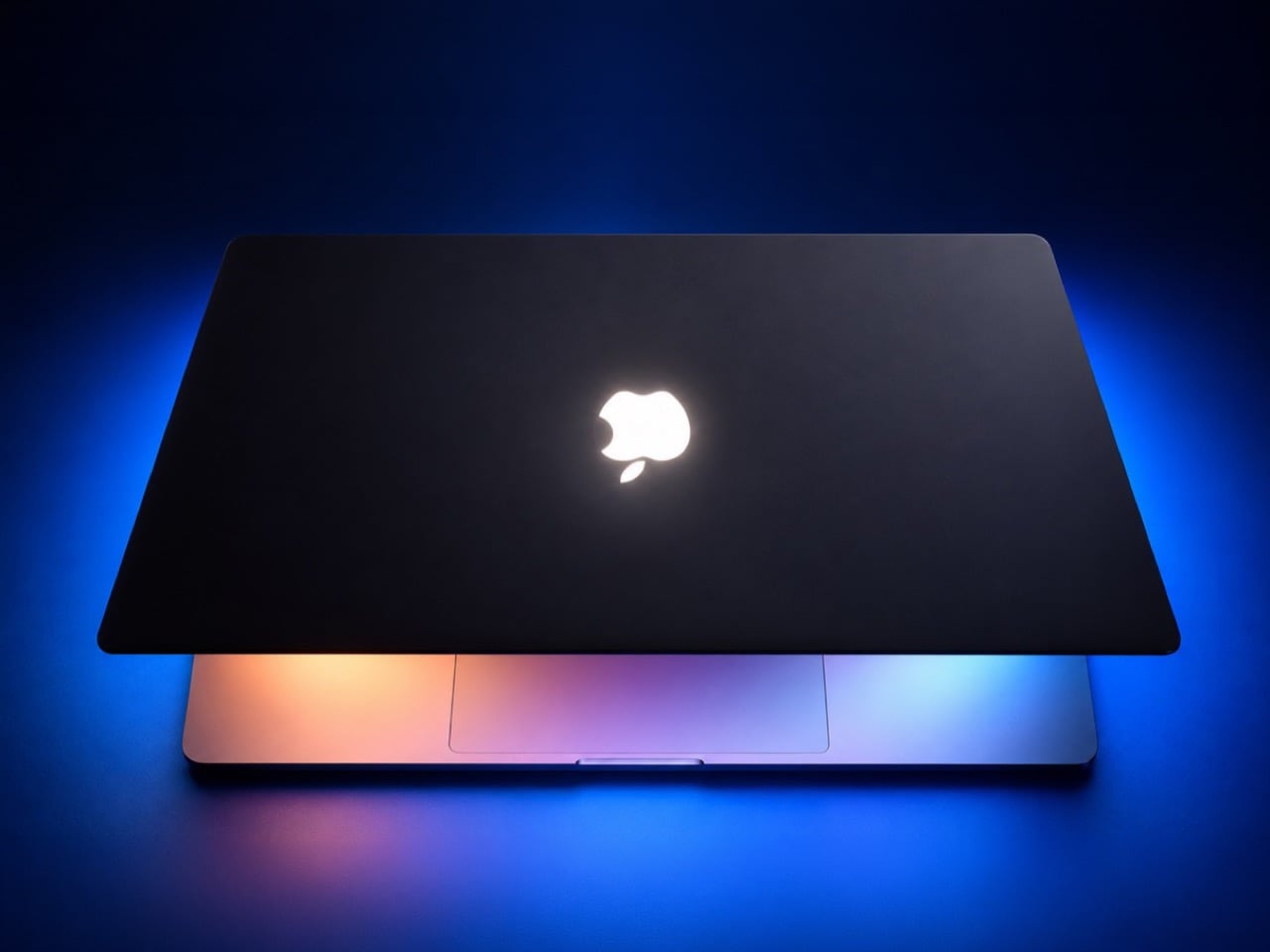
The glowing Apple logo was the best free feature Apple ever shipped, and I will not be taking questions. For years it turned every MacBook into a tiny lighthouse in coffee shops, classrooms, and airport lounges. Then Apple killed it on the 12-inch MacBook in 2015 and on the Pro in 2016, swapping the glow for a polished mirror that does nothing but reflect your own face. A decade later, the new MacBook Pro with PROLED XDR brings the light back, starting at $2,899. Apple clearly figured we’d pay extra to feel nostalgic.
A YouTube channel called Various Disassembly Methods cracked a way to get that glow on a Touch Bar MacBook Pro, and it needs no LEDs and no wiring. The trick is to pop out the polished logo insert, fill the hole with clear epoxy, and cut an opening in the black sheet behind it so the screen’s own backlight can leak through. A cheap iPhone screen protector serves as the mold face, a hack so inexpensive it feels borderline illegal. You will need a heat gun, serious patience, and a brand-new LCD, since you’ll likely crack the original on the way out. Here’s how to do it, and which MacBooks can join in.
Designer: Various Disassembly Methods
Strip the Screen, Free the Apple
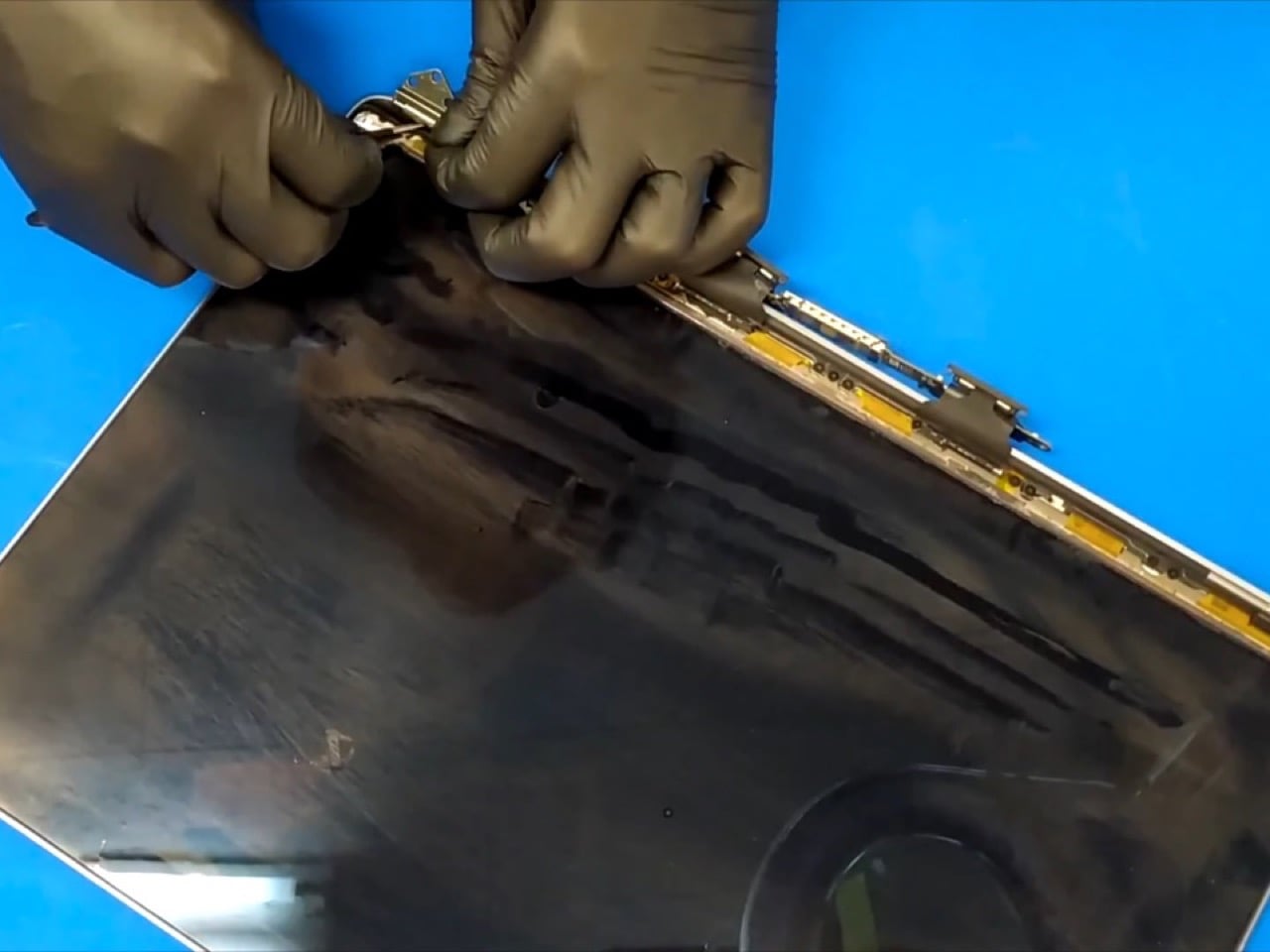
Start with the display assembly detached from the laptop, then go after the bezel strip printed with “MacBook Pro” along the hinge. A dab of ethanol and a heat gun soften its adhesive, so thin spudgers can lift it free, followed by the rubber corner trim and every T3 Torx screw along that edge. Heat the panel’s perimeter next and slide a thin metal spatula through the glue between the LCD and the aluminum lid. Lift the panel from the bottom edge, unplug its two connectors, and coax the top edge loose last. Expect bits of the old panel to break off along the way, which is why a fresh LCD goes in at the end.
With the LCD gone, what’s left in the lid is the entire backlight, which on this generation lives in the aluminum shell itself. Peel off the optical films, then slide out the acrylic light guide plate, a clear sheet that spreads light from edge-mounted LEDs across the whole screen, then lift the mirror-finish reflector. Beneath those sit black sheets, and under them, the reason you’re here. The polished Apple logo is a separate insert glued into an apple-shaped hole in the lid, so heat it from outside, push firmly, and pry from inside until it pops out. Seeing your work mat through a MacBook lid feels deeply wrong and extremely satisfying.
Epoxy, a Toothpick, and an iPhone Screen Protector
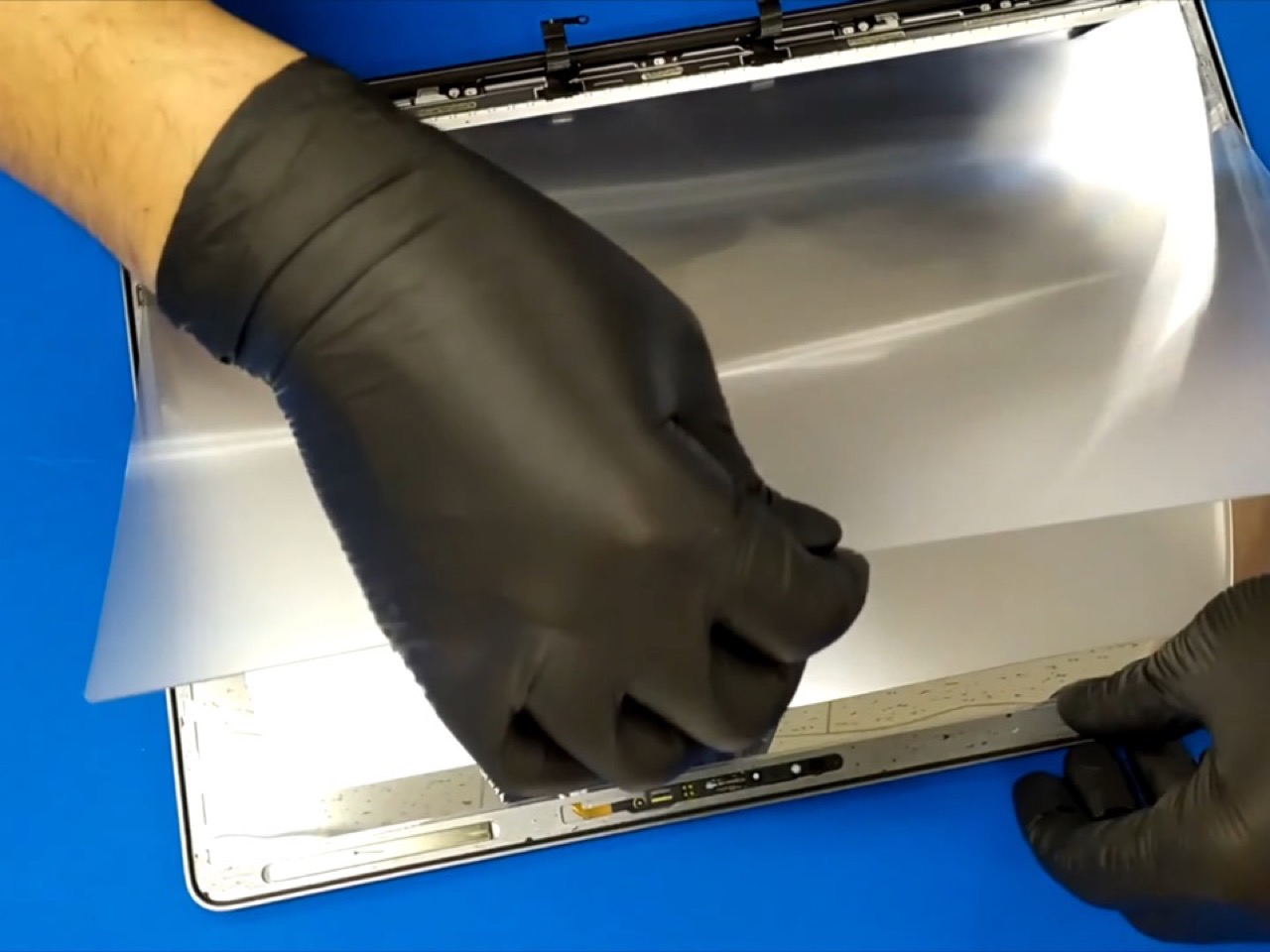
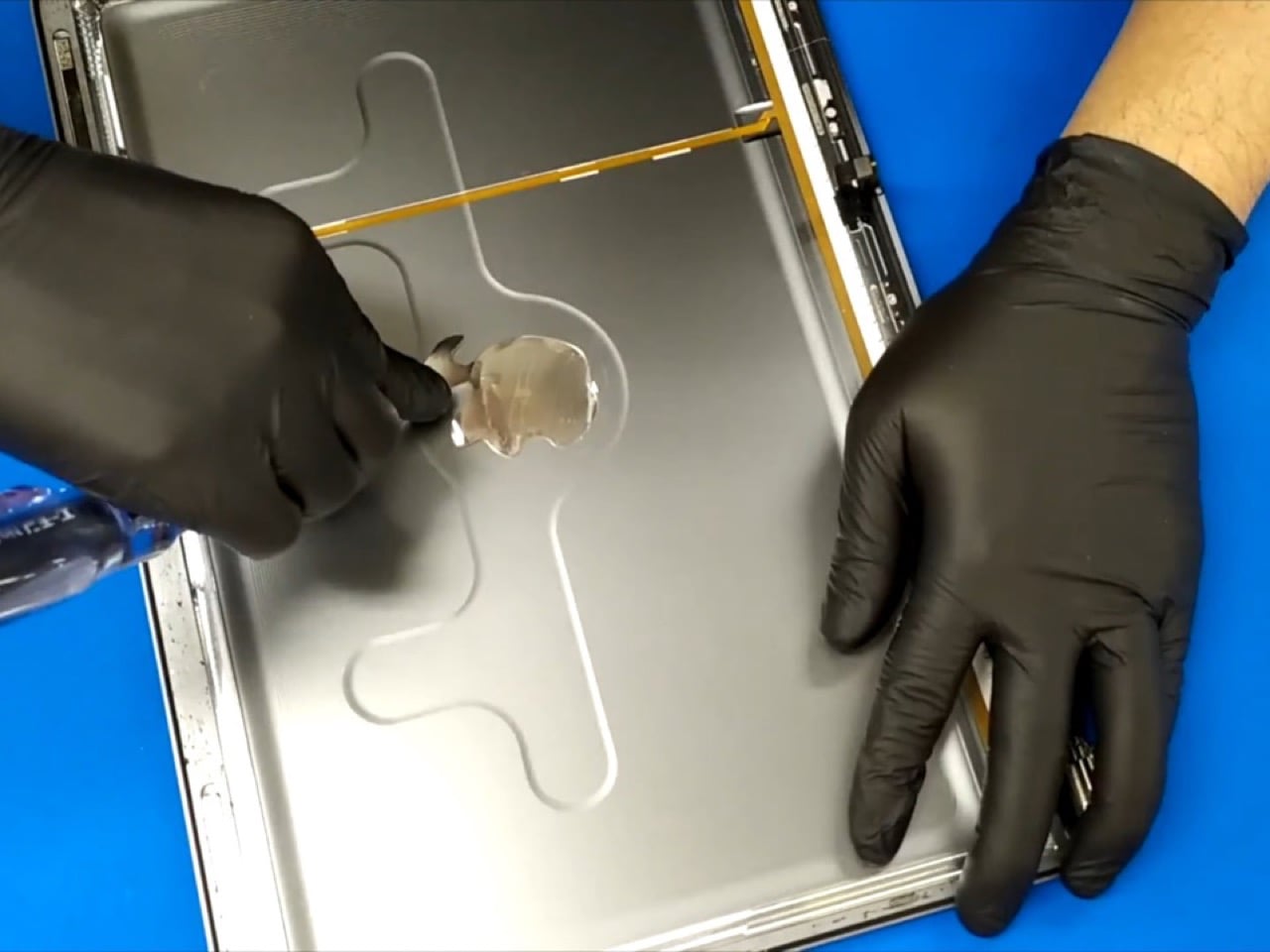
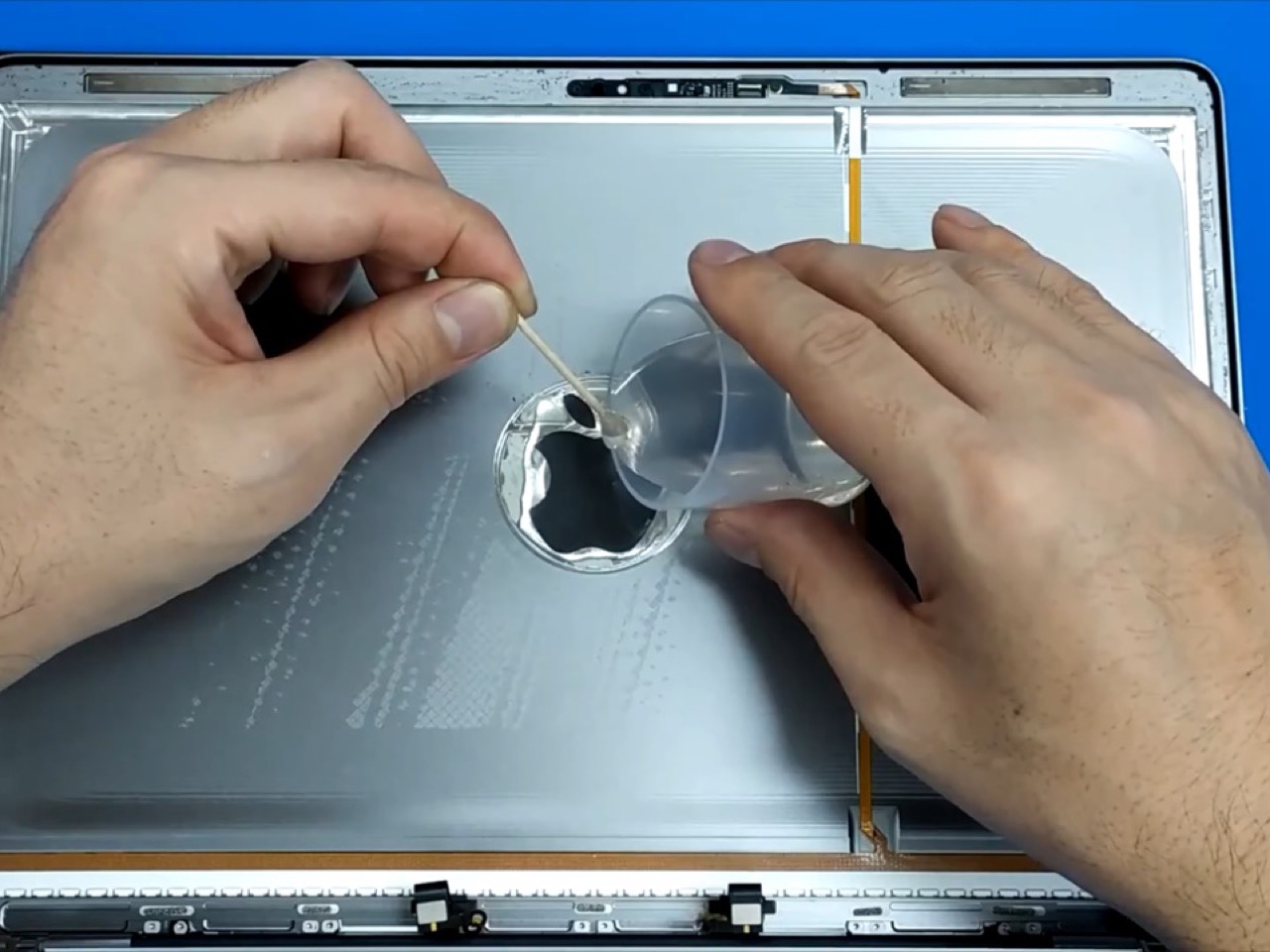
Mix up two-part clear epoxy for the new logo window, measuring it per the instructions on a kitchen scale and stirring like your life depends on it. Before pouring, stick a cheap iPhone tempered glass screen protector over the logo hole on the outside of the lid. That glass becomes the mold face, so the resin cures flat and glossy, flush with the aluminum around it. Pour from the inside slowly, guiding the epoxy with a toothpick, and stop before it overfills so the back stays flat. Chase any trapped bubbles with a gentle pass of the heat gun, which thins the resin enough for the air to escape.
Once the resin cures, peel the screen protector away to reveal a clear apple sitting flush in the lid. Tempered glass makes an inspired mold, since it is dead flat, removable, and costs next to nothing. The last design move is a small cutout in the black sheet behind the logo, which gives the backlight a path straight to the resin. Everything else goes back the way it came out, with an air gun clearing dust between layers and the films facing their original direction. Install a brand-new LCD last, power up, and your Apple glows for the first time in its life.
Will Your MacBook Glow? Check the Screen
The screen is the whole test, because the mod borrows light the display already makes. Any MacBook with a backlit LCD has a light source sitting directly behind the logo, waiting for an exit. That covers the Touch Bar Pros, the edge-lit LCD MacBook Air, the older 13-inch Pros, and the mini-LED 14-inch and 16-inch Pros. On most of these, the job should come down to the same eviction: pop the glossy logo insert, cast the resin window, and clear a path to the backlight. Mini-LED machines, which replace the edge strip with thousands of tiny LEDs directly behind the panel, have a different internal stack, so expect a different teardown even if the idea holds.
The new MacBook Pro with PROLED XDR is the one model this mod can’t touch, because OLED pixels light themselves and there’s no backlight to borrow. Apple already gave that logo its own glow, so nobody’s losing sleep. The $599 MacBook Neo has the backlit LCD this mod needs, but its logo is matte and cut into the aluminum surface, with no insert to pop out. Getting a glow there means machining or laser cutting an apple-shaped opening through the lid, which turns a weekend craft project into a fabrication job. Pull it off, though, and you’d own a $599 laptop doing the one party trick Apple saved for its new OLED Pro.
Ten Years of Waiting, One Cup of Epoxy
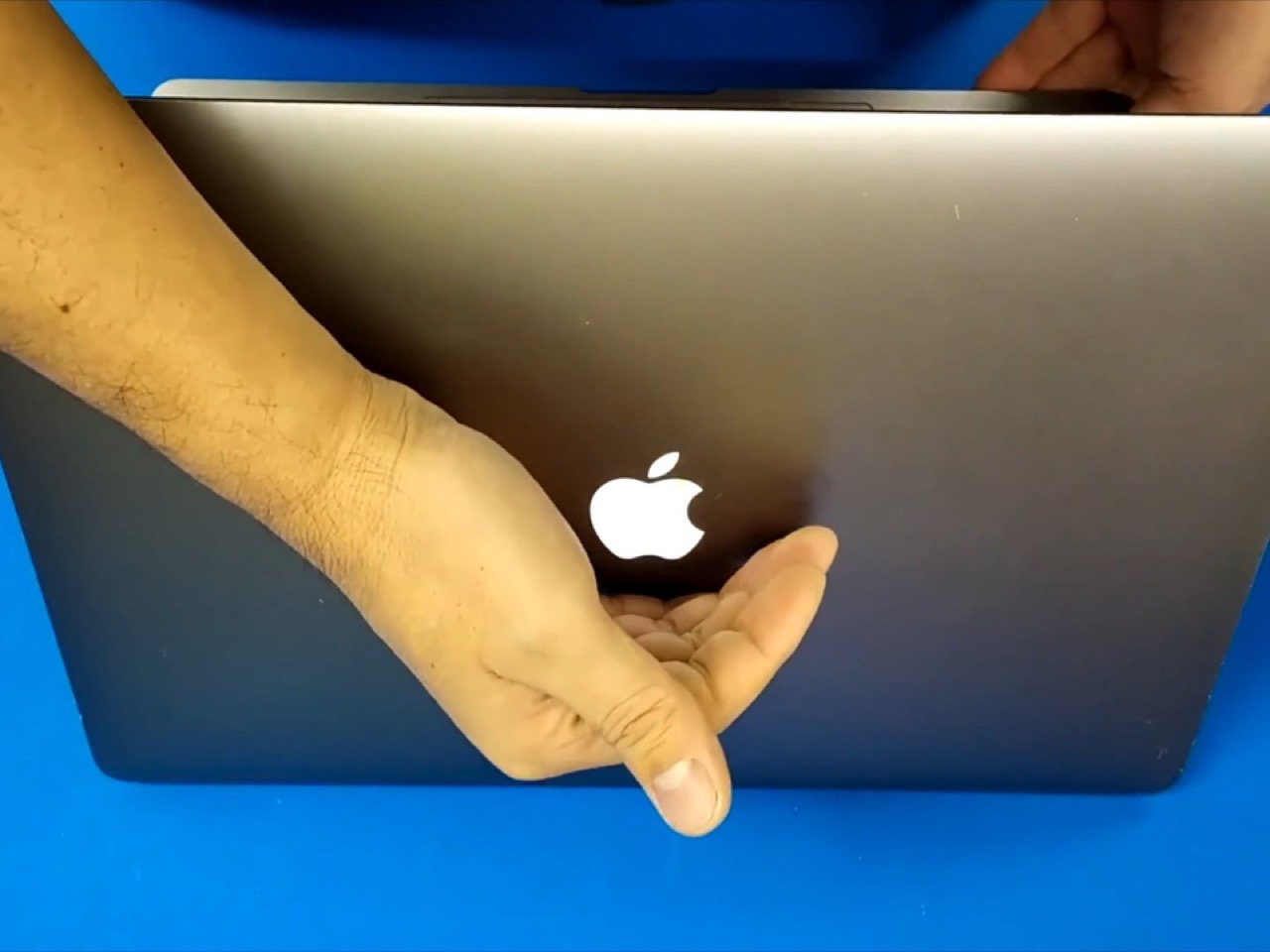
The glowing logo was always a bit of a billboard. Early versions faced the user, and in 2001 Apple flipped the orientation so the apple sat upright for everyone looking at the back of an open laptop. Every café table and lecture hall became free advertising, powered by light the screen was making anyway. The new MacBook Pro keeps that connection by tying logo brightness to the display, and this mod gets the same behavior automatically, since it uses the exact same light. Apple needed a decade and a brand-new display to bring the glow back, while Various Disassembly Methods needed epoxy and an iPhone accessory.
If you have a Touch Bar MacBook Pro gathering dust, this is probably the most charming thing you could do with it. Credit for the method goes to the YouTube channel Various Disassembly Methods. Budget for two-part epoxy, a T3 Torx driver, and a free weekend on top of the new panel. The reward is a laptop that announces itself from across the room, in the same glow that made a generation fall for Apple. For anyone who never forgave the mirror logo, that might be the best upgrade money can barely buy.