The desk you work at shapes how the work itself feels. Most people know this in theory and ignore it in practice, assembling setups gradually — a keyboard from one order, a charger that just sort of ended up there, a clock that came with the apartment. Over time the surface accumulates rather than improves. The products on this list are different. Each one solved a specific problem clearly enough to make everything around it look like it needed reconsidering.
None of them cost more than $200. The constraint is intentional — this is not a list built around aspirational hardware, but around objects that earn their footprint through daily use rather than shelf presence. A folding mouse that ended the trade-off between portability and performance. A silent recorder that made an entire category of software feel unnecessary. A desk surface that finally stayed organized. Five products, one desk, a noticeably better setup.
1. Inseparable Notebook Pen
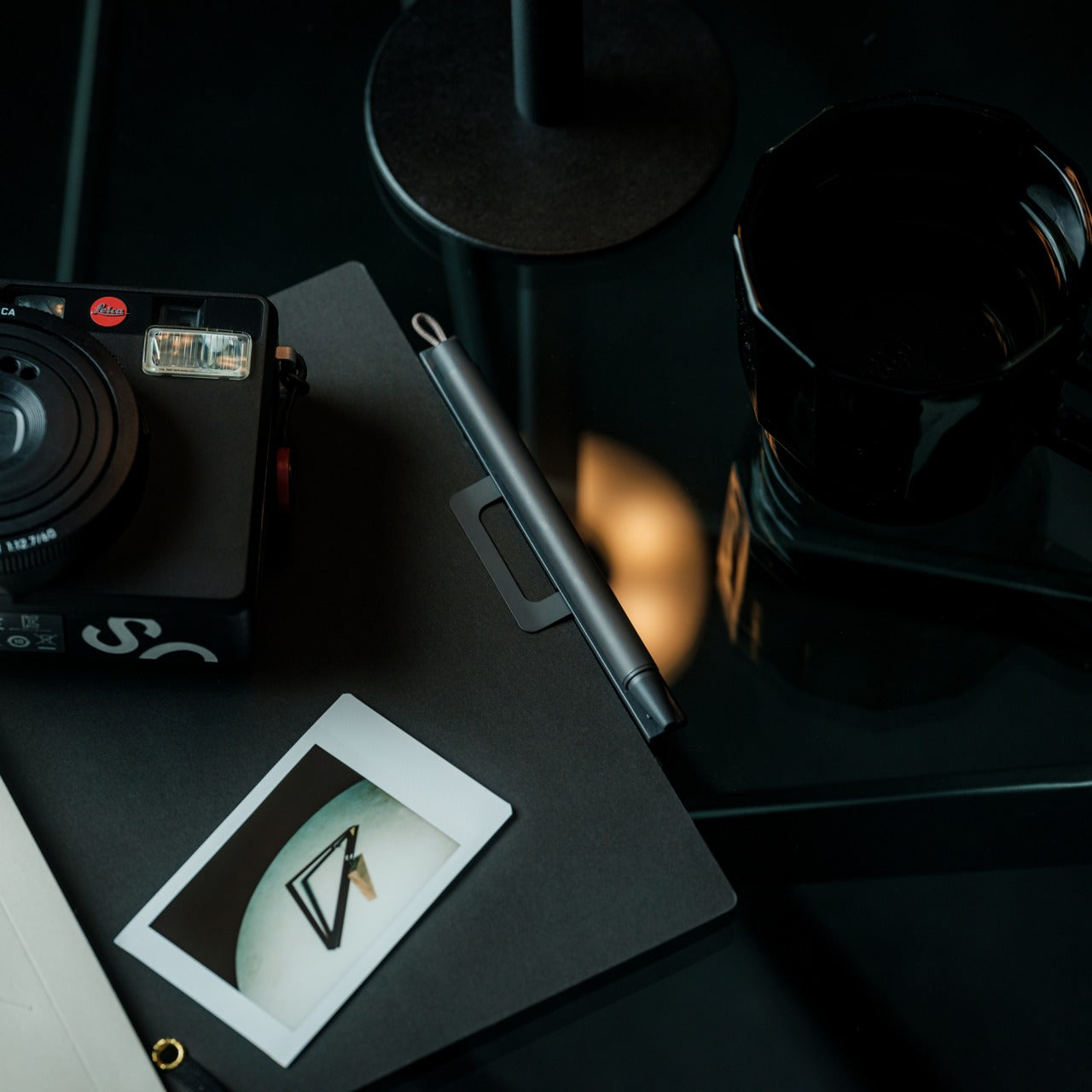
There is a specific frustration that comes with reaching for a pen and finding it has migrated. Not lost, just elsewhere — on the wrong side of the keyboard, inside a drawer that was never meant for it, somewhere between the last meeting and this one. The Inseparable Notebook Pen treats that as a design problem worth solving rather than a personal failing. A magnetic clip attaches the pen directly to the notebook cover so the two move as a single unit, staying together on the desk the same way they travel together in a bag.
What makes it worth noting alongside hardware that costs multiples of its $19.95 price is the standard it holds itself to. The gel ink flows smoothly, and the clip mechanism is solid, but the detail that earns it a place on a considered desk is the built-in silencer — a small component that softens the attach-and-detach motion into something quiet and deliberate. That level of finish on a $20 object is not accidental. It is the difference between a pen that gets used and one that gets replaced.
What we like:
- The magnetic clip keeps pen and notebook permanently paired, removing the low-grade friction of a misplaced writing tool from the daily routine entirely
- A built-in silencer turns the attach-and-detach motion into a quiet, considered interaction — the kind of detail that signals a product was designed rather than just manufactured
What we dislike:
- Works best as a system with its intended notebook, making it a less convincing standalone pen for anyone who writes across multiple formats or prefers a different paper weight
- Gel ink cartridge replacement options are limited compared to more established pen systems, which matters once the initial ink runs out
2. HiDock H1 Lite
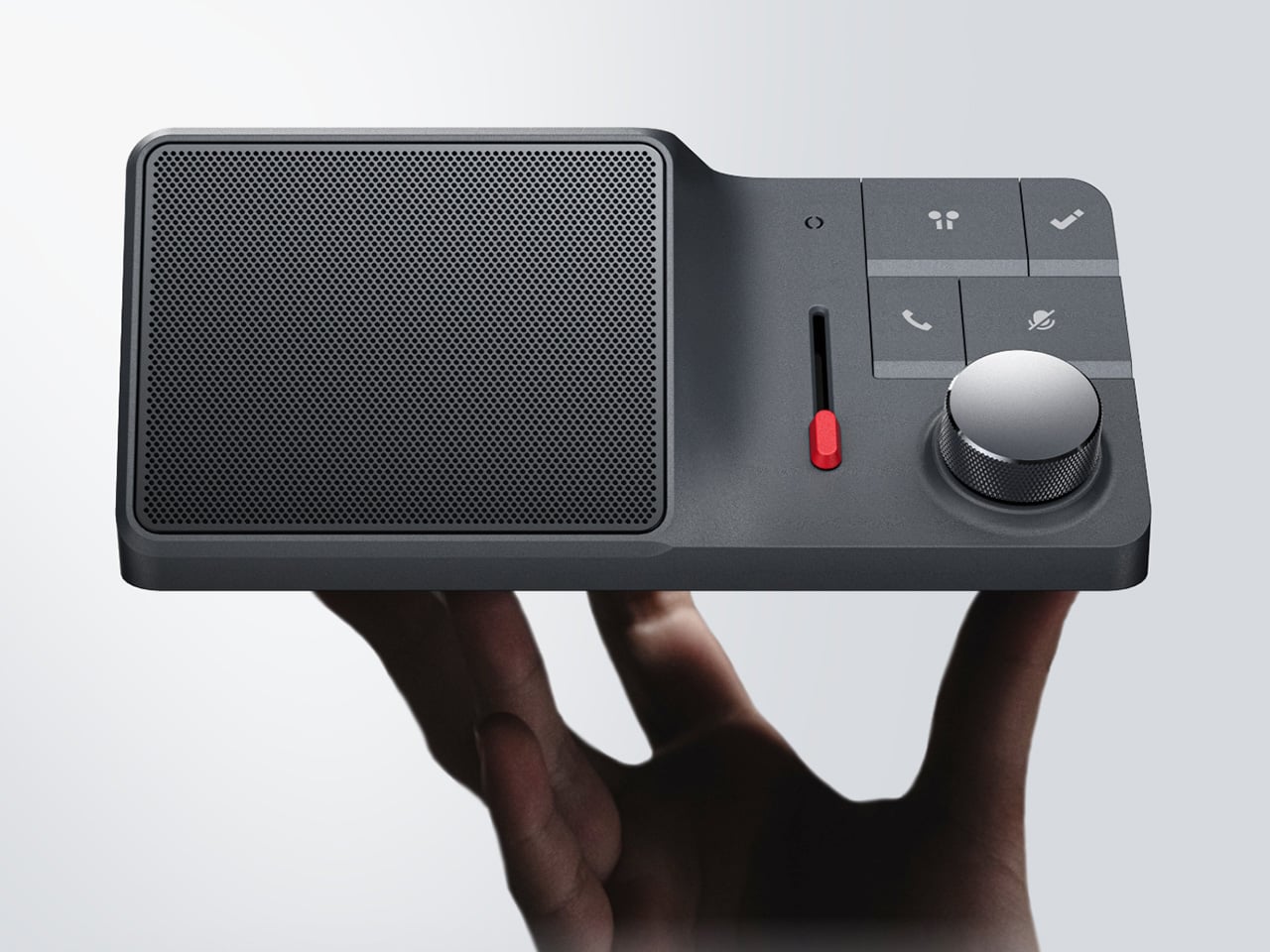
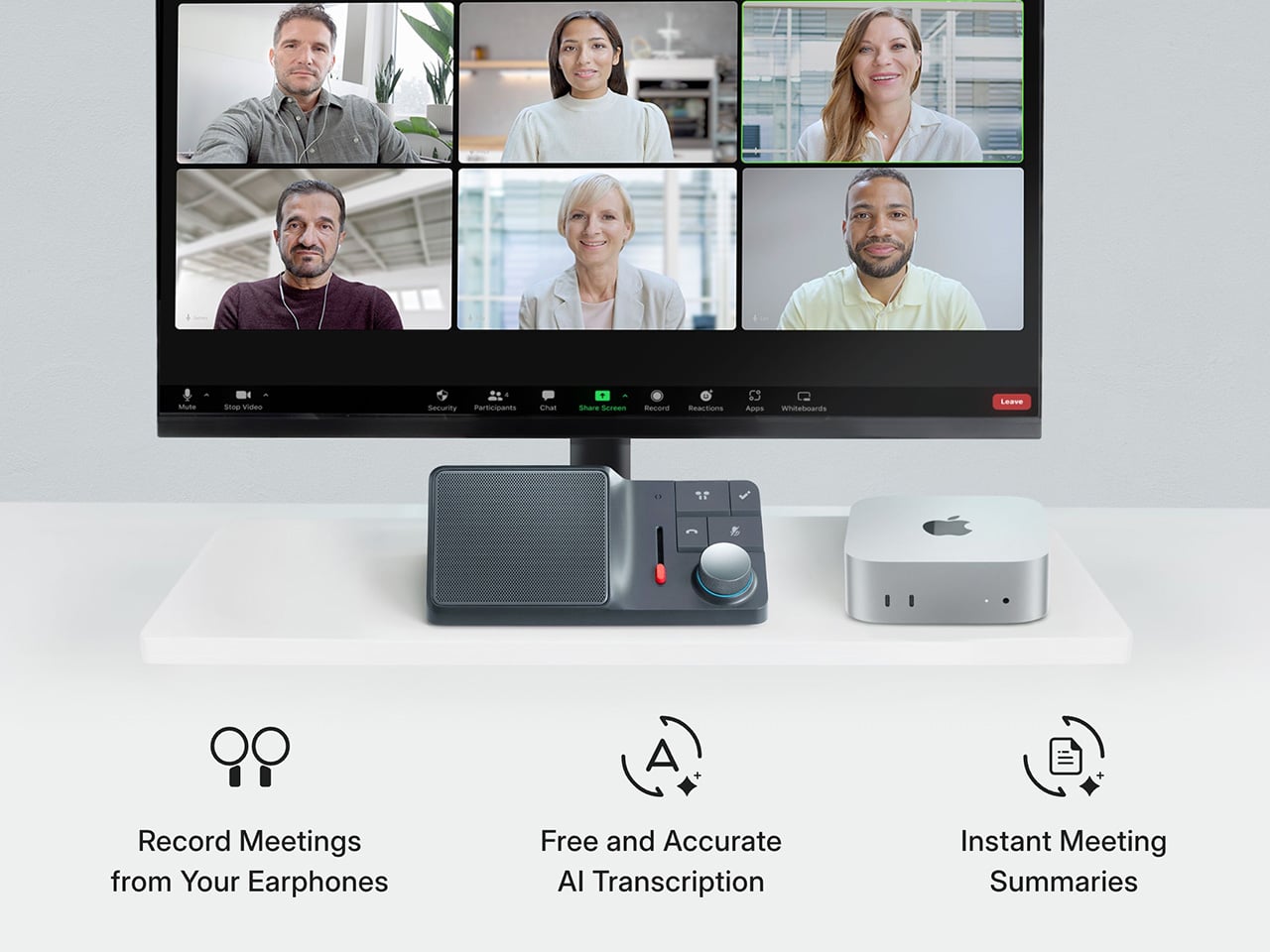
The AI meeting bot problem has a particular texture. It announces itself in the first thirty seconds of every call, dropping a notification into the chat that tells the room someone has outsourced their attention. The HiDock H1 Lite solves this without fanfare — a USB-C desktop audio controller and local recorder that captures meetings completely, both sides of the call, without adding a bot to the session, without cloud permissions, and without telling anyone it is running. You press record. The meeting continues. No announcement, no awkward acknowledgment, no subtext.
The feature that separates it from every other desk recorder is BlueCatch, which intercepts the two-way audio path from Bluetooth earphones so the full conversation is captured rather than just what the microphone picks up. Physical controls — a knob, a slider, a speaker — keep the interaction on the desk rather than inside another browser tab. It transcribes in multiple languages, runs a Call Mode for virtual meetings and a Room Mode for in-person sessions, and at $189 replaces a recurring software subscription with hardware that simply does the job and stays out of the way.
Click Here to Buy Now: $170.1 $189 (10% off, use code “YANKO10”). Hurry, deal ends soon!
What we like:
- BlueCatch captures both sides of a Bluetooth earbud call locally, producing a full two-way transcript without a bot in the meeting or any platform permission being requested
- Physical controls return a tactile dimension to meeting management that software tools have spent years trying and failing to replicate
What we dislike:
- USB-C only makes it desk-bound, which limits its usefulness for anyone who moves between locations or works primarily from a laptop bag throughout the day
- The AI transcription layer works well once configured, but reaching that point requires a setup investment before language preferences and summary formats feel fully dialed in
3. Satechi 3-in-1 Foldable Wireless Charging Stand with Qi2 25W
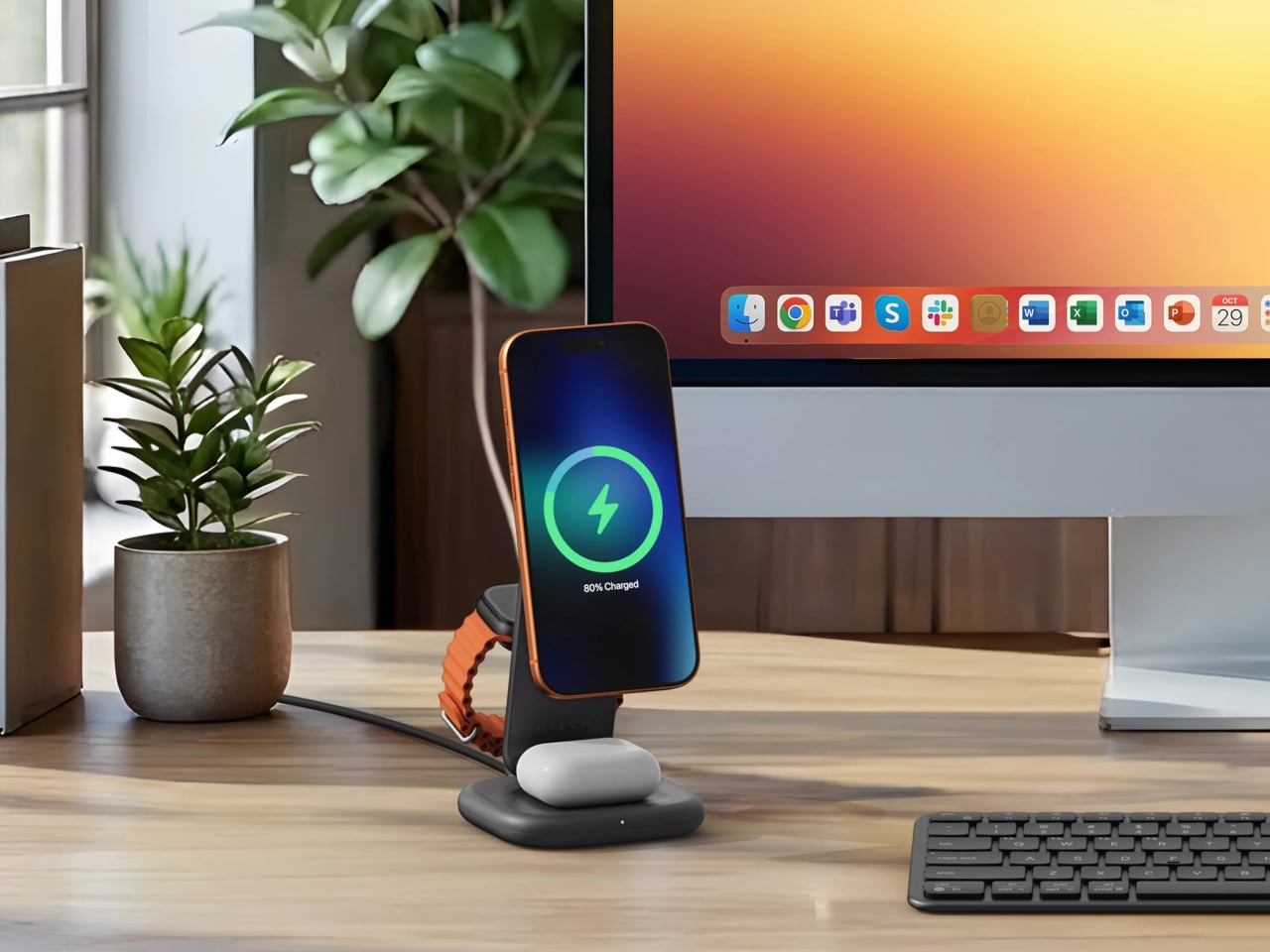
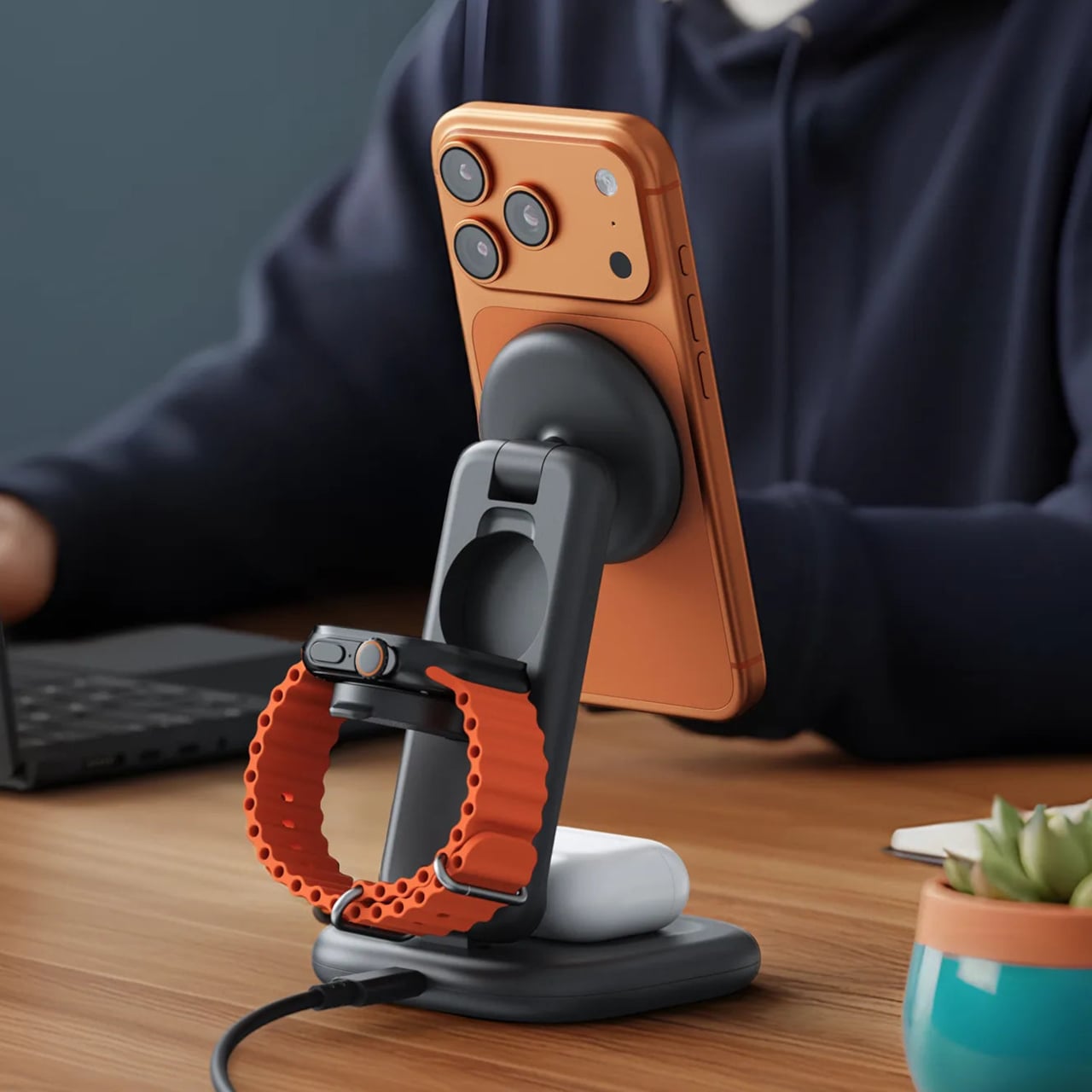
Wireless charging solved one problem and quietly created another. The iPhone pad, the Apple Watch puck, the AirPods tray — each device that joined the ecosystem added something to the nightstand or desk corner, until the cable-free promise was buried under a new kind of clutter. Satechi’s 3-in-1 Foldable Wireless Charging Stand with Qi2 25W clears all of it in one object. iPhone, Apple Watch (Series 7 and later, including Ultra and SE), and AirPods charge simultaneously from a single wall cable, with Qi2 magnetic alignment snapping the phone into position so off-center placement and lost wattage are no longer part of the routine.
The 25W ceiling is a genuine upgrade over the 15W limit that most MagSafe-compatible pads have been stuck at, and the Apple Watch arm carries MFi certification for fast charging. A 45W USB-C adapter ships in the box with US, EU, and UK plug heads — a small detail that matters significantly the first time you unpack in a different country without hunting for a separate travel adapter. At $129.99 in Space Black, the case rests on consolidation: three separate chargers replaced by one that folds flat for a carry-on and behaves identically away from home.
What we like:
- Qi2 alignment combined with a 25W output for compatible iPhones represents the fastest wireless option available in the Apple accessory space at this price point
- The foldable form and included multi-region adapter make the home desk setup and the hotel room setup identical, removing any need to pack or buy a separate charging solution
What we dislike:
- Apple Watch fast charging is limited to Series 7 and newer, so users on older hardware will get standard charge speeds rather than the fast-charge performance the arm is capable of
- The value proposition is strongest when all three devices are in use simultaneously — iPhone-only users will find more efficient options at a lower price
4. OrigamiSwift Folding Mouse


The folding mouse has been a category of compromise for years — compact in the bag, frustrating in use. The OrigamiSwift ends that exchange by treating the fold as a serious engineering challenge rather than a marketing hook. At 40 grams, it collapses to 4.5mm flat, thin enough to slip between the pages of a notebook without leaving a visible bump. On the desk, it unfolds in under half a second into a full-sized ergonomic shape that sits naturally in the hand, with tracking precision that has nothing to do with its size.
What earns it a top position here is the way it reframes the conversation around portability entirely. Portable does not have to mean diminished. The OrigamiSwift is as capable on a permanent desk as it is in a carry-on, which is rare in hardware built around constraints. The Bluetooth connection is reliable, the fold mechanism feels deliberately satisfying to complete, and at $85 it asks very little relative to what it returns. Some mice cost three times as much and offer less reason to reach for them.
What we like:
- Folds flat to 4.5mm, thin enough to travel between notebook pages, yet opens into a full-sized ergonomic form that never asks you to adapt your grip
- The sub-half-second flip transforms the mouse from travel object to working tool in a single motion that still feels considered after weeks of daily use
What we dislike:
- At 40 grams, the weight will feel unfamiliar to anyone coming from a heavier desktop mouse, and the adjustment takes a few days before it stops registering
- Bluetooth-only connectivity rules out a wired fallback for tasks where even brief latency becomes friction
5. Orbitkey Desk Mat

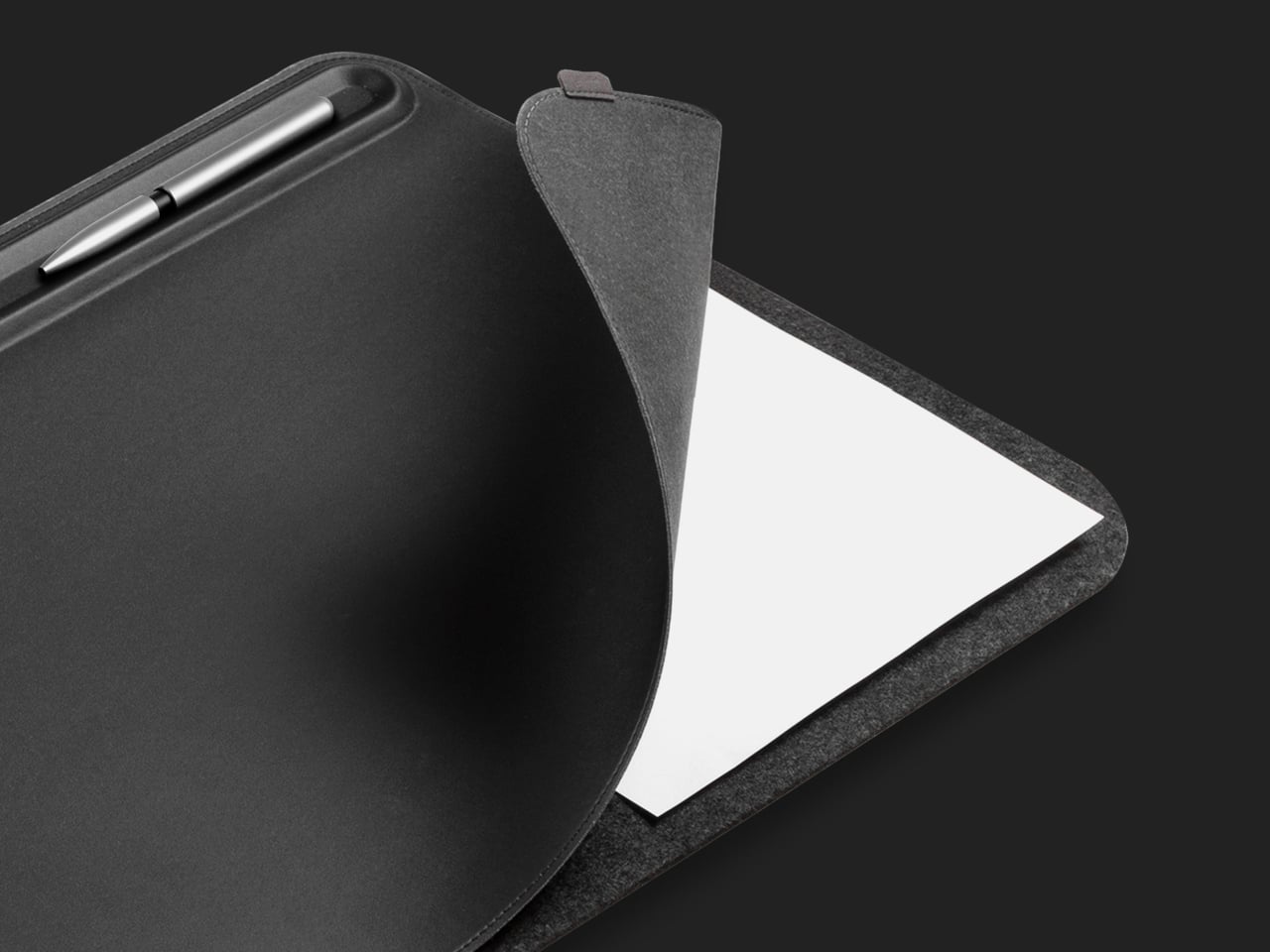
The desk mat is usually the last thing people buy and the first thing that changes how a setup feels. Orbitkey’s version is built on a premise most mats ignore: the surface does not just need better material; it needs a better system. Made from premium vegan leather over 100% recycled PET felt, available in Medium (686 x 373mm) and Large (896 x 423mm), it is water-repellent and wipes clean — the practical baseline. A quick-access toolbar along one edge gives pens, a stylus, and small accessories a fixed address without adding height or vertical clutter to the surface.
The detail that tips it from covering the desk to organizing it is the document hideaway, a sleeve beneath the top layer that keeps loose papers and sticky notes flat and within reach without leaving them visible. One edge pull, and they are back. A magnetic cable holder clips anywhere along the toolbar and adjusts as port locations change across different setups, keeping the charging lead from drifting toward the floor. It ships with a two-year warranty and a 30-day return window, which is the kind of confidence in materials that most desk accessories do not bother extending.
What we like:
- The document hideaway removes paper clutter from the surface without removing papers from the desk, which turns out to be a more useful distinction than it sounds across a full working week
- The magnetic cable holder moves freely along the toolbar, adapting to cable lengths and port positions rather than committing to one fixed anchor point
What we dislike:
- The mat arrives rolled and takes a few days to lie completely flat — reverse-rolling handles most of it, but patience is part of the initial setup
- The Medium size works well for compact single-monitor desks but may feel narrow for anyone running a wider multi-display configuration
Five Products, One Decision
A desk that works is not about spending more. It is about choosing things that each solve one real problem rather than approximate several. The Inseparable Notebook Pen keeps the one analog tool you still reach for exactly where it belongs. The OrigamiSwift removes the penalty from portability. The HiDock takes meeting capture back from the software layer. The Satechi ends the three-device charger pile. The Orbitkey gives the surface a structure it was always missing.
None of these objects ask for attention. They do their jobs and stay out of the way until needed, which is the version of design intelligence that actually holds up across a full working week. Five products, each under $200, that together produce a setup that feels chosen rather than assembled. That shift is the one worth paying for.
SHARE