The phone is always the easy answer. Timer goes off — reach for it. Stuck on a thought — reach for it. Five minutes later, you’ve watched three videos and forgotten what you were working on. The real cost of deep work isn’t effort; it’s attention. And attention is exactly what these five desk objects are designed to protect, each one quietly replacing a digital habit with something more physical and deliberate.
None of these are apps or subscription tools. They’re objects — things you touch, twist, write on, and look at from across the room. Some are already on shelves. Others are still concepts. All of them point in the same direction: toward a desk that improves your focus so your phone can do less. Here are five designs worth making room for.
1. Air Powered Segment Clock
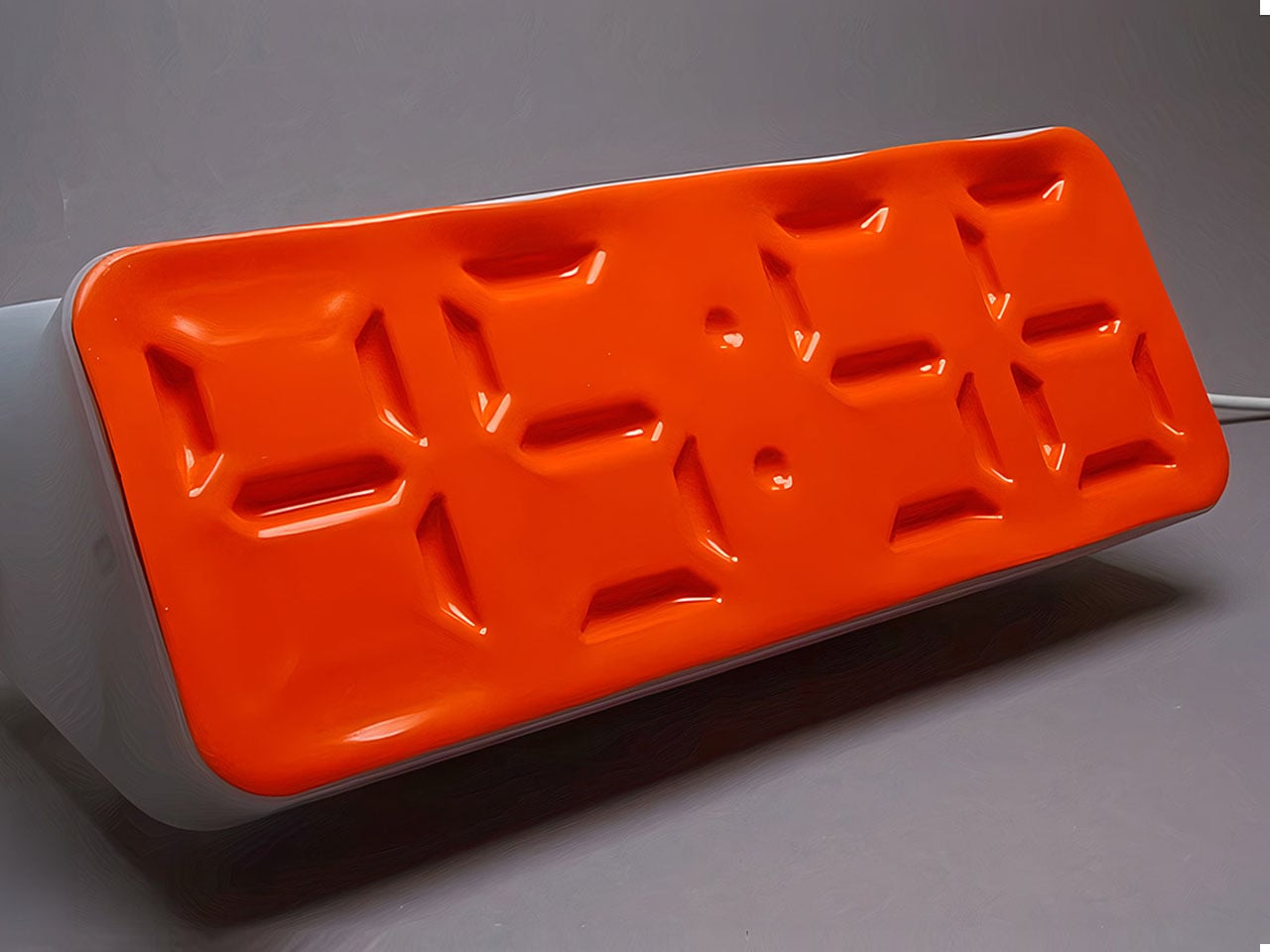
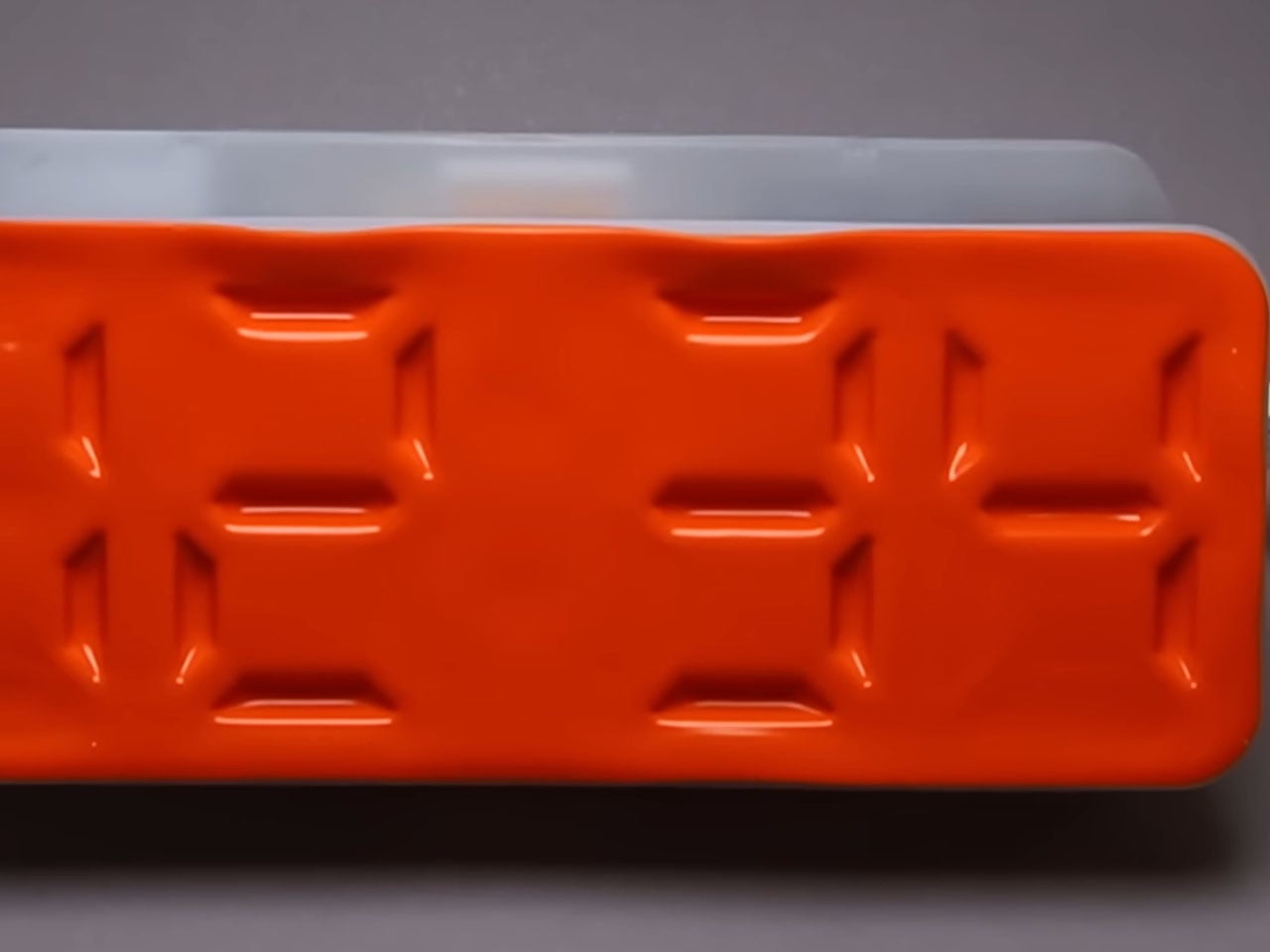
Time-checking is one of the most common reasons people pick up their phones — and one of the quickest ways to lose focus. The Air Powered Segment Clock answers that with something genuinely unlike anything else on a desk: a four-digit display that uses no LEDs at all. Instead, vacuum pressure pulls sections of a flexible silicone membrane inward to form each digit, the way a pneumatic system flexes a muscle. It’s mechanical, quiet, and mesmerizing to watch change.
What makes the engineering remarkable is that each segment behaves like a memory cell — holding its shape after pressure is removed, only resetting when the next command arrives. The architecture mirrors how RAM functions. The clock is DIY-built from 3D-printed parts, a small vacuum pump, solenoid valves, and an Arduino, and it includes a stopwatch mode. It lives on your desk to tell you the time, and that’s it — there’s nothing else it can tempt you with.
What we like:
- The pneumatic segments hold each digit without continuous power, making it a genuinely low-energy timekeeping system
- Watching the silicone membrane shift and settle is a micro-moment of calm between tasks
What we dislike:
- As a DIY build, it requires significant technical skill to replicate — this isn’t something you can simply order
- The vacuum pump and solenoid system adds mechanical complexity that may require periodic maintenance
2. OrigamiSwift Mouse


A mouse might seem like an unlikely candidate for this list, but the Origami Swift earns its place by making your physical workspace feel intentional. Designed by Horace Lam and inspired by the art of origami, it folds completely flat — just 4.5mm thin and 40 grams — and snaps into full mouse form in under half a second. That small ritual of unfolding and clicking into position is a quiet but real signal to your brain that work is starting now.
Bluetooth 5.2 keeps connectivity fast and reliable, with a wireless range of up to 32.8 feet in open areas, and the USB-C rechargeable battery lasts up to three months on a single charge. Soft-click buttons and a smooth glide keep sessions quiet and distraction-free. Compatible with Mac, Windows, and Android, it performs like a full-sized mouse when open and disappears into a bag without drama when the day is done.
What we like:
- The fold-to-activate gesture creates a physical transition into work mode that a trackpad or standard mouse doesn’t offer
- At 40 grams with a three-month battery life, it’s both genuinely portable and technically capable
What we dislike:
- The folded form factor requires adjustment for users accustomed to traditional palm-grip mice
- Soft-click buttons may feel less satisfying for those who prefer strong tactile feedback
3. Note
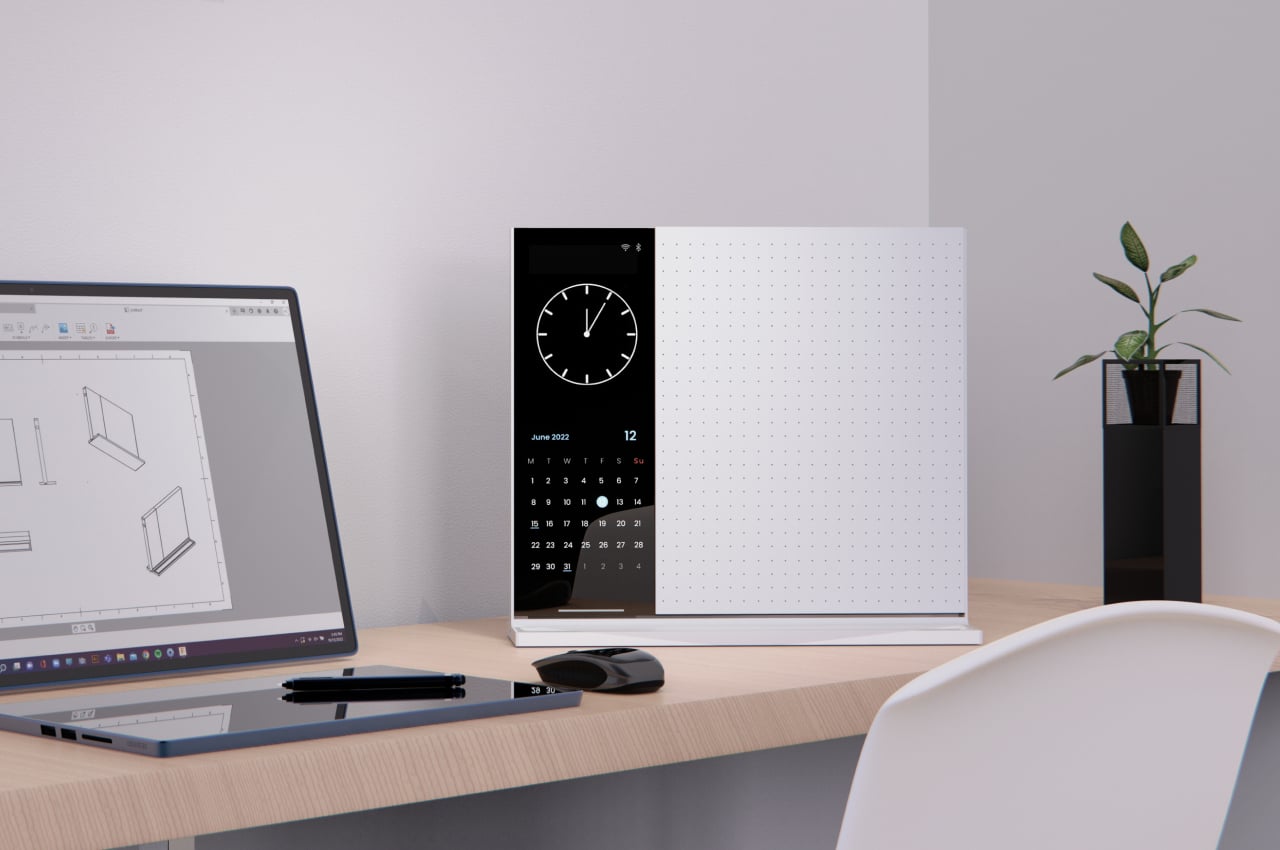
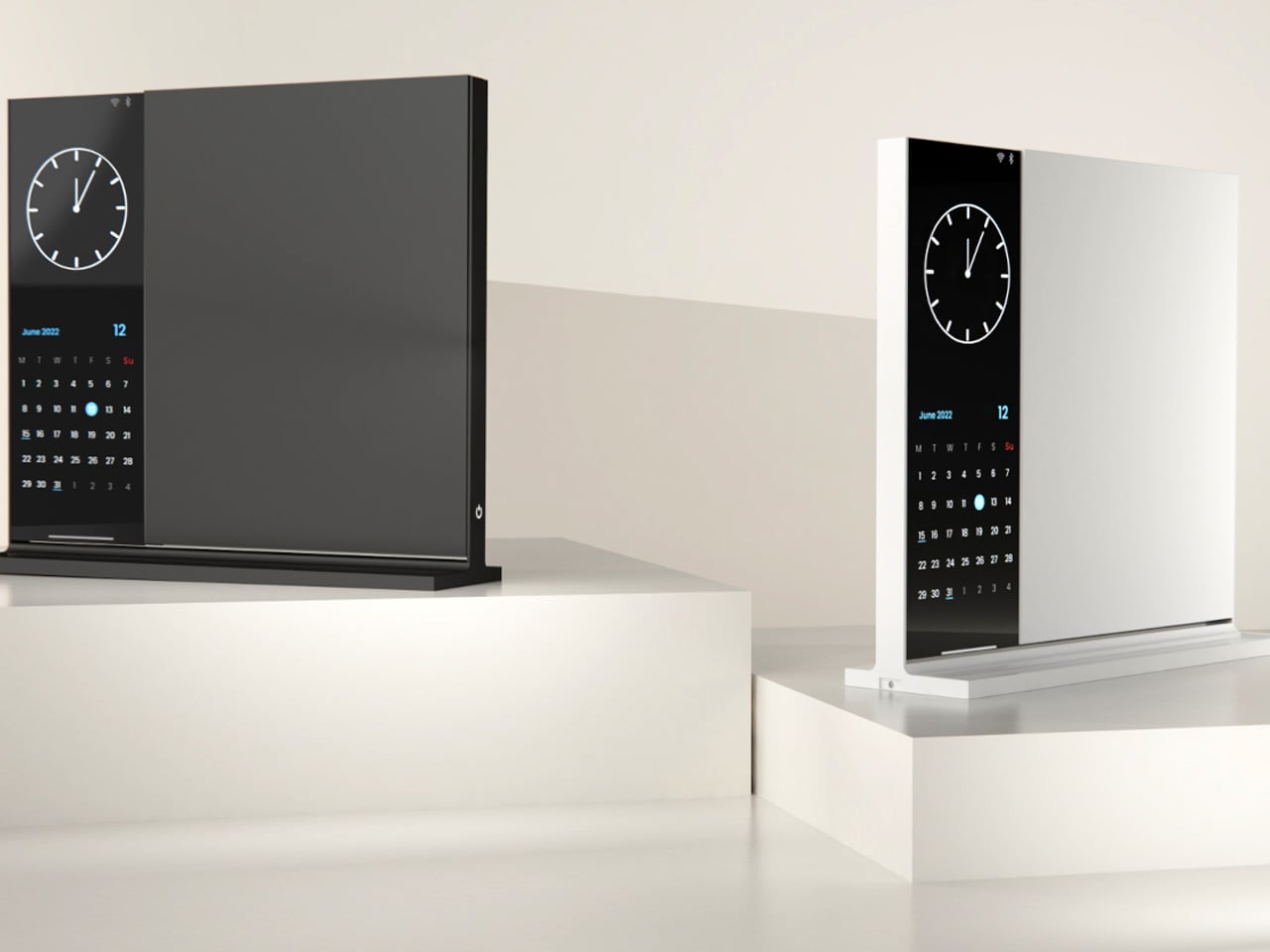
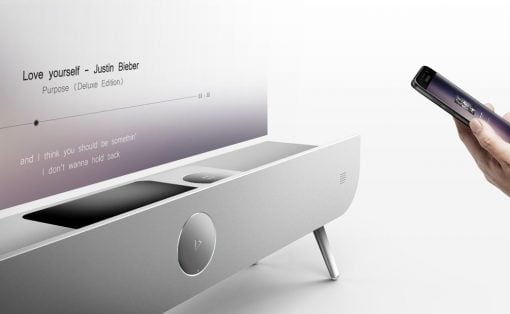
The Note is deceptively simple: a desk object that bridges analog note-taking with just enough digital utility to make it genuinely useful. The device pairs a whiteboard surface for jotting ideas with a small built-in display on the left side that shows the time, date, and music controls. Rather than asking you to open an app or unlock a screen, Note keeps that essential information directly in your peripheral vision, fixed and passive.
The design addresses something real: the modern digital workstation is so fully loaded that reaching for anything — a timestamp, a song, a quick note — means crossing through a notification minefield. Note keeps those basic needs on the desk and offline. Sketch an idea on the whiteboard, check the time from the side display, and keep moving. It doesn’t replace your technology. It quarantines the parts of it that constantly pull your attention away from the work directly in front of you.
What we like:
- Combining a whiteboard surface with a peripheral display eliminates two of the most common reasons for picking up a phone
- The minimal form factor stays present without demanding attention
What we dislike:
- Note remains a concept with no confirmed production timeline or retail availability
- The side display’s feature range is limited compared to a full smart display, which may frustrate users who want more
4. Immerge Desk Timer

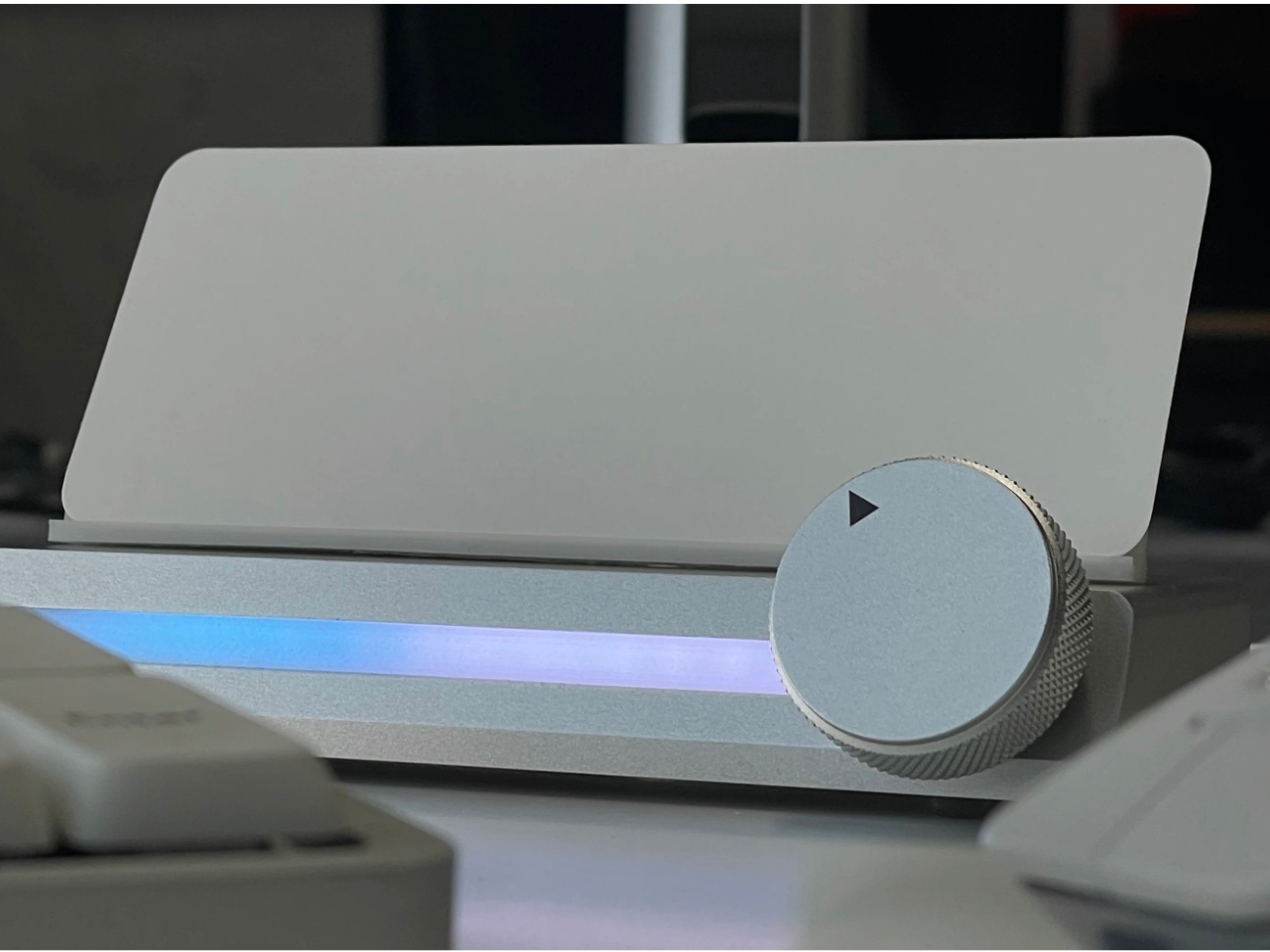
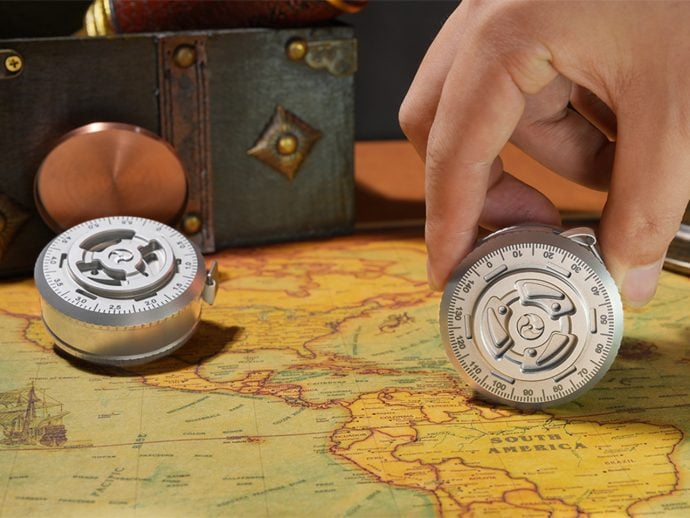
There’s a reason so many people use the Pomodoro method but can’t stick to it: phone timers live on the same device that breaks focus. The Immerge Desk Timer by Adam Cole Edwards is a concept for a CNC-machined aluminum timer with an anodized finish, designed to sit on your desk as a physical commitment to a work block. A smooth-rotating wheel sets the desired interval. There’s no screen, no app, and no chance of a notification bleeding through from something else.
A built-in note card slot on the front holds a small index card — space to write the day’s top priority, a single task, or a short reflection. That combination of timer and intention-setting turns the Immerge into something more considered than a countdown. The design language is deliberately understated, built to complement any desk without demanding to be noticed. It’s still a concept, but the idea it represents — analog focus as a deliberate cultural choice — feels overdue.
What we like:
- The integrated note card slot pairs time management with written intention, reinforcing focus before a session even begins
- CNC-machined aluminum with an anodized finish places it firmly in premium desk object territory
What we dislike:
- The Immerge remains a concept with no confirmed production timeline or pricing
- A purely analog timer offers no connectivity for users who track productivity data or want to log sessions
5. MagBoard Clipboard
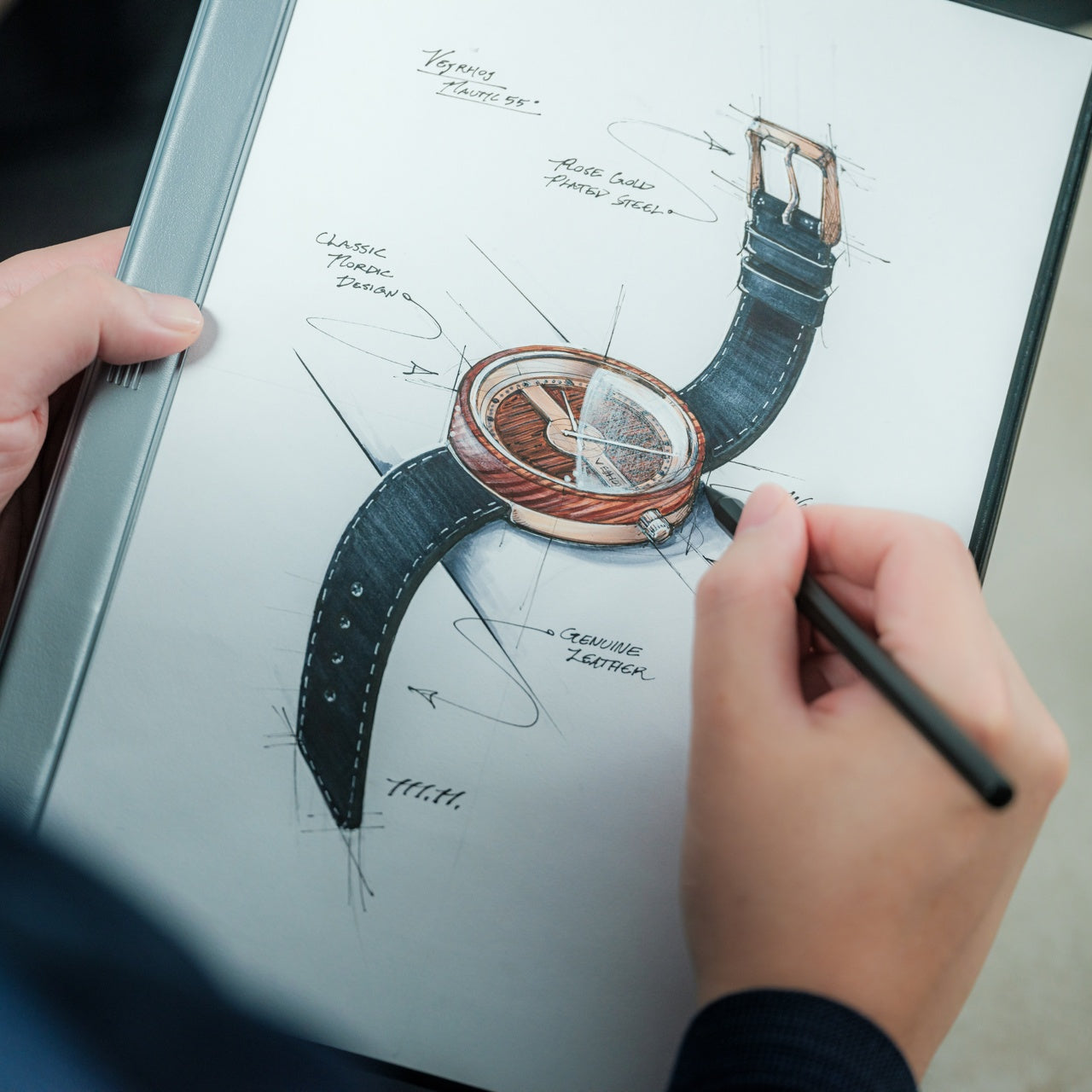
Paper has a focus advantage that screens don’t: it notifies you of nothing. The MagBoard Clipboard leans into that advantage while solving the one real problem with loose paper — keeping it together. A Magnet x Lever mechanism secures up to 30 sheets without a traditional spring clip, and releasing or adding pages takes nothing more than a light press on the edge. It’s made in Japan, and the material quality reflects that without needing to announce it.
The hardcover design means you can write on it standing up, on a couch, or anywhere a thought shows up. The surface is water-resistant and easy to clean. Available in A4 and A5 sizes, it accepts any paper you choose — blank, grid, dotted, printed, perforated, or mixed. There’s no prescribed format and no app syncing required. You write what you think, in whatever order makes sense, and reorganize whenever the work demands it.
What we like:
- The Magnet x Lever system secures any combination of paper types without marking or damaging sheets
- Water-resistant hardcover construction makes it practical well beyond a standard desk setup
What we dislike:
- The 30-sheet capacity may feel limiting for users who work through large volumes of material in a single session
- Unlike digital tools, there’s no built-in way to search, tag, or retrieve older pages
The Best Tools Are the Ones That Stay Out of the Way
The phone isn’t going anywhere, and none of these objects pretend otherwise. What they offer is friction — the deliberate, productive kind. A clock that reads time through air pressure. A timer shaped from aluminum. A clipboard that holds whatever paper you choose. Each one introduces a small ritual into the day, and rituals are how deep work actually gets done. The setup matters more than most people give it credit for.
Good desk design is quiet. It works without asking to be noticed and keeps your attention where it belongs. These five objects don’t promise a productivity revolution — they just remove one more reason to reach for your phone. Sometimes that’s enough to finish the thing you’ve been putting off. Not because you became more disciplined overnight, but because nothing interrupted you long enough to break the thread.