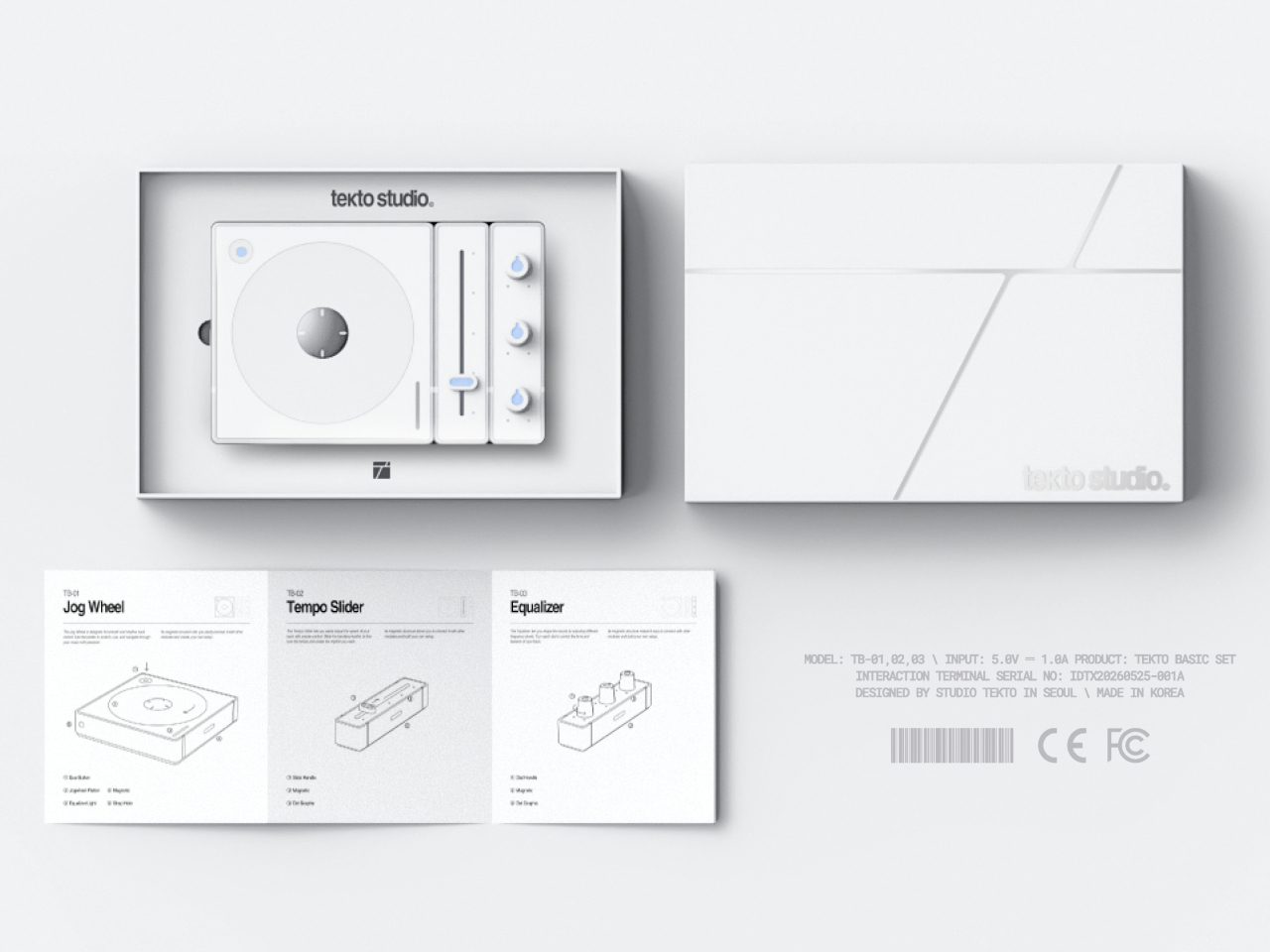
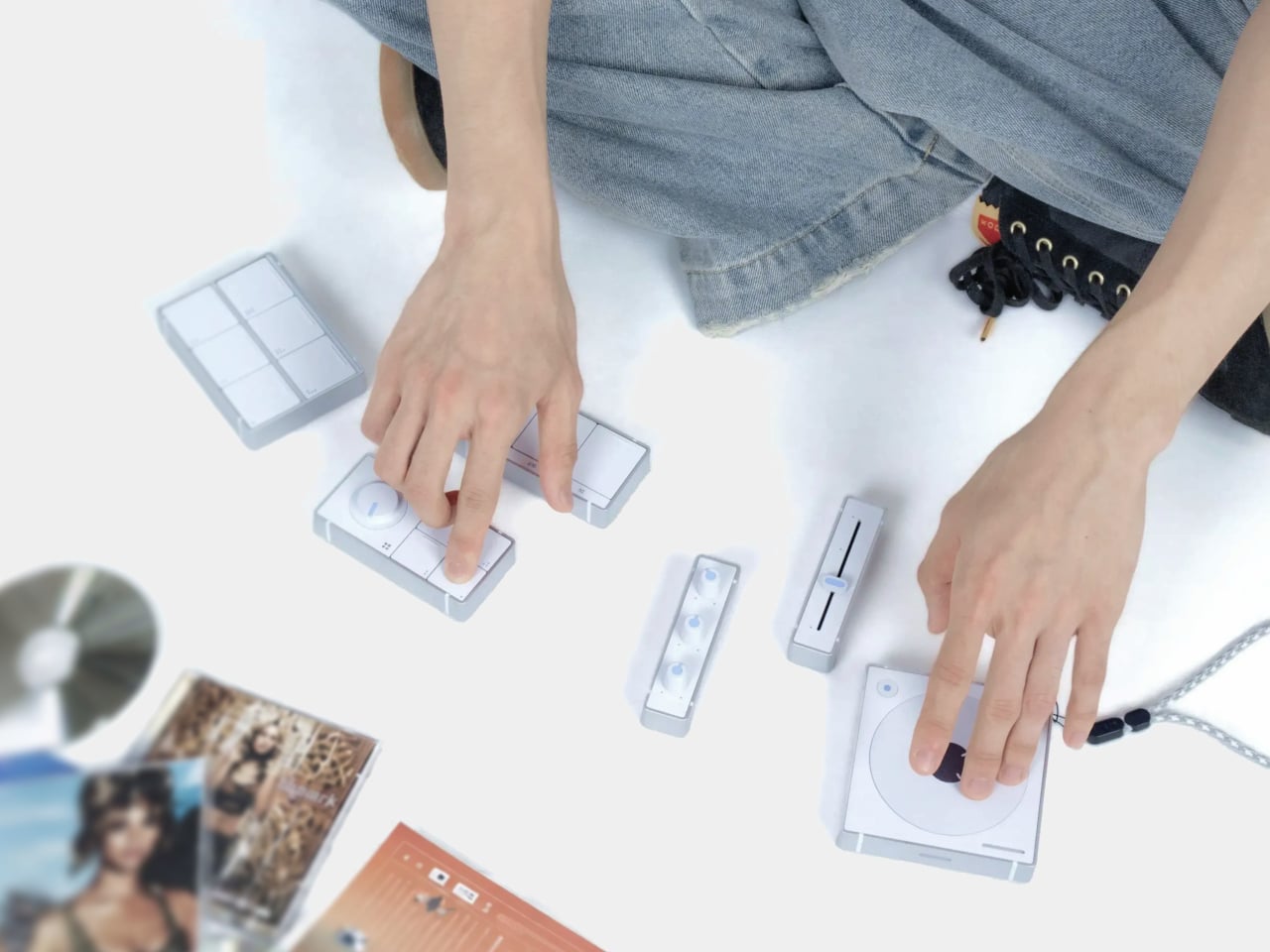
The first thing you have to learn on a DJ controller is where everything is, which can take a while when all you want to do is try mixing two songs. The tekto studio concept gives the jog wheel, tempo slider, and equalizer separate housings that join with magnets. You could start with a few controls and leave the rest in the bag.
The jog wheel takes up most of a square you could hold in one hand. It handles playing, pausing, and scratching, the last of which makes a little more sense with a wheel under a finger than with a button on a screen. The narrow strip for tempo does one thing. Move its slider, and you’d change how fast the track plays.
Designers: Kown Sunju, Kim Doyeon, Kim Jiwon, Kim Jiin, Moon Suhyoung
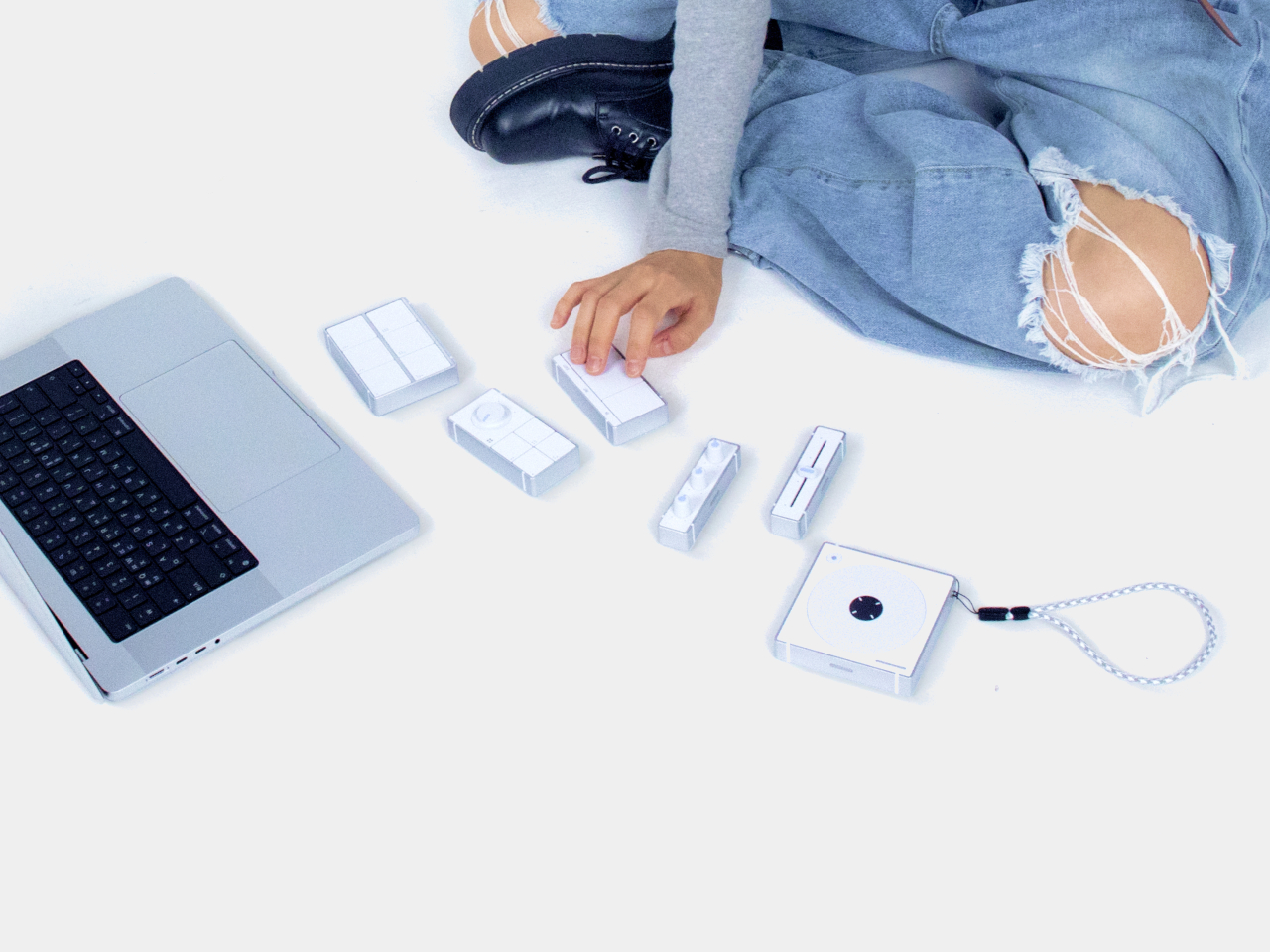
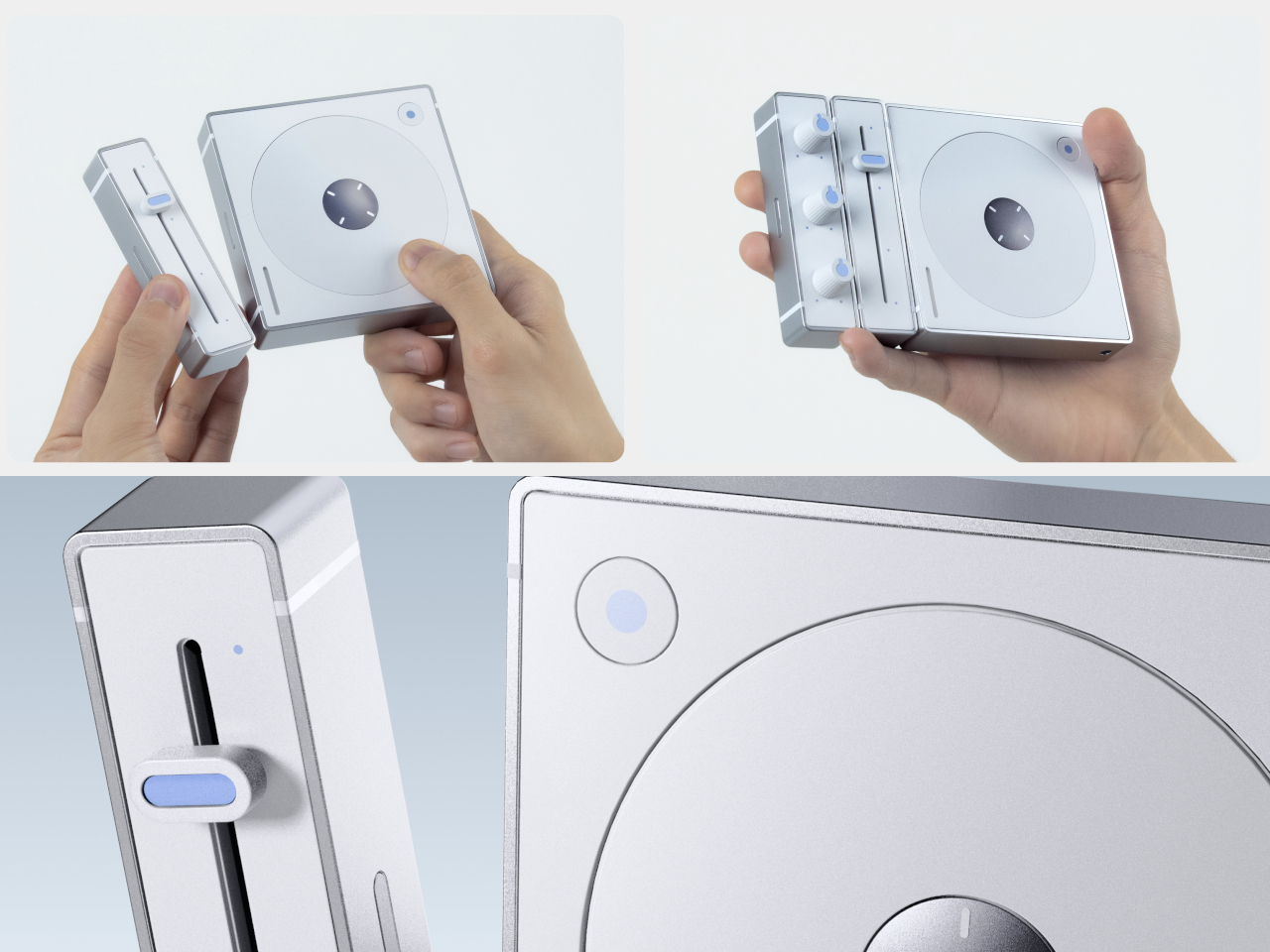
The equalizer is another slim strip, this time with three knobs for the lows, mids, and highs. The pieces are sized on a grid with squares roughly nine tenths of an inch wide, so the edges line up when you put them together. You could put the knobs below the wheel on a narrow desk or beside it on a wider table.
Once you want to bring a second song in, there’s a separate crossfader to shift the balance between tracks. The loop module would let you repeat a passage, and the performance pads and effects add more to play with. If the point of the evening is to get one transition right, those pads can stay out of the way until you need them.
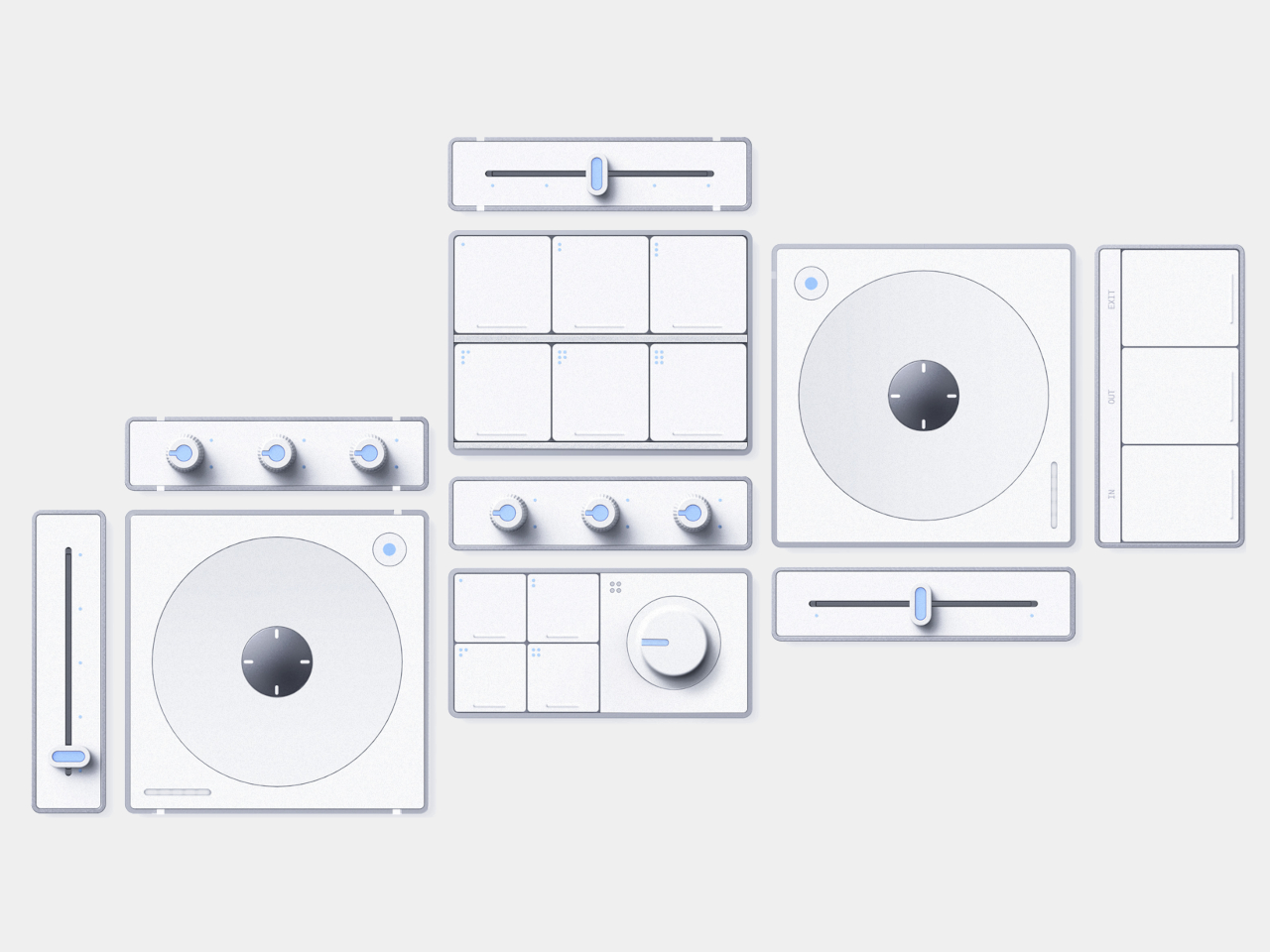
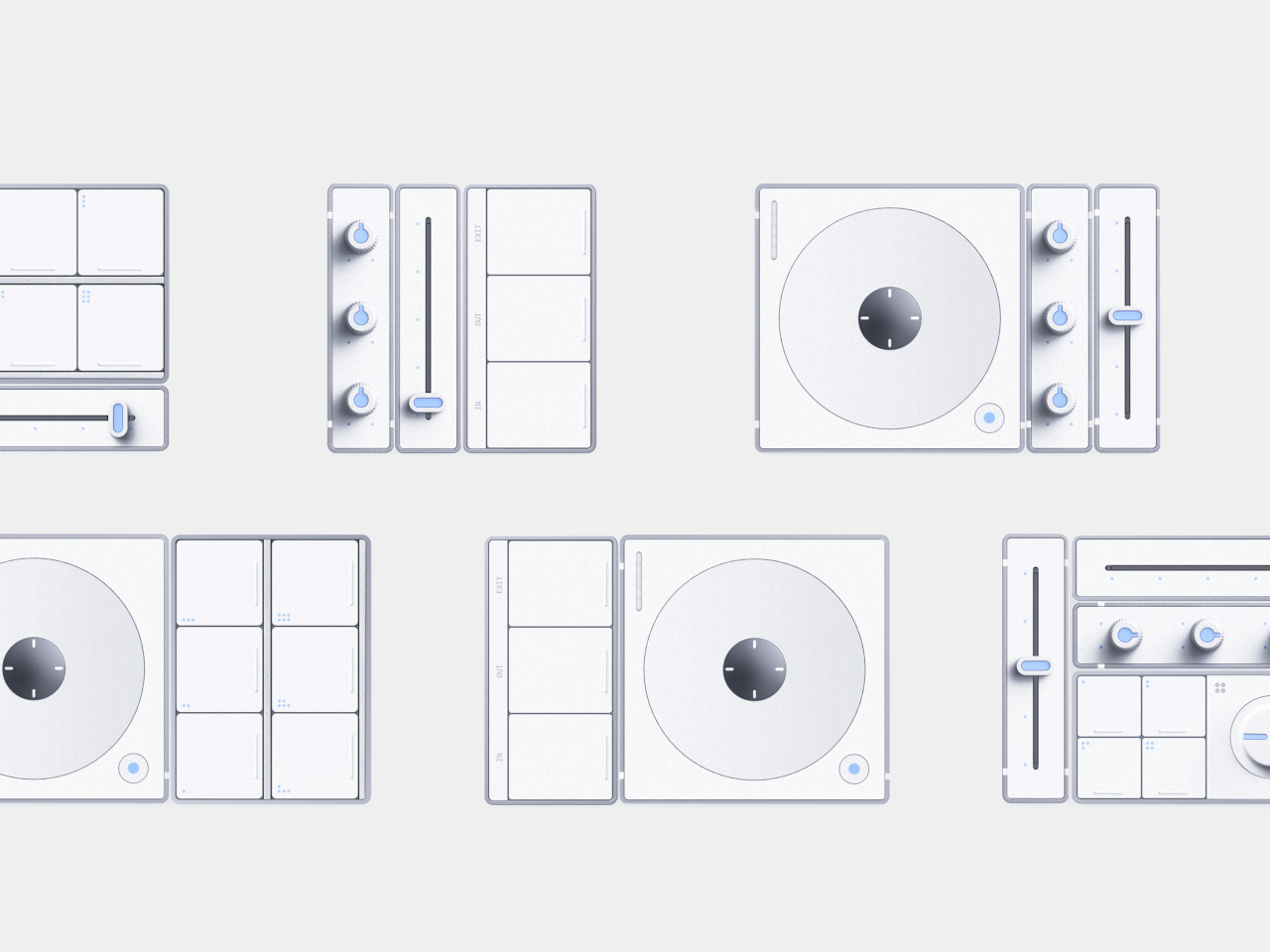
The proposed app would handle the parts that don’t need a knob, such as choosing tracks, saving mixes, and adjusting effect settings. Its graphics are meant to change as you work the physical controls, giving you something to look at besides the position of a slider. That still leaves a separate screen in the setup, even if your hands are somewhere else.
Taking the mixer apart creates another small problem, of course. Now you have several things to pack instead of one. The concept includes a shoulder bag with fitted recesses for the modules, intended to charge them while they’re put away. There’s also a wrist strap for the jog wheel if you’d rather carry that one control than bring the whole kit along.
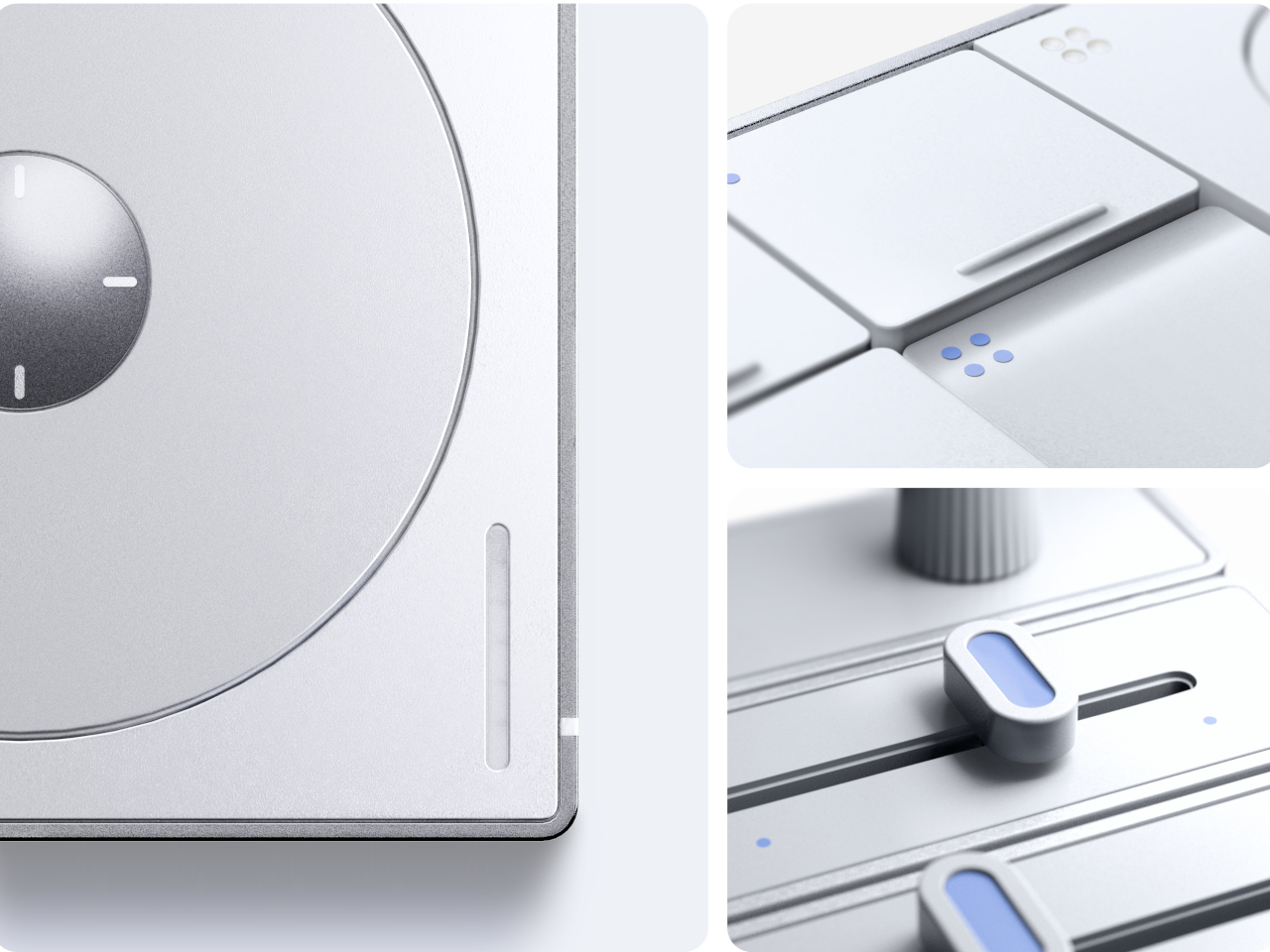
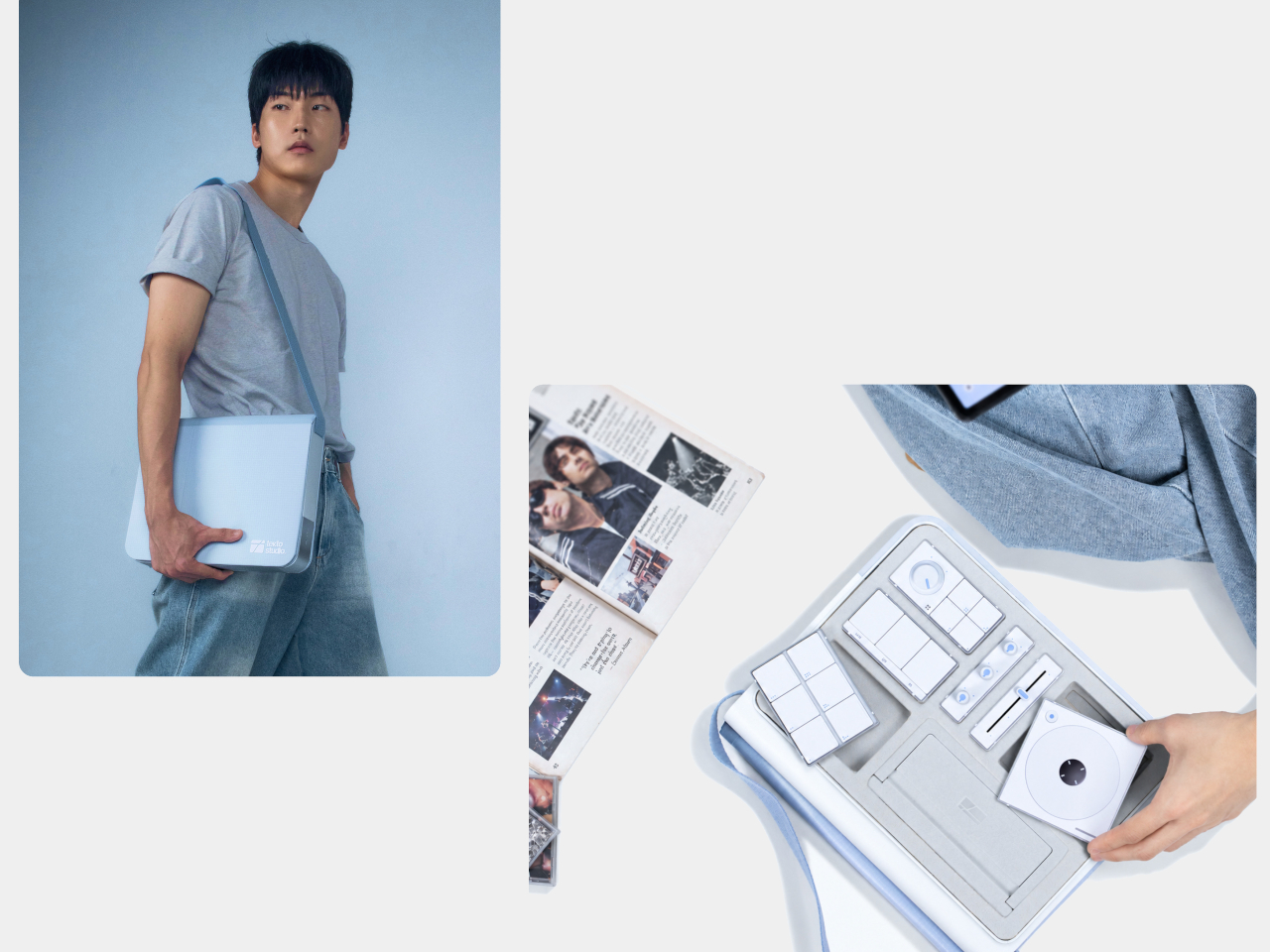
The magnets explain how the pieces stay together, but the project doesn’t say how they pass control signals to the app. It also doesn’t specify what the system would need to send music to a speaker. Those details would determine how much gear you’d actually have to bring to a friend’s place for a set, no matter how neatly the controls pack away.
There’s a case for keeping the layout fixed once your hand knows where to find the crossfader without looking. The nice thing about this arrangement is that you could get there with a setup you chose yourself. And if a friend wants to try the wheel while you ride the fader, you could set the two controls between you instead of trading places.