
A laptop stand can be useful all day and still feel like an unwelcome guest at dinner. That’s the problem with building a home office on a dining table or in the corner of a bedroom. The equipment tends to stay visually on duty long after you’ve signed off. Better design considers what these objects contribute to the room when the laptop is closed, and nobody is answering another email.
These five home office upgrades are selected for the way they handle that overlap. Some pack away when the workday ends. Others stay visible because their materials and forms belong comfortably among books, artwork, and furniture. Each has a specific job beyond looking good, though they solve different problems. Think of this as a menu for a shared room, rather than a prescription to buy five more objects for it.
1. MOSSLAB Moss Hexa
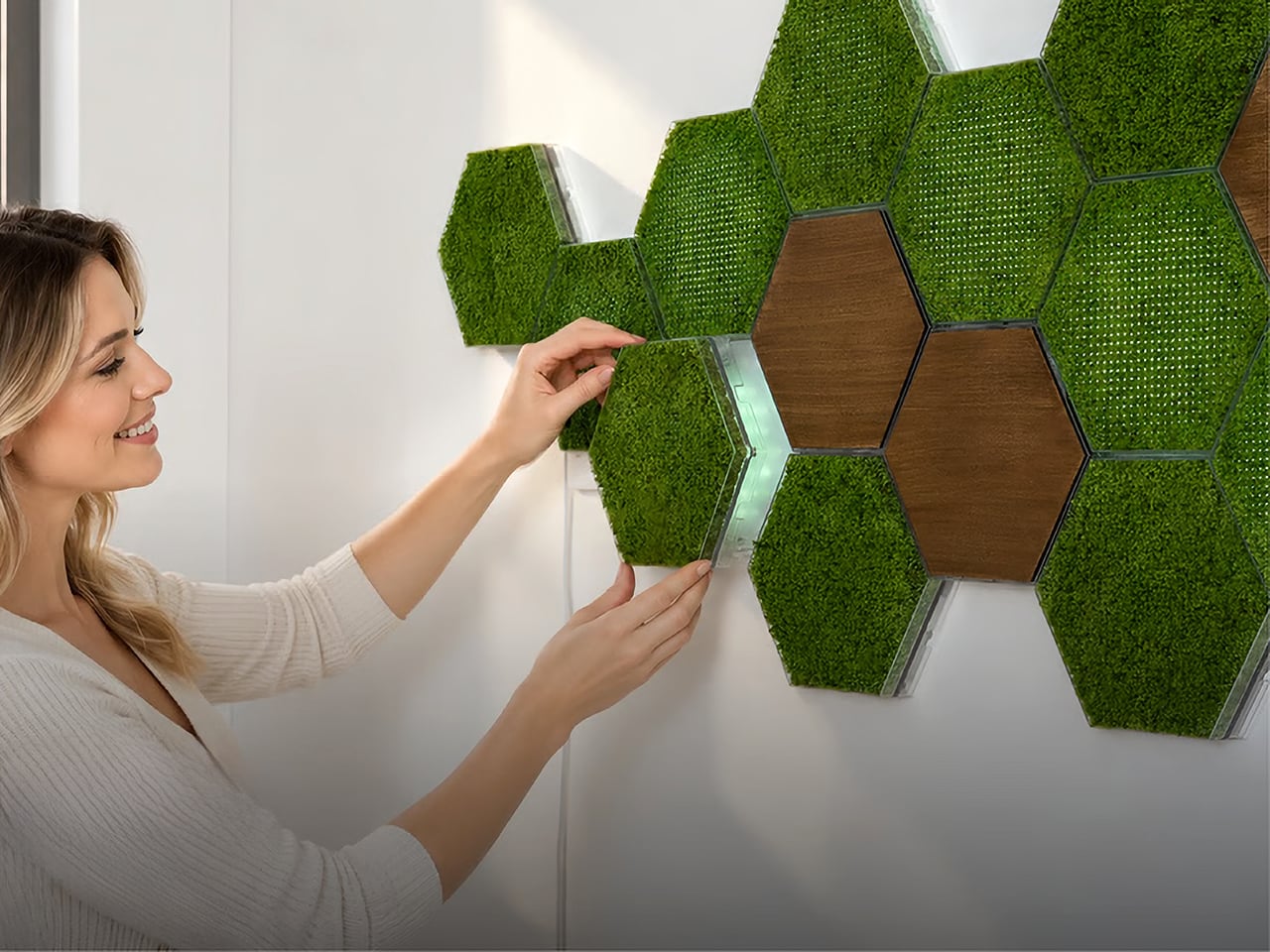

MOSSLAB’s Moss Hexa brings greenery onto the wall through a system of hexagonal modules. This crowdfunding project combines Basic moss panels, illuminated Light panels, and wood-finish accents using shared magnetic mounting hardware. Once the brackets are installed, individual panels can be swapped without replacing that hardware. For a desk corner that feels visually bare, the attraction is texture at eye level without another pot occupying the work surface. The composition can change as the surrounding furniture and your preferences change.
The moss is a living material, so this isn’t an install-and-ignore purchase. MOSSLAB recommends keeping panels out of direct sunlight and misting them lightly about once a week, with care adjusted to conditions. Choose a wall you can reach easily for that routine.
Click Here to Buy Now: $59 $90 ($31 off). Hurry, only a few left! Raised over $130,000.
What we like
- Greenery moves off the desk and becomes part of the room’s wall composition.
- Interchangeable modules let you adjust the balance of moss, lighting, and wood-finish accents.
What we dislike
- The living moss requires regular misting and suitable placement.
2. Logitech Casa Pop-Up Desk

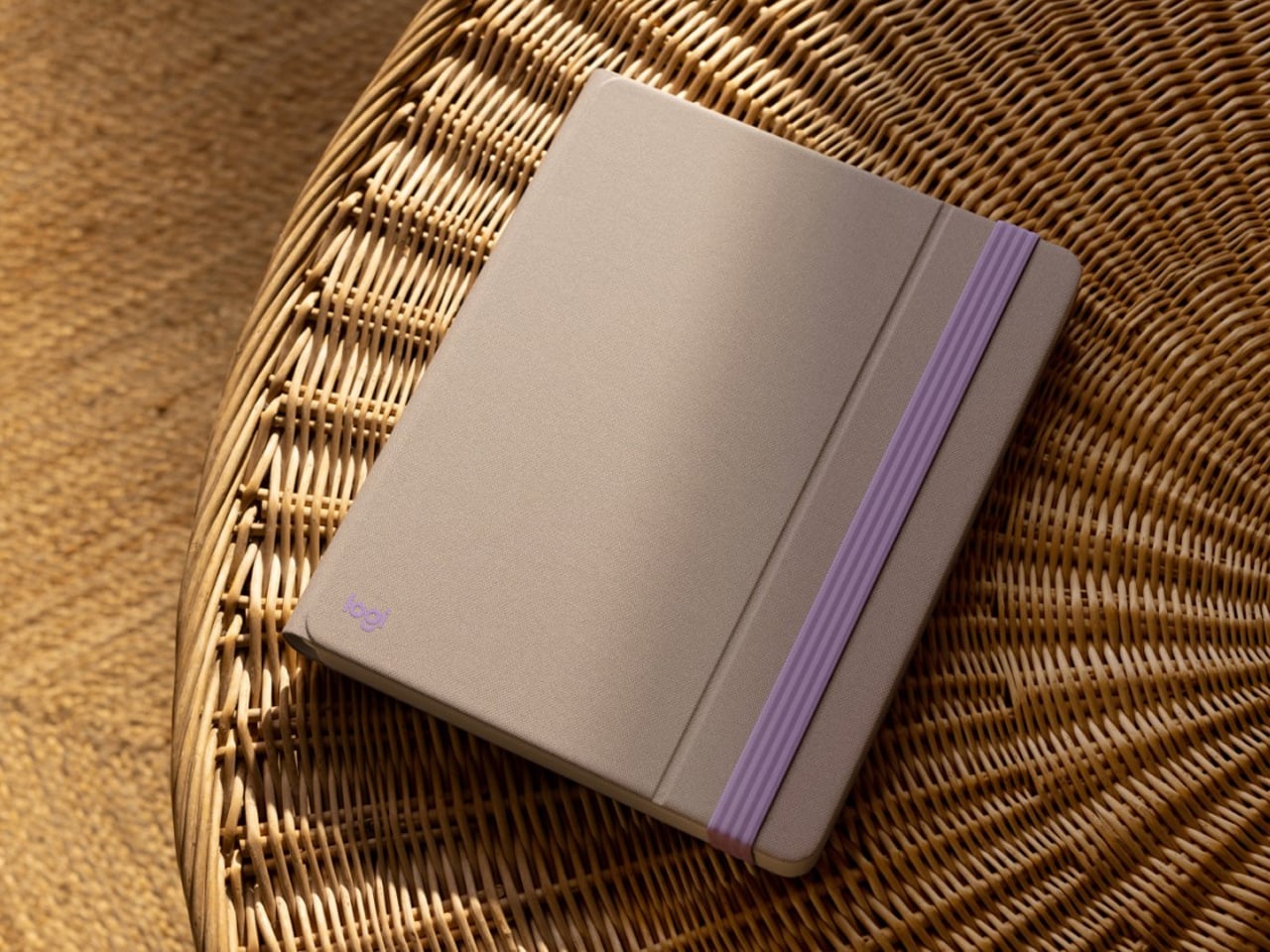
Logitech’s Casa Pop-Up Desk looks like a fabric-covered book when it’s closed, with an elastic band keeping everything together. Open it, and the case becomes a laptop stand, with dedicated storage for the included wireless keyboard and touchpad. A separate compartment holds smaller things such as cables and stationery. That packaging is the important design move: three pieces that would normally be scattered across a table have one home, and the storage object becomes part of the working setup itself.
For a shared dining table, Casa is easier to justify than a permanent array of peripherals. The case lifts the laptop while the separate controls let you position your hands independently of its screen. Logitech says the stand supports most laptops from 10 to 17 inches. You still need a stable tabletop, and anyone devoted to a mouse may miss having one in the kit. Pack the components away, close the cover, and the table is ready for something else.
What we like
- The storage case doubles as the laptop stand, giving the packaging an active role.
- The keyboard, touchpad, and smaller accessories pack away together.
What we dislike
- Despite the name, it needs an existing table or desk.
- The included pointing device is a touchpad, so mouse users may want another accessory.
3. Courant MAG:3
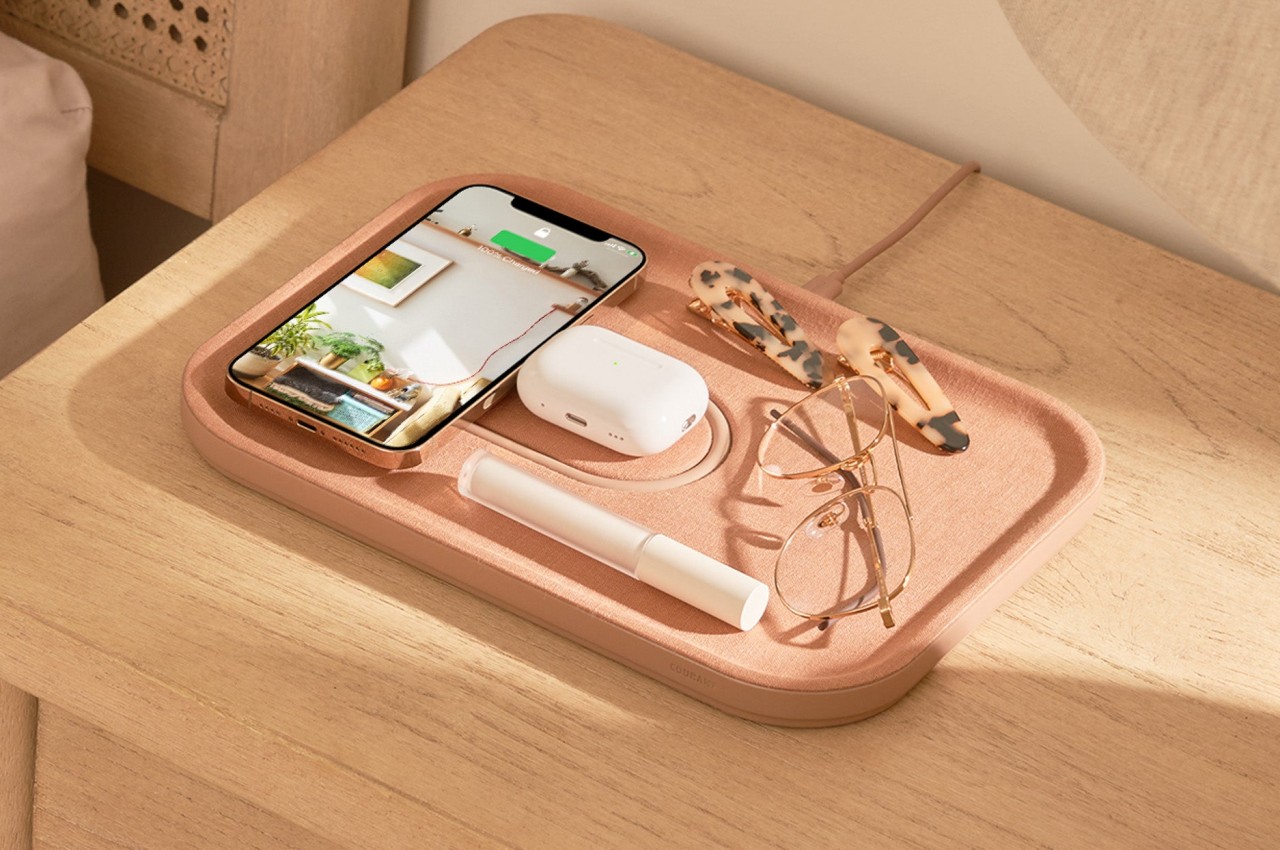
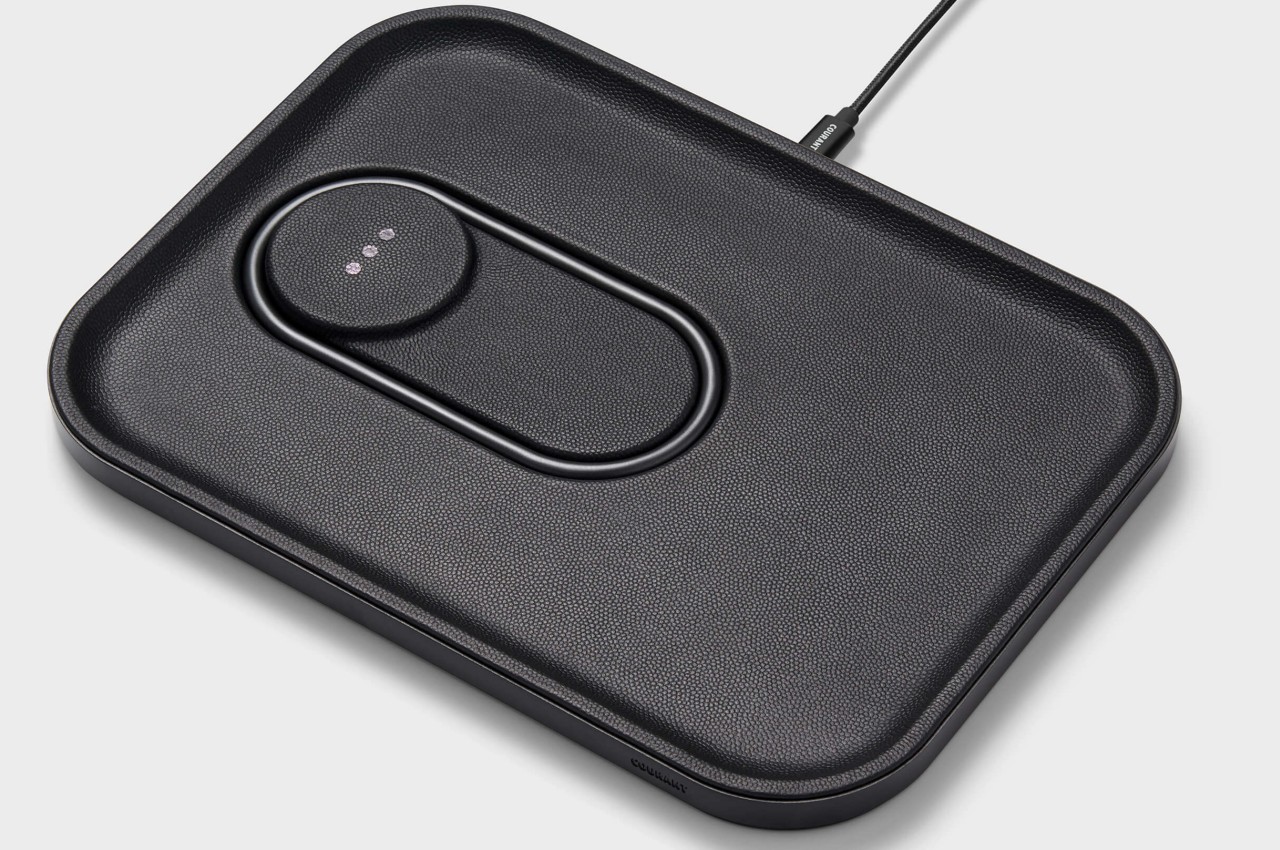
Courant’s MAG:3 takes the familiar valet tray and gives it a charging role. A dedicated charging area sits beside an open compartment for glasses, keys, or whatever usually migrates across your desk. Italian leather and Belgian linen versions offer a material vocabulary closer to home accessories than computer peripherals. The layout makes particular sense beside a laptop because the phone and small belongings already tend to collect there. Giving them defined places makes the arrangement easier to read and maintain.
The magnetic phone pad supplies up to 7.5W, while the second Qi pad provides 5W for a compatible device such as an earbuds case. An extra 10W USB-C output handles another wired accessory. Those figures make this a place for steady charging during the day rather than an urgent battery rescue. Its 11-by-8-inch footprint also deserves consideration on a small desk. You’re trading some surface area for one combined home for charging and the things you’d otherwise leave lying around.
What we like
- Two wireless charging positions share a tray with useful storage space.
- Leather and linen finishes give the charger the appearance of a home accessory.
What we dislike
- Magnetic phone charging is limited to 7.5W.
- The charcoal linen and black leather versions were sold out on Courant’s site when checked.
4. Samsung Music Frame
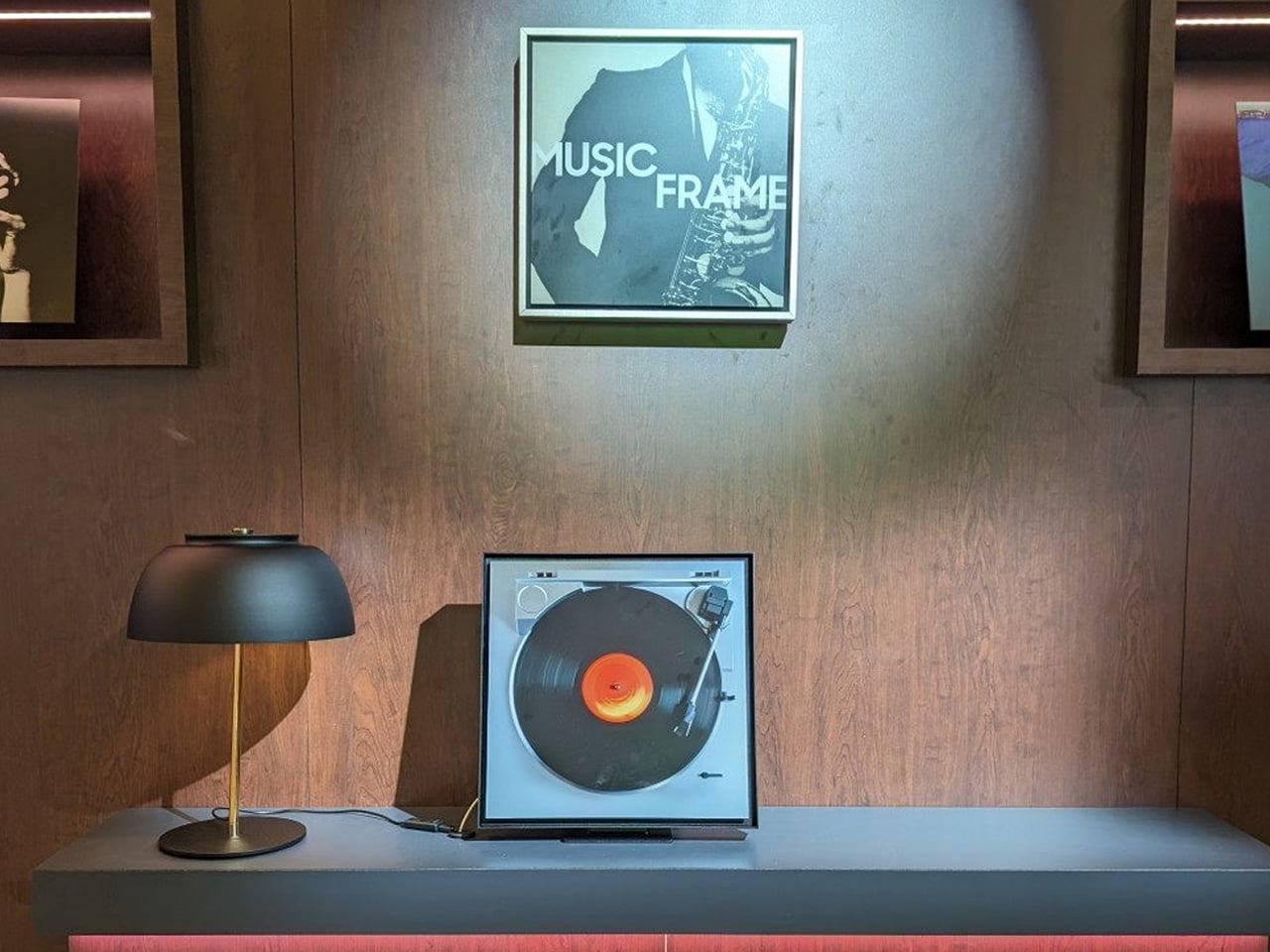

Samsung’s Music Frame disguises a wireless speaker as a framed photograph, which feels particularly appropriate in a workspace carved out of a living room. The image is a physical print rather than a digital display, so there’s no extra screen competing with your laptop. Inside the enclosure, six drivers handle the audio, while Wi-Fi and Bluetooth provide wireless connections. It can stand on furniture or mount on the wall, leaving you to arrange it among the objects already living there.
The useful distinction is that your choice of photograph determines much of the object’s personality. A family picture or graphic print can make it belong to the room without relying on another carefully coordinated gadget finish. It still needs mains power, so wall placement involves a cable as well as mounting hardware. Optional Art Panels are sold separately. Choose it for music in the workspace and its decorative flexibility, rather than assuming it can replace a dedicated video calling setup.
What we like
- A replaceable physical photograph makes the speaker personal without adding another display.
- Wall mounting offers an alternative to putting a speaker on the desk.
What we dislike
- Wireless music streaming doesn’t eliminate the power cable.
- Optional Art Panels cost extra; they aren’t included with the speaker.
5. IKEA VARMBLIXT Smart Table/Wall Lamp

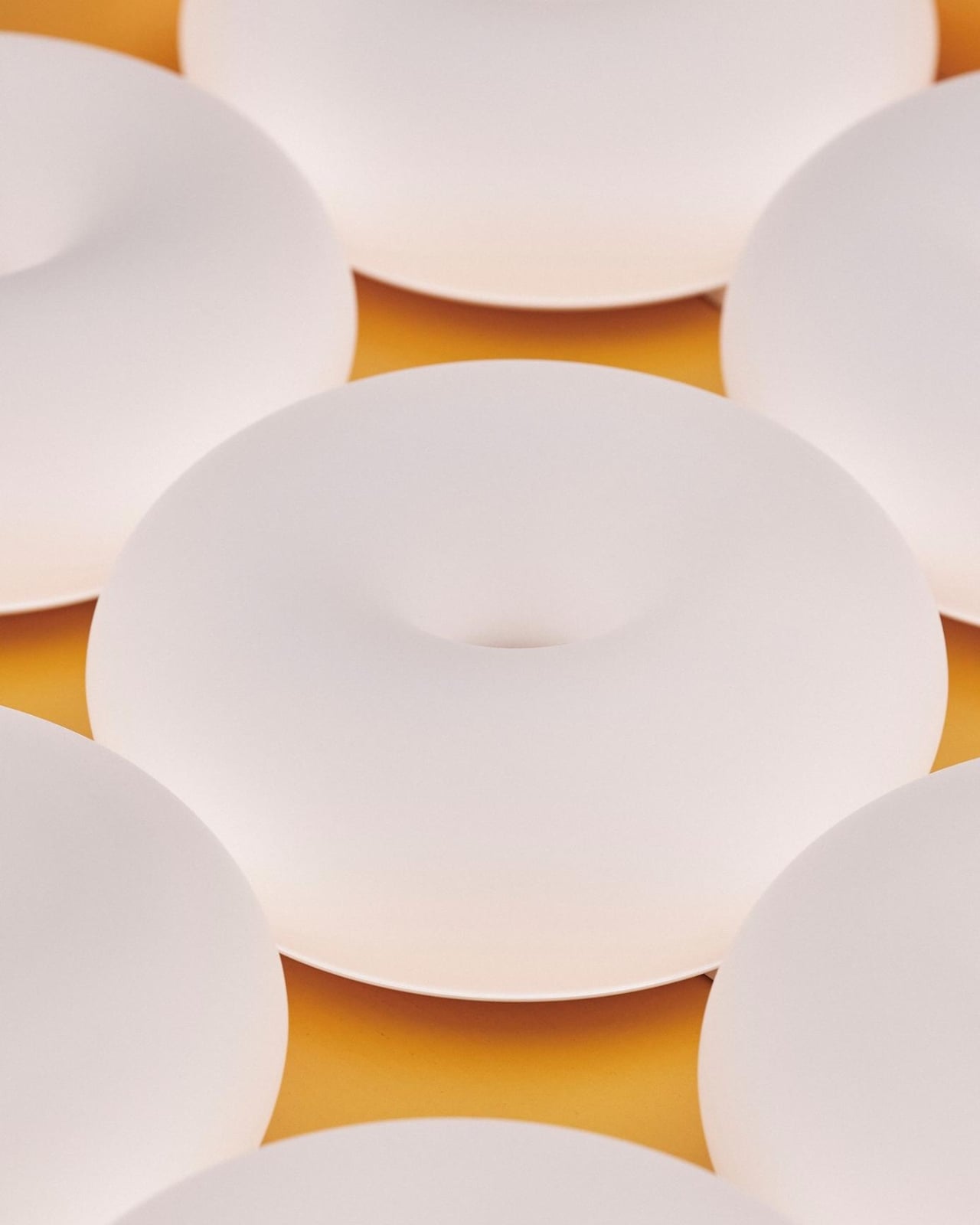
Sabine Marcelis’s smart VARMBLIXT for IKEA keeps the donut silhouette but gives this version a matte white glass shade. The form has enough character to sit beside books or ceramics without resembling a desk accessory. Switch it on, and that glass becomes the surface for changing color. The included BILRESA remote cycles through twelve presets selected by Marcelis. That’s a more considered starting point than expecting every owner to build an appealing lighting palette from scratch through an app themselves.
At 180 lumens, this is an ambient lamp rather than a focused light for paperwork. Put it on a shelf or mount it on the wall to leave your main work surface clear. The smart features need a little planning, too: phone control requires a Thread border router, such as IKEA’s separately sold DIRIGERA hub. The included remote handles basic control without that addition. For a small, shared desk, wall mounting is the feature most likely to earn its keep.
What we like
- The sculptural glass form works as a decorative object when switched off.
- The included remote provides dimming and color control without requiring a phone.
What we dislike
- Its 180-lumen output suits accent lighting, not a complete desk-lighting plan.
- Phone control requires compatible Thread hardware, which may mean another purchase.
Give the Desk Some Limits
Start with the part of your setup that keeps getting in the way. If it’s the daily business of clearing the table, prioritize equipment that packs away together. If it’s a crowded surface, look at the wall before adding another base or tray. A decorative upgrade earns its place when it changes that specific friction. Buying several attractive objects without deciding where they belong can leave the original problem untouched.
Before committing, measure the available surface, locate the nearest outlet, and decide which controls you actually want to use. Leave room for ordinary things, too: a glass of water, a notebook, somewhere to put your elbows. The point of a more domestic workspace is to make working there less intrusive. When you close the laptop, the room should still feel available for the rest of your life without another rearrangement first.