The best desk objects don’t announce themselves. They sit there, do something precise, and let the result speak. This list is built around that standard. Each product here lives under $100 and does something that either shouldn’t be possible at the price, or solves a problem so cleanly you wonder why nobody designed it this way sooner. Some make things. Some reveal things. Some remove friction you stopped noticing years ago.
The $100 ceiling matters because it’s where expectations drop. It’s the bracket where most people accept products that are simply fine. The eight objects on this list are not fine. They’re quietly exceptional, each one capable of a moment that makes whoever sees it on your desk stop and ask where you found it. No trade show exclusives, no luxury markups. Just products that deliver something genuinely impressive and cost less than a dinner for two.
1. OrigamiSwift Folding Mouse
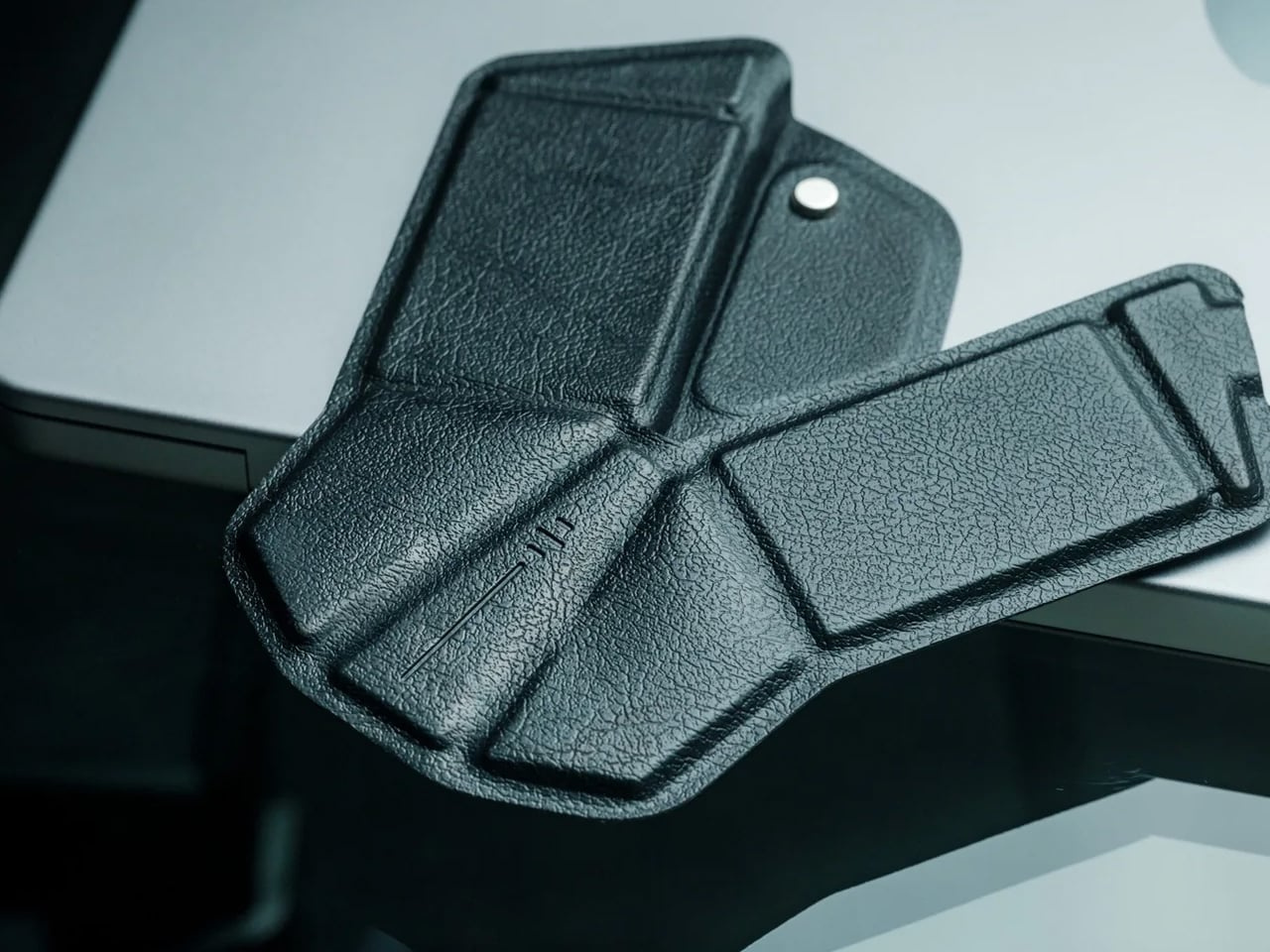
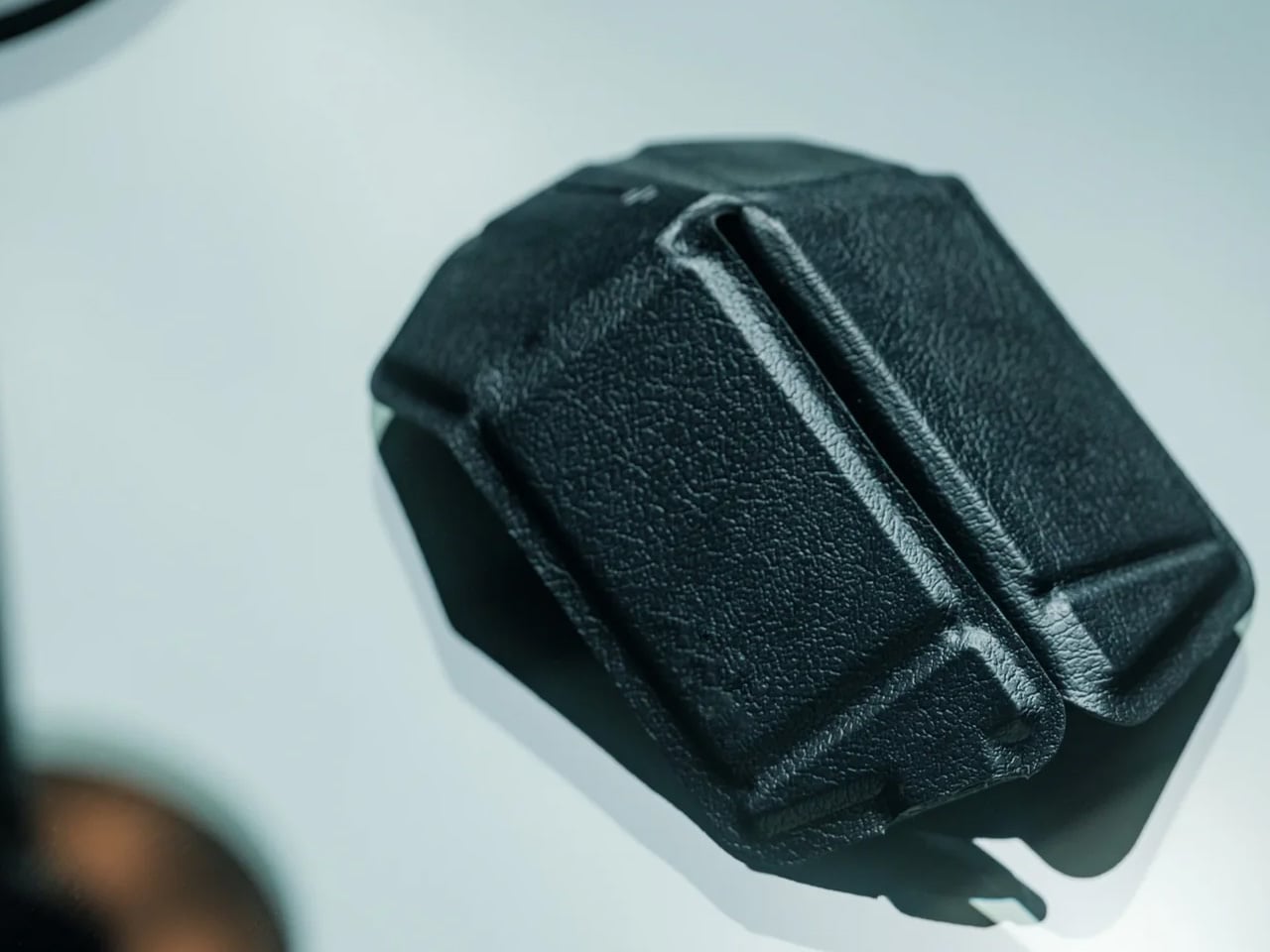
The OrigamiSwift folds completely flat at 4.5mm and weighs 40 grams. Unfold it, and the triangular origami-inspired structure opens into a full-sized ergonomic Bluetooth mouse in under half a second. Designed by Horace Lam, its geometry draws from the structural logic of origami, where the same fold that makes paper rigid under load makes this mouse precise and comfortable under a hand. It connects over Bluetooth without a dongle and performs with the accuracy you’d expect from a standard desktop mouse.
The impressive quality is the transition between states. The mechanism that takes it from 4.5mm of folded geometry to a full ergonomic mouse is a single gesture and works every single time. For anyone working from a bag, a café, or a hotel desk, a mouse that packs to the thickness of a few credit cards removes the last reason not to carry one. The design is precise enough to leave out on a desk as an object in its own right. At $85 from the YD Shop, it is one of the few mice that earns the word beautiful without trading function away to get there.
What we like
- Folds to 4.5mm and 40 grams, making it genuinely pocketable for the first time
- The design holds up as a standalone object on any desk, not just inside a bag
What we dislike
- No traditional raised scroll wheel, which takes a brief adjustment period
- Higher price point than other compact mice operating at the same performance level
2. Hanboost T1 Portable Laser Engraver
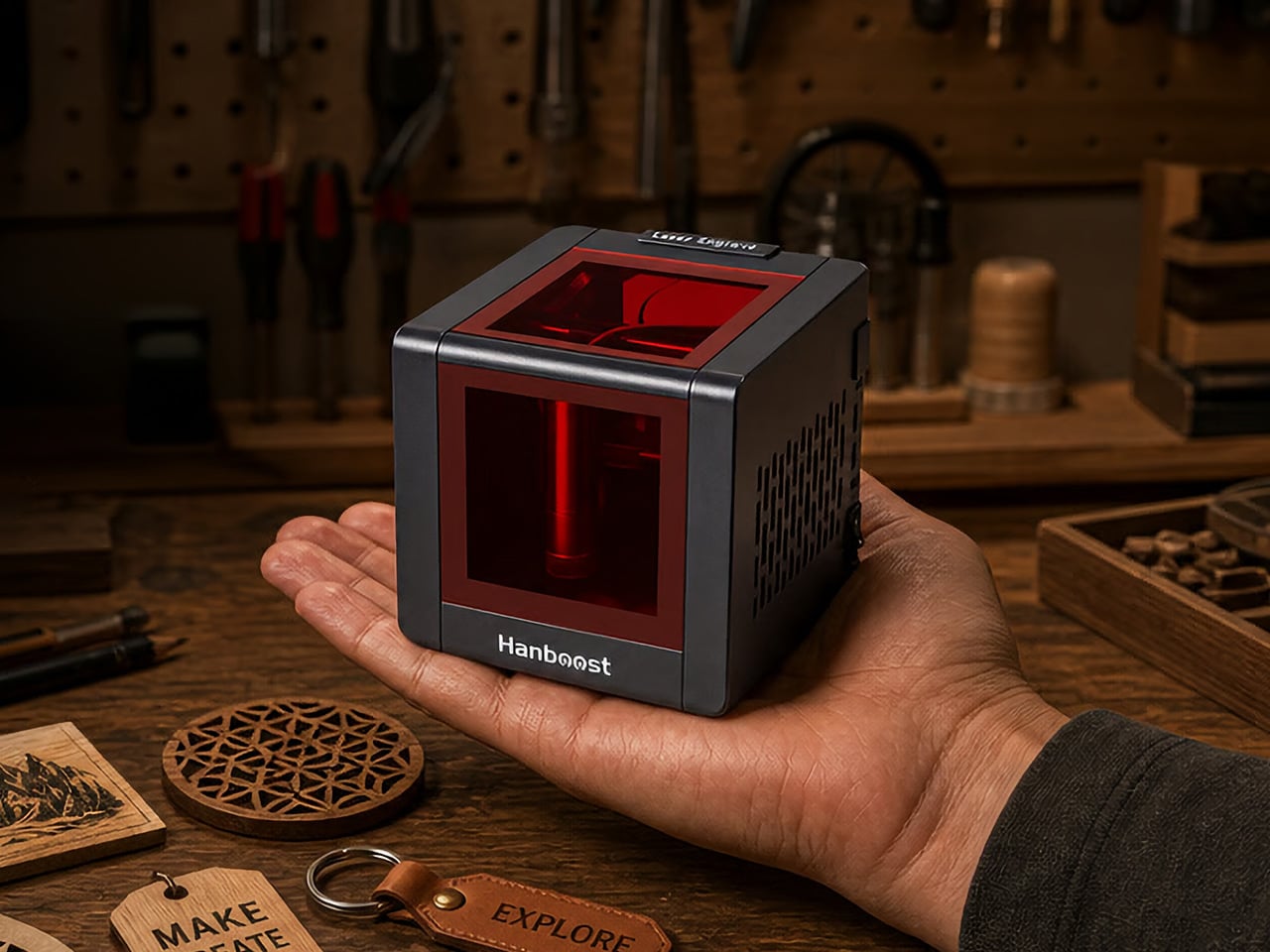
Most laser engravers come with requirements: a dedicated room, a wall outlet, protective eyewear, and a ventilation setup that rules out most apartments before you’ve even turned the machine on. The T1 removes all of it. It measures 115 by 115 by 115 millimeters, weighs 400 grams, runs off any standard USB-C connection including a power bank you already own, and comes fully enclosed with an OD4+ viewing window that lets you watch the engraving process without any eye protection required.
The engraving area covers 60 by 40 millimeters and handles wood, leather, fabric, cork, and cardstock on the standard 500mW module, with bamboo, painted metal, and dark acrylic opening up on the optional 1.6W Pro upgrade. Accuracy sits at 0.05mm, fine enough to render botanical line work or small portrait engravings you’d expect from equipment many times its size. It works with LightBurn and LaserGRBL for experienced makers, and with the MKSLaser mobile app for a clean three-step phone-based workflow.
Click Here to Buy Now: $99 $149 ($50 off). Hurry, only a few left! Raised over $527,000.
What we like
- Fully enclosed OD4+ window means no goggles, no workshop, no excuses
- USB-C and power bank compatible, making it the most portable capable laser engraver at this price
What we dislike
- The 60 by 40mm engraving area limits it to smaller objects and flat surfaces
3. iMicro Q3p Phone Microscope Lens
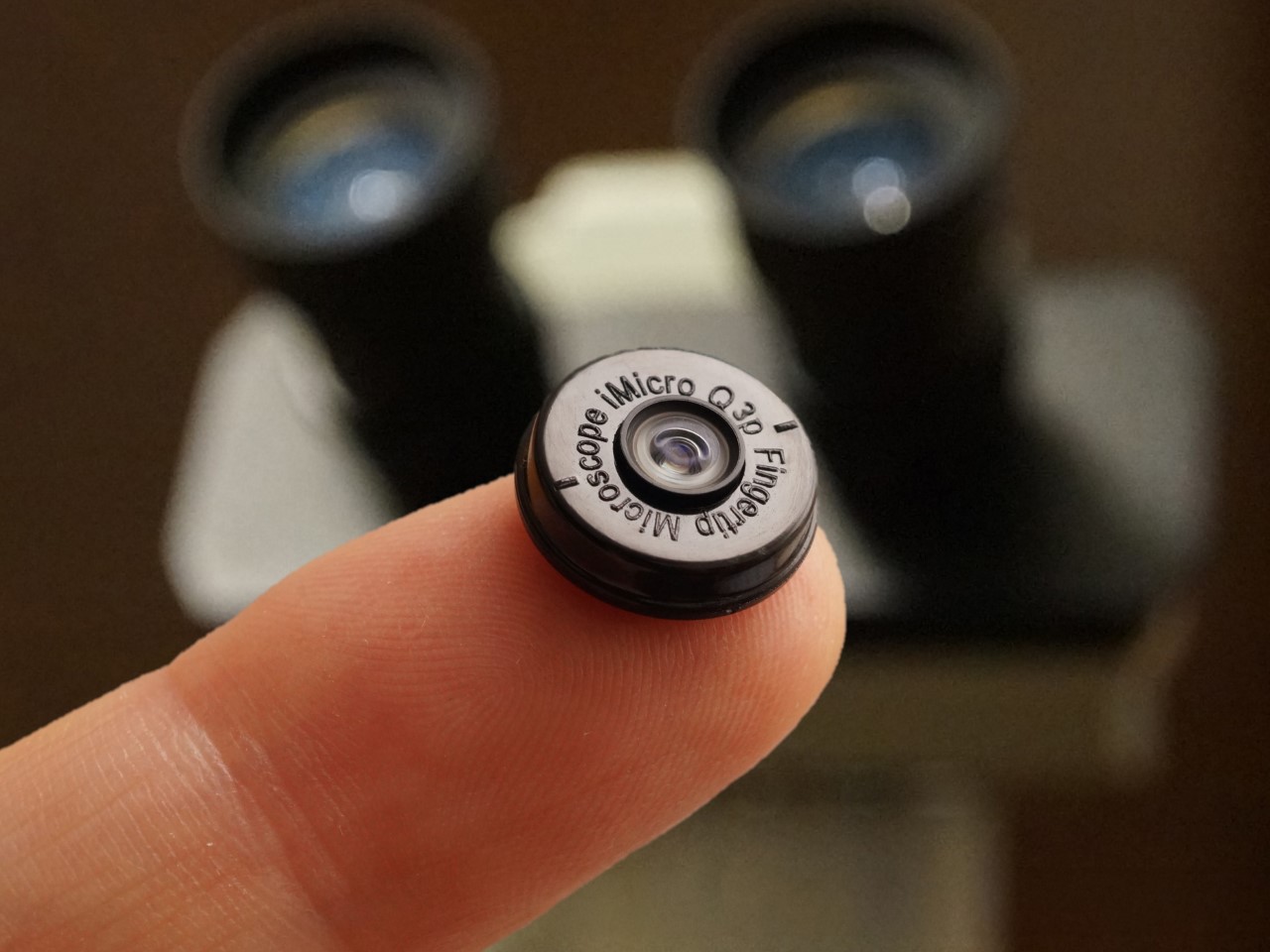
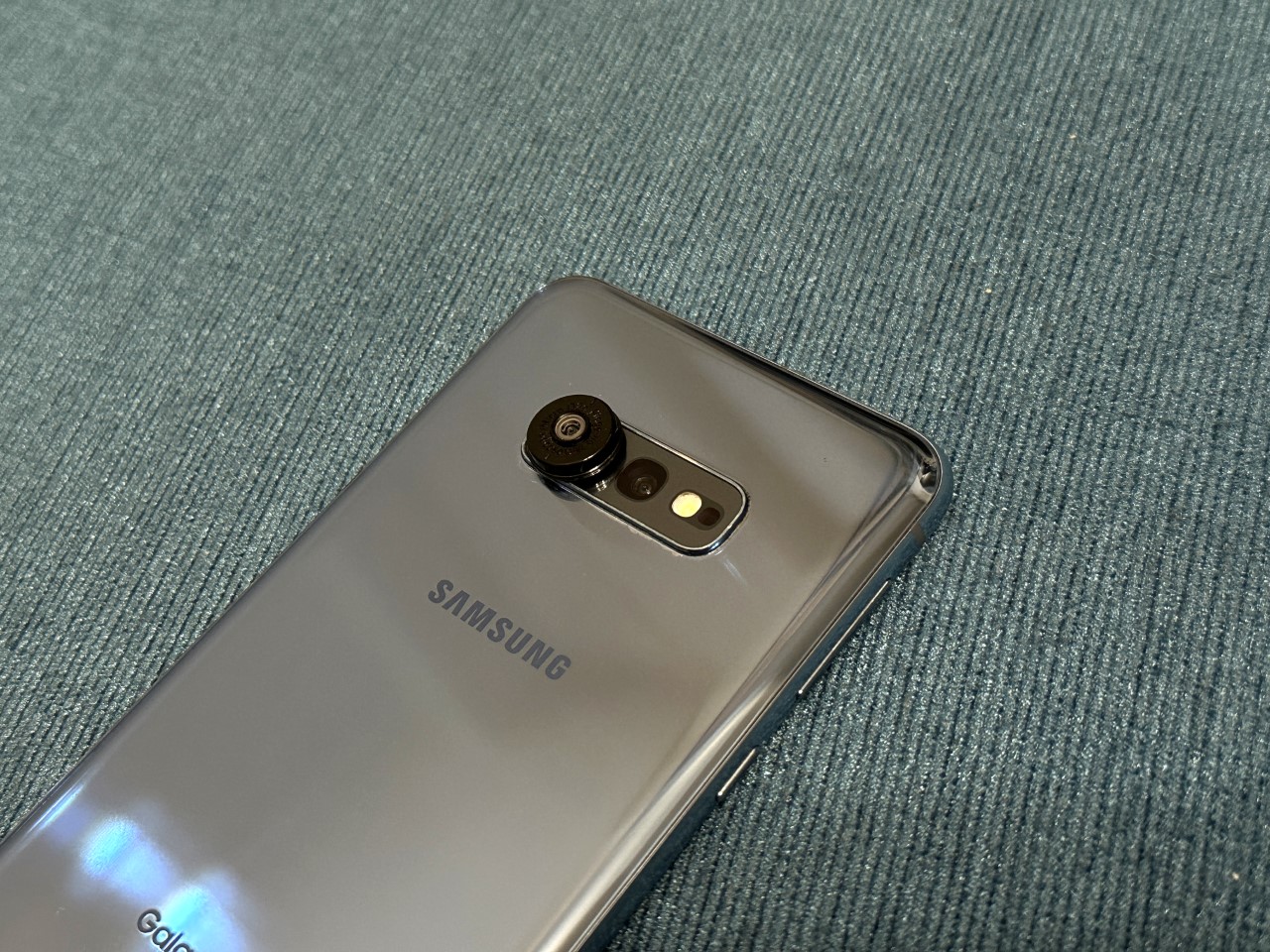
The iMicro Q3p is a fingertip-sized clip-on lens that gives your phone camera 1200x magnification. That number doesn’t mean much until you point it at something ordinary. The fiber weave of a cotton T-shirt looks like aerial rigging. A single grain of salt becomes a translucent cube the size of a building block. The printed surface of a business card reveals ink dots arranged in formations too fine for the naked eye to register. The whole attachment weighs almost nothing and fits in a pocket alongside the phone it transforms.
At $40, it sits at the most satisfying end of the price-to-capability ratio available in consumer products right now. No software installation, no charging, no compatibility friction — if your phone has a camera, this works with it immediately. For designers, the material and surface detail it reveals is genuinely useful reference. For anyone curious about the physical world at a scale they’ve never seen, it’s the kind of object you expect to use once for novelty and end up reaching for regularly. Point it at the output from the T1 laser engraver on this list and the 0.05mm linework looks like it came from a machine ten times the size.
What we like
- 1200x magnification from something the size of a fingertip, costing $40
- No charging, no software, no setup required — clips on and works immediately on any phone
What we dislike
- Any hand movement is heavily amplified at this magnification, requiring a very steady hand
- Best results need bright, even lighting to get clean detail
4. HubKey Gen2
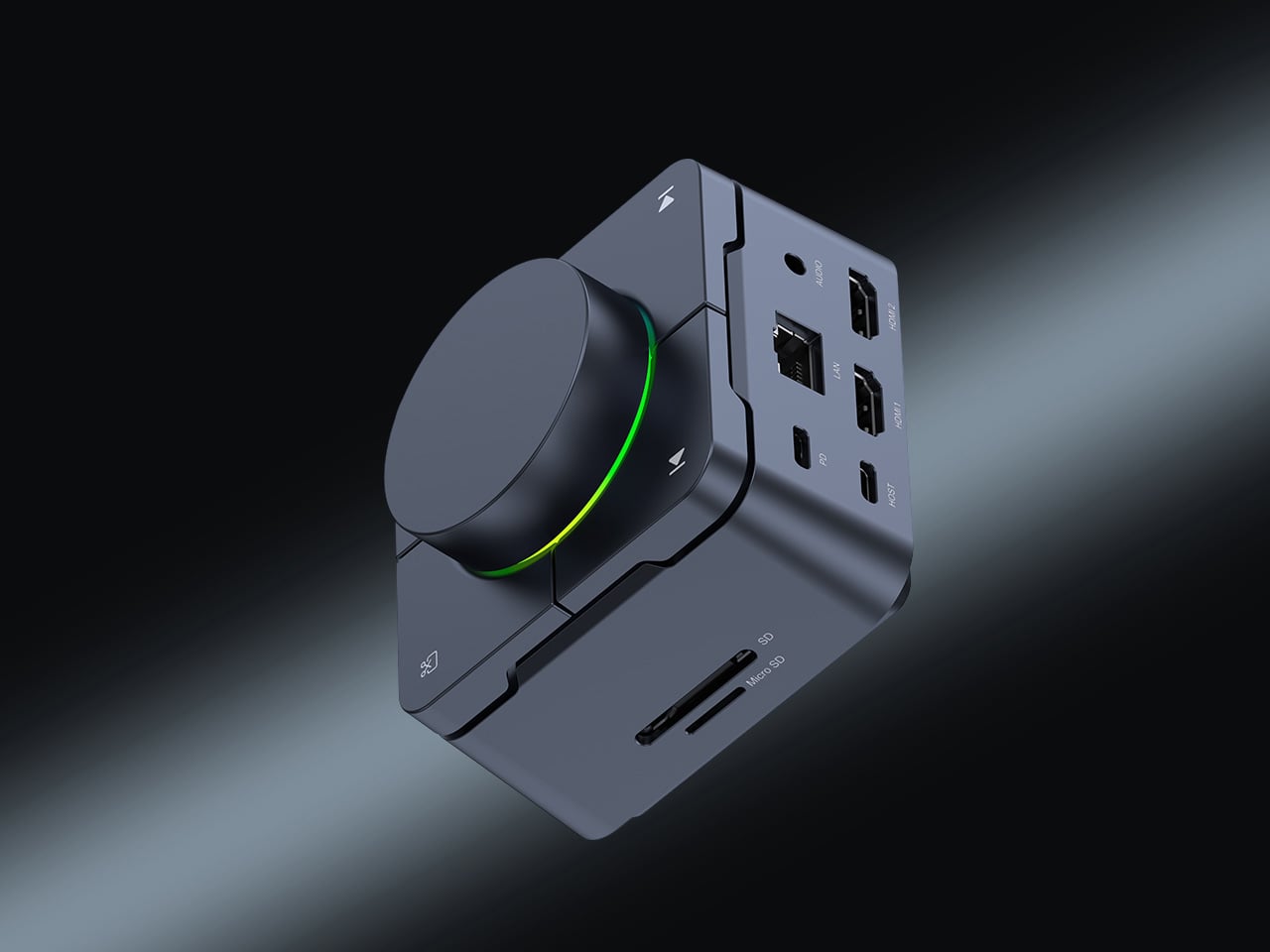

The HubKey Gen2 is a compact USB-C hub that consolidates an entire desk’s worth of connectivity into one object small enough to sit beside a laptop without demanding its own footprint. A single USB-C cable opens up ports for storage, display output, charging, and peripherals simultaneously. The design principle is one cable in, everything out — the kind of desk simplification that sounds obvious until you’ve actually lived without cable sprawl for the first time and noticed how much visual noise the old setup quietly carried.
What separates it from most hubs is where it lives. The majority of hubs are functional objects that hide behind monitors or dangle mid-cable. The HubKey is designed to sit on the desk surface in plain sight, which means its proportions and finish are considered the same way the rest of the objects on this list are. For remote workers and anyone who moves between spaces regularly, it removes the ritual of reconnecting everything from scratch every single time.
What we like
- One USB-C cable replaces an entire tangle of individual connections
- Designed to sit on the desk surface in plain sight rather than hide behind equipment
What we dislike
- Requires a USB-C host device — not compatible with older USB-A-only machines
- Confirm current price and availability directly before purchasing
5. Rolling World Clock
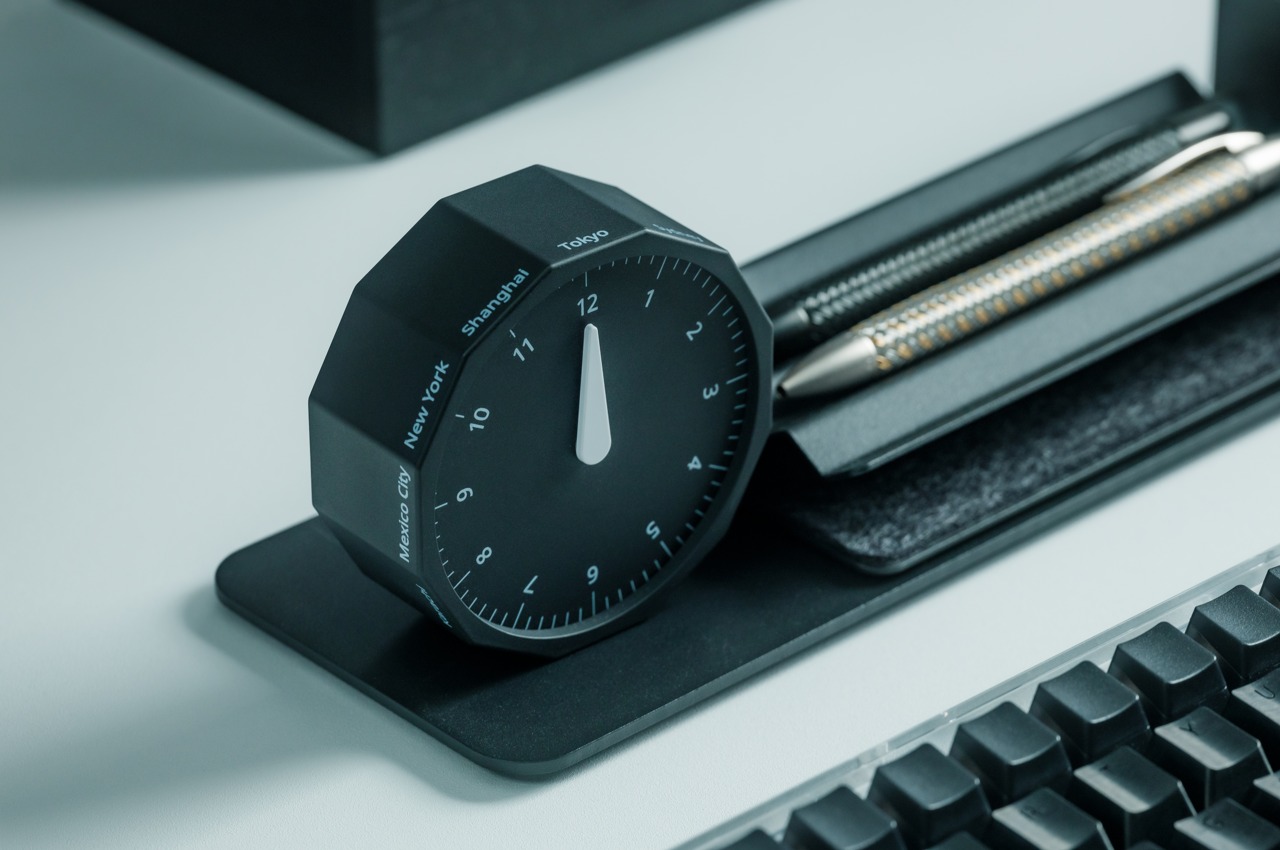
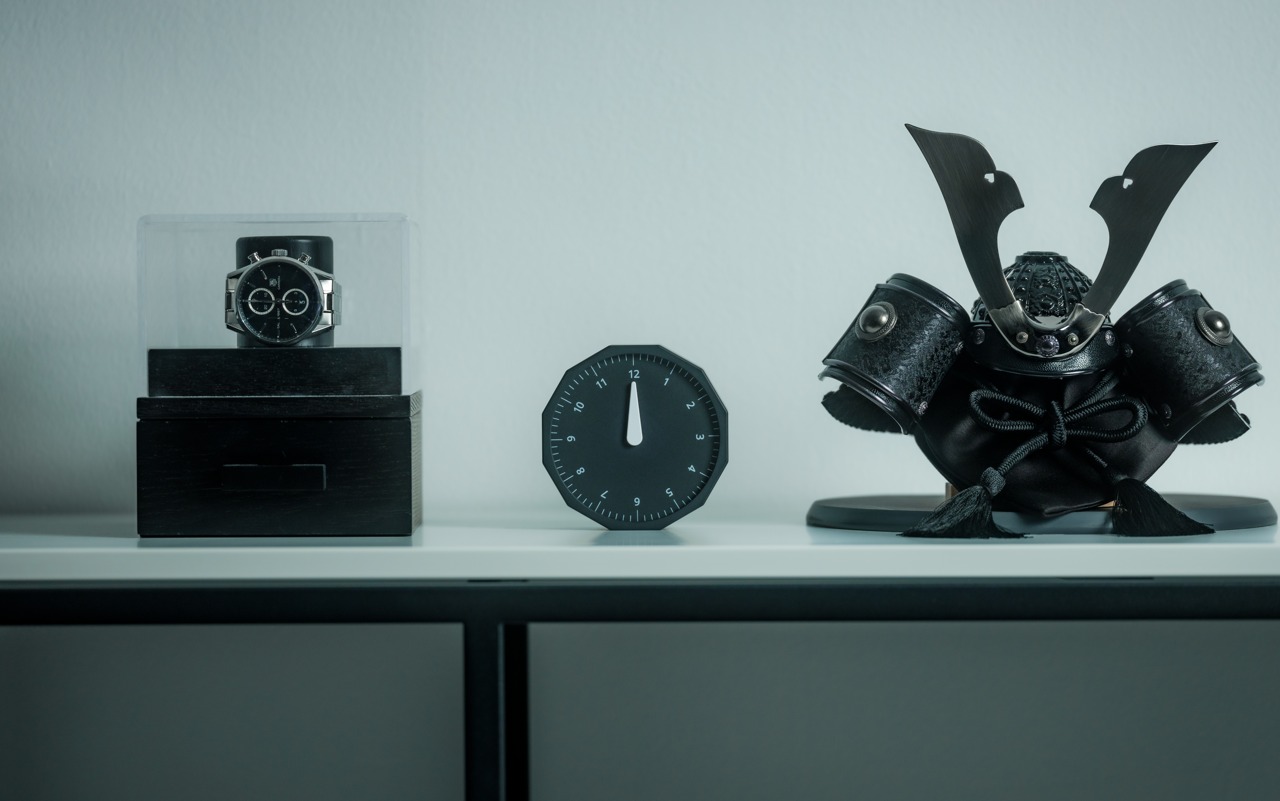
The Rolling World Clock is a 12-sided form with a major timezone city on each face and a single analog hand that tells the correct time in whichever city is pointing straight up. To check the time in Tokyo, you roll it until Tokyo reaches the top position. The mechanism is entirely physical — no battery swap, no digital display, no application required. At 3.2 inches, it sits on a desk without dominating it, and in black or white it reads as a precision object rather than a novelty one.
The quality that earns it a permanent place is conceptual. Every piece of software in the world solves world time zones with a dropdown menu or a settings panel buried three taps deep. The Rolling World Clock solves the same problem with your hand and a dodecahedron. The tactility of rolling it to the city you need and feeling it settle into position is a more satisfying interaction than most digital interfaces have managed. For anyone working across time zones, it earns its desk space on pure utility.
What we like
- Solves a digital problem through physical interaction, with no screen involved whatsoever
- The 12-sided form is precise enough to function as a design object in any setting
What we dislike
- The city labels on each face require decent ambient lighting to read quickly at a glance
- Limited to 12 cities, so not every timezone has a dedicated face
6. Nothing Power (1) Battery Bank
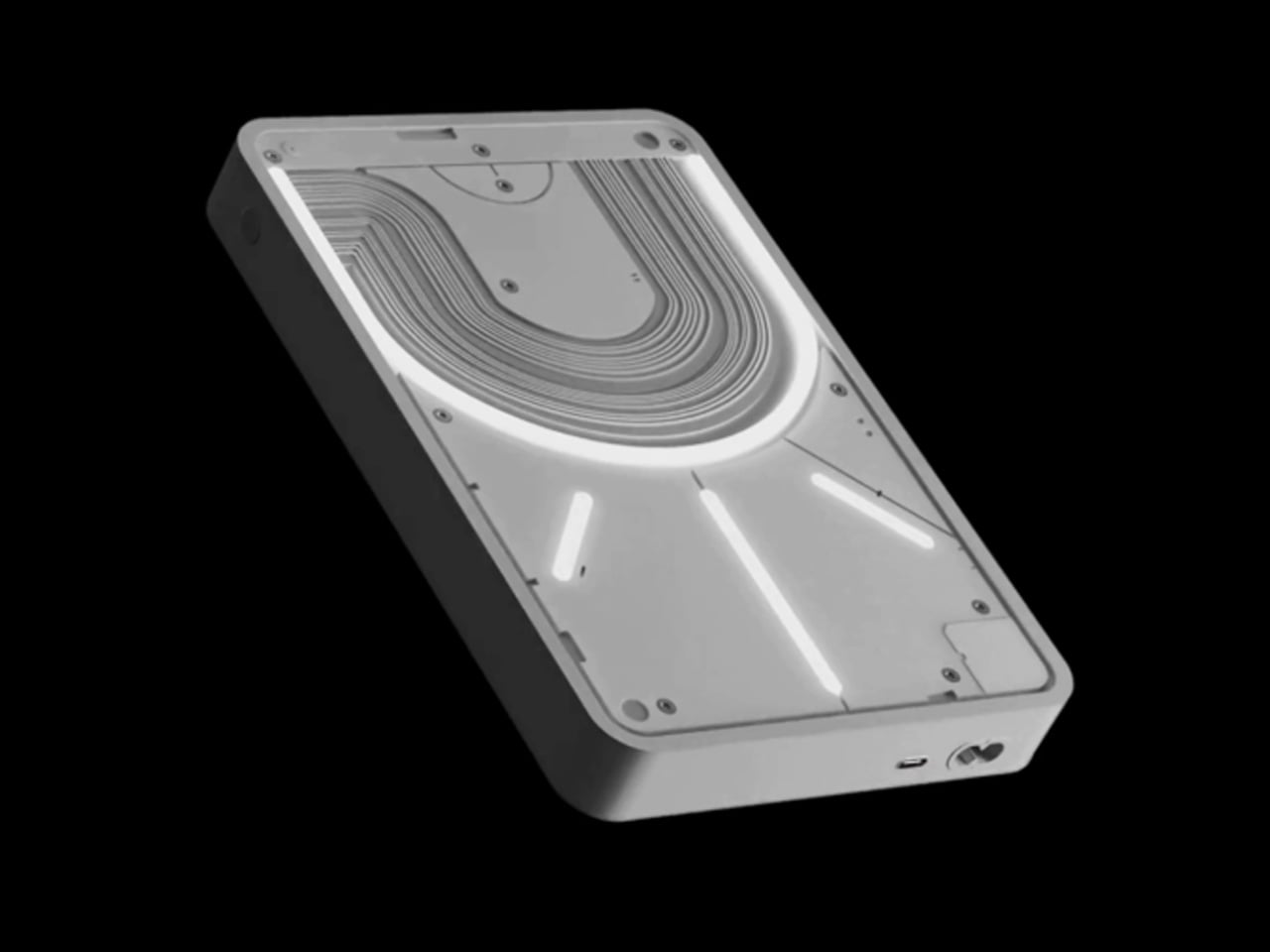
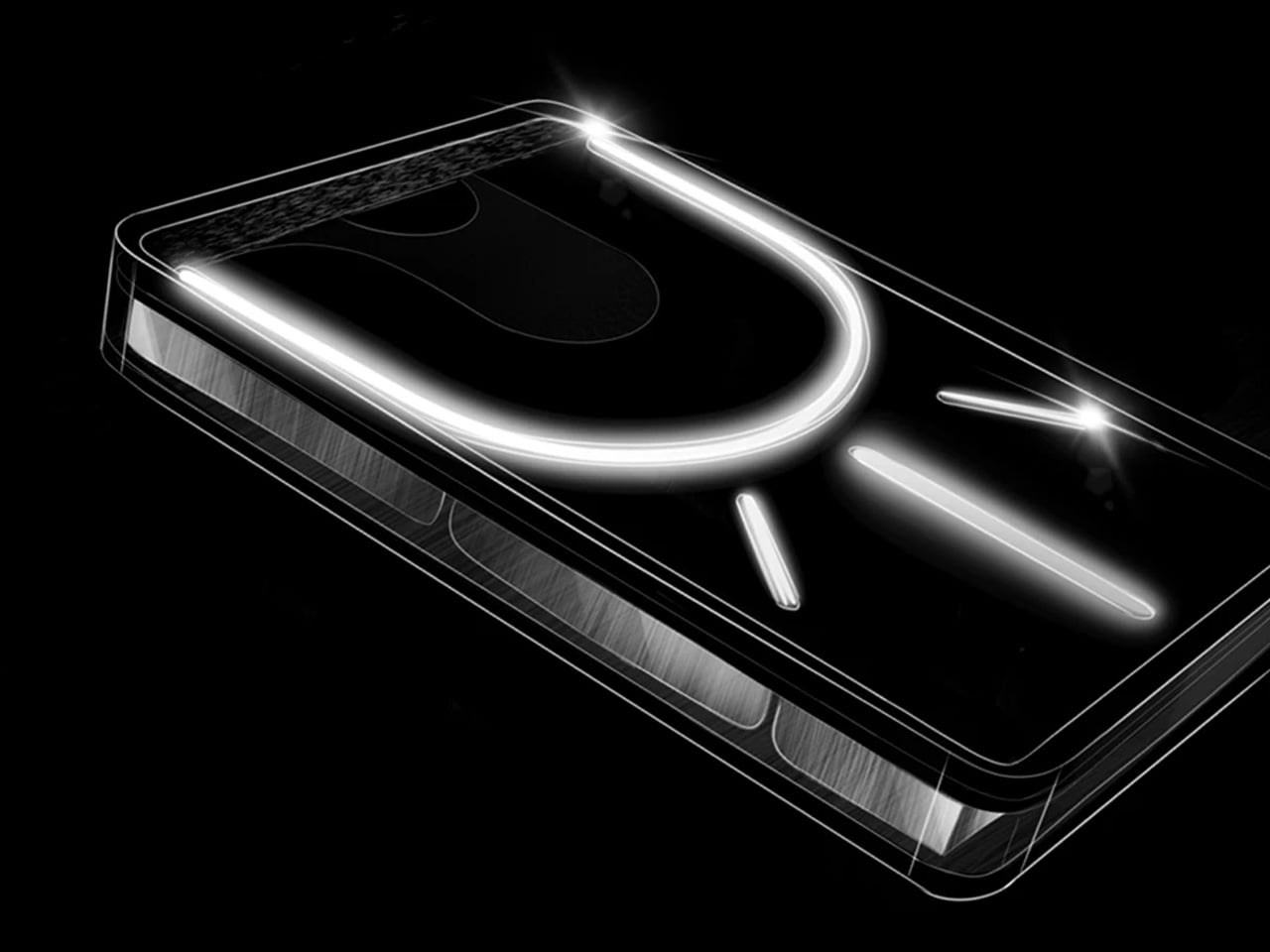
Nothing’s design philosophy is visibility. The Power (1) shows its internals through a transparent casing, turning the battery cells, circuit board, and internal wiring into the aesthetic rather than something to hide behind a matte plastic shell. Most power banks are identical black rectangles that exist purely as utilities. This one is an object you put on a desk because it looks good there, applying the same logic Nothing brought to its phones: the engineering is interesting enough to show, so show it.
The practical case is clean enough on its own — USB-C in and out, covering the everyday needs of a desk setup without the bulk most competing units carry at the same capacity. The design case is stronger. On a desk alongside other considered objects, a power bank that looks like it was designed deserves its place there. It pairs naturally with the T1 laser engraver on this list, which runs off any USB-C source and makes this the most aesthetically coherent way to power it. Nothing has built a following on the idea that objects used daily should be worth looking at. The Power (1) makes that case without needing to say it.
What we like
- Transparent design makes the internal engineering visible and genuinely worth looking at
- USB-C in and out, compatible with every other device on this list
What we dislike
- The transparent casing shows fingerprints and dust far more readily than opaque alternatives
7. Inseparable Notebook Pen
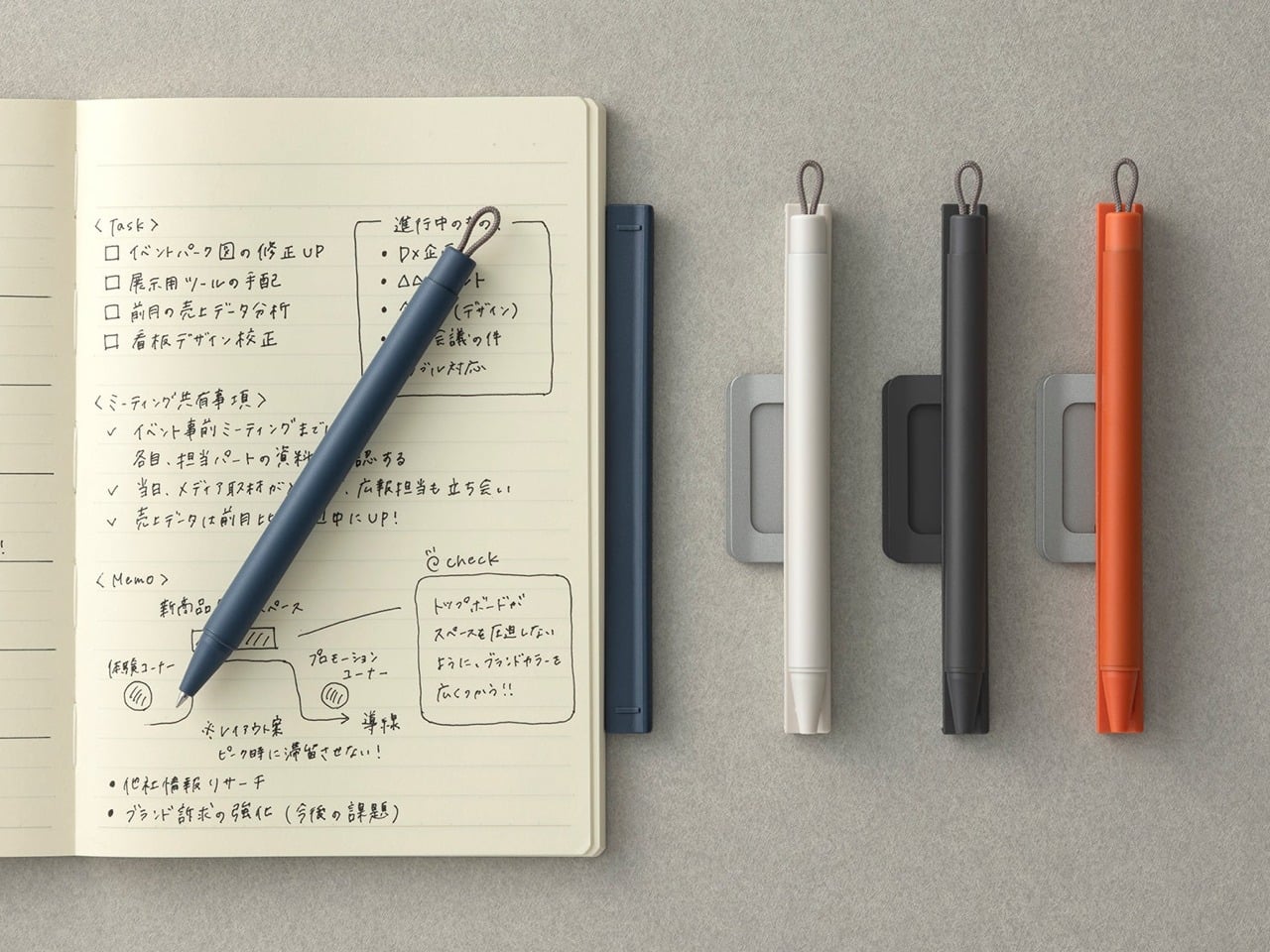

The premise of the Inseparable is exactly what the name describes. The pen and the notebook are one object. The pen lives within the notebook permanently, so reaching for one means having the other. That sounds like a minor convenience until you’ve spent time hunting for a pen that wandered three feet from the notebook you were actively using. The design removes that friction entirely by treating the two as a single tool rather than two separate objects that happen to belong near each other.
What earns it desk space rather than just bag space is how it looks when closed. The combined form is considered enough to sit out in the open without needing to be stored away. For anyone who still does meaningful thinking on paper — real notes, sketches, diagrams, lists that behave differently on a physical surface than on a screen — having that tool presented as one well-made object changes the relationship with the act itself. The desk stops being a surface with things scattered across it and starts being a workspace. That shift is worth considerably more than the price of the pen.
What we like
- Pen and notebook treated as a single object, permanently solving the searching problem
- The closed form is refined enough to leave out on a desk as a design object in its own right
What we dislike
- Pen refill replacement requires checking compatibility before sourcing a new one
- Confirm current price and availability directly before purchasing
8. Flow Timer
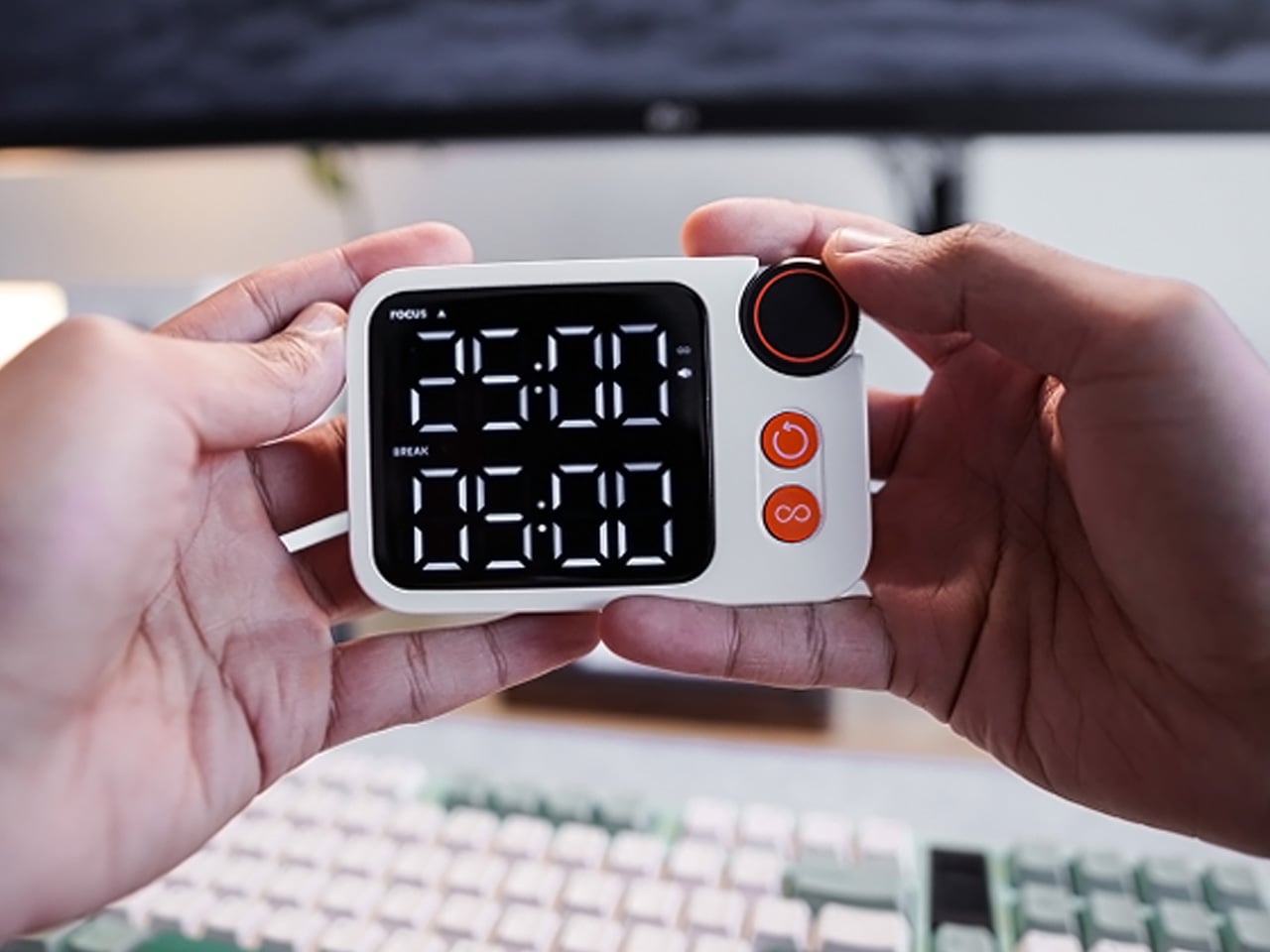

The Flow Timer is a physical desk timer built for focused work sessions. The discipline it creates comes from being a dedicated object — you set it, it counts, it ends the session. Unlike setting a timer on a phone, using this one doesn’t place you on the same surface as your notification feed. Every time you reach for a phone to time something, the phone wins the next several minutes. A timer that lives on the desk doesn’t make that trade and never will.
The design is minimal enough to sit alongside any of the other objects on this list without adding visual noise. Its presence on the desk is a signal: when it’s running, work is happening. When it isn’t, it isn’t. That binary is harder to achieve with software and easier than expected with a well-made physical object. For anyone who wants their desk to do more than hold a laptop, the Flow Timer is a low-cost way to build structure into the environment rather than rely entirely on willpower. It does one thing and asks for nothing back.
What we like
- A dedicated physical timer removes the distraction loop that comes with using a phone
- Minimal design contributes to the desk environment rather than competing with it
What we dislike
- Requires a manual reset after each session, though this quickly becomes part of the ritual
- Confirm current price and availability directly before purchasing
The $100 Ceiling Has Moved
The $100 ceiling used to mean compromise. A cheaper version of something better. What this list suggests is that the ceiling has moved — not because manufacturers became more generous, but because design thinking at small scales got genuinely good. The T1 laser engraver, the iMicro lens, the Rolling World Clock: none of them feel like budget versions of something else. They feel like the right versions of themselves, built at exactly the right size and price.
What they share is a refusal to look or behave like their price tag. That’s the quality worth paying attention to — not the spec sheet, not the feature list, but the moment you first use one and realize the number on the label didn’t prepare you for what it actually does. Eight objects. One desk. All of them under $100. None of them feel like it.