Trackball Player

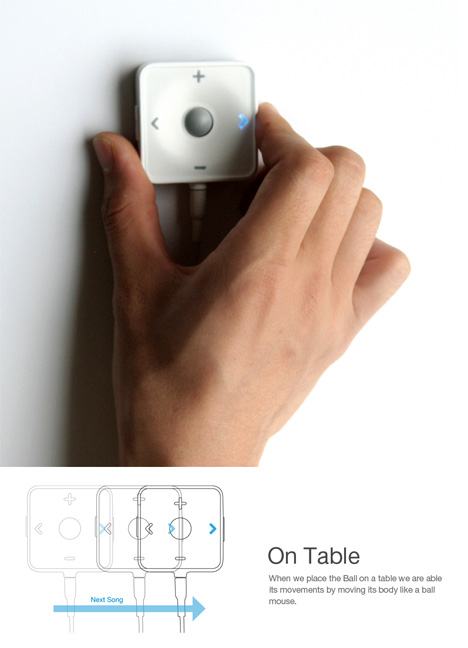
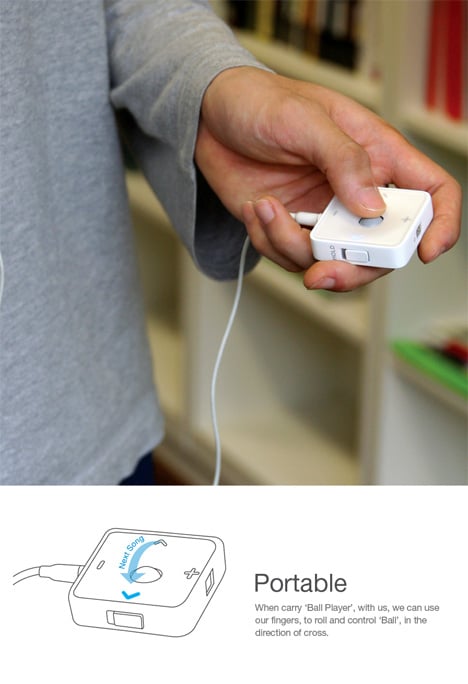
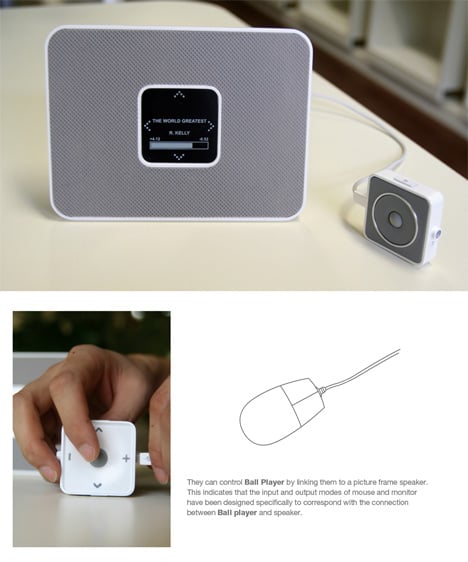
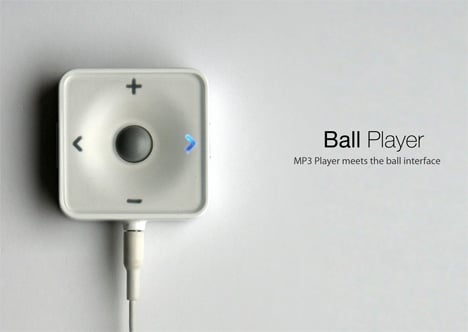
Who needs buttons when you have a trackball? Yes the good ole’ trackball, often dismissed as yesterday’s technology but perhaps we can find a place for it in today’s touchscreen crazed devices. The Ball Player works like every other MP3 player except for one minor, or not so minor, difference. In lieu of buttons, you simply roll the trackball towards the direction of control you wish to execute. It may seem pointless but the trackball also works another way. Place it on any flat surface and you can control your tunes by moving it up, down, and side to side.

Designer: Dae-Ki Hong
If you liked this design, you would also be interested in:

Keep up with the latest designs by subscribing to our RSS or Newsletter.

12 Comments »

Comment by KnH
2007-08-07 18:56:04


Wow !! so nice !!

 
Comment by Chris botti
2007-08-08 19:29:49


IF concept award 2007 winner!!!….

congratulations!!!!

 
Comment by sweetkali
2007-08-10 10:28:03


i dislike trackball systems..they evenually stop working and no one can EVER repair them (i.e. the Mac Laptop trackballs of the ’90’s).

Comment by bkdude
2008-01-28 13:25:13


you idiot. theres a little thing called PROGRESS that IMPROVES the QUALITY of things.

sure trackballs were shit back then but in the mid-90s they started making better trackballs that worked for many people for decades even.

i love my trackball mouse. :p


Comment by canna
2007-08-10 20:37:13


so beutiful..i want it

 
Comment by bagei
2007-08-23 00:40:26


it’s pretty cool. good old days.

 
Comment by koo, jin-woog
2007-08-26 10:01:54


presented jin-woog koo(director)
http://www.b201.co.kr

 
Name (required)
E-mail (required - never shown publicly)
URI
Your Comment (smaller size | larger size)
You may use <a href="" title=""> <abbr title=""> <acronym title=""> <b> <blockquote cite=""> <code> <em> <i> <strike> <strong> in your comment.