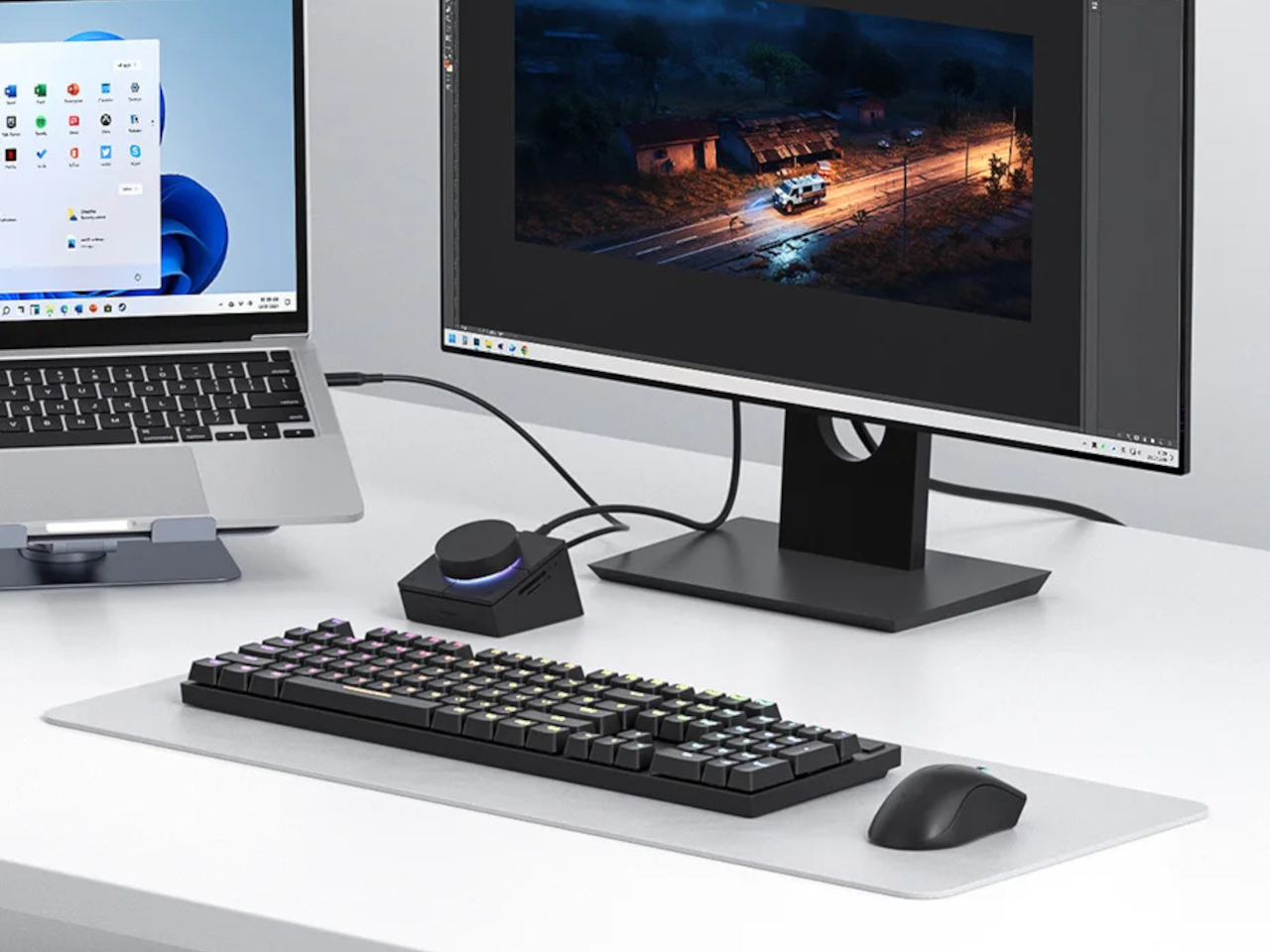
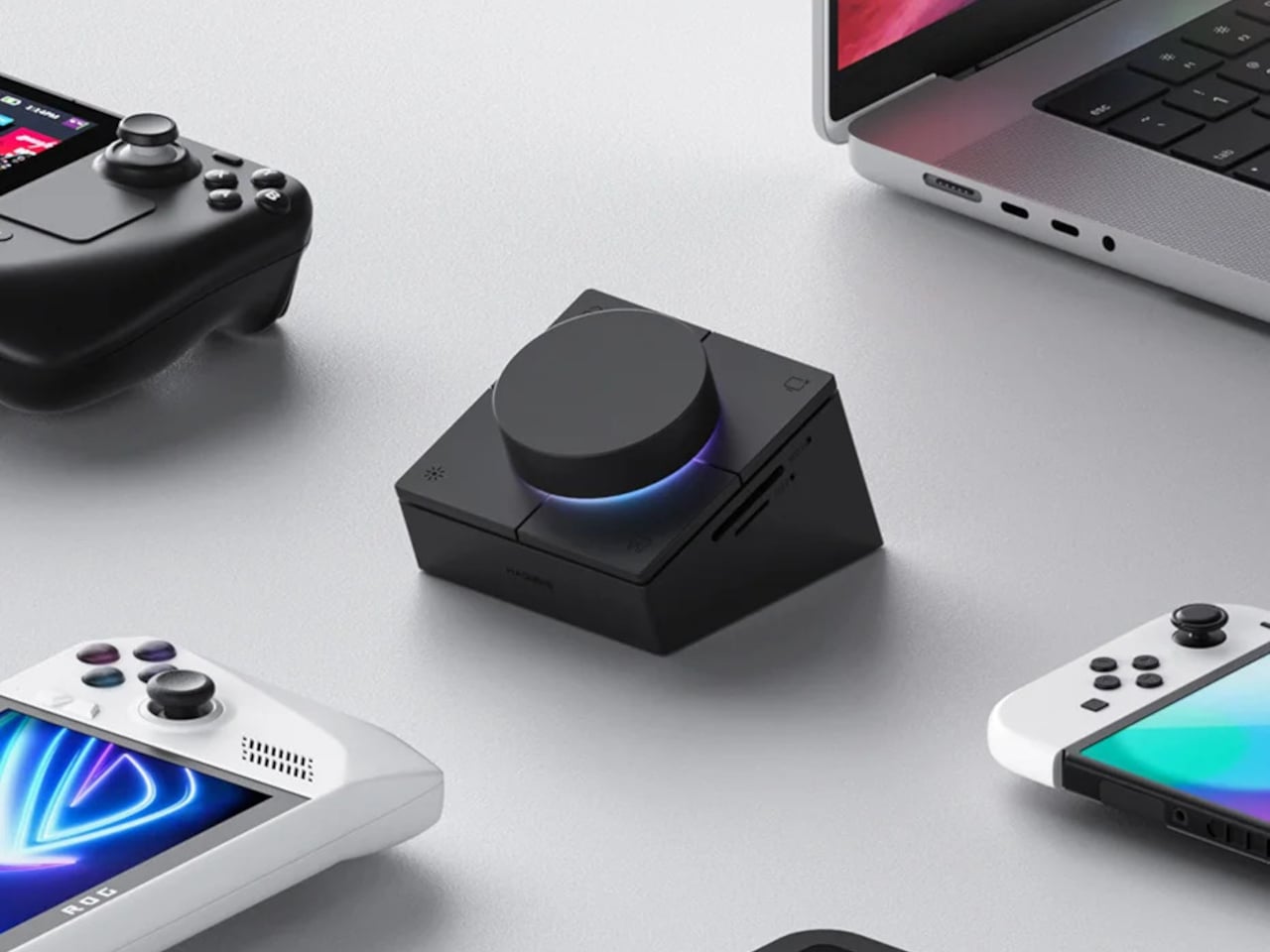
If you have ever longed for more buttons on your desk, the Hagibis USB C Hub with Shortcut Buttons might catch your eye. This little gadget looks like something from a spaceship control panel, complete with a big, satisfying knob and four shortcut buttons arranged neatly around it. It is as if someone decided that USB hubs needed a bit more drama and a lot more color.
The first thing you notice is that this hub is not shy about its looks. The knob is front and center, rimmed with RGB lighting that adds just the right amount of flair. The ABS plastic shell keeps it light and easy to move around, so you can find the perfect spot for it among your growing collection of desk toys. It is the kind of thing you want to reach out and twist, even if you are not sure what it does yet.
Designer: Hagibis
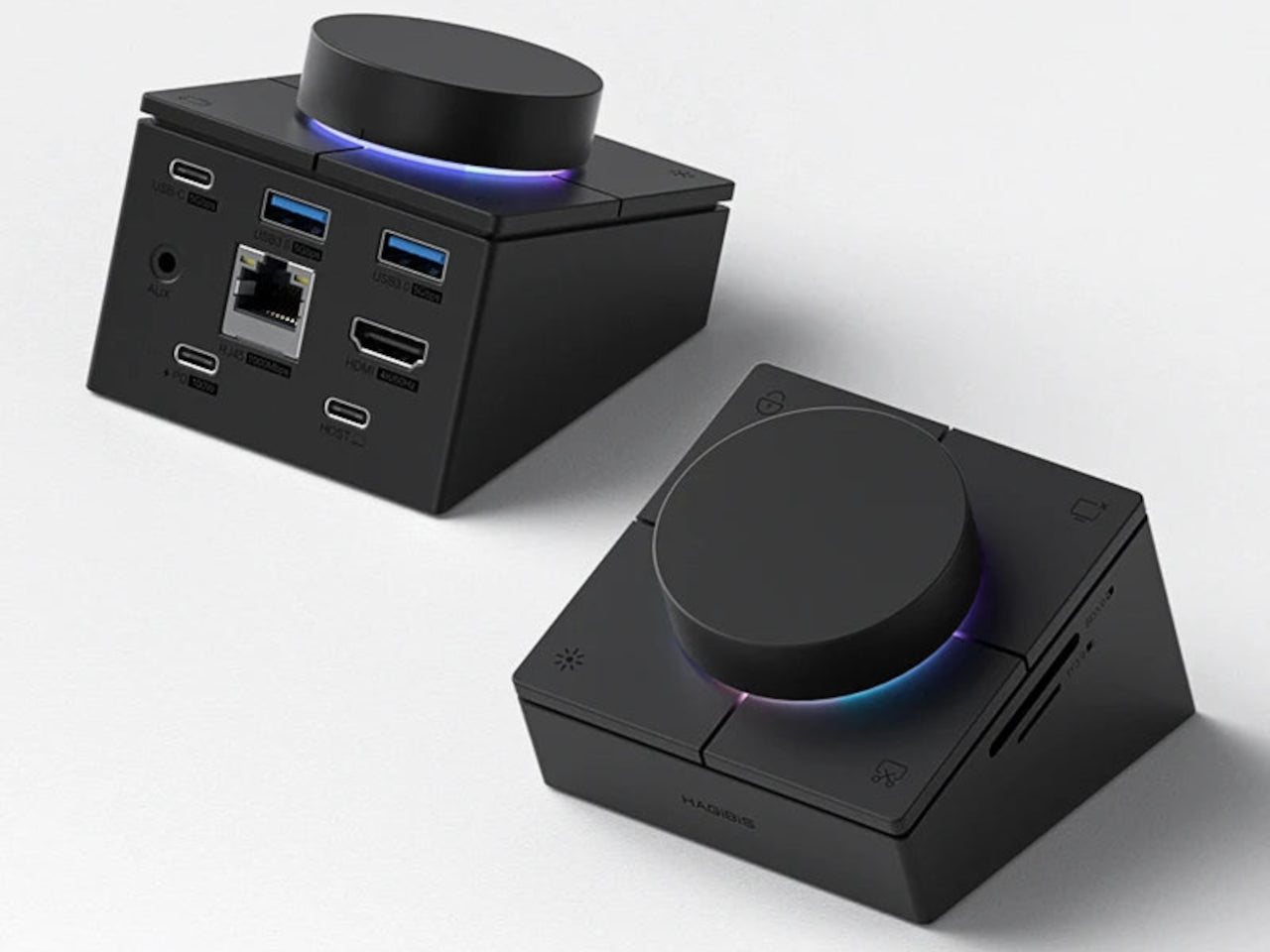
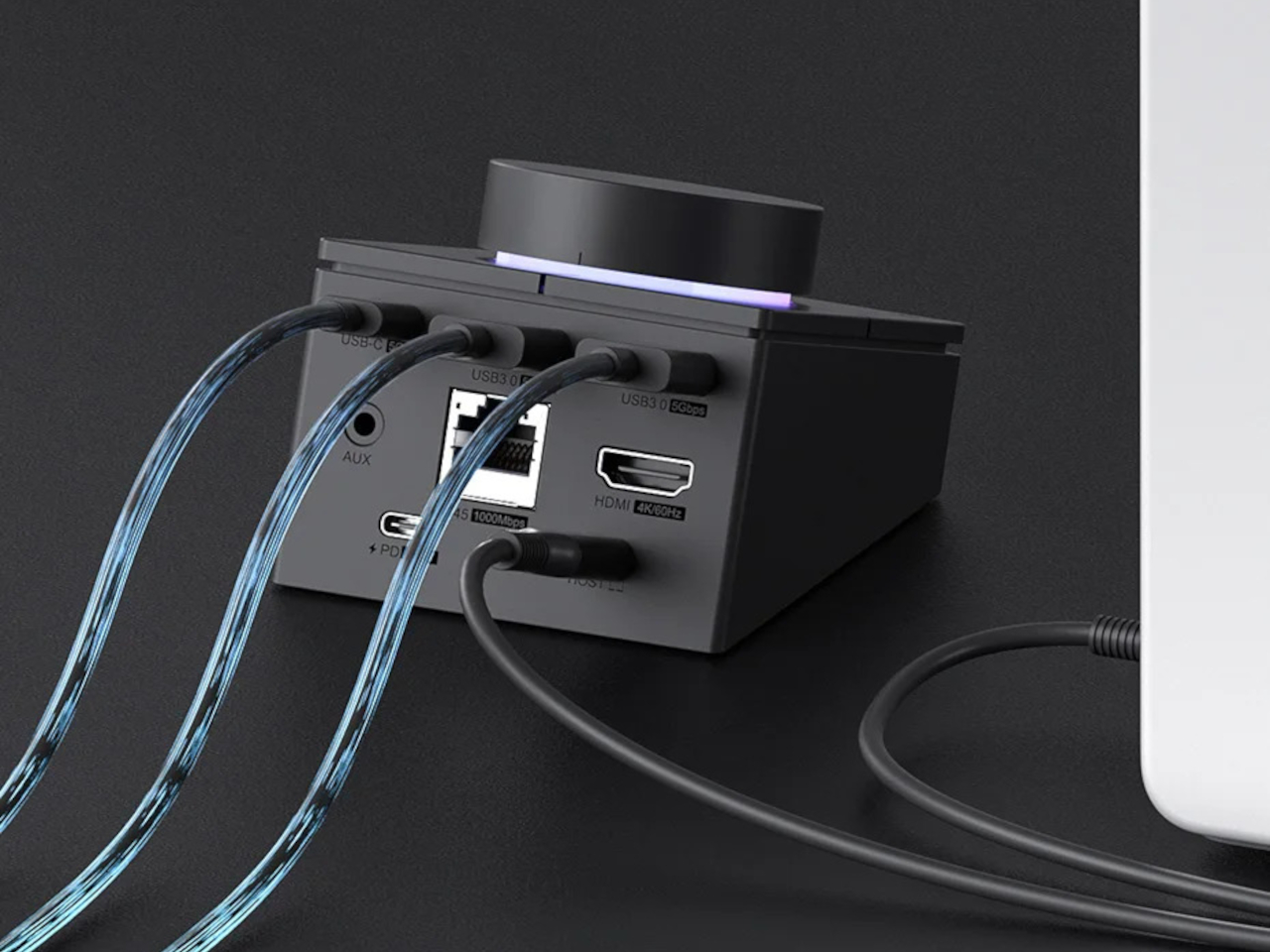
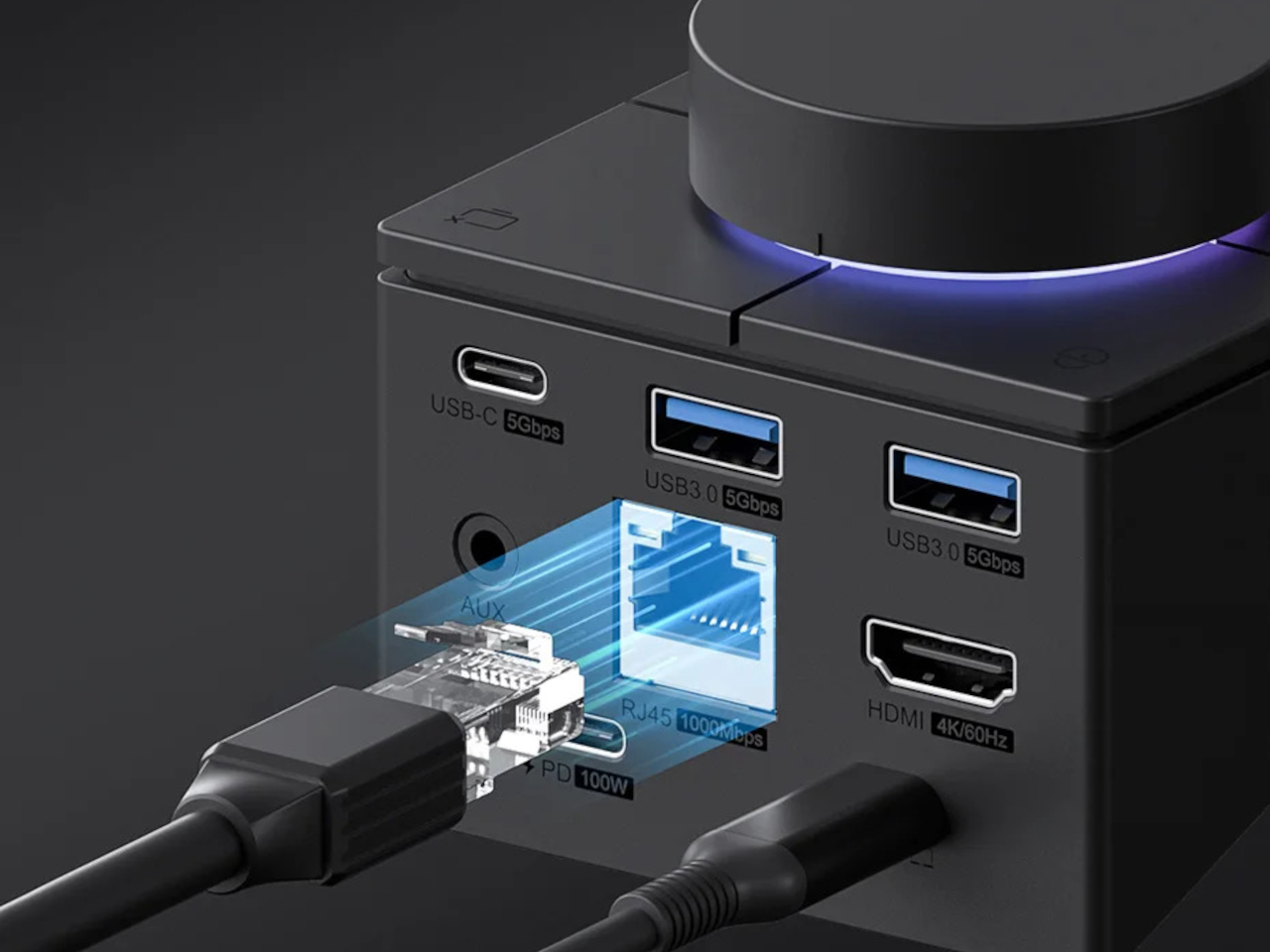
Plug it in, and you get a decent spread of ports: USB-C for charging, a few USB-A slots for your keyboard and mouse, HDMI for an extra screen, and card slots for all your camera transfers. There is even an audio jack for plugging in headphones, making it a handy little hub for most laptop users. No more wrestling with dongles just to get your gear connected.

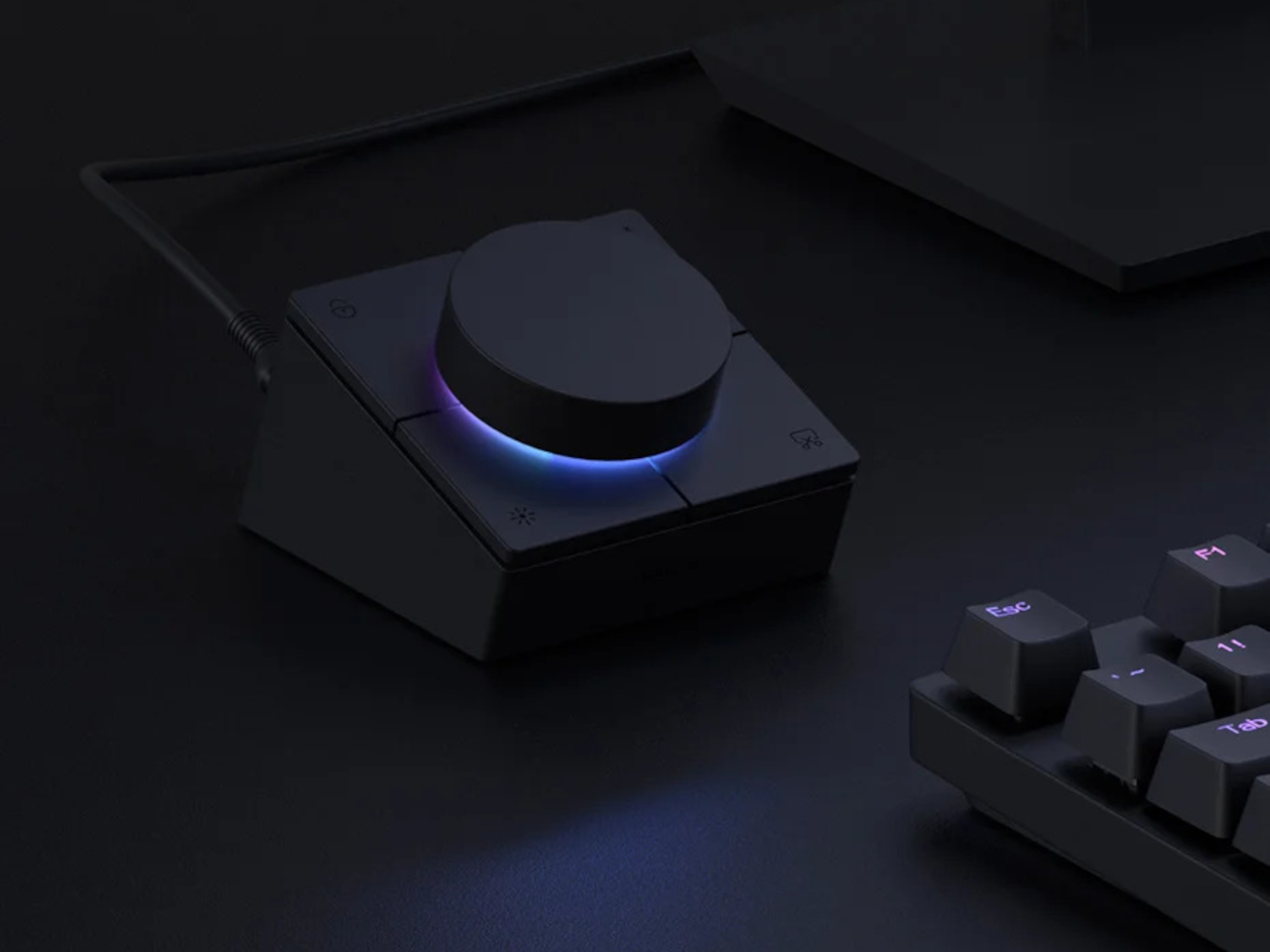
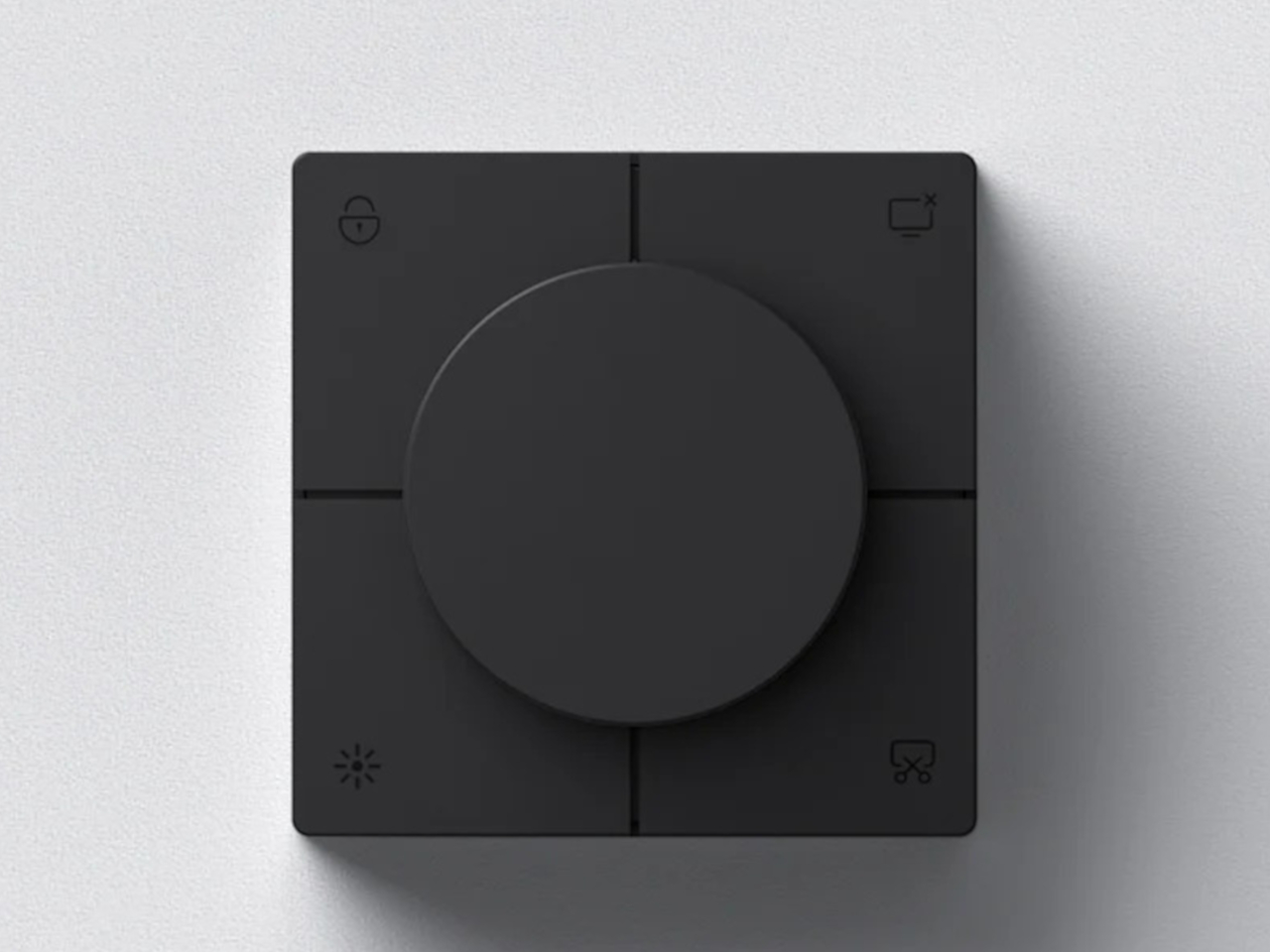
Then come the physical controls, which are the real stars of the show. The big knob handles your volume, letting you turn your sound up or down with a simple twist, and a quick press mutes everything in an instant. The four shortcut buttons? They are set to lock your computer, lock the screen, switch the hub’s lighting, and take a screenshot. It is all very direct and, honestly, a bit refreshing if you are tired of endless clicking and tapping.
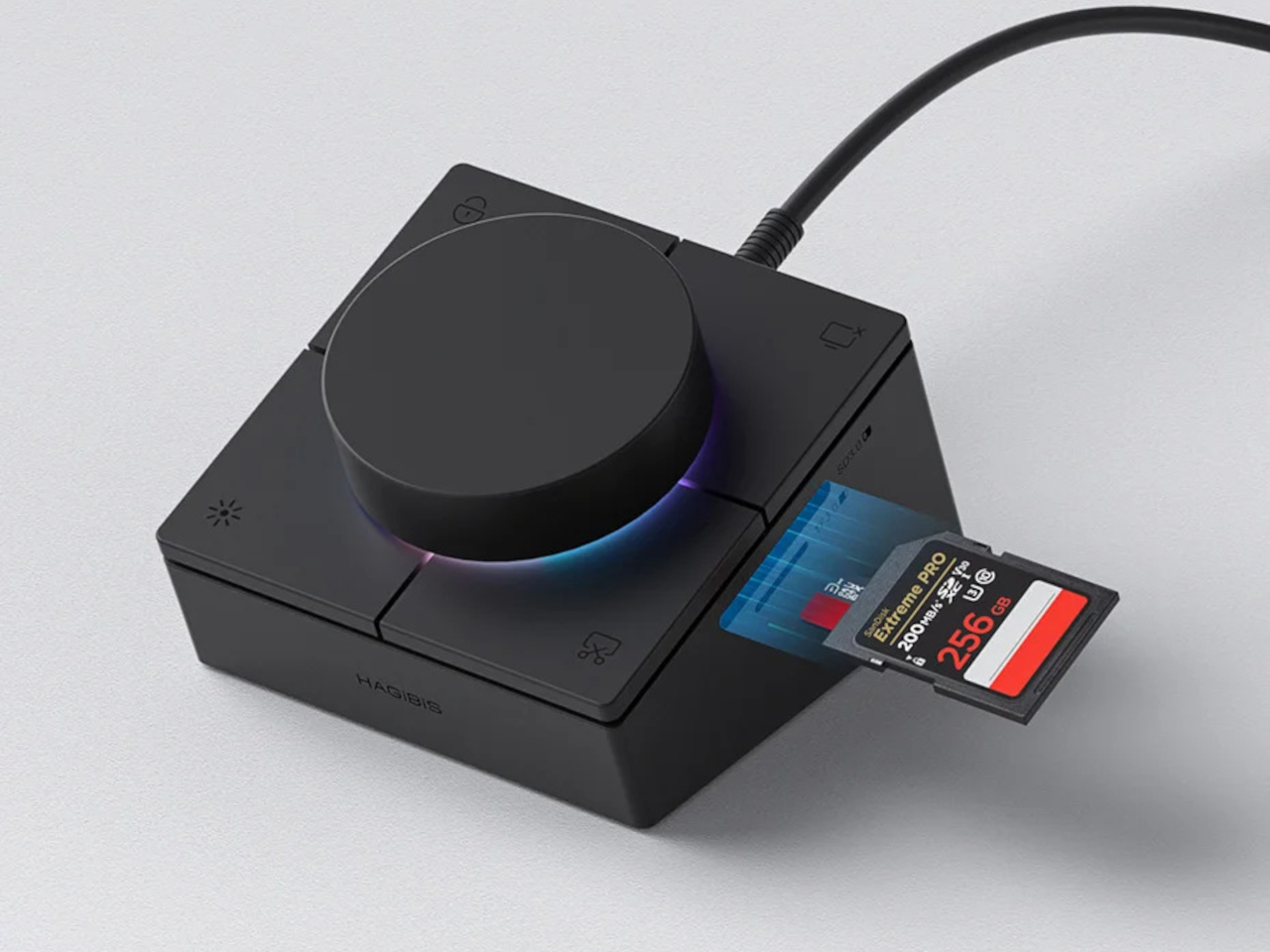
But here is where things get interesting, and maybe a little frustrating. As fun as it is to have a chunky knob and a few buttons, their functions are completely fixed. You cannot remap them, so if you were dreaming of custom shortcuts for your favorite apps or creative tools, you are out of luck. The hub feels great for the basics, but it is hard not to wish for just a little more flexibility, especially if you are a designer or someone who loves to tweak their setup.
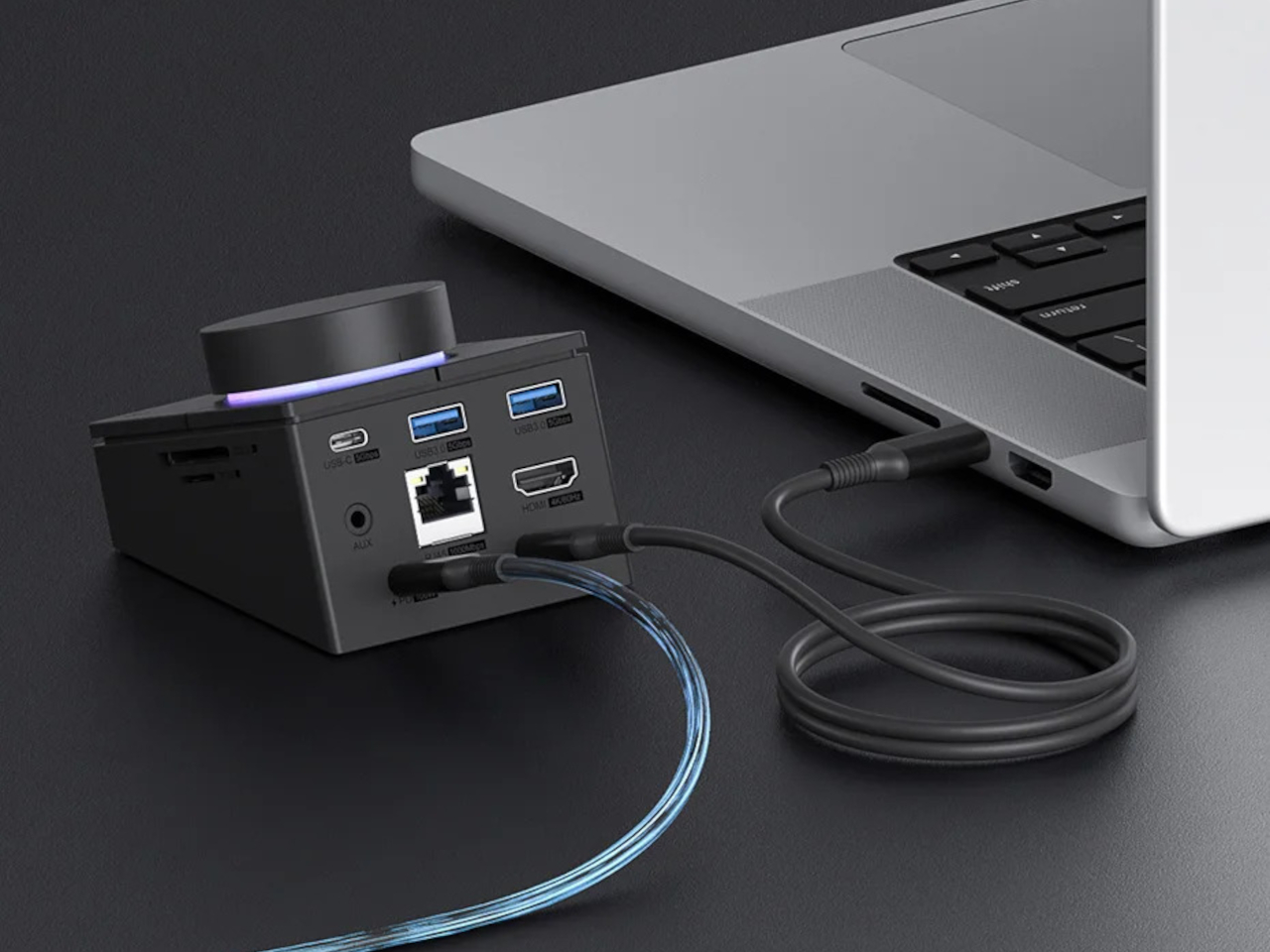
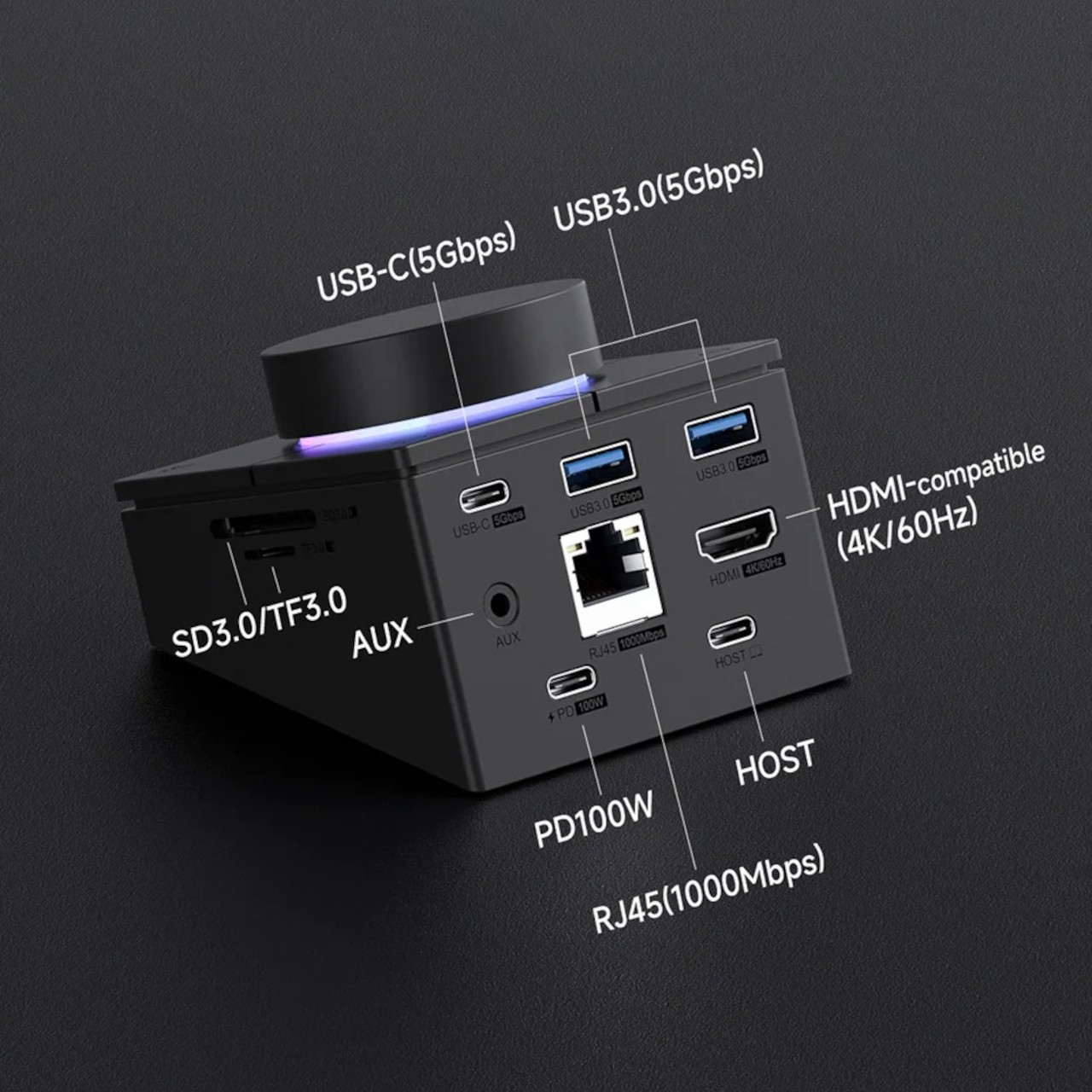
That is not to say it is a bad product. For anyone who wants quick access to locking their workstation or snapping screenshots, it works right out of the box. The RGB lighting adds personality, and the hub does help cut down on cable chaos. It is just that the design hints at so much more, if only those buttons could do whatever you wanted.
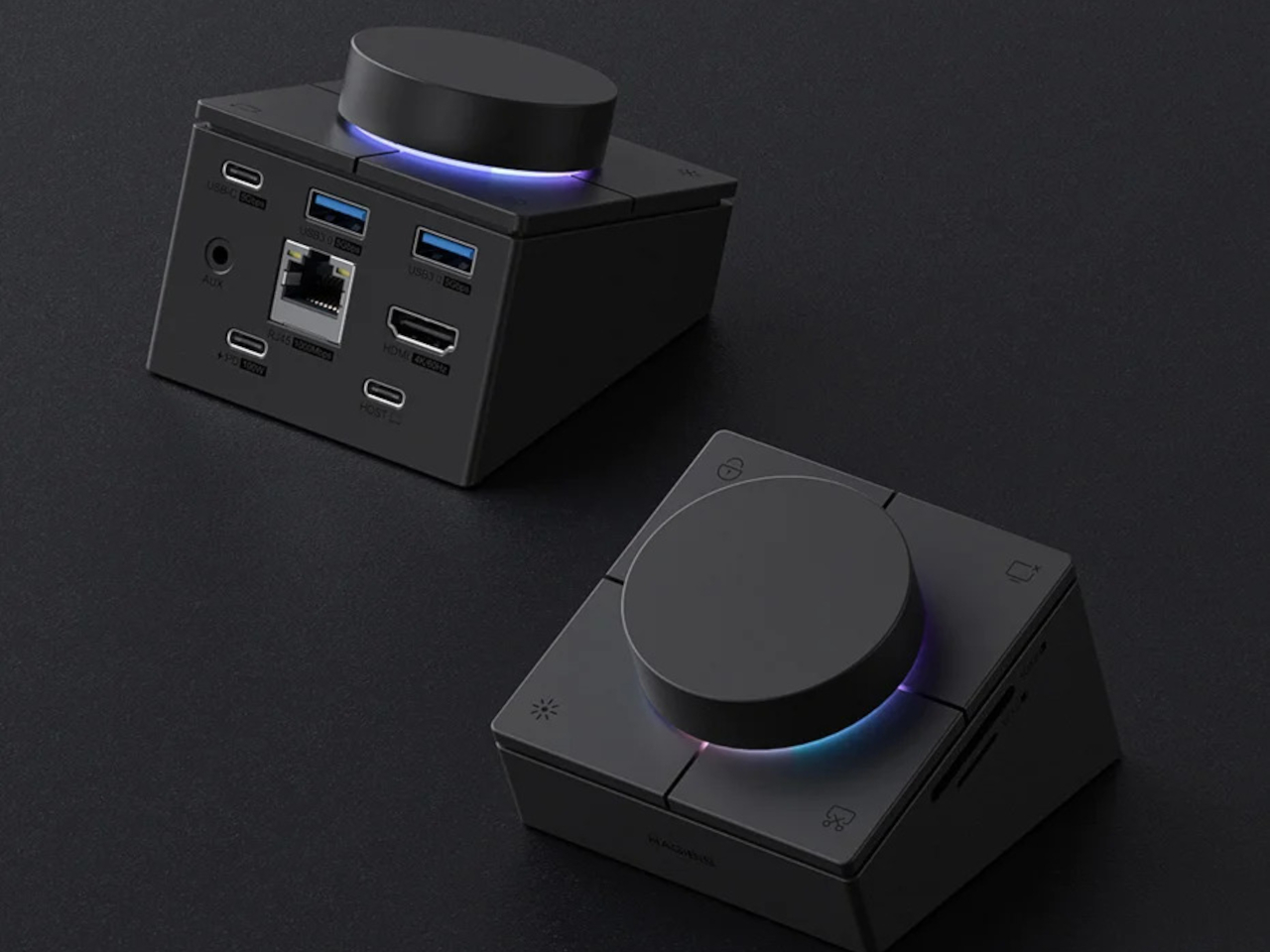
The Hagibis USB C Hub with Shortcut Buttons proves that a little bit of tactility can liven up your workspace. It is a fun, visually striking gadget that makes a statement, even if it does not quite live up to its full potential. For now, it is a conversation starter, a useful hub, and maybe a sign that the best button is the one you get to choose yourself.