PROS:
- Sharp, accurate 4K tandem OLED touchscreen and deep speakers
- Runs a 27B AI model locally at 50 tokens per second once tuned
- Excellent keyboard and a large touchpad with edge shortcuts
- Thin 16-inch body that charges over USB-C from either side
CONS:
- Top AI speed took two days of Docker and WSL setup
- Runs hot and loud under AI load
- Webcam is ordinary for the price, and some games and x64 tools aren't ready for Arm
EDITOR'S QUOTE:
The ProArt P16 RTX Spark is a work of art as a laptop, and the more time I gave its local AI, the more it gave back.

Every laptop brand now prints AI on the box, and the label covers a lot. The ASUS ProArt P16 RTX Spark means something specific by it: large AI models that run on your own desk, with no cloud in between. It’s one of the first laptops built on NVIDIA’s Arm-based RTX Spark N1X chip, and that promise comes with a $4,499.99 price.
ASUS sent me the H7607BA-PB97T, which pairs the chip with 64GB of memory, a 1TB SSD and a 16-inch 4K tandem OLED touchscreen. My unit is Neo White, and ASUS also sells it in Nano Black. I went in with one question. Is this a great laptop that also runs AI, or an AI machine that happens to be a laptop? I’ll answer it at the end.
Designer: ASUS
Aesthetics
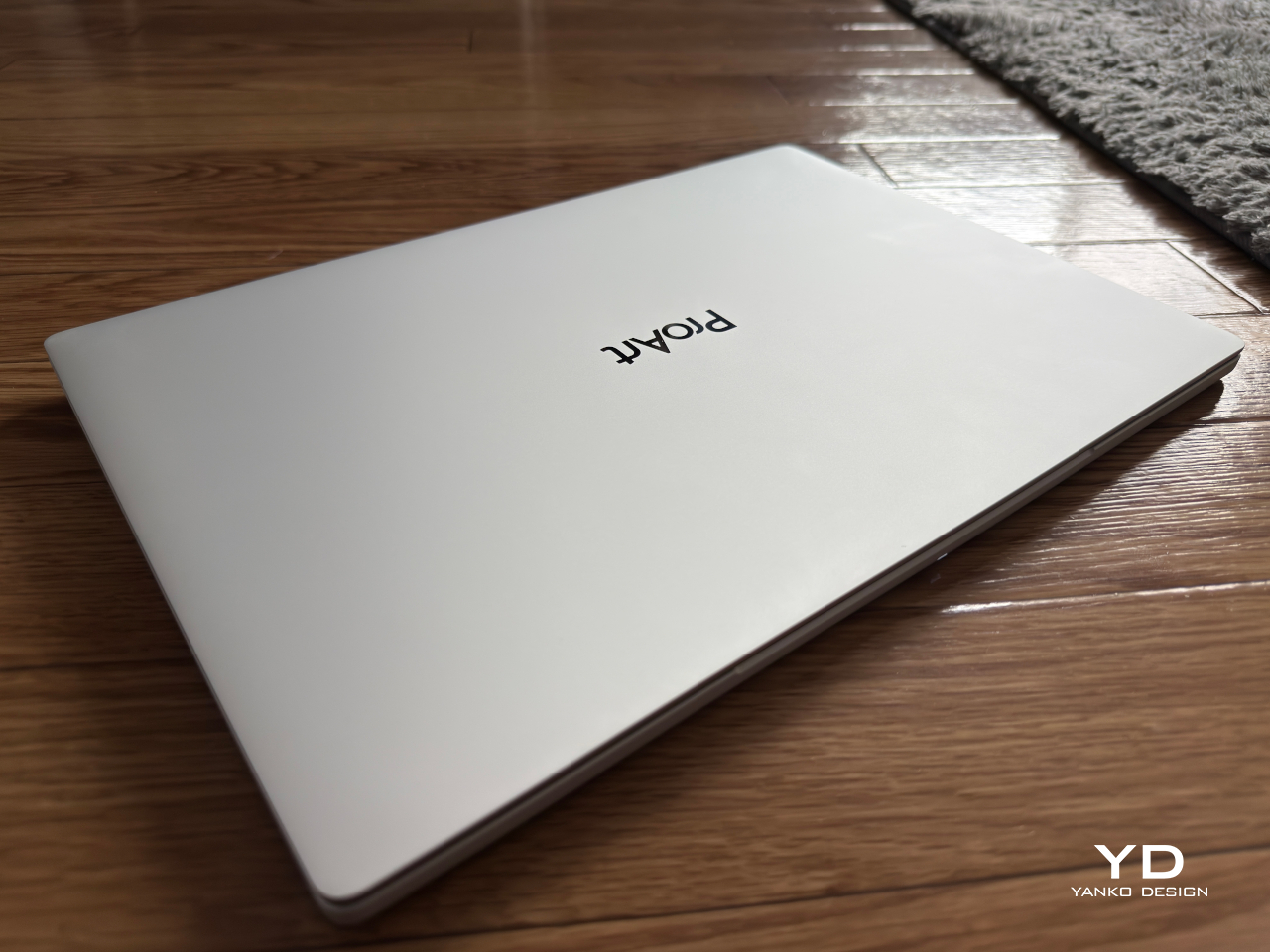
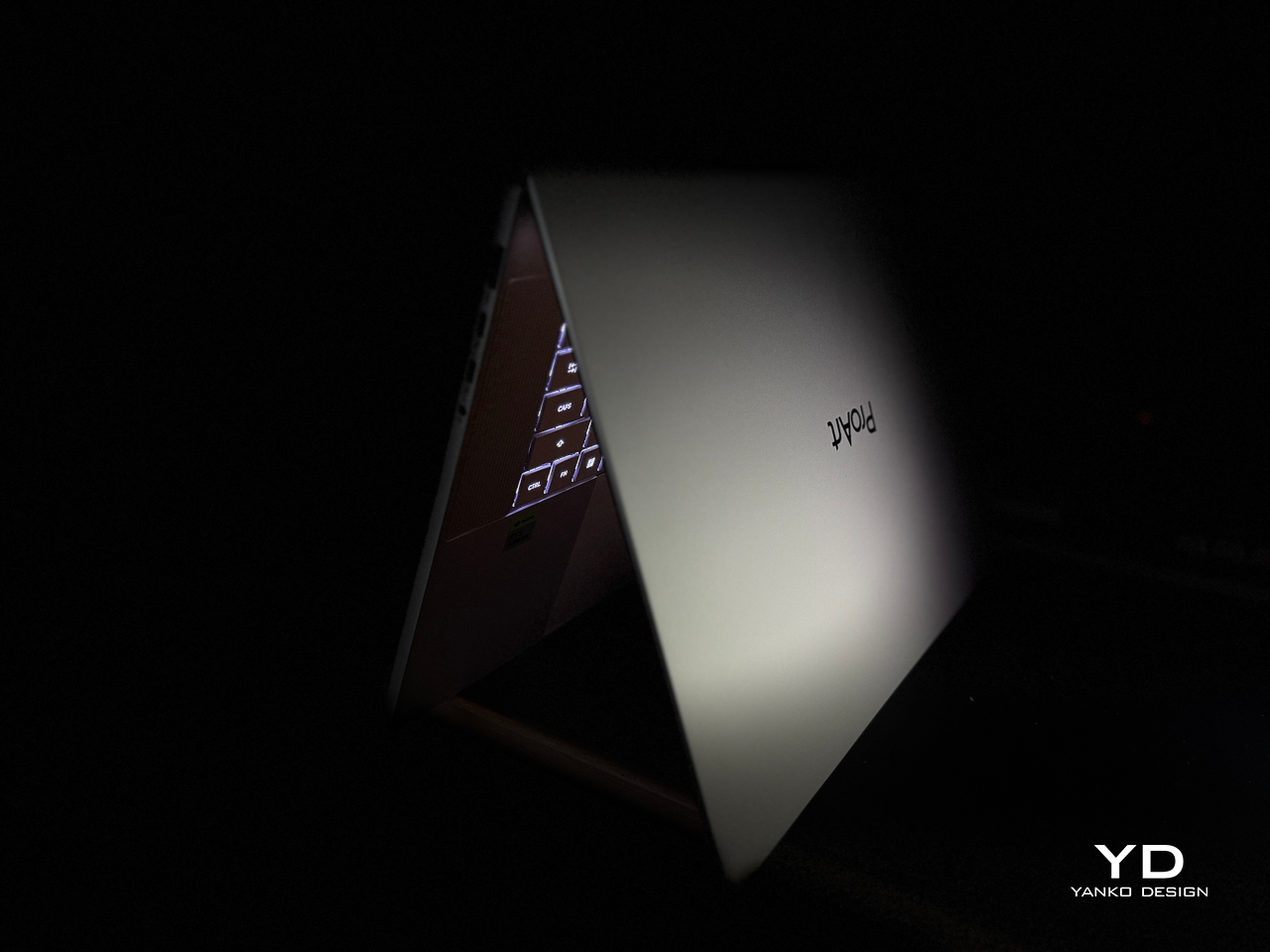
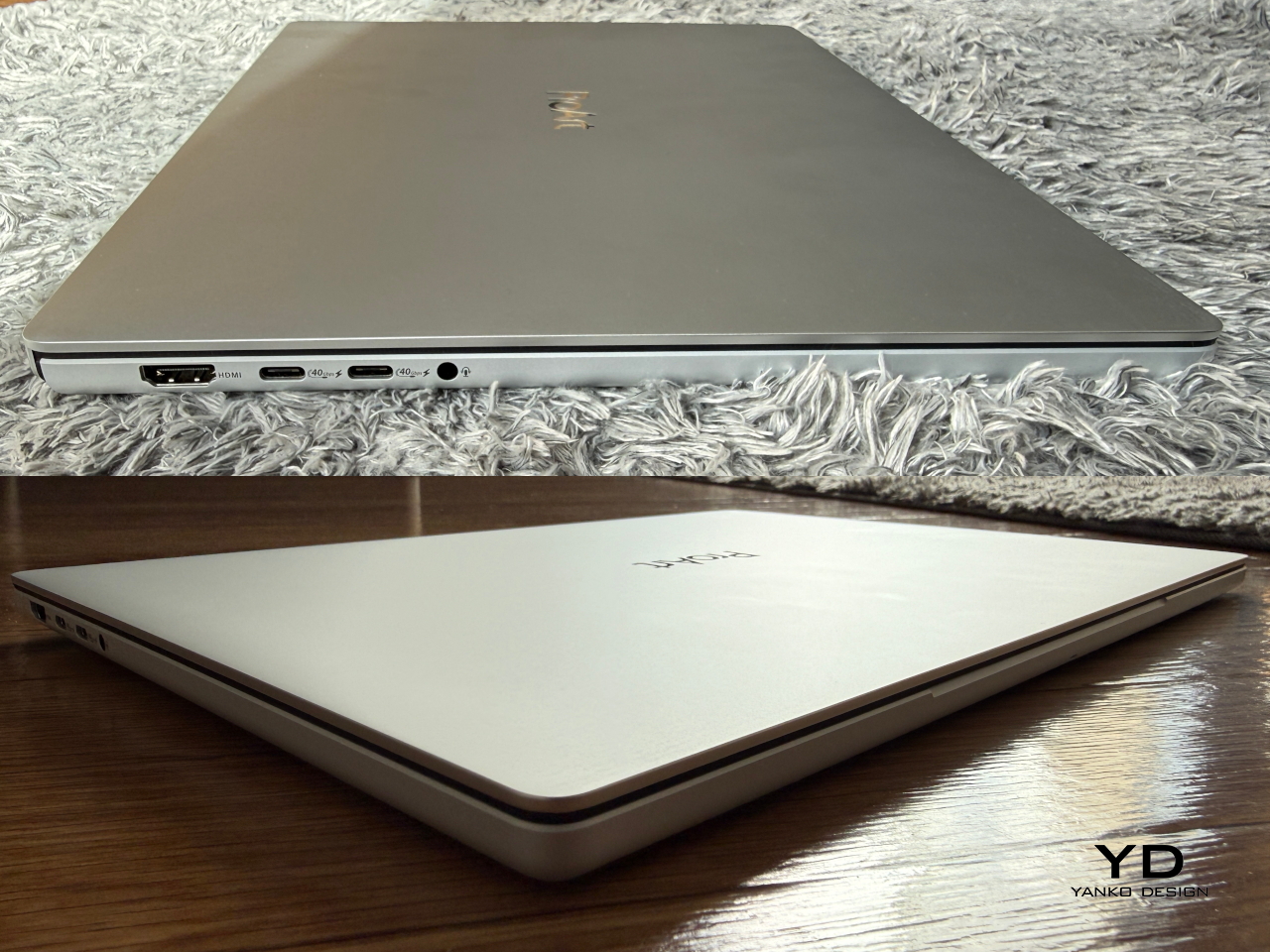
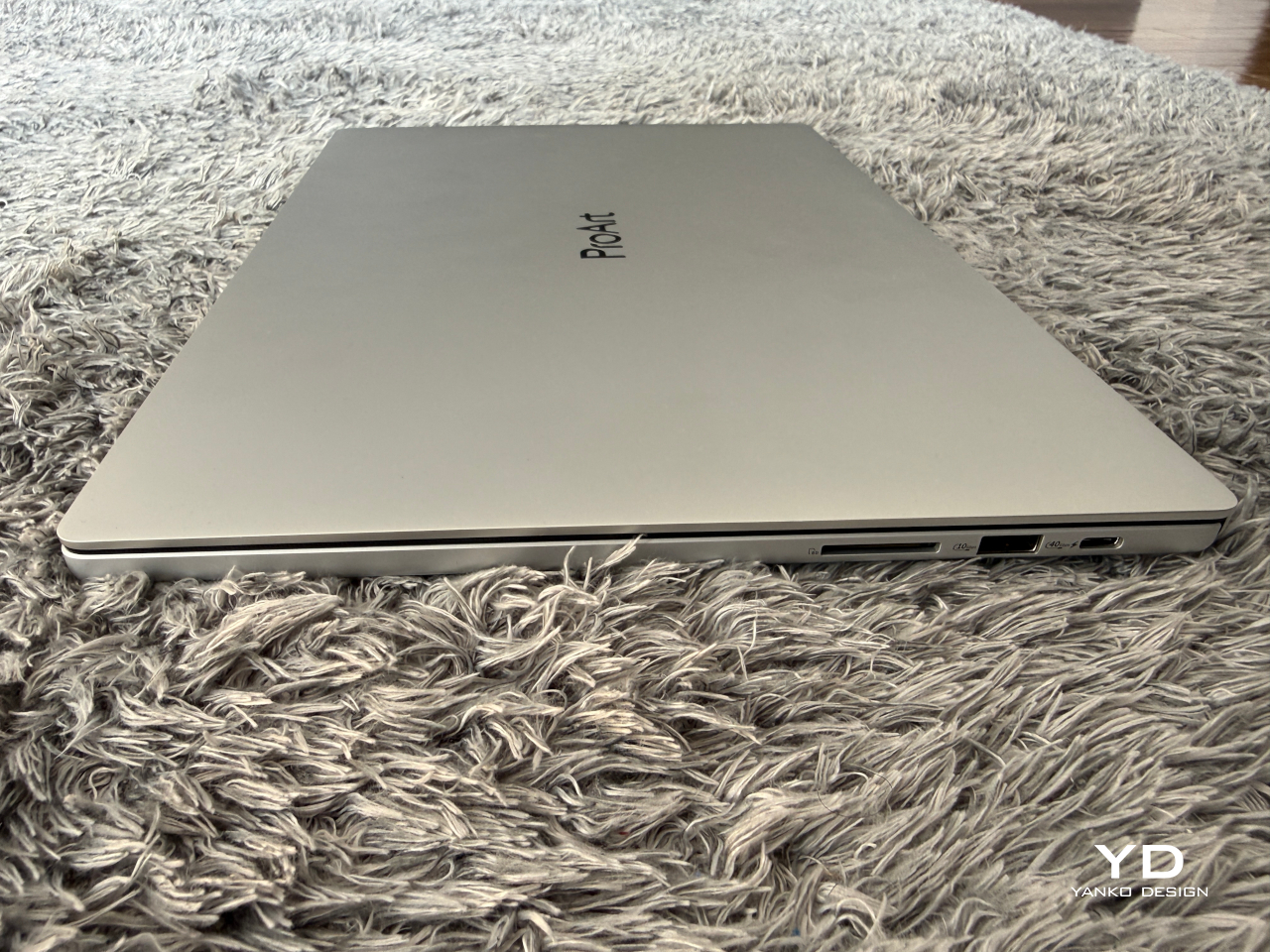
Neo White isn’t the cold white of a kitchen appliance. ASUS describes it as a silver-white finish made by sandblasting the metal, and it’s matte on the lid, the deck and the base. The only shiny part is the ProArt wordmark in the middle of the lid. A pale laptop shows dirt sooner than a dark one, so I expect to wipe this one down more often.
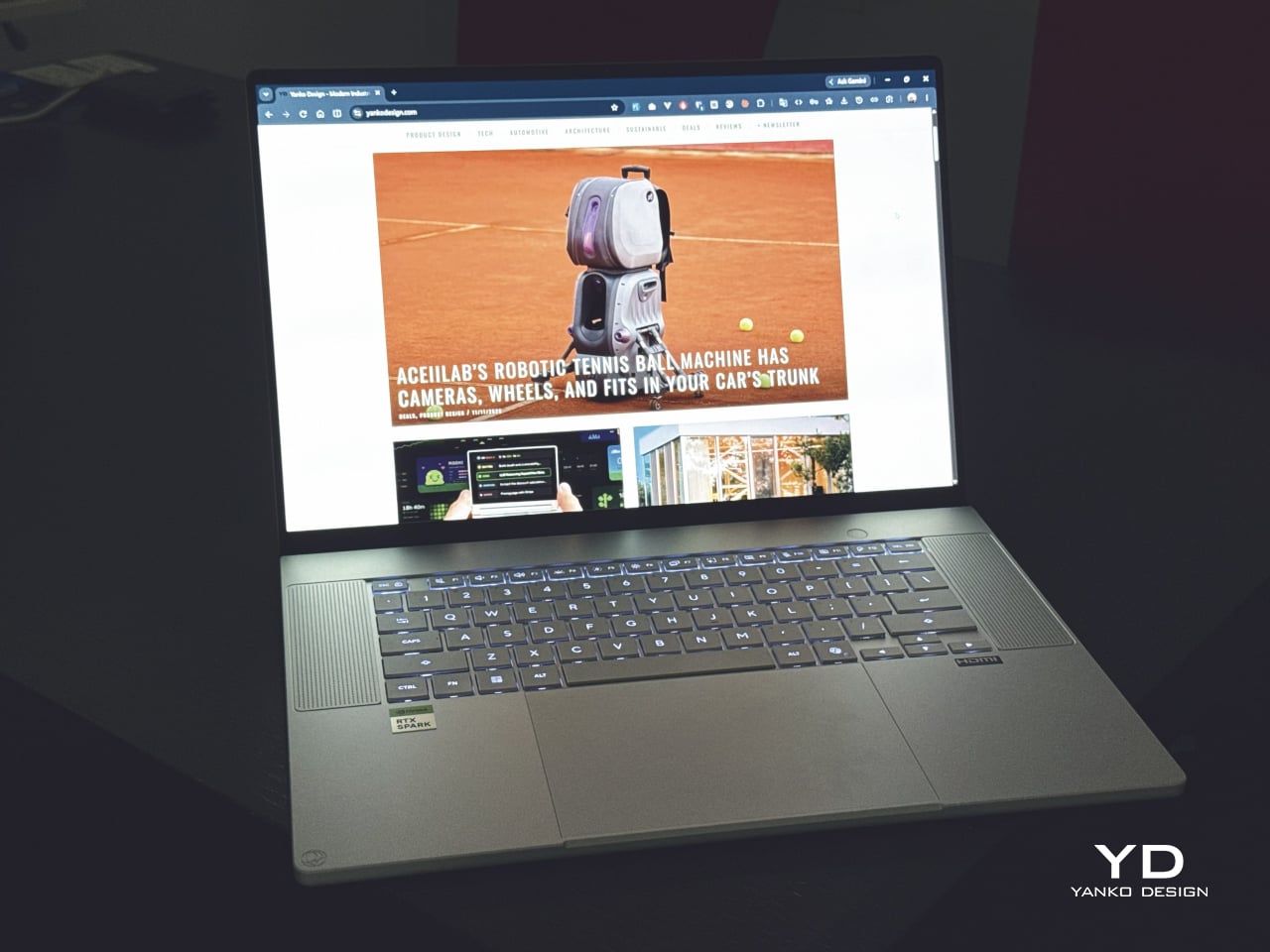
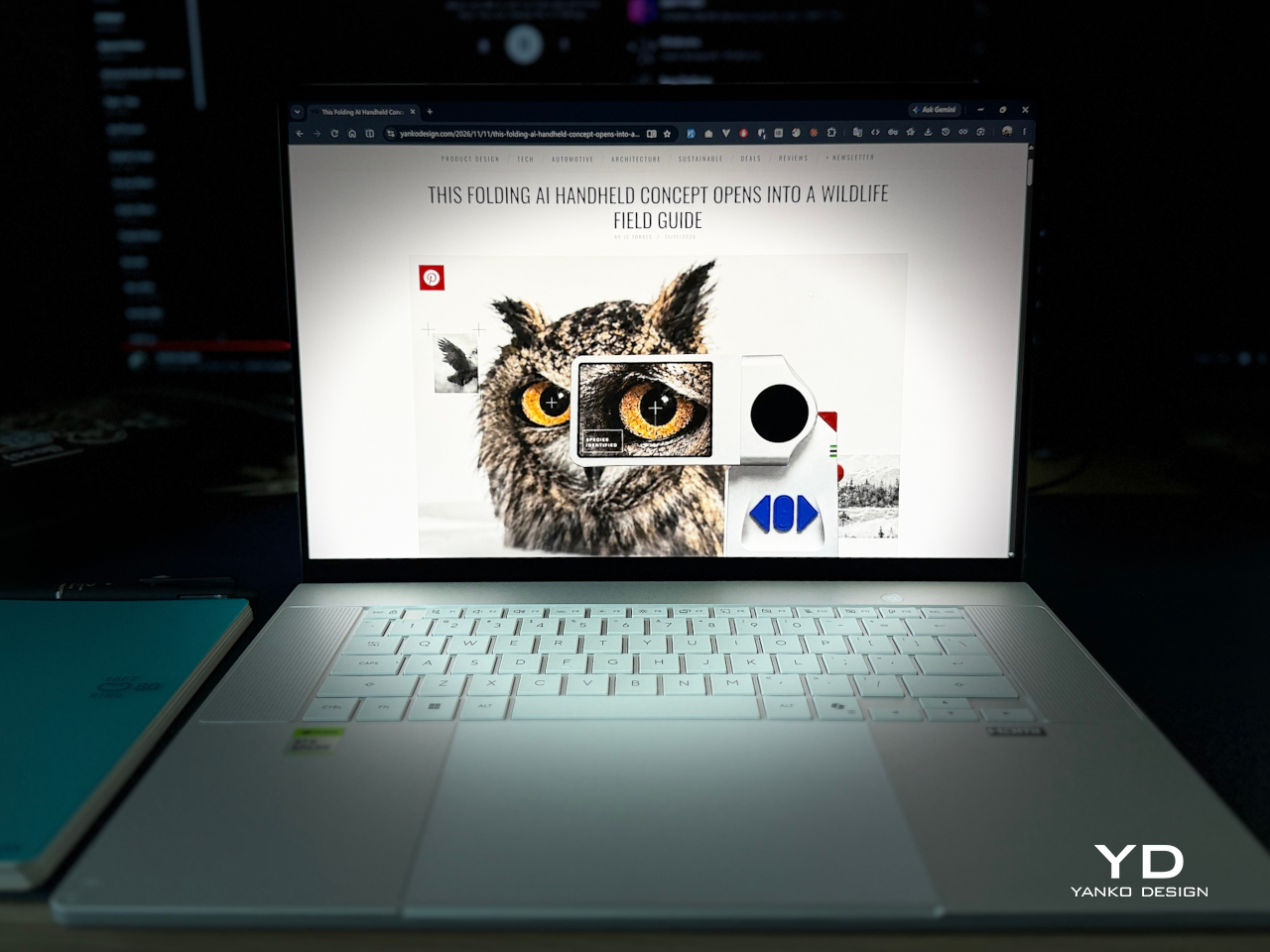
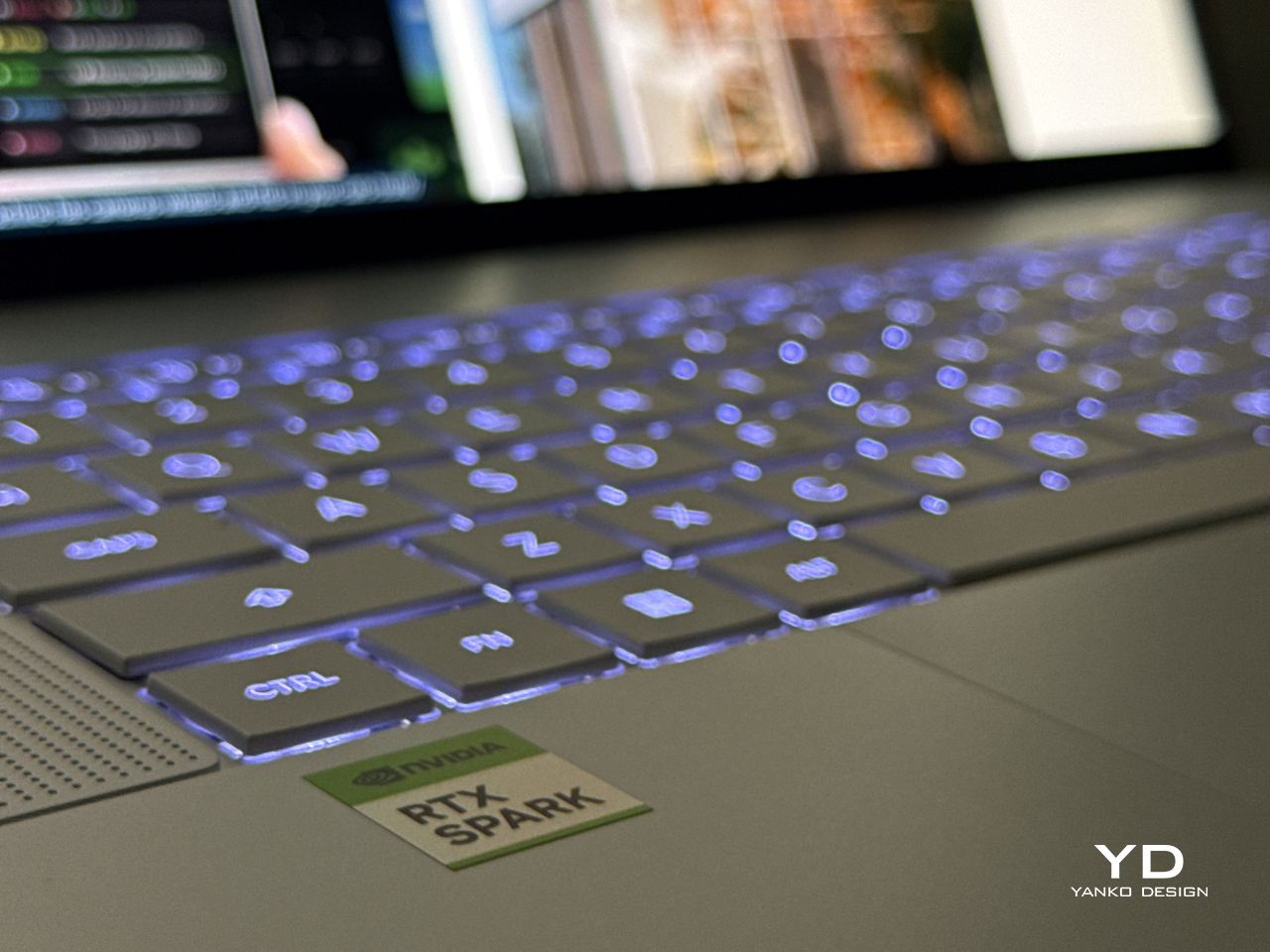
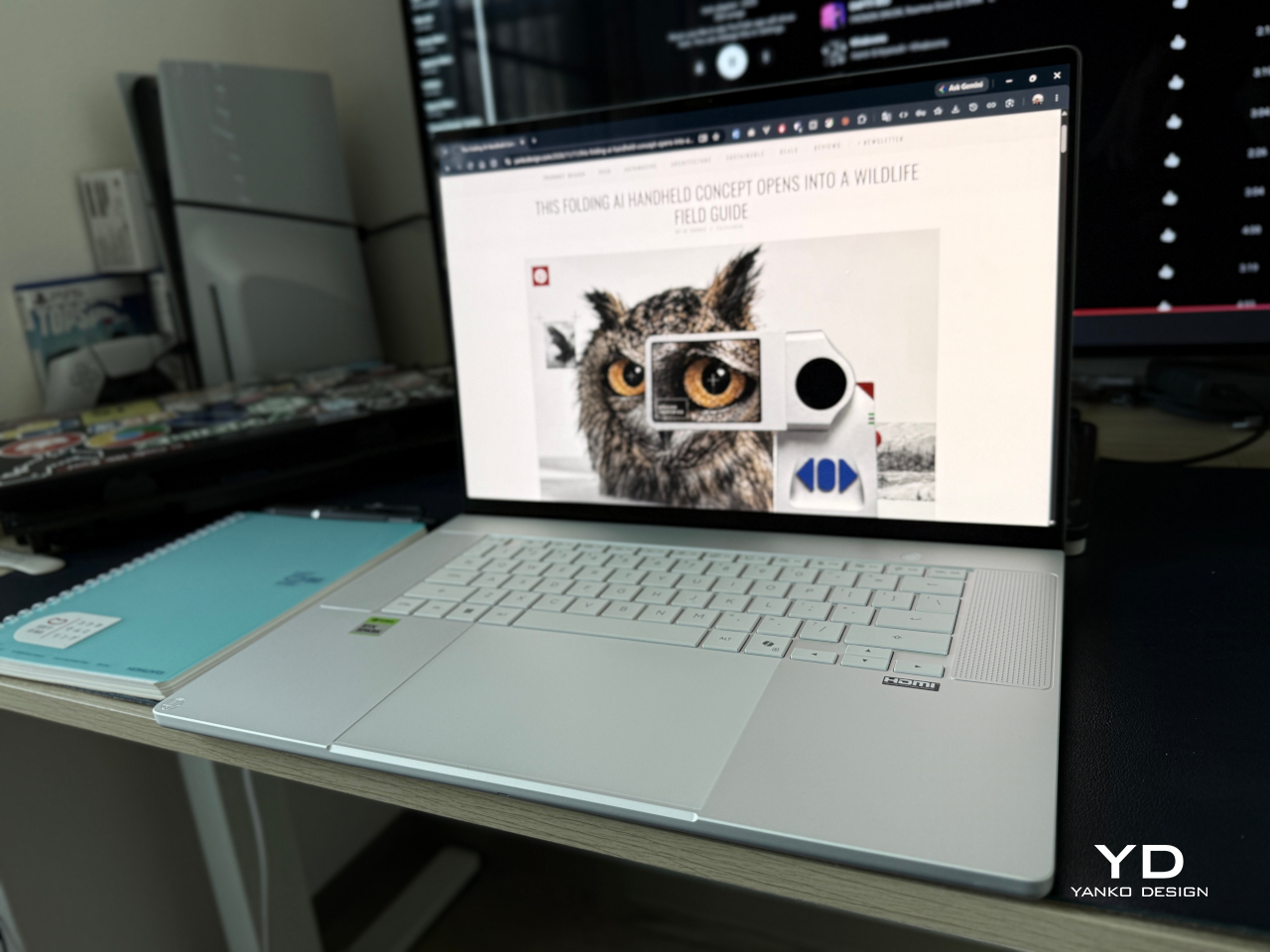
Open the lid and everything is white too: the keys, the deck and the touchpad. Two tall speaker grilles with a fine dot pattern sit on both sides of the keyboard. The backlight is a cool white, and the wide touchpad has no markings. The only color comes from two stickers on the palm rests, a green NVIDIA badge and an HDMI label, and both peel off.
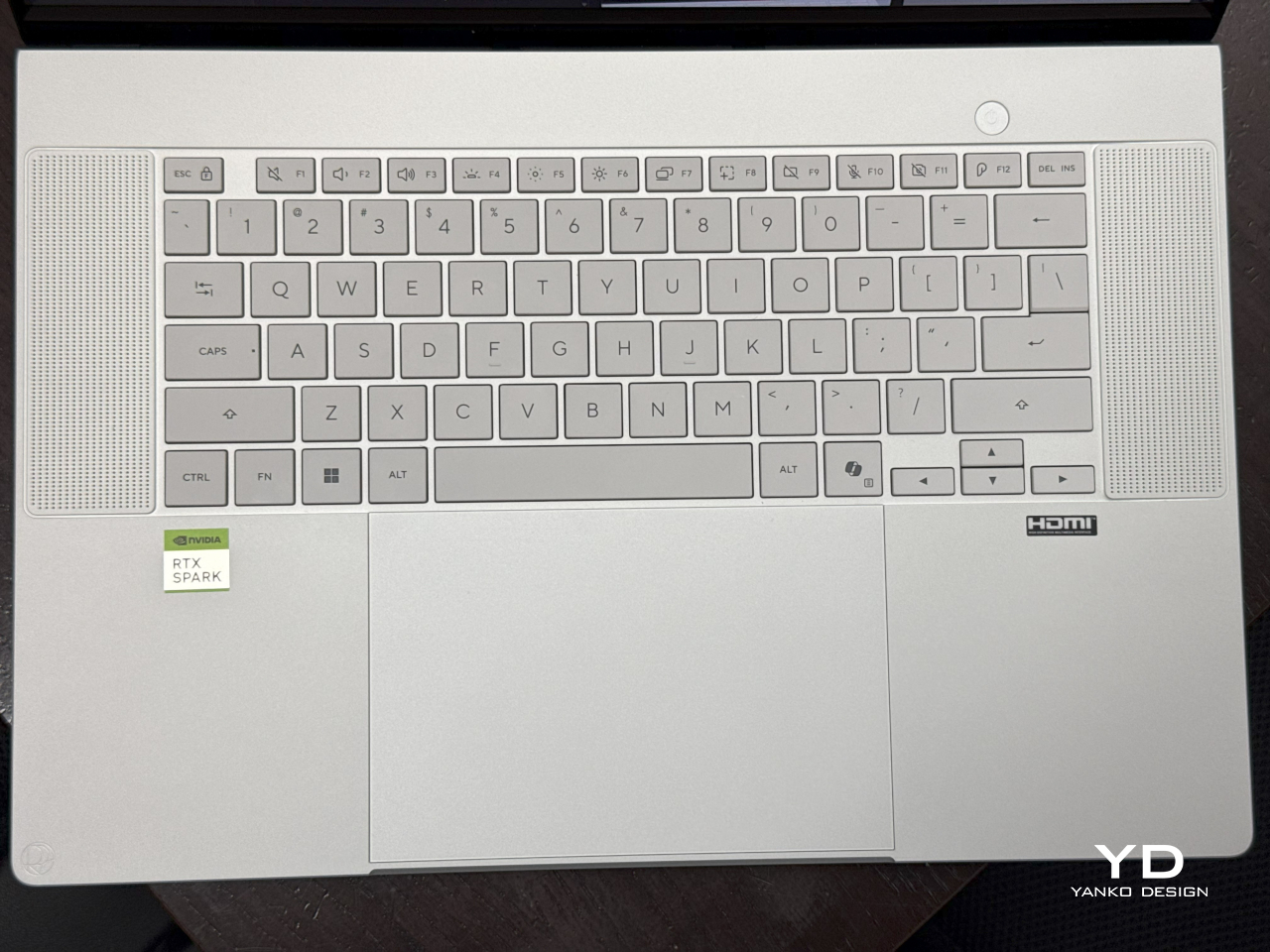
It’s thin for a 16-inch laptop with this much power. ASUS lists it at 12.9 to 15.9mm thick and 1.77kg. The reason is the chip, which puts the CPU, the GPU and the memory in one package, so there’s no separate graphics card to fit inside. Closed on a desk, it looks more like an office laptop than a workstation.
Look at the sides and you’ll see ports and no big vents. Air comes in through the keyboard and a large grille on the bottom, and hot air goes out through the hinge, in the gap between the screen and the deck. ASUS calls this a stealth hinge. You don’t notice it until the laptop is working hard, and then that’s where the heat shows up.
Ergonomics
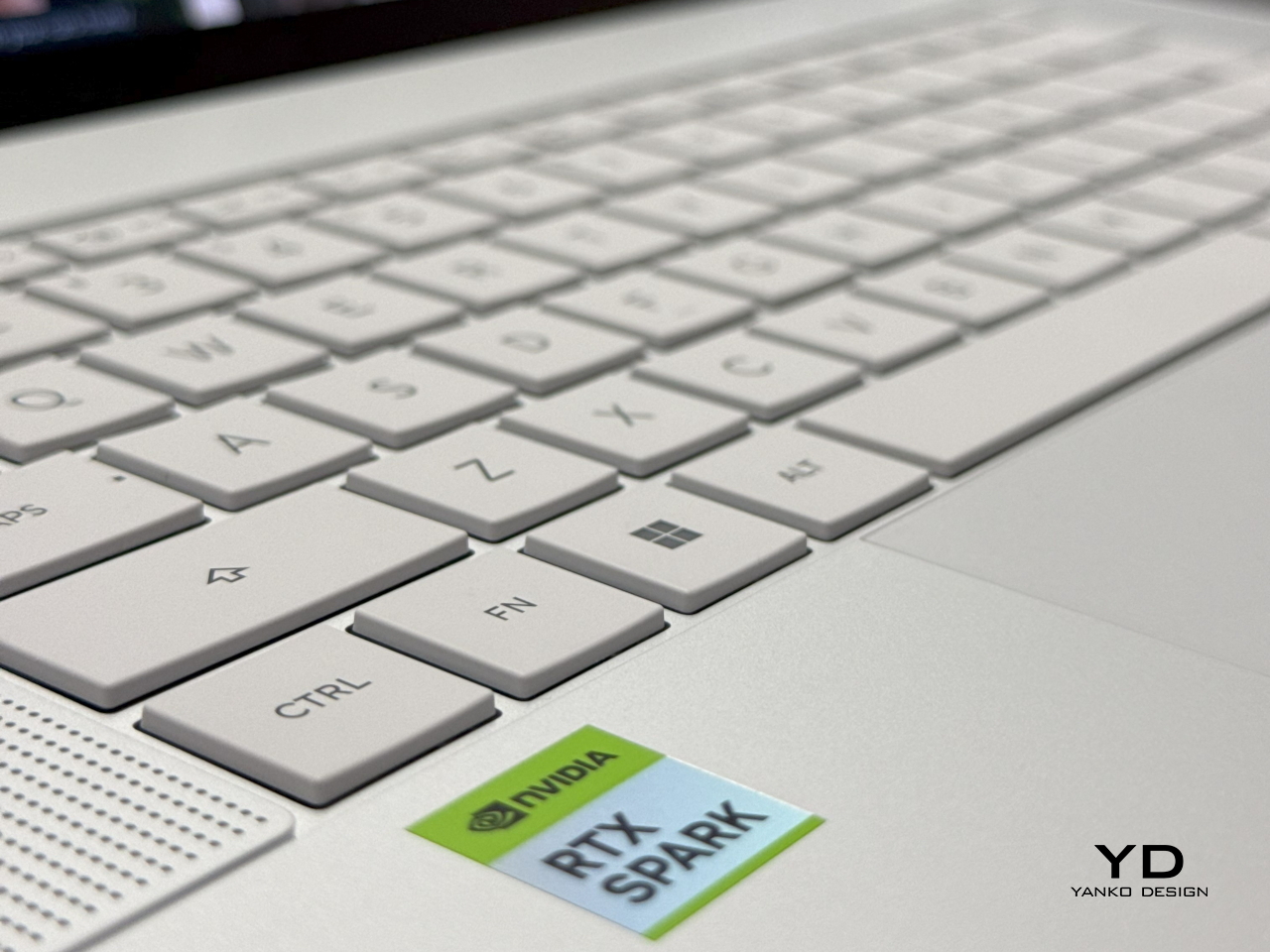
The keyboard feels great, and the key spacing is perfect for my hands. ASUS gives the keys 1.7mm of travel, which is a lot for a laptop this thin. The layout is standard, so there’s nothing to relearn. There’s no number pad, and the speaker grilles take that space on both sides. On a machine made for work, a good plain keyboard matters more than any special key.
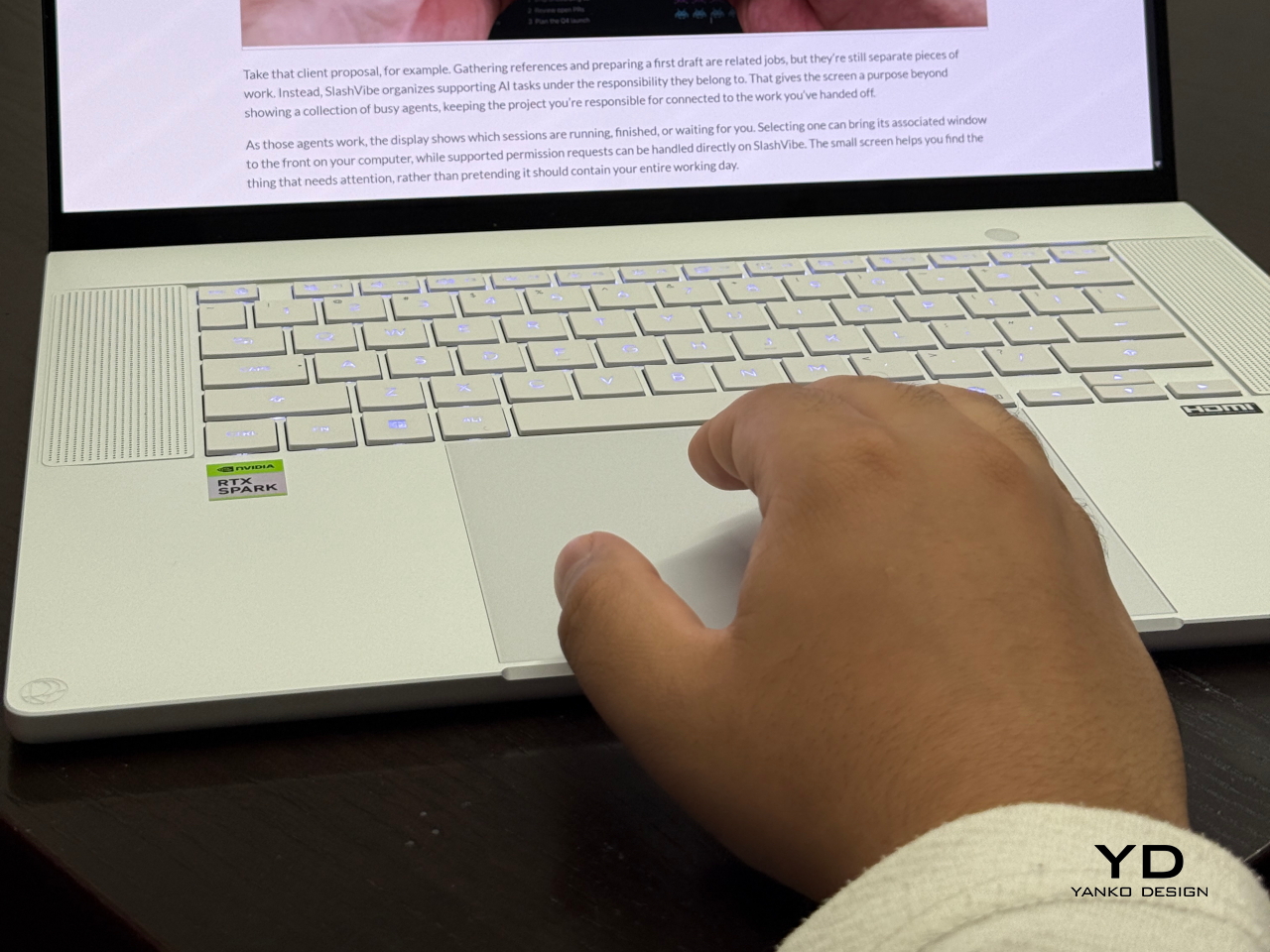
Below it, the touchpad is large and accurate. It also has shortcuts built into its edges, once you turn them on in the MyASUS app. Slide a finger along the left edge for volume and along the right edge for brightness. The top edge scrubs through video, and a tap in the top right corner opens ScreenXpert, the ASUS window tool. Nothing printed on the touchpad tells you these exist.
Ports are split between both sides. On the left there’s HDMI, two 40Gbps USB-C ports and a headphone jack. On the right there’s a full-size SD card reader, one more 40Gbps USB-C port and a USB-A port at 10Gbps, which is as fast as USB-A goes. Because there’s USB-C on both sides, you can plug the charger in on whichever side is closer to the wall.
The webcam is the weak point. Its image is ordinary for the price, and I expected better, because video calls are part of creative work now. Windows Hello is the opposite story. Face unlock is so good that I noticed it, which rarely happens with a login screen. It recognizes me almost at once, and it uses an infrared camera, so it isn’t the webcam doing that job.
Performance
RTX Spark N1X and Windows on Arm
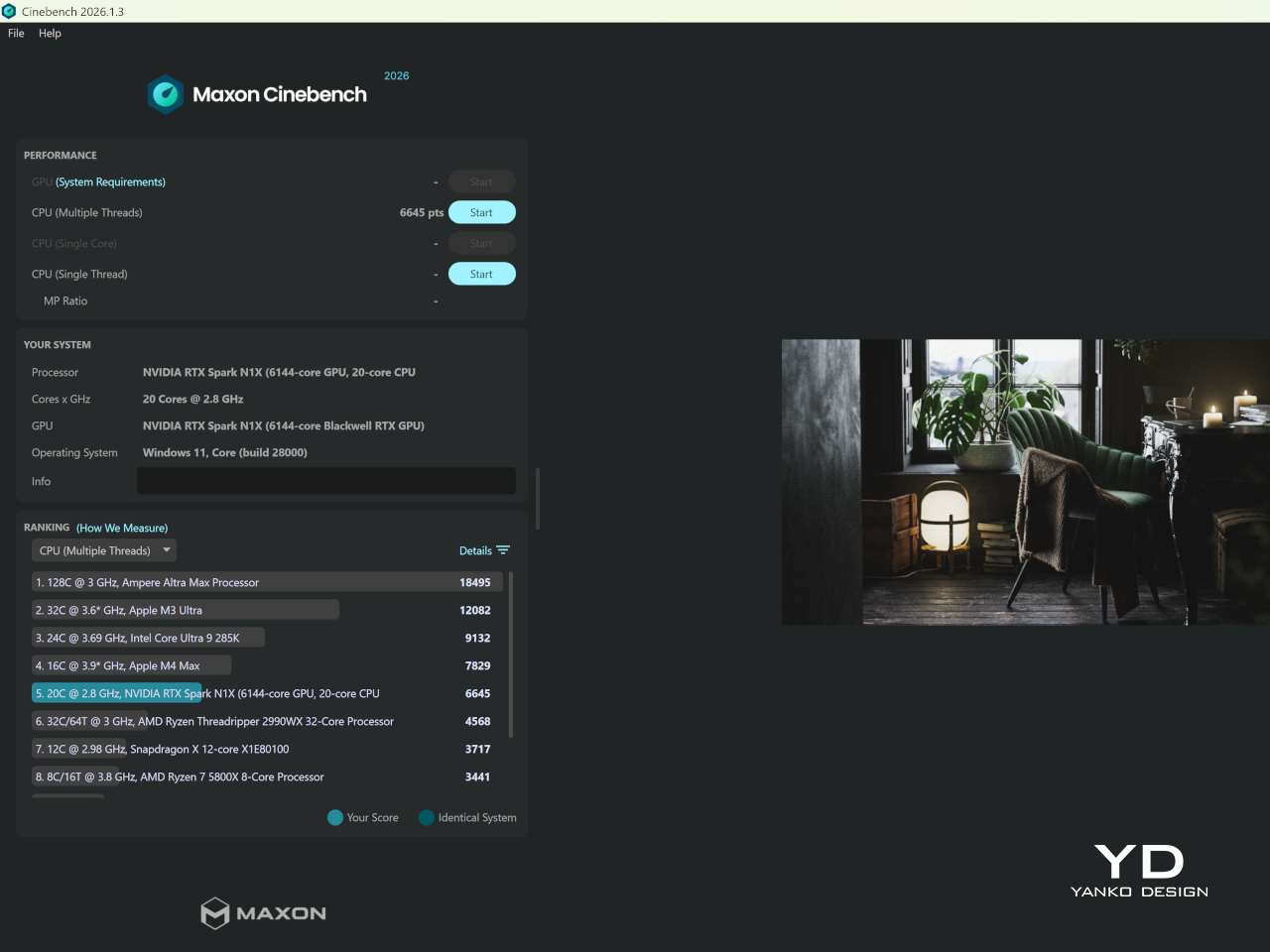
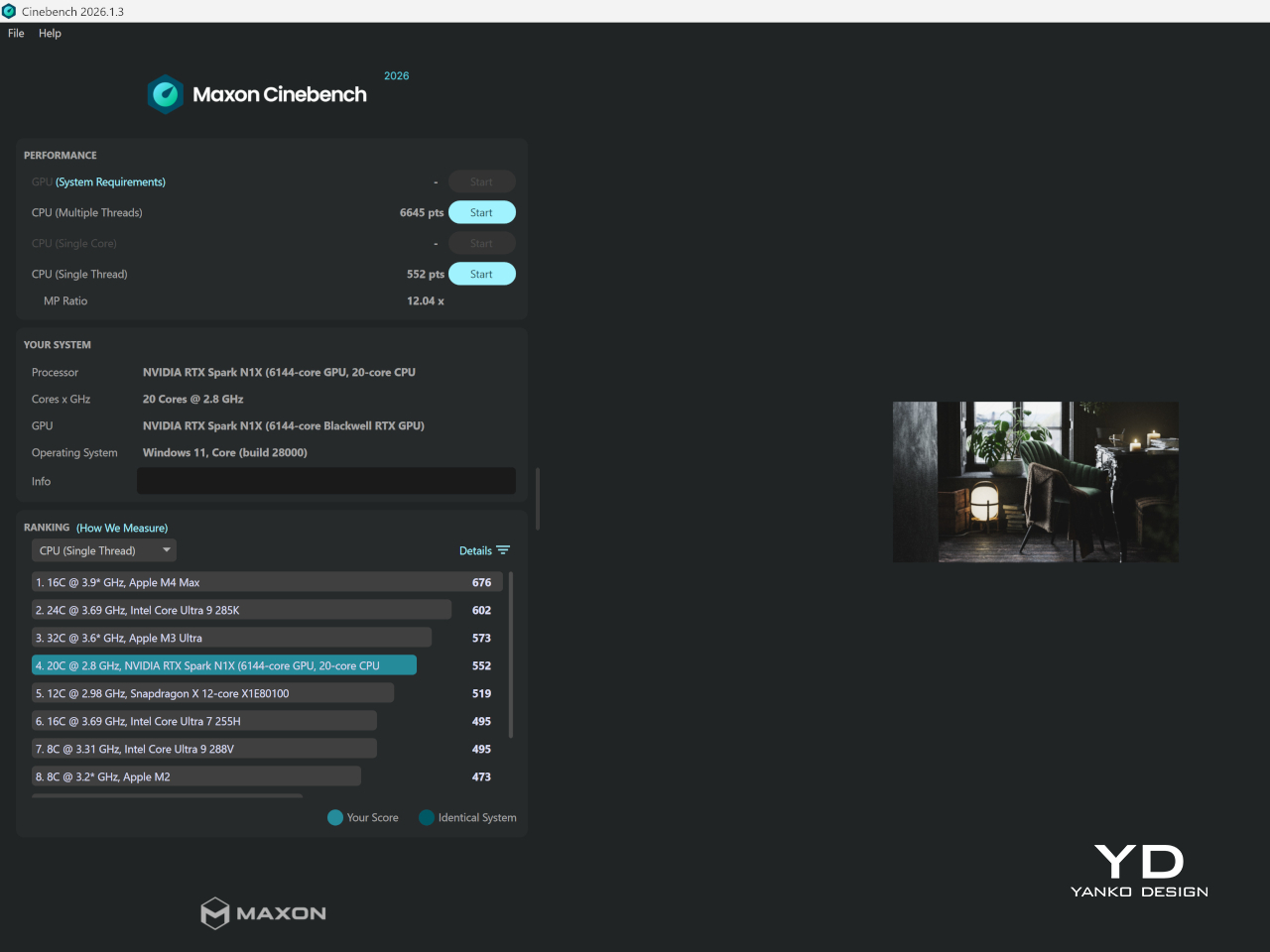
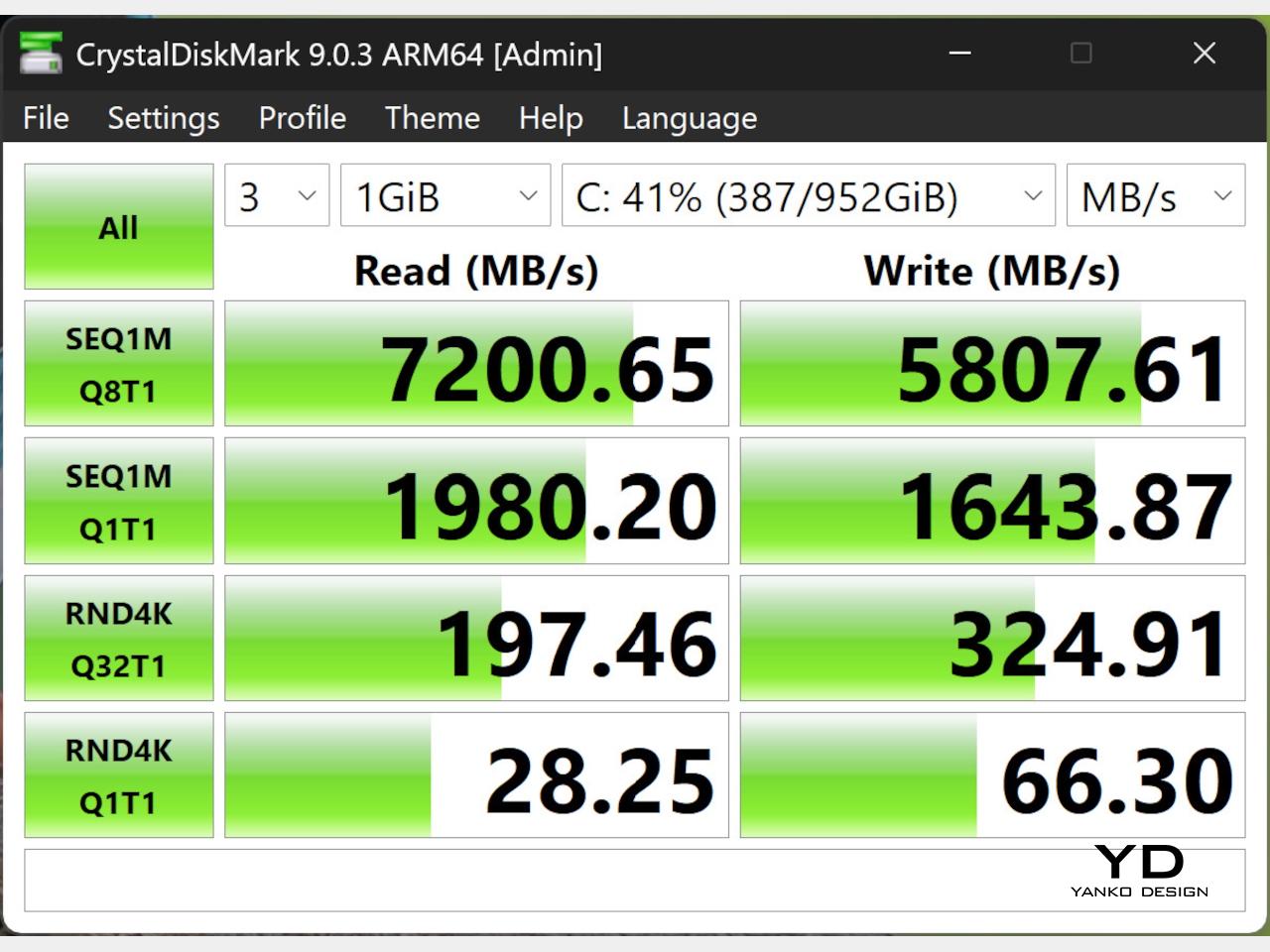
Inside is NVIDIA’s RTX Spark N1X, with a 20-core Arm CPU and a 6,144-core RTX GPU that share 64GB of LPDDR5X memory. I ran these benchmarks in the Standard power mode. Geekbench 6 scored 3,020 single-core and 19,268 multi-core, and Geekbench 7 gave the GPU a CUDA score of 166,051. Cinebench 2026 scored 552 single-core and 6,645 multi-core, and the SSD read at 7,200MB/s and wrote at 5,807MB/s.
[IMAGE cinebench-single-thread] [IMAGE cinebench-multi-thread] [IMAGE crystal-diskmark]
Most big creative apps are ready for it. Adobe lists native Windows on Arm versions of Photoshop, Premiere Pro and After Effects, and DaVinci Resolve, Blender and Affinity run on Windows on Arm too. I installed Photoshop and Premiere Pro on my unit, and both worked as expected. Photoshop files with lots of layers stayed smooth, and so did moving through a video timeline and exporting in Premiere.
This is an Arm laptop that runs Windows, and that still comes with limits. Chrome and my benchmark tools ran without trouble, but apps built for x64 run through emulation, and heavy ones can lose speed. Games are the bigger question. Some anti-cheat systems don’t support Arm yet, which for now rules out big online shooters such as Call of Duty and Battlefield. Check your key apps before you buy.
Display and Sound
The 16-inch 4K tandem OLED is the best reason to buy this laptop. It runs at 120Hz, and ASUS calibrates it at the factory and rates it for the full DCI-P3 color range. Text is razor sharp, colors look accurate to my eye, and black is true black. Touch is fast and precise too, which suits a laptop made for visual work. I love this screen.
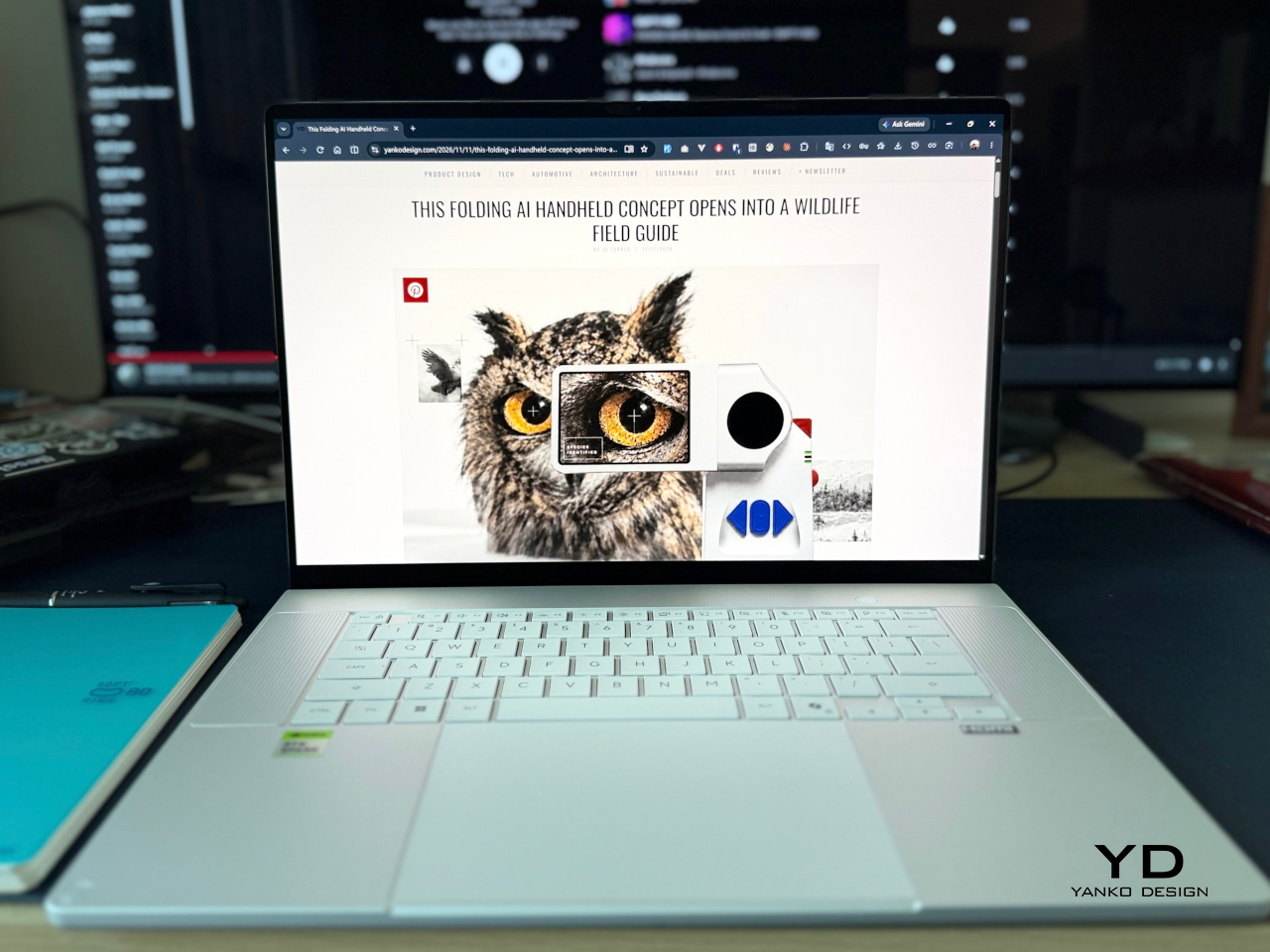
ASUS also lets you tune the panel. The MyASUS app has a flicker-free dimming setting for people who are sensitive to OLED flicker. Windows has a privacy feature called Onlooker Detection, and it dimmed my screen when a second person looked at it. Direct sunlight is the limit, though. Even with its anti-reflective coating, the panel is hard to read outdoors.
The speakers are amazing. They have real depth, which thin laptops usually lack, and they come close to the best laptop speakers I’ve heard. ASUS fits six of them. The two tall grilles beside the keyboard fire up at you, slots under both sides of the body fire down at the desk, and the system supports Dolby Atmos. A three-microphone array handles your voice on calls.
Local AI
NVIDIA sells the RTX Spark as a local AI machine, so I ran a real model on it: Qwen 3.8 with 27 billion parameters. My first try, an 8-bit file in Unsloth Studio, gave 7 to 8 tokens per second. For every token it writes, the model reads all its weights, so a smaller file is faster. A 4-bit file in TensorFold doubled the speed to about 14.5.
The best result came with a drafter switched on. A drafter is a small helper model that guesses the next tokens for the big model to check. With the DFlash2 drafter, chat ran at a median of 50 tokens per second and coding at about 64. That’s more than six times my first result. It comes from a smaller file and a drafter, running in a different engine.
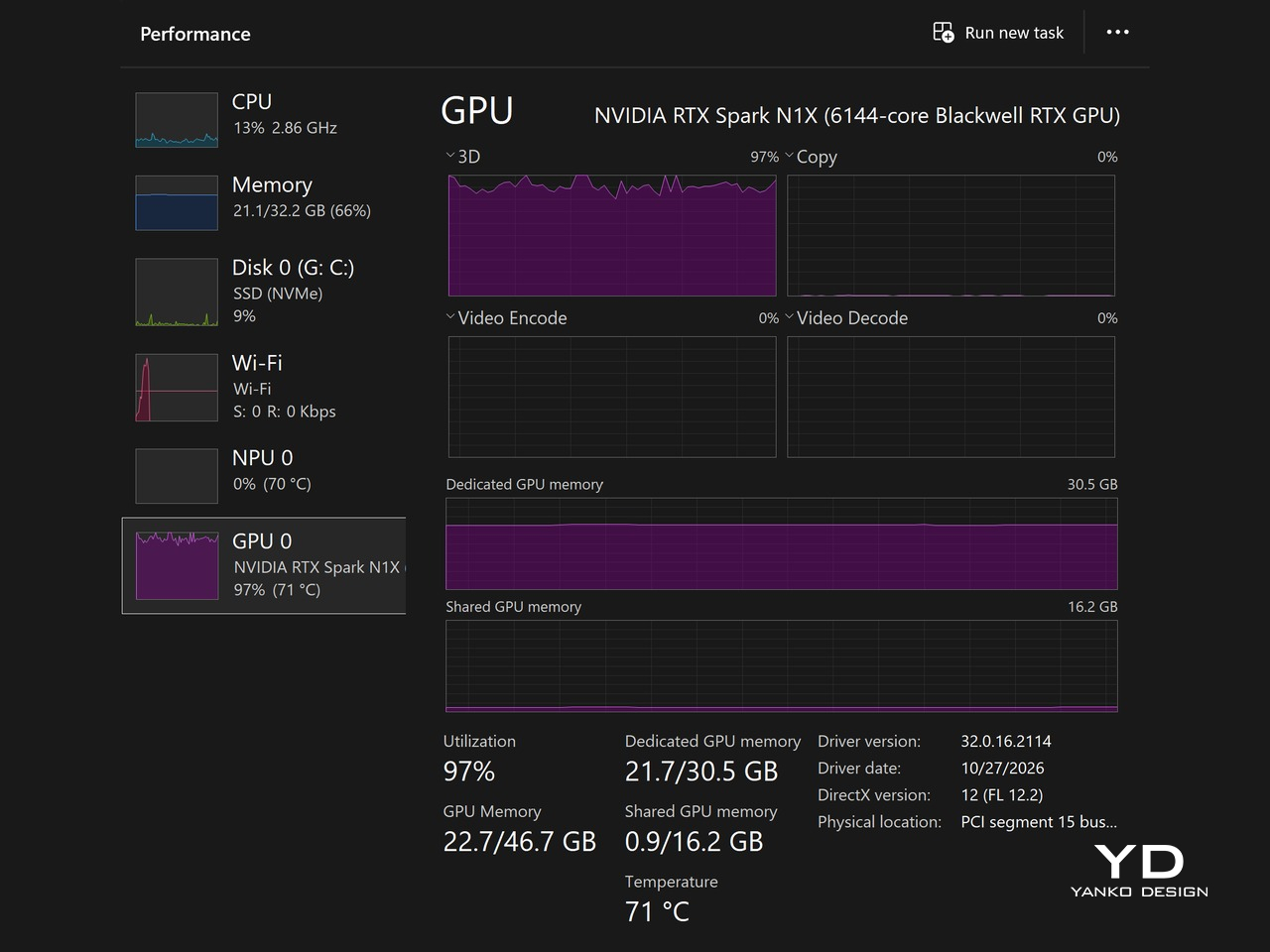
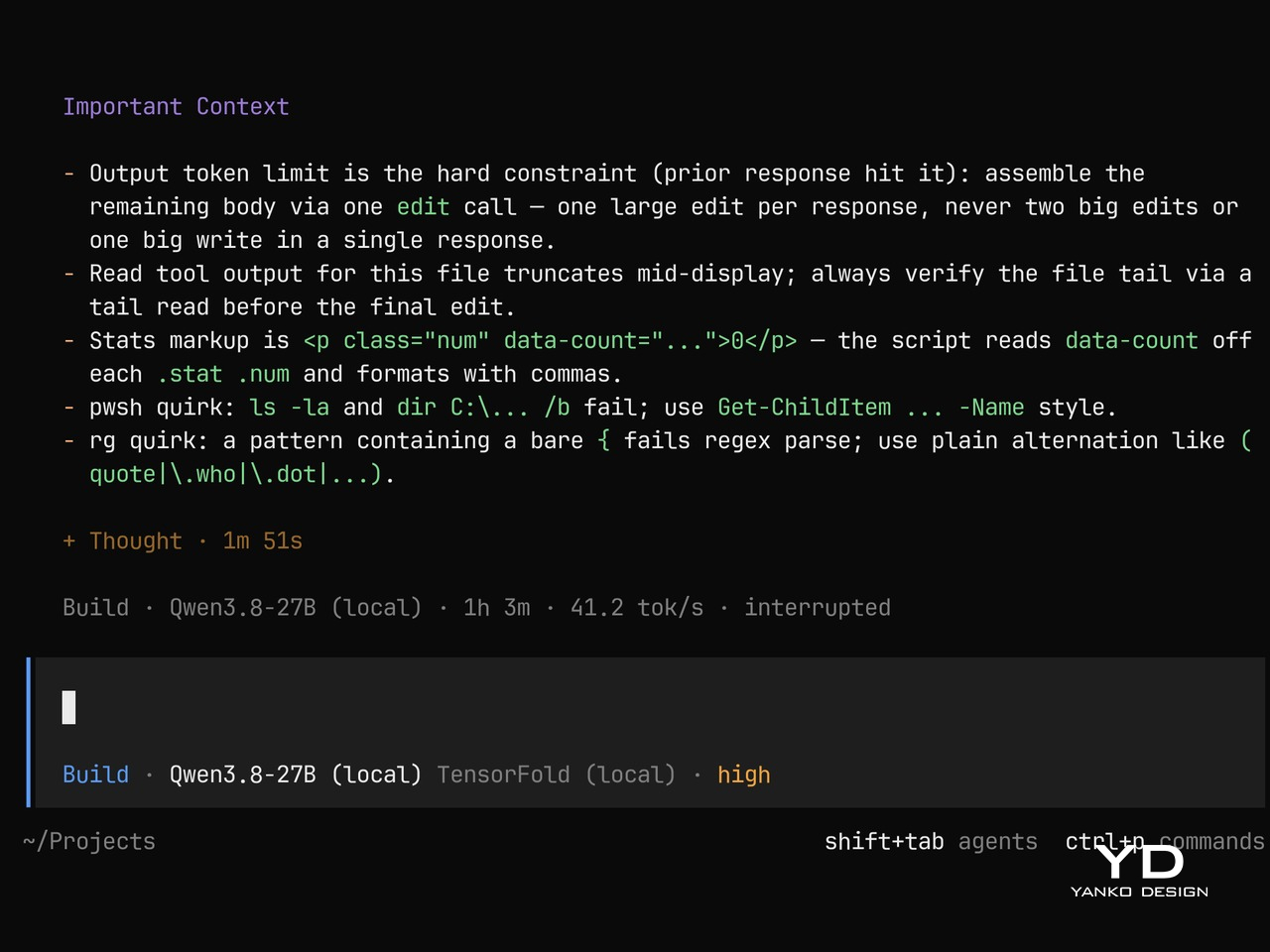
Getting there took two days of setup with Docker and WSL. Every run was in Performance mode, and the fast ones were plugged in. In real work the speed held up. An hour in the opencode coding agent ran at 41 tokens per second. I measured speed, not answer quality. A drafter is designed to keep the big model’s answers the same, but I didn’t check that.
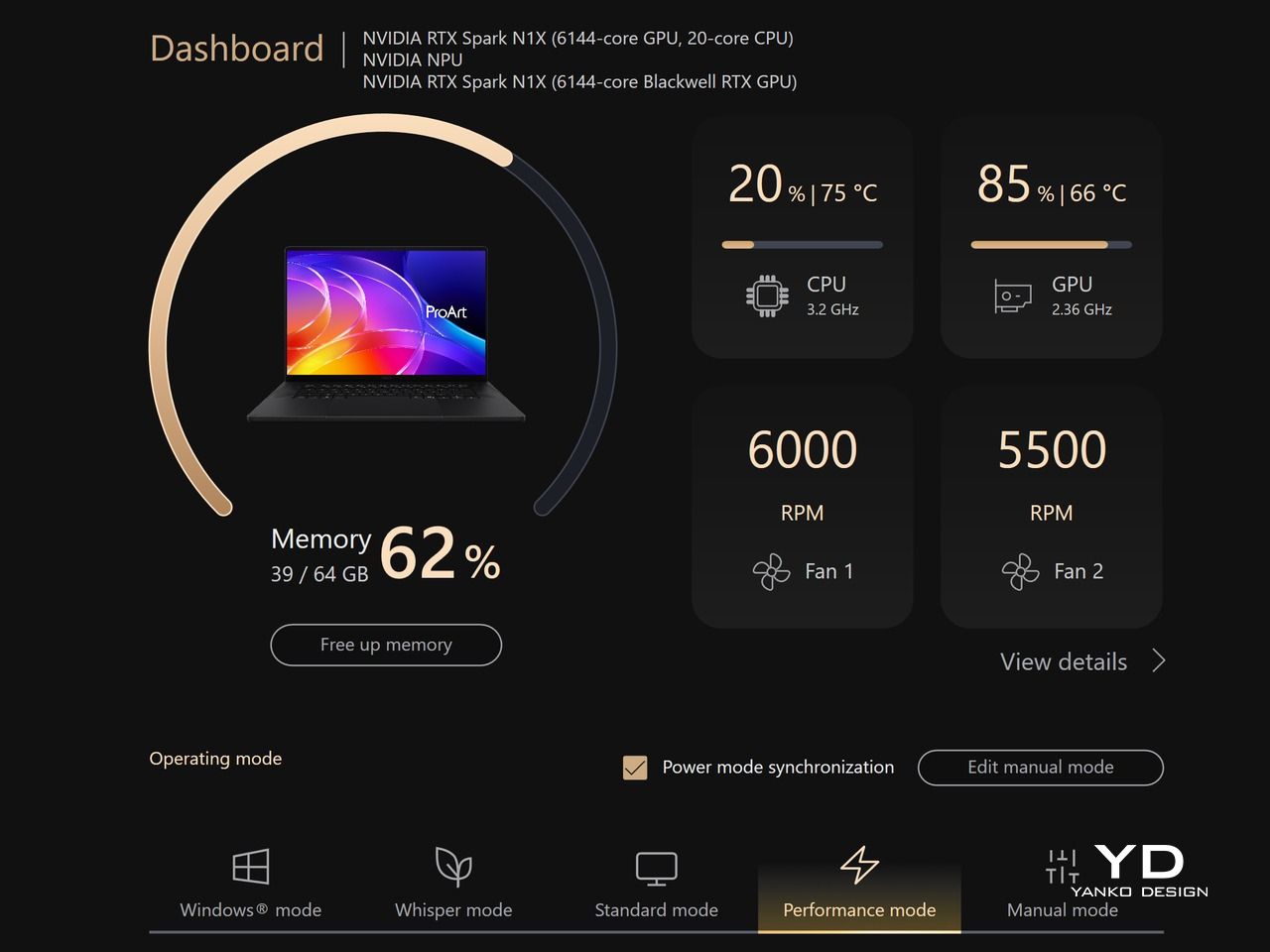
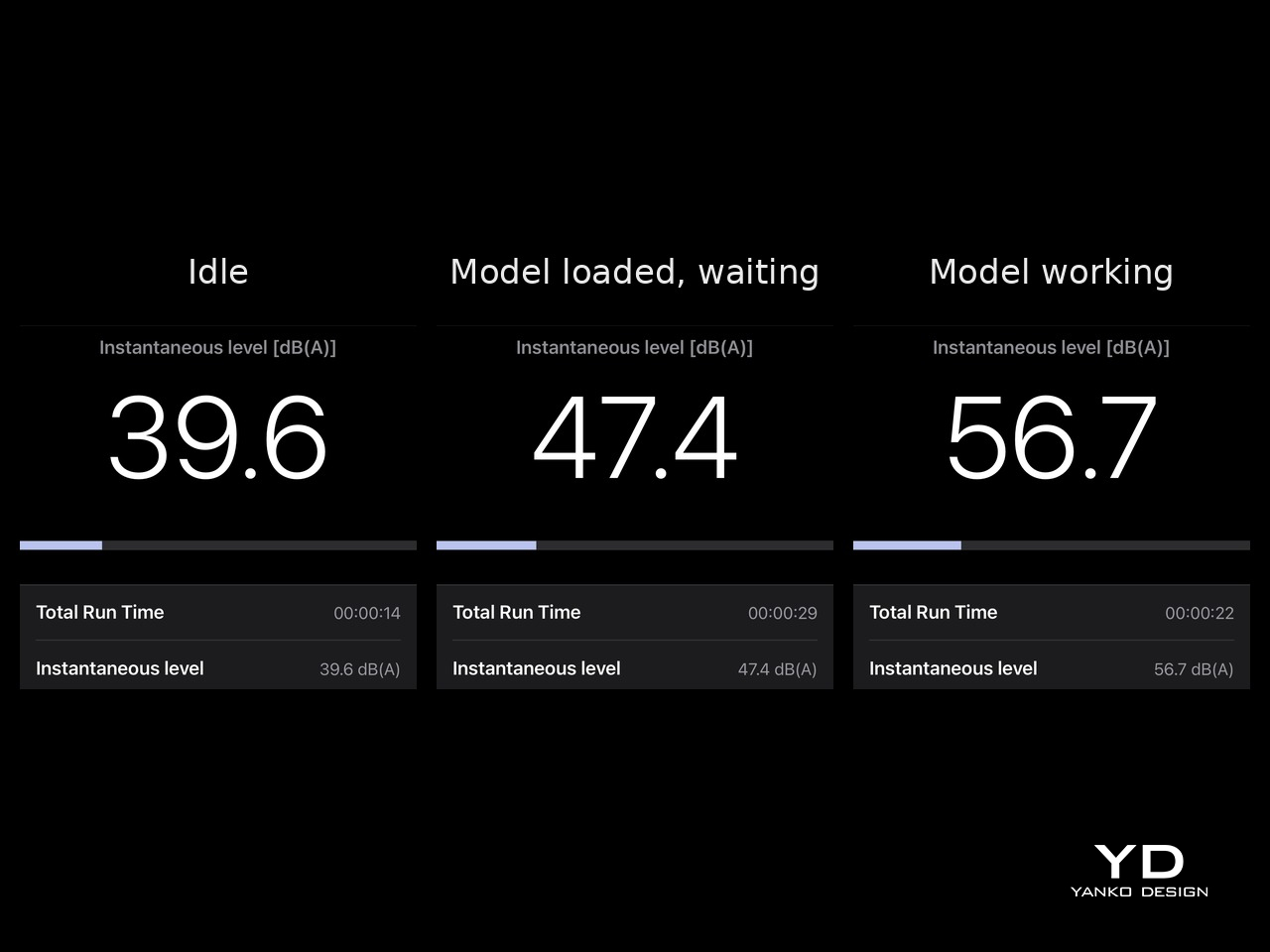
Both fans ran at 5,500 to 6,000 rpm during these runs, and the GPU peaked at 73°C. A sound meter app on my phone, held near the hinge where the hot air comes out, read about 57 decibels, against about 40 at idle. You don’t want to run it like this in a quiet public place. The strip above the keyboard, in the center, got hot to touch.
Battery Life and Charging
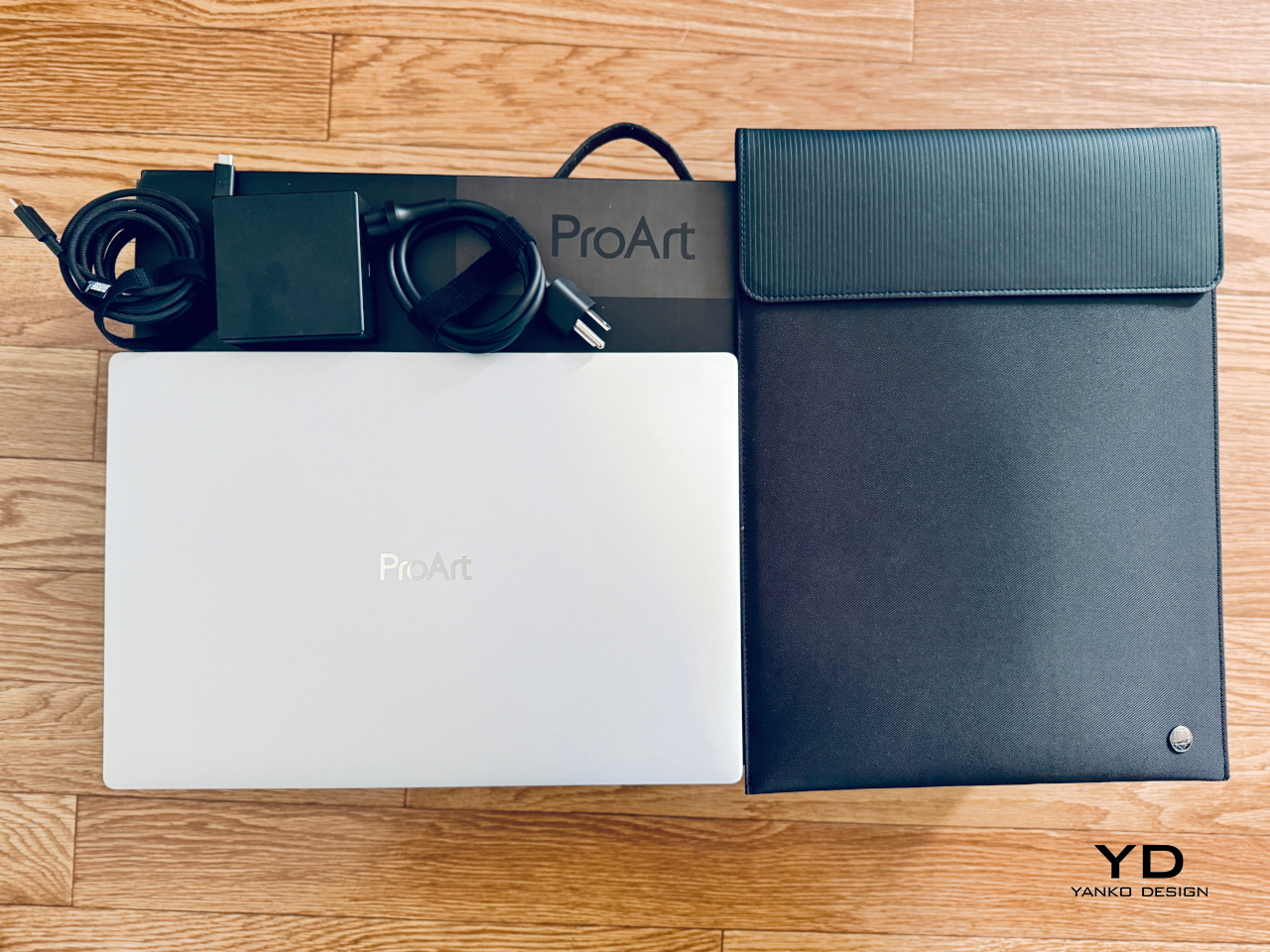
In the box is a 140W USB-C charger with a braided cable and a separate power cord. Any of the three 40Gbps ports accepts it, on either side of the laptop. Because it’s plain USB-C, the same charger can also power other USB-C devices. That means one less charger to pack if the rest of your gear uses USB-C too.
Battery life depends on what you do, and I didn’t run a timed test. At 59 percent, Windows estimated 4 hours and 50 minutes left, or about 8 hours from a full charge. I ran my AI tests plugged in, because heavy work drains it faster. The 99.9Wh pack sits just under the 100Wh airline limit, so under load it’s the chip, not the battery, that sets the limit.
Sustainability
Some choices here should help this laptop last. It charges over standard USB-C, so the 140W charger works with other devices and is easy to replace. ASUS lists a second M.2 slot, so storage can grow without swapping the first drive. Windows showed smart charging switched on for my unit, a setting that holds back charging to protect the battery over time.
The memory is the part you can’t change. It’s soldered, so the 64GB you buy is the 64GB you keep, and it’s worth choosing carefully on day one. ASUS lists MIL-STD-810H durability testing for the body and a dust filter on the air intake. I didn’t open the laptop, so I can’t tell you how easy the battery or the fans are to replace.
Value
At $4,499.99, the ProArt P16 RTX Spark sits near the top of the creative laptop market. That money buys a superb 4K tandem OLED, speakers with real depth, a keyboard I love and 64GB of memory in a thin body. As a laptop, it earns a premium. What you see, hear and touch feels worth it from the first day. The AI hardware needs setup before it shows its value.
The AI half rewards effort. It took me two days of setup to make it more than six times faster. For a developer who already lives in Docker, the result is a private 27B model on a laptop, with no cloud bill and nothing leaving the desk. A designer who installs one app still gets a working local model, just a slower one.
Verdict
So which is it? It’s a great laptop that also runs AI, and the AI is better than it first looks. As a laptop, the ASUS ProArt P16 RTX Spark is amazing from the first minute. The thin body, the Neo White finish and the all-white deck work together. Add the display, the speakers and the keyboard, and it’s a pleasure to use for a full working day.
As an AI machine, it asks for some work first. With the right setup, a 27B model runs fast enough for real coding work. You’ll hear the fans and feel the heat when it does. Some games and x64 tools still wait for Arm, and the webcam is ordinary for the price. If you like to tinker, this is a rare machine. If you don’t, it’s still a beautiful laptop.