The desk is the one surface in your life that shows exactly where your head is. Cluttered means overwhelmed. Bare means uninspired. Getting it right is less about organizing what you already own and more about deciding what deserves to be there. These nine picks span the categories that matter most: what you type on, what lights the page, what holds your tools, and what the whole surface rests on.
None of them are here to fill space. Some solve a problem you have accepted as permanent. Some reframe a category you stopped thinking about years ago. Every one of them changes something specific about how a desk feels to sit at, which is a harder thing to achieve than it sounds, and the only standard worth holding a desk object to.
1. Altar I Mechanical Keyboard
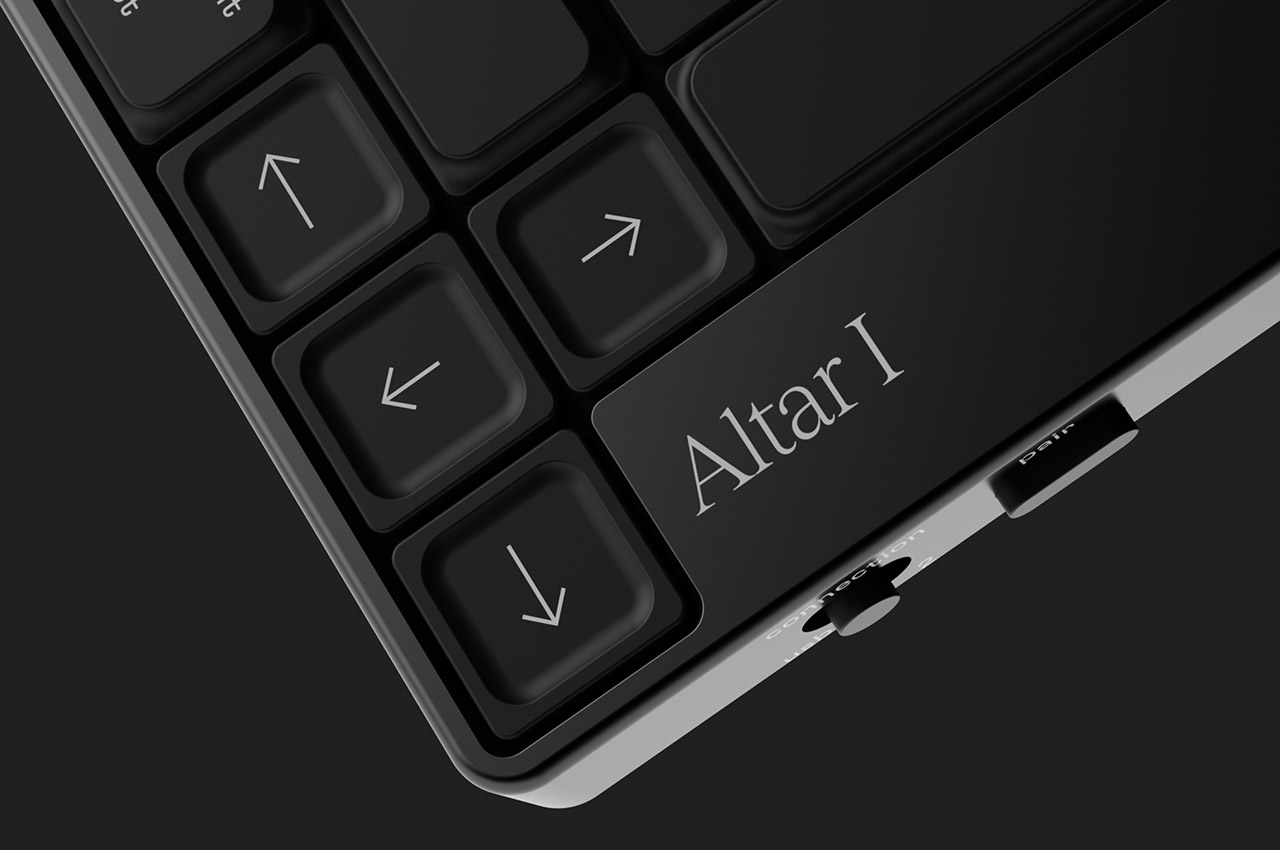
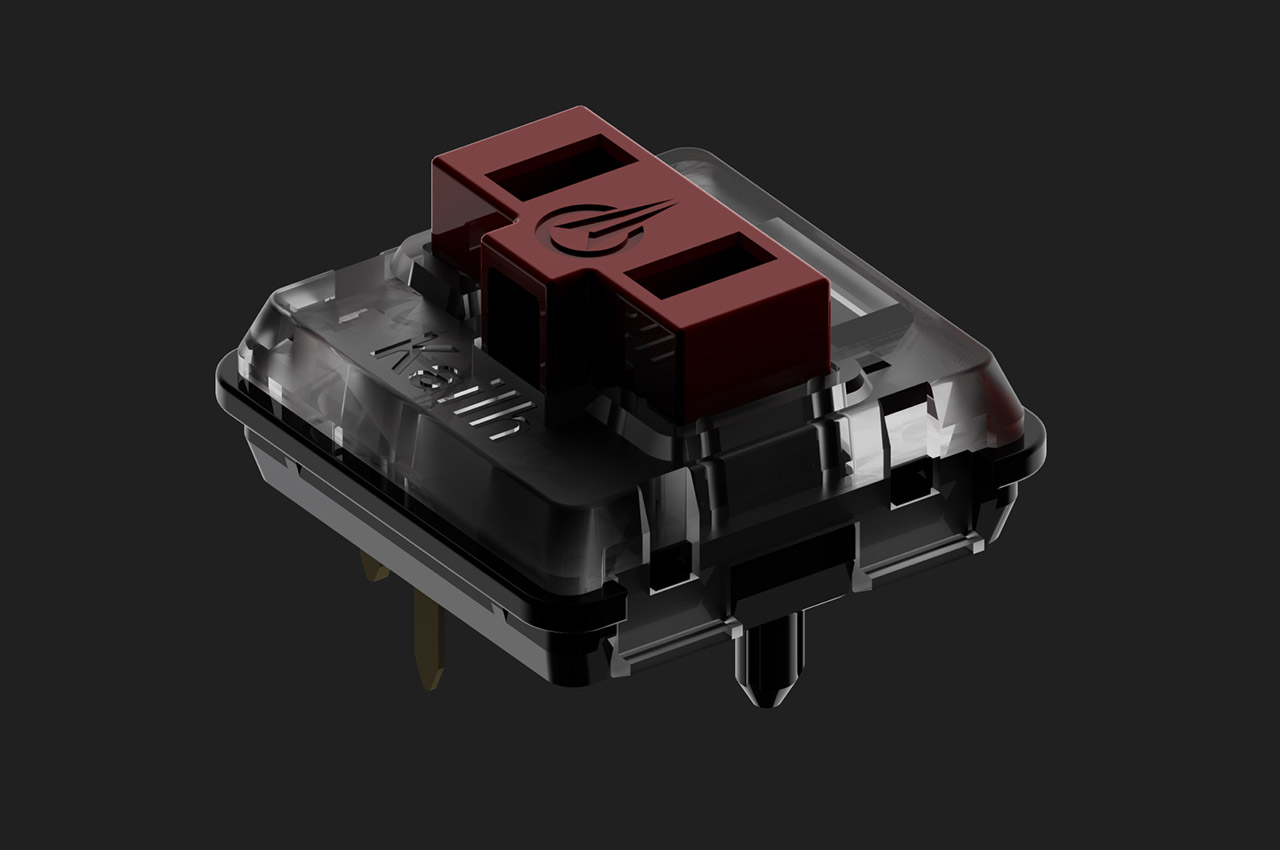
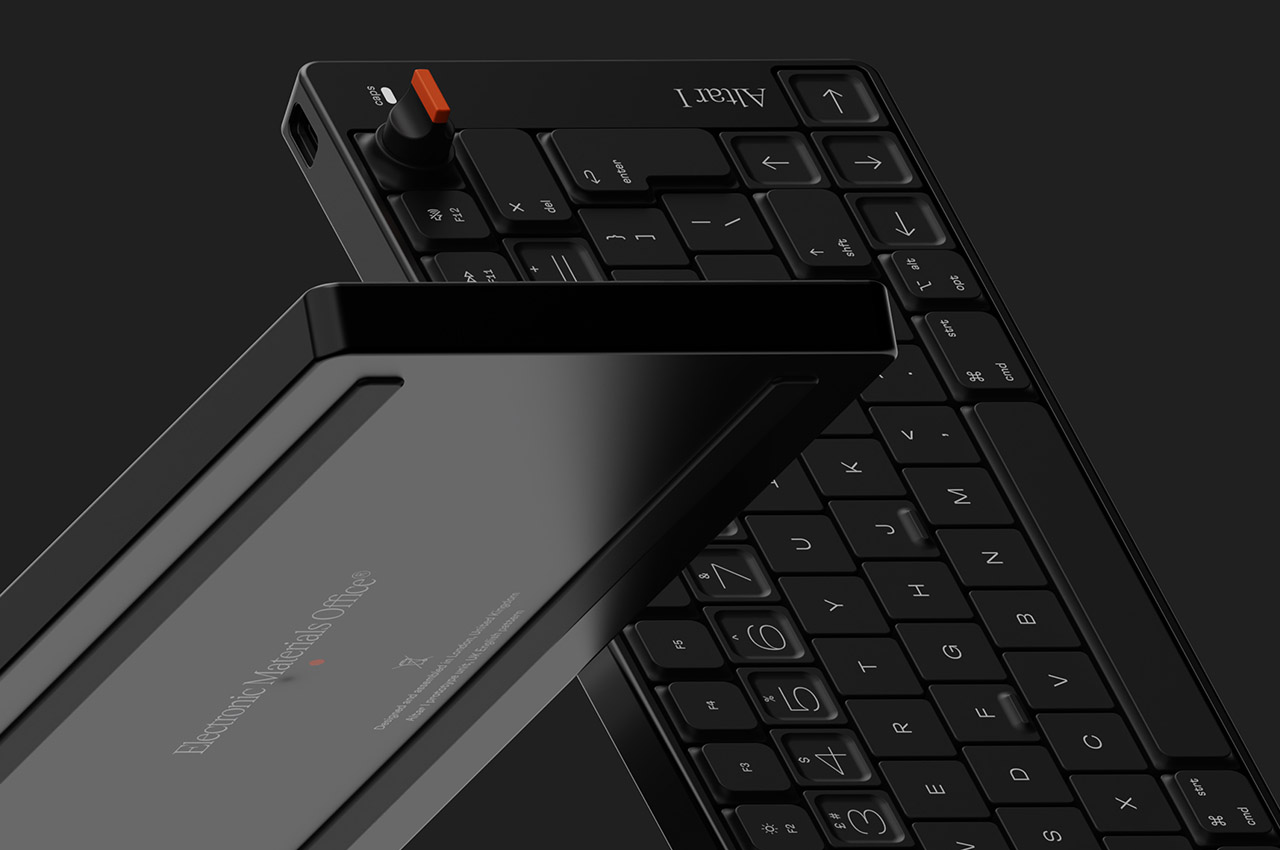
The keyboard is the piece of hardware your hands never leave, which makes it the most personal object on a desk and the one most people compromise on. Electronic Materials Office, a London startup, built the Altar I around one clear idea: sustainability should not mean sacrifice. The chassis is machined from aluminum. The plastic parts are made from post-consumer waste. The result is an ultra-low-profile mechanical keyboard as considered as anything from Teenage Engineering, without carrying that brand’s price tag.
What draws you in is the 75% layout and the rotary encoder knob at the top right, a dial that gives analogue control over whatever function you assign it. The switches are low-profile mechanical, the keycaps are doubleshot PBT, and the casing sits at 1.5 centimeters, thin enough to shift the geometry of typing without abandoning the feedback that makes mechanical keyboards worth owning. Compatible with Mac and Windows, and built around material convictions most keyboard manufacturers never bother to name.
What we like
- The plastic chassis is built from post-consumer waste, making sustainability structural to the design rather than a label printed on the packaging
- The rotary encoder knob gives analogue control over an assigned function, a detail that rewards daily use well beyond first setup
What we dislike
- As a first product from a startup, long-term availability of keycap sets in compatible low-profile sizing is worth thinking about before committing
- The 1.5 cm profile is built for a specific kind of typist; those who prefer more switch travel will find the adjustment takes time
2. Infinite Solas Lamp
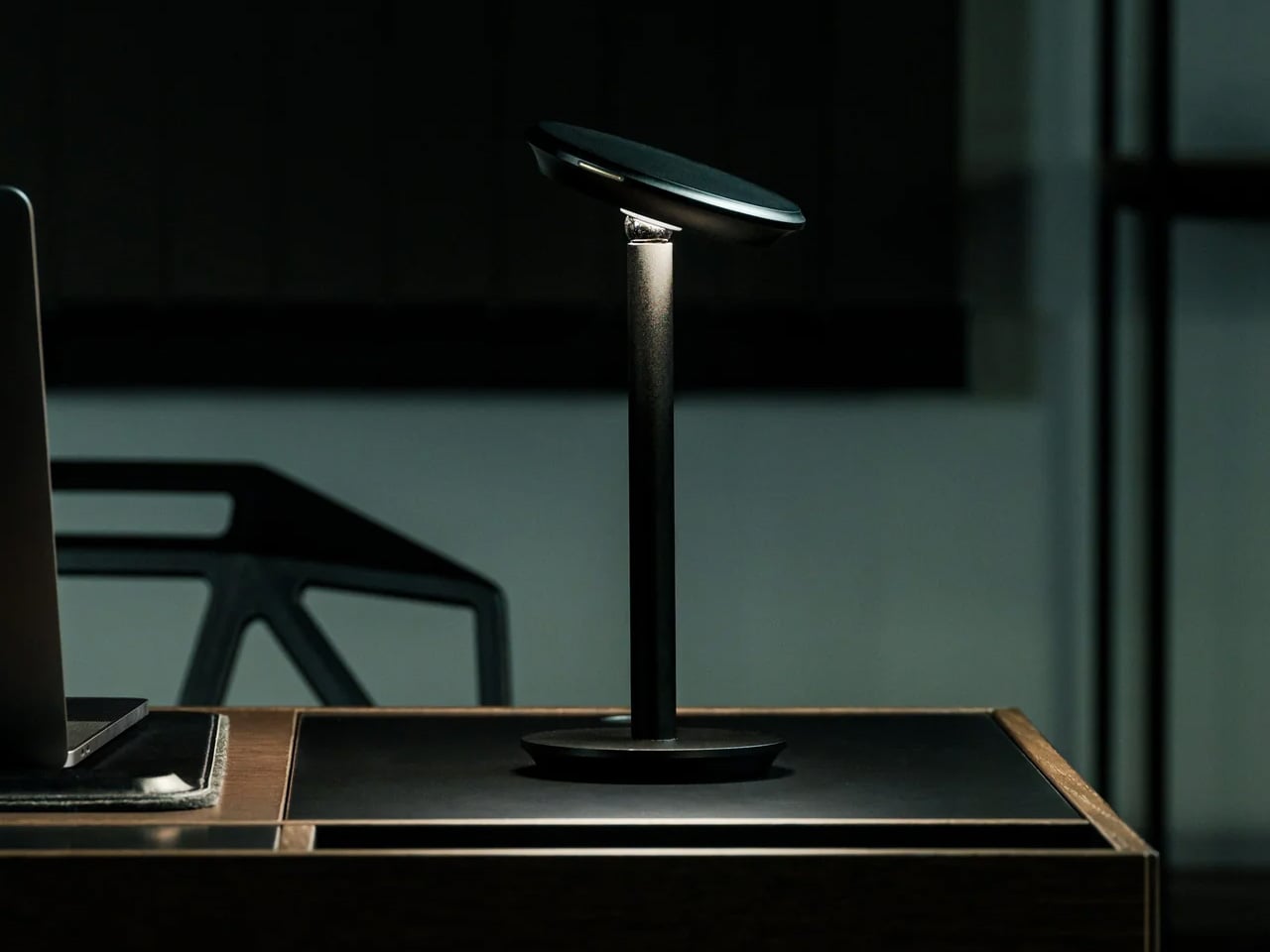
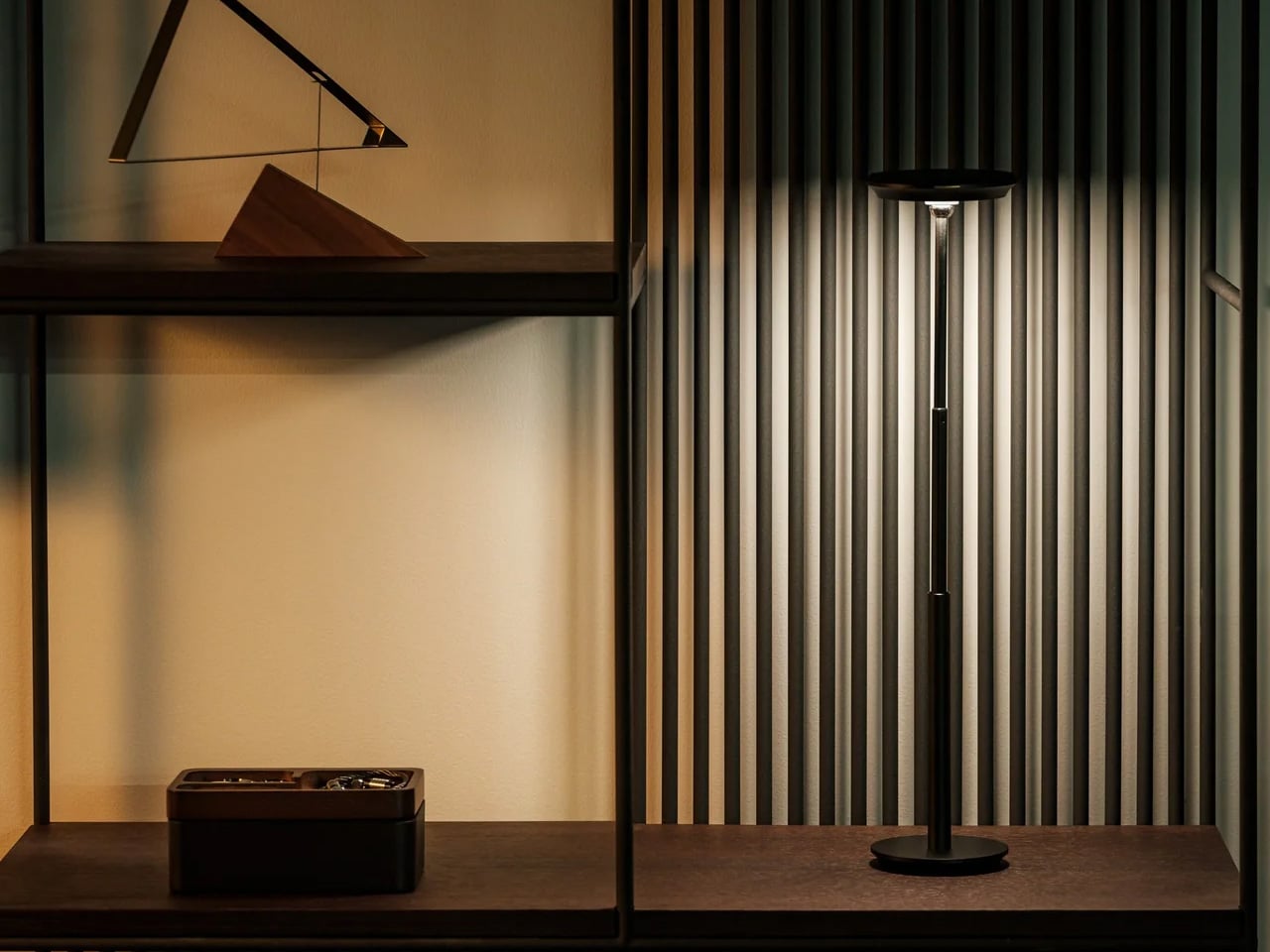
Most desk lamps are a wire, a bulb, and an arm you adjust once and never touch again. The Infinite Solas Lamp, designed by Koki Sato, is a different proposition entirely. It is wireless, machined from aluminum with an anodized finish, and adjustable in four directions: height, angle, brightness, and warmth. The magnetic ball-joint head moves freely and holds its position without tightening a knob. At $325, it earns its place not just as a light source but as the most considered object on the desk.
The two colorways, black and warm champagne, are finished to a standard that makes the lamp feel like a display object even when it is off. The absence of a cord changes the desk in a way that is difficult to articulate until you have lived with it – there is simply nothing to route, nothing to hide, and no outlet to negotiate with. A single charge lasts approximately three days of use, which means it travels as easily as it stays still. The light you work under is not a minor consideration.
Click Here to Buy Now: $325.00
What we like
- The magnetic ball-joint head adjusts angle without repositioning the base, a detail that rewards repeated daily use rather than just an impressive first setup
- Wireless construction with a multi-day battery removes the cord entirely, so the desk stops being organized around the nearest outlet
What we dislike
- At $325 with limited units available, it is a committed purchase rather than a casual browse – there is no sleeping on this one
- The anodized aluminum finish will show fingerprints with regular handling, particularly on the champagne colorway, which asks for occasional light maintenance
3. Mosaic AI Desk Organizer
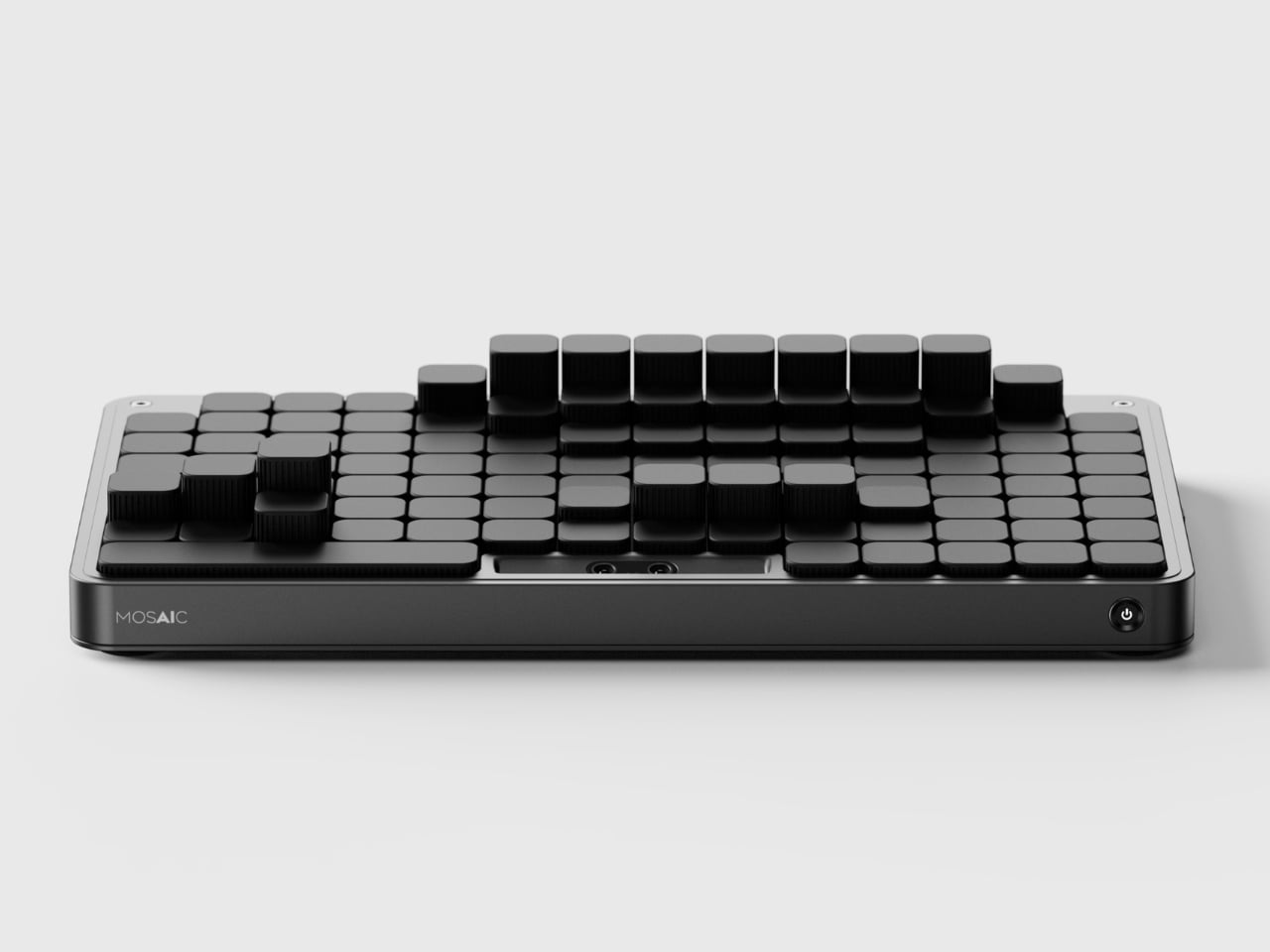
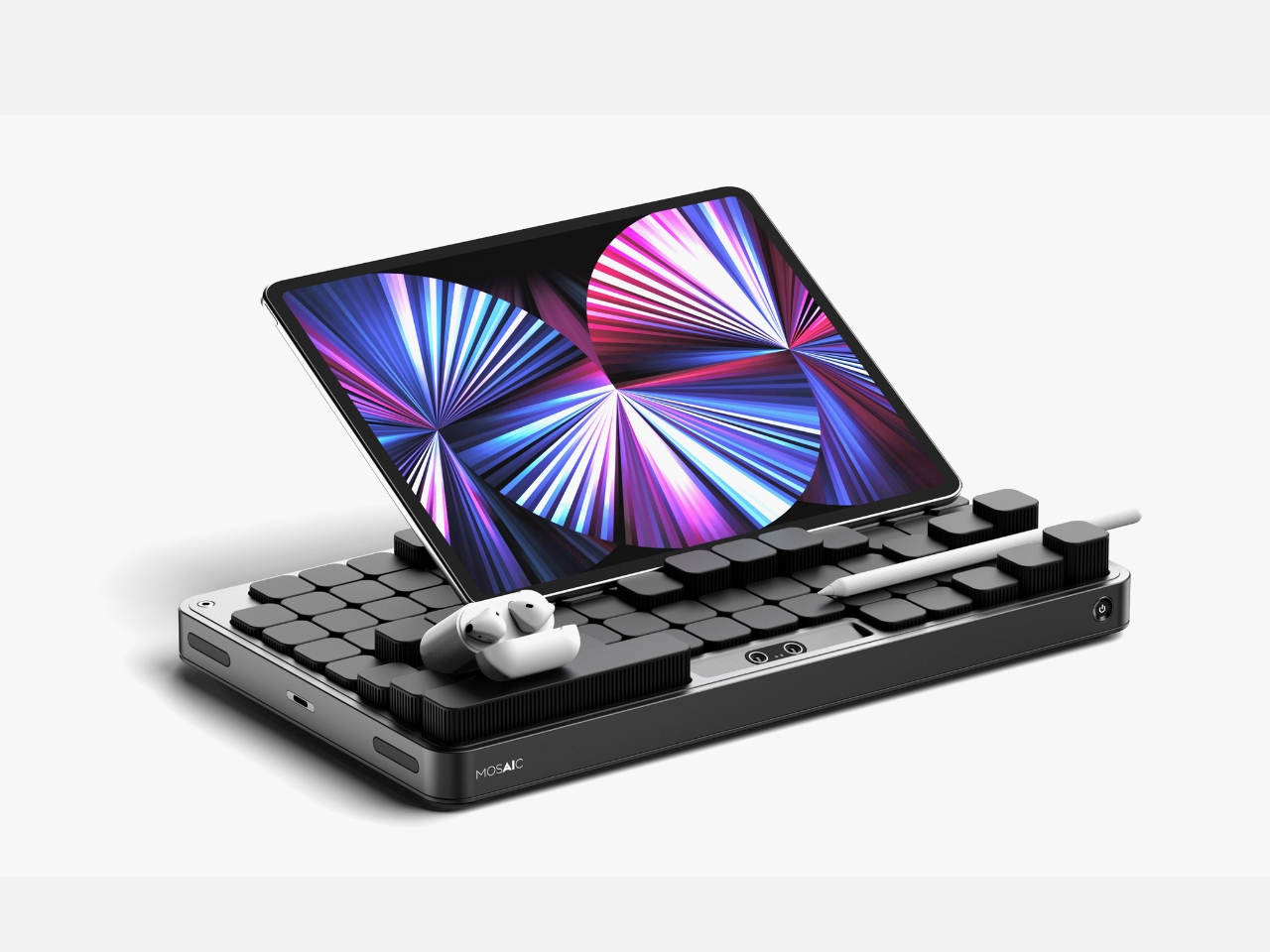
Most desk organizers ask you to adapt to them. You get a tray with fixed compartments, you shove your things in, and either it fits or it does not. The Mosaic takes the opposite approach, replacing fixed compartments with an AI-powered modular surface that shifts its configuration around whatever you place on it. The layout changes when your desk changes, which is something no standard tray has ever managed, and the reason most desk organizers stop being used within weeks of being bought.
The black, low-profile form reads closer to a keyboard deck than a conventional tray, which helps it disappear into the desk rather than announcing itself as the thing you added to manage the other things. The intelligence lives in the shifting surface beneath, not in any visible technology. For anyone who has bought and abandoned a desk organizer because it was designed for someone else’s setup and someone else’s habits, the Mosaic is the version of that object that was worth waiting for.
What we like
- The AI-powered shifting surface reconfigures around your objects rather than asking you to adapt your habits to a layout someone else decided on
- The flat, low-profile form reads as a desk surface object rather than a gadget, which means it does not disrupt the visual calm of a considered setup
What we dislike
- As a concept, it is not currently available to purchase, which means the shifting surface remains to be tested against the friction of real daily use
- The AI layer adds a dependency on software and power that a standard tray does not require, a trade-off worth naming before committing
4. FoldLine Pen Roll
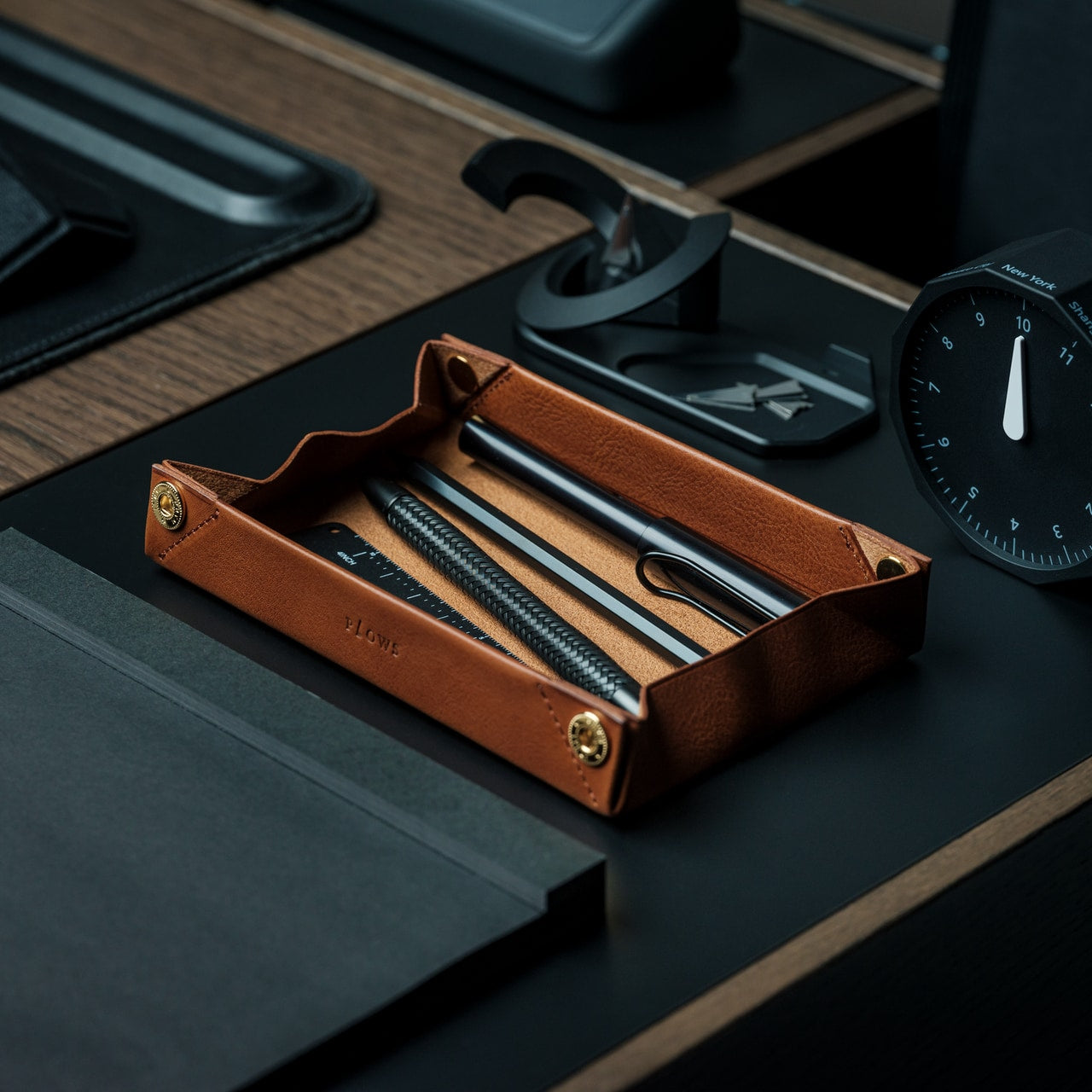
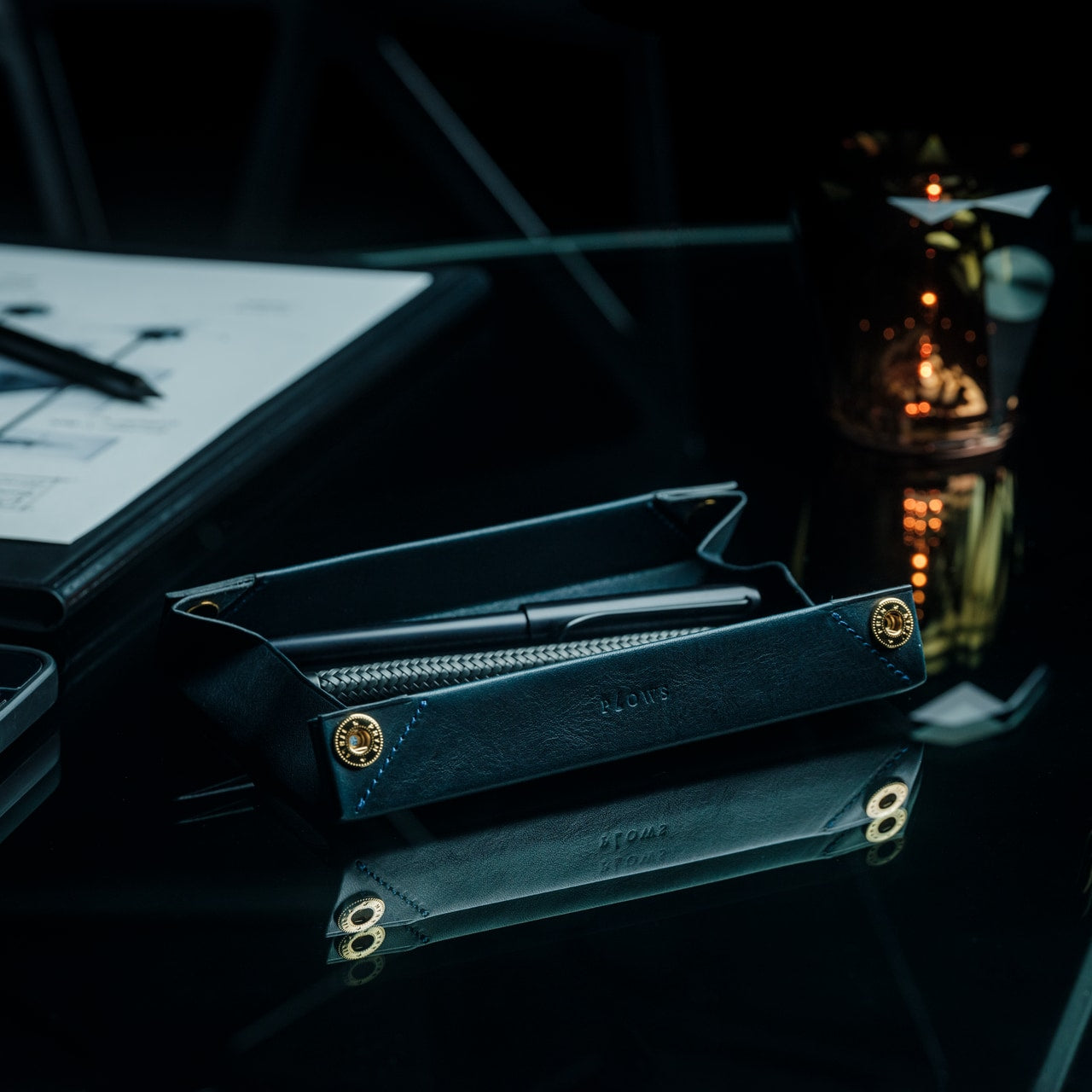
There is a version of the pen roll that is purely about storage – something you zip shut and throw in a bag. The FoldLine is not that. Cut from a single piece of Italian Minerva Box leather, it folds from a flat carrying case into a structured desk tray in under two seconds, using an origami-derived geometry that requires no buckles, no snaps, and no secondary parts to hold its form. At $135, it is one of those objects that photographs poorly and reads perfectly the moment you first use it.
The way it works changes how you relate to your pens and tools during a working day. They are no longer packed away in a case sitting somewhere to the side. They are visible, accessible, and arranged in a tray that earned its form through a single material decision. Minerva Box leather develops a patina over time, which means the object improves alongside the writing habit it is built to support. For anyone trying to give their desk a cleaner start, this is one of the few pen cases that actually stays on the surface.
Click Here to Buy Now: $135.00
What we like
- The single-piece Minerva Box leather construction folds into a desk tray in under two seconds, replacing both a carrying case and a pen holder with one object
- The leather develops a patina with use, meaning the piece improves over time rather than declining into the category of something you eventually replace
What we dislike
- At $135, it is priced for the buyer who values material quality and craft, which rules out the impulse purchase
- With only a few units available at any given time, it is not something you can return to comfortably once you have decided to think about it
5. Aya & Sfera
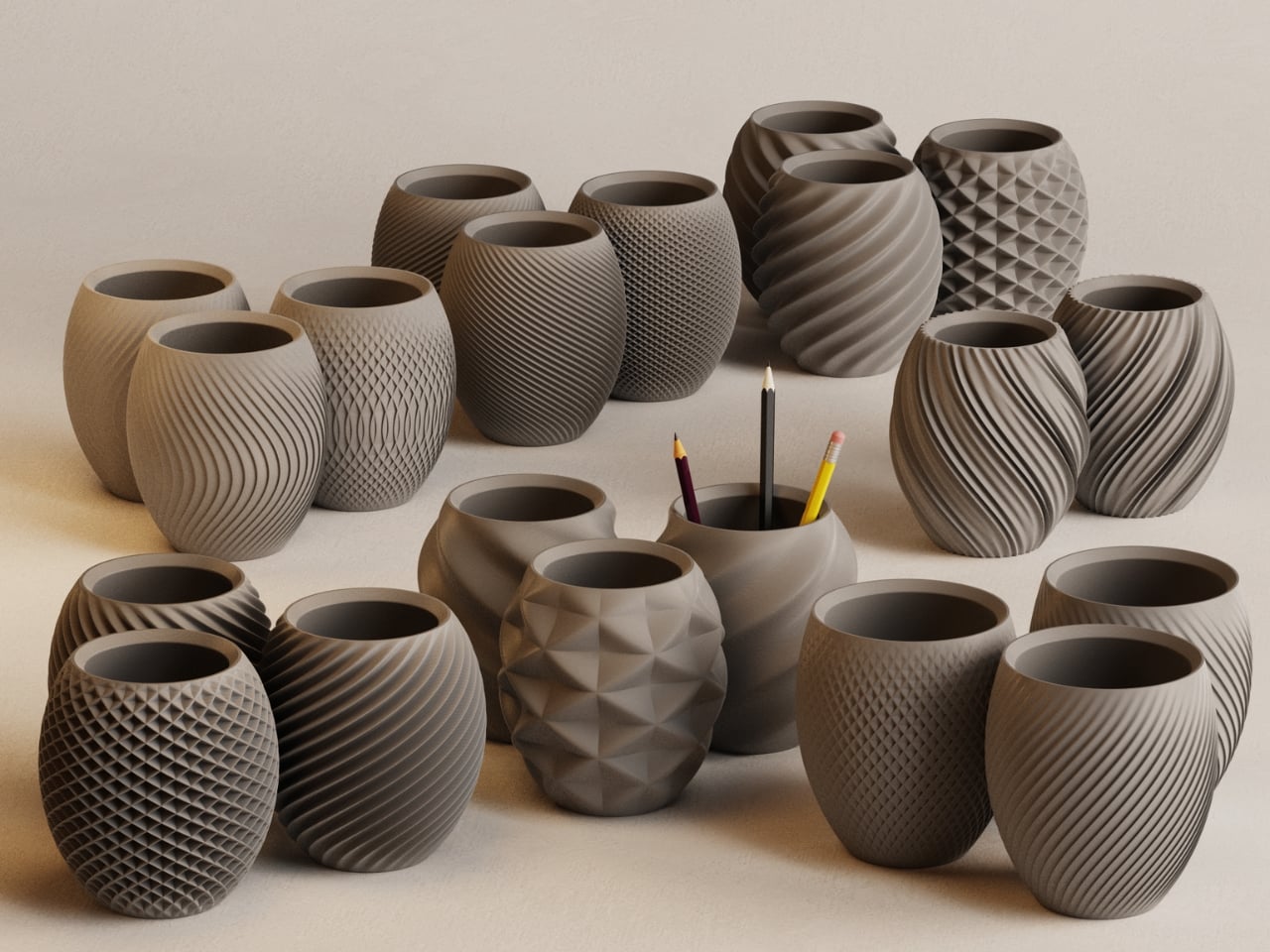
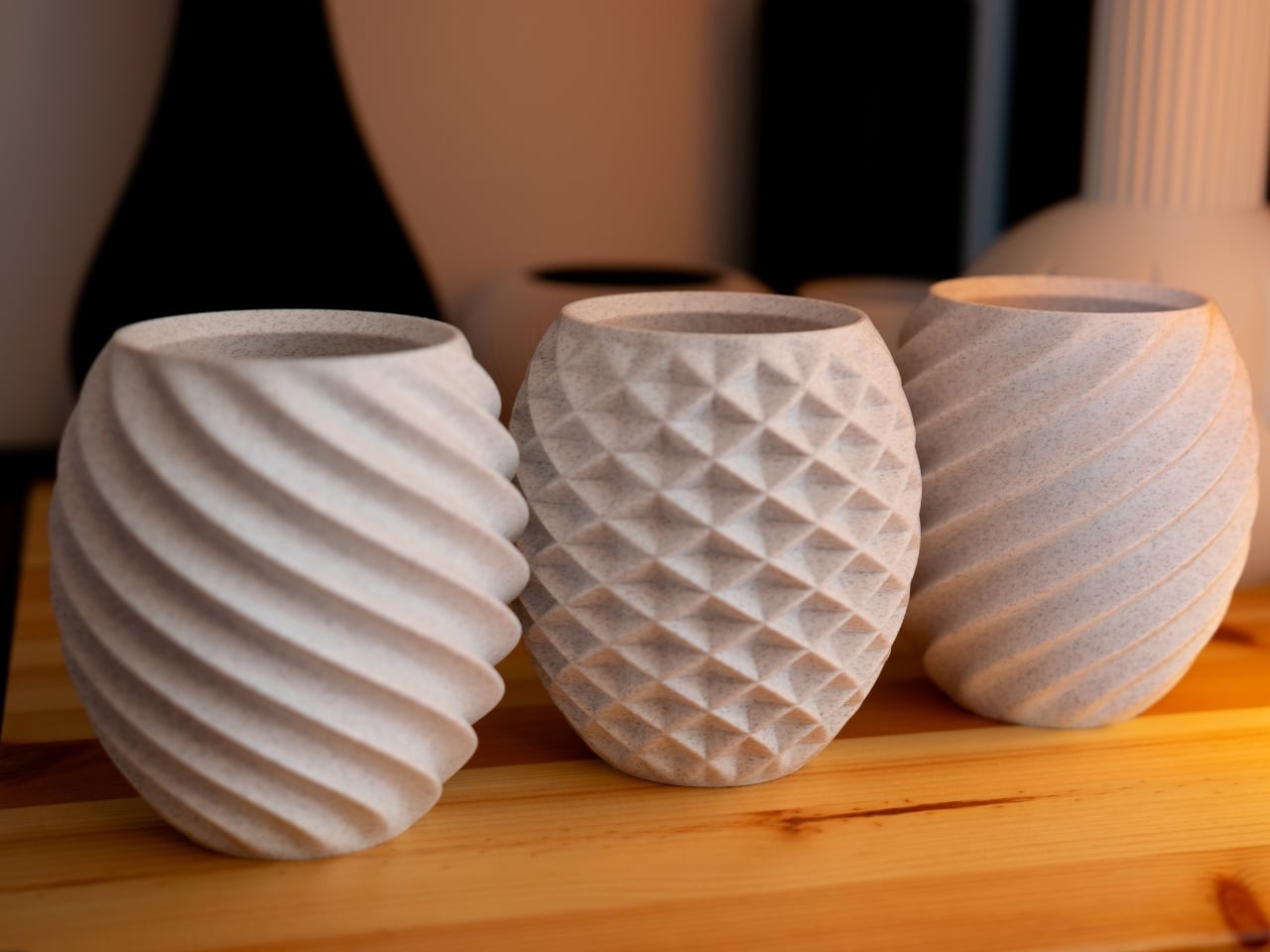
Ikigaiform began with full-size self-watering planters, and Aya and Sfera carry that thinking directly. Both pieces belong to a collection of organic-form pots built through parametric design, with intricate surface patterns brought to life through 3D printing. The desk versions are a scaled-down translation of that same thinking: compact cups that sit on a work surface with the surface detail and proportional precision of something designed for a gallery shelf rather than a pen holder. They hold what a pen cup holds, but the conversation they start is a different one entirely.
A desk that has one beautiful, considered object on it feels different to sit at than one that does not. Aya and Sfera are that object for the corner of the surface you were previously ignoring – the patch of desk where pens accumulate, or where a glass ends up, or where nothing particularly useful ever lives. Parametric design rarely produces something this quiet, and quiet, in the context of a desk with a lot going on, is exactly the quality worth seeking out.
What we like
- The parametric surface patterns are executed at a level of precision only achievable through 3D printing, producing detail you would not find in a mass-produced desk object at this scale
- The pieces work equally well as pen holders, small planters, or catch-all cups, which means they earn their footprint in more than one direction
What we dislike
- The organic form and surface complexity make these presence objects rather than background ones; they draw the eye, which may not suit every working environment or every aesthetic
- 3D-printed production at this level of surface detail typically carries longer lead times and fewer color options than injection-molded alternatives at a comparable price
6. Modular Monitor Stand
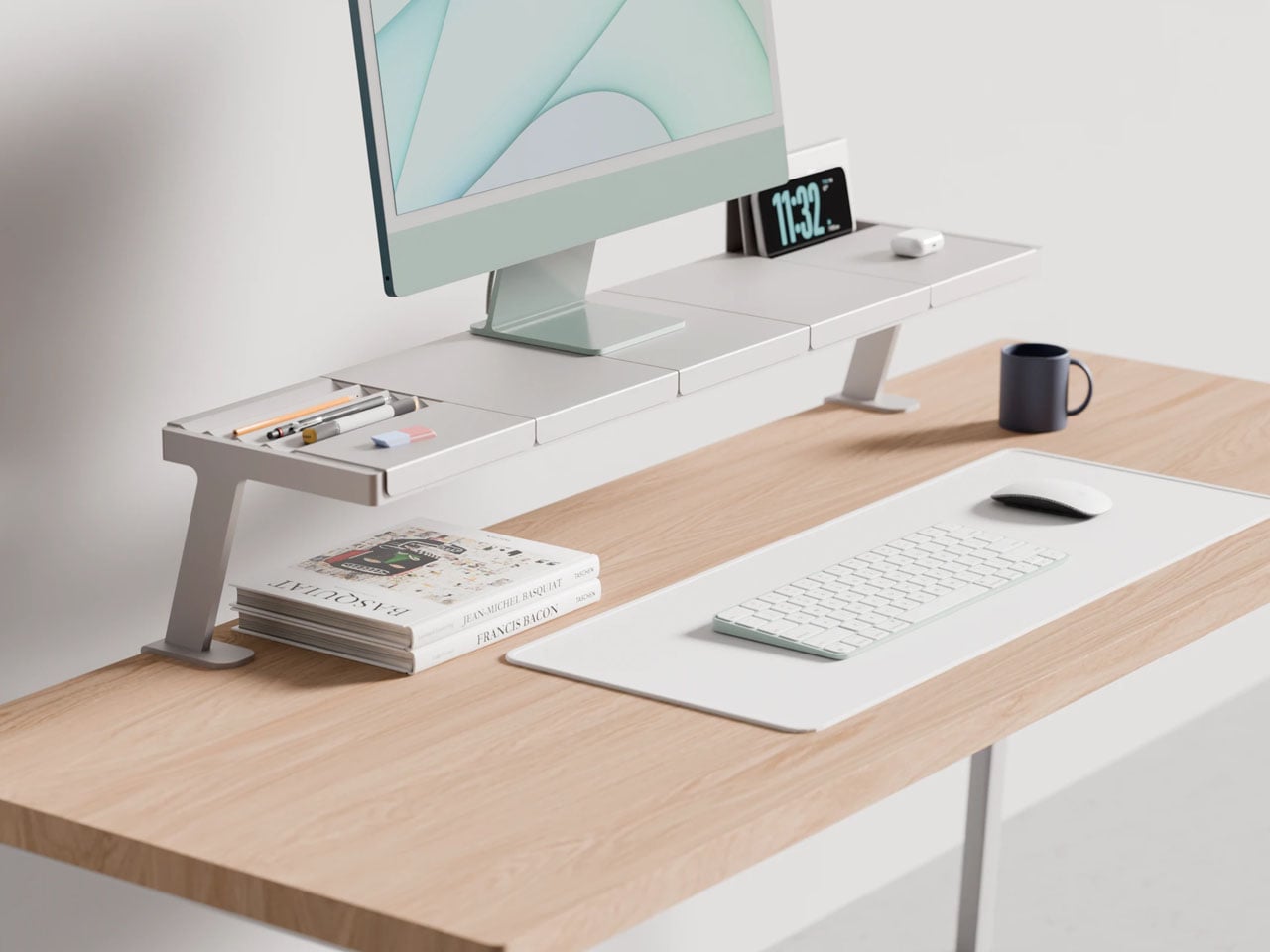
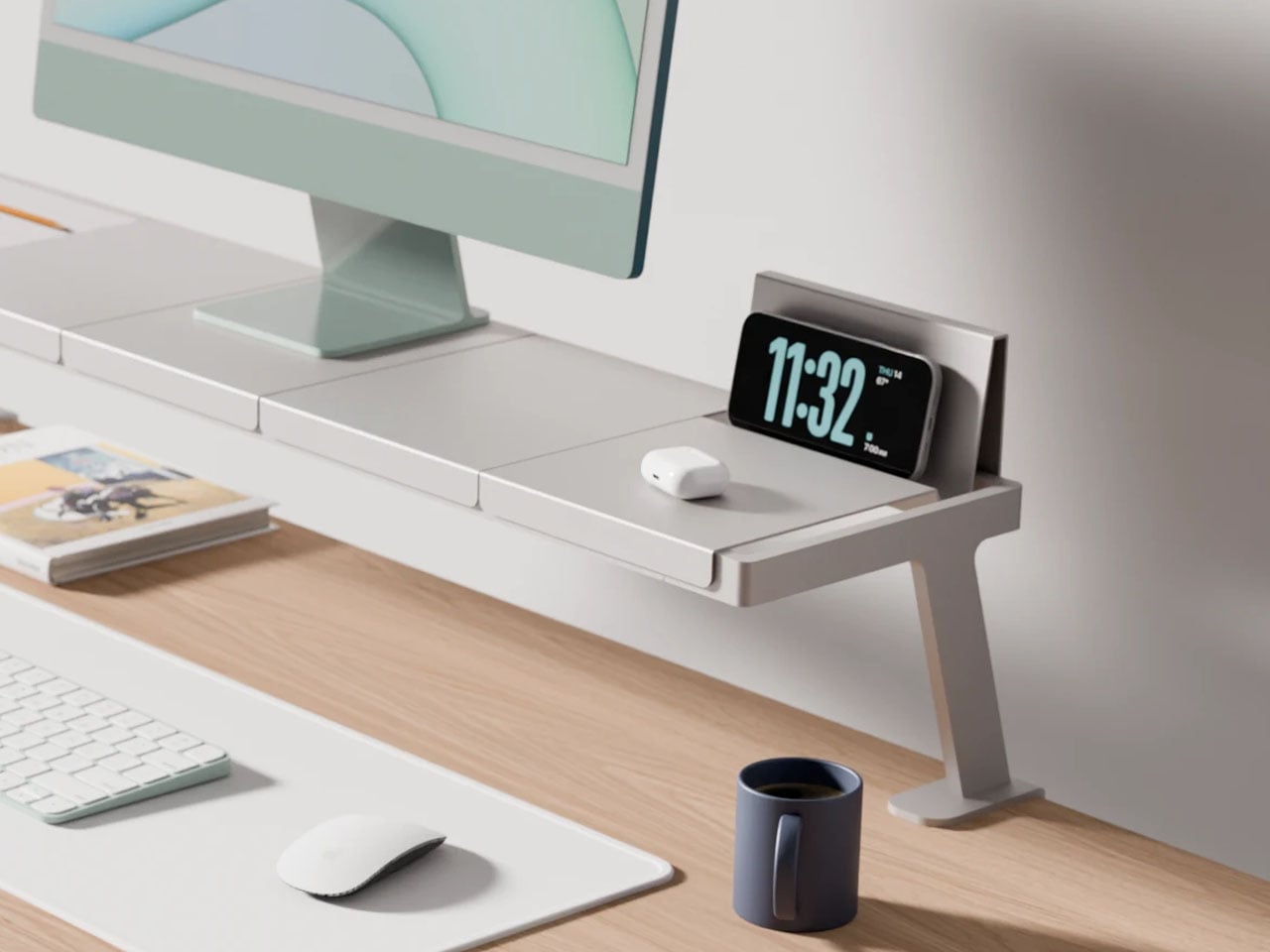
The problem with a multi-device desk is not the number of devices. It is the number of solutions – one arm for the monitor, one stand for the phone, one dock for the laptop, one tray for the cables, each from a different brand, in a different finish, at a different height. Lorenzo Vega’s Modular Monitor Stand is built around the idea that all of this should be one object: a single aluminum structure that manages the monitor, the devices around it, and the cable situation that follows, without requiring negotiation between three separate manufacturers.
The modular sectional tray system mounts to the desk edge rather than claiming space on the surface below the monitor, which means the desk opens up rather than getting more crowded. The aluminum construction gives it the material credibility to sit alongside considered objects rather than reading as a productivity accessory purchased out of necessity. For anyone running more than one screen, or a laptop alongside a tablet, this stand frames a useful question: what if all of it was the same thing?
What we like
- The edge-mounted modular tray frees up the desk surface below the monitor rather than consuming it, which is exactly where most monitor stands go wrong
- The aluminum construction gives it material weight that sits comfortably alongside design-forward desk objects without reading as the functional odd one out
What we dislike
- It is a working concept at prototype stage, not a product available to purchase today – the idea is sound but no confirmed timeline exists yet
- The modular configuration requires upfront thinking about which sections you need and in what arrangement, adding a planning layer before setup can begin
7. Upright Wireless Charging Stand
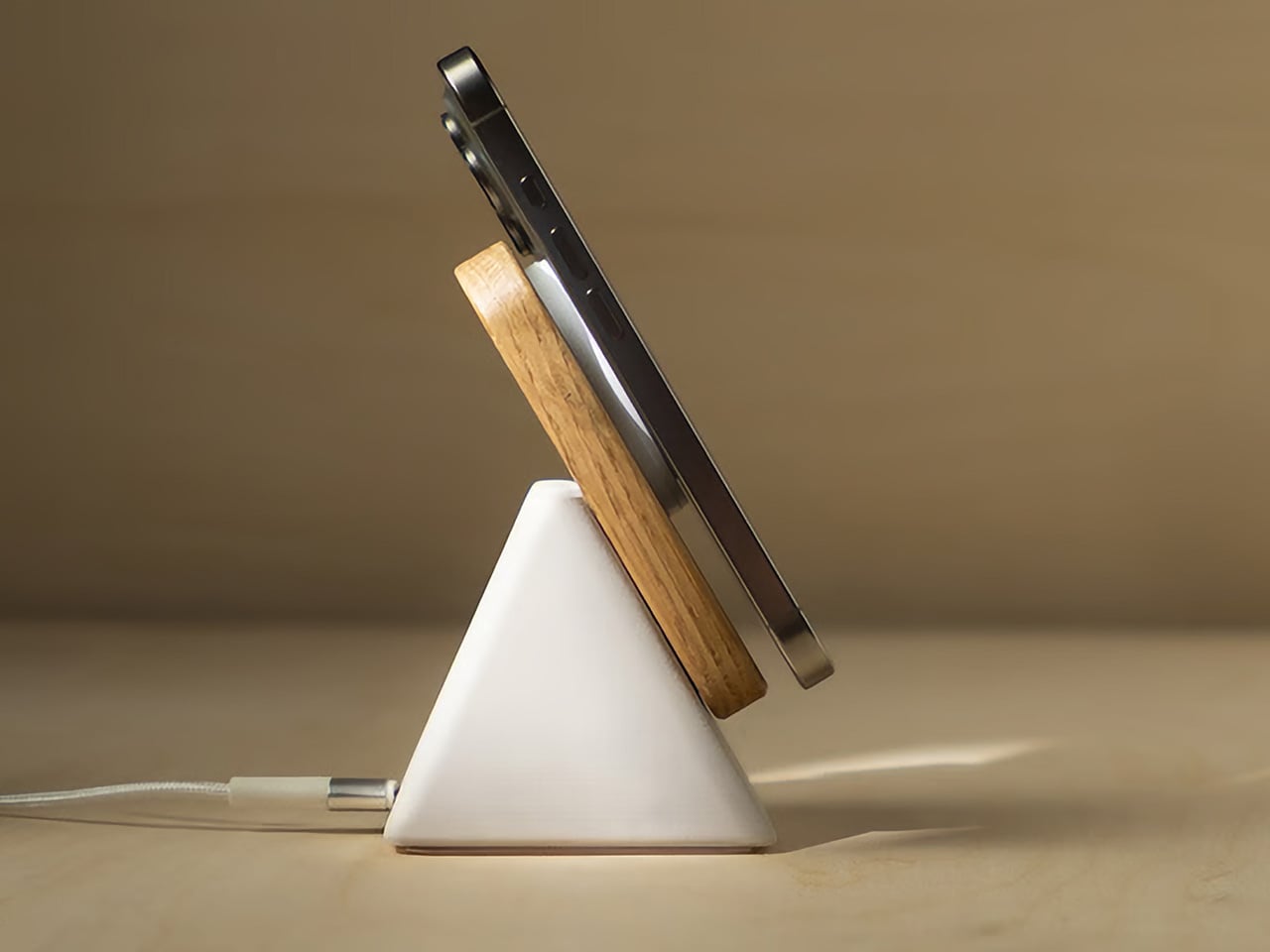

Wireless chargers tend to be either flat, which puts the phone face-down and invisible, or vertical, which makes them bulky, plasticky, and in the way. The Upright, designed by Aaron von Kreisler of Modhaus, takes the vertical format and rebuilds it from materials with no obvious business being inside a charging product: concrete and hardwood. The form is a tapered pyramid, weighted at the base so that docking a phone feels deliberate rather than fumbled. It delivers 25W Qi2 wireless charging and raised over $63,000 in backing.
Six finishes across three wood tones and two concrete colorways mean it integrates into most desk aesthetics without asking you to compromise in either direction. The desk charger has been an overlooked category for too long – most people accept a plastic puck because charging is a background task, and background tasks rarely earn beautiful objects. The Upright argues the opposite: that the thing you reach for most often on the desk is precisely the one most worth designing well.
What we like
- The combination of concrete and hardwood in a charging object produces something display-worthy rather than something you push behind the monitor and try to forget
- Six finish options span enough range to integrate with both warmer, wood-heavy setups and cooler, more minimal configurations without compromise
What we dislike
- The material quality and precision place it above most wireless chargers in cost – that gap is the point, but it will not suit every budget or every desk context
- The vertical format requires a specific phone orientation that flat chargers do not enforce, a small but real constraint worth knowing before purchasing
8. Orbitkey Desk Mat

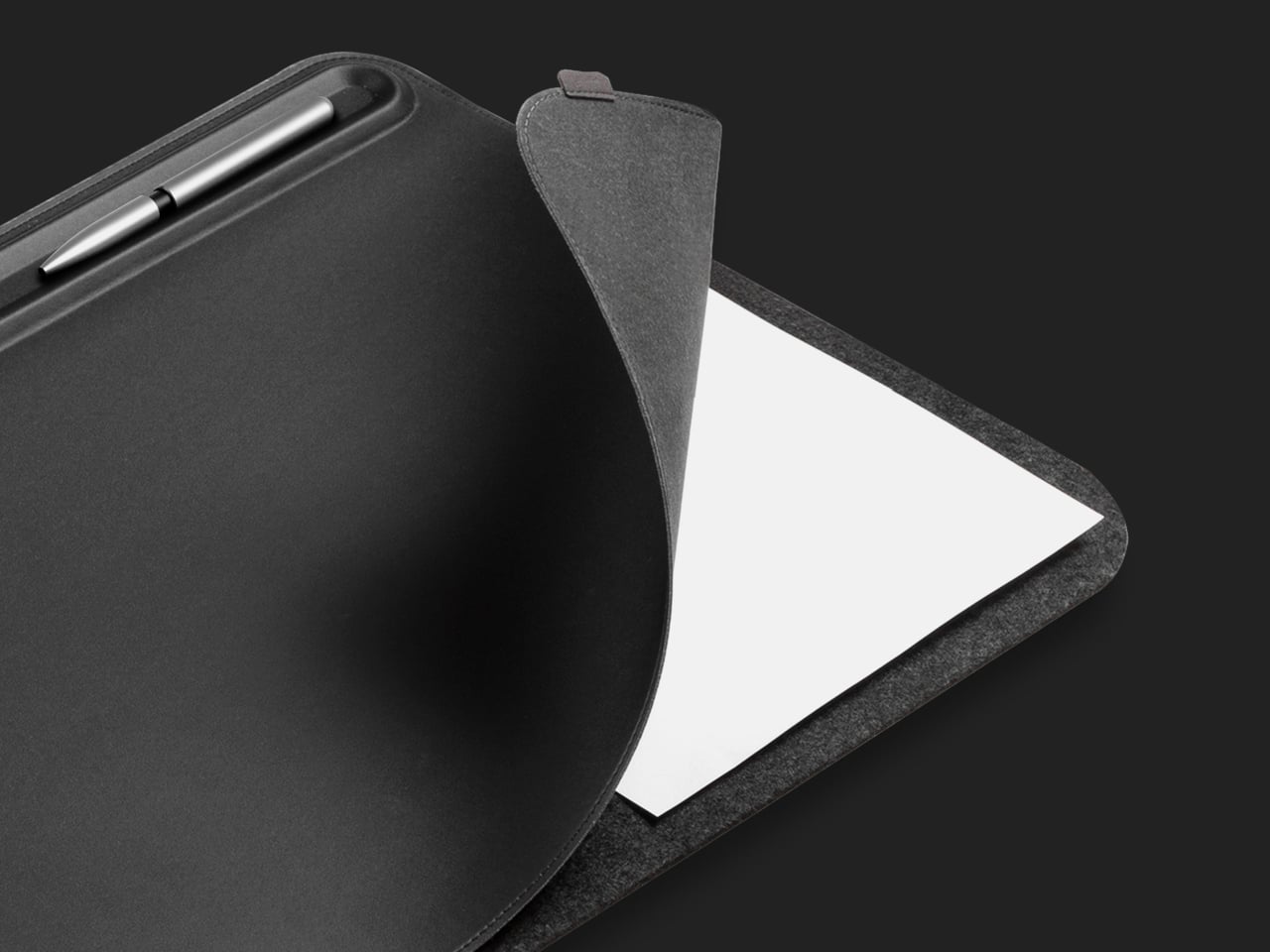
The desk mat is the upgrade most people make last, after the keyboard and the lamp and the stand, which is the wrong order. Everything you own sits on the mat, which means the mat determines whether the setup reads as cohesive or assembled from whatever was nearby. The Orbitkey Desk Mat is built from premium vegan leather on top and 100% recycled PET felt underneath, making it water-repellent on the surface and stable on whatever desk it covers. It won both the Red Dot and iF Design Awards.
The magnetic cable holder built into the mat’s edge is a zinc alloy component that positions a cable exactly where you need it without coiling across the surface. At $99.90 for the large, it is the kind of purchase that is difficult to justify in the abstract and immediately obvious once it is in place. The desk stops looking like a collection of individual objects and starts reading as a setup. For a fresh start at work or at school, this is the piece that ties everything else together.
What we like
- The magnetic cable holder is integrated into the mat’s edge rather than clipped on as an afterthought, which means it belongs there instead of merely tolerating its presence
- The vegan leather surface is water-repellent and built to award-winning standards, a material choice that holds up to daily use rather than declining within the first season
What we dislike
- The larger size is a commitment – once the mat is in place and the setup is organized around it, changing the configuration means starting the desk over from the beginning
- The vegan leather colorway range may not suit every aesthetic, particularly setups leaning toward light-toned or raw wood surfaces where a dark mat reads as too heavy
9. PaperLock Stapler
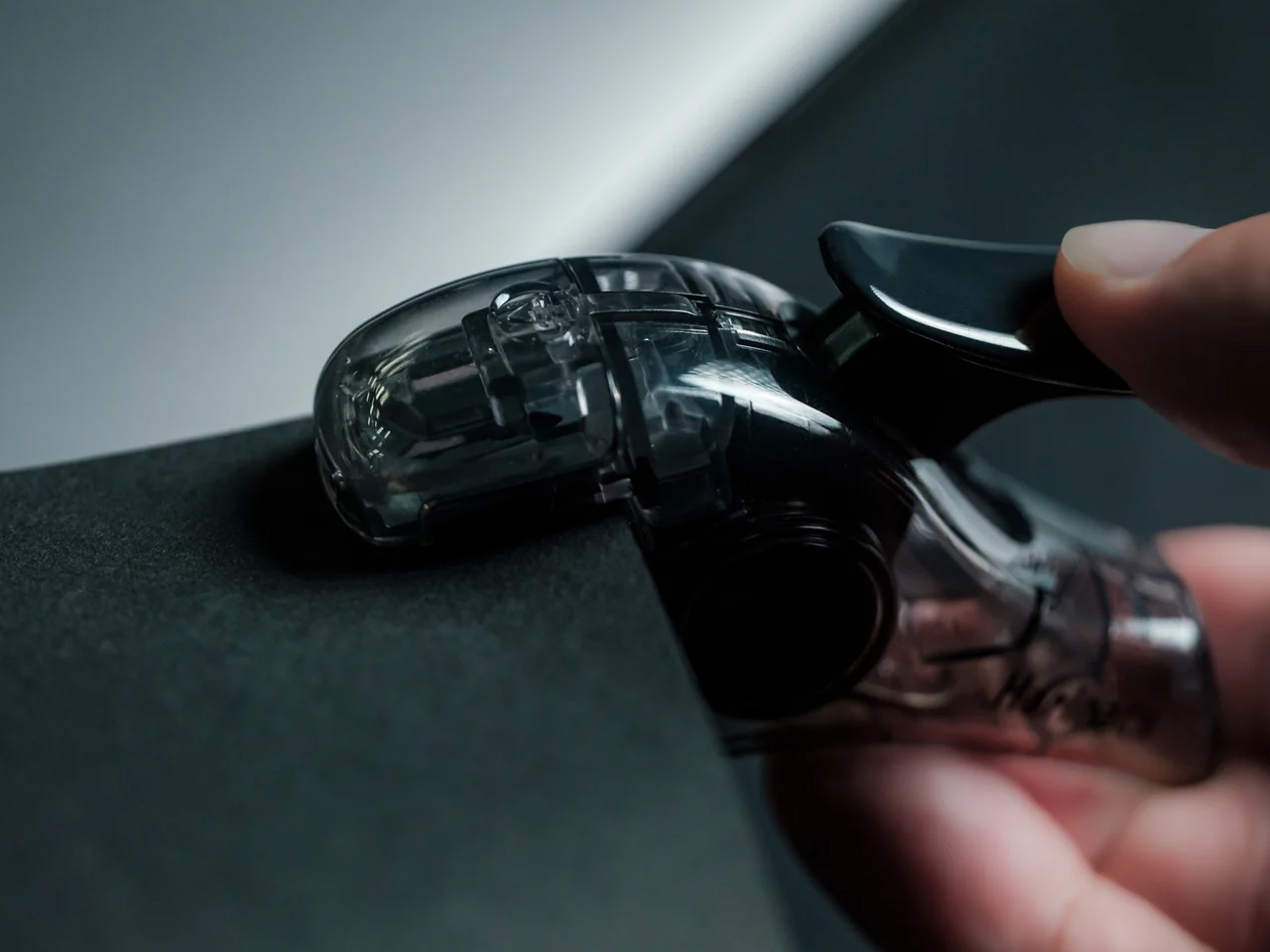
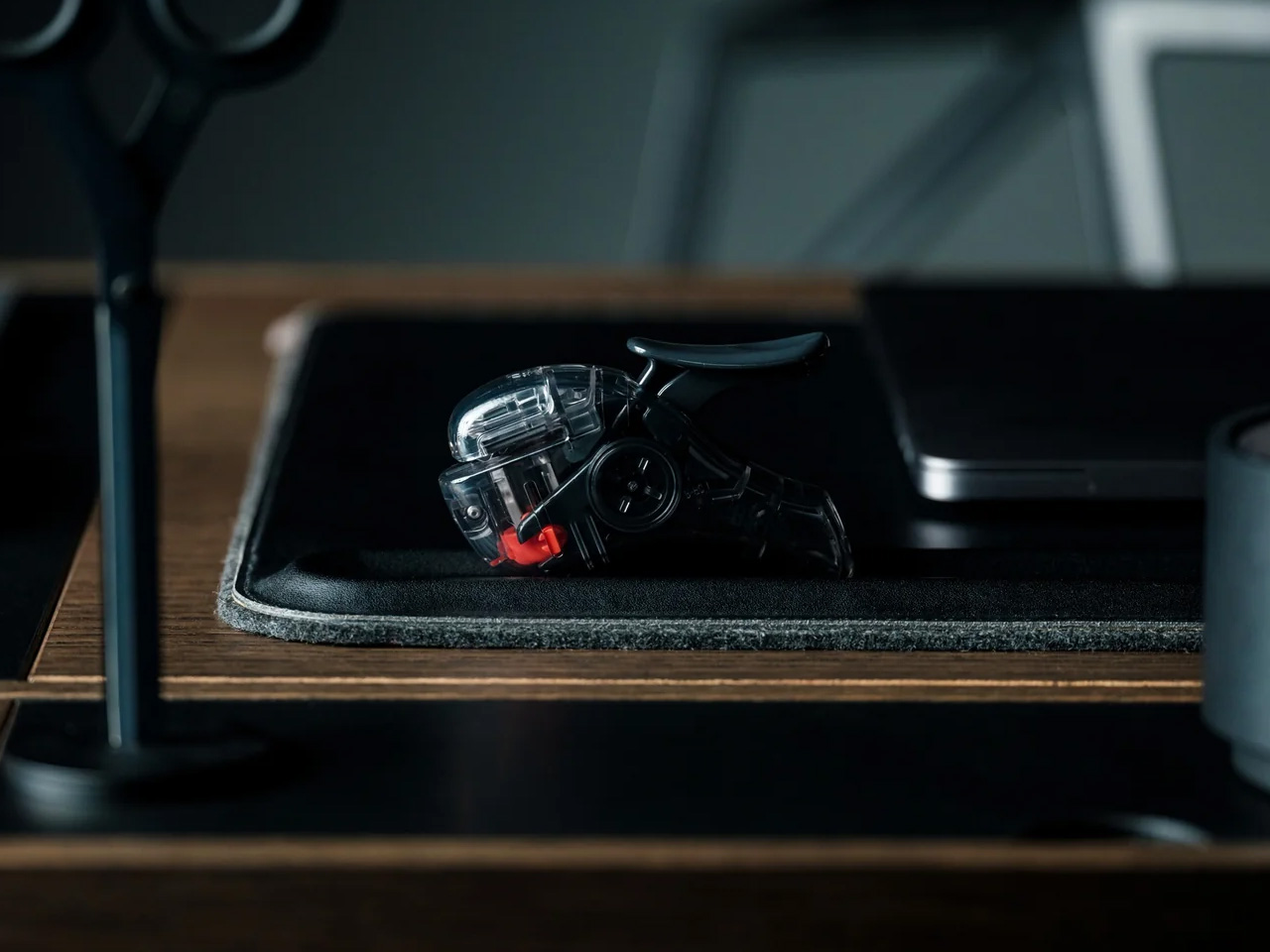
The stapler is the desk object most people replace with the cheapest available option and never reconsider. PaperLock asks you to reconsider. Press the lever and a small cutting element punches through the stack, folding the paper back through itself to create an interlocked join. No metal passes through the page. No staple is added. The paper becomes its own fastener, which means nothing needs removing before a document reaches the recycling bin, and nothing can run out at the moment you most need it to work.
The transparent body puts the internal mechanism on full display, and pressing the lever becomes something closer to watching a small machine operate than completing a piece of office admin. A viewing window shows exactly where the joint will land before you commit. A corner guide keeps placement consistent across an entire stack. The lever works pressed against a surface or held in the palm, with no adjustment required between the two. At $35, it is the most affordable item on this list and the one most likely to change how you think about what a desk tool should be doing.
What we like
- The staple-free mechanism means nothing to load, nothing to run out of, and nothing to remove before a document is recycled – the simplest version of the idea works completely
- The transparent body shows the full mechanism with every press, turning a routine task into something worth watching rather than something done on autopilot
What we dislike
- The interlocked paper join holds well for most uses but may not match the durability of a metal staple on thicker stacks or documents that will be handled repeatedly over time
- The transparent construction shows fingerprints and marks from regular handling more visibly than a matte or opaque body would
The Desk Is Not Furniture
The desk is not furniture. It is the place where the things you are actually trying to do either happen or they do not. The objects you bring to it either support that or get in the way. None of the nine picks here earned their place by looking good in a photograph alone. Each one changes something specific about the experience of sitting down at the start of a day.
Start with one. The keyboard if your hands spend most of the day on it. The lamp if the light has been wrong for longer than you have admitted. The mat if the desk has never felt like a setup. A fresh semester or a fresh start does not require all nine at once. It requires one decision that signals to yourself that this time, you are taking the desk seriously.