
Smartphone for User Efficiency
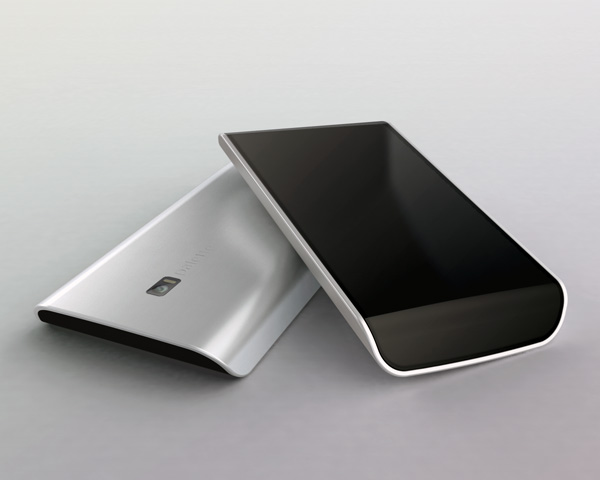
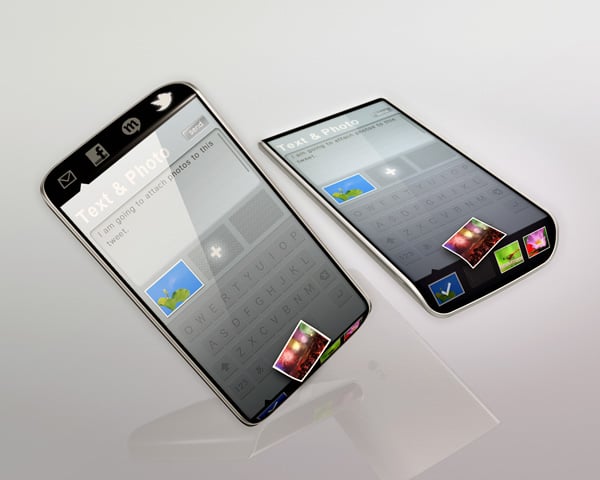
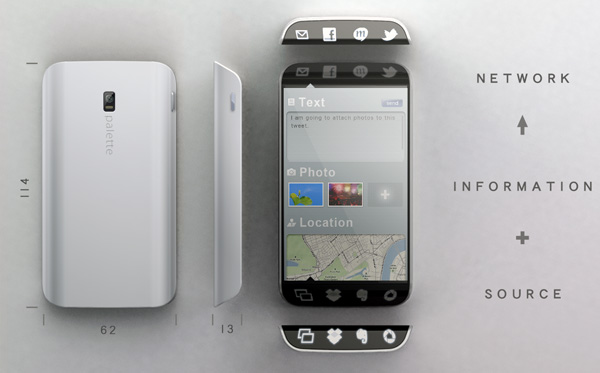
Kunihiko Nakata’s Palette smartphone concept uses top and bottom “sub-displays” for quick and efficient multitasking. Hiding source tasks at the bottom of the wraparound screen means more room for browsing on the main screen’s display, and hiding network tasks at the top allows the user to send information simultaneously through multiple selected services like Twitter, Facebook, email, or text message.
Designer: Kunihiko Nakata




29 Comments »
Maryline says
Love the concept. Good use of space
A says
Love the concept, but think your use of space is a fantasy. The technicalities arising from a curving touch screen display that goes edge to edge to edge to edge, are still too numerous to achieve cost effectively.
Don’t stop dreaming. That’s what drives innovation.
Jimmy C says
Definitely not a fantasy. I’m sold!
anoush says
love it! looks awesome!
Kenny M says
wow, nice design. I think blackberry should look at this, because it kinda looks like the storm
linda says
looks exactly like the BlueAnt S4 car speakerphone.
Light says
Nice space using.But how can i use it to make a phone call?cause i didn’t see where the earphone and the mic are.and make a phone call is the most important function for a mobile,i think.
Mark DiLella says
I’m digging the clean design. The UI looks interesting, I would love to see what other types of interactions could be done with the “sub-displays”.
Cathrine Gabler says
Cool and innovative design! Especially the concept of “sub display” is distinct. I would like to use it for sure.
Kunihiko Nakata says
Thank you for your comments on my concept.
They are encourages me to create better design.
staream says
yeah
Mert says
Normally, I’d say “why not just use a bigger screen” but you just inspired me for another idea. Thanks.
Samuel says
It doesn’t have to be a single curved display. The edge displays can be separate from the main display. As for dragging things between the displays, the software on the phone can simply register when a user drags something to the edge of a display, and automatically apply the action to the adjacent display. Or “hold” the thumbnail/icon/whatever you’re dragging in the other display and wait for input to continue the action (i.e., wait for your finger to finish dragging from display 1 to display 2), similar to how dual monitors work on desktops.
Although, all of this will be irrelevant when curved displays become more viable, and it literally can be a single interactive display.
Custom says
Be careful, Apple might sue you.
Trackbacks