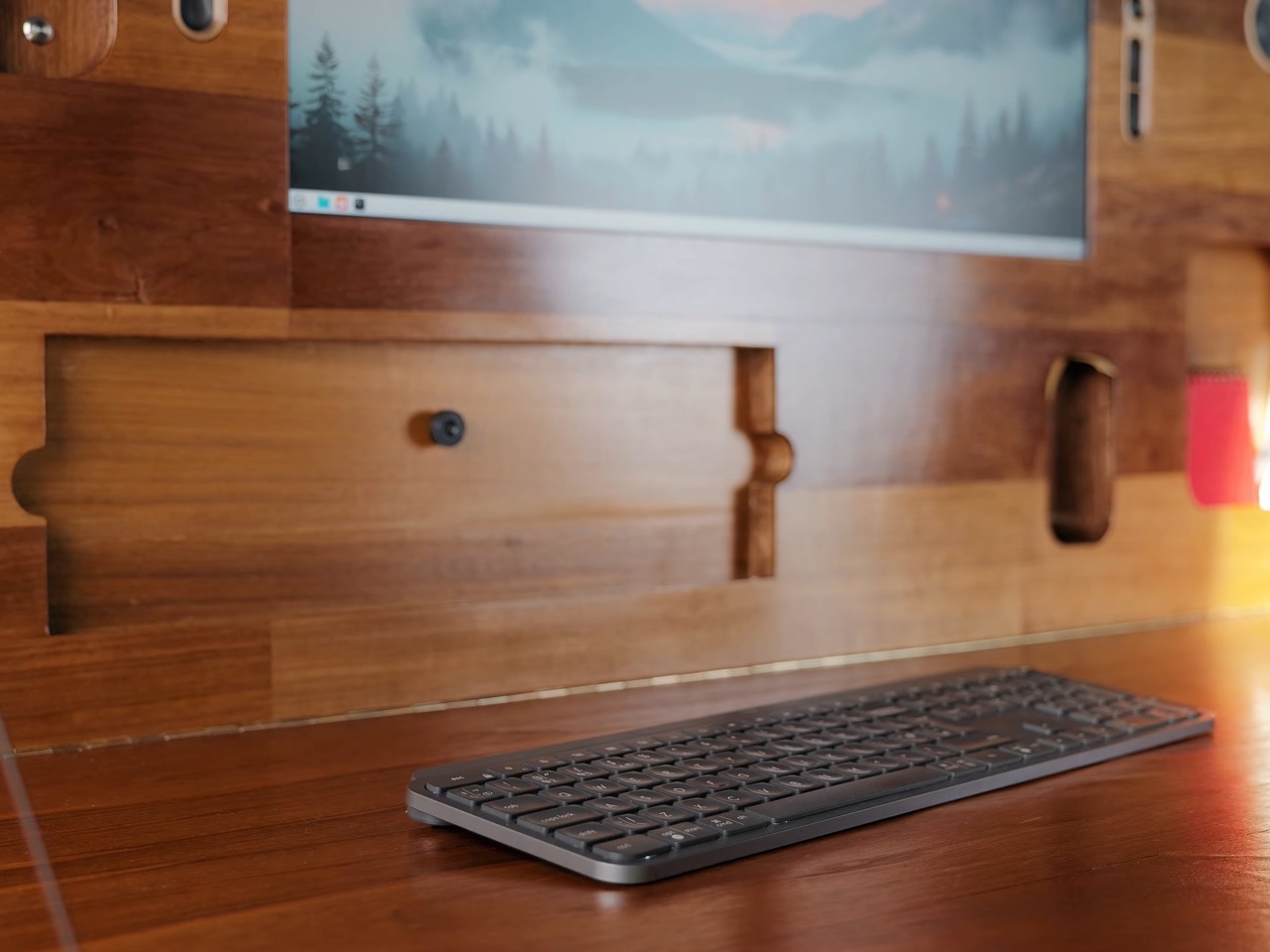
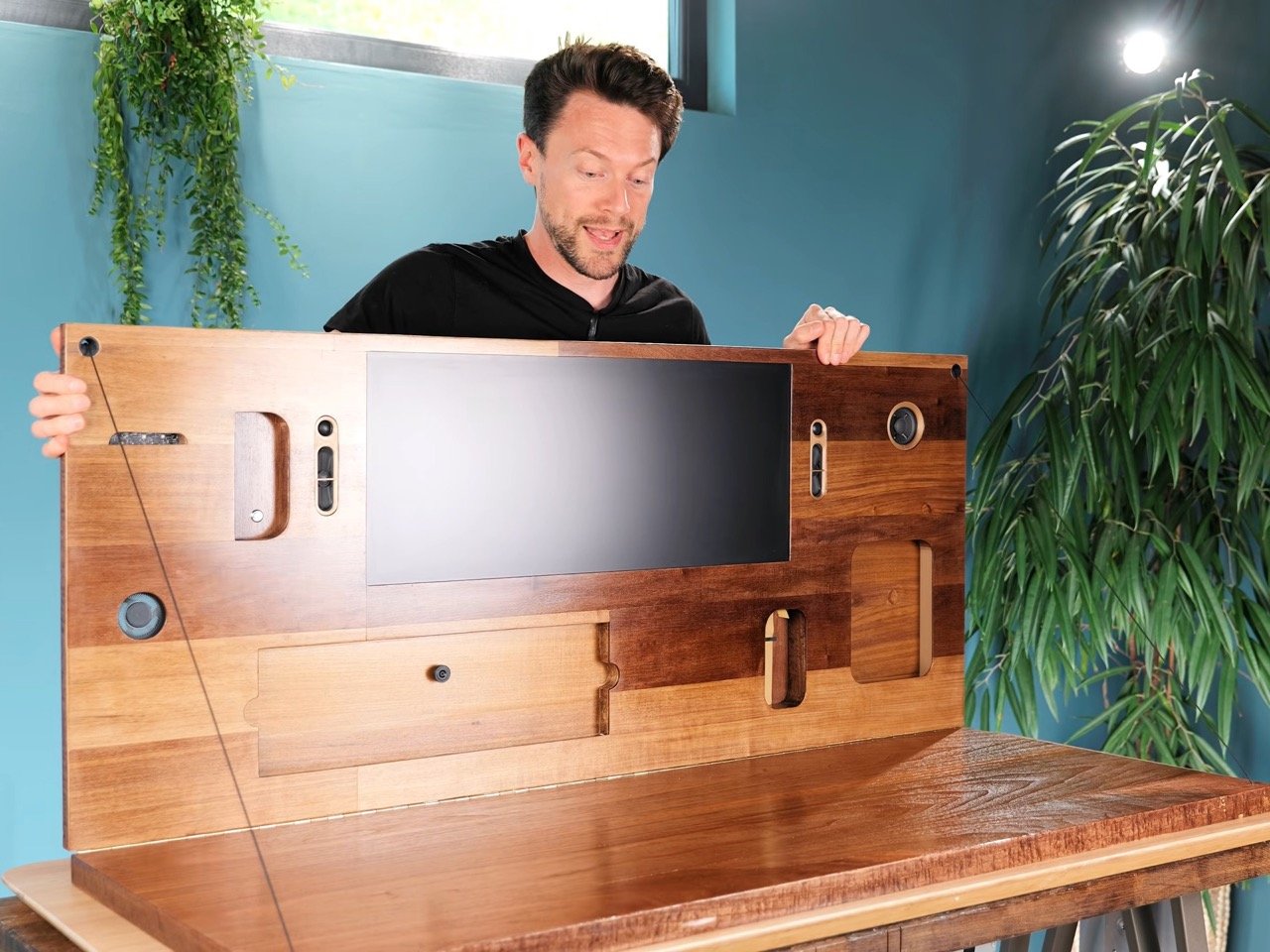
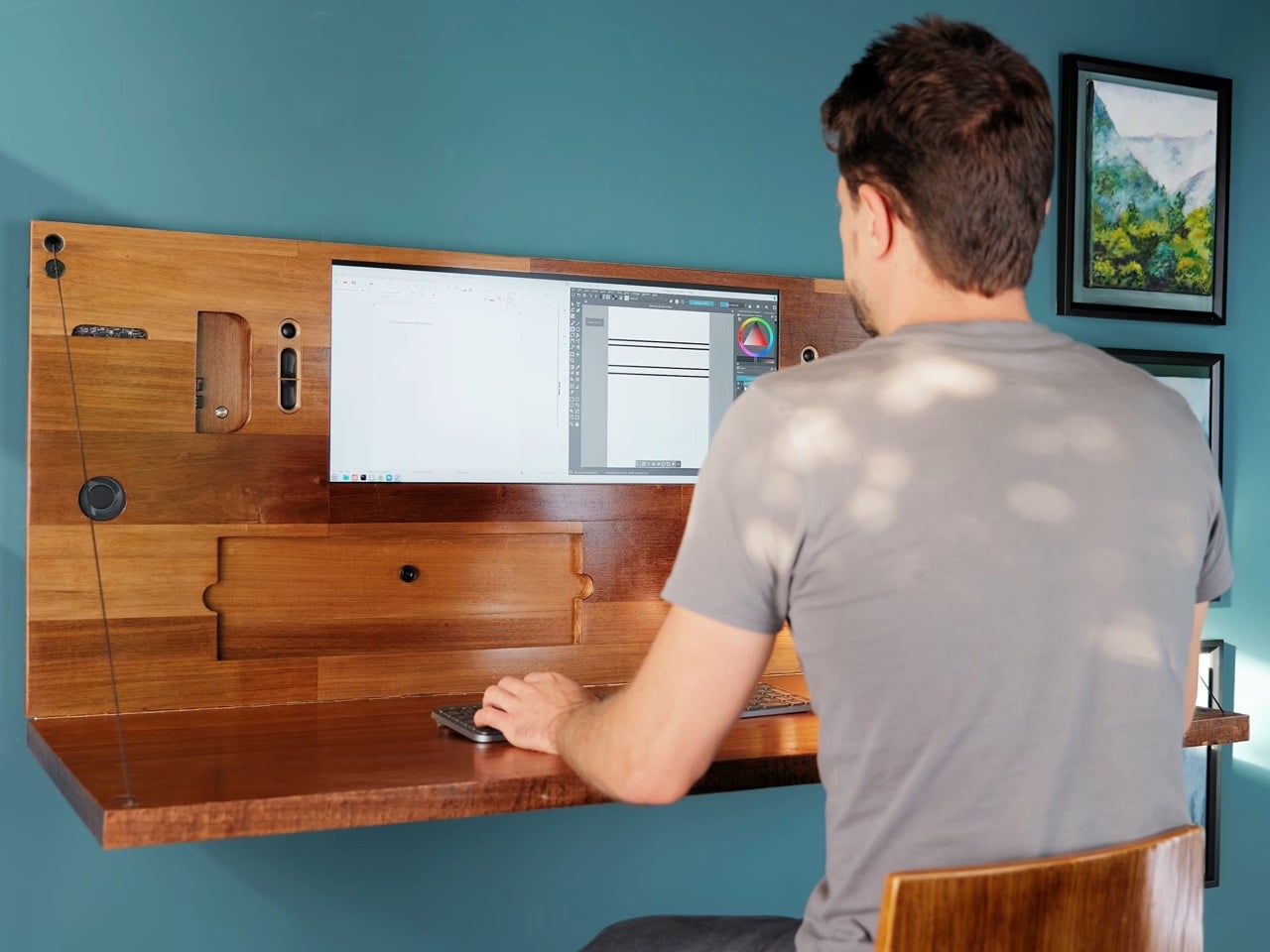
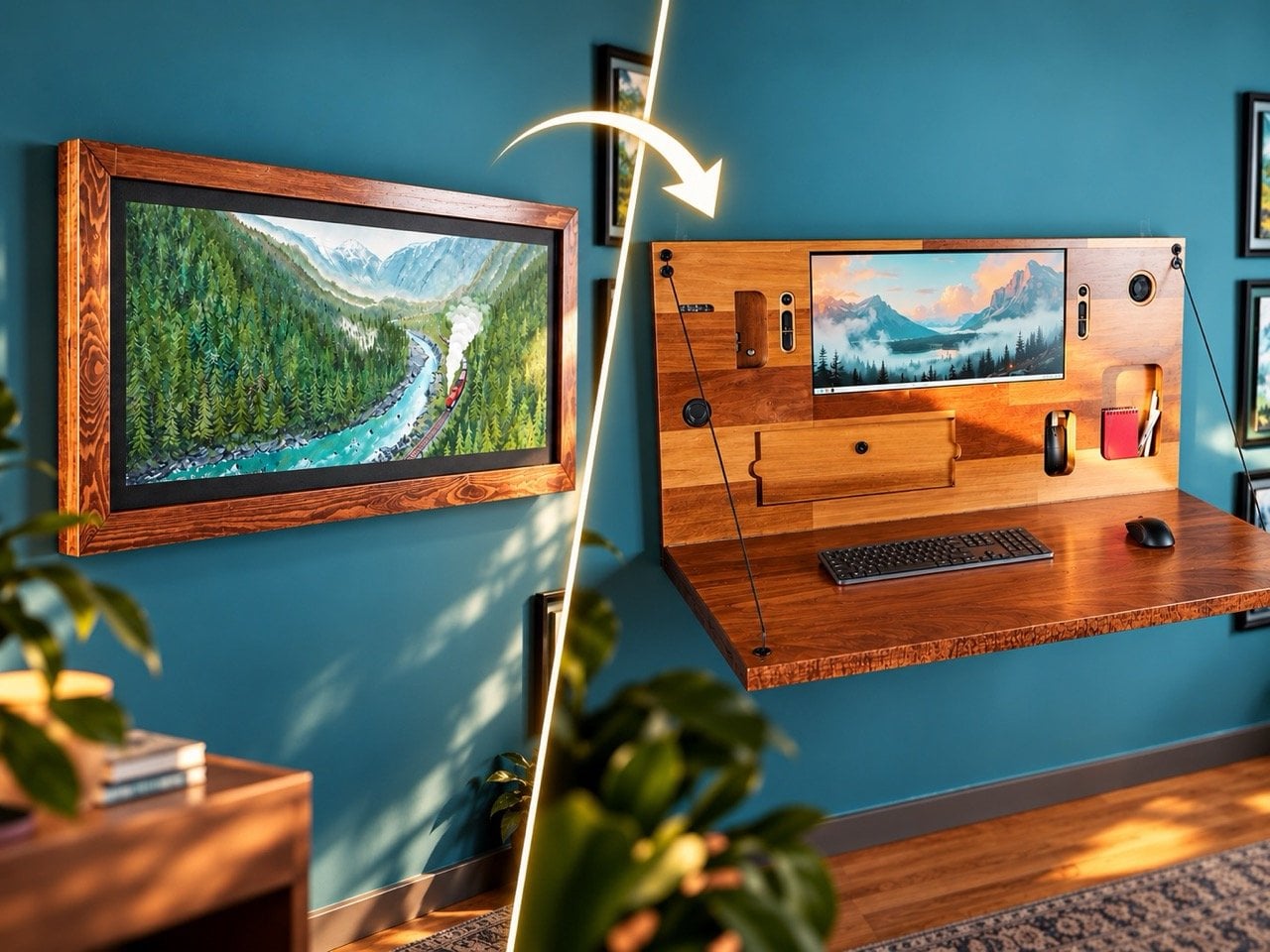
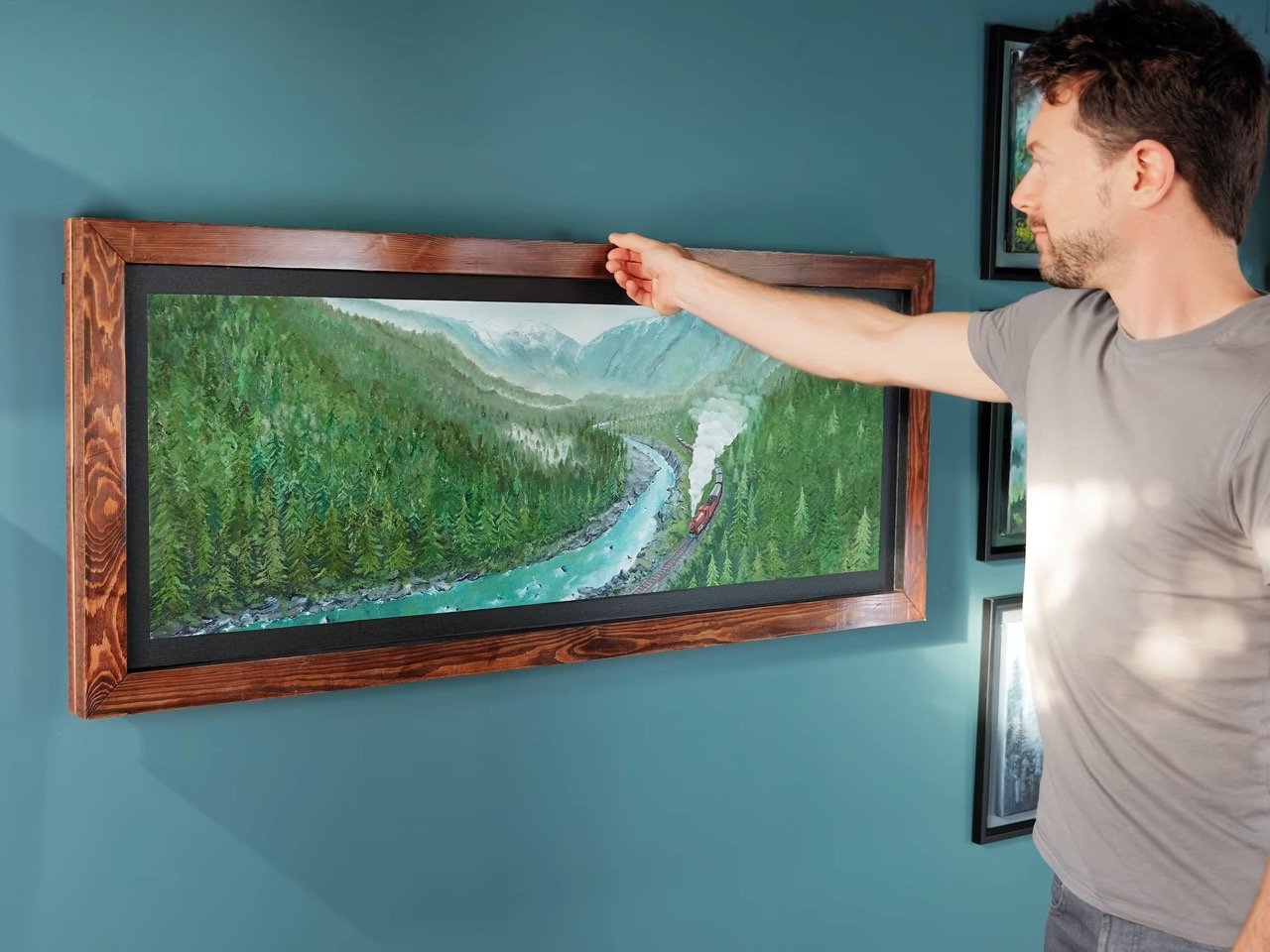
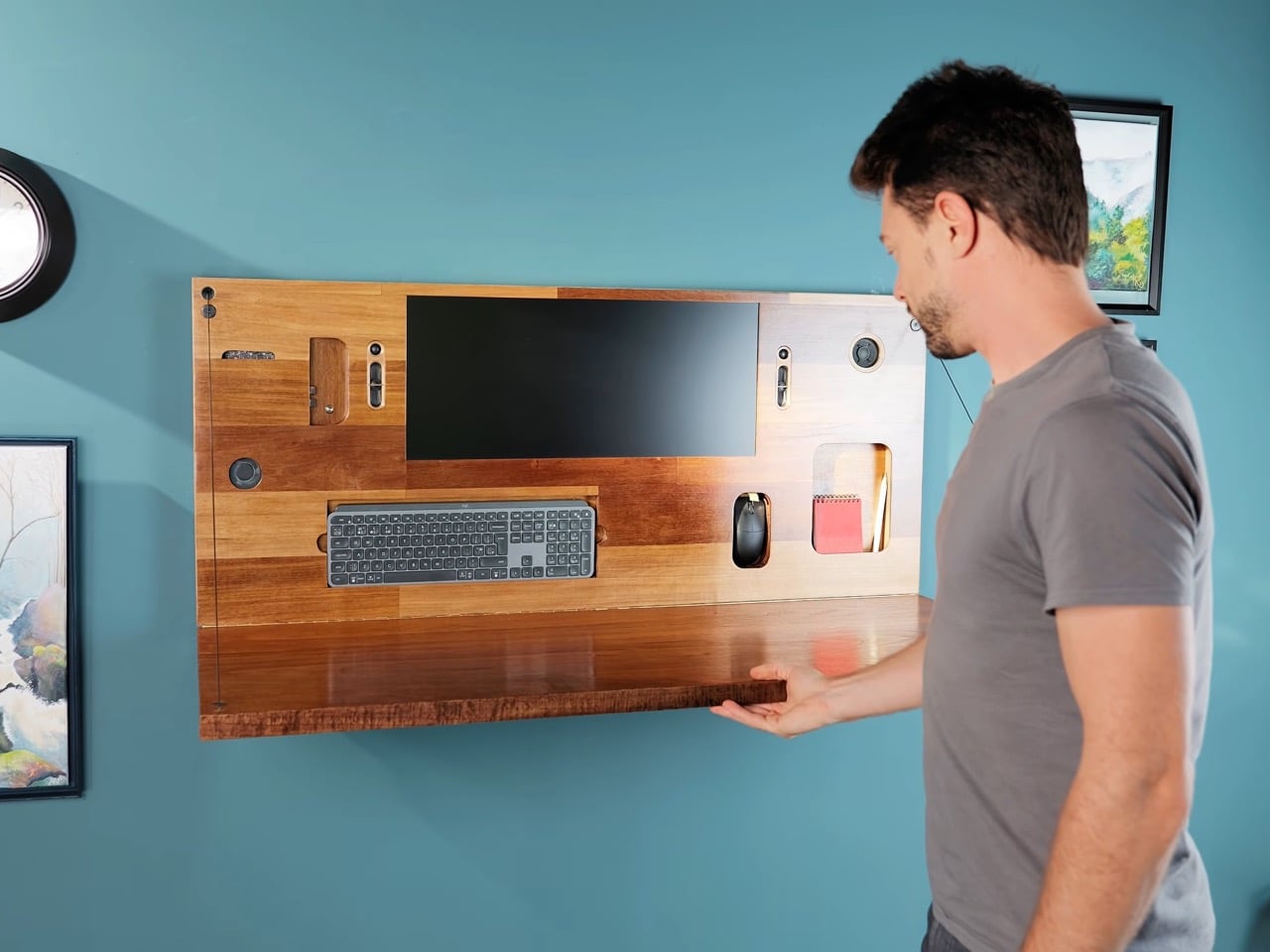
Dieter Rams famously said good design is honest. With all due respect to Dieter, Matt from DIY Perks has built something that lies through its teeth, and it is one of the better design ideas to come out of a YouTube build video this year. The project is a wall-mounted picture frame, painted with an original mountain landscape by Matt himself, that conceals a fully working PC workstation behind it. Nothing about the closed frame hints at what is inside, a monitor, a computer, a keyboard, a mouse, and a pair of salvaged speakers. It takes a gentle pull at the top to break the illusion and fold the whole thing down into a desk.
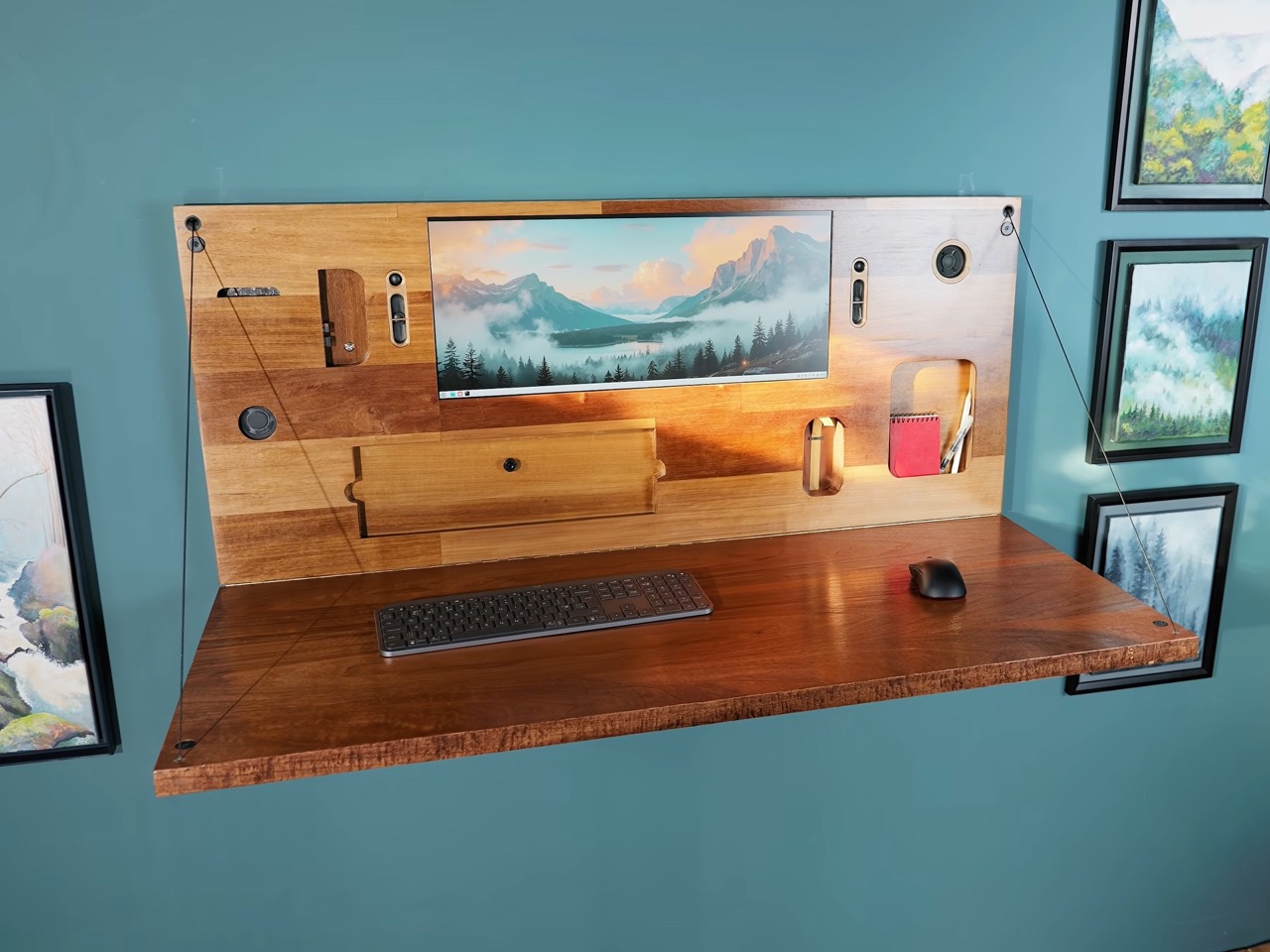
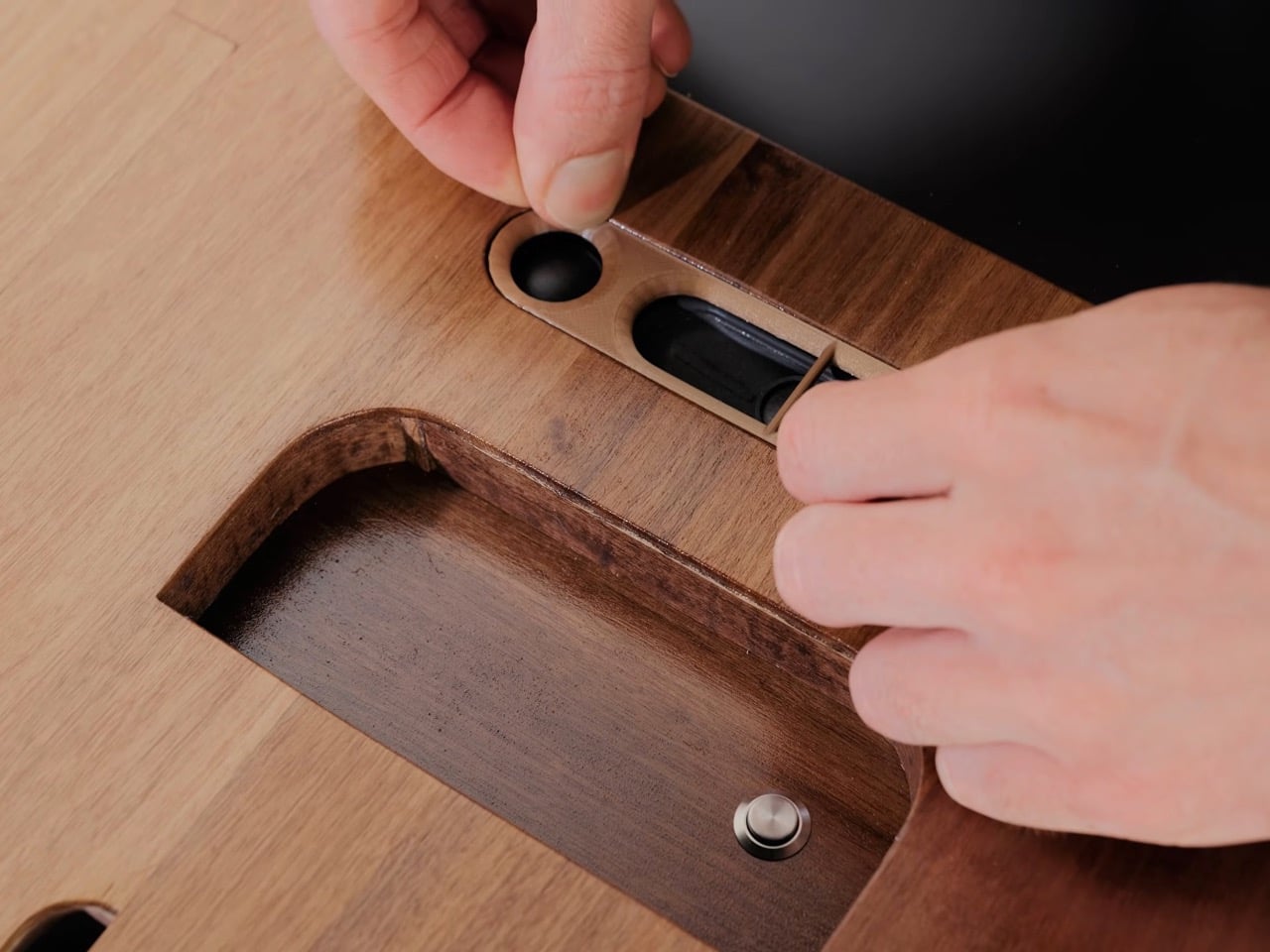
DIY Perks is Matt’s YouTube channel, sitting at nearly 5 million subscribers and built on exactly this kind of project, builds that solve a real problem while ignoring every conventional idea of what the solution should look like. This one hides an ultra-wide monitor stripped to its bare panel for minimum depth, a computer on a repurposed laptop motherboard, and TV speakers behind a veneer-clad wall panel finished in a warm 1970s dark-wood aesthetic. Power arrives via copper tape strips painted invisibly into the wall. The desk surface is MDF covered in oiled hardwood veneer, convincing enough to pass as solid wood. The whole setup runs Linux Mint, draws about 90 watts, and looks like a painting until it doesn’t.
Designer: DIY Perks

A Desktop With No Actual Desk
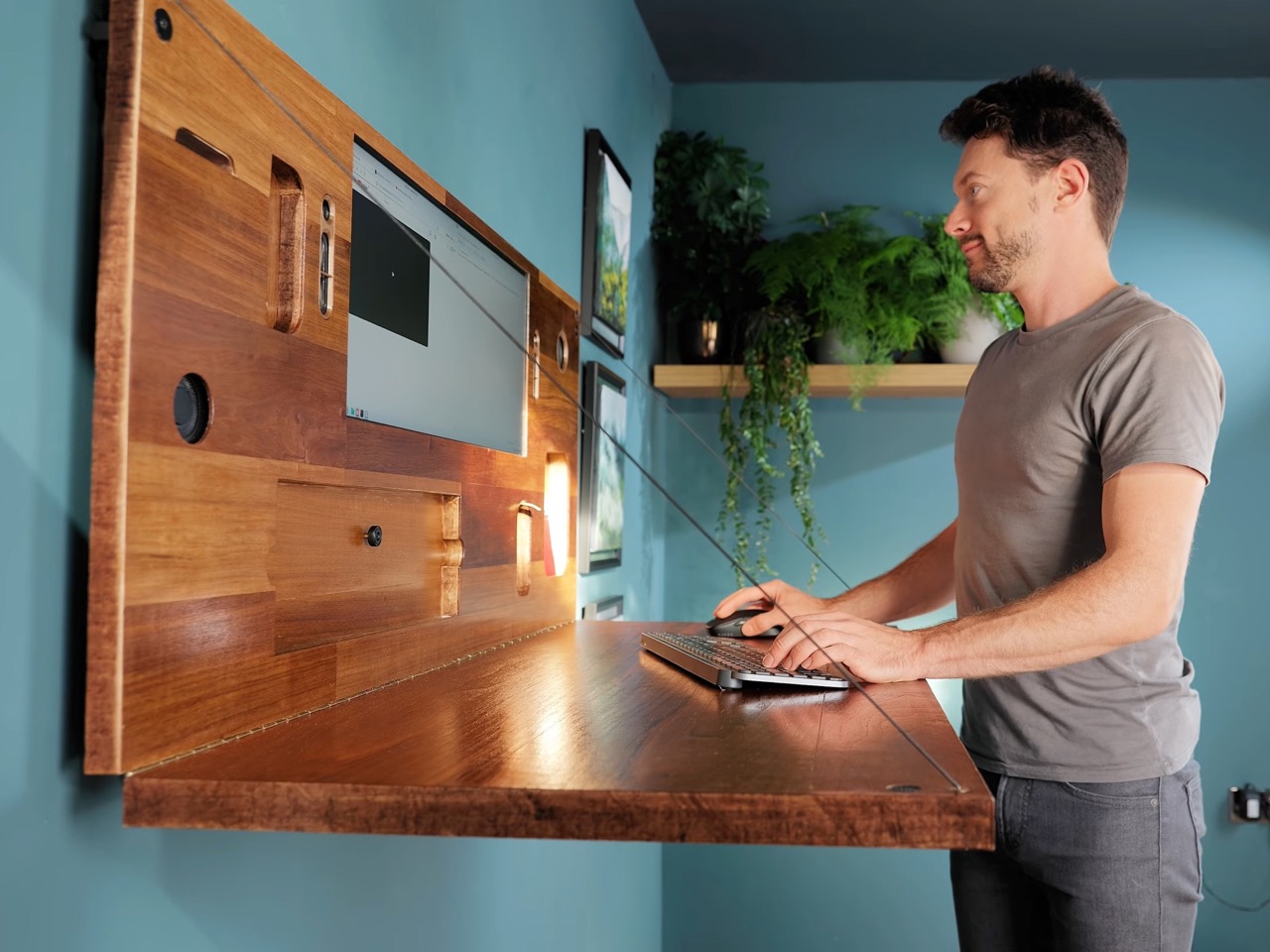
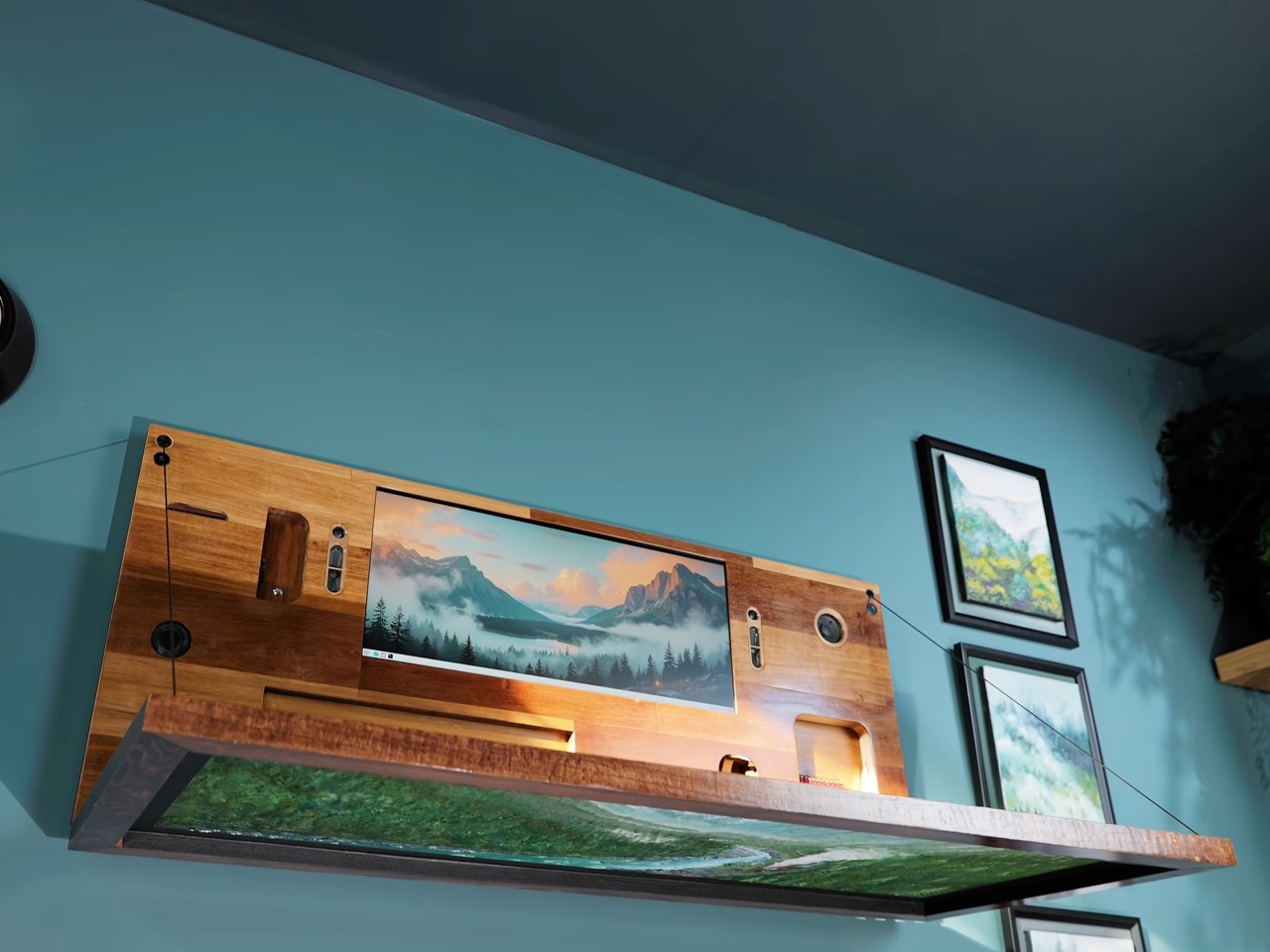
Desktop computers require a desktop, which is right there in the name, and this one provides one on demand. The hinge mechanism opens like a laptop, but there is no lap, the screen is not attached to the part you hold, and you are definitely not putting this on a plane tray table. It could qualify as a standing desk, except it sits at seated height and has no legs of any kind. The most accurate product name might be something like “wall-mounted fold-down all-in-one,” which sounds like a line item in a government procurement document. Matt just calls it a PC, and at a certain point that is as good as it gets.
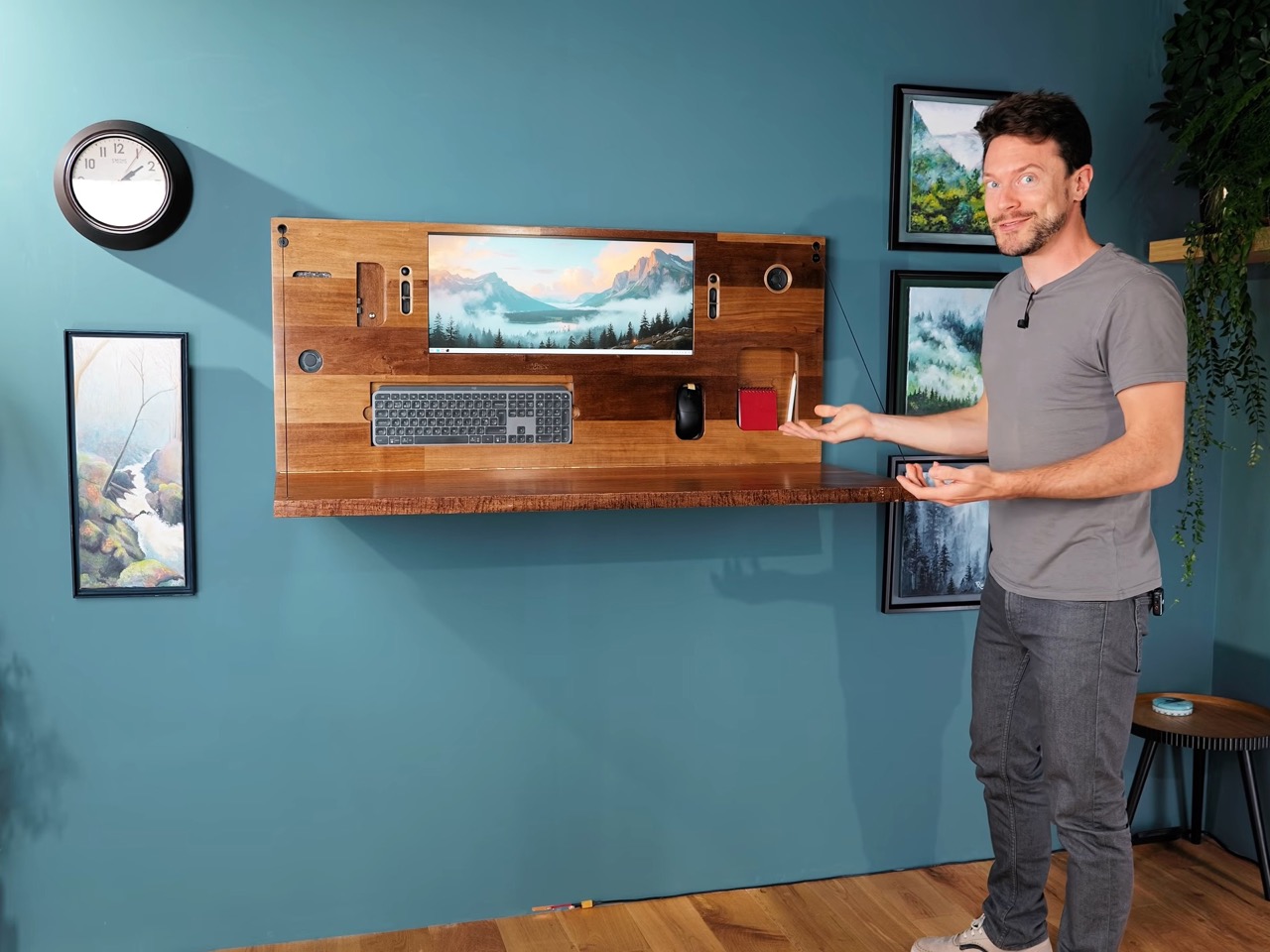
The design works because it commits fully to the illusion. Closed up, it reads as furniture and decor first, tech never. Open it, and the whole thing shifts personality in one move, from framed artwork to compact workstation. That transformation is the hook, but it also says something interesting about the way we live with devices now. Plenty of people want a proper setup at home, but very few want their living room to look like a call center. This build solves that with sheer elegance. It gives you a desk without asking your room to look like it has one all day.
Built Like Furniture, Wired Like Hardware
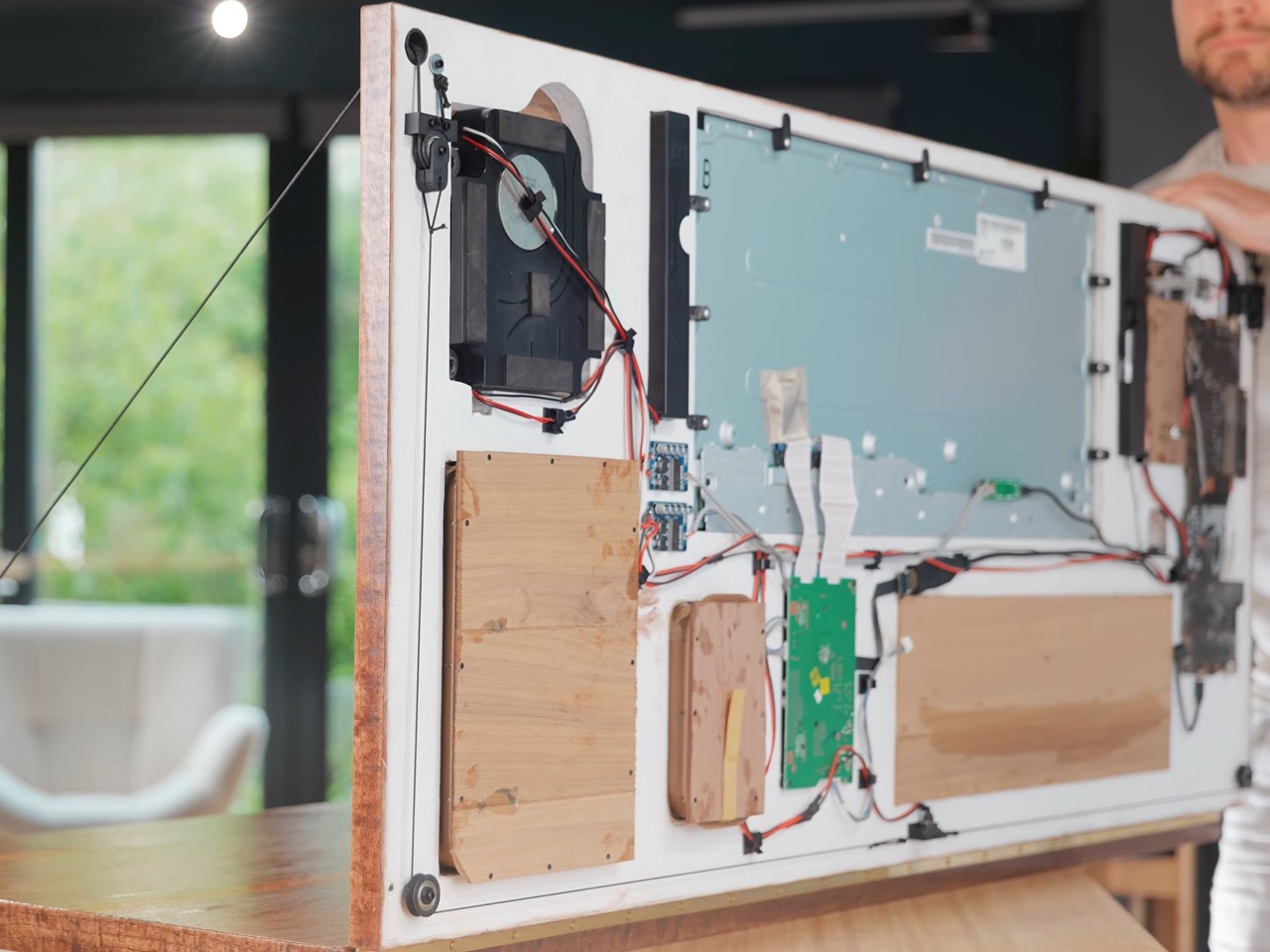
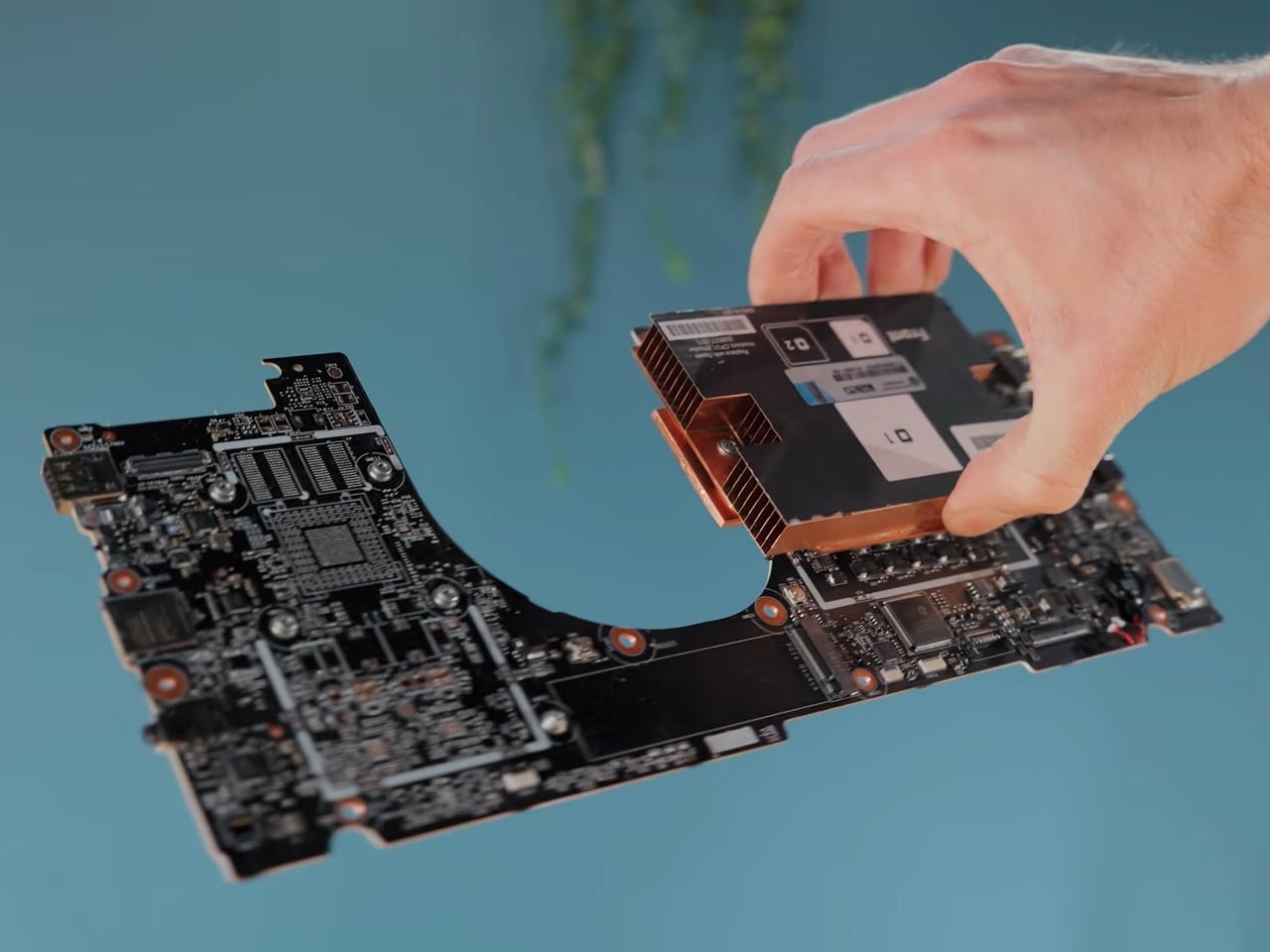
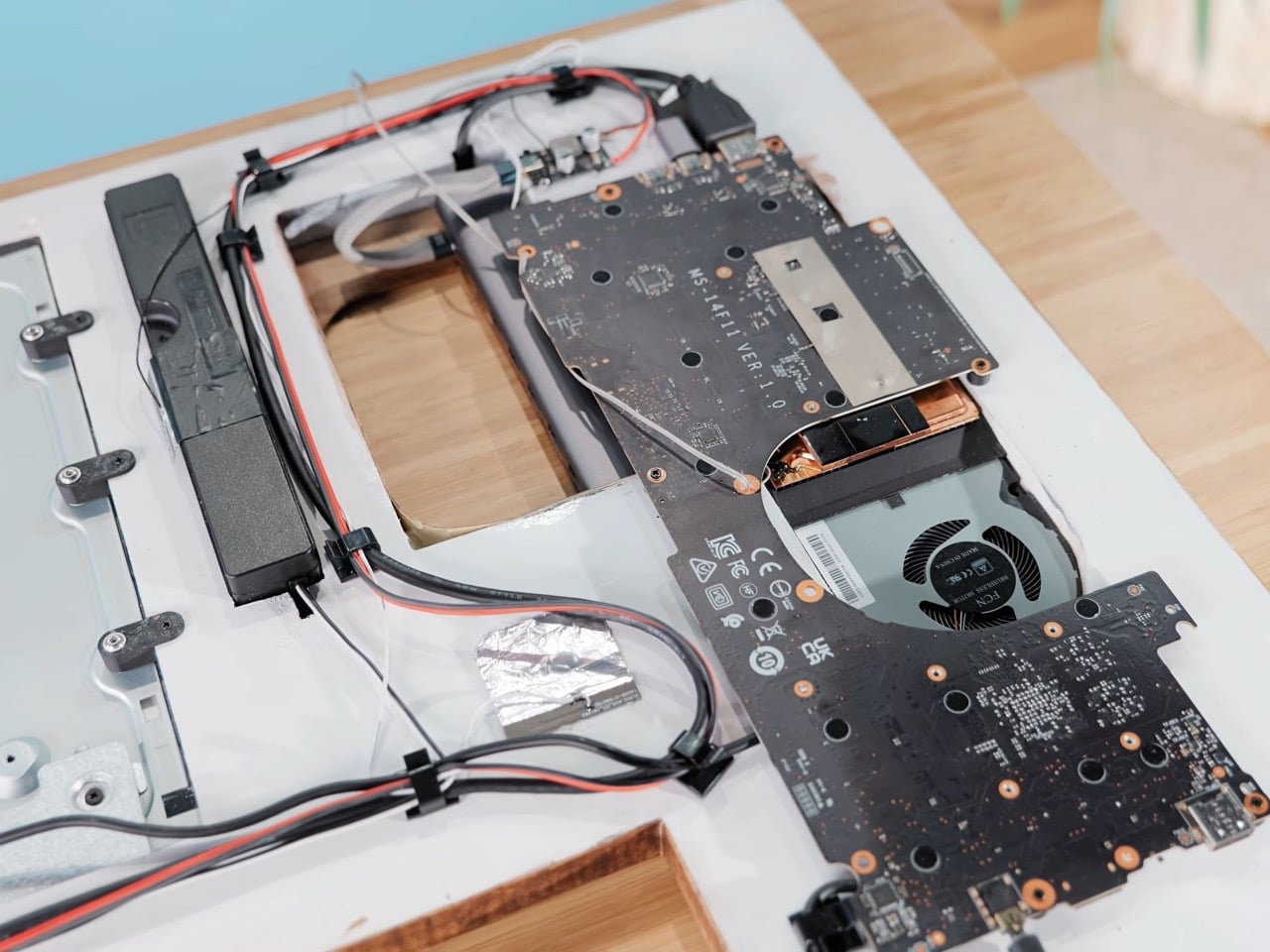
Fitting a monitor, computer, speakers, and peripheral storage flush within a frame the depth of a painting required solutions at every layer. The monitor gets stripped to its bare panel, with the control board relocated below using low-profile HDMI connectors so the assembly sits nearly flush with the wall. The computer runs on a repurposed laptop motherboard, cooled by a server heatsink from an electronics recycling center, fitted with a copper shim Matt trimmed by hand with a hacksaw. A blower fan handles airflow through a small shroud. The entire assembly slots into its compartments without a CNC machine anywhere in the process, which is a deliberate choice that keeps this build within reach of a serious maker.
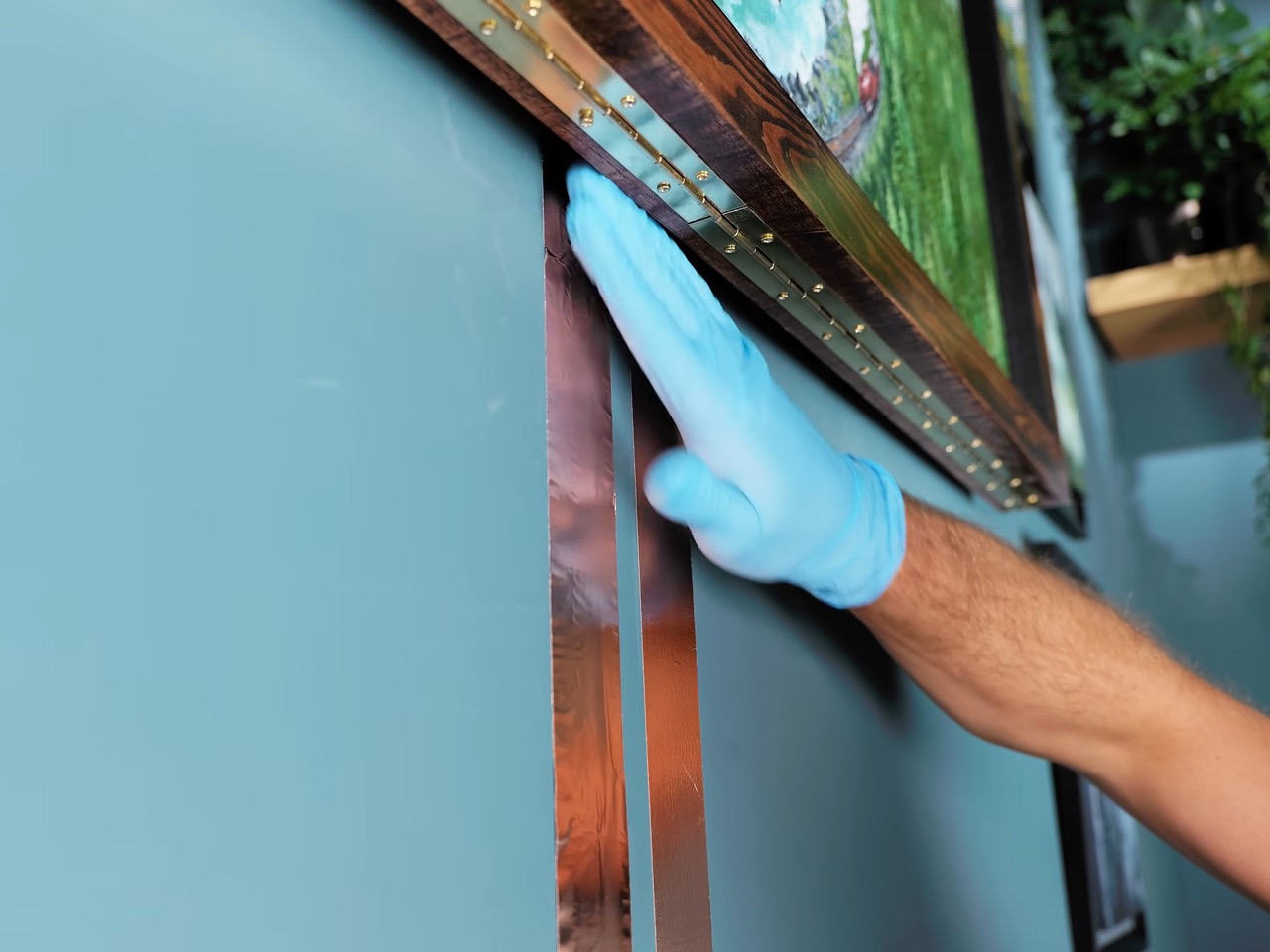
Most wall-mounted desks carry a laptop and nothing heavier, and the bracket design tends to reflect that. This one carries a monitor, computer, speakers, and the desk surface itself, distributed through the main wall panel via brackets sunk directly into wall studs, with piano hinges spreading load across the full desk connection. Power arrives via two strips of copper tape running up the wall surface, painted over with metal primer and standard wall emulsion until they completely vanish. The tape carries low-voltage DC, with the power brick at the bottom acting as short-circuit protection, and the voltage is low enough that shock risk is not a concern. Even standing directly in front of it, you cannot find the wires.
Art on the Outside, PC Inside
A mountain valley with a winding river, pine-covered slopes, rocky crags, morning mist, roaring rapids, and a steam engine pulling cargo through a mountain pass. Matt spent hours on that painting, which now lives on the front of his PC, and it reads convincingly as something out of a Bob Ross tutorial, warm and dense with detail. The frame sits surrounded by other paintings from family members on the same wall, completing the camouflage to the point where a visitor to the house would have no reason to look twice. That is what separates this from every other clever PC build and puts it squarely in design-object territory. The disguise is the design.
Most technology objects demand attention even at rest, the idle glow of a standby indicator, the visual mass of a monitor and its arm, the cord tangle underneath. Matt’s build refuses to participate, choosing instead to disappear completely into its domestic context and only announce itself when needed. That posture shows up far more often in high-end furniture design than in PC builds, where the prevailing instinct is to make hardware as visible as possible, preferably with RGB lighting aimed in multiple directions. The painting on the front is the punchline of the project, but it is also its most considered creative decision. Every other detail serves function; the painting serves the idea.
When a PC Forgets It Is Tech
Matt has been building invisible and fold-down PCs for over a decade, and the 2020 version of his invisible PC alone pulled in over 8 million views on YouTube. This iteration raises the stakes by making the camouflage the actual creative output, which shifts it from an engineering exercise into something closer to an art installation. The home workspace trend has been moving this way anyway, look at the DropTop desk by Pith and Stem or Anker Bak’s wall-mounted desk inspired by the logic of Japan’s compact homes. Matt’s build sits at the logical extreme of that movement, a workspace so thoroughly integrated into its surroundings that it ceases to exist until you ask it to. No commercial product has pulled that off.
The build is not a product you can buy, which is the one thing most people will find frustrating after watching the video. Matt points to Framework mainboards as an off-the-shelf shortcut for anyone attempting a recreation, and the documentation is thorough enough that a determined maker could get reasonably close. The painting, though, is entirely up to you. Either paint your own art, or print something online. Or if you really want to one-up Matt, add a glare-free screen instead of the painting and program it to work as a smart art frame!