
Desktop Warmth
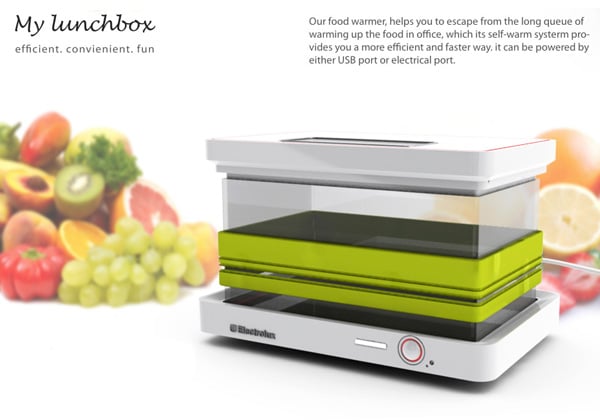
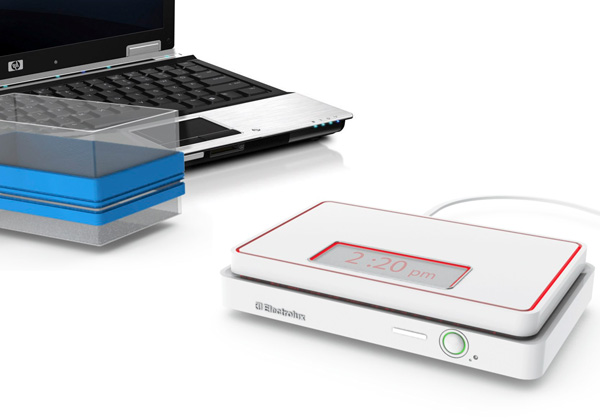
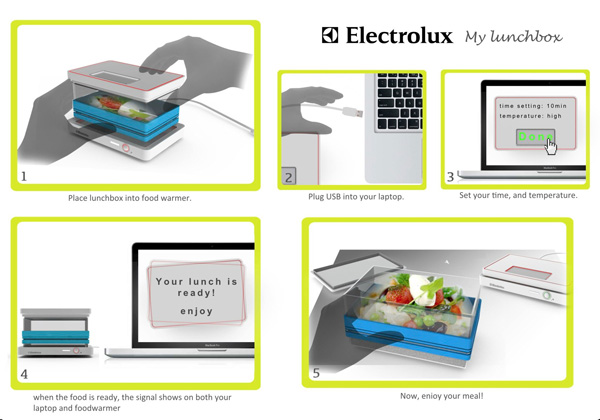
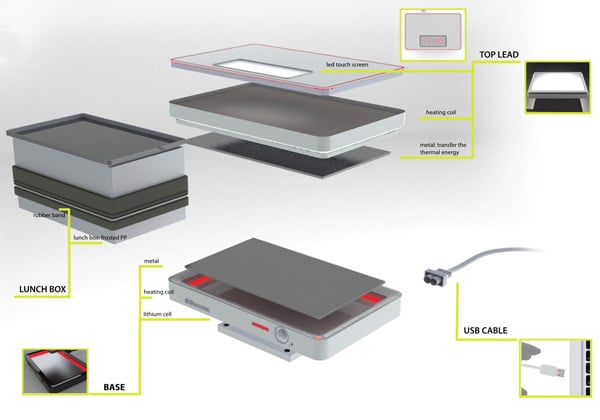
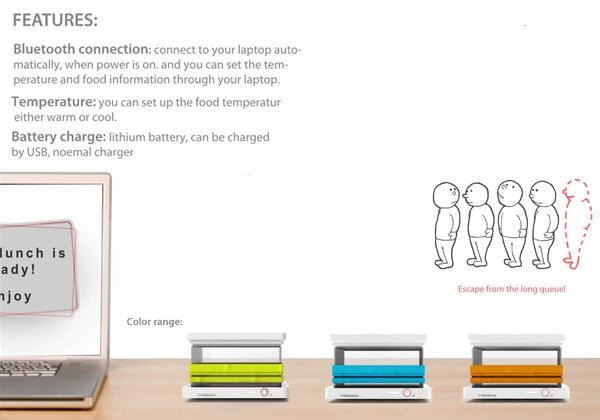
My Luncbox is a very nifty appliance to have in your office. It takes away the bother of queuing up in front of the office microwave at lunchtime. A USB enabled base hooks up to your laptop for power sourcing and heats up the warming element in a jiffy. Simply place your lunchbox on top of the warmer, set your time and temperature, and it’s all set. It will even pop a message on your laptop to let you know that lunch is warm and ready to be served. Awesome!
Designer: Dan Lou






23 Comments »
Ricky says
Is it possible to heat lunch box up through the electricity from USB?
Ricky says
Is it possible to heat lunch box up from the electricity through USB?
Ricky says
Is it possible? Heat lunch box up from the electricity through USB?
Yang says
The following is from wikipedia:
Adds support for dedicated chargers (power supplies with USB connectors), host chargers (USB hosts that can act as chargers) and the No Dead Battery provision which allows devices to temporarily draw 100 mA current after they have been attached. If a USB device is connected to dedicated charger, maximum current drawn by the device may be as high as 1.8 A. (Note that this document is not distributed with USB 2.0 specification package only USB 3.0 and USB On-The-Go.)
USB ports use 5V, with a dedicated charger (not the port on your laptop), 1.8 A can be drawn, meaning, on a dedicated charger, it can reach 9W power.
A typical microwave oven is around 1000W, A typical hot water pot is around 1000W. There are some models requiring less than 10000W I am sure, but 9W? Oh, that is from a dedicated charger. From a USB port on a computer, it is usually 500 to 900 mA, which means it is 2.5 to 4.5 W.
Janet Aldrich says
Does this really exist? If so, what does it cost and where can I buy one?
random says
So, it would take this device forever to warm your lunch.
Teresa says
Let me know when it’s in sale in UK
Hunter says
You’re going to power a portable microwave oven through a USB?
Ambitious! Doubtful, but ambitious!
Trackbacks