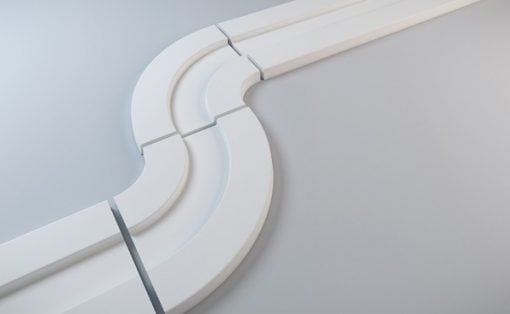
A dorm room desk is rarely designed. It arrives with the furniture package or gets assembled in the first week, and everything that lands on it does so gradually: a charger from one order, a notebook from the bookstore, a lamp someone left behind. The surface accumulates. None of it is chosen. These seven products exist in deliberate contrast to that, each one here because it makes the desk feel considered rather than assembled.
The premise is simple. A dorm room can look like a design studio if the objects on the desk are treated with the same attention you’d bring to anything else worth doing well. A precisely made pen changes how writing feels. A lamp without a cord changes how the room reads at 11 pm. Seven products, one desk, and a genuinely different place to spend the next four years working.
1. Varydes Virga Steel Pen
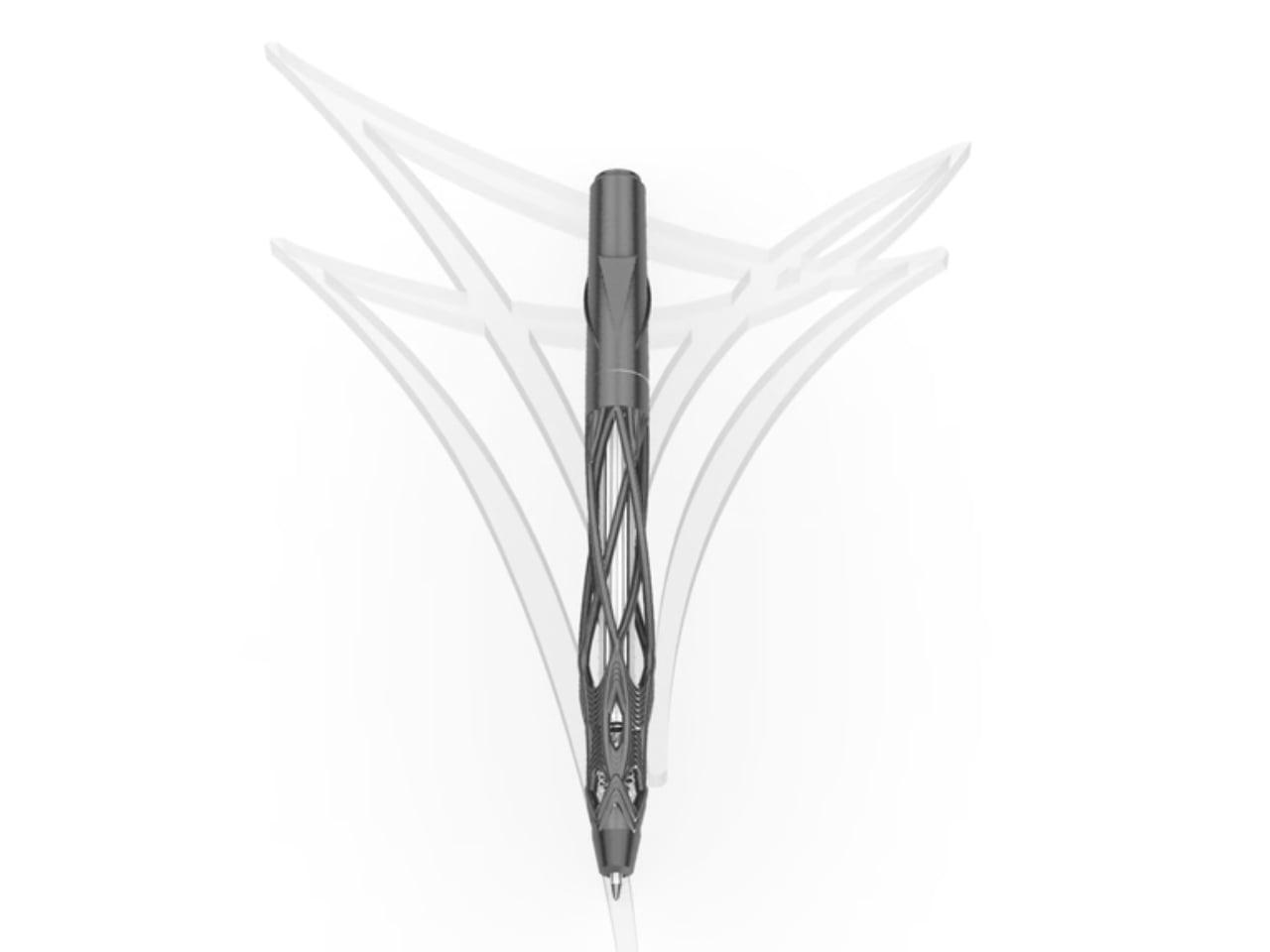
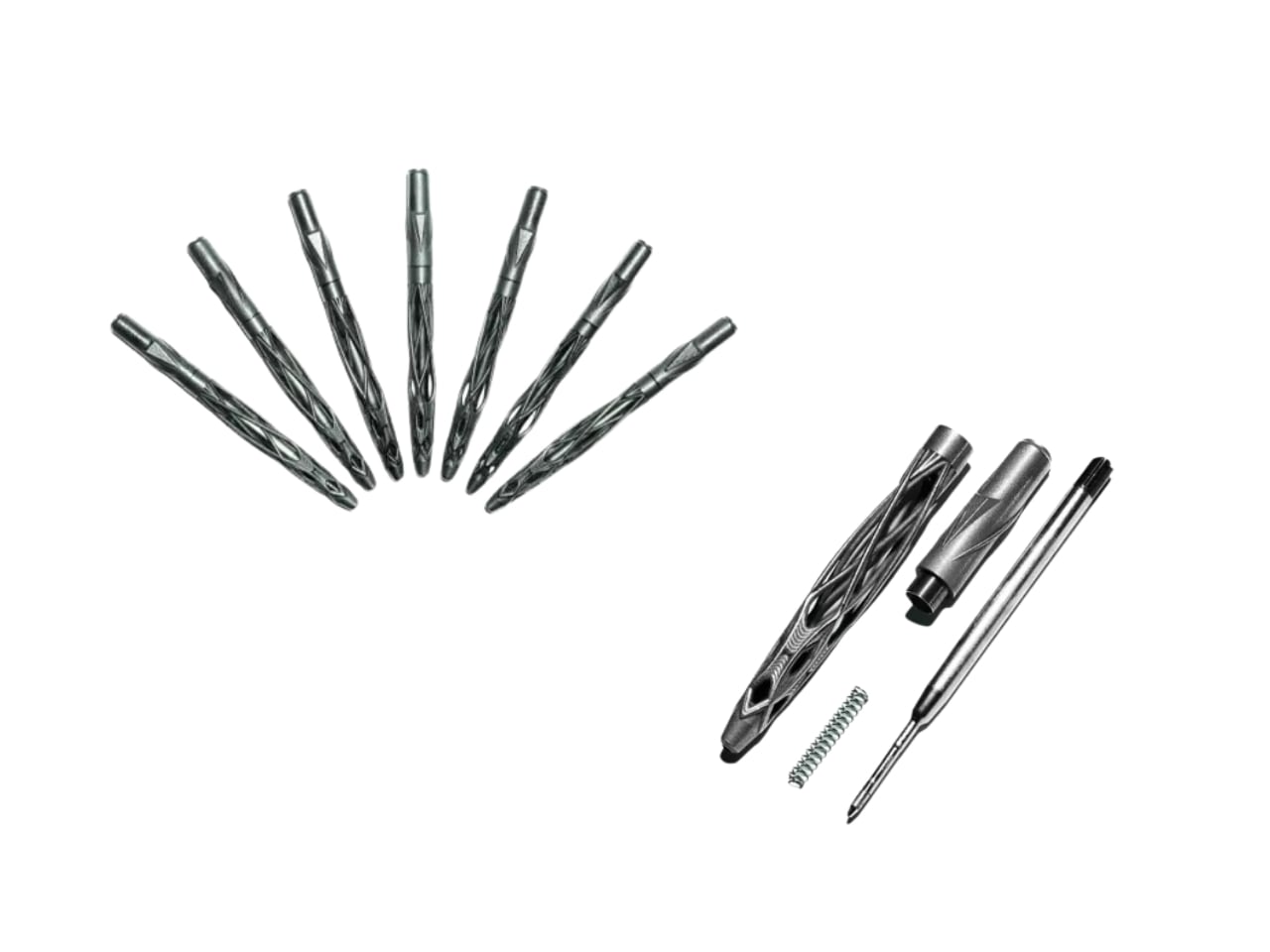
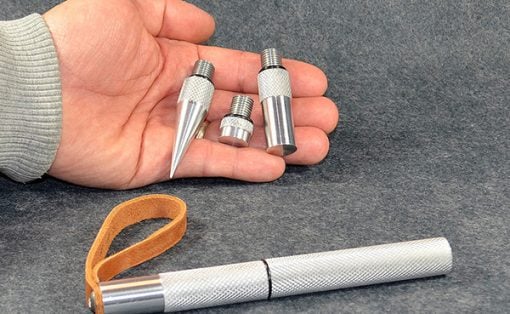
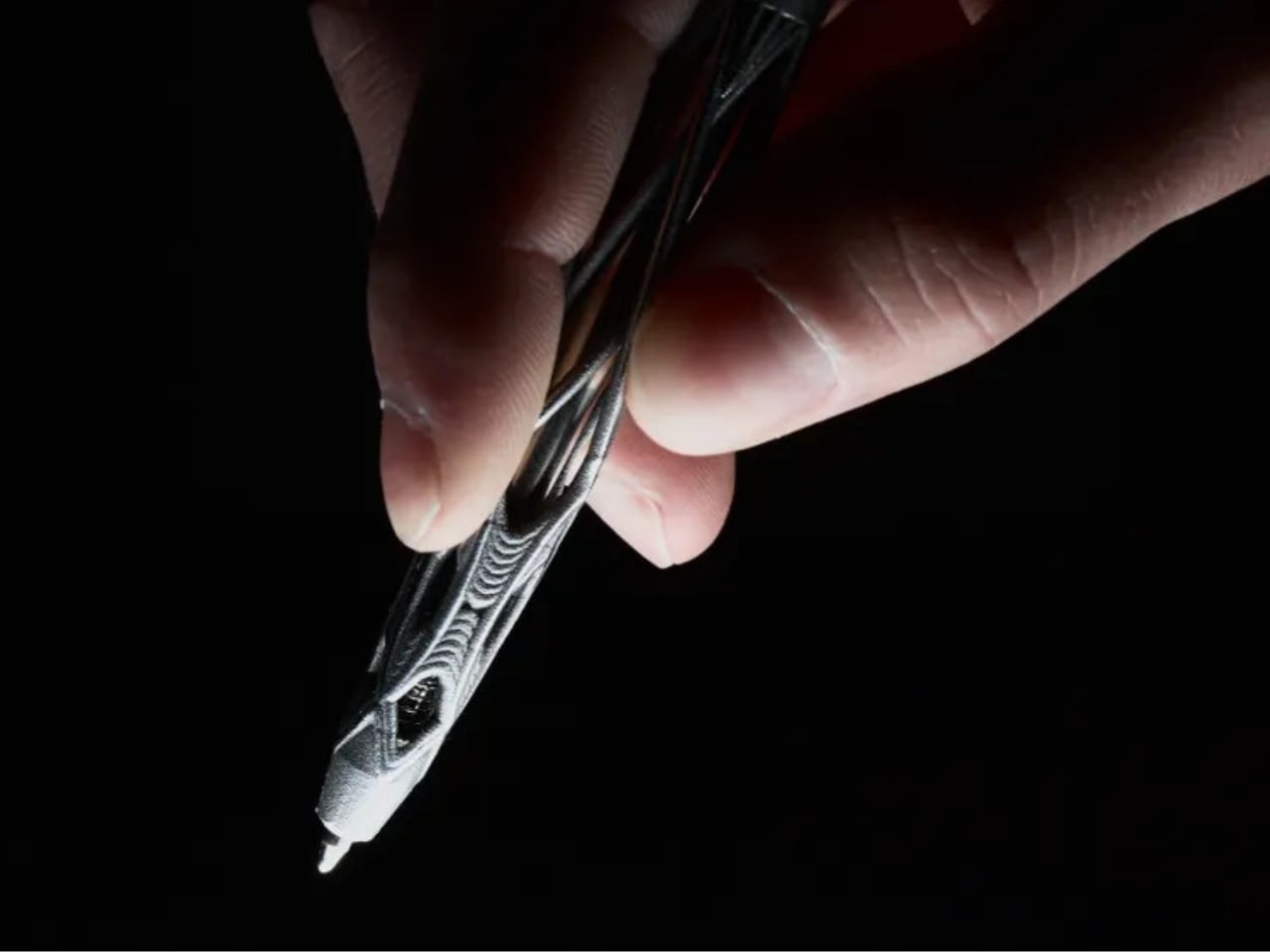
Most pens earn their place on a desk by being easy to forget. The Virga earns it by being impossible to ignore. Designed by Kjell Semmer in Berlin, it’s built from solid 316L stainless steel formed into an open lattice structure that reads less like a manufactured object and more like something that simply grew. Fine steel strands weave together and pull apart, dense in places, open and airy in others. Rotate it slightly in the light, and it shifts. You never quite see the same pen twice.
The name borrows from meteorology. Virga is the term for precipitation that falls from clouds but evaporates before reaching the ground: rain that exists but never lands. It’s a strange thing to name a writing tool after, and it’s exactly right. The pen lives between two states at once, organic and industrial, wild-looking and precisely made. Functionally, it stays simple: a smooth twist mechanism, a standard G2 refill, 12.7 centimeters long, 39 grams of steel in your hand. Every piece is individually examined and hand-polished before it ships from the Berlin studio.
What we like:
- The open lattice geometry shifts visually with every rotation, making this genuinely different to hold and look at than anything else on the desk
- G2 refill compatibility keeps it going indefinitely without tying you to proprietary cartridges or a single brand’s ink system
What we dislike:
- At 39 grams, the weight is deliberate and welcome at the desk but noticeably heavier than most pens people carry in a bag throughout the day
- The raw steel finish that makes it look so honest marks with fingerprints and needs a wipe periodically to stay looking as good as it photographs
2. OrigamiSwift Folding Mouse


The folding mouse has been a category of compromise for years: compact in the bag, limited in use. The OrigamiSwift ends that trade-off by treating the fold as a real engineering problem rather than a marketing convenience. At 40 grams, it collapses to 4.5mm flat, thin enough to slide between the pages of a notebook without leaving a visible ridge. On the desk, it opens in under half a second into a full-sized ergonomic shape that sits naturally in the hand and tracks precisely.
What earns it its place here is how it reframes portability entirely. Portable doesn’t have to mean diminished. The OrigamiSwift performs on a permanent desk just as capably as it does pulled from a bag in a campus café, which is genuinely rare in hardware built around a constraint. The fold mechanism stays satisfying after weeks of daily use, and the Bluetooth connection is reliable. At $85, it asks very little relative to what it returns each time it opens.
What we like:
- Folds to 4.5mm flat, then opens into a full ergonomic form in under half a second without asking you to adapt your grip
- Performs as well on a permanent desk as it does in transit, which is not a given in any product built around a folding mechanism
What we dislike:
- At 40 grams, the weight registers as unfamiliar for anyone coming from a heavier desktop mouse and takes a few days before it stops being noticeable
- Bluetooth-only connectivity rules out a wired fallback for tasks where even brief latency becomes friction
3. Inkleaf Foldable Dual-Screen E Ink Notebook

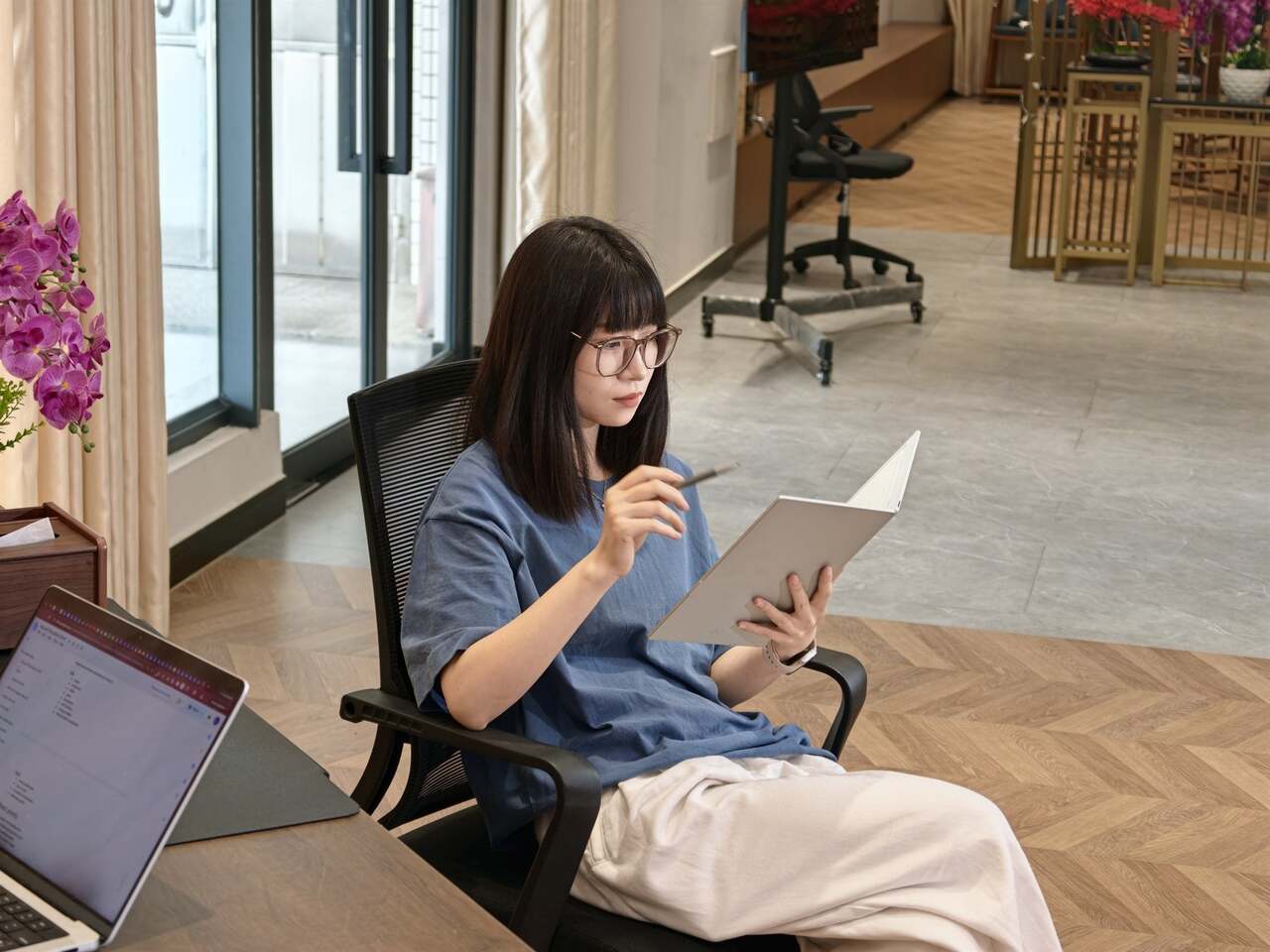
Every E Ink tablet solves roughly the same problem and leaves the same one unaddressed. You get one screen, which means you’re reading or writing, never both at the same time. The Inkleaf closes that gap with two full 10.3-inch Carta E Ink panels opening side by side. Source material on the left, notes on the right. Students moving through a textbook while keeping running annotations, or working between a PDF and a draft document, get the workflow every other tablet approximates but doesn’t complete.
Designed by Kameron Yu, the Inkleaf folds shut like a hardcover at 8.4mm closed and 480 grams. Each open panel measures just 4.2mm, thinner than the reMarkable 2 at 4.7mm and the Kindle Scribe at 5.4mm, and unlike either of those, it folds. It runs Android, supports PDFs, EPUBs, MOBI, and TXT files with no subscription attached to reading your own content. AI handwriting search surfaces any phrase across every notebook you’ve filled. Priced at around $450, with first units shipping to founders in August 2026.
What we like:
- Two independent panels let you read and annotate simultaneously without switching apps, which changes the actual rhythm of studying rather than just adding a feature
- Folds to a hardcover profile, thin enough to carry anywhere, and functions as a portable secondary display in a coffee shop or lecture hall just as well as at the desk
What we dislike:
- At $450, it’s the most significant investment on this desk, and the value compounds most for students who genuinely spend long hours moving between reading and writing in the same session
- Getting files, handwriting preferences, and AI search configured fully takes longer than it should before the device starts to feel like it actually belongs to you
4. Rolling World Clock
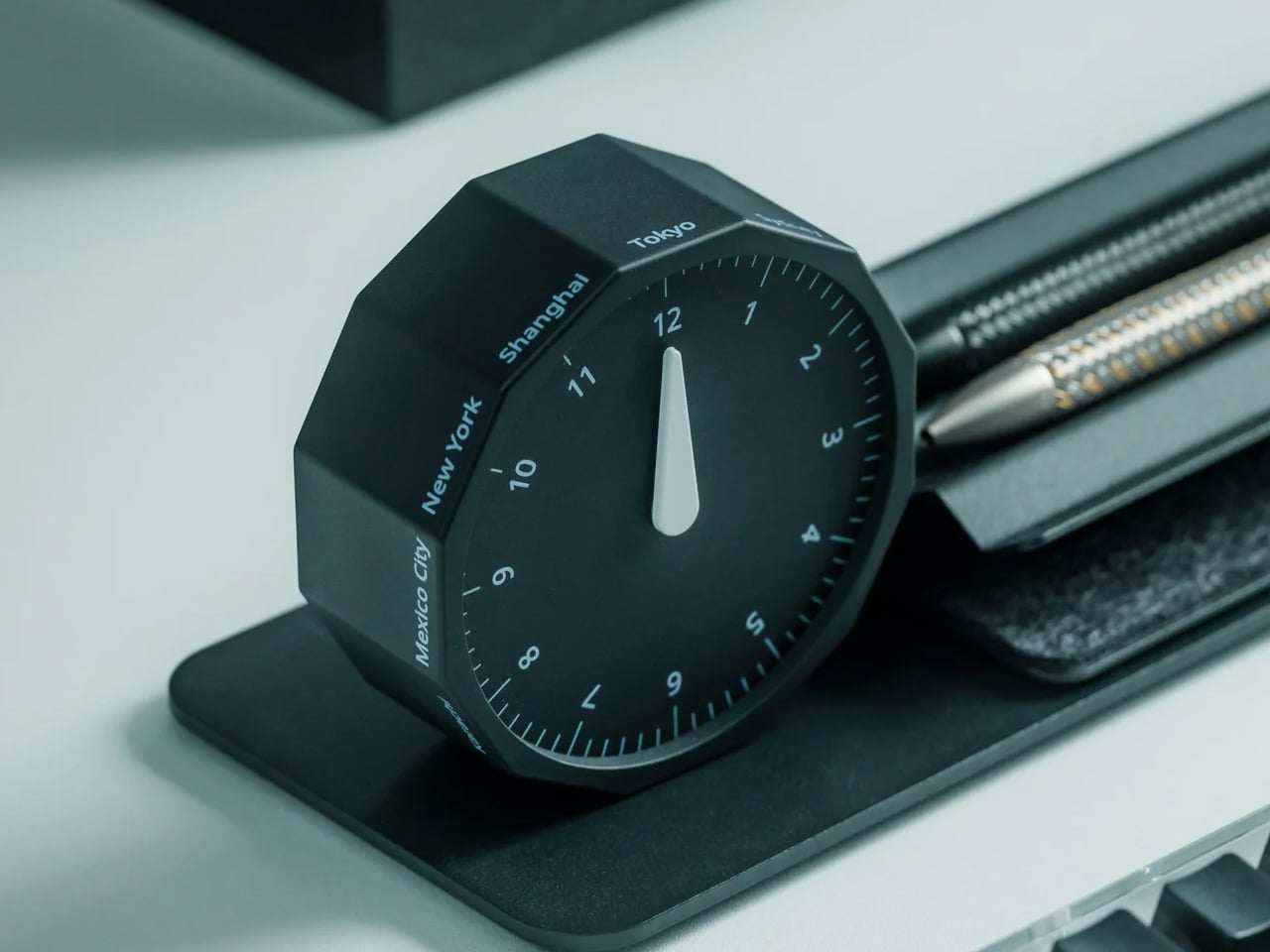
The phone is a bad clock. Not technically, but experientially. Reaching for it to check the time in another city means picking up a device that always has something else to offer, and three minutes later the thread is gone. The Rolling World Clock puts that information on the desk as a physical object: a 12-sided desktop piece that displays the current time across major world cities. It’s there when you need it and quiet when you don’t.
For a student working with an international cohort, coordinating across time zones, or tracking where a professor’s office hours land on the other side of the world, the clock makes that awareness tactile. You don’t need to reach for it. You simply know. It’s the kind of object that makes a desk feel like it belongs to someone doing real work, which is partly functional and partly about what a well-chosen object does to the space around it. Both things are worth having on the same surface.
What we like:
- Puts world time on the desk as a physical object rather than inside a device, removing the distraction of unlocking a phone every time you need to check a collaborator’s local hour
- Functions as a desk object in its own right, contributing to the setup aesthetically rather than introducing a single utility with nothing else to offer
What we dislike:
- Requires a clear section of desk surface to be read easily, so it earns its footprint only on a desk organized enough to give it one
- City selection is fixed by the design, so students with contacts in less commonly featured cities will still need a secondary source occasionally
5. King Jim MagFlap Magnetic Clipboard

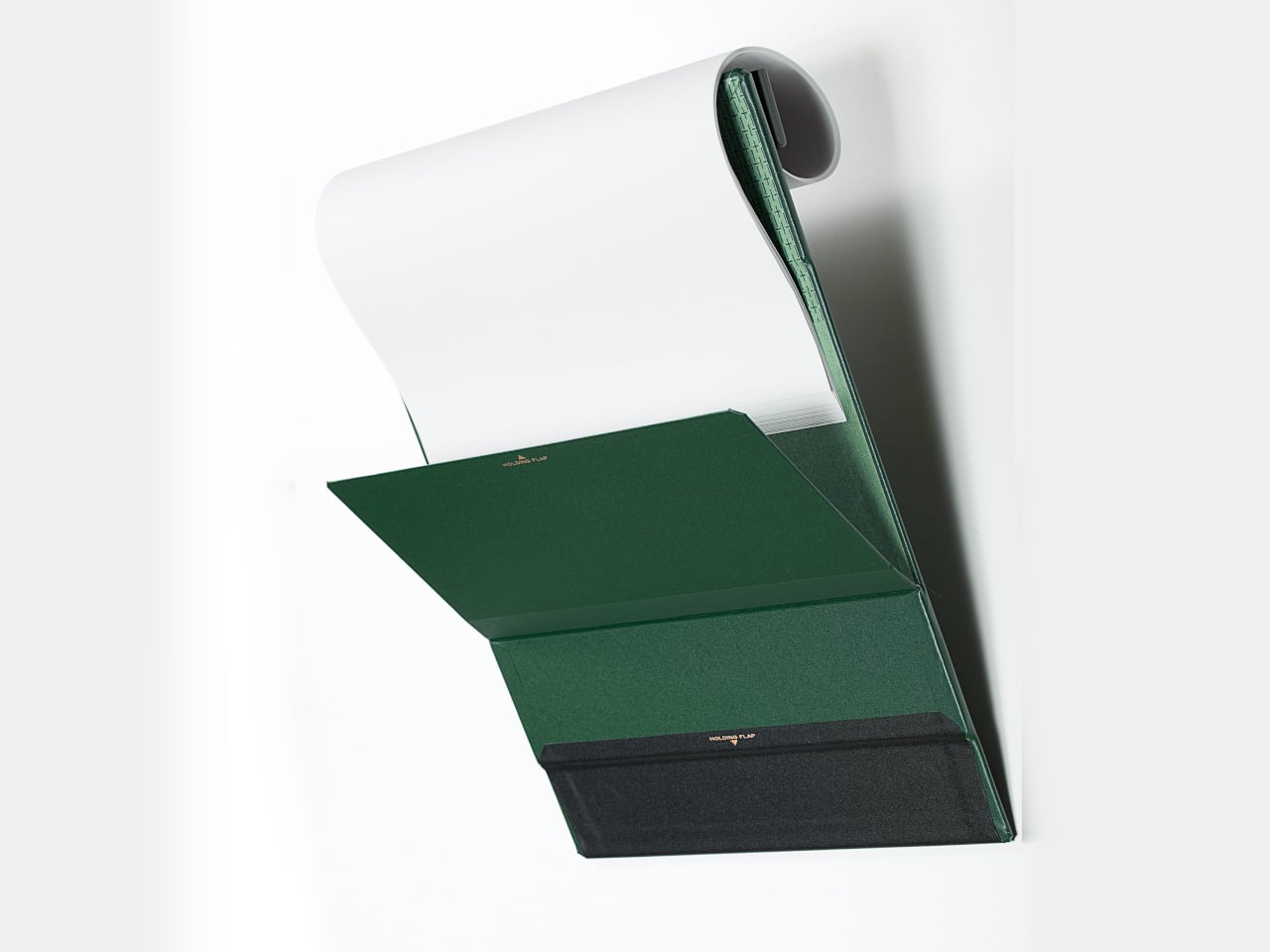
The clipboard has been the same object for over a century: a flat board, a spring clip at the top, and a quiet acceptance of everything frustrating about it. Papers flap. Finished pages dangle. There’s nowhere convenient to mount it. King Jim, the Japanese stationery brand, took those frustrations seriously with the MagFlap. Three magnetic additions change how the whole form works: a front flap locks pages flat against the board, a back flap holds completed sheets out of the way, and a full-width clip spans the entire page edge rather than gripping only the center.
The board itself is magnetic, which means it mounts directly to a locker door, a filing cabinet, or any steel surface in the room. At $20.99, it’s the most affordable item on this desk, and possibly the one with the most immediate daily impact. It comes in four colors and three sizes, holds 30 sheets, and stays 0.7 inches thin throughout. For anyone still working through printed readings, annotated syllabi, or multi-page problem sets, it’s the version of the clipboard that should have existed already.
What we like:
- Three separate magnetic solutions address three separate frustrations, and the full-width clip alone improves on any clipboard that only grips the center of the page
- Mounts to steel surfaces, turning a dorm locker or filing cabinet into a document station that keeps paper off the desk without losing it
What we dislike:
- A4 sizing aligns to European paper standards, so US Letter sheets won’t line up precisely with the position guideline printed on the board
- The back flap holds completed pages reliably at rest but can need a manual reset in a busy lecture hall where movement occasionally pulls things loose
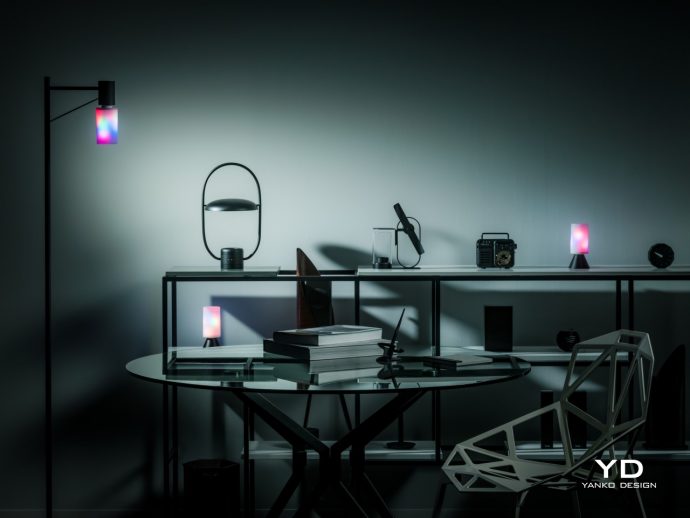
6. Anywhere-use Lamp
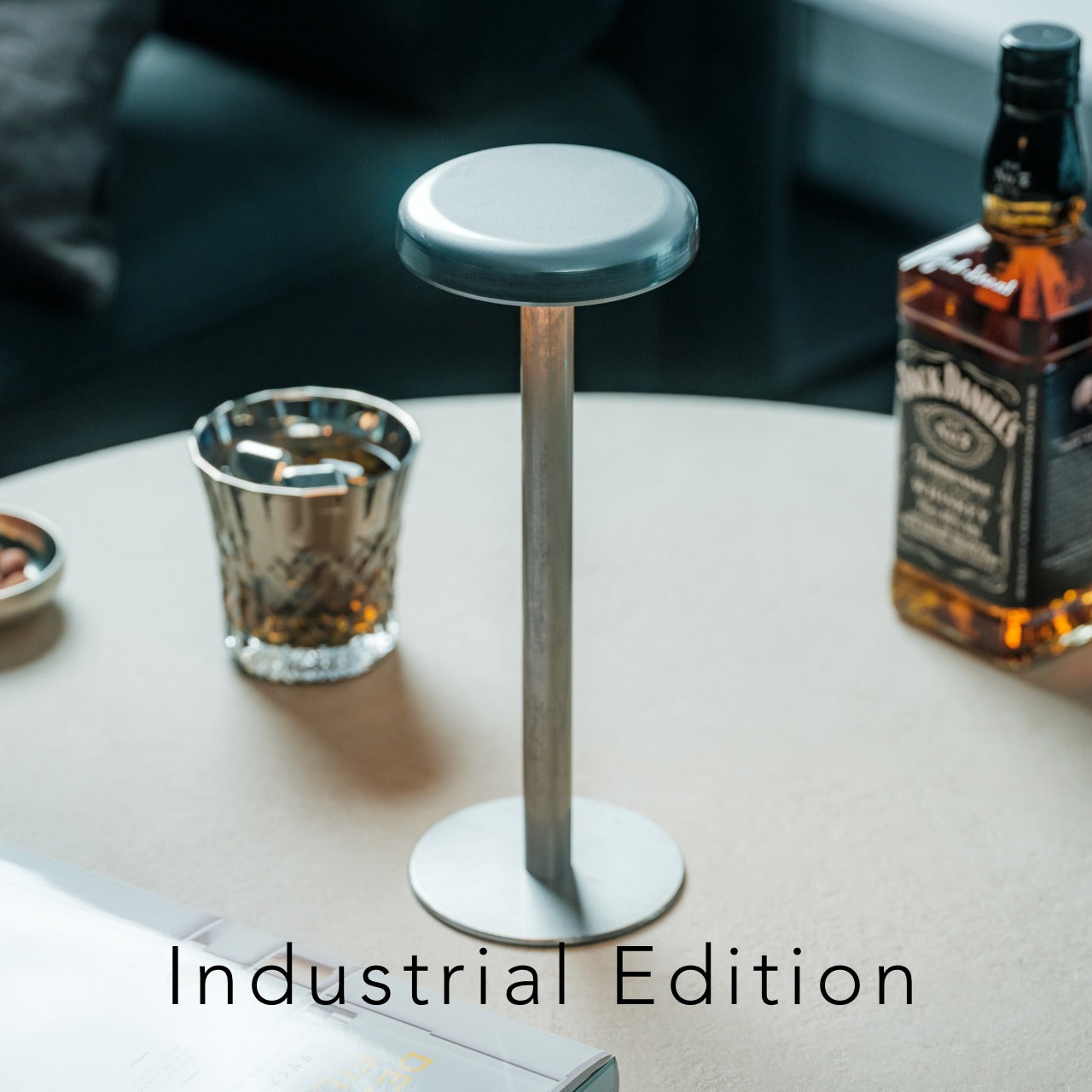
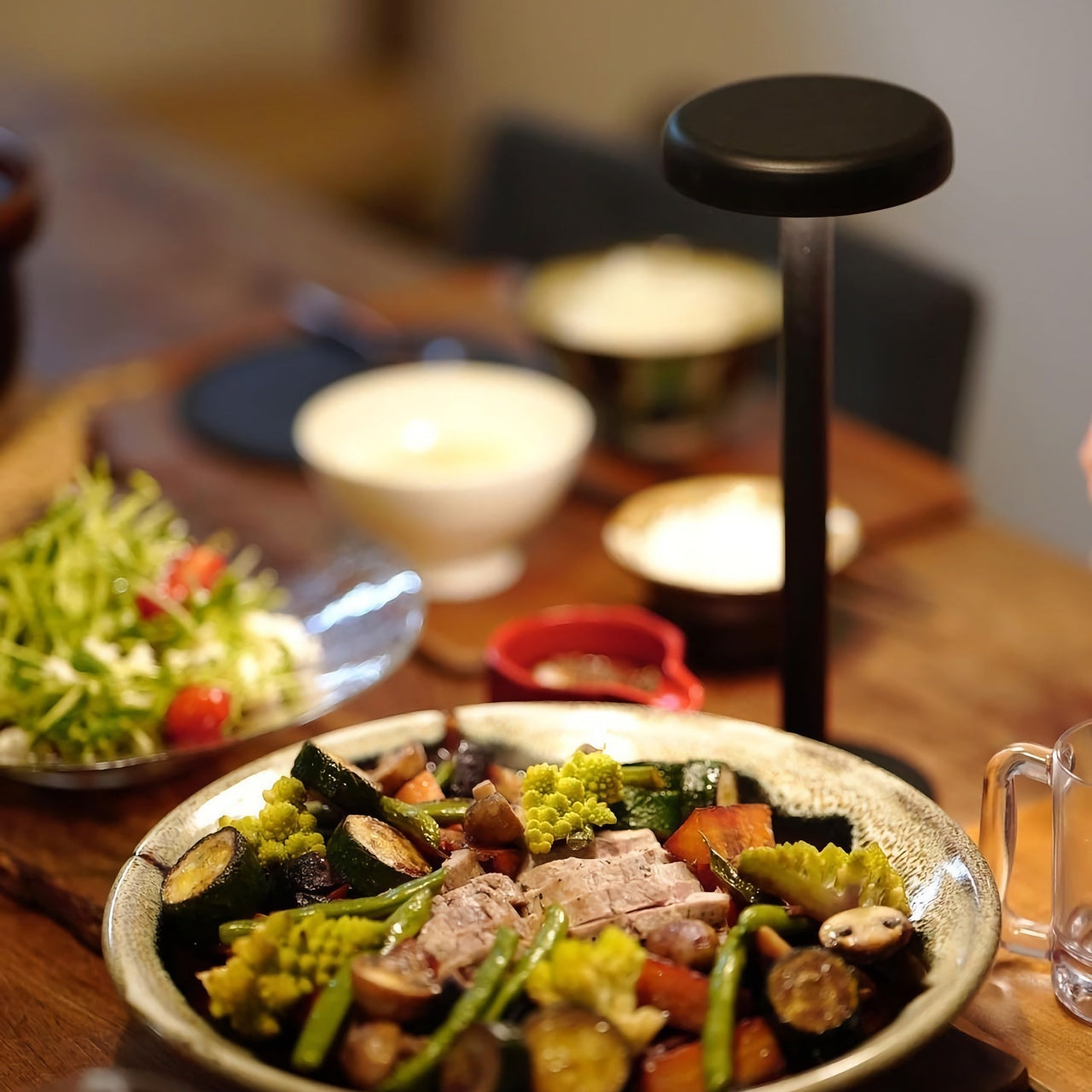
Most desk lamps assume the desk doesn’t move, the outlet is nearby, and the cord can be managed. In a dorm room, none of those assumptions hold reliably. The Anywhere-use Lamp is built for the actual conditions: no cord to route, no outlet to negotiate, placement wherever the light needs to be rather than wherever the hardware allows. That flexibility changes how the room works in the evening, giving a reading corner, a bedside surface, or the desk itself usable light without rerouting anything or making a permanent decision.
Good light is one of the least discussed ways a space changes in character. A desk that reads as designed at noon can look like a pile of unrelated objects at 10 pm under a single overhead bulb. The Anywhere-use Lamp fixes the evening version of the room without a cord snaked across the floor or a fixed mounting point that limits where everything else can go. It doesn’t call attention to itself. It makes everything around it easier to see, which turns out to be the more durable kind of value after the first week.
Click Here to Buy Now: $149.00
What we like:
- Complete placement freedom means the light follows the work rather than the work following the outlet, which is the more sensible arrangement in any room not purpose-built around a fixed desk position
- Removes cord management from the surface entirely, making everything else on the desk read as cleaner by default
What we dislike:
- Battery-dependent operation adds charging to the routine, and forgetting it before a late-night session is a real failure mode worth building a habit around early
- Portability means the lamp migrates to wherever it was last useful, which is a feature until you need it at the desk and it isn’t there
7. Orbitkey Desk Mat

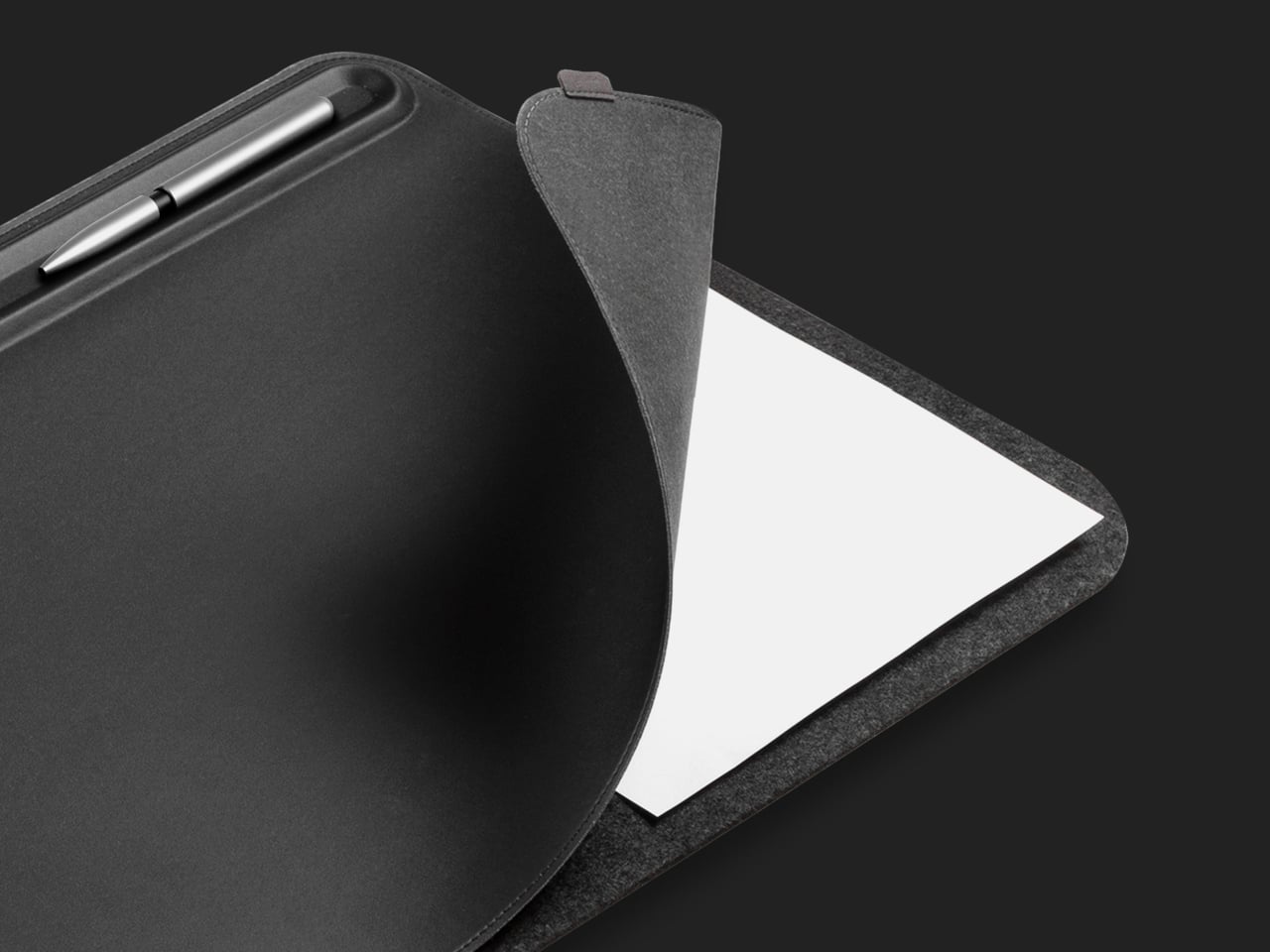
The desk mat is usually the last thing anyone buys and the first thing that changes how a setup reads. Orbitkey’s version is built on the premise that the surface doesn’t just need better material; it needs a better system. Made from premium vegan leather over 100% recycled PET felt, water-repellent and easy to wipe clean, it anchors the desk both practically and visually. A quick-access toolbar runs along one edge, giving pens, a stylus, and small accessories a fixed address instead of leaving them to drift.
Beneath the top layer sits a document hideaway: a flat sleeve that keeps readings and notes stored flush with the surface, invisible from above, and available with a single edge pull. A magnetic cable holder clips freely along the toolbar and repositions as port locations and cable lengths change across different devices. Put everything else on this list on top of it, and the desk finally looks like it was chosen. It ships with a two-year warranty and a 30-day return window, both of which signal confidence in the materials.
What we like:
- The document hideaway removes paper from the surface without removing it from reach, a more useful distinction than it sounds across a semester of printed readings and annotated handouts
- The magnetic cable holder repositions freely along the toolbar rather than committing to one fixed anchor point, which matters as the setup changes across the year
What we dislike:
- Arrives rolled and takes two to three days to lie fully flat; reverse-rolling helps, but patience is part of the initial setup
- The Medium size works well for a single monitor but will feel narrow for anyone running a second screen alongside their laptop
Seven Objects, One Decision
Seven products, each one solving something the previous object on the desk didn’t. The Virga pen makes writing feel like a decision. The mouse makes portability feel like an upgrade. The Inkleaf turns the way you study into something that reflects how you actually think. The clock puts the world on your surface without the phone. The lamp puts light exactly where the room needs it, not where the outlet happens to be.
The MagFlap and the Desk Mat do the unglamorous work of making the whole setup hold together: paper managed, surface organized, every object with somewhere to live. None of these things announce themselves. They do the work and stay out of the way. That’s what separates a desk that reads as designed from one that just accumulated over time. Four years is a long time to spend in one room. The surface you work at is worth getting right.
SHARE