
Friday Giveaway: 2 Adonit Jot Touch Pressure Sensitive Styli
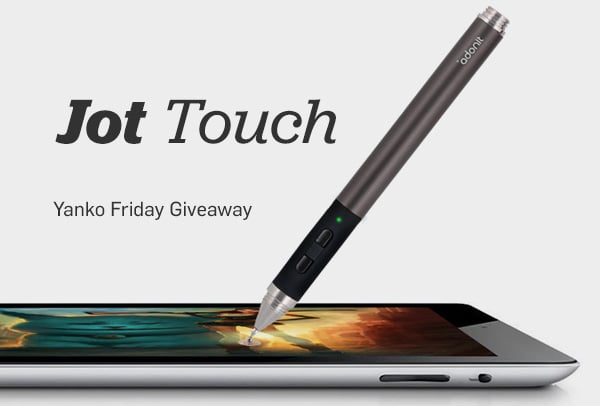
The role of the tablet has transformed from being just a reading device to one that allows you to use it creatively. Many a designers now rely on the iPad to do random sketches, pursue inspiration and follow their thoughts. To compliment their intuitiveness we have Adonit striving hard to empower them with the right tools. This Friday stand a chance to win two Adonit Jot Touch Pressure Sensitive Styli.
To Win Adonit the Jot Touch Answer This Question:
- How will pressure sensitivity help you on the iPad?
- 2 Winners will be announced
- Contest Closes 16th September – midnight PST
- Contest Open Worldwide
- Standard Contest Rules Apply
- Only One Entry Per Person
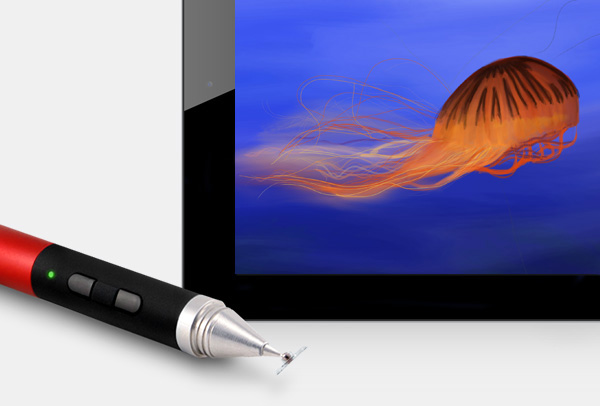
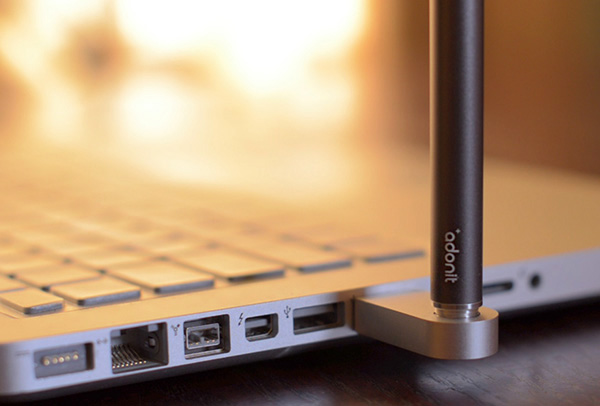
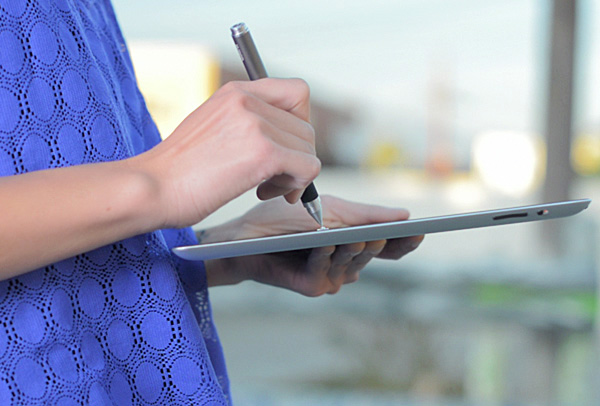
Jot Touch has the distinction of being the first pressure sensitive stylus for the iPad. Adonit’s goal was to give artists more than the expected precision from a Jot stylus, but also the freedom to create everywhere with powerful tools. Using Bluetooth, Jot Touch also provides the user with shortcut buttons for quick changes such as “undo” or brush switching. Partnered with Jot Ready Apps, Jot Touch is the most powerful iPad stylus around.



85 Comments
Ivan Luhovy says
It will be easier for me to draw on it.
AON says
1- it will help me write notes in class
2- draw my ideas
3- play some games
Roy Scott says
sketch renderings will become a piece of cake and my shinny clean screen wont get nearly as greasy
Jeroen says
As a design student and ipad user, I would like to make desigh sketches and draw ideas on the go. I study in Arnhem wich is a 30 minute drive from my home. Also, I am currently having an internship in Helmond, with a 3 hour traveling time. In these times, I would like to make proper sketches on my iPad, and I believe that the Jot sensitive stylus will help me achieve this.
Justin Green says
It will help with sketching and doing mock ups for web development.
Ernesto Martinez says
I am an iOS developer, and I’d like to explore novel ways of using the device in industrial controls user interface environments; breaking paradigms of current user interfaces that have been in use for more than 3 decades and see what kind of operator effectiveness could be delivered using such a combination of tablet/stylus. Querying/Reporting/Drill-down capabilities could also be improved.
Ernesto Martinez says
I am an iOS developer, and I’d like to explore novel ways of using the device in industrial controls user interfaces that have been in use for over 3 decades and see what kind of operator effectiveness could be delivered using such a combination of tablet/stylus. Querying/Reporting/Drill-down capabilities could also be improved.
Ernesto Martinez says
I am an iOS developer, and I’d like to explore novel ways of using the device in industrial controls user interfaces that have been in use for over 3 decades and see what kind of operator effectiveness could be delivered using such a combination of tablet/stylus. Querying/Reporting/Drill-down capabilities.
Ernesto Martinez says
I am an iOS developer, and I’d like to explore novel ways of using the device in industrial controls user interfaces and see what kind of operator effectiveness could be delivered using such a combination of tablet/stylus. Querying/Reporting/Drill-down capabilities.
Ernesto Martinez says
I am an iOS developer, and I’d like to explore novel ways of using the device in industrial controls user interfaces and see what kind of operator effectiveness could be delivered using such a combination of tablet/stylus.
Ernesto Martinez says
I am an iOS developer, and I’d like to explore novel ways of using the device in industrial controls user interfaces using a combination of tablet/stylus.
Ernesto Martinez says
I am an iOS developer, and I’d like to explore novel ways of using the device in industrial controls user interfaces.
Ernesto Martinez says
I’d like to explore novel ways of using the device in industrial controls user interfaces.
Ernesto Martinez says
I want to explore novel ways of using the device in industrial controls user interfaces.
Ernesto Martinez says
Apologies for tose multiple postst. The web page insisted on giving me an error message indicating the post had been unsuccessful, so I kept shortening the message and reposting
Leander says
To make kick-ass sketches that count! Now, with this tool, the ipad is becoming a tool that can be taken serious by designers.
Edward Koh says
It will help me pen down naturally my thoughts in to the digital dream. as they say, picture paints a thousand gigabytes.
Brandon says
It would help me quickly sketch my designs and ideas so that my director will actually understand what I’m talking about.
Martin R. says
Its gonna give me better precision and details on sketches.
lion says
the real problem is that you have still drawing with a glove (boring system)
Sebastian says
As a Art student, having a Adonit Jot Touch will definately help alot in doing sketches on the go during travel time on the subway. I will be able to make accurate sketches on pressure sensitive drawing applications and make better interpretations of the brush strokes. With the button on the styli, I will be able to make undo quickly with one hand, making drawing a breeze.
Jan says
Having a pressure sensitive stylus will allow me to transfer my emotion to my work. Without the pressure sensitivity, there is no way to bring emotion into what you are creating, it’s too black and white.
Albert Burgers says
The Adonit Jot Touch, will replace my regular sketchbook.
I wont need to scan my design sketches anymore to have them in my presentation this will give me much more freedom to paint where I want, when I want. Also this will just safe so much time and effort.
Must Architect’s/Designers dont switch over to digital sketch pads because the pens havent been intuitive enough. By using a sensitive pen this could change our world.
Amanda Perry says
I can finally finish all those lame bulky sketches that are just sitting on my iPad.
Melody says
With the Adonit Jot Touch in my hand,
Infinite possibilities are at my command.
As my arm glides across the sapphire crystal,
The digits transform into something personal.
Descending epiphanies can be captured within a flick,
An art revolutionized by this magical stick.
If anyone is to deserve the ultimate tool,
I wish him / her to be a design fool.
Such is me.
Patrick says
God is in the details…
Meerz says
Pressure sensitivity is one of most important features to add to a stylus. I think in the iPad it allows the delivery of real life strokes accurately. Handwriting looks a lot different and more aesthetically pleasing in my opinion.
Joanne Gregory says
I will make it easier to draw on my ipad.
Massih Naisan says
It will make sketching much faster and more intuative. I use the ipad in school (information design) and also in my company and this will make working on the ipad even better!
Adam B says
I can transition my workflow from my desk with a Cintiq to the road with an iPad!
Roger Jansson says
Drawing, being the skill i lack the most as a product design student and being more digitally inclined I recently bought an ipad with a jot pro and i am loving it.
Having only been drawing seriously for about a year i have a lot of time to make up for, with the ipad i can draw easily and with color wherever i am.
The thing i miss the most on the ipad is being able to vary line thickness, with the pressure sensitivity i would be able to vary the thickness to make more dynamic sketches. I would be able to enjoy sketching on my ipad even more and hopefully take my drawing skills to the next level.
Baugraphic says
To look more professional!
To be avant-garde!
To impress from the tools to contents!
Nicole says
It will help me write in style.
Jake H. says
It will make drawing and writing much better!
Frank Dijkstra says
My wife has started her photography career not long ago. We Have a new iPad to show off her photo’s to future clients, and to edit those she uses Photoshop.
The Adonit Jot Touch Pressure Stylus would be a great tool to make some adjustments to the photo’s.
WilkinsRuth says
I just got paid $6784 working off my laptop this month. And if you think that’s cool, my divorced friend has twin toddlers and made over $9k her first month. It feels so good making so much money when other people have to work for so much less. This is what I do, http://Fox46.com
Jonathan Clark says
The Adonit Jot Touch will greatly aid me as I am taking steps to improve my art and design workflow. I see it as a more practical way of sketching and taking notes than carrying around sketchpads and notebooks then scanning or retyping the notes later. One stop productivity shop… er styli.
Michael Kingery says
Having spent some time with a Jot1 and paper on the ipad i am VERY interested in seeing how pressure sensitivity will transition over. I use a cintiq at work every day and would love to have on on the go!
examples of things i’ve drawn without pressure sensitivity can be found on my gallery – http://www.michaelkingery.sqsp.com/mech-with-treads
i know this is all random and what not, but i love the jot and am excited to try the jot touch.
lisa says
It will help me be and awesome girlfriend when I give my boyfriend an awesome Christmas present.
Sean says
I was actually saving money for buying the 12″ Wacom Cintiq, I didn’t earn enough money until now, the Adonit Jot touch is the perfect solution for me.
The jot, unlike the bamboo, will give me the freedom of portability and the wide range of the Apps that the iPad has.
Sean says
Of course I did a mistake,
In the third sentence I wanted to write Cintiq and not Bamboo.
Sorry…
David says
I love sketching and digital rendering, but I dont like carrying around paper with me in my bag cause it normally ends up getting wrinkled somehow. I LOVE sketching on my iPad, but I do find the lack of pressure sensitivity annoying.
The Jot Touch would solve both problems! I’ve been waiting for a really long time for a pressure sensitive stylus to help speed up my sketching and rendering processes! Jot will help me realize my concepts better AND faster than before. It will consolidate everything I need into one device, making it a very valuable tool in my artistic arsenal! If I dont win it I can’t wait to buy it!
Daniel says
would make sketching on my ipad during my design lectures much more fun
Naomi says
I haven’t done much drawing on the iPad but I’d love to be able to use it in a more native way. This sounds like a great solution!
dakar8 says
the adonit will help me get more out of drawing on my ipad versus the architect stylus i currently have.
Afshin says
It makes iPad like a paper so you can draw , design or write , it is you paper draw your idea
Bart says
The stylus will help me practice my drawing skills. As a product design student I have made my fair share of digital sketches but always using a wacom and my desktop computer. It would be a great graduation gift because as of next week I will be a real product designer! I hope I can be considered for this awesome looking stylus.
NAC says
1) It will help me illustrate my book.
2) It will help me write notes and organize at work.
Amit says
I always sketched and drew with a pen for fun. After a motorcycle accident as part of my rehab I started to paint with oil paints on canvas. I tried the old wacom but it did not feel right – too loose and I could not create flowing strokes in different width.
I have tried the Jot pro and it felt like a pen for real – I believe that with pressure sensitivity it would allow me to illustrate and paint with accurate and flowing strokes as well as change the color and width of my “brush”.
I can’t wait to test it on my new iPad and better myself through rehab.
Heather says
This would help me sketch digitaldesigns accurately and allow for more control in my drawing pieces. Pretty stoked to have found this product. *excited*
Eric R says
Jot would certainly aid in reducing wrist fatigue and give my stiff fingers a break. It’d be nice to have sure-fire precision always at hand when navigating drawing & photo apps as well as poking around fun design websites like Yanko. Thanks for the contest!
Makro says
It looks so elegant, if I would be its winner, I would buy me the iPad to it.
Just to doodle a little.
Jane D says
This will be the modern substitute of the classic pencil with eraser which doesn’t only make drawing super smooth but takes it to the next level of facilitating coloring and painting. AWESOME!
Darryl says
My wife might finally be able to retire her 10-year-old Wacom tablet and only draw on her iPad with better feel.
Adaptablepawn says
How wouldn’t it. Not only would it be great to take notes, draw, play games and make things like typing faster. It would also help in video editing and GarageBand. But like most things on the iPad there are probably a ton of things that I havn’t even thought about.
Garry Hannah says
To sketch ideas and wright my thoughts on the go
Matthew says
A question, very nearly a silly one as the ways it would be good so deeply outweigh the others.
When you draw, write or even just babbling with a pen…pressure is everything.
What better way to express your emotion at that moment than to have the pen speak for you? Been a bad day…it just doesn’t sound the same without that manic scrawl that only a tactile pen can provide.
Excited…tired…they all can be said with the thickness of a line, the heaviness of a hand or the little scroll like flourish at the end.
Taylor says
I will be able to better my art with this pen and be able to push the iPad to its full capability.
Taylor says
I will be able to better my art with this pen and be able to push the iPad to its full capability.
Thanks
ivan says
Because if I have it, I don’t need to sell my iPad and add much more money to by Samsung Galaxy Note 10.1 that have similar pen to help me in my studies.
Anatoliy Dzhuga says
1) Finally be able to take decent notes.
2) Express my ideas in autodesk sketchbook pro.
deepvines says
I could finally use my iPad as a Wacom replacement!!
Stacy H says
This will allow me to sketch drawings more accurately than I could otherwise.
Vladimir Dzhuga says
Main use: art
Helen says
Will help with sketching. Being able to use the pen for different pressure will help with the styles of brushes and pens in sketching.
Matthew Kol says
I’ve been following Yanko Design for nearly two years now. Unfortunately, I have never won anything yet
and I would be extremely grateful if I could win this Jot Touch for my iPad
and congratulations to the person who does win it!
Brent says
I’m an artist and grad student. I do a fair amount of drawing on my iPad. I’d love to see what the difference in a sensitive drawing utensil would make when I do my sketches on it. I’d like to see if my gestural drawing style would become even more intuitive and it’d bring more nuances out in my drawings. Plus it’s just cool technology to work with.
Enrique says
I would create artwork that I wouldn’t be embarrassed to show.
Jan Kazemier says
I’d like to create some apps for the iPad using this pen
shaun says
The intuitive nature of the touch screen is just screaming to incorporate pressure sensitivity into the mix for a truely personal and organic experience. The nuance this would allow for woudl make my comp sketches and initial mechanical drawings even better.
CARL STAWICKI says
ENTER ME INTO YOUR GIVAWAY OF THE AJTPSS.
REGARDS, CARL [SINCE MCMXLI]
Cyriel Aliphon says
Pressure sensitivity will provide me with the ability to weight the brush stroke- fine brush line to a heavy line to my sketches and to have a better balance in color coding.
Daniel Smith says
As a design engineer, this will aid me in making design sketches electronically
Jamie N. says
I use my iPad for taking notes in class, so this would be really helpful!
Ovidiu Zaharia says
I have been waiting for a tool like this since first got my ipad and i have always been puzzled why wacom and apple never shook hands. I would love to sketch better on my ipad.
MissT says
it will make me be able to edit photos on my ipad way easier.
brandon says
I could work on my designs.
Jillian says
It will help me in taking notes for meetings and being truly wireless with my work. Typing on an iPad is distracting for those in a meeting…it’ll be nice to take notes like everyone else but that it be digitally based
Kevin Doan says
The Adonit Jot Touch’s pressure sensitivity will revolutionize the way I interact with my Ipad, fusing the human body with the machine, and able me to put what I imagine in my head to reality.
K. f. says
this would be the closest thing i could have to a portable wacom cintiq. a portable drawing or painting setup such as an ipad with pressure sensitivity support is the ultimate dream for artists who love drawing and creating art on location and absolutely love the digital medium. the jot touch would make a tablet a more useful product for digital artists who frequently use pressure sensitive drawing tablets (wacoms)– and it makes drawing with pressure sensitivity feel so much more natural and intuitive.
to put it more bluntly: i, as an artist, i won’t be as damn frustrated when i paint on an ipad. i’ll have to do less fiddling with painting controls and would spend more time creating pictures.
Scott Buckley says
Would use this little gem to create more easily the pictures and stories I work on for my son and the local child carers.
devan jones says
Pick me!
koosha says
when we wanna draw something or write with different handwriting this pressure gonna help us so much
Jesse sauchelli says
It would help me develop a better work flow since I’m always on the go and have minimal time for my freelancing gig aka storyboarding and making animatics on bus rides, meeting and so on
Trackbacks