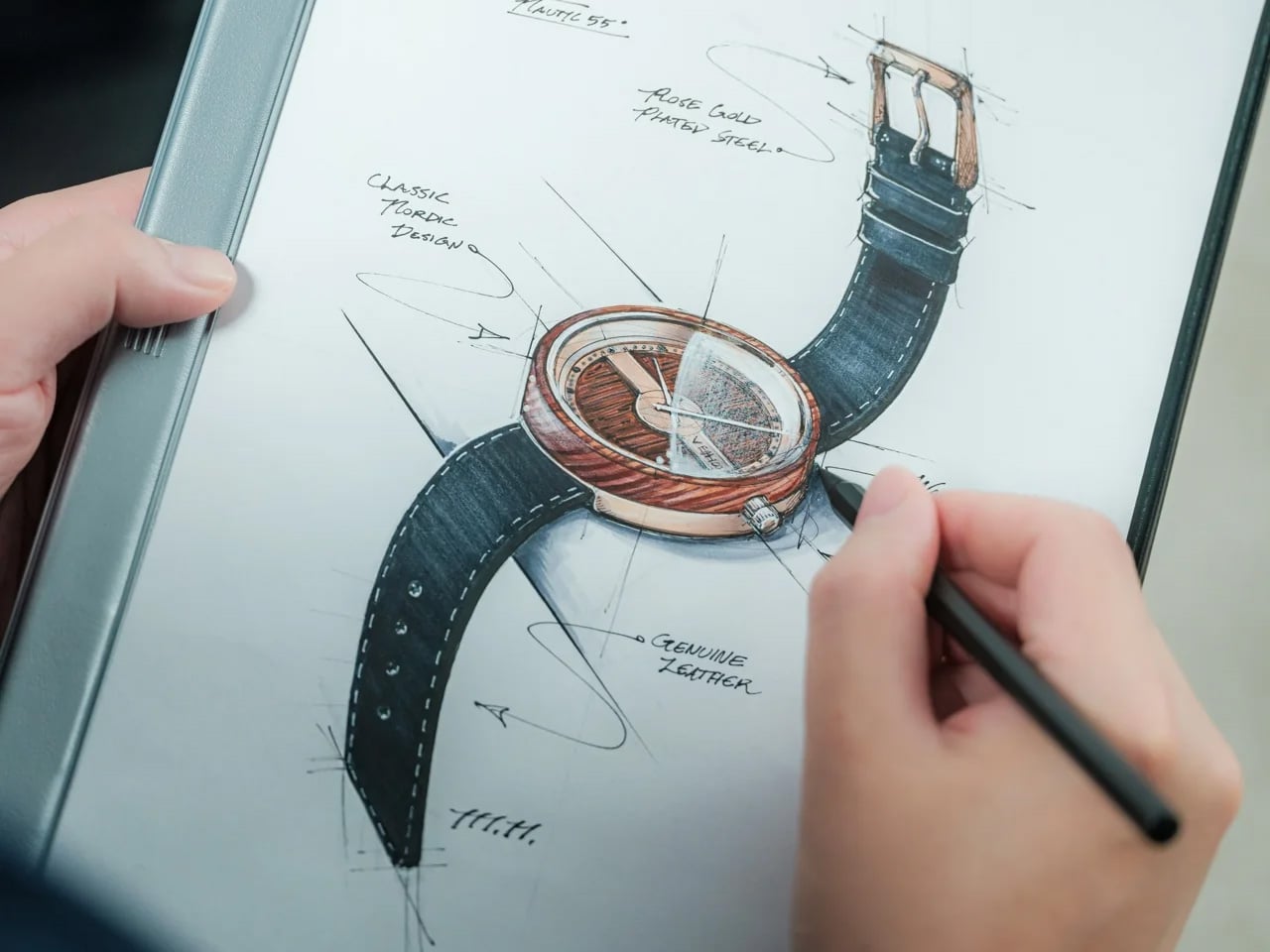

A loose sheet is handy right up until it slips out of a notebook. A reference book is useful until it snaps shut while you’re copying a figure. Neither problem calls for a new productivity system, but both can interrupt a task you were already halfway through. The Japanese stationery and desk tools in this list earn their places by making one of those small, recurring annoyances easier to deal with.
Some work by changing how you handle paper. A magnetic clipboard lets you rearrange notes without tearing them out, while a stapleless fastener uses the paper itself to hold a packet together. Others are about keeping what you need in sight: a pen beside its notebook, a reference spread under clear acrylic, or a rough read on the time in Tokyo. Each solves a different problem, so the right pick depends on what keeps interrupting your work.
1. MagBoard Clipboard
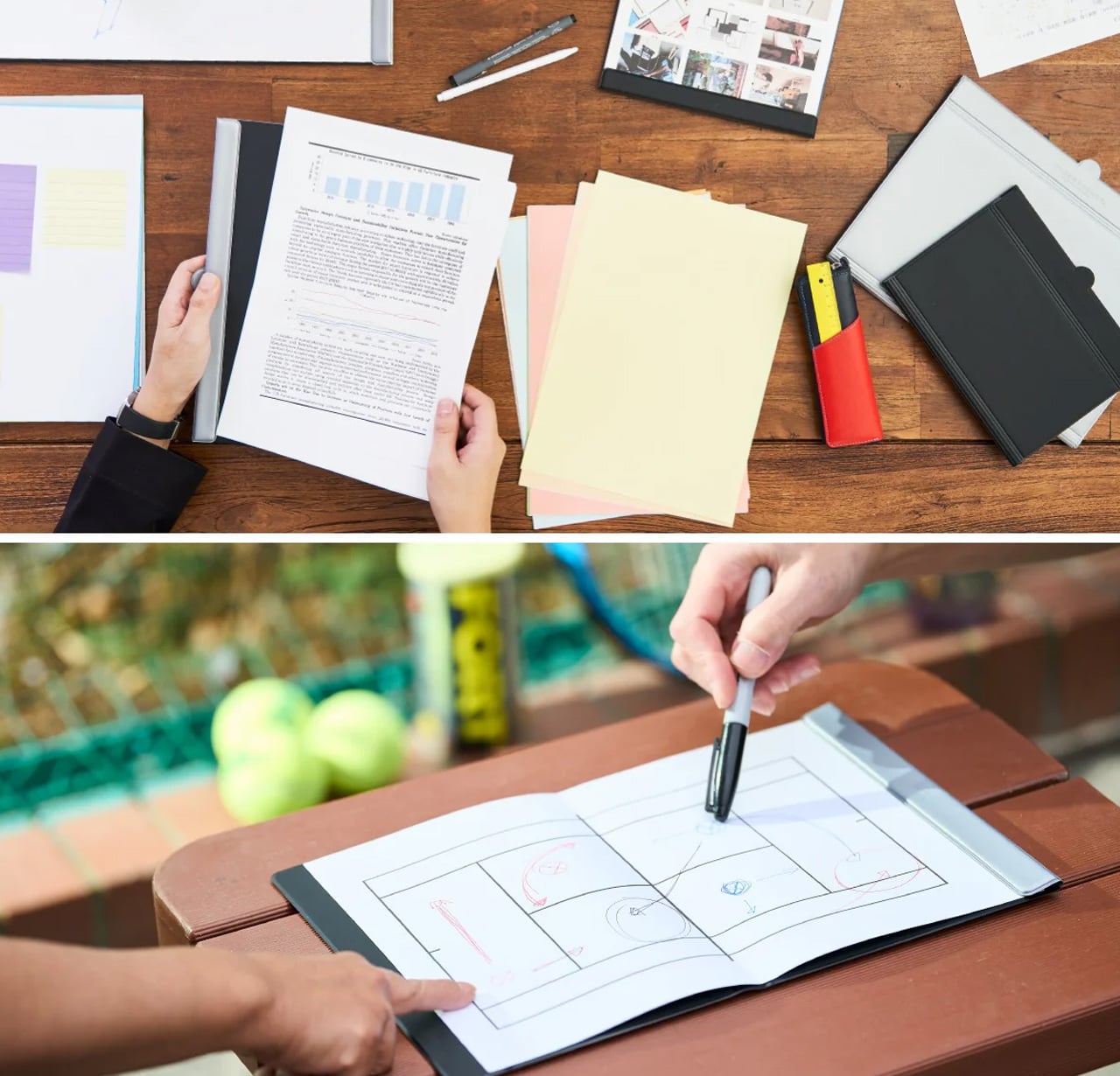


The order in which you take notes rarely matches the order in which you need them later. Hirock Design Office’s MagBoard Clipboard gives loose sheets a hard cover and holds them with a magnetic lever rather than a permanent binding. Lift the lever, and you can bring a checklist to the front, slip a printed plan behind it, or take out a finished sketch without sacrificing the rest of the stack. The listed capacity is up to 30 sheets.
The A4 version makes sense for working from printouts, while the A5 version suits shorter notes you want to carry between desks or rooms. The rigid cover gives you something to write against when there’s no table nearby. That combination makes it a good fit for a site walk, a photo shoot, or any job where the sheet you need changes as you go. Treat it as a place for the work in progress, then file what you’re done with.
Click Here to Buy Now: $45 Black Friday Edit – Pick 2, save 10%. Pick 3+, save 15%. Plus a free $20 desk calendar with every order.
What we like
- The lever lets you move an important page to the front without tearing it out, punching holes, or copying it into another notebook.
- The hard backing makes the clipboard useful away from a desk, where a loose sheet or a soft notebook cover would give your pen less support.
What we dislike
- The stated limit of 30 sheets makes it a poor home for an entire project archive. You’ll still need somewhere to put the pages you take out.
- The cover is water resistant, but the paper inside isn’t. Think of it as a writing surface you can wipe clean, not protection for documents in the rain.
2. Stellar Edge Scissors
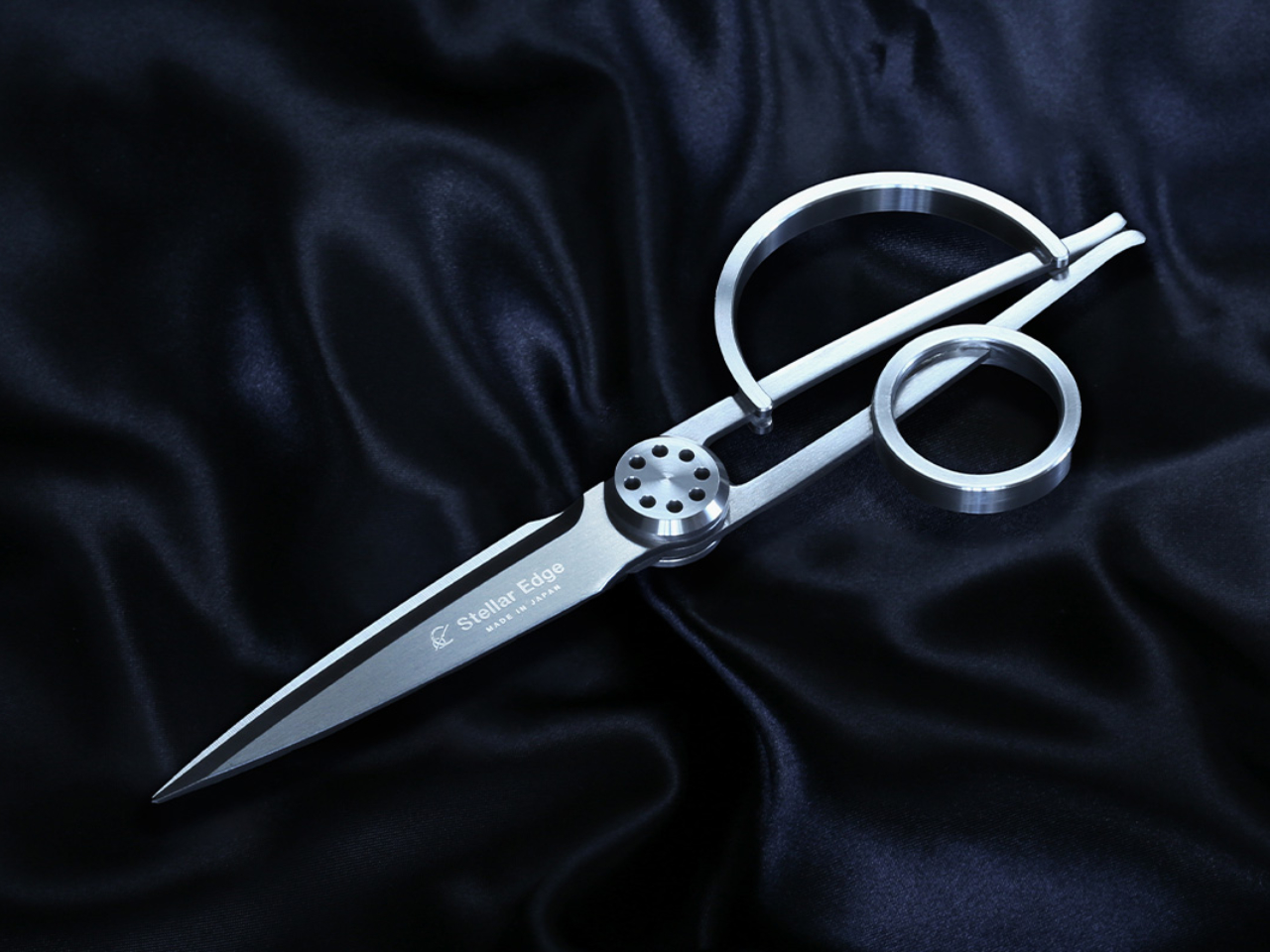
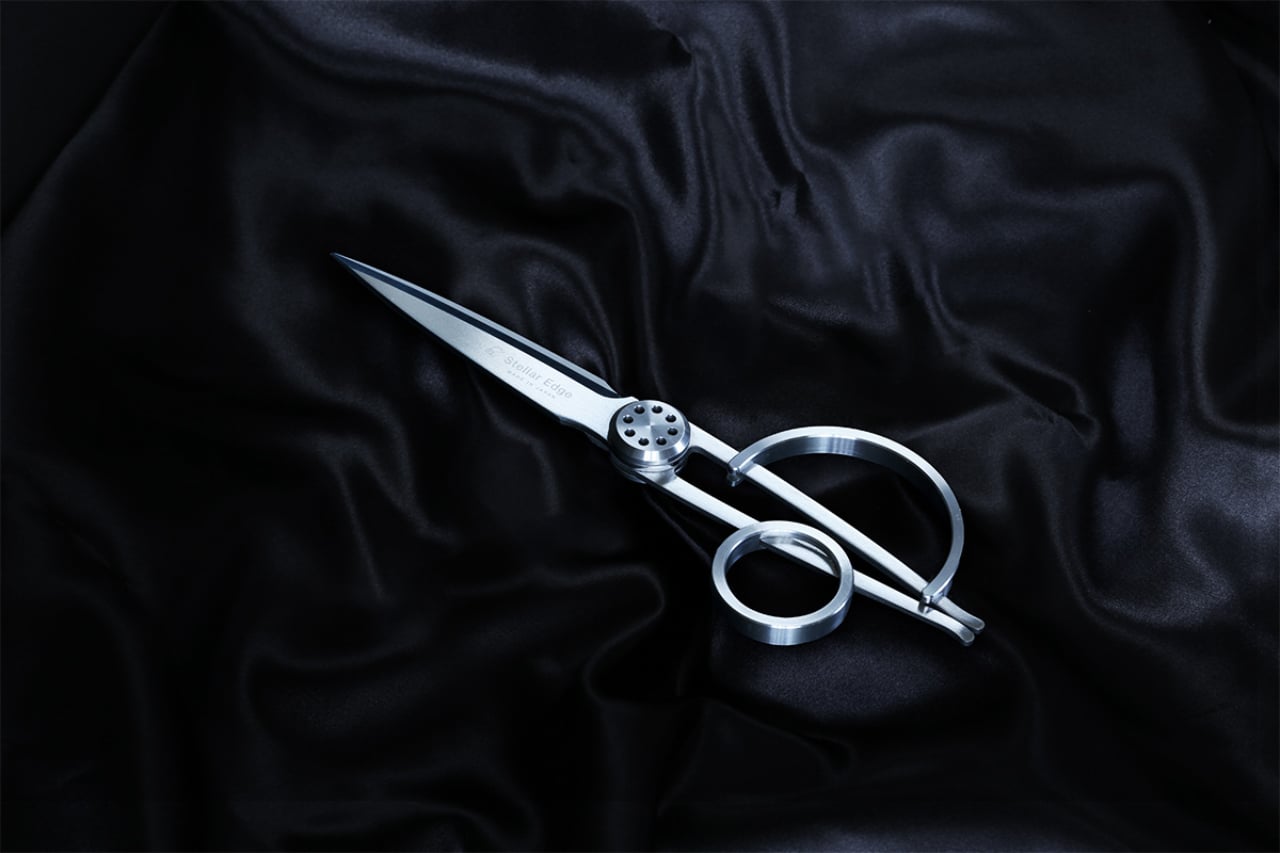

The Stellar Edge Scissors have a long, straight blade profile that ends in two decidedly uneven finger loops. Seki design firm D-Art developed them with local scissor maker Obara, whose craftspeople sharpen and adjust each pair by hand, according to the project’s original campaign. The blades use cutlery-grade stainless steel, while the handles and rivet are also stainless steel. At 171 mm long with an 80 mm blade, they’re sized for a desk drawer rather than a pocket kit.
The blade length is the useful detail if your work involves trimming printouts, cutting out paper templates, or cropping reference images for a board. There’s enough edge to make a longer cut without reaching for a much larger pair of shears. The asymmetrical handles are what make these an interesting design pick, though they’re also a reason to try the grip before buying if you can.
What we like
- The 80 mm blade is a useful length for trimming printouts and templates, where tiny travel scissors would call for more snips.
- The sculpted steel loops give the scissors a distinctive silhouette without adding decorative parts to the tool.
What we dislike
- This version is designed for right-handed use, a meaningful restriction on a pair with such deliberately shaped handles.
3. Inseparable Notebook Pen
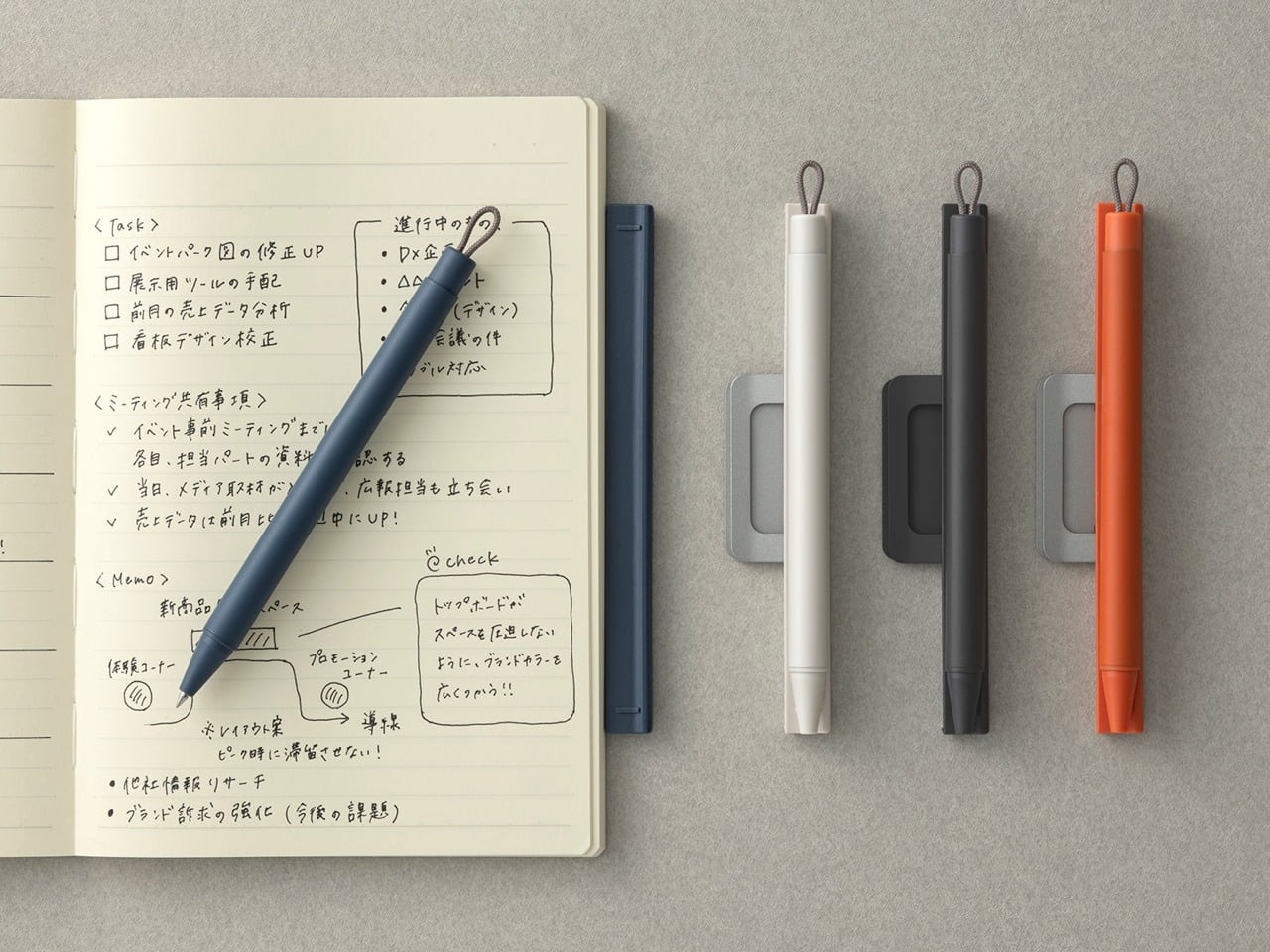
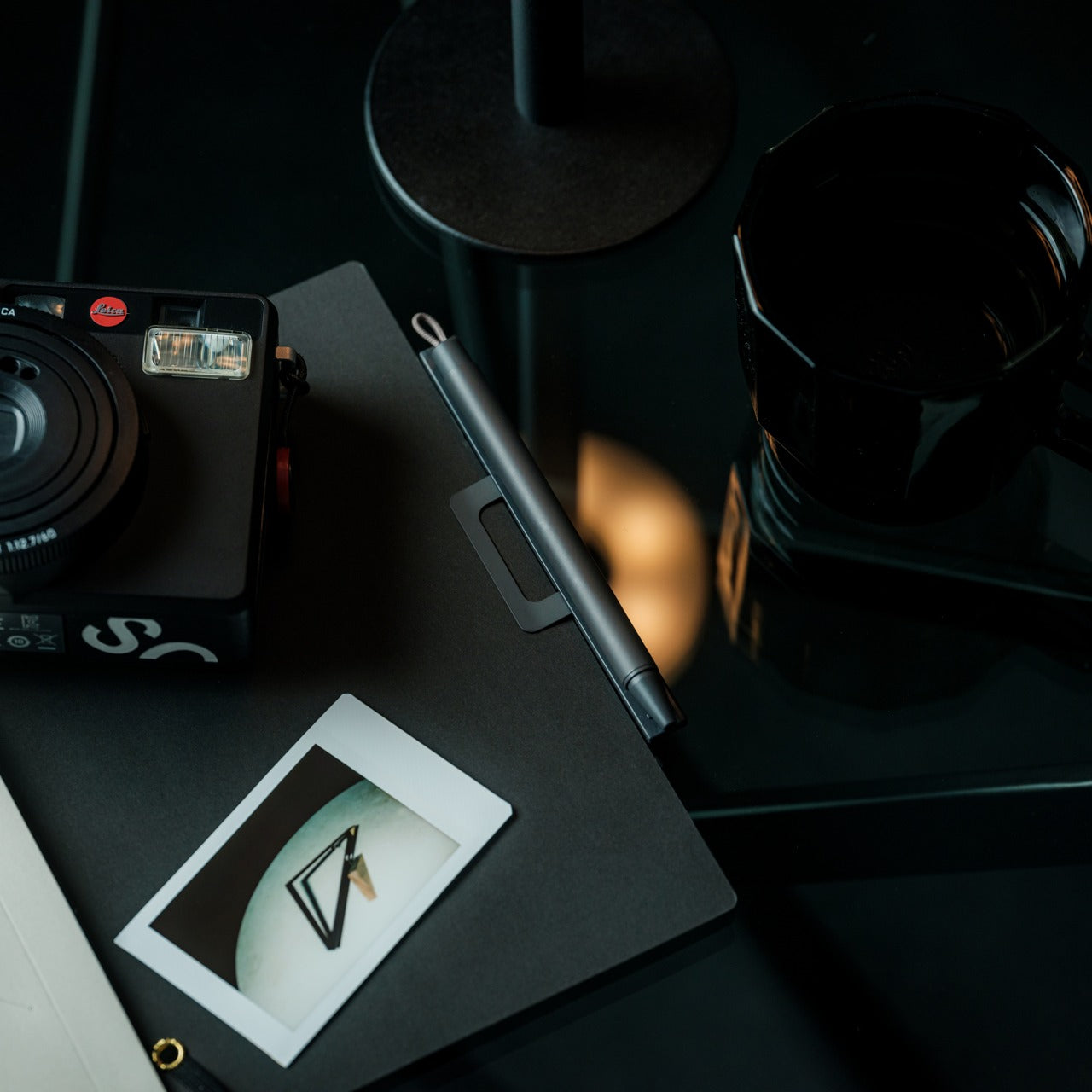

The Inseparable Notebook Pen gives a gel pen a parking spot along the edge of a notebook. A slim holder clips onto the back cover, and a magnet in the holder catches the pen when you bring it close. Pull the fabric tab to lift the pen away, then click the tip out to write. Unlike an elastic loop, the holder doesn’t require you to feed the barrel through it.
The dock is more useful than it might sound if your work takes you from one room to another with a notebook in hand. The pen has an obvious place to go when you close the book, and you can move the holder to a fresh notebook when the old one fills up. It has a 0.5 mm gel tip and a replaceable JK-0.5 refill. The design makes the most sense if you already like a fine gel line and tend to use one pen for most of your notes.
Click Here to Buy Now: $19.95 Black Friday Edit – Pick 2, save 10%. Pick 3+, save 15%. Plus a free $20 desk calendar with every order.
What we like
- The magnetic holder lets you lift the pen straight off the notebook and put it back without threading it through a loop.
- The ink is replaceable, and the holder can go onto another compatible notebook instead of staying with a book you’ve finished.
What we dislike
- The clip needs a cover it can grip. Thick or bulky planner covers may not fit, so check the notebook you actually carry before ordering.
- The dock is shaped for this pen. If you regularly switch among a pencil, a marker, and a favorite fountain pen, a conventional pen case is more flexible.
4. STALOGY Editor’s Series 365 Days Notebook, A6
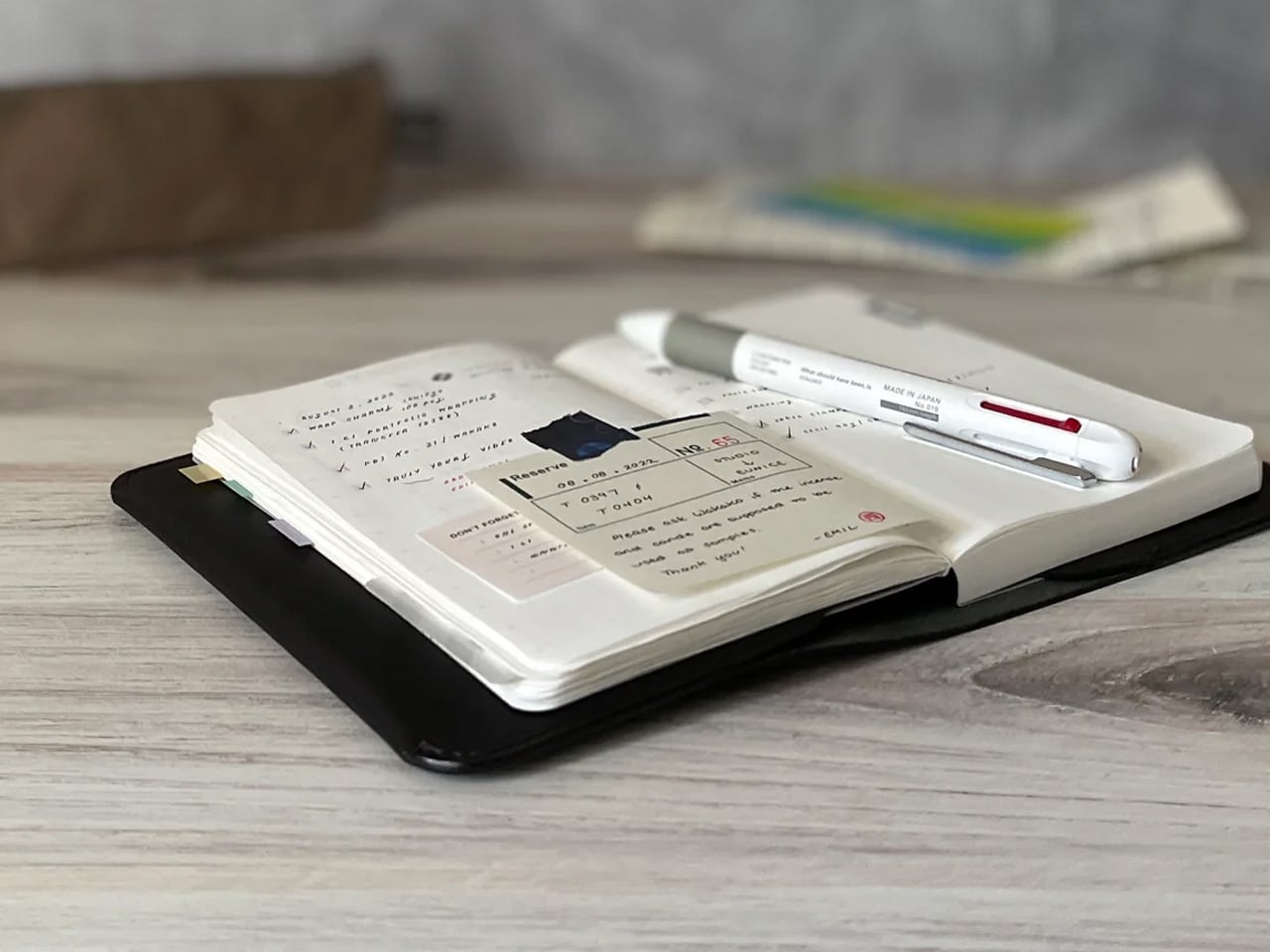
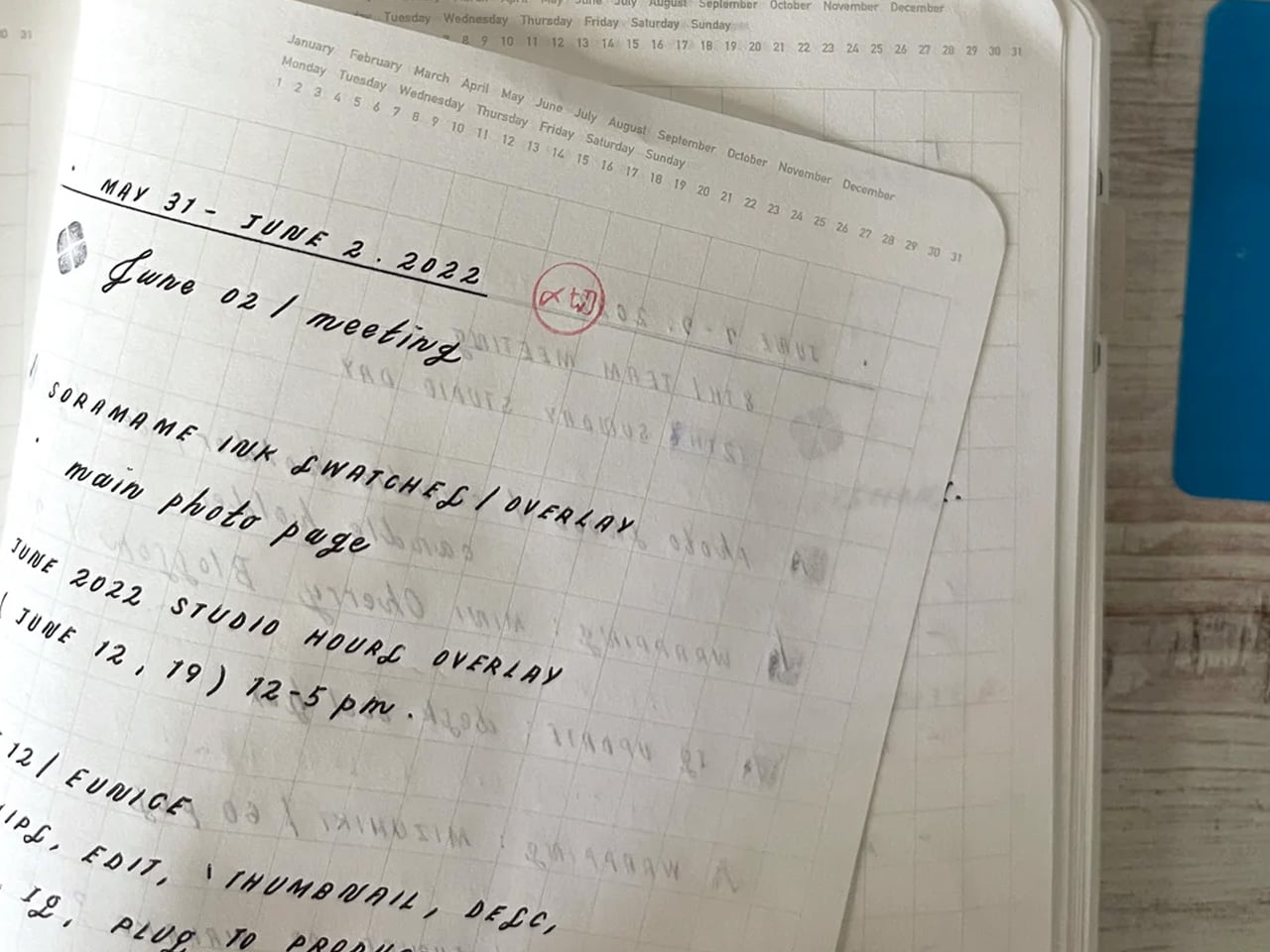
The page of STALOGY’s A6 365 Days Notebook comes with just enough structure to be a planner and just enough space to ignore that structure altogether. There’s a faint grid, small date and weekday markings, and an hourly scale from 8 a.m. to 9 p.m. down the side. The 368 pages fit into a compact book because STALOGY uses thin paper. You can fill a page on a busy Tuesday and pick up on the very next page two weeks later, with no printed dates left blank in between.
That freedom makes the notebook especially useful when your days don’t all look alike. Use the hour marks on a day packed with appointments, then ignore them when the next page needs to hold interview notes or a rough layout. The A6 footprint keeps the book small enough to carry without making it a separate item to think about. If you prefer seeing an entire week alongside your notes, though, you’ll need to draw that spread yourself or use a separate calendar.
What we like
- The undated pages accommodate gaps, so a quiet week or a stretch away from work doesn’t leave a run of unusable calendar pages.
- The faint grid and timeline give a daily plan some structure without getting in the way when the page turns into a sketch or a list.
What we dislike
- The printed dates and times are tiny. If you want a schedule you can read at arm’s length, the understated typography works against you.
- A6 is easy to carry, but it’s a cramped format for broad layouts, large handwriting, or notes that need several columns side by side.
5. PageForm Book Weight
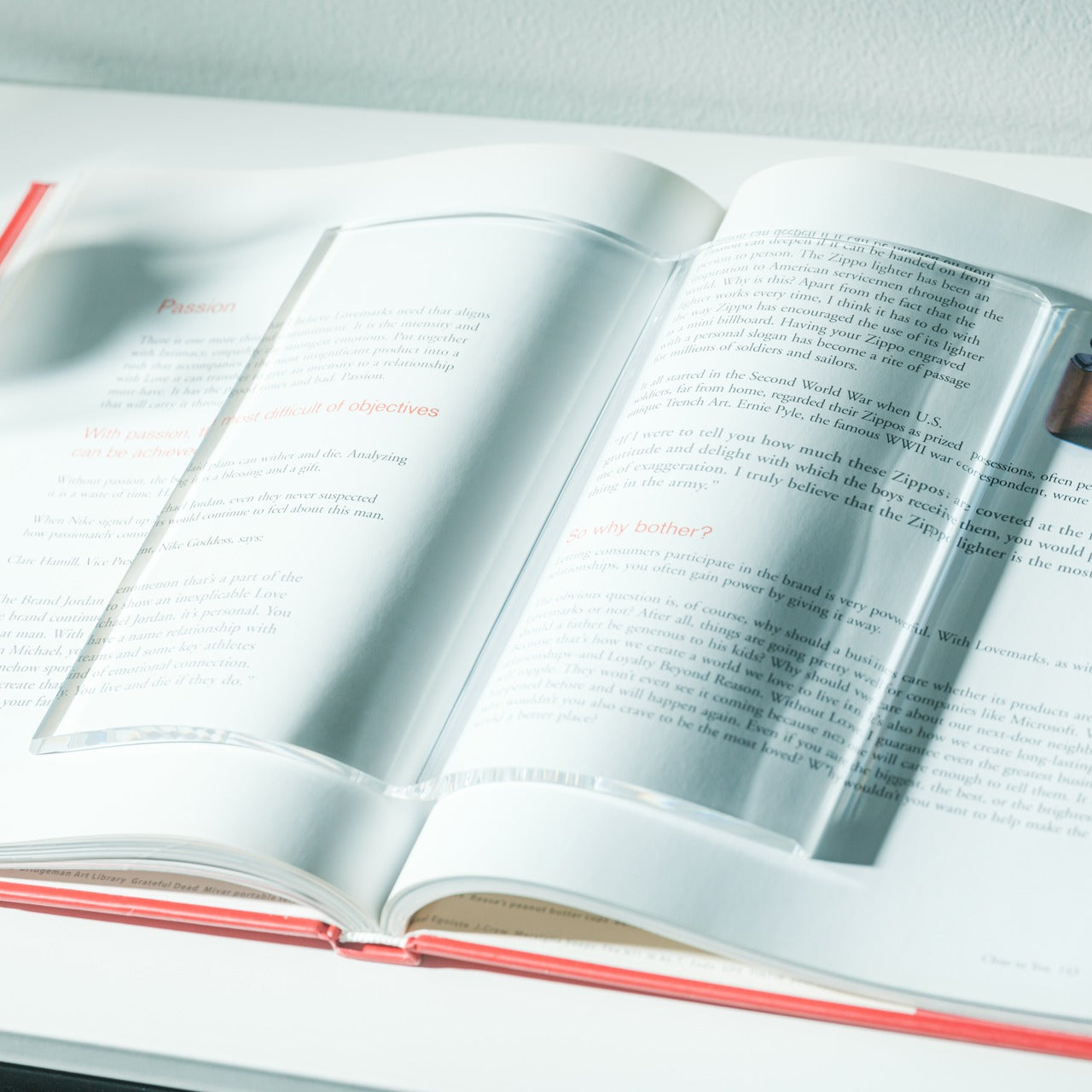
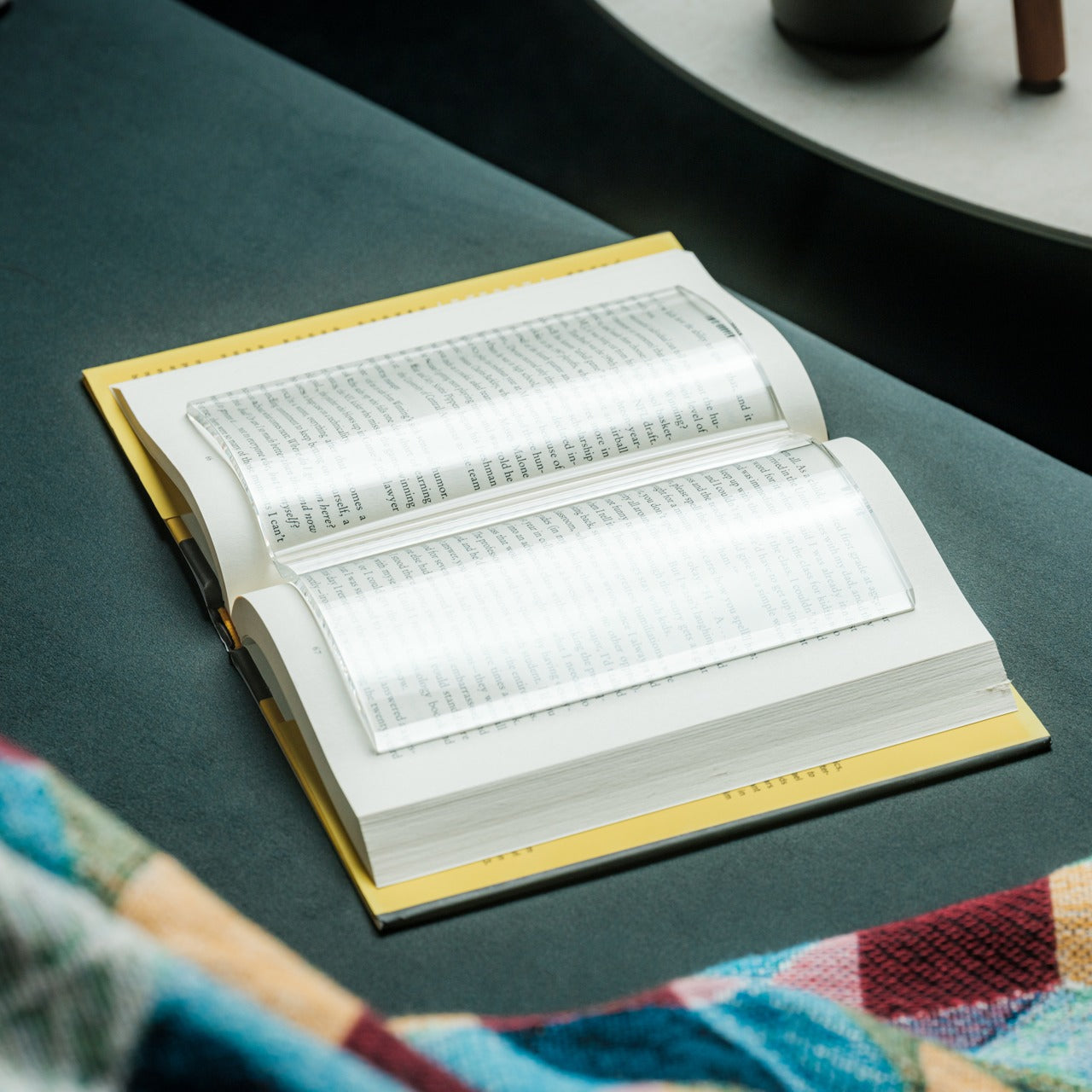
A phone makes a passable book weight until you need to read the sentence underneath it. Japanese design studio TENT solves that problem with a clear acrylic form that looks like an open book itself. The PageForm weighs 220 grams, and its curved profile follows the spread instead of balancing flat across the spine. The weight holds the pages down while leaving the print visible, with no clips to position around the edges.
PageForm makes the most sense when the book and the work in front of you are separate things. Set it over a recipe while you measure ingredients, keep a technical diagram open while you take notes, or leave a reference image in view while you draw. In those situations, you might stay on one spread for twenty minutes. If you’re reading straight through a novel or leafing through a catalog, having to move the acrylic every time you turn a page changes the bargain.
Click Here to Buy Now: $70 Black Friday Edit – Pick 2, save 10%. Pick 3+, save 15%. Plus a free $20 desk calendar with every order.
What we like
- The clear acrylic keeps text and images visible where an improvised weight would block part of the page.
- The curve is shaped around the open book, so there are no clips to fit and no stand to unfold before you start working.
What we dislike
- It has to be moved when you turn the page. That’s an acceptable tradeoff for a reference spread, less so for continuous reading.
- At 220 grams and about 21 centimeters wide, it makes more sense beside a book on a desk than tucked into one on a commute.
6. SAND IT Document Holder
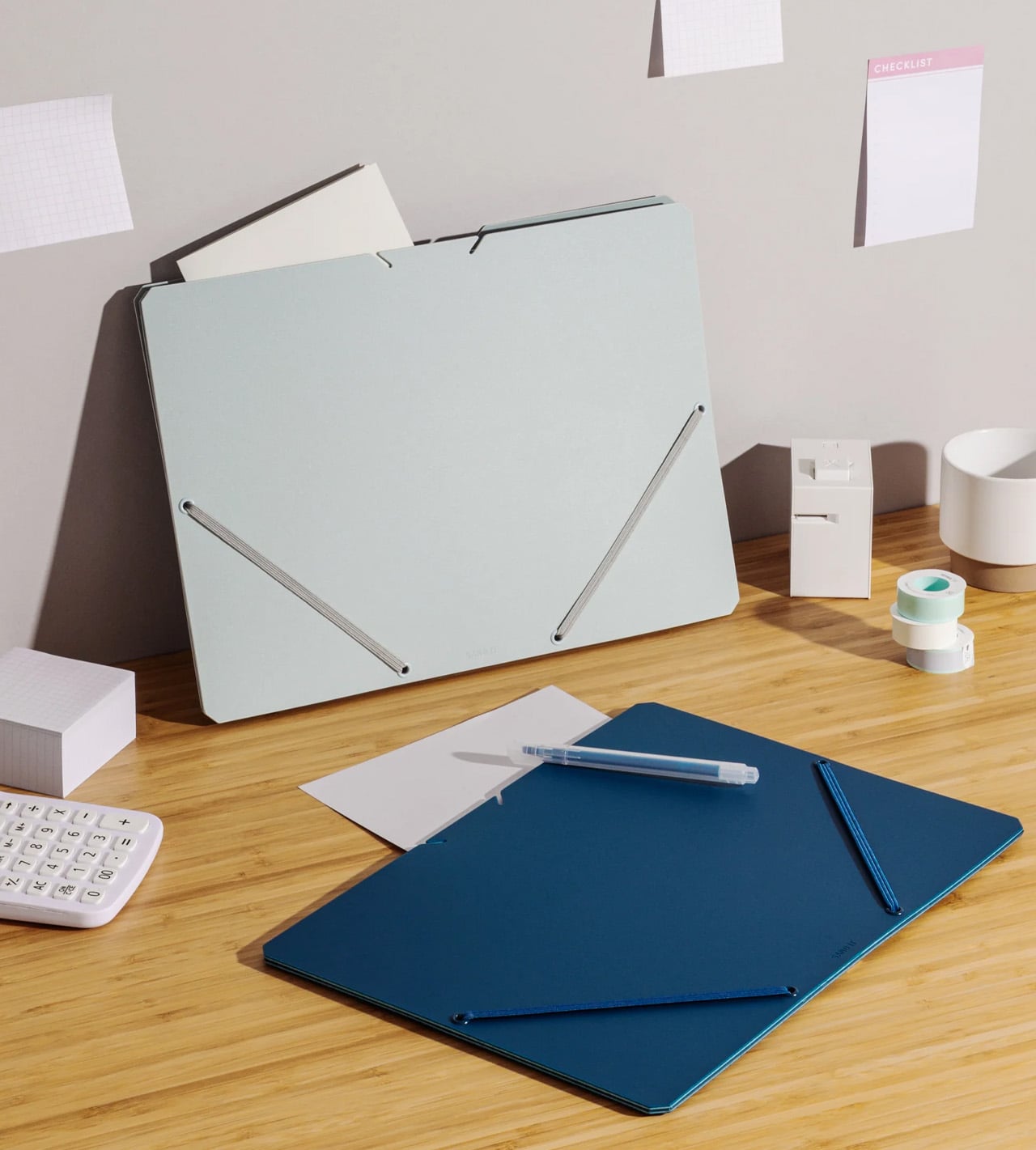

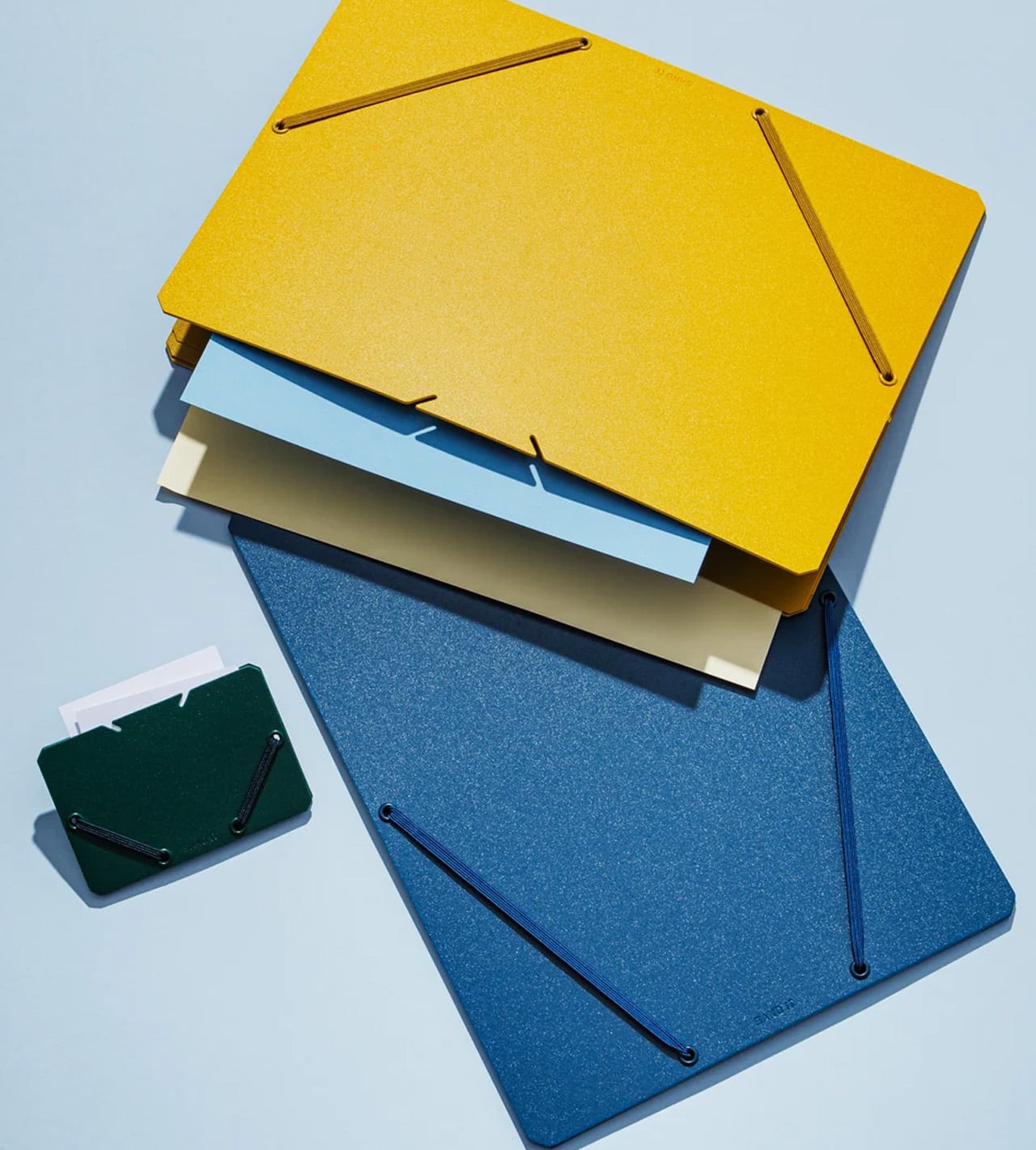
A standard folder has roughly the same shape with one sheet inside as it does when you’re trying to stuff an entire booklet into it. King Jim’s SAND IT changes thickness with the load. An elastic cord draws together the polypropylene panels and gives as you add papers, file folders, or a slim notebook. The horizontal A4 model has two index dividers, enough to keep distinct sets of papers apart without asking you to feed every sheet into a sleeve.
Where the MagBoard holds the page you’re marking up, SAND IT carries the paperwork you want nearby but don’t want on the desk yet. You could use one section for the documents you’re taking to a meeting and another for the ones you bring back. King Jim rates the A4 model for about 250 sheets of copy paper, though folders and booklets take up space differently. For a changing stack that needs to travel together, choose it for its responsive thickness.
What we like
- The elastic binding hugs a small stack and expands around bulkier contents, so you don’t have to choose a different folder every time the load changes.
- Two dividers are enough for simple separations such as outgoing and incoming paperwork, or drafts and reference sheets.
What we dislike
- The manufacturer specifies A4 compatibility. If you mainly carry US Letter documents or folders, confirm the fit instead of assuming the formats are interchangeable.
- Two dividers are limiting once you need a separate space for every client or subject. This is better for moving current work than indexing an archive.
7. Rolling World Clock

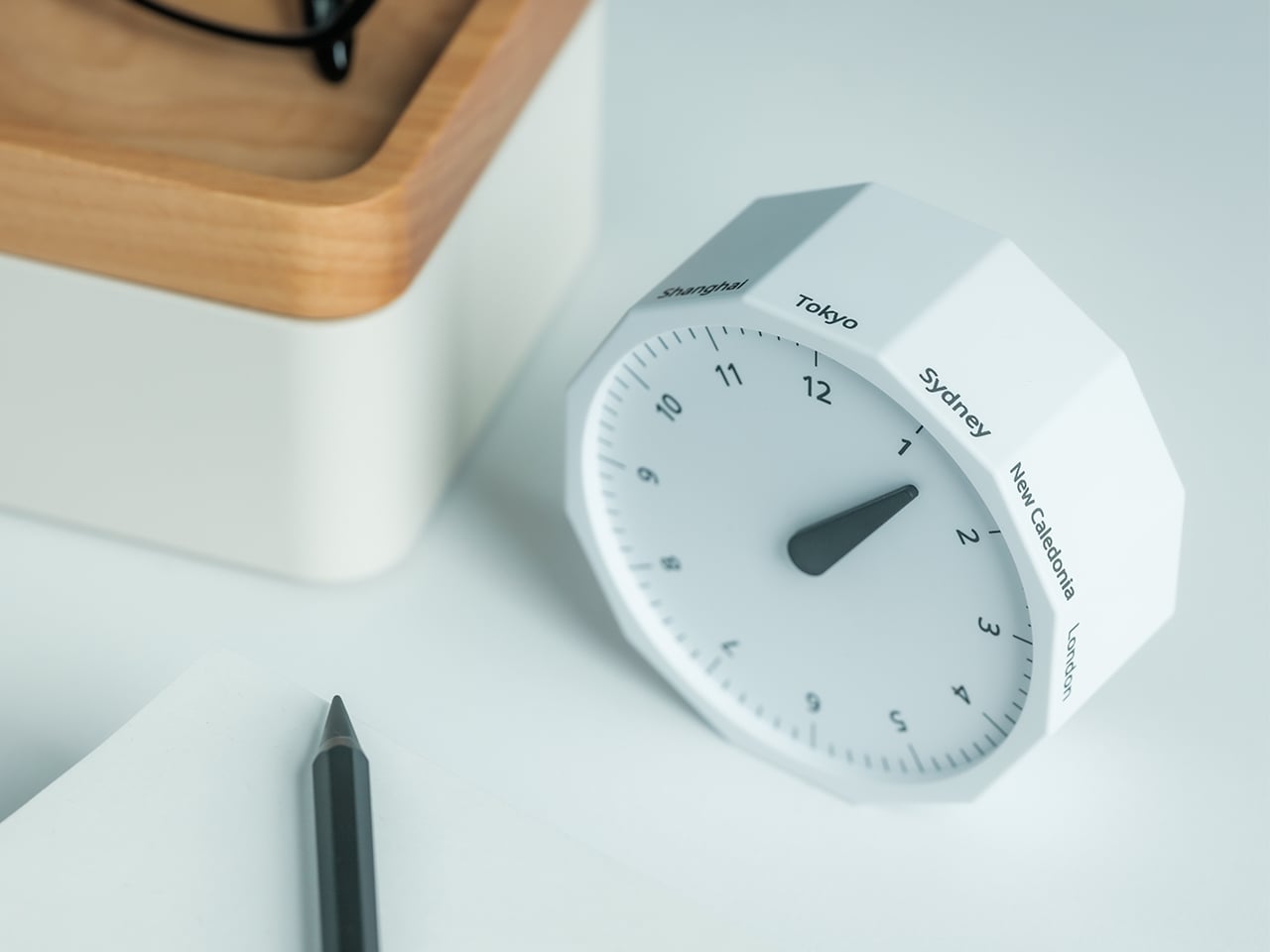
Masafumi Ishikawa’s Rolling World Clock replaces a time zone menu with twelve flat sides. Each side represents a location. To check another, roll the clock until its label faces up, then read the single hour hand against the dial. It’s a desk accessory rather than stationery in the strict sense, but it fits a workday that crosses time zones. If you routinely work with someone in Tokyo, for example, the city label gives you an immediate place to look before deciding whether to send a message now or leave it for later.
The clock is best at answering a rough question: is their workday underway or already over? Ishikawa’s version uses fixed time offsets and doesn’t account for daylight saving time. It also has no minute hand. Keep it for the quick check that doesn’t need a screen, then open your calendar when a meeting invitation needs the exact local time. Its appeal is how directly the physical object expresses the time difference, even if that directness comes at the cost of precision.
Click Here to Buy Now: $60 Black Friday Edit – Pick 2, save 10%. Pick 3+, save 15%. Plus a free $20 desk calendar with every order.
What we like
- Rolling the case makes selecting a time zone a single physical action, with the place names right on the object.
- The compact case gives you a dedicated time zone reference without leaving several clock faces or a browser tab open.
What we dislike
- It doesn’t adjust for daylight saving time, so the displayed hour can differ from local time where clocks change seasonally.
- It covers twelve locations and has no minute hand. It’s useful for a glance, but it’s not the only clock you’d want to consult before a call.
8. MONO Air Touch Refillable Correction Tape
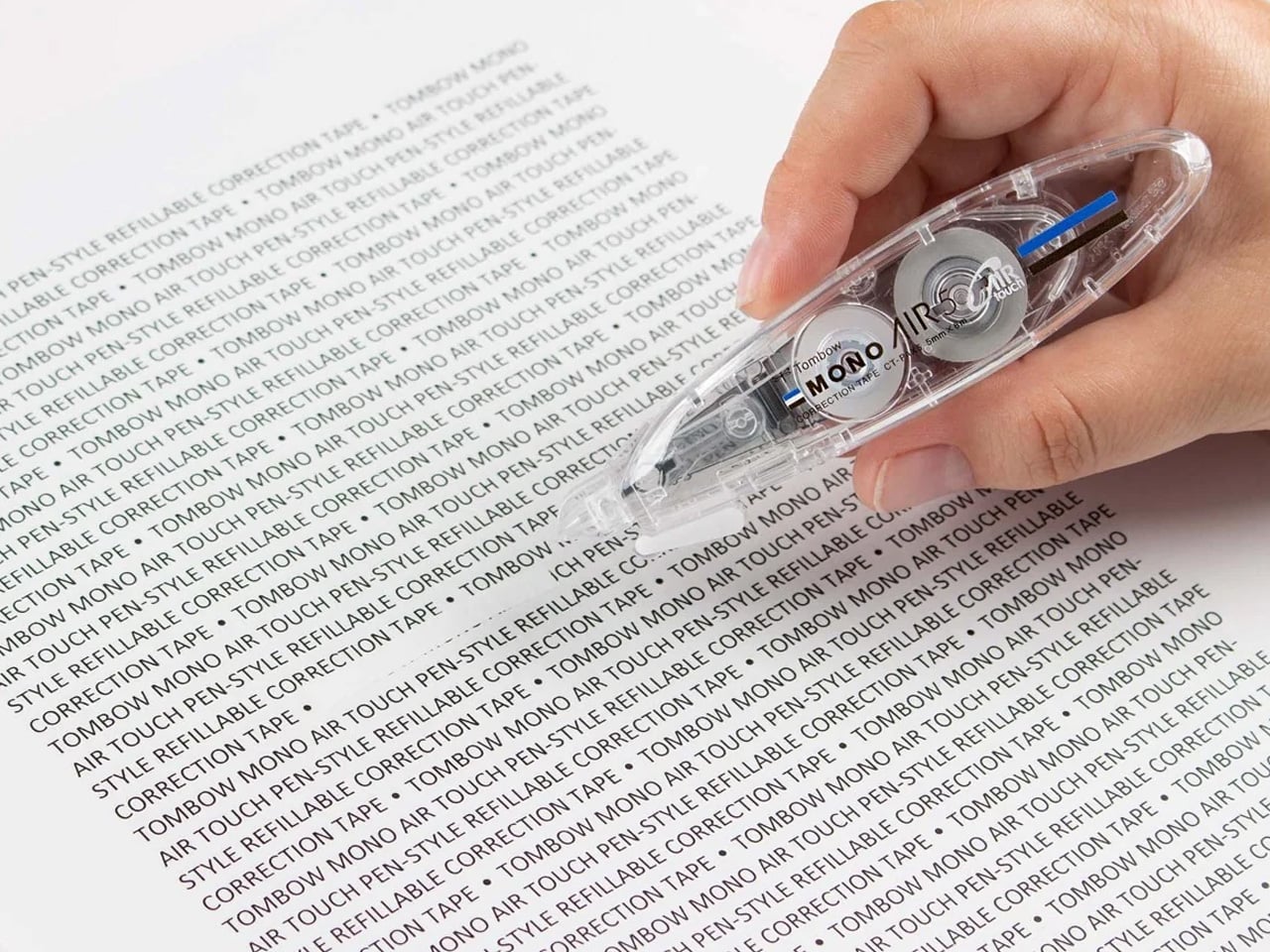
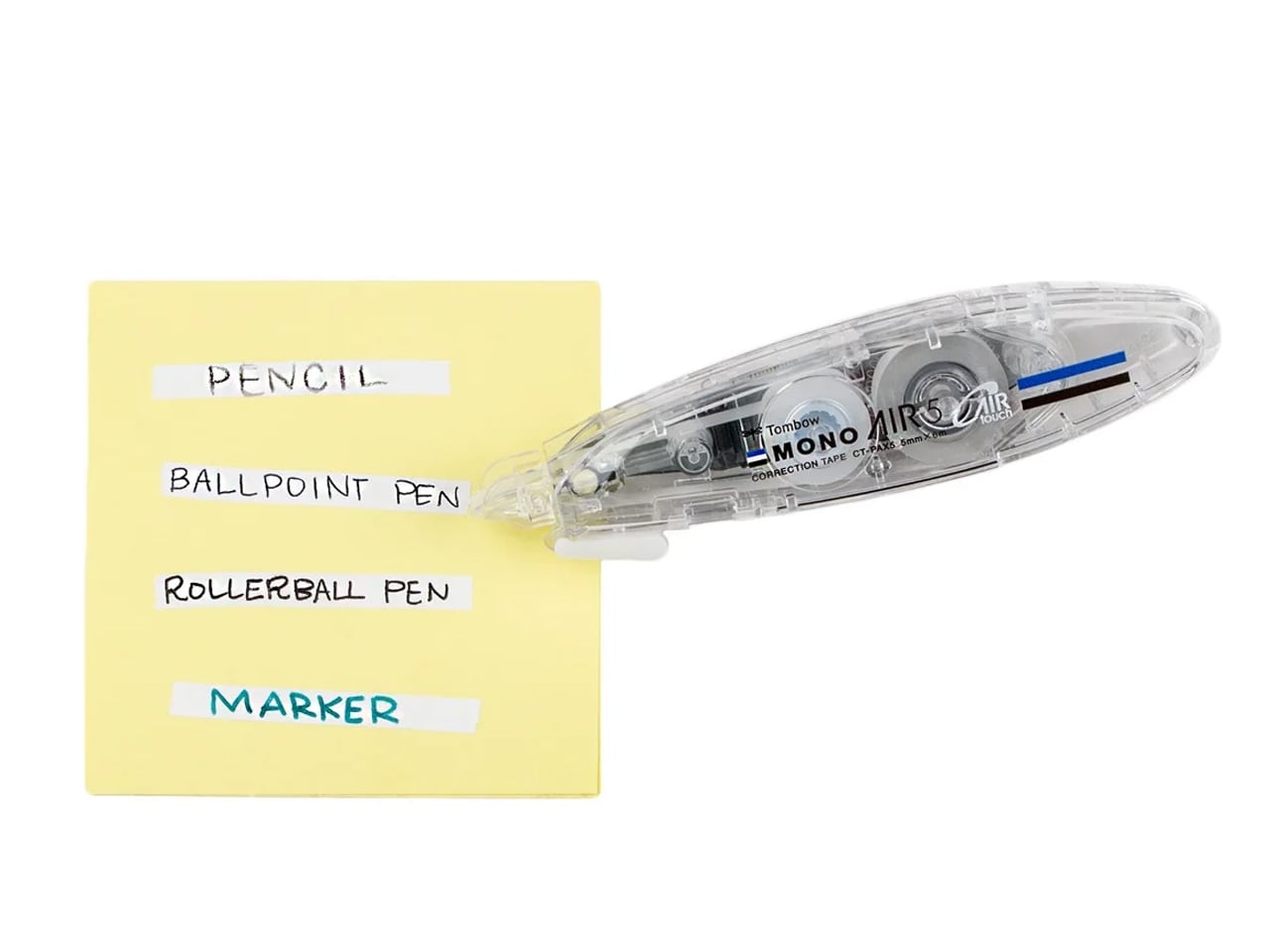
The test of correction tape is whether fixing the mistake takes longer than making it. The MONO Air Touch addresses two parts of that job with a pivoting head and a mechanism that stops the tape feed at the end of a stroke. Its narrow, pen-shaped body is designed for top application, and the 5 mm white tape can be written over immediately. Change an appointment or a deadline in ink, and you can put the new information down without waiting for correction fluid to dry.
The refill system is a quieter part of the design, but it may matter more if you keep a paper planner year after year. A new cartridge snaps into the applicator, so running out of tape doesn’t mean replacing the body. There’s a protective tip cover for storing it alongside pens, too. Of the tools here, this one is most useful to someone whose handwritten plans change often enough that crossed-out entries start competing with the information they actually need.
What we like
- The tape goes on dry, so you can write in the corrected time or task while you’re still looking at the same page.
- The replaceable cartridge lets you keep using the applicator, and the cover shields the tape head when it goes into a pencil case.
What we dislike
- White tape can stand out on cream or colored paper. It also covers any printed lines or grid underneath the correction.
- The 5 mm strip is better suited to a line of writing than a large block. For a whole paragraph, expect to make several passes.
9. Kokuyo Harinacs Compact Alpha Stapleless Stapler
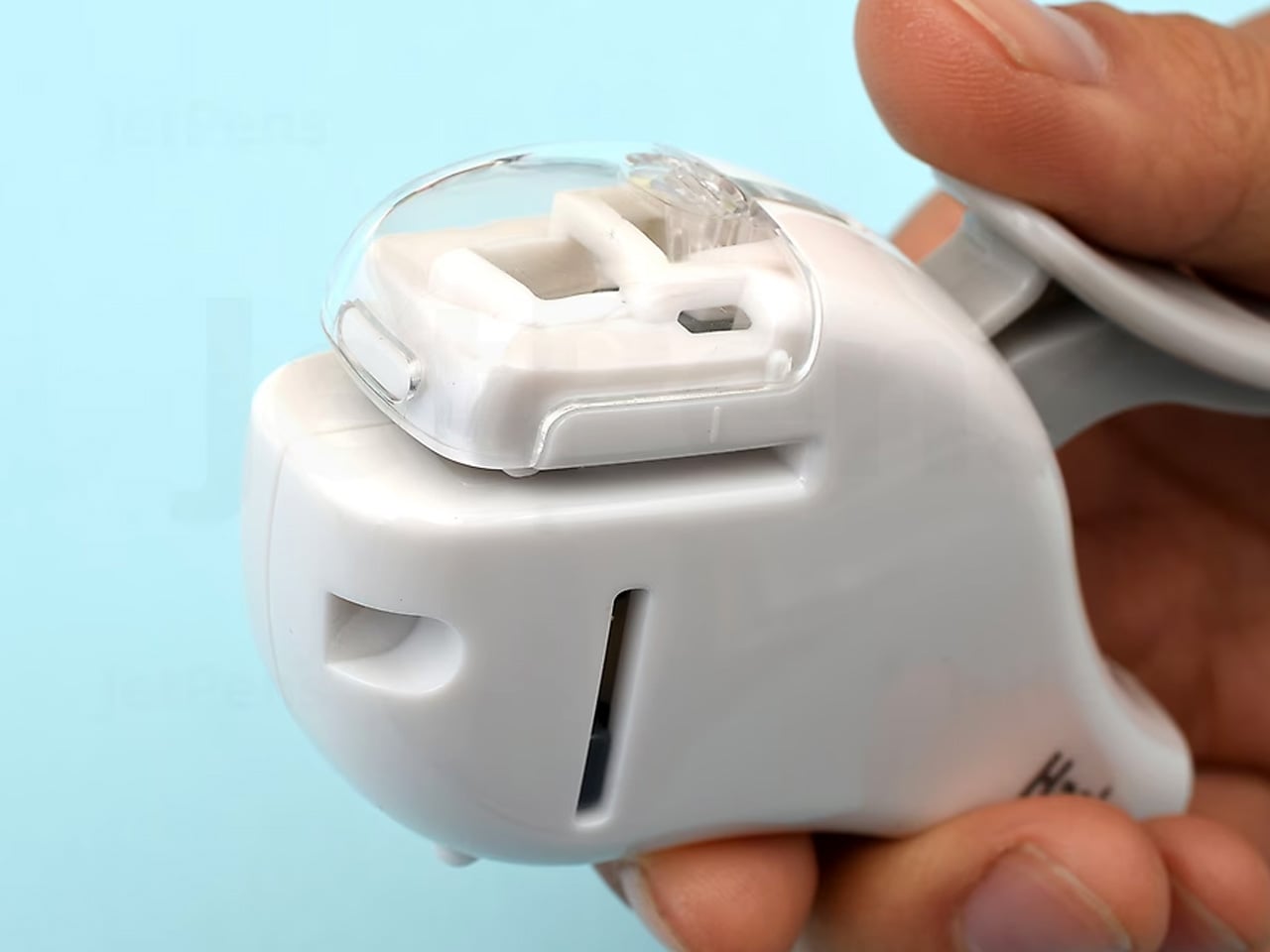
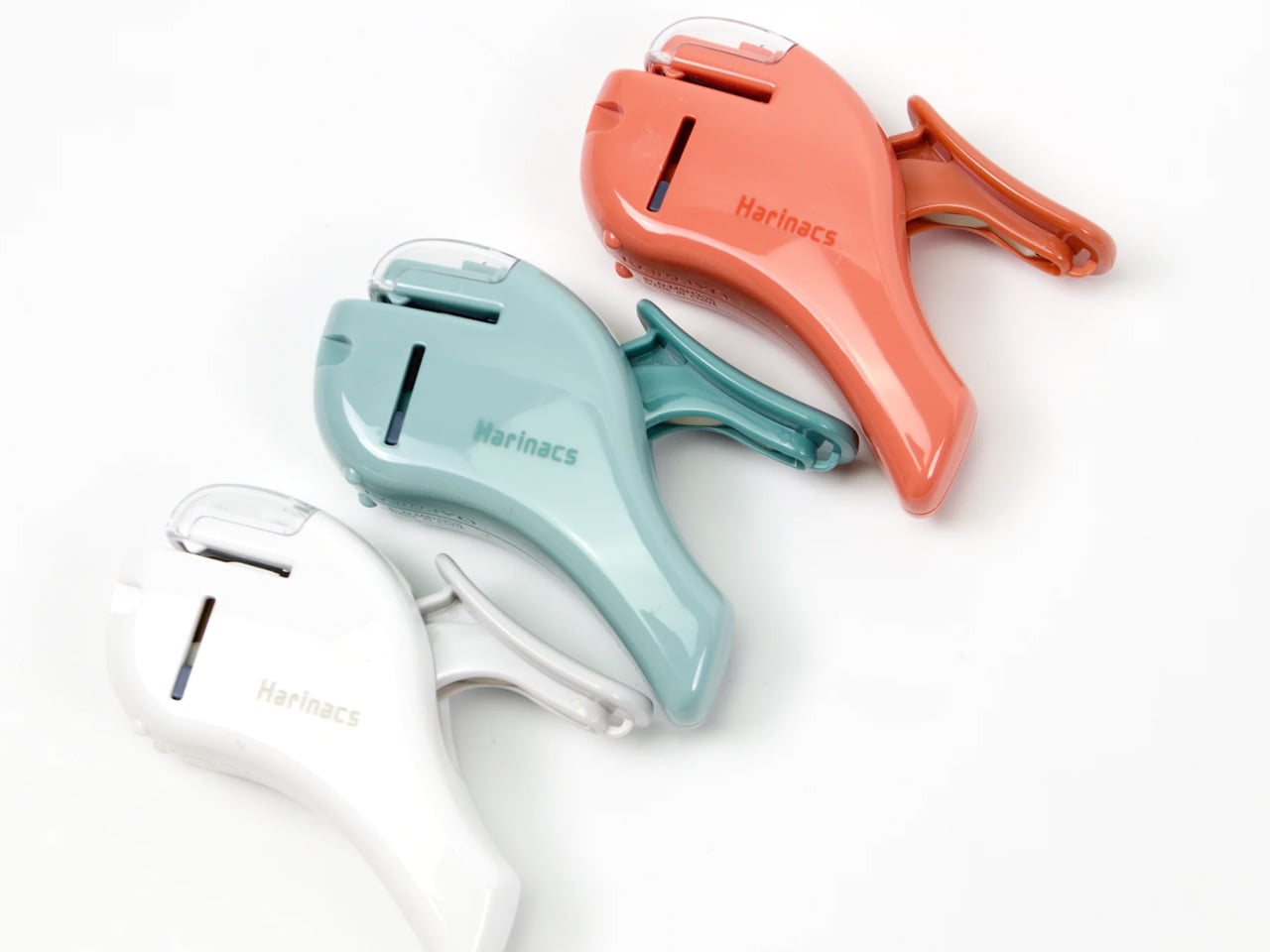
Squeeze the Harinacs Compact Alpha, and it cuts a small tab from the sheets, folding that paper back through a slit to hold the stack together. The paper becomes its own fastener. A small window lets you check where the binding will land, and the tool can fasten at a corner or along one side. Kokuyo rates it for about five sheets of copy paper. Unlike the Harinacs Press, which crimps the sheets, this Compact Alpha intentionally leaves a small hole.
Five sheets is plenty for a short agenda, a few pages of notes, or a set of instructions you want to pass to somebody without losing the final page. There’s no staple magazine to refill, and the body is small enough to keep nearby without giving it much room. Use an ordinary stapler when the packet is thicker or needs a stronger grip. Kokuyo says the paper fastening doesn’t hold as firmly as a metal staple, and the capacity depends on the paper.
What we like
- The stack supplies its own fastener. There are no metal staples to buy, load, or remove afterward.
- The viewing window helps you position the punch where it won’t interfere with a page number, margin note, or line of text.
What we dislike
- The five-sheet rating applies to copy paper. Other stocks may reduce the capacity or hold less securely, so it isn’t a dependable substitute for a stapler on thick packets.
- The punch leaves a visible hole. Use a removable clip instead if you need the original pages to stay intact.
10. Mecricco Catch Page Turner

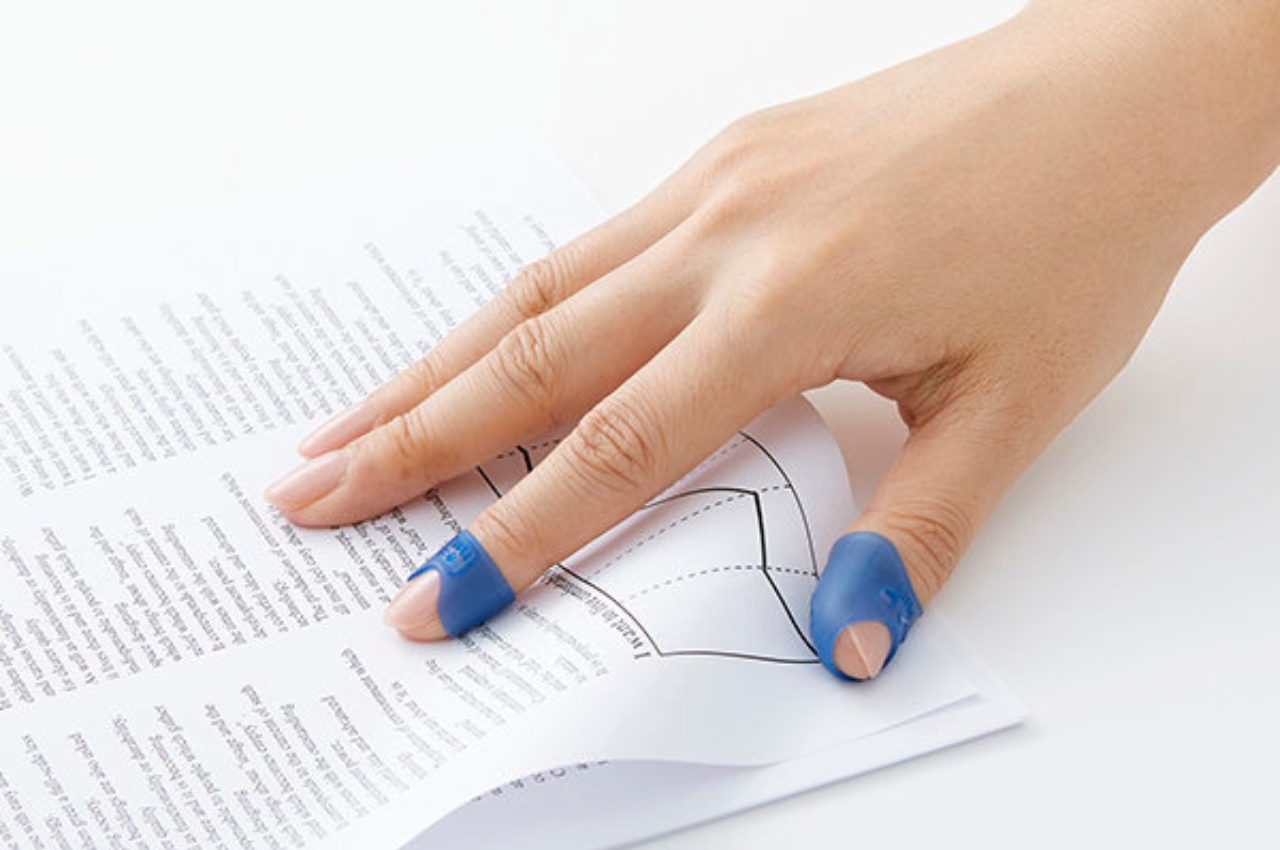

When two sheets keep lifting together, a little more grip is more useful than a heavier hand. PLUS makes the Mecricco Catch from a soft elastomer that puts a grippy surface between your finger and the paper. The cap version has ribs on the side that contacts the sheet, along with ventilation holes and a cutaway at the finger joint. It’s a specialized tool, but the job is familiar: separating one page from the next while proofreading, sorting forms, or matching a stack of printouts against a file.
PLUS also makes a shorter ring version with an open fingertip. That’s the version to look at if you’re alternating between a stack of papers and a keyboard, since you don’t have to cover the whole tip of your finger to get extra grip. The cap extends farther over the fingertip and makes more sense when the stack itself is the job. Both come in multiple sizes. Check the inner diameter before choosing, particularly if you plan to wear one for more than a few pages at a time.
What we like
- The textured cap gives your finger a dedicated gripping surface for lifting individual sheets from a stack.
- The open ring gives you a choice if you need to type between page turns rather than work through a pile all at once.
What we dislike
- Fit matters, and the cap and ring have different size measurements. Check the dimensions for the version you want rather than assuming the same size letter means the same fit.
- It’s narrow in purpose. If you only occasionally turn a page or handle a few printouts, there’s little reason to keep one on your finger.
Start With the Task That Keeps Getting Interrupted
If you keep rewriting a task because it’s buried in yesterday’s notes, the MagBoard lets you move the original sheet. If the problem is finding a particular handout once you’ve left the room, the SAND IT gives the whole stack a place to travel. They’re both paper holders, but one belongs where you’re actively working, and the other earns its keep between desks.
The most revealing choices here are the ones with obvious limits. The PageForm is awkward for a book you’re reading straight through and wonderfully direct for a spread you need to leave open. The Harinacs can’t tackle a thick report, but it can bind a short packet without a metal staple. That’s a useful standard for anything you put on your desk: pick the tool whose limitations don’t get in the way of the job you actually do.