The history of mouse design is essentially a history of addition. More buttons, more weight options, more RGB zones, more surface textures, more software profiles, more reasons to spend three hundred dollars on a peripheral that still cradles your hand in the same closed-shell geometry Bill English built in 1972. The ergonomics conversation in particular has produced some genuinely thoughtful vertical mice and trackball revivals, but even those radical-seeming pivots keep the fundamental assumption intact: that a mouse is a body, and your hand rests on top of it. Psudoku, a maker and keyboard enthusiast whose work lives on GitHub, decided that assumption was the problem.
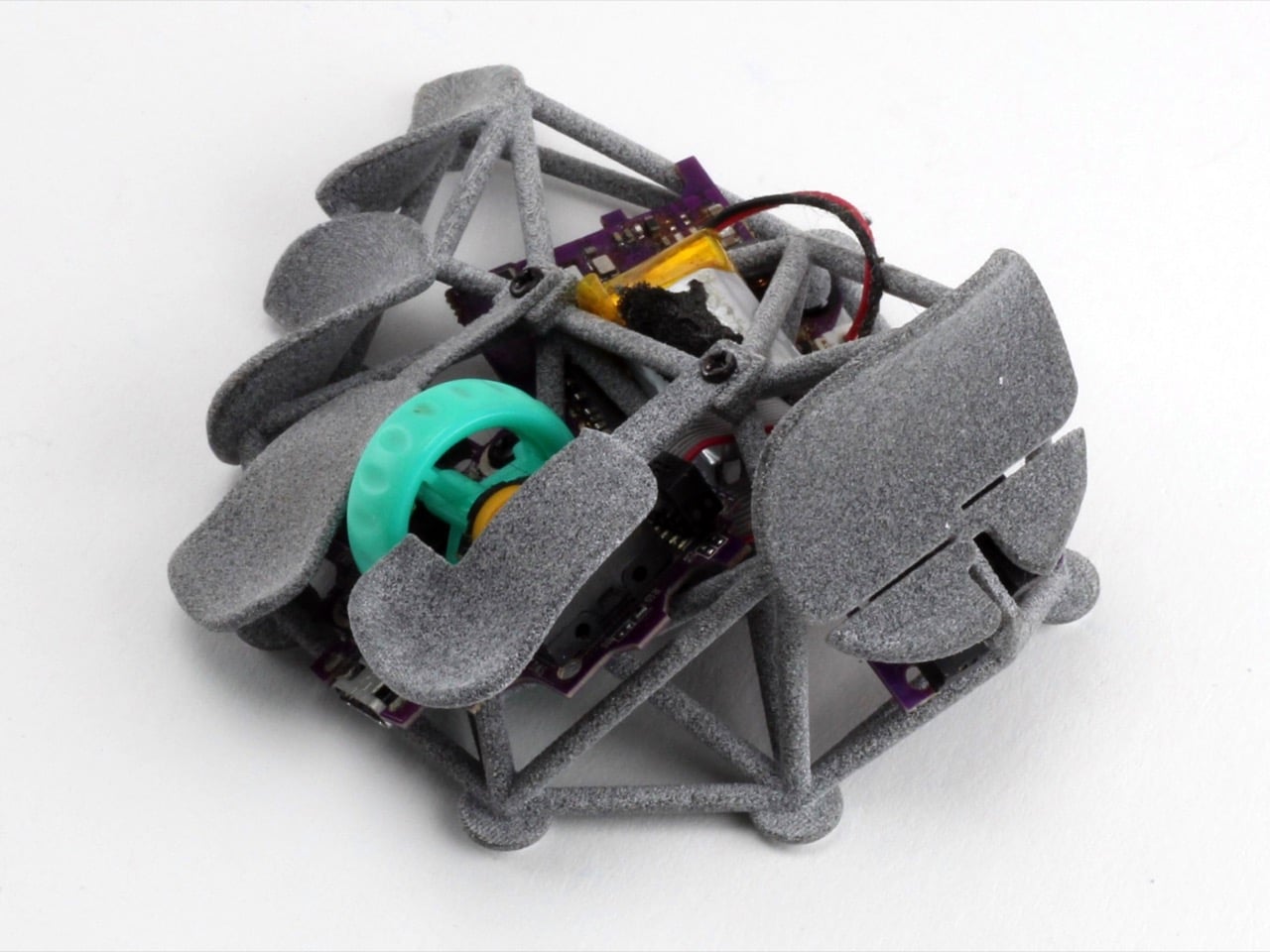
Kotinos is what a wireless mouse fossil looks like, the skeletal trace of an input device after everything non-essential has been removed by time or intent. An open 3D-printed scaffold rises from a flat base, each branch terminating in a small saddle pad matched to a specific fingertip, with the HSK Pro mouse internals sitting completely naked at the center of the lattice. Hand size and paddle geometry are both configurable through OpenSCAD scripts, meaning the fit is genuinely personal rather than averaging across a bell curve of palm measurements.
Designer: psudoku
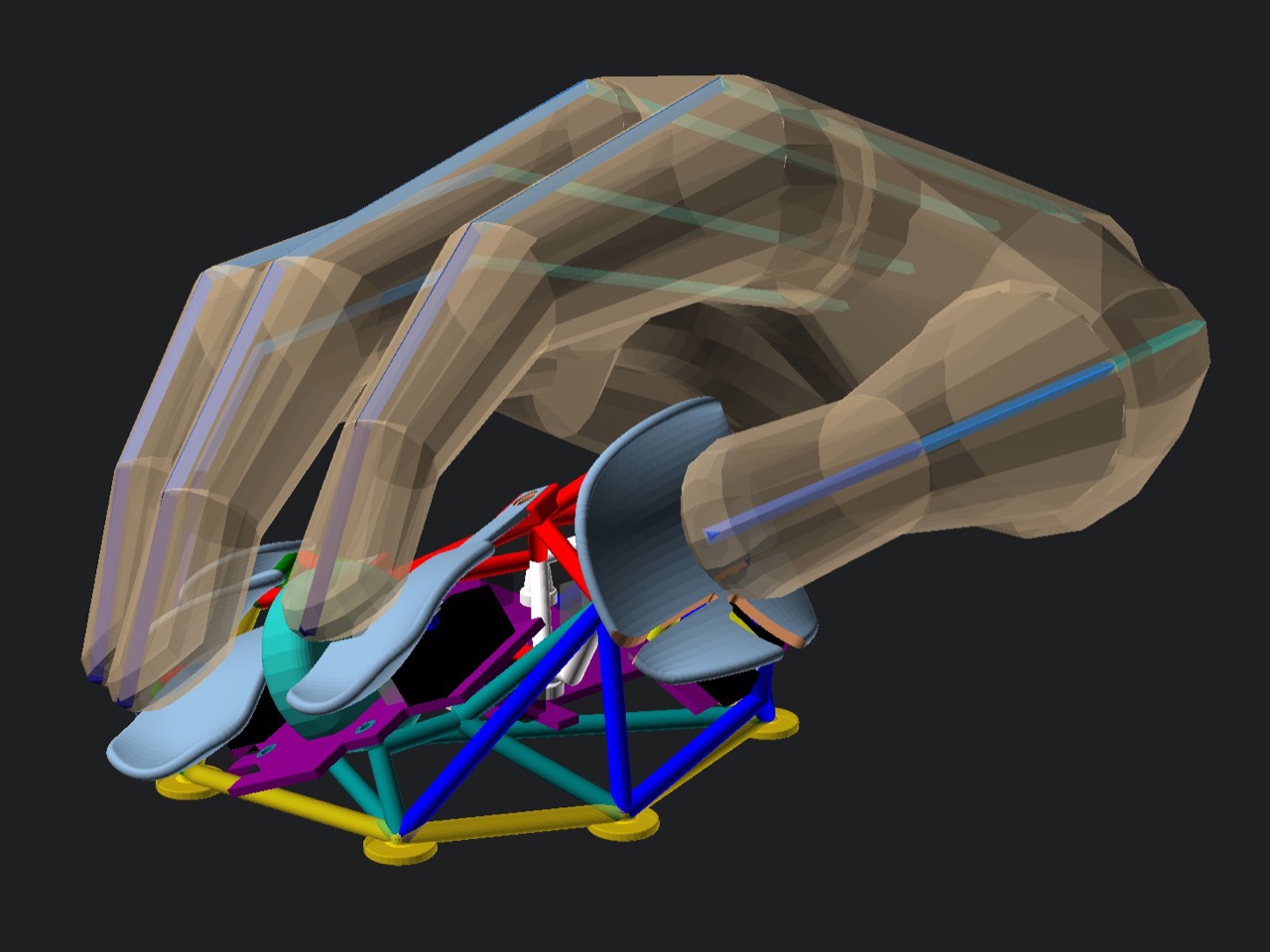
The structural logic here is closer to a finger splint or an orthotic brace than anything in the Logitech catalog, and that framing is deliberate. Traditional mouse shells work by distributing contact across the entire palm and finger surface, which sounds ergonomic until you realize that it also means your hand is constantly fighting the geometry of a form designed for an average that probably doesn’t match you. Kotinos inverts the relationship entirely. The scaffold contacts only the fingertips, each pad saddle-shaped to cradle the distal phalanx rather than the whole finger, and the palm floats free of any surface entirely. Whether that produces genuine relief for RSI sufferers or just relocates the pressure points somewhere new is a question only long-term use can answer, but the premise is at least architecturally honest in a way that most ergonomic marketing copy never manages to be.
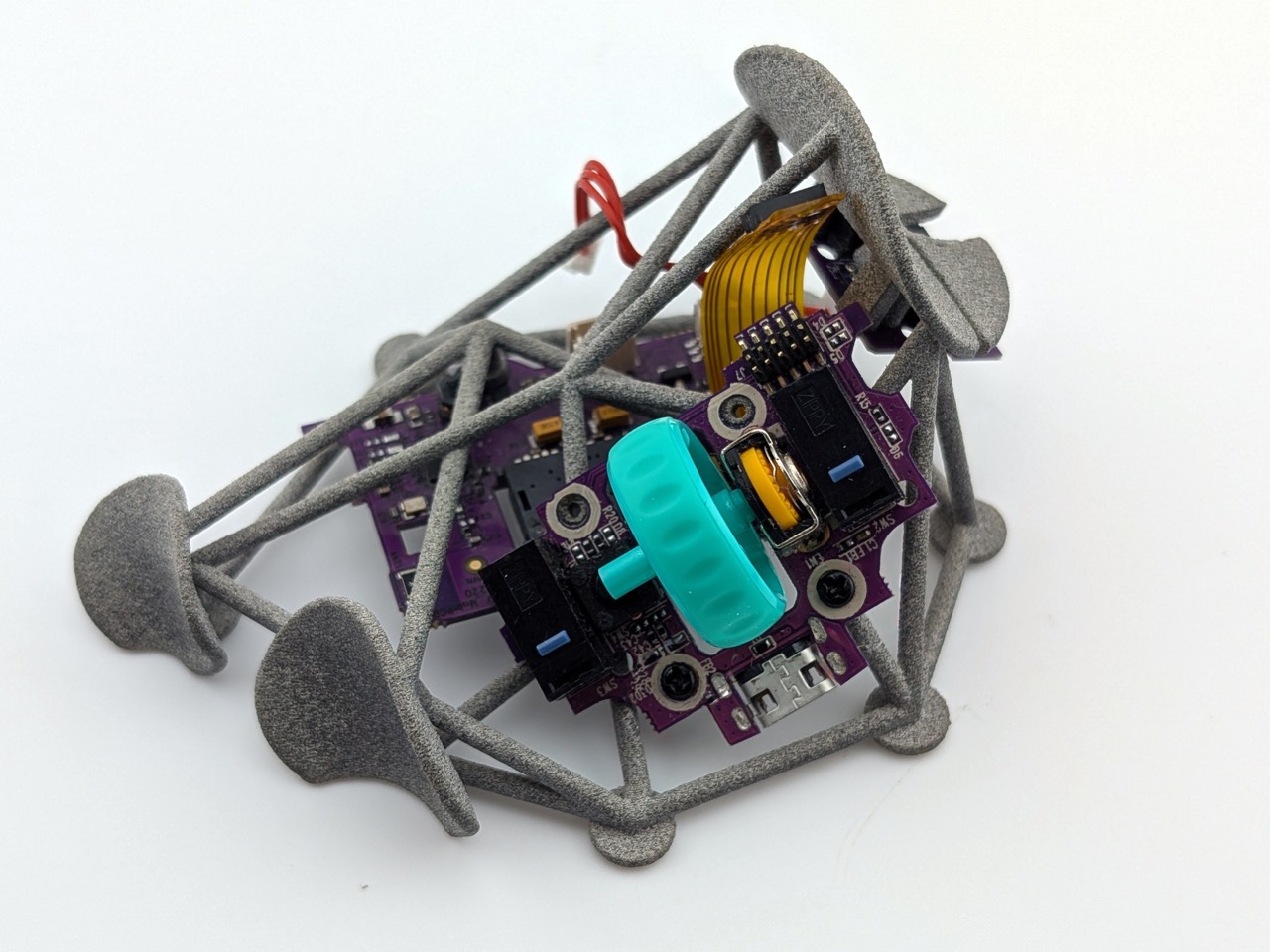
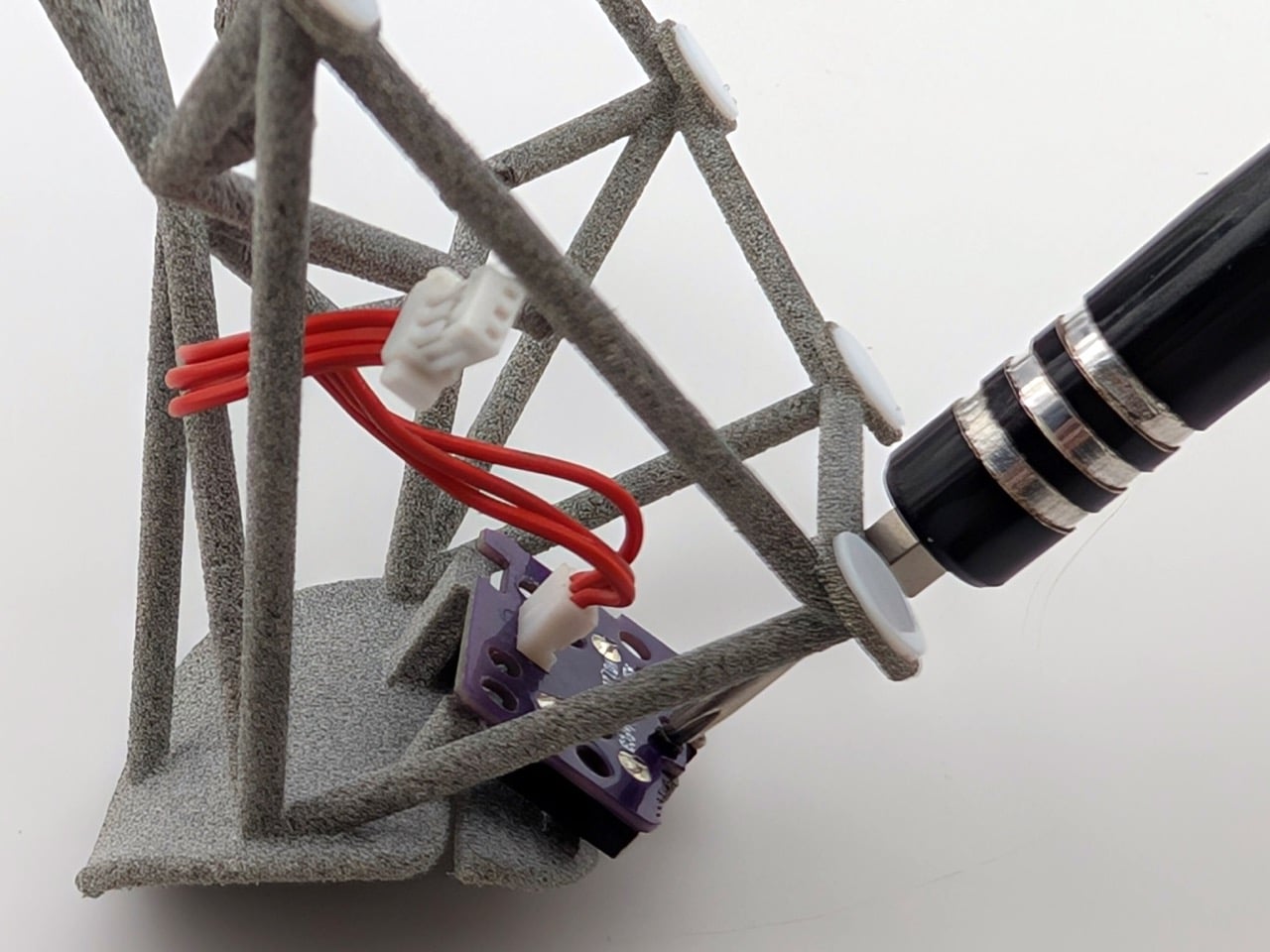
The construction photographs suggest multi-jet fusion 3D printing for psudoku’s own unit, that characteristic fine-grained grey surface that reads almost like sandstone in photographs, though the OpenSCAD source files mean any hobbyist with a resin or FDM printer can generate their own version. The exposed internals are genuinely striking in person: purple PCBs, a teal scroll wheel housing, ribbon cables and red wiring running between struts, all visible through the open lattice like a dissection model. There’s no attempt to prettify any of it. The aesthetic is pure function, which ends up being far more visually arresting than another matte-black gaming peripheral with aggressive chamfers and a glowing logo.
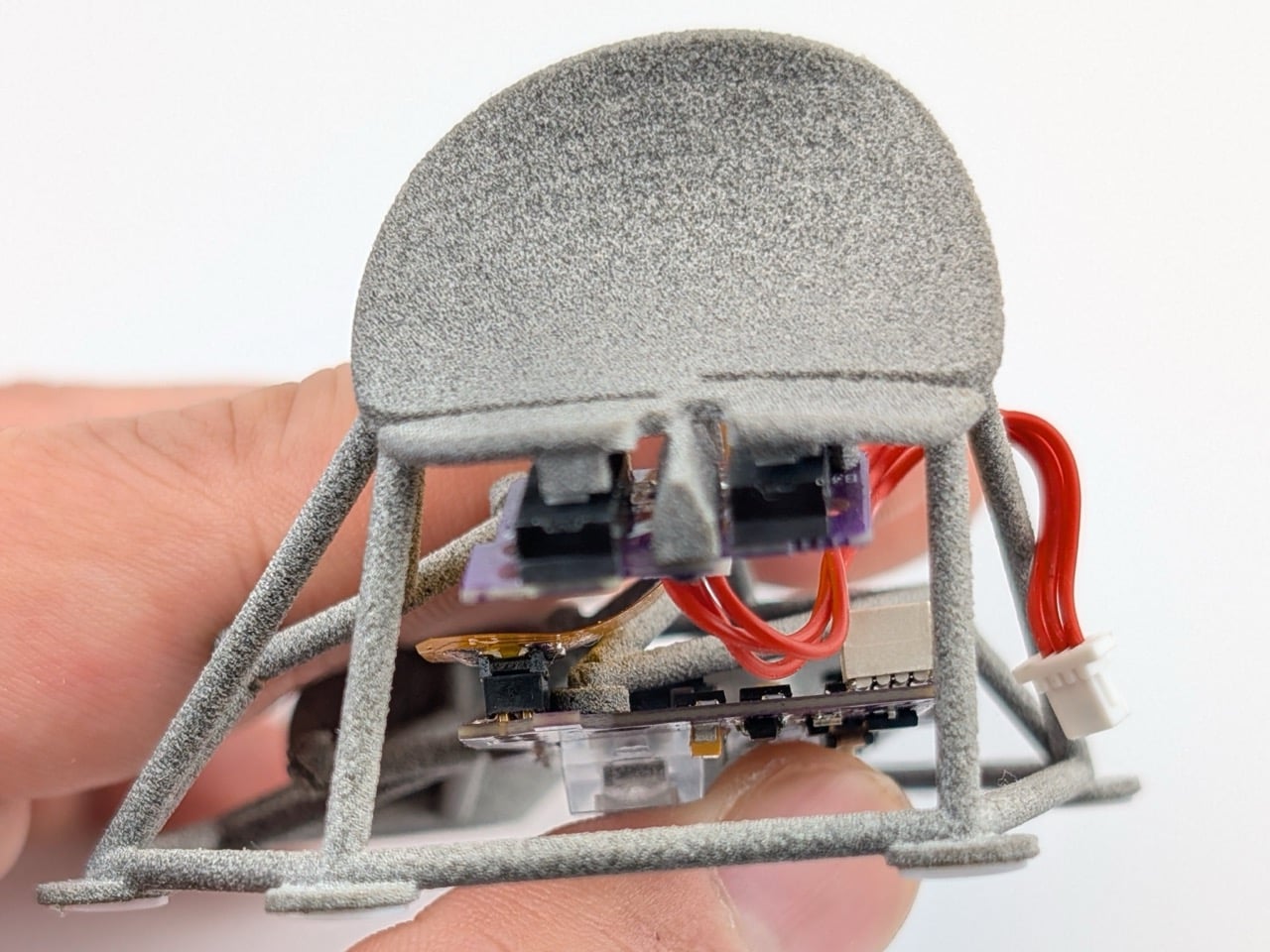
The files are free, the build is approachable, and the only real donor hardware you need is an HSK Pro mouse to gut for parts. Psudoku suggests applying fabric tape on the contact points to give the Kotinos mouse a more natural, comfortable feel. Because the Kotinos only touches you at the fingertips, those few contact points carry all the sensory weight that a conventional mouse spreads across your entire palm. If the saddle pads feel rough or cold or slightly wrong, there’s nowhere else for your hand to escape to. For a mouse built from struts and exposed circuit boards, that kind of tactile warmth might be exactly what keeps it from feeling like the medical device it occasionally resembles.
SHARE