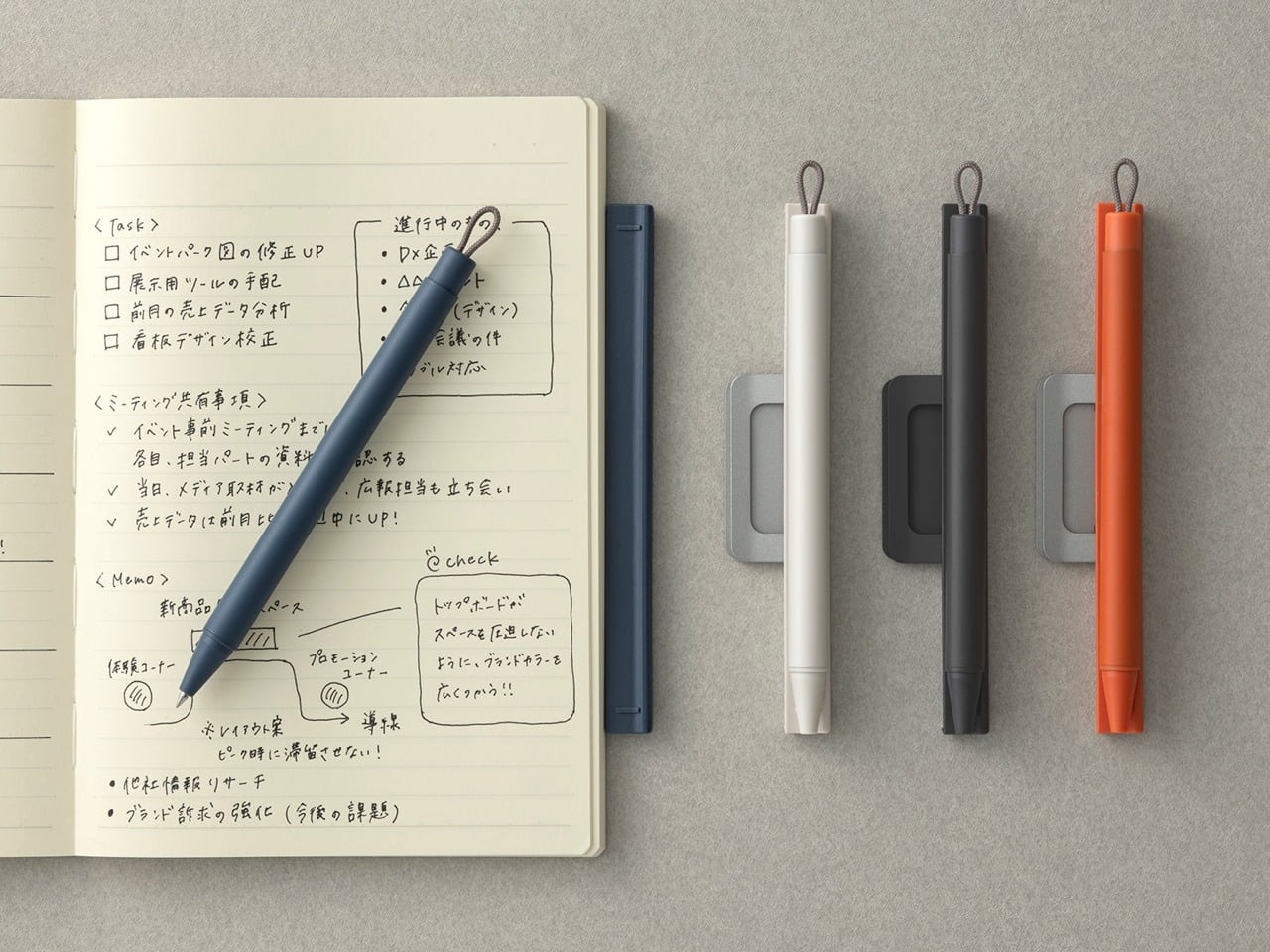

The best detail on the Inseparable Notebook Pen is where it goes when you stop writing. A slim magnetic holder clips to the back cover of a notebook, giving the pen somewhere to live besides the bottom of a bag. It’s a small fix for a familiar moment: the meeting has started, the notebook is open, and the only pen in sight belongs to someone else.
That’s the kind of problem worth shopping for. These ten desk gifts take a repetitive bit of work and give it a better tool, from a stapler that makes a fastener out of the paper itself to a light that borrows its mount from the computer. Some will suit almost any desk. Others are worth buying only if you know what the recipient plugs in, writes with, or does all afternoon.
1. Inseparable Notebook Pen

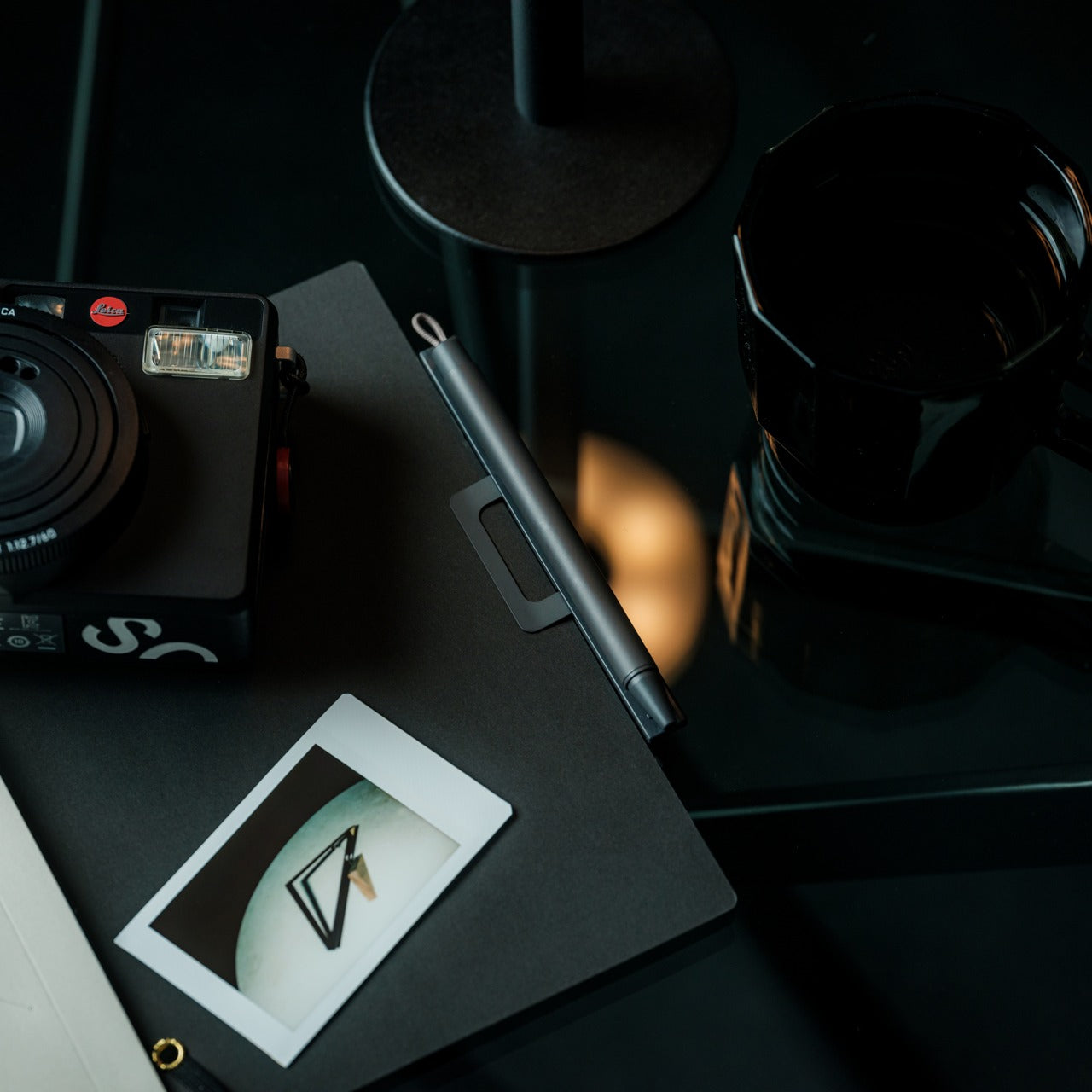

The Inseparable Notebook Pen gives a writing tool the kind of parking spot usually reserved for a tablet stylus. A small protector goes against the back cover, a clip fits over it, and the gel pen docks magnetically along the edge. A fabric loop gives you something to pull when you want the pen back. The important part is that the holder comes off again. When the notebook is full, you can transfer it to the next compatible one.
At $19.95, it makes sense for the colleague who carries the same planner into every meeting. Buying that person a new planner means guessing at paper, page layout, and how much room they need for a Thursday. The pen lets them keep the system they’ve already worked out.
Click Here to Buy Now: $19.95 Black Friday: Free $20 calendar with every order.
What we like
- The magnetic holder gives the pen a fixed spot without taking up writing space.
- The clip transfers to a new notebook when the old one fills up.
What we dislike
- A thick cover can rule out the attachment that makes the pen worth buying.
- The pen takes Zebra’s JK 0.5 mm refill, so check before buying spares.
2. Orbitkey Desk Mat Pro

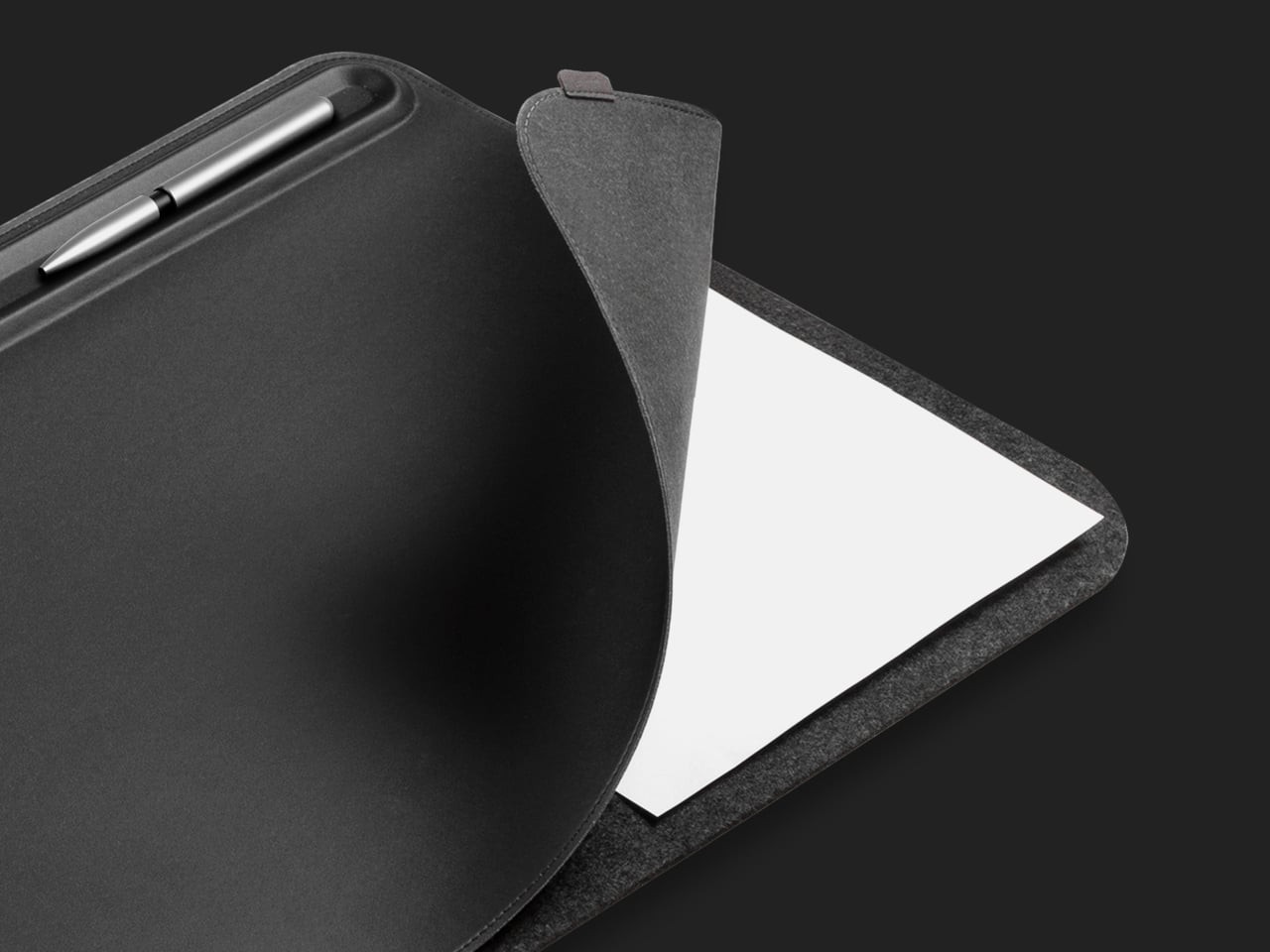
Most desk mats give the keyboard and mouse a common surface. Orbitkey’s Desk Mat Pro also has a place for the sheet you’re working from but don’t want under your wrist. Lift the top layer and slip it underneath. Along the edge, a shallow tray holds small tools, and a movable magnetic holder parks a charging cable wherever it’s easiest to reach. Orbitkey now calls the original organizer mat the Pro, distinguishing it from the simpler Desk Mat without the document compartment.
The distinction matters if you’re buying for someone who moves between a keyboard and paper all day. A printout with edits can go under the mat between revisions instead of migrating into a drawer, while the cable can sit near the side of the laptop that actually has the port. Measure before ordering the large version. At roughly 35 by 17 inches, it can overlap the space already claimed by a monitor stand, and the tray is only useful if it stays accessible.
What we like
- The hidden compartment gives loose papers a place without taking up another patch of desktop.
- The cable holder moves along the tray rather than dictating which side you plug in from.
What we dislike
- The large mat asks for a fair amount of clear desk depth.
- It comes with one magnetic cable holder. Extra holders are sold separately.
3. PaperLock Stapler
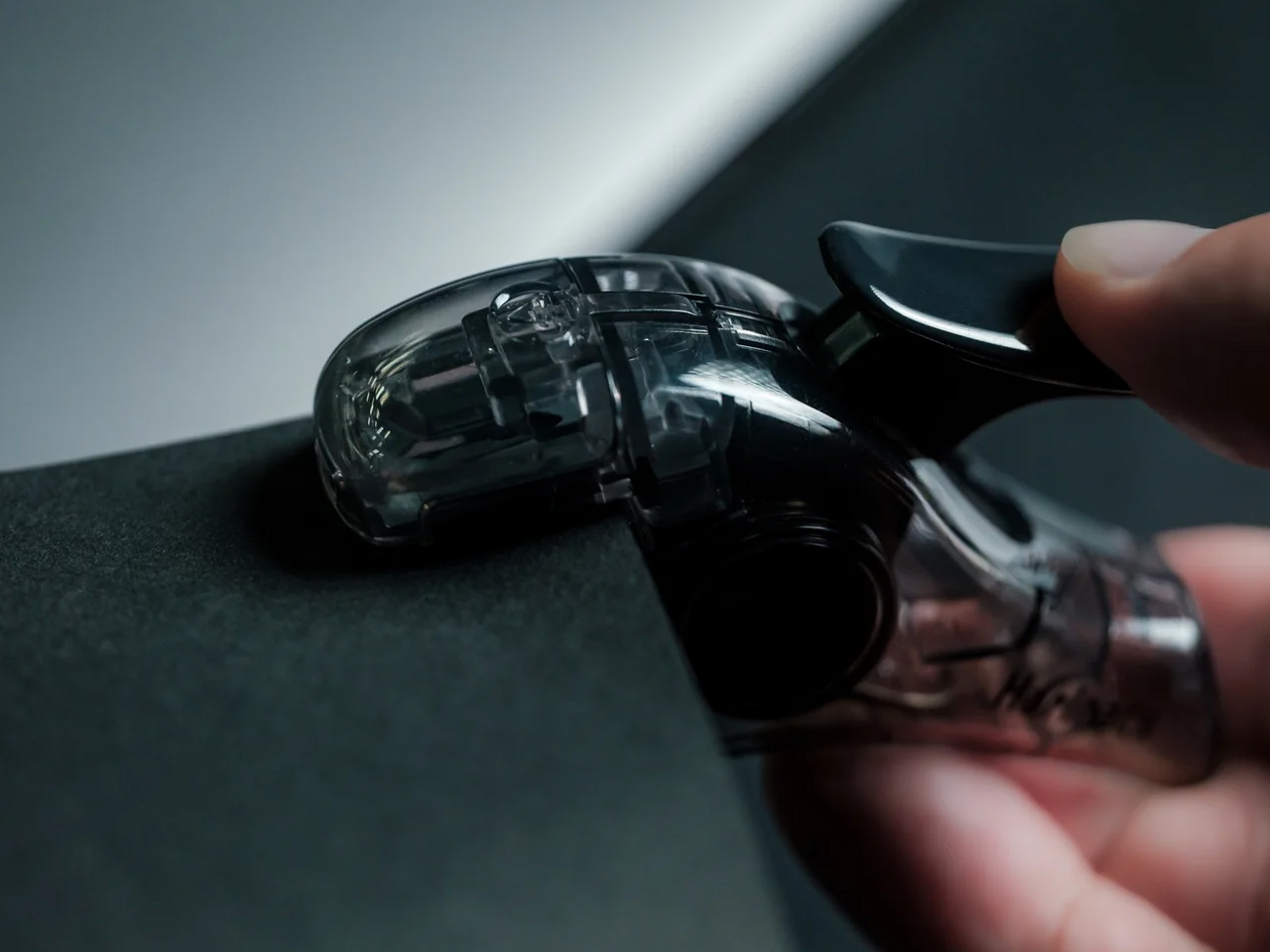
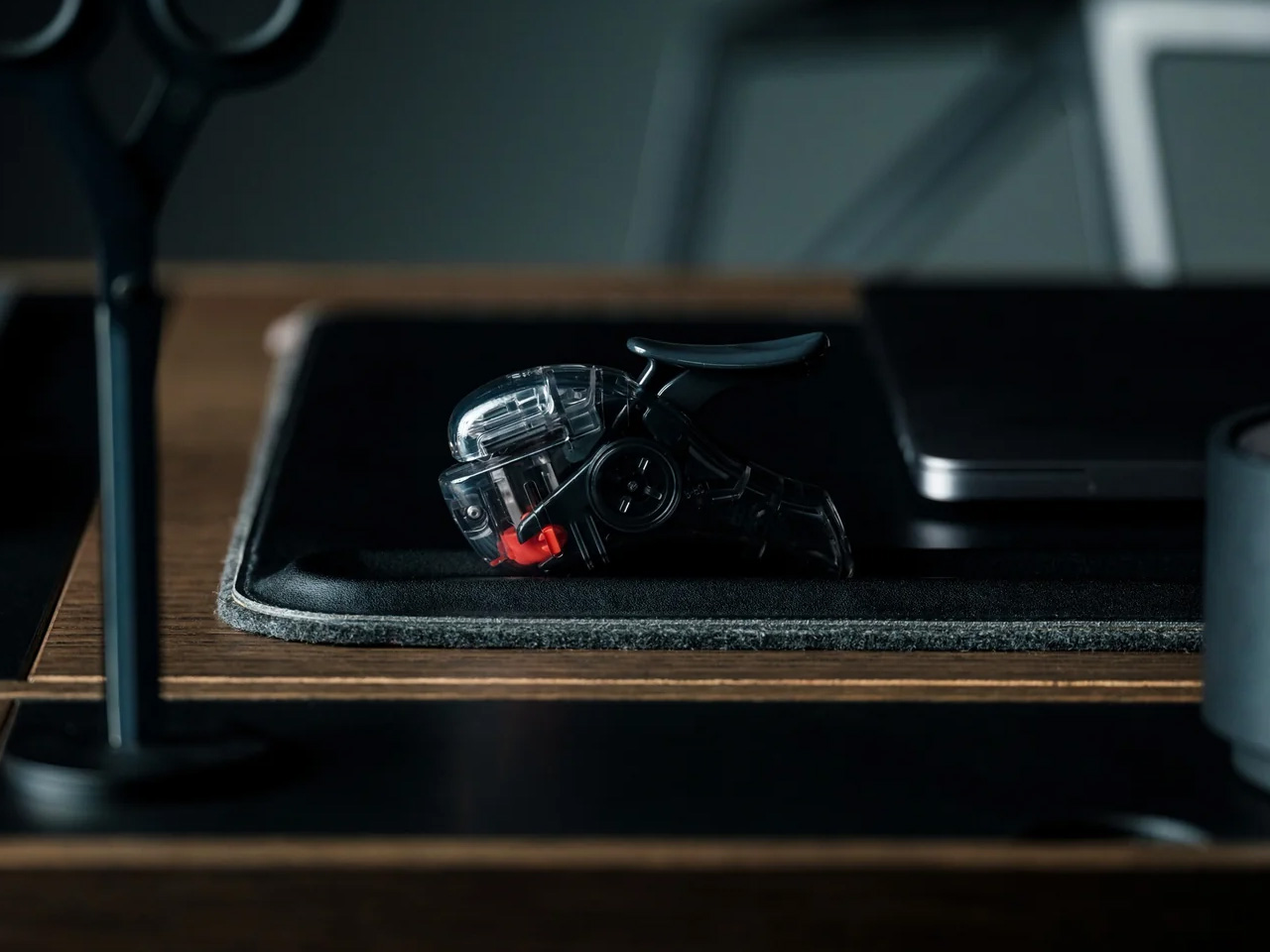
The PaperLock Stapler makes the paper do the fastening. Press the lever and the mechanism cuts and interlocks the sheets, leaving no metal staple behind. The transparent housing lets you see the moving parts, but the viewing window has a more practical job: it shows where the bind will land before you press. A corner guide helps when you want several sets of handouts to line up the same way. You can press it against the desk or squeeze it in your palm.
This is a $35 gift for someone who still prints short agendas, proofs, or reference sheets and wants them to stay together until the job is done. The five-sheet limit makes it a poor replacement for the office stapler that handles thick packets. It also cuts a more conspicuous mark than the pinholes left by a conventional staple. Where it earns its space is on the desk of someone who regularly fastens a few ordinary pages and never wants to buy another strip of staples for them.
Click Here to Buy Now: $35.00 Black Friday: Free $20 calendar with every order.
What we like
- The fastening mechanism needs no consumables.
- The window and corner guide make placement easier to judge before pressing.
What we dislike
- Capacity tops out at five sheets of copy paper.
- The cut makes it a bad choice for originals that need to stay intact.
4. Tomato Clocks Roma Mk.1

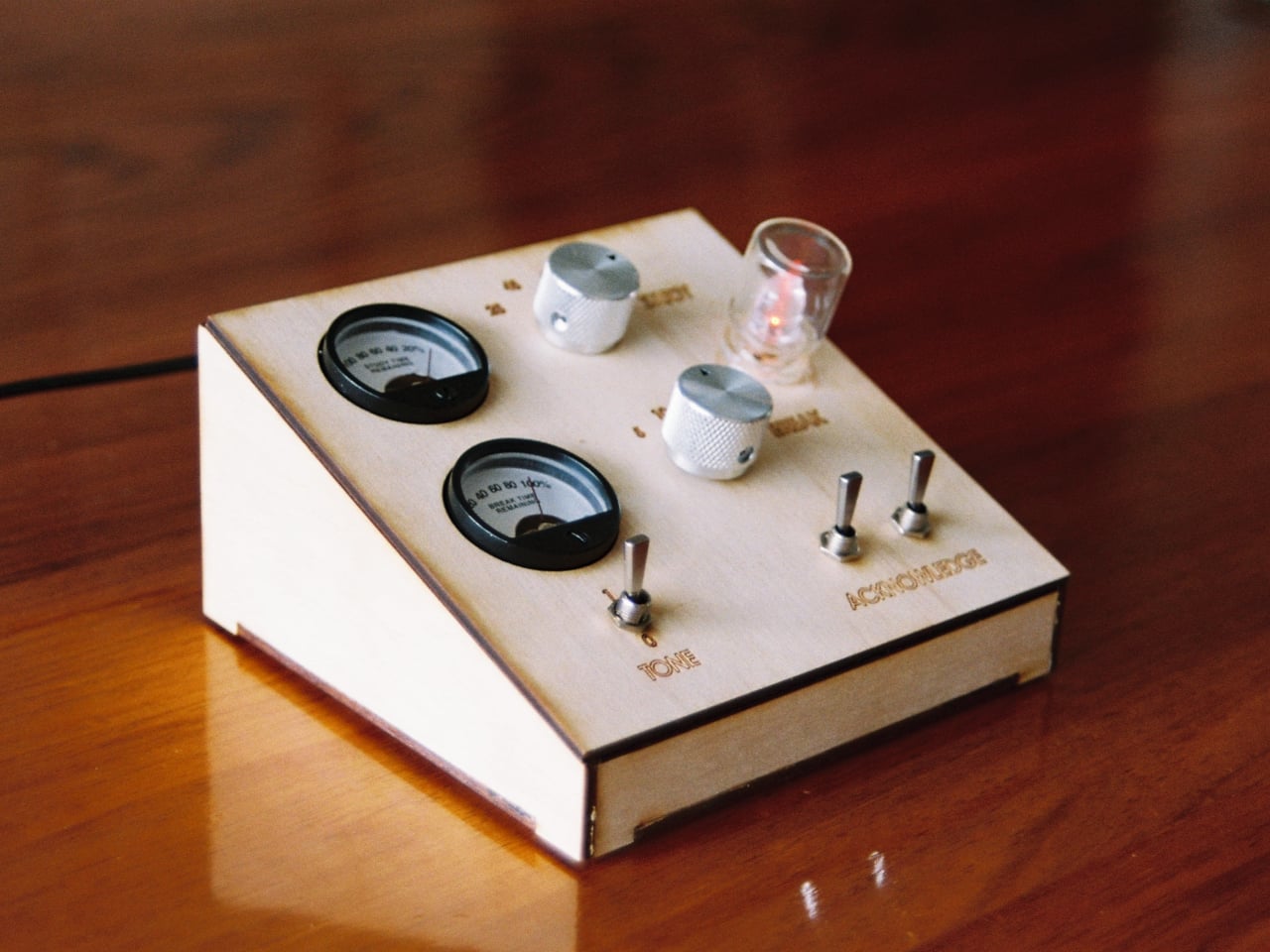
A phone timer asks you to pick up your phone at the exact moment you’re trying to put it down. Tomato Clocks gives that job to a box of laser-cut timber assembled by hand in Melbourne. The Roma Mk.1 has two analog gauges, one for a work interval and one for a break. Rotary controls offer work sessions of 25, 45, 60, or 90 minutes, with separate break settings of 5, 10, or 15 minutes.
A buzzer signals the end of an interval, and spring-loaded switches let you acknowledge it and move on. That manual step makes sense if the break should start when you actually get up, rather than while you’re finishing a sentence. The two gauges give work and rest equal space on the front panel, which feels right for a timer built around both. Give it to someone who already likes working in blocks and would rather leave the phone in a drawer.
What we like
- Dedicated gauges make it easy to distinguish work time from break time.
- Physical switches and dials keep the entire routine off the phone.
What we dislike
- It needs USB-C power, so it still adds a cord to the desk.
- The presets leave out custom intervals, and the manual transition won’t suit someone who wants a fully automatic cycle.
5. SlashVibe

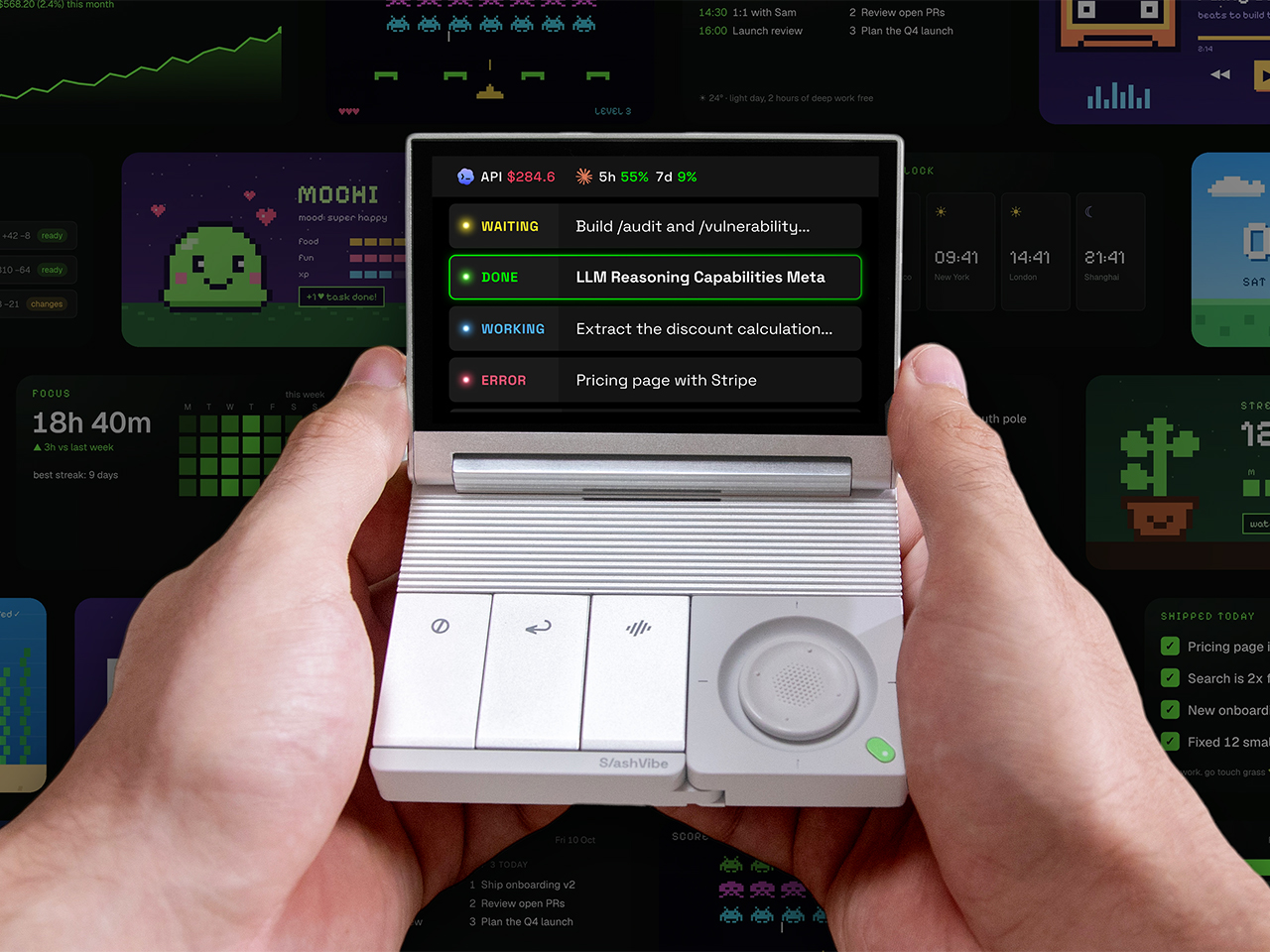
When several AI agents are working at once, figuring out which one needs an answer can mean clicking through the same windows you were trying to get away from. SlashVibe, designed by dooo design, gives those sessions a 3.96-inch display beside the main monitor. It’s designed to show which tasks are running, finished, or waiting for input. A joystick and three action keys let you move between sessions without putting another keyboard on the desk.
The display stays connected to a Mac or Windows PC over USB-C, but the voice controller detaches and works wirelessly. You can bring the microphone closer to dictate a follow-up while keeping the display where you can see it. It makes the most sense for someone who already uses tools like Claude Code or Codex and wants to keep an eye on them without covering up the document they’re editing.
Click Here to Buy Now: $169 $249 ($80 off). Hurry, only a few left! Raised over $173,000.
What we like
- A separate screen keeps agent status visible while the main monitor stays on the work.
- The detachable controller lets you bring the microphone closer without moving the display.
What we dislike
- The display still needs a wired USB-C connection to the computer.
6. Anker Nano Power Strip (10-in-1, 70W, Clamp)
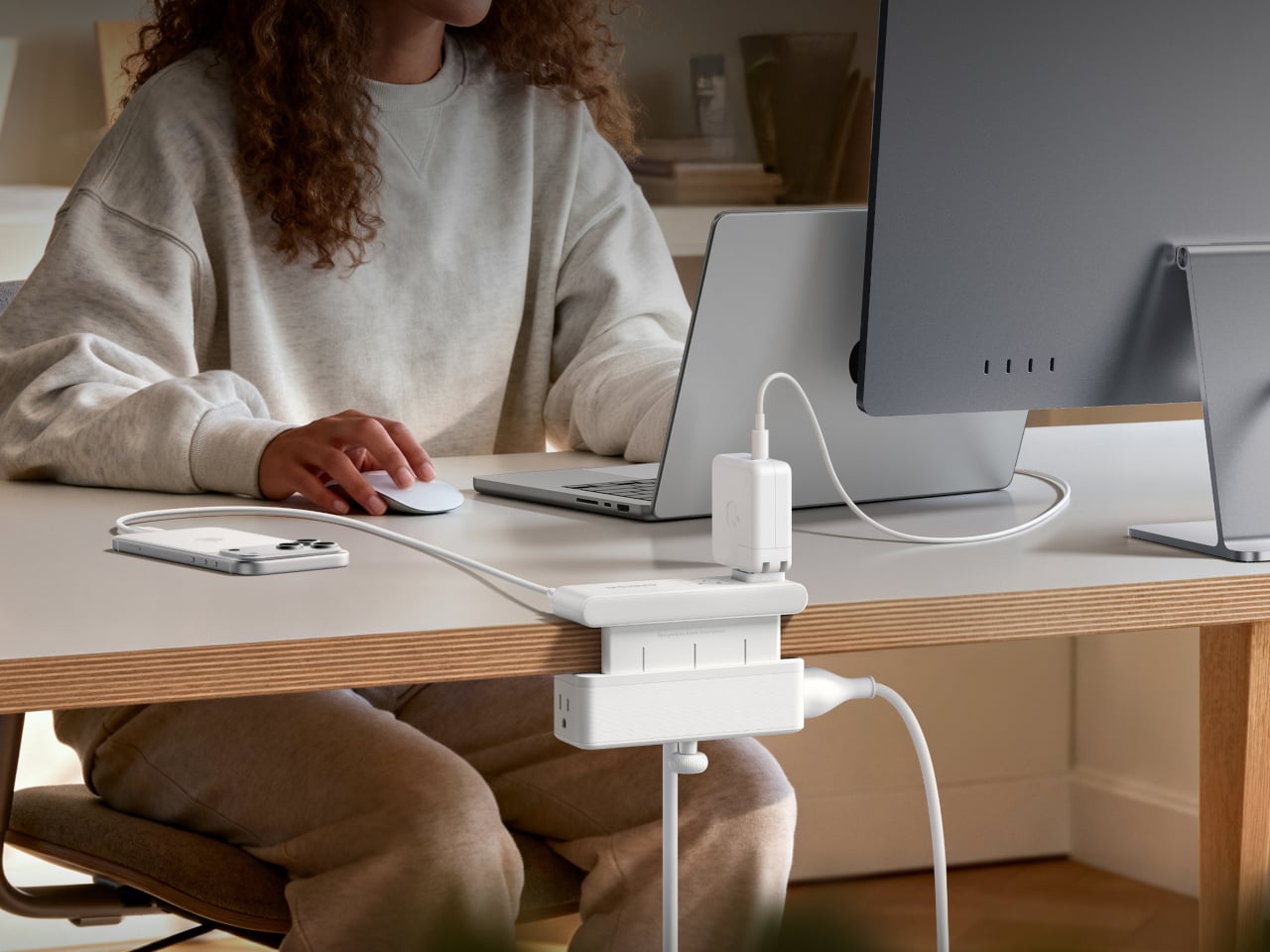
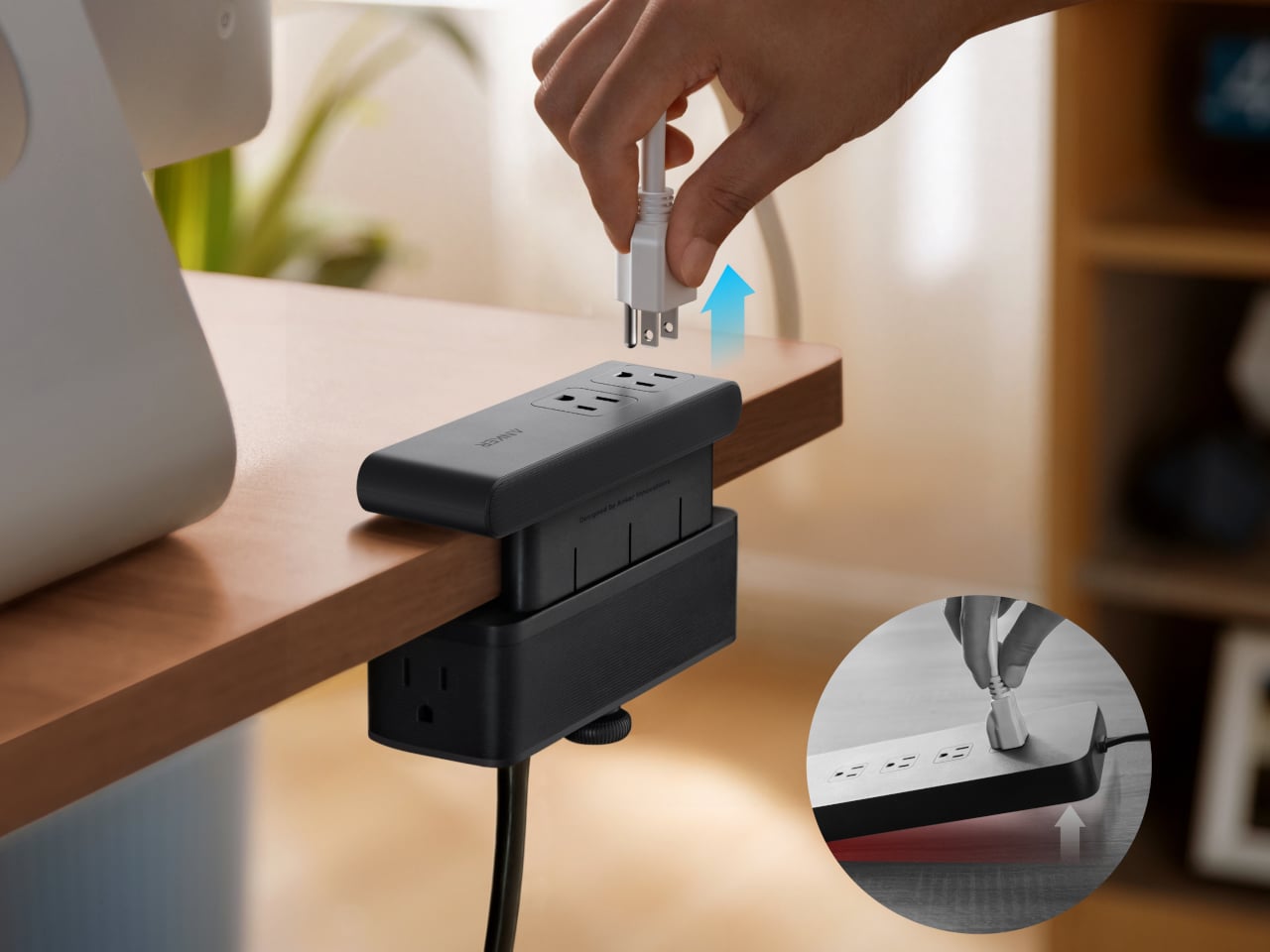
The most useful specification on Anker’s Nano Power Strip is the one that tells you where the outlets go. Its clamp straddles the desk edge, dividing six AC outlets, two USB-C ports, and two USB-A ports between an upper and lower section. That layout lets you keep connections you change often within reach and route other cords below the work surface. It’s a sensible gift for the person whose charging cable is never quite where they need it, even though the power strip is technically right there.
A single USB-C port can deliver up to 70 watts, enough for some laptops without a separate charging brick. That figure is a maximum, not what every port delivers at once. Anker shares output across the USB ports as devices are added, so a more demanding laptop may still need its own charger plugged into AC. Check the furniture before buying, too. The clamp needs an accessible edge between 0.6 and 1.8 inches thick, and Anker doesn’t recommend mounting it on glass.
What we like
- Splitting the connections above and below the desk gives frequently used cables a reachable home.
- AC outlets and USB charging are available in the same fixture.
What we dislike
- Glass, curved edges, or a thick desktop can make the clamp unsuitable.
- The full 70 watts isn’t available to each USB-C device when charging several at once.
7. Personal Whiteboard

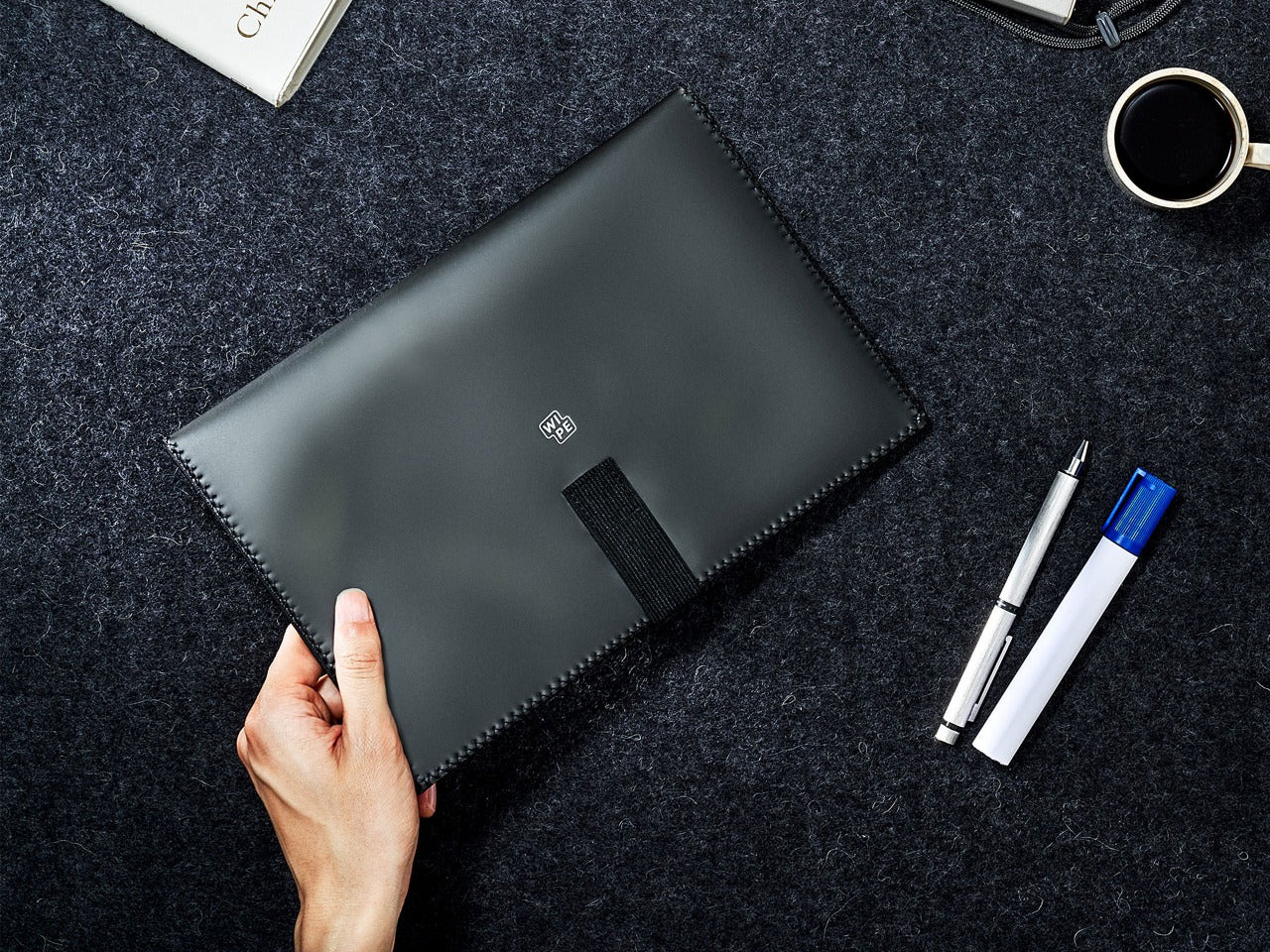
The Personal Whiteboard has a different job from the iA notebook: it’s for things you want to see now and erase later. Designed by 9FEET Design for DaiichiGosei, it’s about 10.5 by 7 inches, accepts ordinary dry-erase markers, and has a cover that doubles as both a stand and an eraser. Write a short list flat on the desk, prop the board up where you’ll see it, then wipe the whole surface clean with the cover.
At $49, it’s a good fit for someone who covers the bottom of a monitor with sticky notes and can no longer tell which one matters. One small surface is enough for the three things that need doing today, a diagram you can hold up on a call, or a reminder to return to something after lunch. The cover has a marker holder and a pocket, so the board can move to another room without leaving its essentials behind.
Click Here to Buy Now: $49.00 Black Friday: Free $20 calendar with every order
What we like
- The cover handles erasing and propping up the board without separate accessories.
- It works with regular dry-erase markers rather than a proprietary pen.
What we dislike
- One small surface won’t hold a sprawling project plan.
- Anything worth keeping needs to be photographed or copied before it’s erased.
8. ADAM elements CASA Hub Stand Ultra


Raising a laptop can solve a screen placement problem and create a cable problem in the same move. ADAM elements addresses both with an adjustable aluminum stand and a USB-C hub that snaps onto it magnetically. HDMI, Ethernet, USB-A, and USB-C sit on the detachable module, so the laptop can connect to several desk peripherals through one host cable. The stand swivels through 360 degrees, a useful detail when you need to share the screen with someone next to you without turning the whole setup by hand.
The clever decision was making the hub removable. A hybrid worker can leave the stand at home while taking the ports to a meeting room or another desk. Back at home, the hub has a place to dock instead of hanging off the laptop by its cable. This gift makes the most sense for someone whose laptop already does the work of a desktop. If an external monitor is part of that setup, check the computer first: 4K at 60 Hz depends on its video output capabilities.
What we like
- The dock can travel independently of the stand.
- Height adjustment and a swiveling base make the laptop easier to position for different tasks.
What we dislike
- The full stand weighs about 3.4 pounds, so it’s better left at the desk.
- The HDMI port’s maximum resolution and refresh rate depend on a compatible host.
9. Logitech MX Creative Console

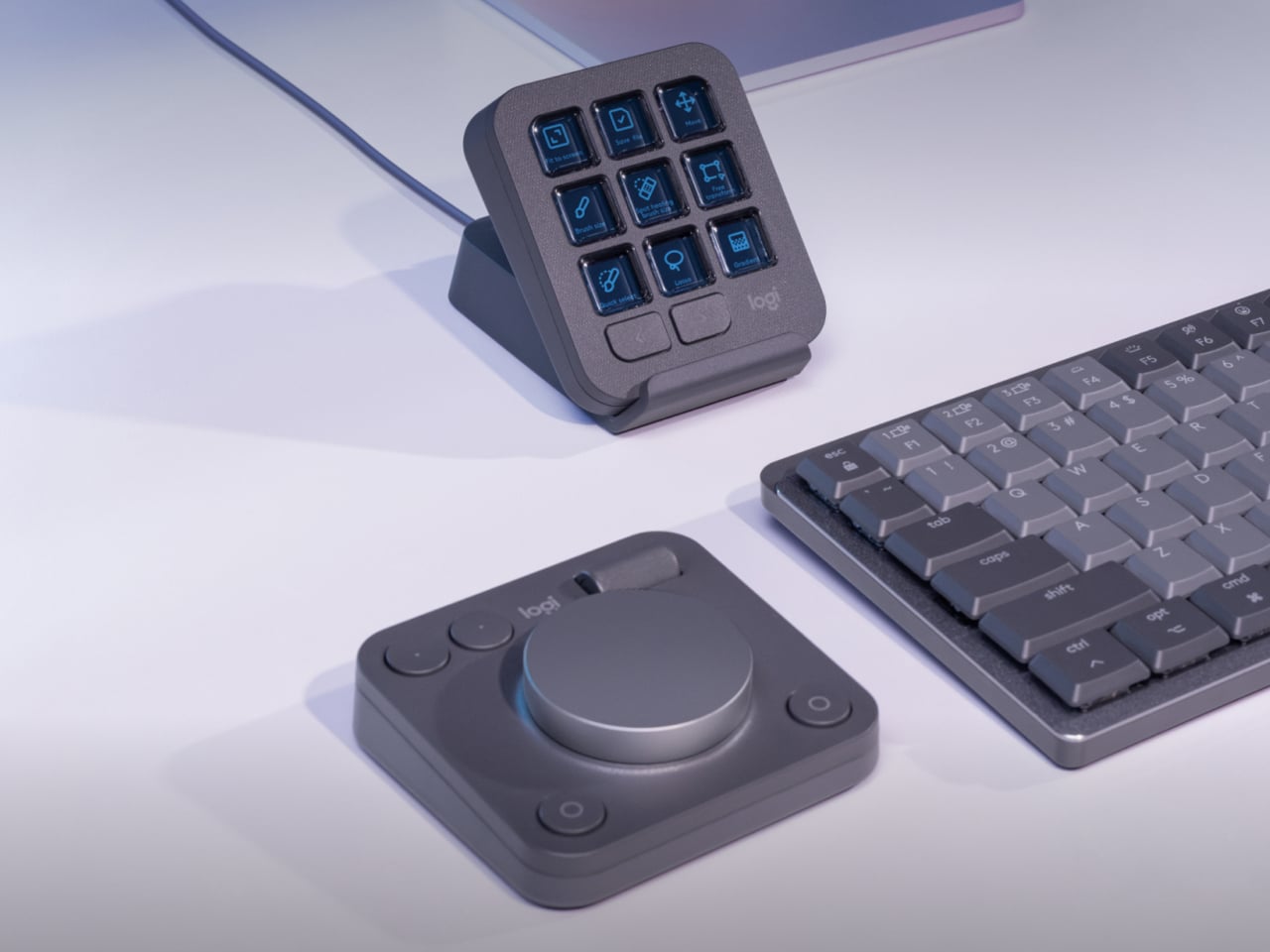
Some commands want a button. Trimming a clip is one. Moving through a timeline a little at a time is a better job for a dial. Logitech’s MX Creative Console puts those two kinds of work on separate devices: a wired keypad with nine customizable display keys and a wireless dialpad with a physical aluminum dial. The keys can show icons for the commands they trigger, which gives a video editor or illustrator a way to label the shortcuts they reach for repeatedly.
The strongest case for the console is a recipient who spends hours in software such as Photoshop, Premiere Pro, or DaVinci Resolve and already knows which actions are tedious. They can start from an available profile and use Logi Options+ to arrange the controls around a real project. Someone whose fingers already know every shortcut they need might get less out of it. This is a gift to buy with an app and a task in mind, not on the strength of nine glowing buttons.
What we like
- The separate dial gives continuous adjustments a physical control of its own.
- The LCD keys can show the assigned shortcuts instead of relying on memorized positions alone.
What we dislike
- Customization takes setup in Logi Options+, and available integrations depend on the app.
- The keypad needs a wired connection, while the wireless dialpad runs on two AAA batteries.
10. BenQ iScreenBar
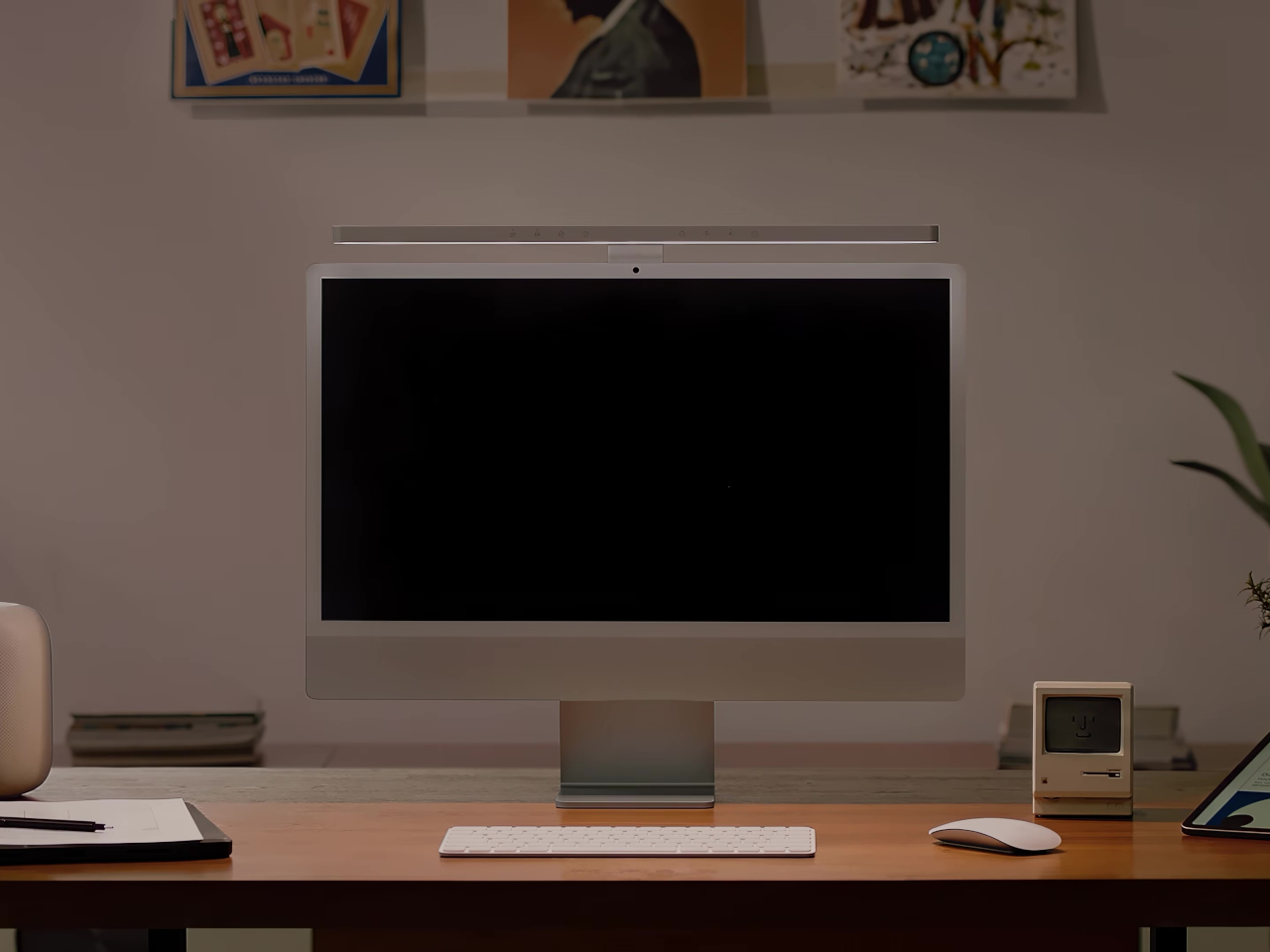

On a shallow desk, a lamp base can wind up exactly where a notebook should go. The BenQ iScreenBar takes that footprint off the desk by mounting magnetically to a compatible 24-inch iMac. Its optics direct the beam down toward the work surface, and the mount is shaped to leave the built-in camera and microphone unobstructed. BenQ pairs an aluminum body with a glass touch panel, so brightness and color temperature can be adjusted at the bar without opening another window.
Connecting it directly to the iMac over USB-C adds macOS controls and lets the light respond when the built-in camera is in use. In Video Call Mode, the bar turns down the center and lights from either side. The more convincing reason to give it is simpler: it lights the page in front of the keyboard without taking up the space beside it. At $189, confirm the computer model first. Apple’s standalone displays, including the Studio Display, don’t accept this mount.
What we like
- The magnetic mount puts task lighting above the desk without adding a lamp base.
- Physical controls let you adjust the light without opening the macOS app.
What we dislike
- It fits compatible 24-inch iMacs from 2021 onward, not older iMacs or standalone monitors.
- App control and automatic camera mode require a direct USB-C connection to the iMac.
Buy for the habit they already have
If you know how someone works but haven’t seen their desk, stationery is the easier bet. The Inseparable Notebook Pen suits the person who takes the same notebook everywhere, provided the cover fits. The Personal Whiteboard is a better call for someone whose lists change by the hour. Those are two different habits, even if both involve writing something down.
For a bigger purchase, it’s worth giving up a little surprise to check the desk edge, computer model, or software. There’s nothing particularly thoughtful about making someone find an adapter on the day they unwrap a gift. The best clue may be something they’ve stopped complaining about: the cable they fish off the floor, the lamp they slide aside to open a notebook, or that pen they’ve borrowed from you three meetings in a row.