
You can tell a lot about someone from the things on their desk that didn’t come with the job. A photo leaning against the monitor, the pen they won’t lend out, a lamp they switch on when the overhead lights get to be too much. None of those things need to match. In fact, a desk often starts to feel more like yours when you stop trying to make everything match.
The eight picks here make room for different parts of your day. A retro speaker gives pixel art a screen of its own, while a photo printer doubles as a frame for a picture you’d rather not leave buried on your phone. There’s a LEGO orchid for anyone who likes building things by hand, and a modular monitor stand concept that makes a case for arranging your desk around what you actually reach for.
1. Altar I
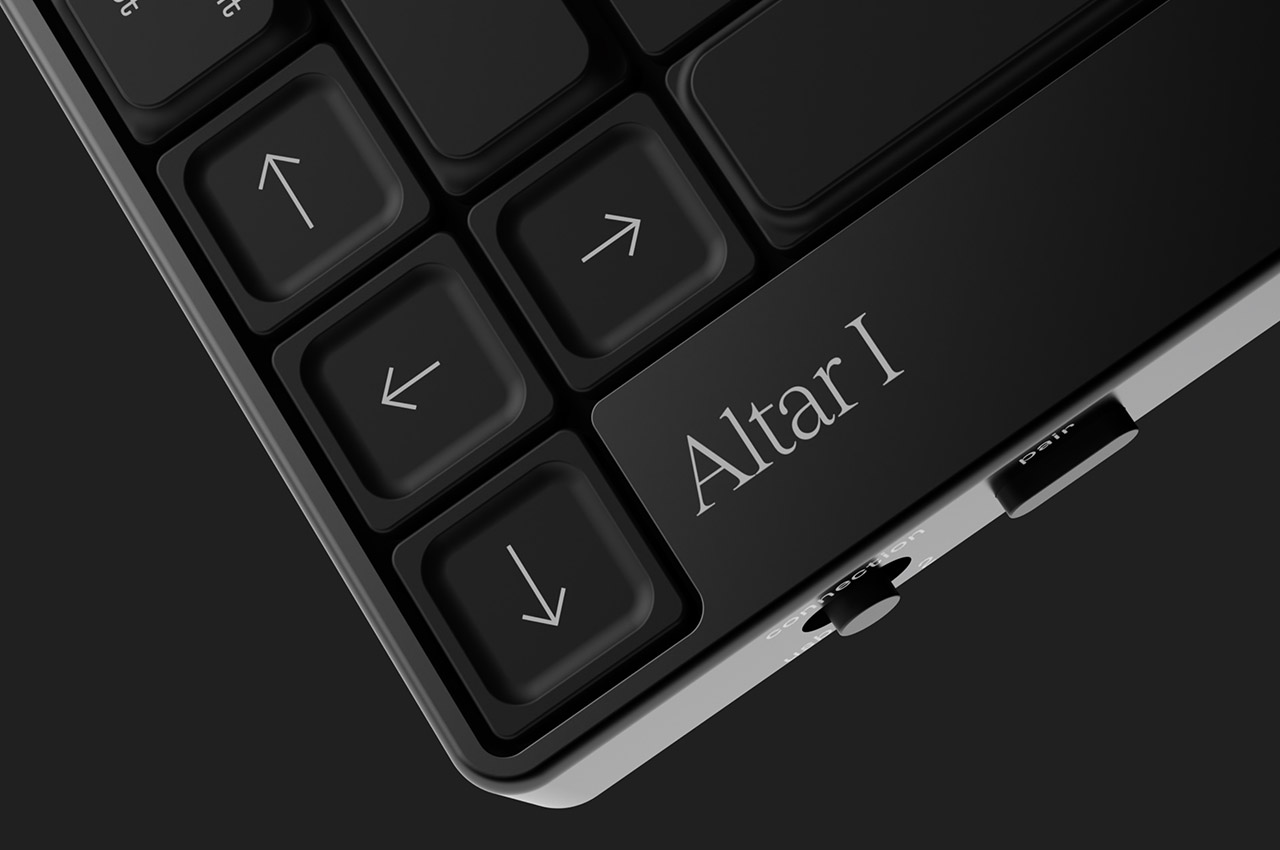

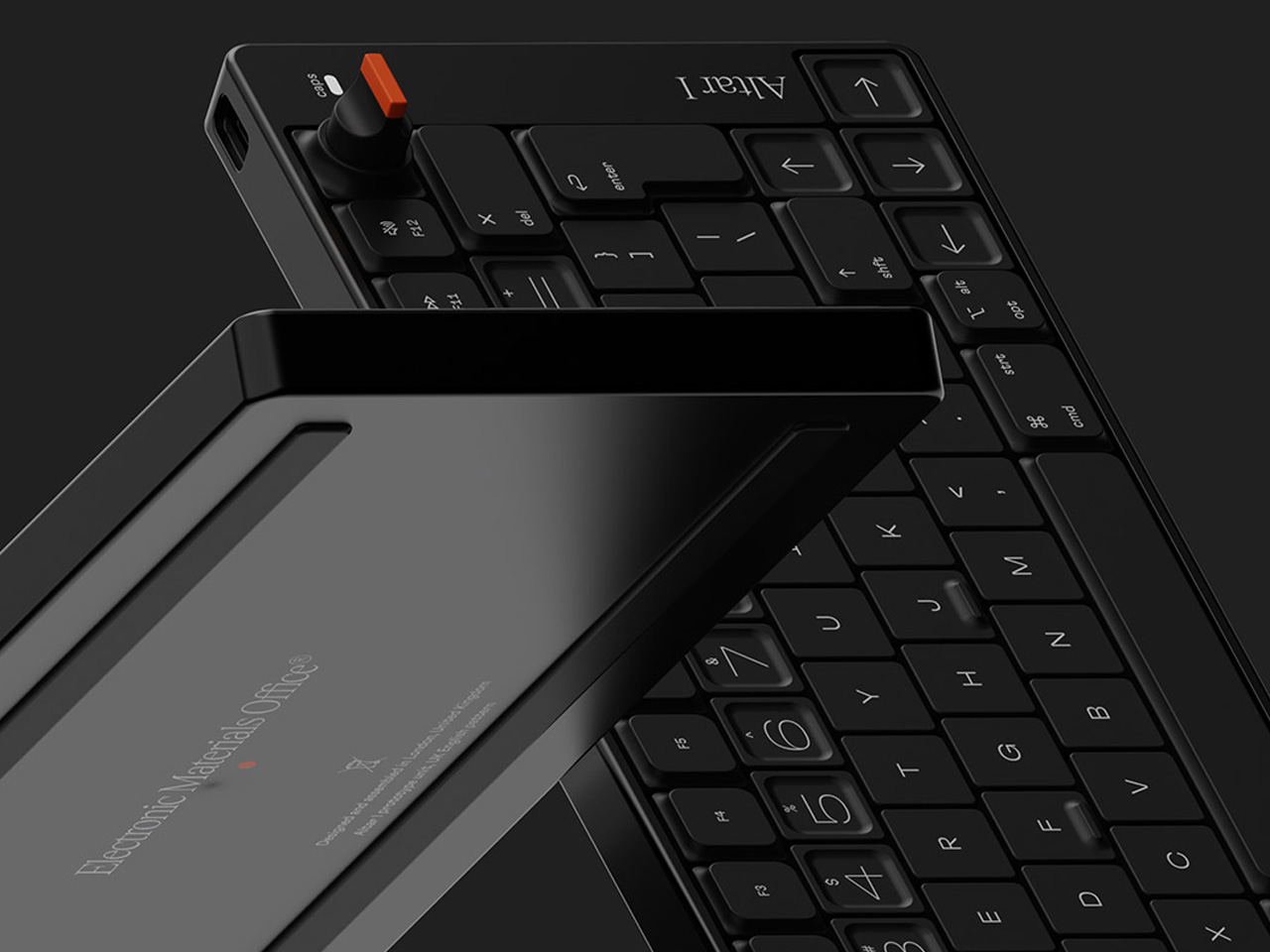
The Altar I gets away with a red volume knob because almost everything around it is black. Designed by Andrew Emerson for Electronic Materials Office, the mechanical keyboard puts expressive lettering and sculpted keycaps inside an aluminum body just 15 mm tall. Some groups of keys are raised, others are flat or recessed, so there’s a physical distinction between them as well as a visual one. It’s the kind of keyboard you pick because you care what the numbers look like.
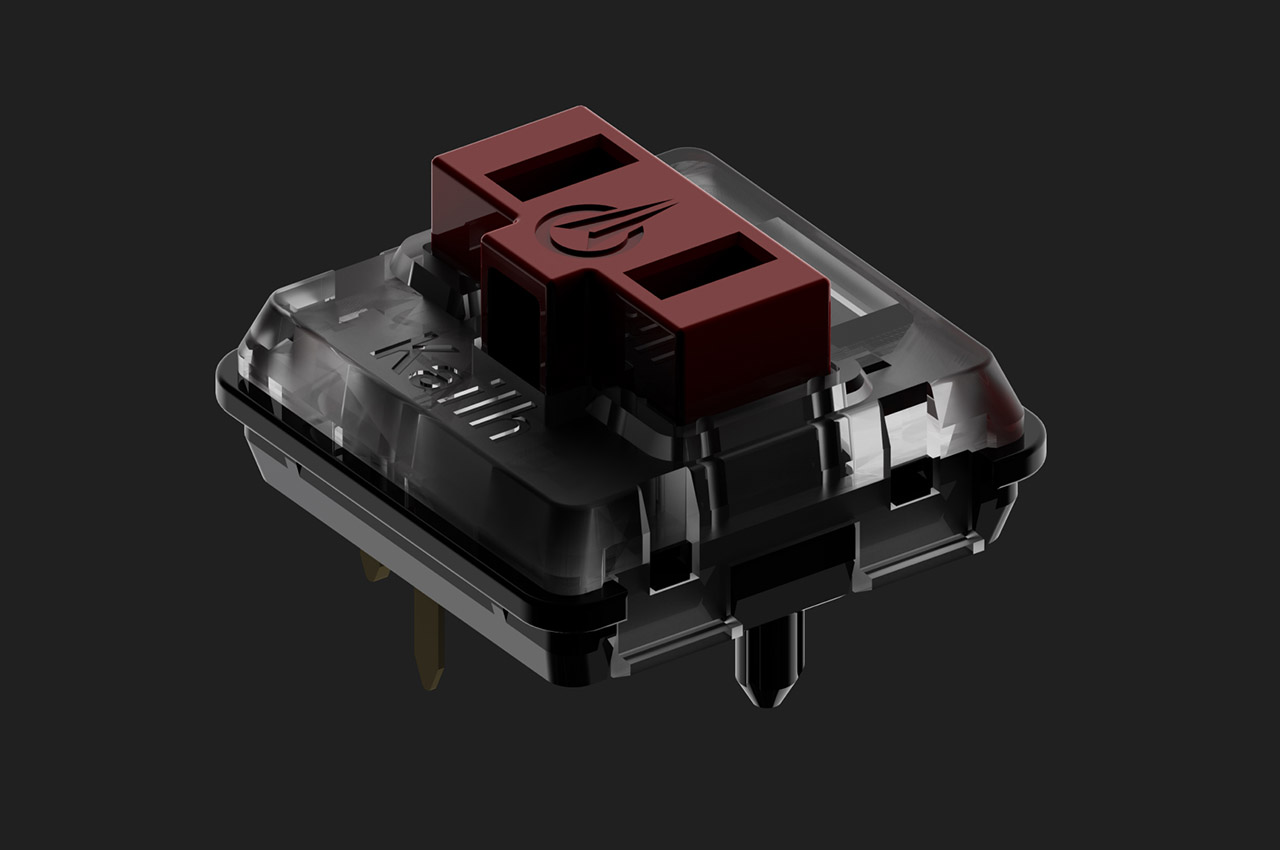
There’s a practical reason to like it, too. A physical switch moves between two remembered Bluetooth devices, handy if your work laptop and personal computer share the same desk. The stock Kailh Choc V1 Red switches are linear, meaning there’s no deliberate tactile bump in the keystroke, and you can swap them for others in the Choc V1 family.
What we like
- The red volume dial gives an everyday adjustment its own physical control.
- You can keep two devices paired and switch between them without opening Bluetooth settings.
What we dislike
- The original production run is sold out.
- The switch sockets accept Kailh Choc V1 replacements, limiting your choices if you like to experiment.
2. Levitating Pen 3.0

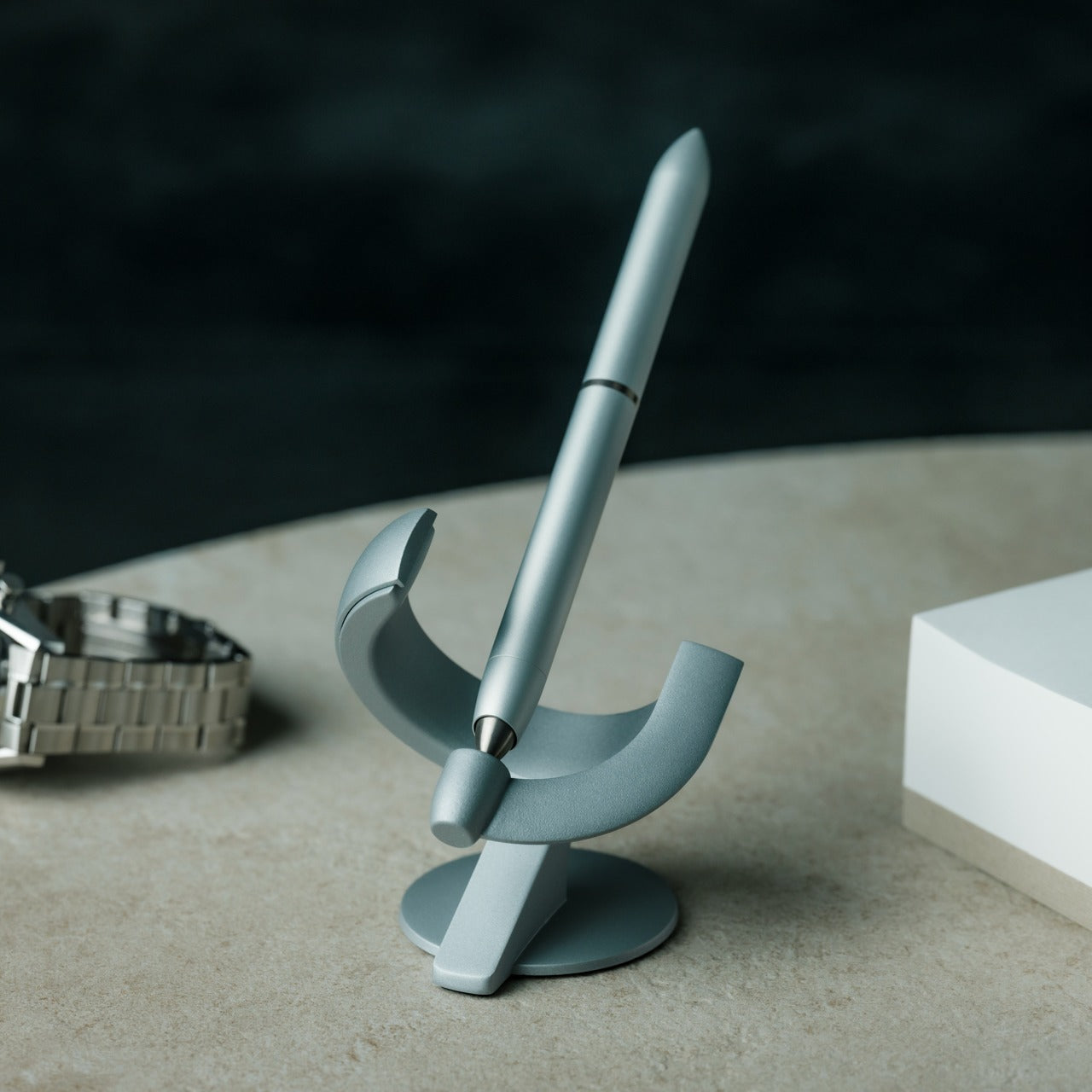

Most pens spend their time out of sight or disappearing under a notebook. Novium’s Levitating Pen 3.0, also called the Hoverpen Future, gives you a reason to put it back. The pen balances on a point at a 60-degree angle inside a magnetic pedestal, with no battery or cable involved. Give the barrel a twist, and it spins in place. It’s a small object, but that diagonal does a surprising amount of work against the right angles of a monitor and keyboard.
It is available in rollerball and fountain pen versions, plus a configuration that lets you change between the two by swapping the grip section. That choice matters more than the magnetic trick if you already have a preference about how you write. The rollerball takes a Schmidt 888 refill, while the fountain version can use bottled ink with a converter. It makes the most sense beside a notebook you reach for often. If you rarely write by hand, you’re mostly buying the pedestal and the show.
Click Here to Buy Now: $149.00 Black Friday: Free $20 calendar with every order
What we like
- The magnetic pedestal gives a refillable pen a visible home without needing power.
- The two-in-one option lets you keep the same barrel for rollerball and fountain pen use.
What we dislike
- The pedestal occupies its own patch of desk, even when the pen is in your hand.
3. Divoom Astrotoo Desktop Speaker
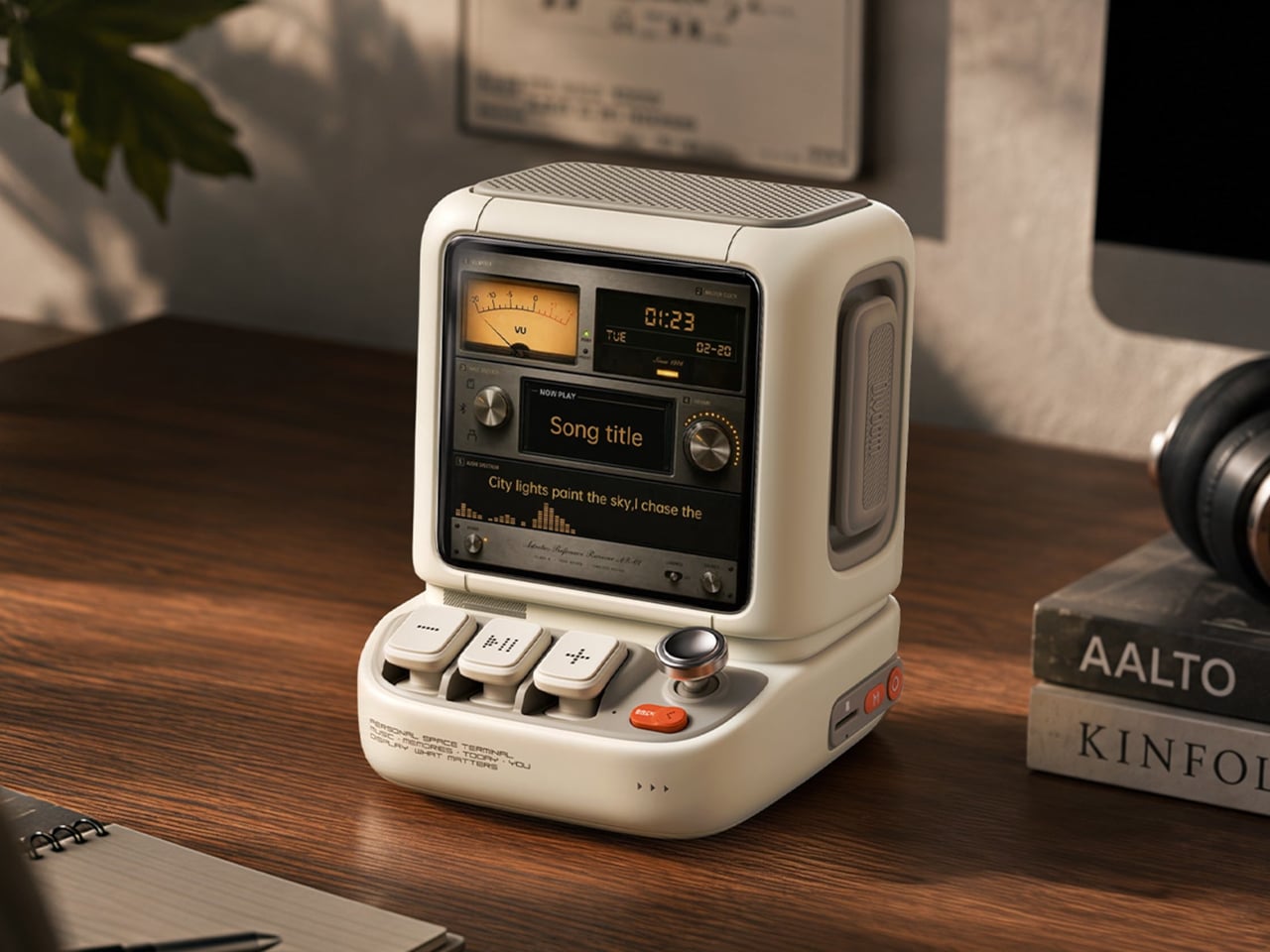
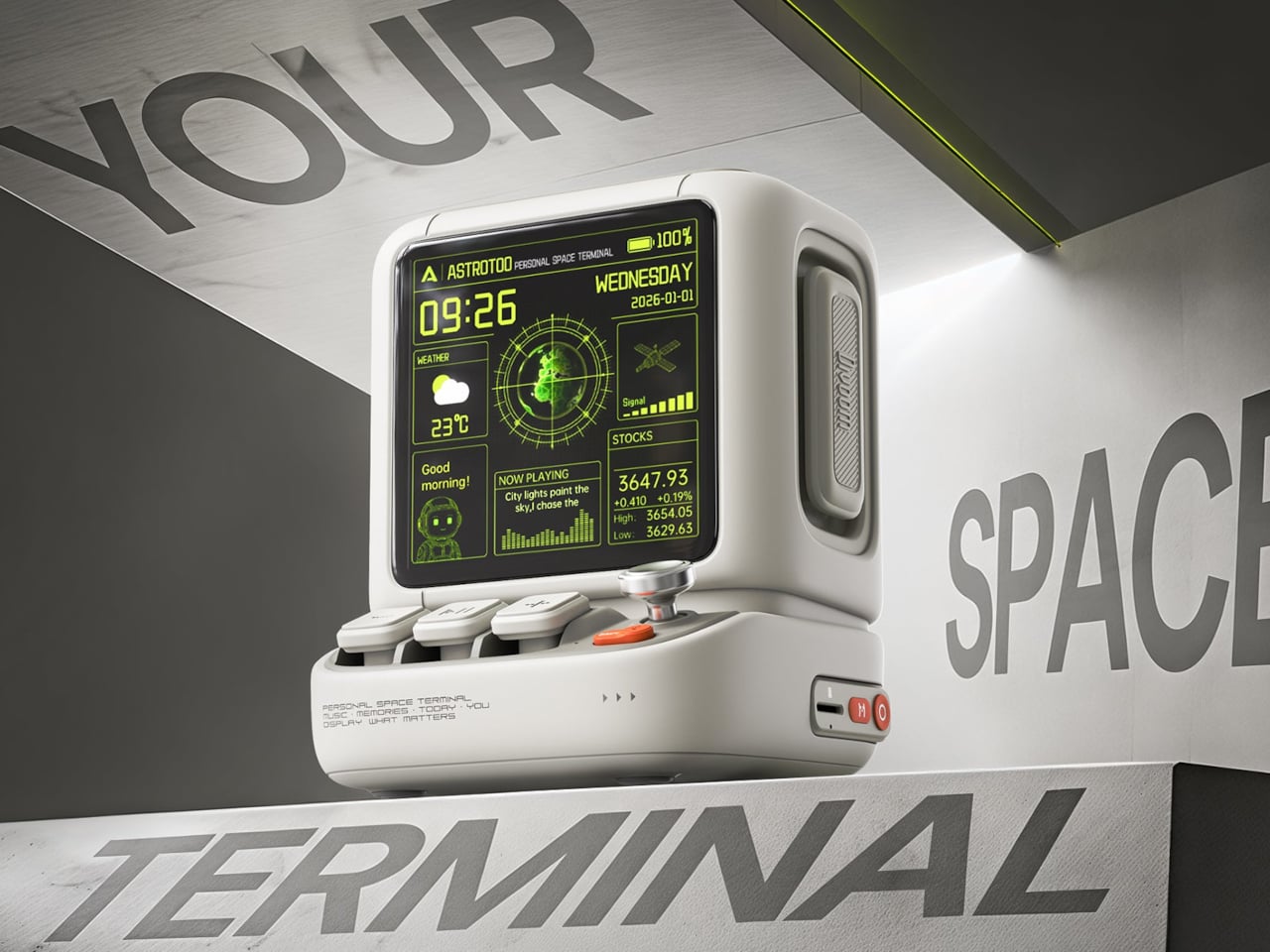
Divoom’s Astrotoo looks like a computer from the era when a joystick belonged next to the screen. The rounded case sits on a roughly 4.2 by 4.3-inch footprint, with three raised keys, a joystick, and an orange back button that do more than sell the retro look. They handle music and display functions without sending you back to your phone for every adjustment. Divoom positions the 20-watt speaker for close listening, which makes more sense here than trying to fill a room from the corner of a desk.
The 3.95-inch square display makes the Astrotoo worth a look even if you already have a speaker. You can put a pixel animation on it, choose a clock face, or give a favorite photo the little screen to itself. The last option might be the most personal, particularly if the big screen beside it is full of windows you’d rather close. You’ll need Divoom’s app to customize the display, though the physical controls take over for everyday use.
What we like
- Real keys and a joystick make sense on something styled like a tiny computer.
- The screen still has a job when nothing’s playing, from showing a photo to running pixel art.
What we dislike
- Personalizing the screen requires Divoom’s app.
- Divoom rates the battery for up to six hours, short of a full workday away from a charger.
4. Rolling World Clock


Masafumi Ishikawa’s Rolling World Clock turns a time zone check into something you do with your hand. Rotate its 12-sided body until the city you want is at the top, and the single hour hand shows the time for that city’s standard offset. The case is barely over three inches across, so it can sit beside a monitor without looking like a second display. And unlike a world clock app, it leaves the city you picked right there in front of you.
This is the clock to choose if the other time zone means something to you. Leave it on Tokyo because that’s where your sister lives, or turn it to Los Angeles before calling a friend. Ishikawa’s design is better at answering “Are they likely to be awake?” than telling you exactly when a meeting starts. It has no minute hand, covers only the 12 marked time zones, and doesn’t account for daylight saving time. Keep your phone handy when the exact time matters.
Click Here to Buy Now: $60.00 Black Friday: Free $20 calendar with every order
What we like
- Rolling the clock is the whole interface. There’s no mode button or menu to learn.
- The small case leaves room for it even on a desk that’s mostly monitor.
What we dislike
- Its 12 fixed offsets leave out many time zones, and there’s no daylight saving adjustment.
- A single hour hand is good for a quick read, not for checking the exact minute.
5. Modular Monitor Stand
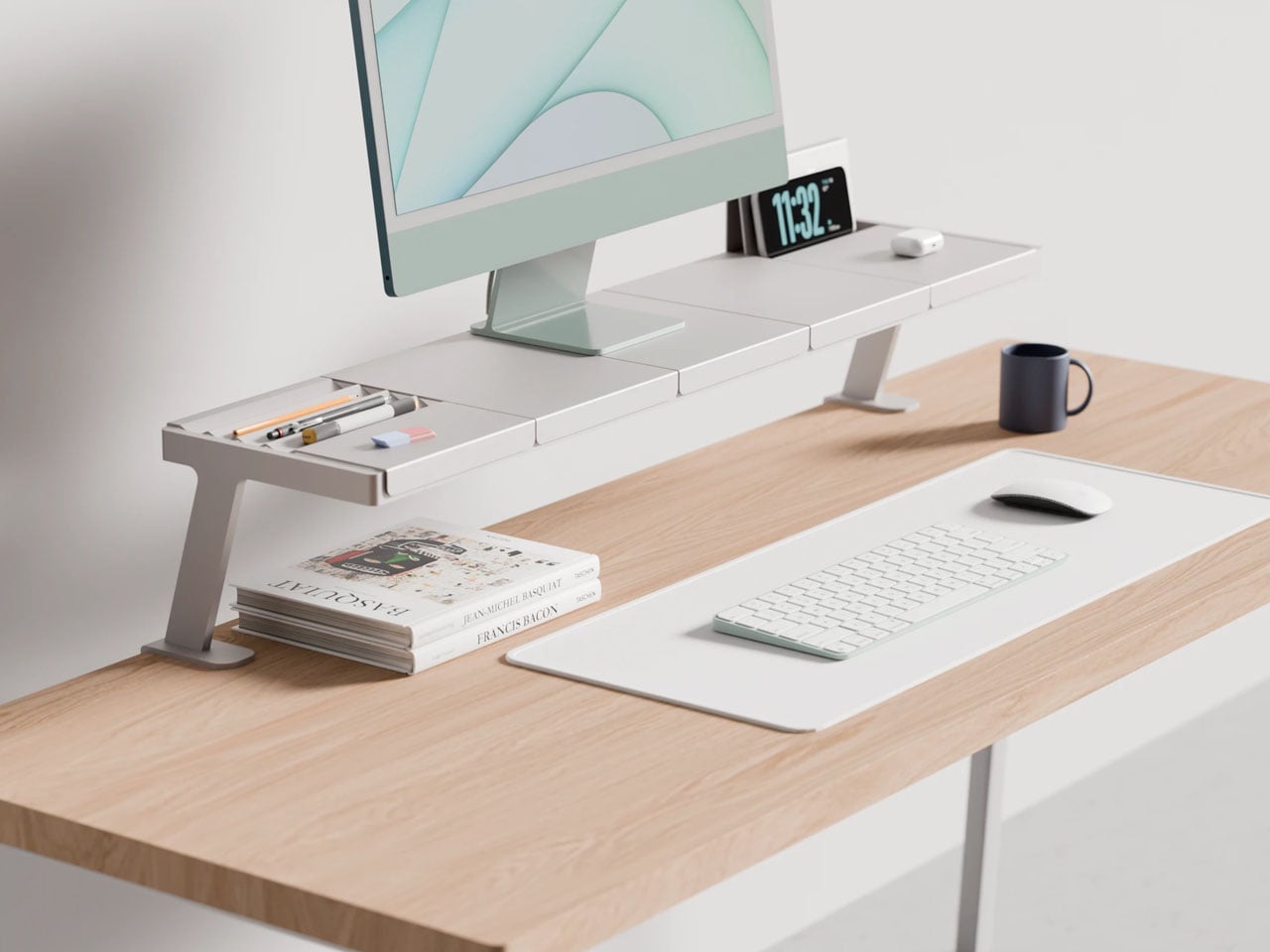
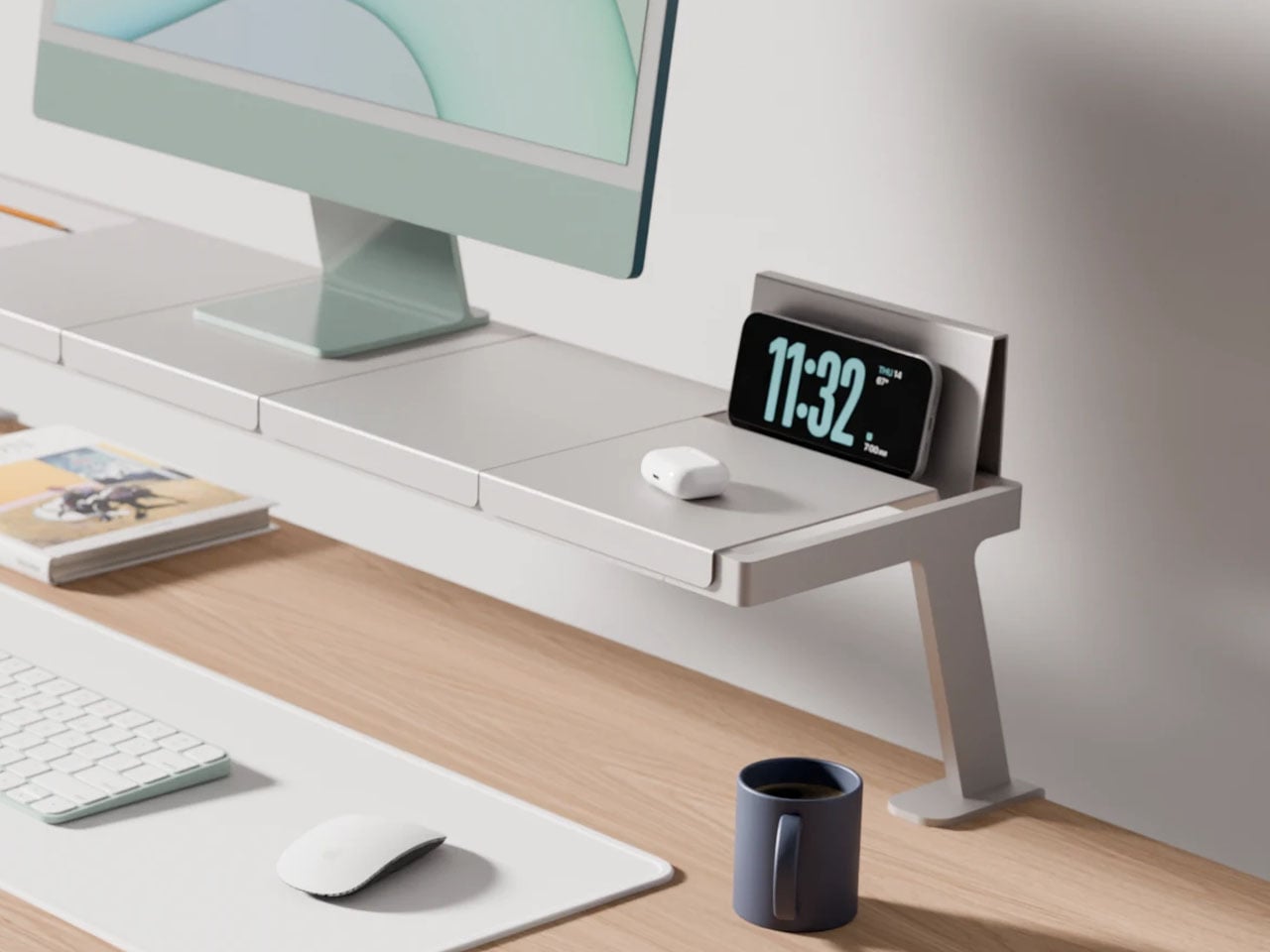
Lorenzo Vega’s Modular Monitor Stand starts with a familiar problem: a phone stand, a pen tray and a document holder can each tidy one thing while making the desk feel more crowded together. Vega’s working concept moves those jobs onto a rack that clamps to the back edge of the desk. Five interchangeable tray designs fit onto two horizontal rails, with options for stationery, a phone or tablet, and upright papers. Raising the monitor leaves the surface below open for a notebook or reference book.
The layout is the part worth borrowing, even if you never get your hands on the stand itself. Someone who works from printed notes could put the document holder right beside the screen. Someone who sketches could give that spot to a tray for pencils and keep the space below clear for an open pad. Vega’s design puts the things you reach for on the same structure, but it doesn’t decide which of those things matters most. That’s a useful distinction for any desk organizer.
What we like
- The interchangeable trays let the same rack suit very different desks.
- The rear mounting leaves usable space underneath instead of filling it with a solid riser.
What we dislike
- It’s a working concept, with no confirmed retail version.
- The clamps need access to a compatible rear edge. That’s a constraint for desks pushed flush against a wall.
6. Anywhere-Use Lamp

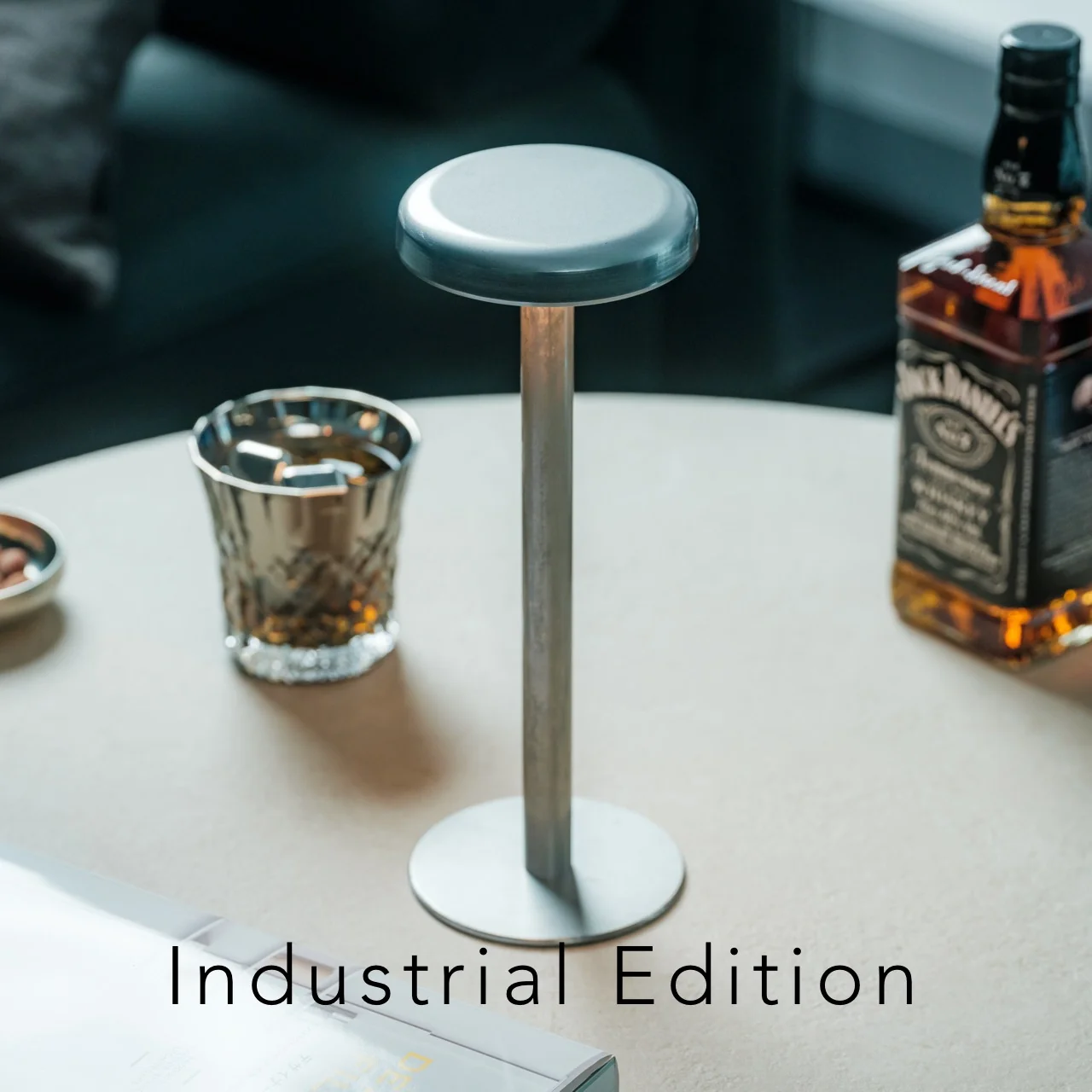
The top of the Anywhere-Use Lamp is also its switch. Press anywhere around the rim to turn it on or cycle through four brightness settings. TENT and Fujita Metal’s design, sold in Japan as the Table Lamp ICHI, hides four AA batteries inside a narrow stem, with the cap and base unscrewing for transport. There’s no cable dictating which corner it goes in. With a base about four inches across, it can go where the light makes sense, even if that isn’t near an outlet.
The warm light suits a desk that doubles as a place to read or draw once the laptop is shut. Use a lower setting for a little light beside the monitor, then move the lamp closer to the page when you want it there instead. There’s a substantial payoff for turning down the brightness: with rechargeable Eneloop AAs, the maker estimates about 80 hours on the lowest setting but only eight on the highest. It’s a lamp you can move freely, though you’ll want spare batteries if you keep it bright.
Click Here to Buy Now: $149.00 Black Friday: Free $20 calendar with every order
What we like
- The whole rim works as a switch, so there’s no button to feel for in the dark.
- Replaceable AA batteries let you move the lamp without taking a charging cable with it.
What we dislike
- The highest setting runs through a set of batteries much faster than the lowest.
- The fixed shade means you move the whole lamp to shift where the light falls.
7. Polaroid Hi-Print 3×3 Photo Printer
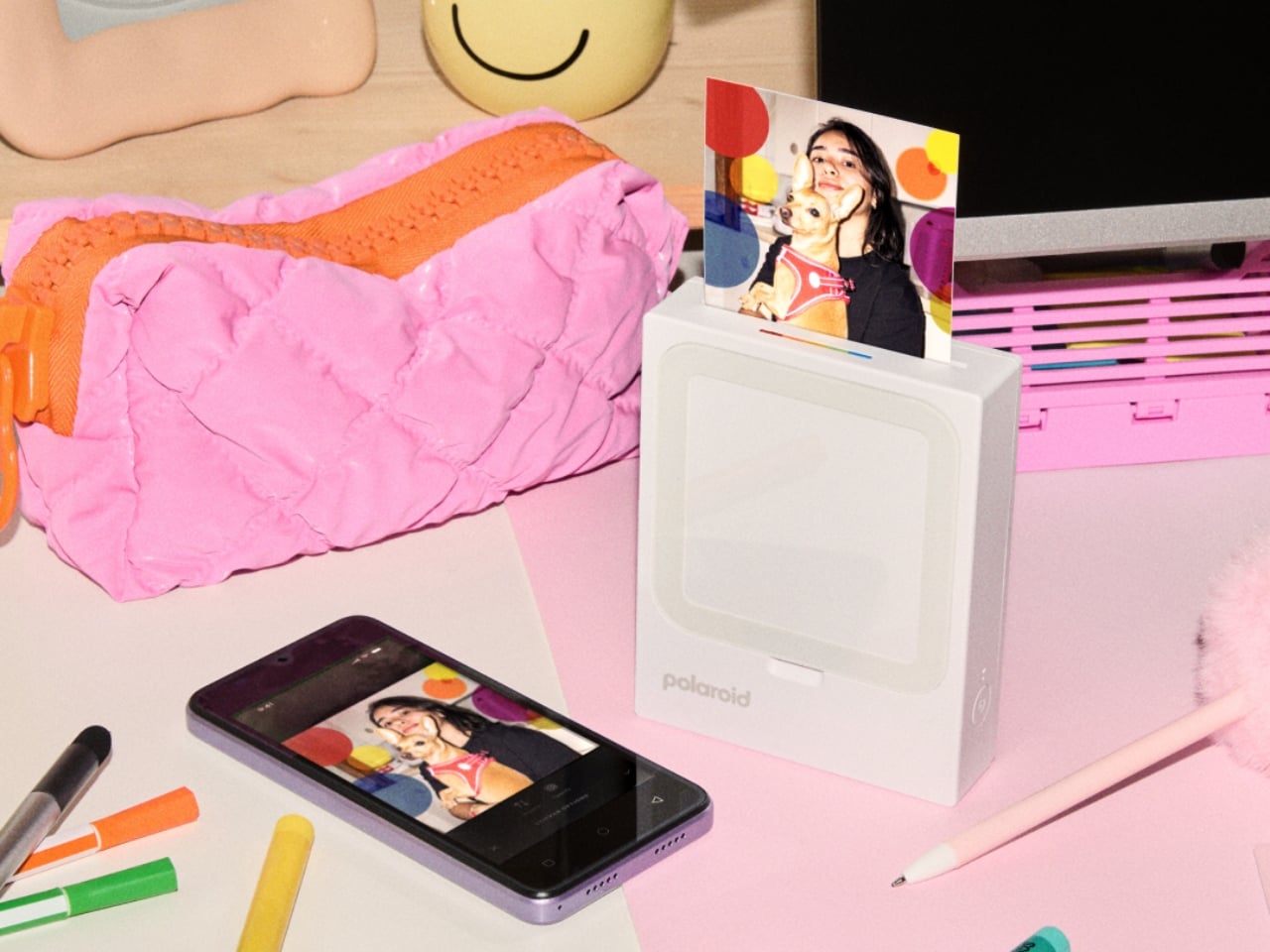
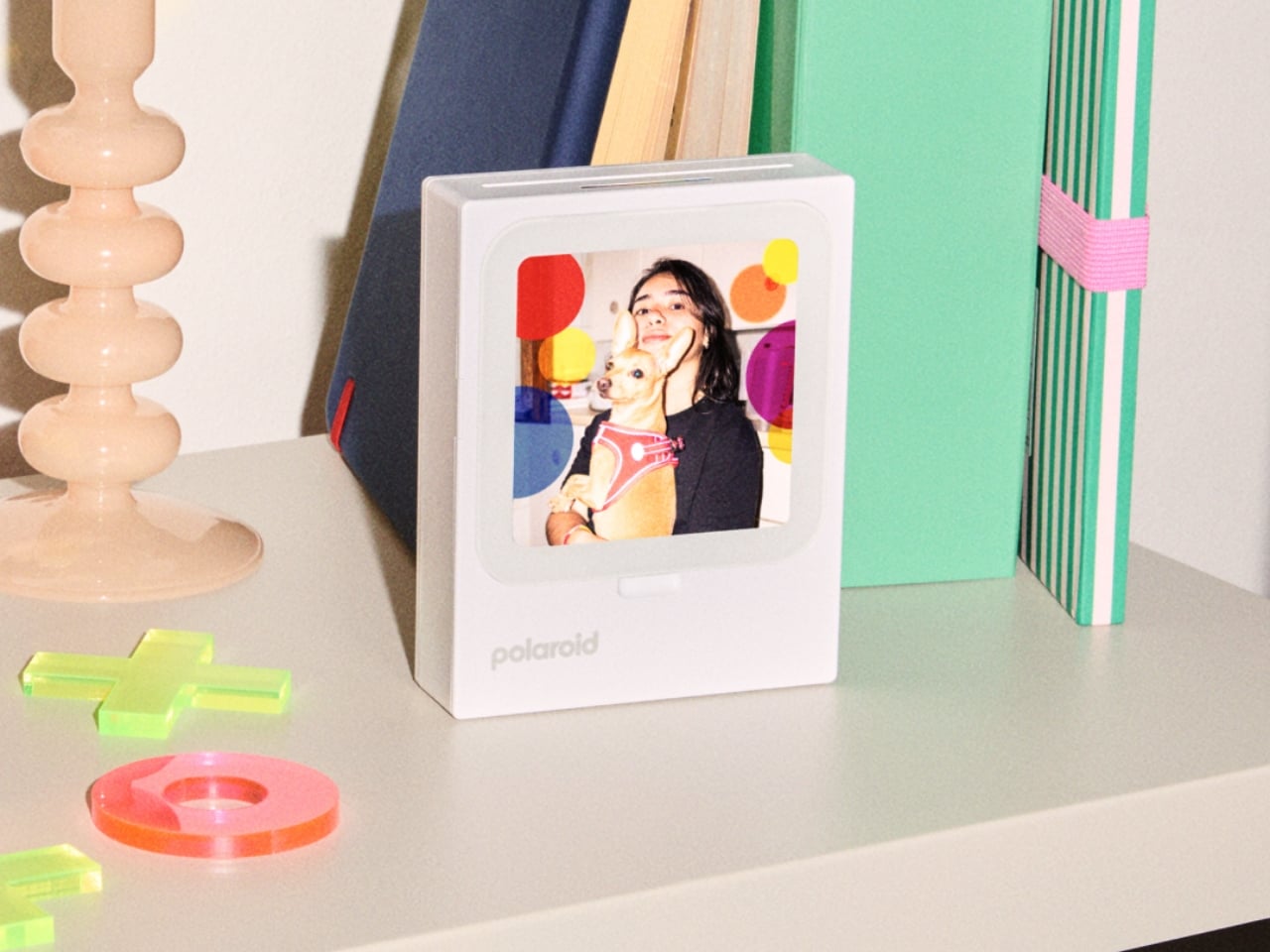
Polaroid’s Hi-Print 3×3 earns its spot by doing something most printers don’t: giving you somewhere to put the picture. It turns photos from your phone into three-inch squares, and the printer itself doubles as a frame. Slide a print into the front, and the plain white housing recedes behind whatever you chose to put there. A trip photo or a blurry snapshot of the dog can stay in view all day without becoming another thing you have to wake up or swipe past.
Polaroid’s iOS and Android app lets you add templates, stickers, and borders before printing. You can also leave the image alone and let the square crop do the editing. The printer makes more sense if you like to rotate what’s on display or print extras for other people. For one picture you already love and intend to keep there, a simple frame is the better buy. The Hi-Print’s value is in making it easy to change your mind about what goes in it.
What we like
- The built-in frame gives the printer a purpose between print jobs.
- The app lets you add a border or a playful detail without needing a separate editor.
What we dislike
- It only takes Polaroid’s dedicated Hi-Print 3×3 cartridges, so fresh prints mean buying refills.
- The display holds one small square, which is less suited to group shots you want to see from across the room.
8. LEGO Botanicals Mini Orchid (10343)
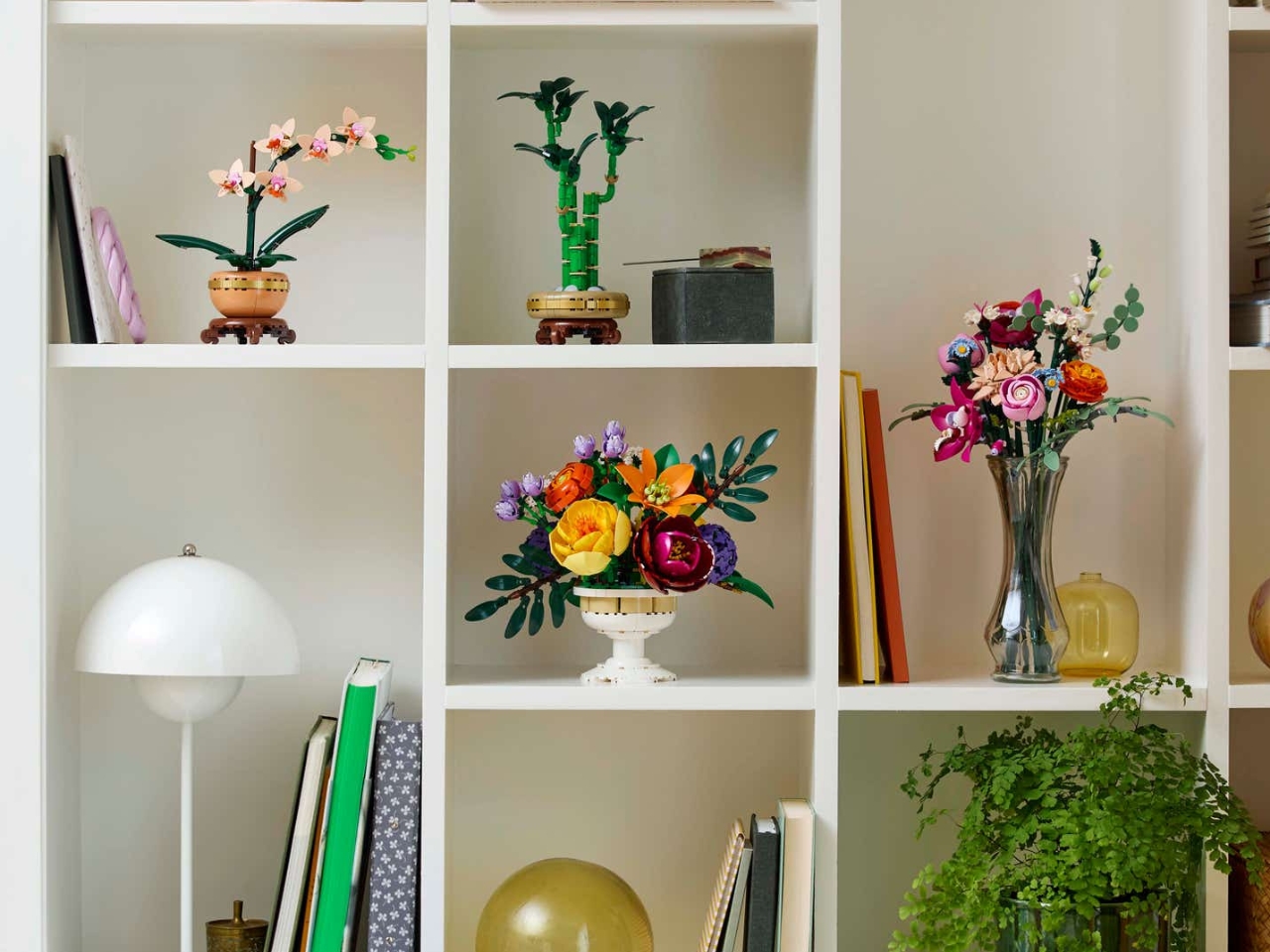
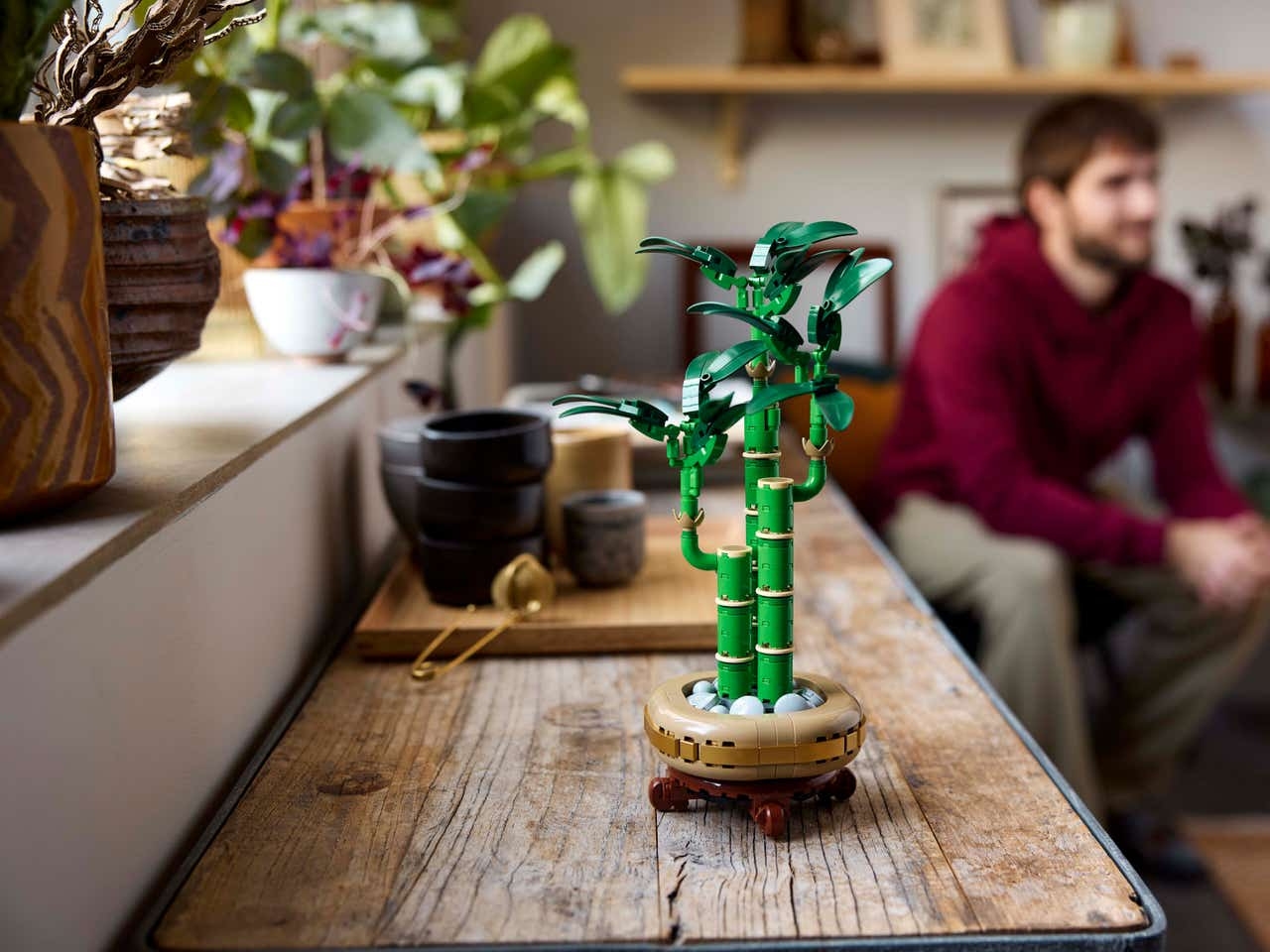
LEGO’s Mini Orchid is a 274-piece build with five peach blooms, a few closed buds, and a terracotta-colored pot on a wood-effect stand. The buds make the arrangement look less uniform, while the pot and its little platform give it the proportions of something you’d see on a windowsill. It has enough color to break up a run of gray electronics without asking you to redesign the desk around it. And a desk nowhere near a window will suit it fine.
The time spent building it is part of what makes it feel personal. You could buy a convincing artificial orchid and be done in seconds, but here you put together the pot, leaves, and flowers before deciding where they’ll live. Check the vertical space before you commit to a spot: the finished model stands over 10 inches tall, so “mini” doesn’t mean it’ll tuck under a low shelf. It may look better out at the edge of the desk anyway, where the flowers have room around them.
What we like
- The open flowers and buds give it the uneven shape of an actual orchid stem.
- You get a build to spend time on and a display that needs neither sunlight nor watering.
What we dislike
- At over 10 inches tall, it needs more clearance than the name suggests.
- It takes 274 pieces to get to the finished display. Skip it if you want something ready to set down.
What Earns a Spot on Your Desk
On a crowded desk, the best first change might be to swap something out rather than find room for one more object. Replace the keyboard you already use every day, or move a lamp to the side where you actually open your notebook. If the practical side of your setup is already sorted, give the one remaining spot to something with no obligation to help you get through your inbox.
A desk can look pulled together without looking like it came as a set. The clock can stay turned toward someone else’s city. The photo can change next week. The little orchid can keep its spot even when the notebook and monitor move. Those details make the space feel inhabited. And on a desk you spend hours at, that’s a better reason to keep something than how well it matches the monitor.