
The departure board has pushed your flight back another hour, your phone is running low on battery, and the only available table is barely wider than a lunch tray. Airports make small inconveniences feel surprisingly large. A useful travel gadget earns its place by addressing one of them, giving you somewhere to work, something absorbing to do, or a better chance of resting without constantly watching the clock above the boarding desk.
These eight picks focus on the wait at the gate rather than the trip after landing. There’s a keyboard with its own screen, a mouse that folds flat, and smaller diversions for when answering another email sounds unbearable. Each tackles a specific frustration, from a fading phone battery to the struggle to get comfortable in a terminal chair. You won’t need all eight, but one or two could make your next delay easier to sit through.
1. VitaLink Foldable Keyboard and Touchscreen
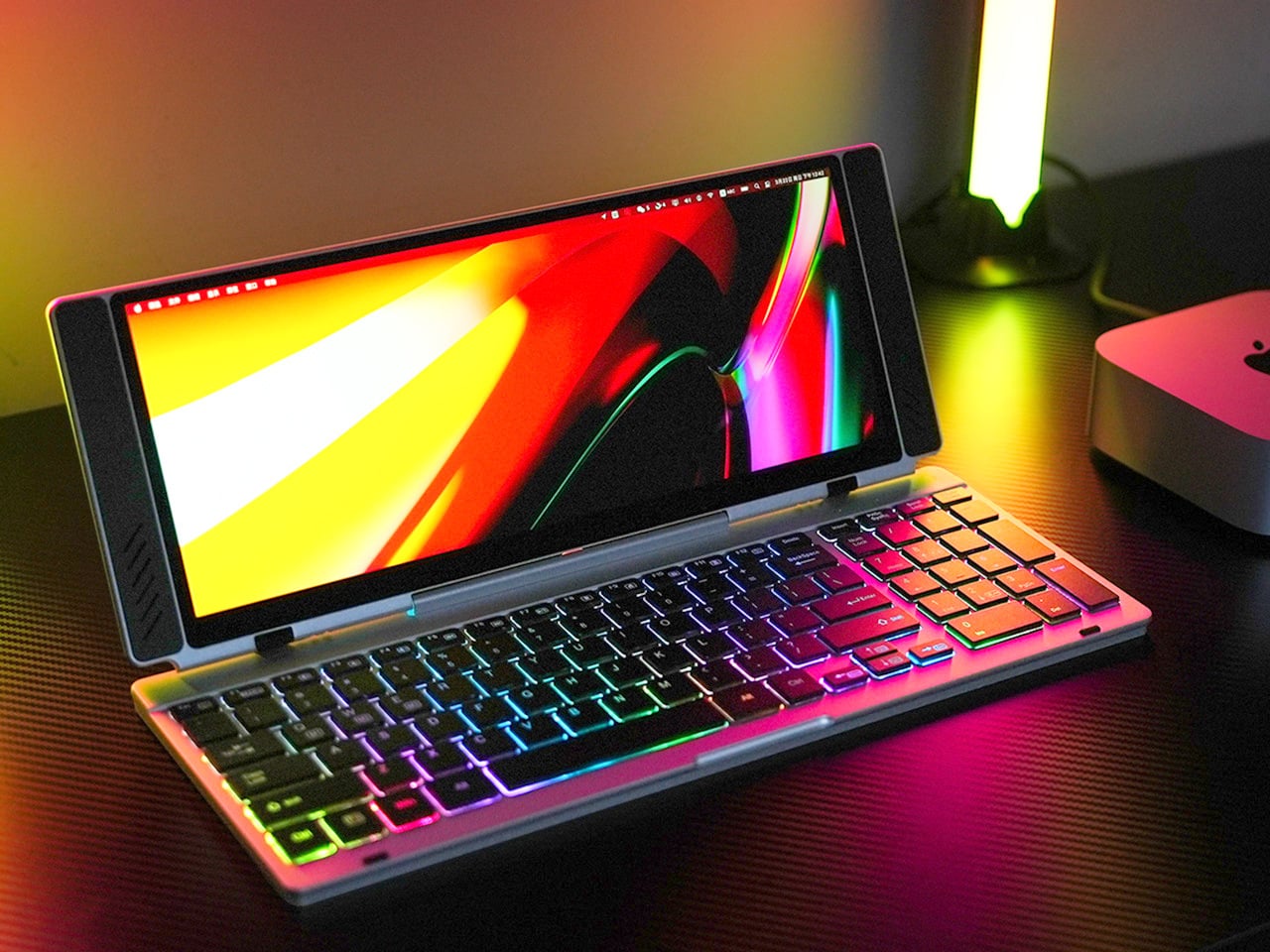


A departure lounge table rarely invites a proper work session. VitaLink, a keyboard-and-touchscreen accessory, offers a more organized setup. Its aluminum body closes to a stated 20mm thickness, then opens to place a 13-inch display above scissor-switch keys. It offers 3840 × 1600 resolution and an unusually wide 2.4:1 aspect ratio. That horizontal layout could keep reference material beside a working document, rather than forcing everything into one narrow window on your phone’s screen.
Despite its laptop-like appearance, this isn’t a standalone computer. You need a compatible host device with video output, connected through USB-C; the maker says power can come from the host or an external supply. The appeal is combining two accessories into one object, especially if you already travel with a portable monitor. At a listed 1.2kg, it’s a substantial addition to a carry-on.
What we like
- The keyboard and display fold together instead of traveling as separate accessories.
- The wide screen offers useful space for keeping reference material beside your work.
What we dislike
- Its listed 1.2kg weight is a significant addition to a travel bag.
2. OrigamiSwift Mouse


OrigamiSwift tackles the awkward shape of a travel mouse. Designed by Horace Lam, it folds into a flat panel for packing, then forms a raised triangular structure when you need to work. It weighs 40 grams, making it a small commitment beside the laptop or tablet you already carry. The interesting decision is keeping volume available for your hand during use, then removing most of that volume when the mouse goes back inside your travel bag.
At an airport, that makes the most sense for travelers who routinely edit documents, navigate spreadsheets, or prefer a mouse to a trackpad. Bluetooth 5.2 handles the connection, while USB-C recharges the battery. The shop claims up to three months of use per charge, though your routine will determine the actual interval. You still need room beside your device. A folding mechanism solves the packing problem, not the shortage of usable surface space on an already crowded airport café table.
Click Here to Buy Now: $85.00 Black Friday: Free $20 calendar with every order.
What we like
- The folding structure reduces its packed volume without keeping it flat during use.
- A listed 40g weight makes it an easy addition for people who already prefer a mouse.
What we dislike
- You still need usable mousing space beside your device.
- It’s another peripheral to pack if your laptop’s trackpad already does everything you need.
3. INIU SnapGo Air Power Bank
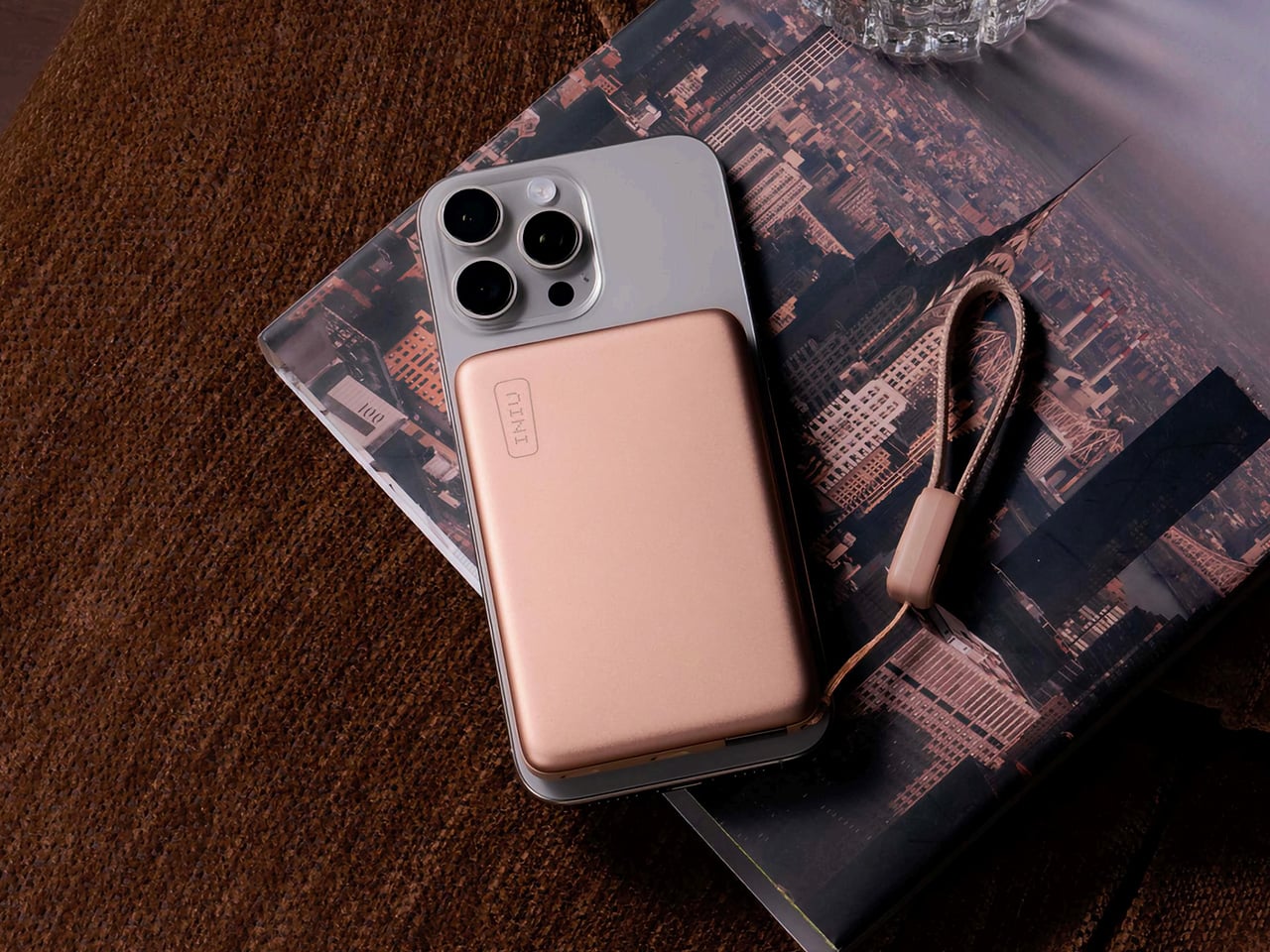

A phone is difficult to relax without when it also holds your boarding pass. INIU’s SnapGo Air puts a 10,000mAh reserve behind a compatible phone using a magnetic attachment. The company rates wireless output at up to 25W through Qi2.2, with up to 45W available over USB-C. Those are maximum ratings, not a promise for every handset. Having both options matters more than the number: you can choose between keeping the phone untethered and connecting a cable when that suits you.
The detachable USB-C GoCord doubles as a carrying loop, which gives a small but easily misplaced accessory a defined home. A digital display shows remaining power, and the body measures about half an inch thick at a listed 195 grams. This is the selection for staying in your chosen seat instead of relocating around an outlet. Pack it in your carry-on, not checked baggage; FAA rules require that for power banks, and individual airlines may impose their own further restrictions.
What we like
- Magnetic wireless charging and USB-C provide two ways to keep devices powered.
- The detachable GoCord gives the charging cable a second job as a carrying loop.
What we dislike
- Its roughly 195g weight adds noticeably more to your kit than a cable alone.
- Your phone and charging setup determine whether those maximum output ratings are available.
4. StillFrame Headphones
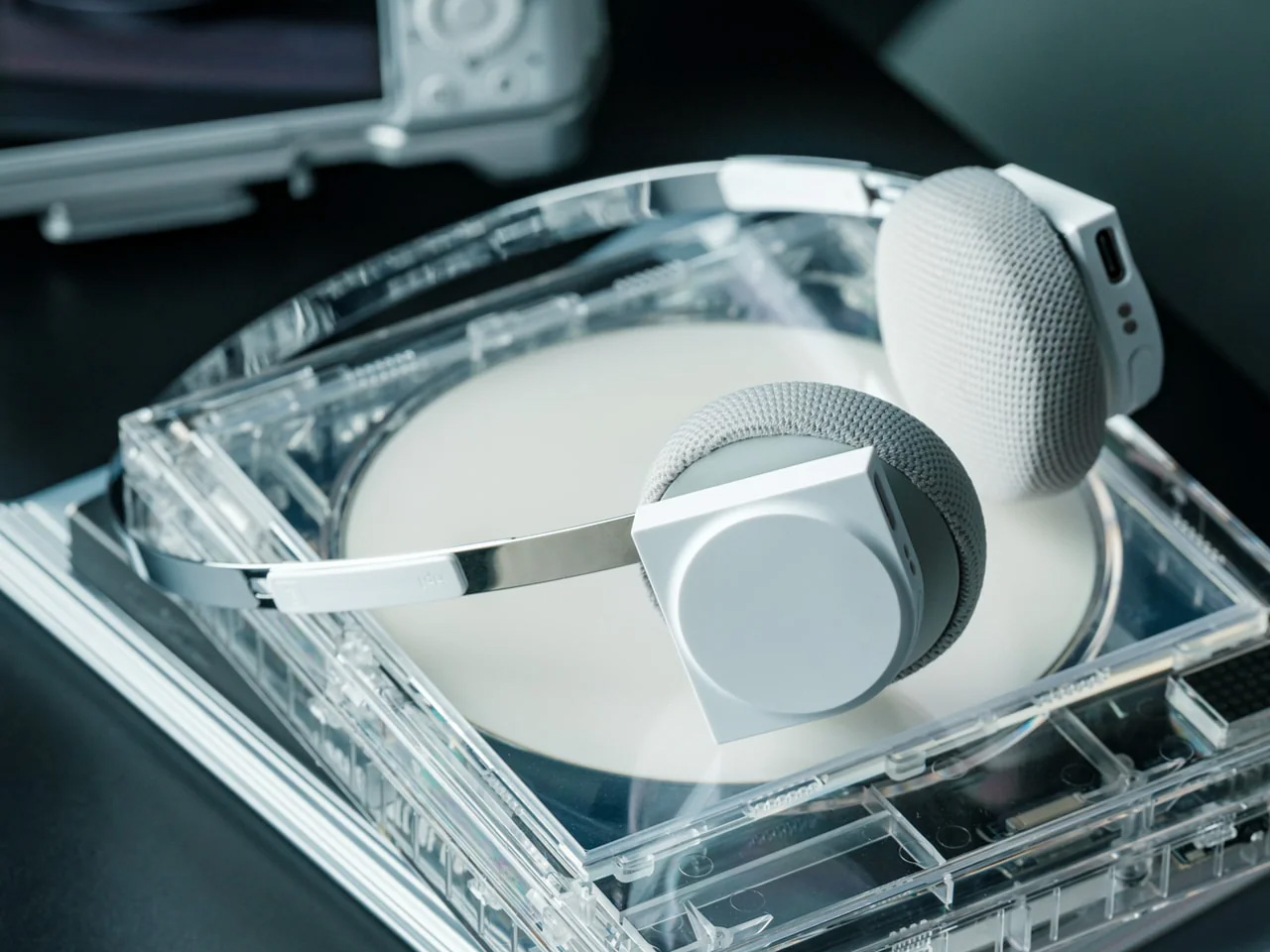
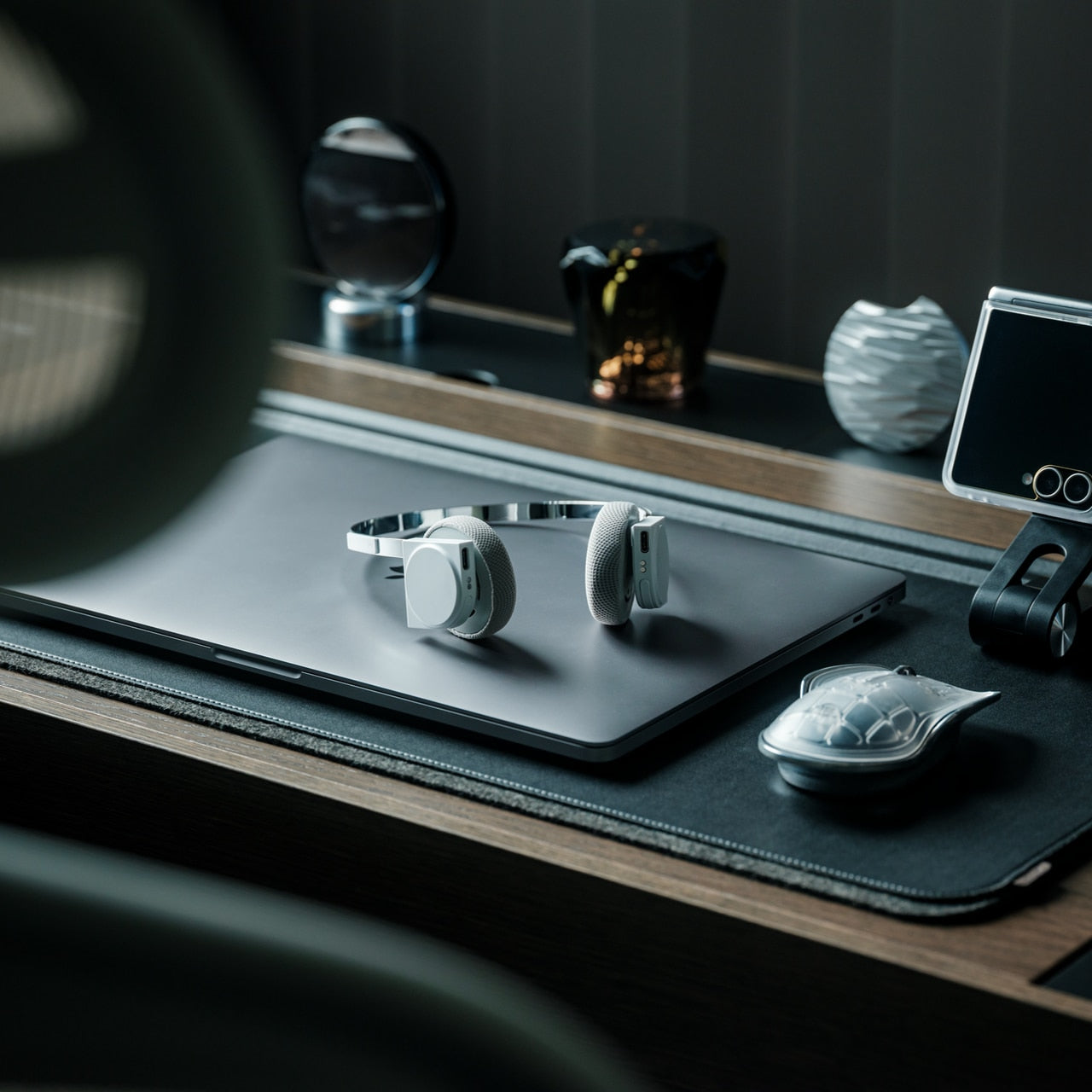

StillFrame takes a different visual route from the usual padded travel headphones. Designer Tatsufumi Funayama places circular ear cushions inside square housings, joined by a slender stainless steel headband. The references come from the CD era, but the listed features are current: Bluetooth 5.4, noise canceling, and a transparency mode. At 103 grams, the design also makes a clear argument for travelers who want headphones without adding a heavy object to the collection already hanging from their bags and shoulders.
The useful airport feature is the choice between listening modes. It features noise canceling for reducing distractions and transparency for remaining more aware of your surroundings. Neither should replace checking the departure board or keeping flight alerts visible. The shop lists up to 24 hours of playback and an approximately three-hour recharge. Magnetically attached fabric cushions can be swapped. That replaceable detail makes sense on something worn against your skin, though the listed features alone can’t establish sound quality.
Click Here to Buy Now: $245.00 Black Friday: Free $20 calendar with every order
What we like
- The listed 103g weight is appealing for an accessory you might wear through a long wait.
- Magnetically attached cushions can be swapped instead of remaining permanently fixed.
What we dislike
- An approximately three-hour recharge calls for some planning before departure.
- The published specifications don’t quantify how effectively the noise canceling handles terminal noise.
5. Playdate
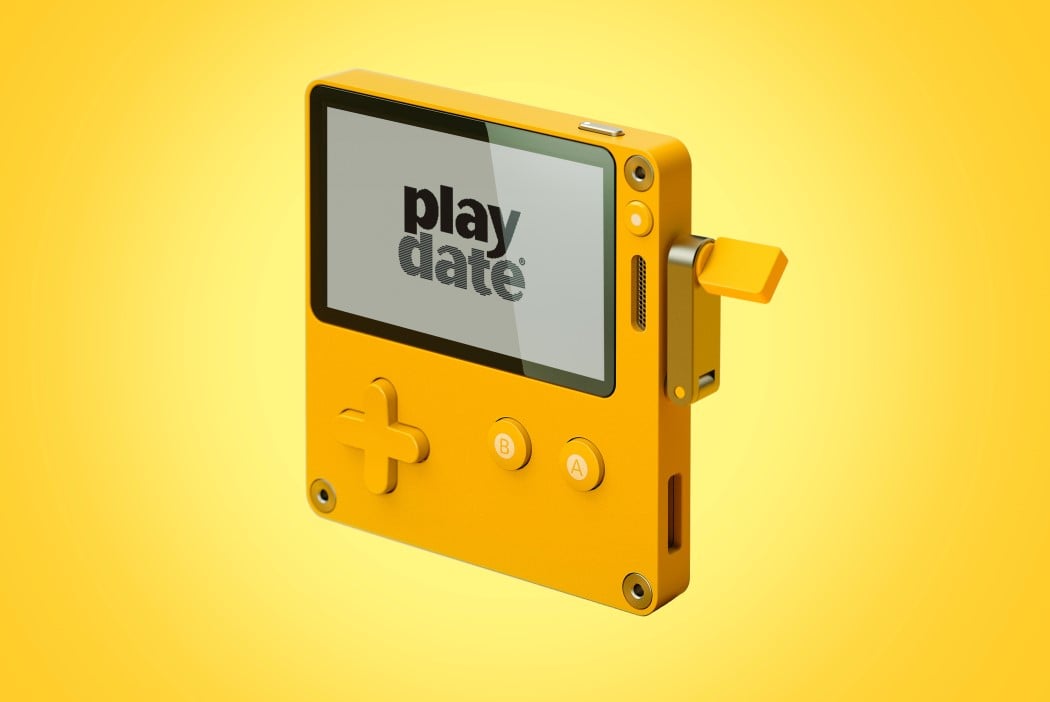


Playdate gives an airport delay something better to revolve around than another refresh of your feed. Created by Panic with hardware design by Teenage Engineering, the yellow handheld measures just 76 × 74 × 9 millimeters. Its signature control is a crank that folds out from the side. Turn it to control supported games; it doesn’t charge the battery. A D-pad and two main buttons supply more familiar inputs, giving this little console several ways to occupy otherwise idle hands.
The appeal is a game designed around a particular physical action, rather than another task squeezed onto your phone. Season One’s 24 games are included, delivered two at a time over 12 weeks after setup. Download what you want before leaving home. The reflective black-and-white screen has no backlight, so available light affects where you can play. A bright terminal is a better prospect than a darkened cabin.
What we like
- The crank gives supported games an interaction that touchscreen tapping can’t reproduce.
- Season One’s 24 games are included with the console.
What we dislike
- The unlit display limits its usefulness in dim surroundings.
- At $229 before taxes and shipping, it’s a substantial purchase for a dedicated diversion.
6. Analog Capsule Camera
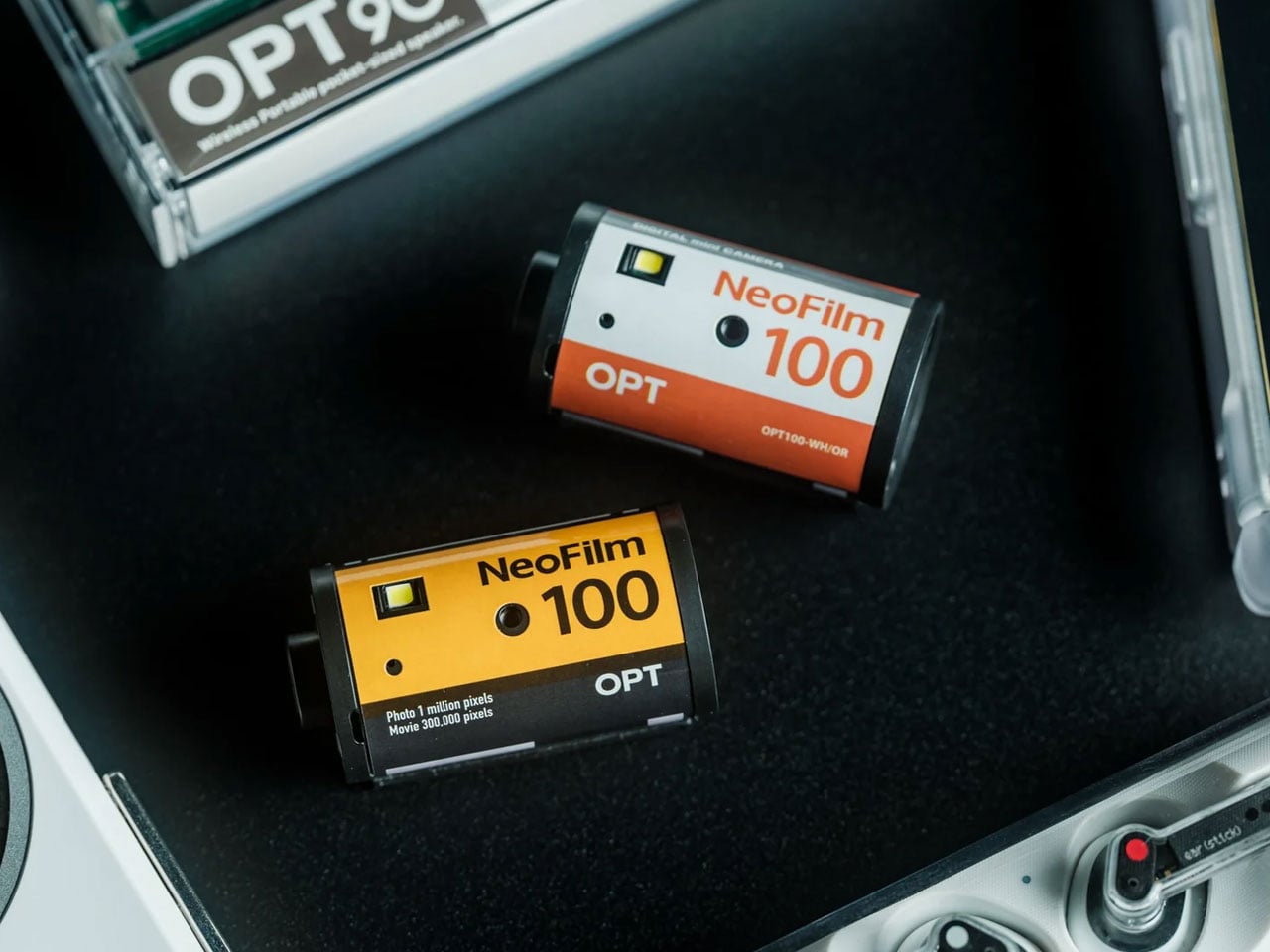
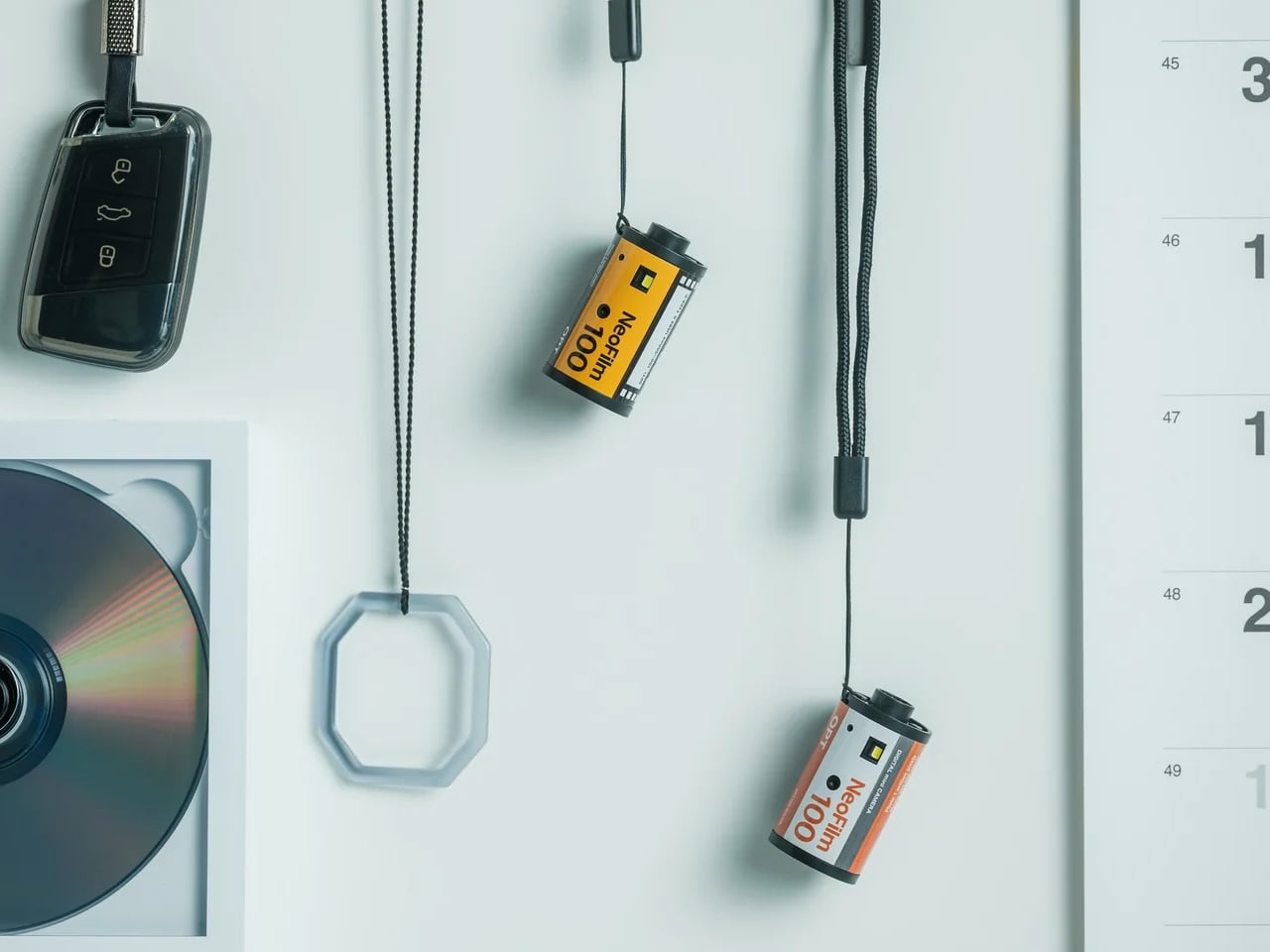
The Analog Capsule Camera looks like a roll of 35mm film, but there’s no film to load or develop. Inside the cylindrical ABS body is a digital camera with a 1 megapixel CMOS sensor. It weighs approximately 25 grams without a memory card, and an included strap lets it hang from a bag. That small scale makes its airport role convincing: a separate camera for noticing reflections, repeating seats, or the geometry of a terminal instead of reopening your messages.
This isn’t the pick for documenting a trip in maximum detail. Its appeal is the deliberately modest camera experience and the absurdity of taking pictures with something shaped like the film it doesn’t use. Built-in playback lets you review shots, while USB-C and microSD storage keep transfers digital. The shop lists roughly 60 minutes of use without flash and a two-hour charge. Treat it as a playful diversion, with limited captured detail, rather than a replacement for your phone camera.
Click Here to Buy Now: $55.00 Black Friday: Free $20 calendar with every order
What we like
- The approximately 25g body makes carrying a separate camera unusually undemanding.
- Digital capture avoids buying film or waiting for processing.
What we dislike
- A 1 megapixel sensor limits captured detail.
- The listed one-hour operating time might not cover an extended session of airport photography.
7. A-Tech OmniGrip
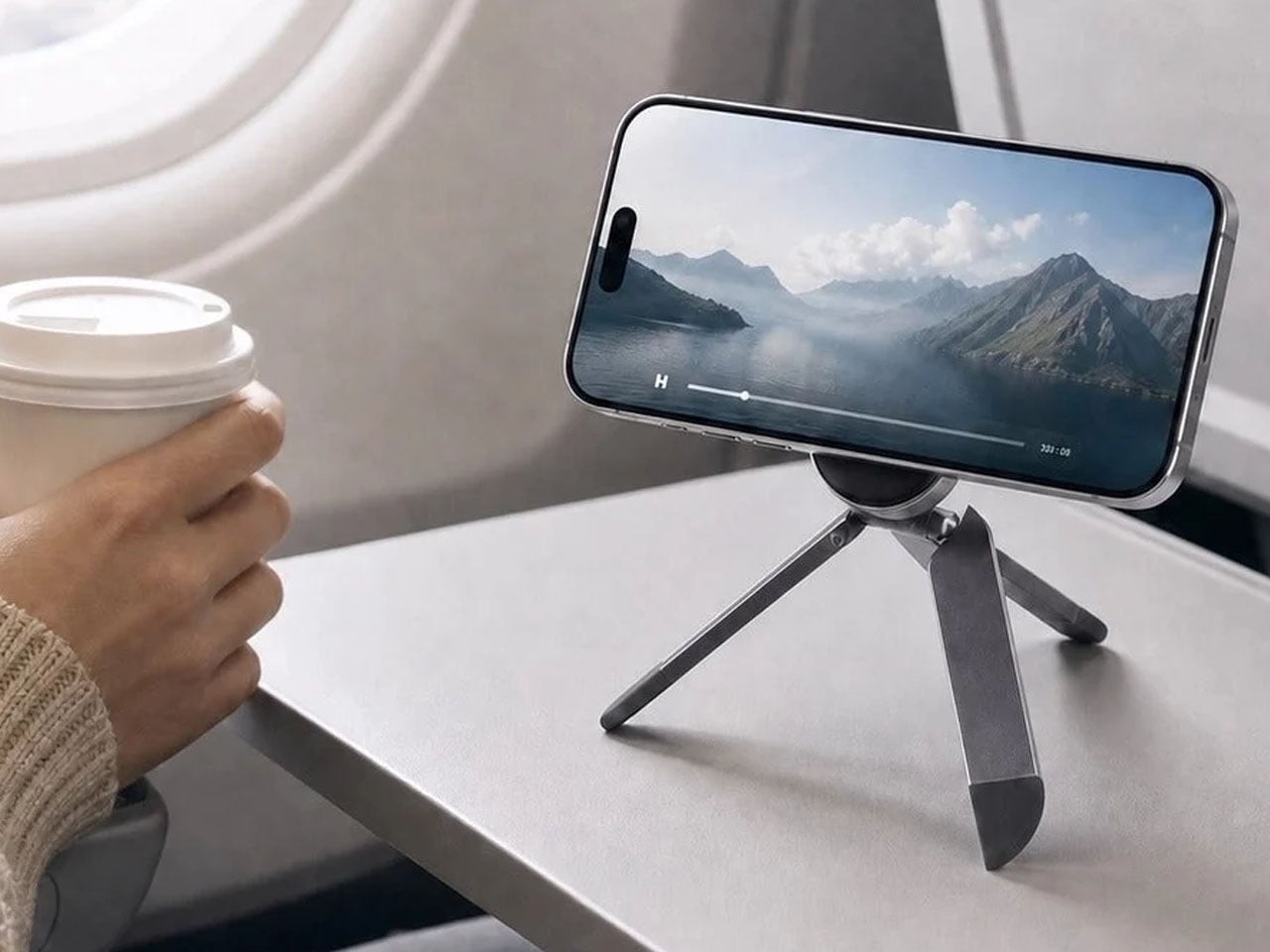
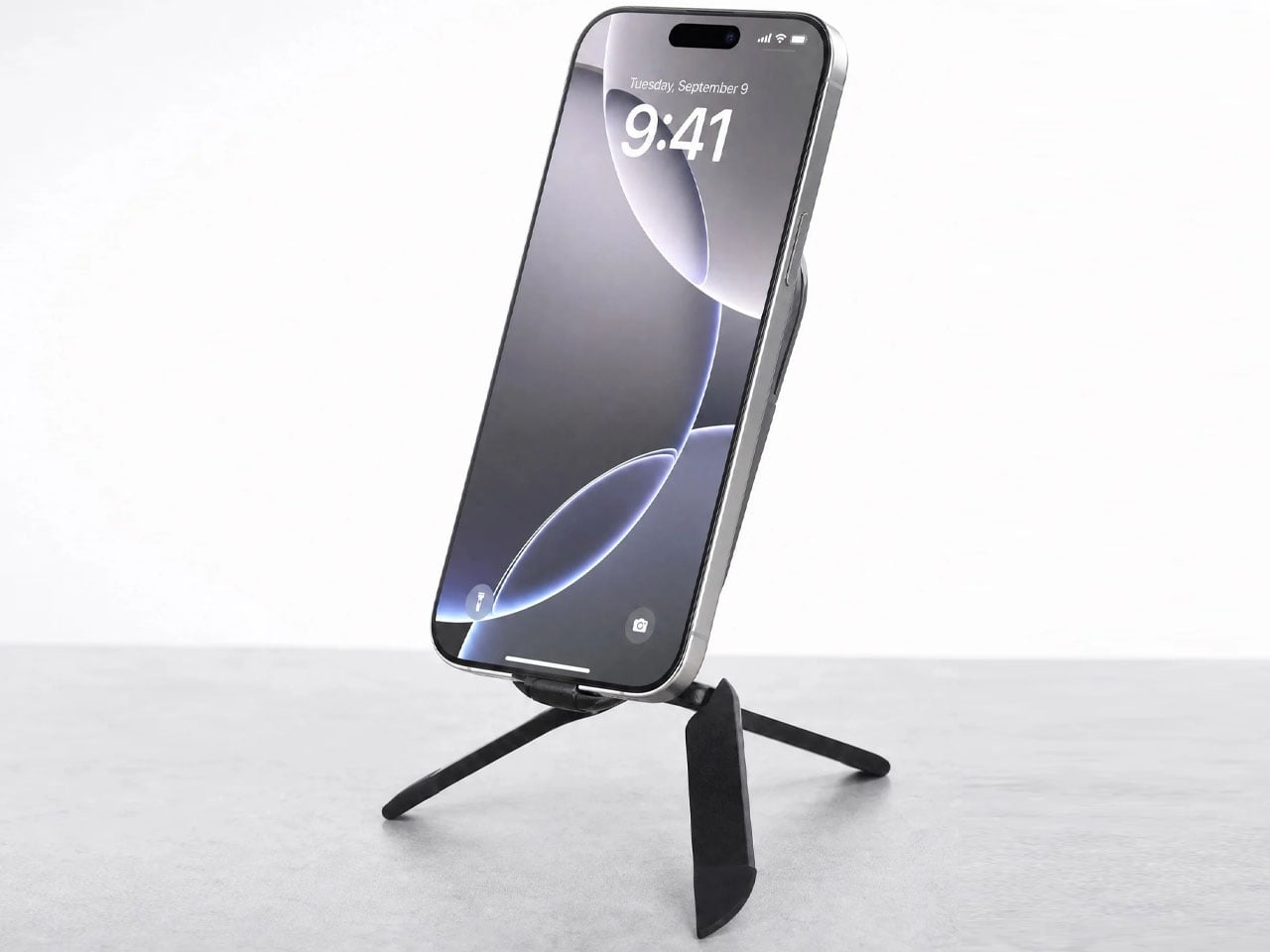
Watching a downloaded episode is easier when one hand isn’t permanently assigned to holding your phone. A-Tech’s OmniGrip unfolds into an adjustable stand, then changes configuration to become a mini tripod or handheld grip. Its aluminum-alloy body measures 3.82 × 2.28 inches and weighs a listed 68.5 grams, keeping the packing commitment modest. At a terminal café table, the stand mode is the useful one: set the viewing angle, put your phone down, and eat before your food goes cold.
The independently adjustable tripod legs give you more flexibility when positioning the phone, with silicone feet designed to resist slipping. Fold the stand down 180 degrees, and it becomes a handle for photos or video once you’re moving again. Attachment is magnetic, so check your phone and case: setups without suitable magnetic compatibility need an appropriate ring or case. It still needs somewhere to stand, but combining these functions means you aren’t packing a separate accessory for each small job.
What we like
- Adjustable viewing angles make hands-free watching and video calls more practical.
- The folding design combines a stand, mini tripod, and grip in a 68.5g accessory.
What we dislike
- Phones without compatible magnetic attachment need an additional ring or case.
- The mini tripod doesn’t provide the height of a full-size tripod, limiting elevated camera angles.
8. Cabeau Evolution X Travel Pillow
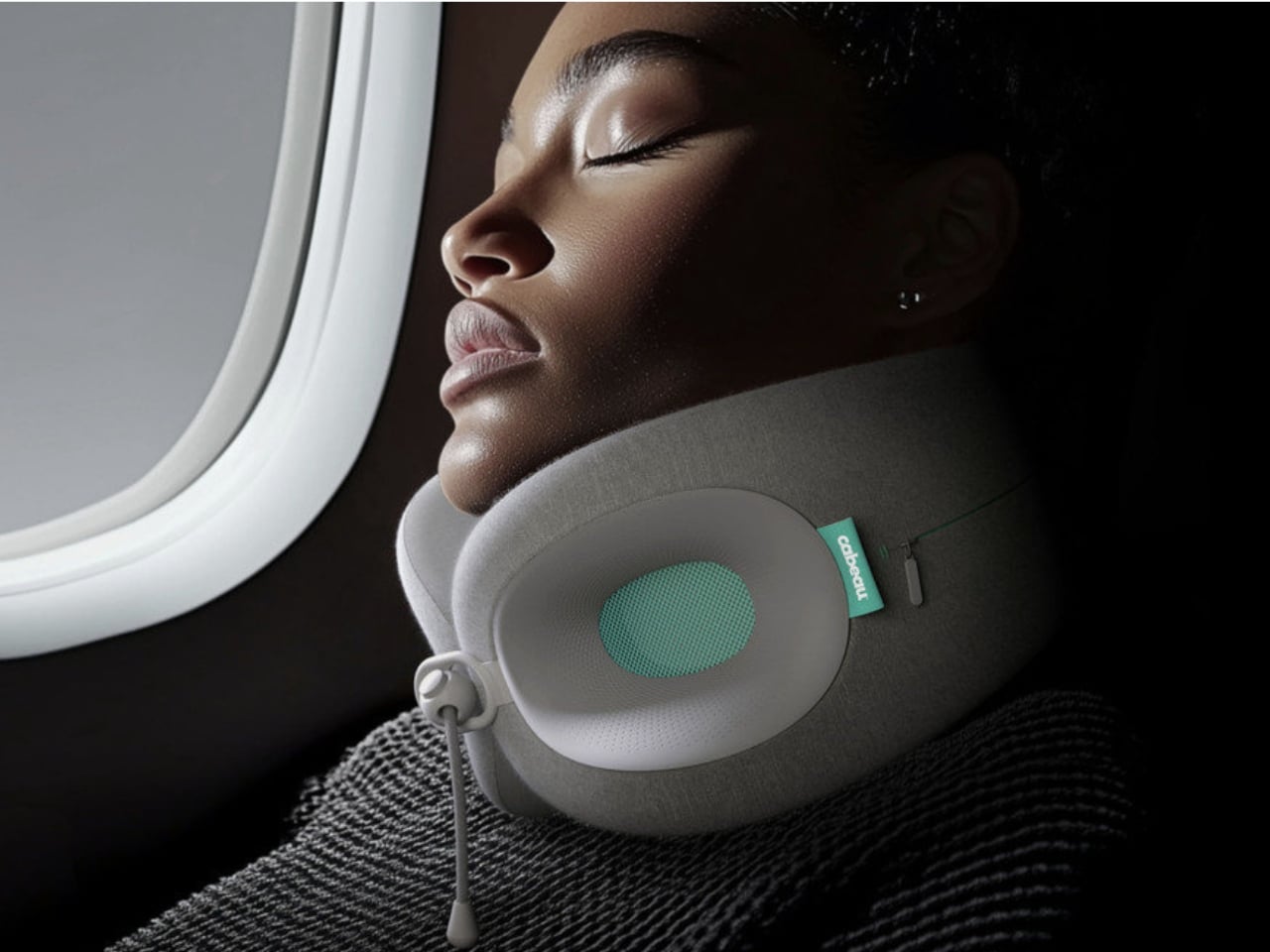

Rest is difficult when your head keeps dropping forward. Cabeau’s Evolution X, designed by Ritual, approaches the neck pillow as an adjustable structure rather than a fixed cushion. You can alter its circumference, change the height by shifting the upper or lower lobes, and fine-tune the front closure. Plastic support shells sit at the core. That construction is the reason to consider it for a long seated wait: you have several ways to adjust the fit before attempting a nap.
Cabeau lists a neck circumference range of 11 to 21 inches and cautions that its structured chin support can take some getting used to. That’s useful information for anyone expecting the yielding feel of a conventional pillow. The removable cover is machine washable, a practical feature for something that travels against your skin and through shared spaces. Fit remains personal, and adjustability isn’t a guarantee of sleep. Still, the mechanism gives you more to work with than simply adding padding.
What we like
- Separate circumference, height, and closure adjustments offer several ways to refine the fit.
- The removable, machine-washable cover makes cleaning between trips straightforward.
What we dislike
- Cabeau acknowledges that the structured chin support may require an adjustment period.
- It’s designed for adults and isn’t intended to support children under 13.
Pack for the Wait You Actually Have
The sensible move is to pack around the part of waiting you find hardest. If your work already follows you everywhere, extra peripherals deserve a stricter test than simply looking portable. If a delay usually becomes an hour of restless scrolling, one dedicated diversion may be enough. Decide what you want the object to change before deciding how much bag space you’re willing to give it on every subsequent trip.
Then consider the moment boarding finally starts. Anything you unpack has to go away again, preferably without a missing cable or an accessory left beneath your seat. Keep your temporary setup contained, leave your travel documents accessible, and resist turning a short wait into a complete desk installation. A good airport kit should make waiting a little less irritating without making you slower to leave once you’re called to board.