
PROS:
- Compact, minimalist design with automotive-inspired detailing
- Effective cooling system for sustained heavy workloads
- Impressive performance for local AI use, graphics work, and light gaming
- Great price value for its size and features
CONS:
- Fan is clearly audible during high-performance tasks
- USB-C ports are all at the back
A desktop computer shouldn’t have to dominate the desk it sits on, particularly when that space also holds a drawing tablet, reference books, and the occasional coffee cup. The VZMORE AX9 Max takes that idea in a promising direction, pairing an understated enclosure with hardware capable of running local AI models and tackling extended workloads. Its vapor-chamber cooling gives this small machine an appropriately serious engineering focus.
Of course, fitting ambitious hardware into a compact box doesn’t automatically make a great desktop. Our review configuration combines AMD’s Ryzen AI 9 HX 470 processor with 32GB of RAM and a 1TB SSD. After testing local models, extended heavy tasks, display connections, and Fortnite, the more interesting story is how VZMORE balances those capabilities with everyday practicality, including a fan that makes its presence known.
Designer: VZMORE
Aesthetics
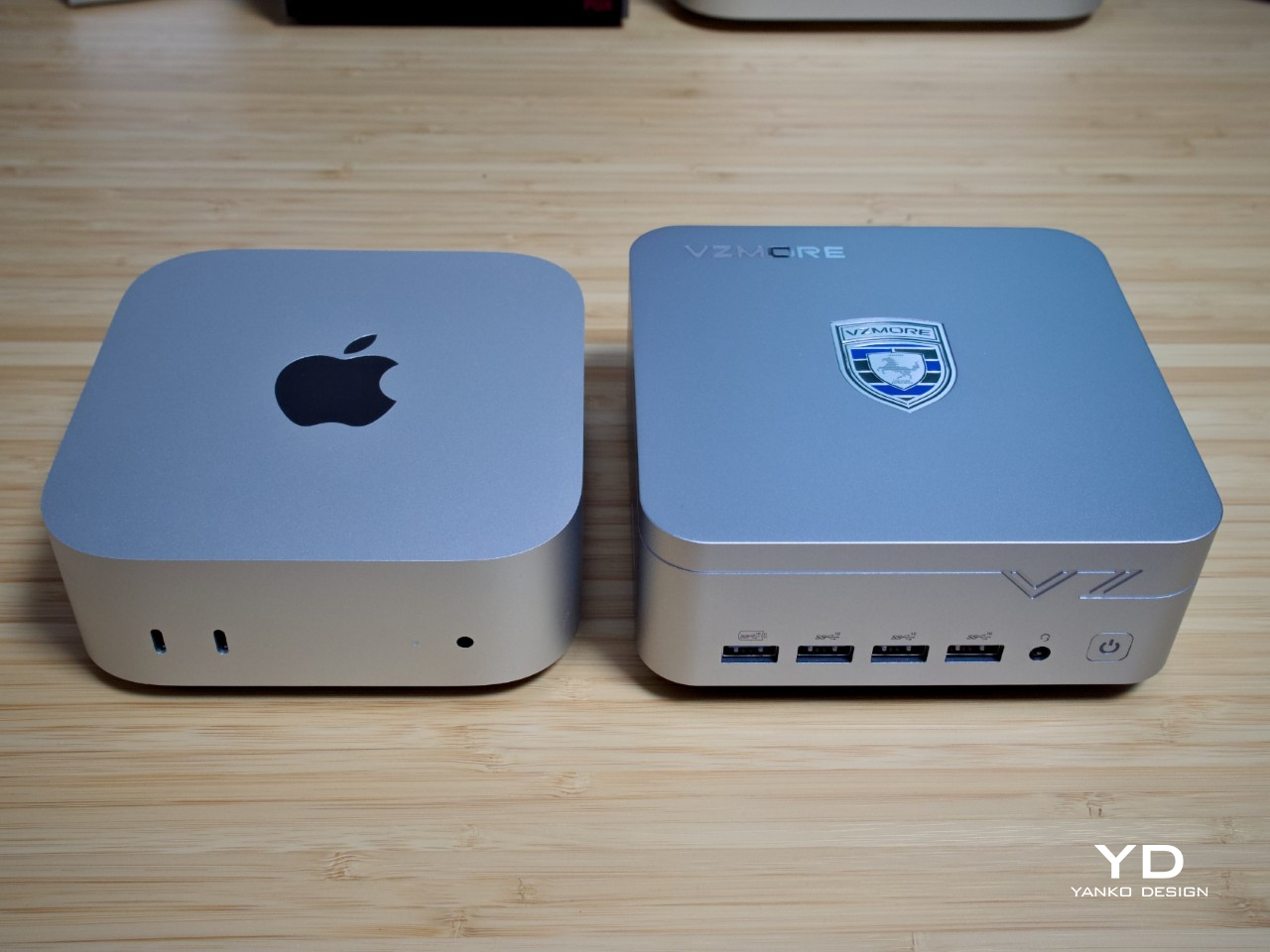
There’s a familiar language to the AX9 Max’s silver enclosure, rounded corners, and square footprint. Comparisons with the Mac mini are understandable, although VZMORE’s interpretation is boxier and taller, giving it a slightly more substantial presence. It remains compact enough to share a desk comfortably, without adopting the angular styling that often makes performance-focused hardware look as though it belongs beside a gaming chair.
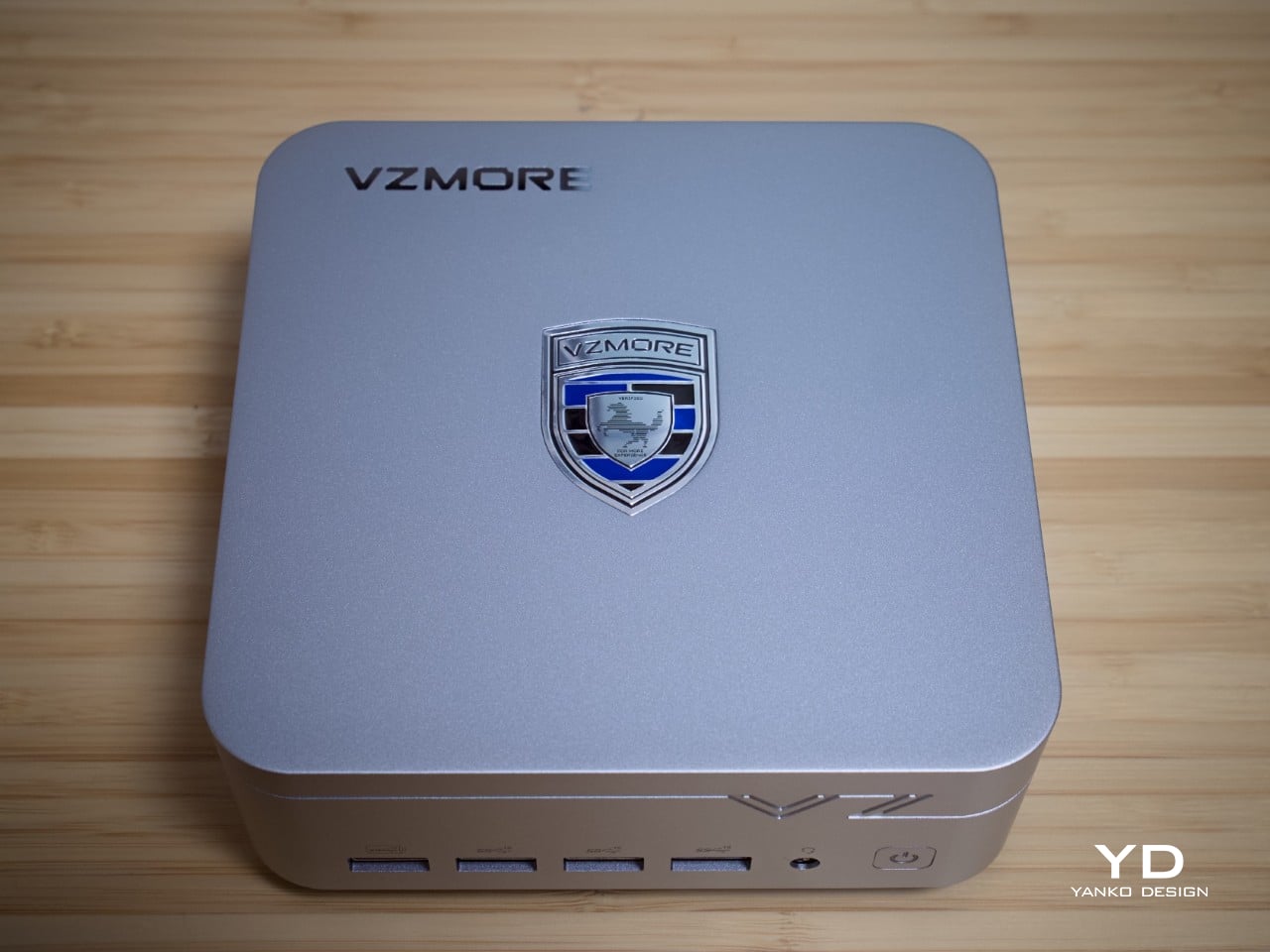
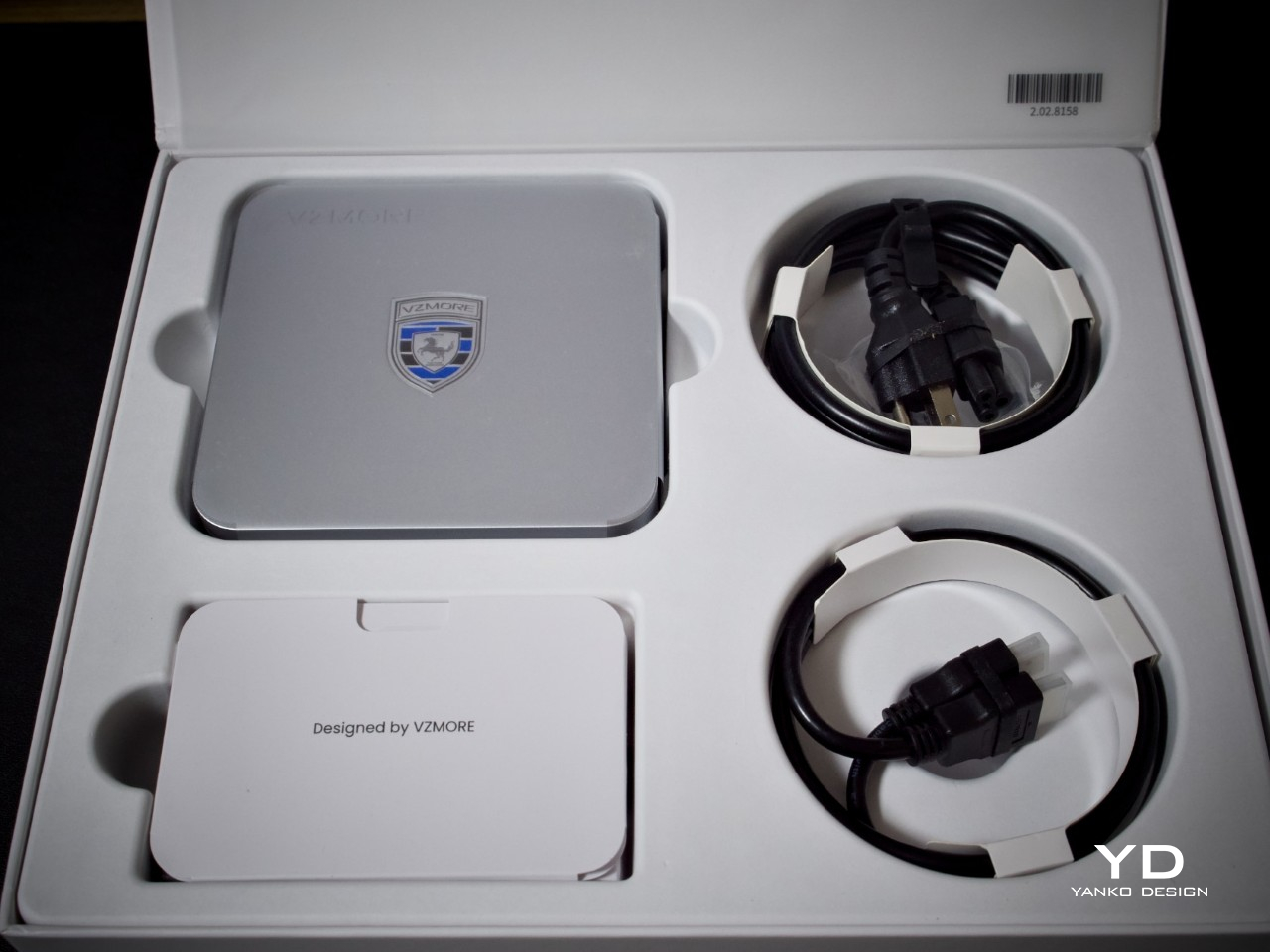
The aluminum chassis and metallic finish provide the visual restraint, while the shield-shaped badge on top supplies a little personality. There’s something faintly automotive about it, like an emblem borrowed from a luxury car rather than a computer. It’s a playful detail on an otherwise straightforward design, and it keeps the AX9 Max from looking completely anonymous among the many silver boxes competing for desk space.
That restraint also makes the design easier to live with beyond a dedicated office. It wouldn’t look particularly out of place beside a living-room display or on a shared worktable. The darker base and ventilation openings supply some visual separation from the metal body, but they don’t turn the cooling hardware into decoration. Most of the personality stays on top, leaving the rest pleasantly businesslike.
Ergonomics
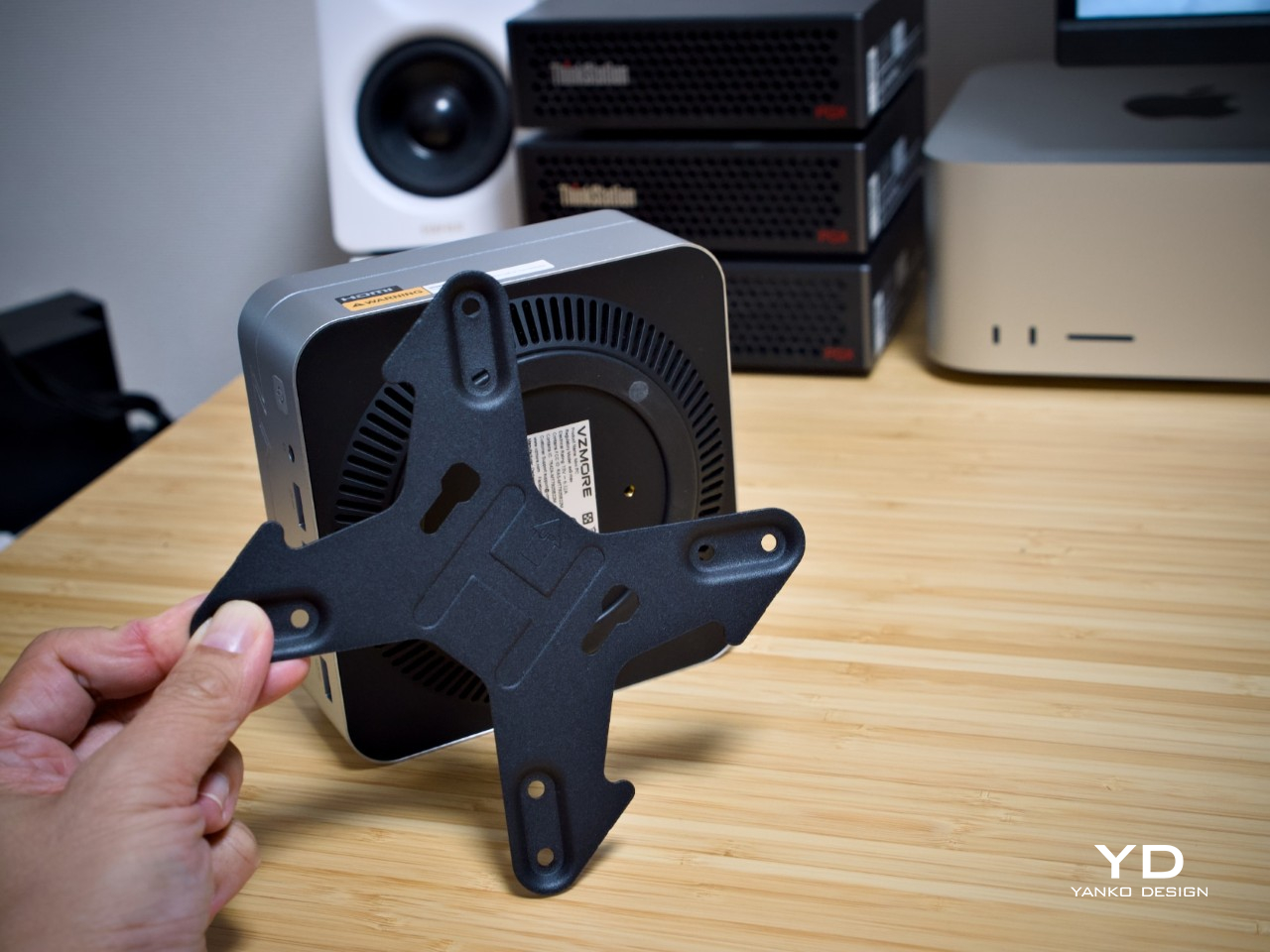
Measuring 5.31 x 5.19 x 2.27 inches and weighing approximately 1.71 pounds, the AX9 Max is easy to relocate between workspaces. The included VESA mount and screws also let it disappear behind a compatible monitor. That’s a kind of flexibility that you’ll want to have when the desk serves several purposes, although the external power adapter still needs a home. Small computers don’t magically make their cables disappear, much as we’d like them to.
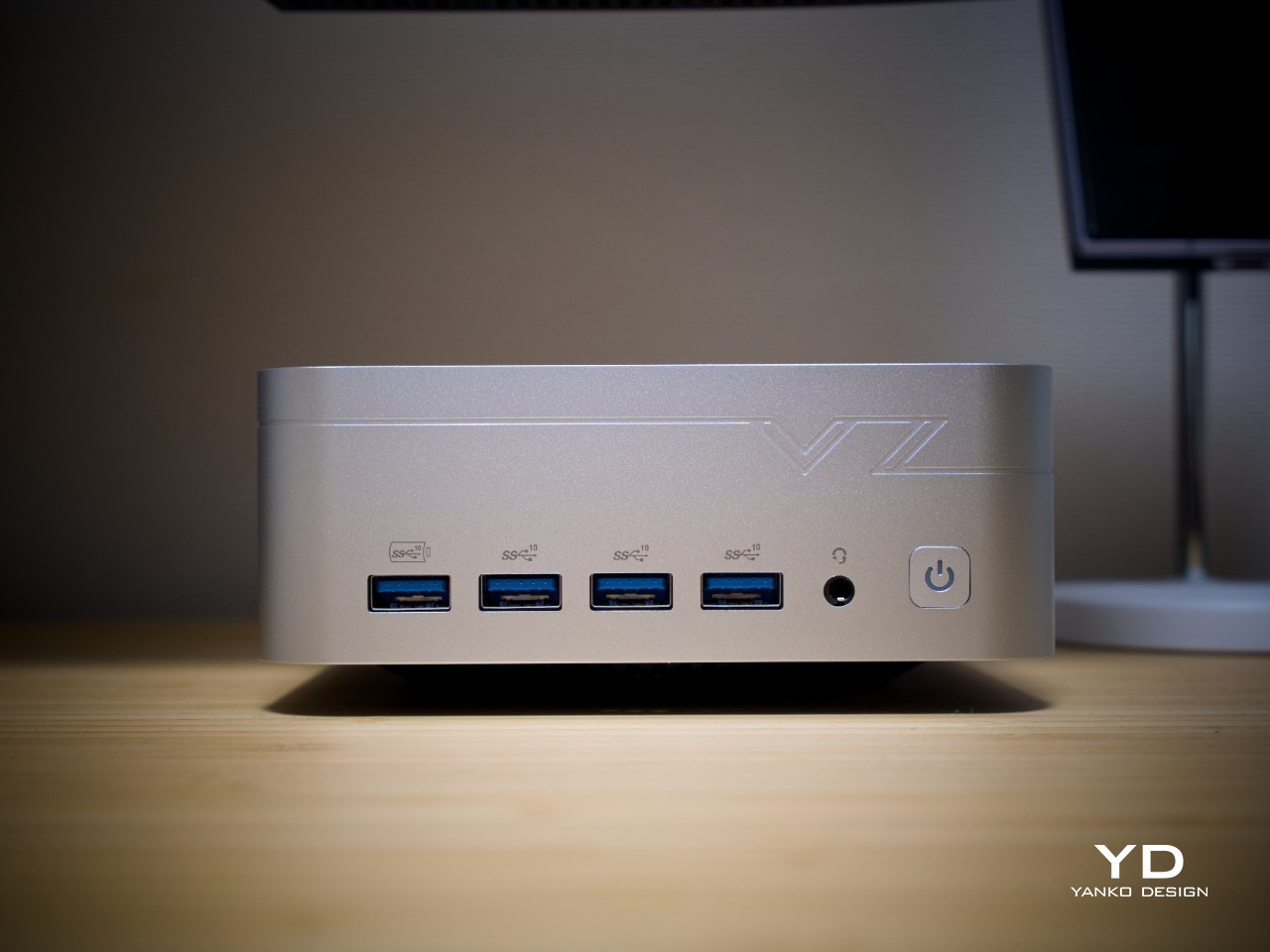
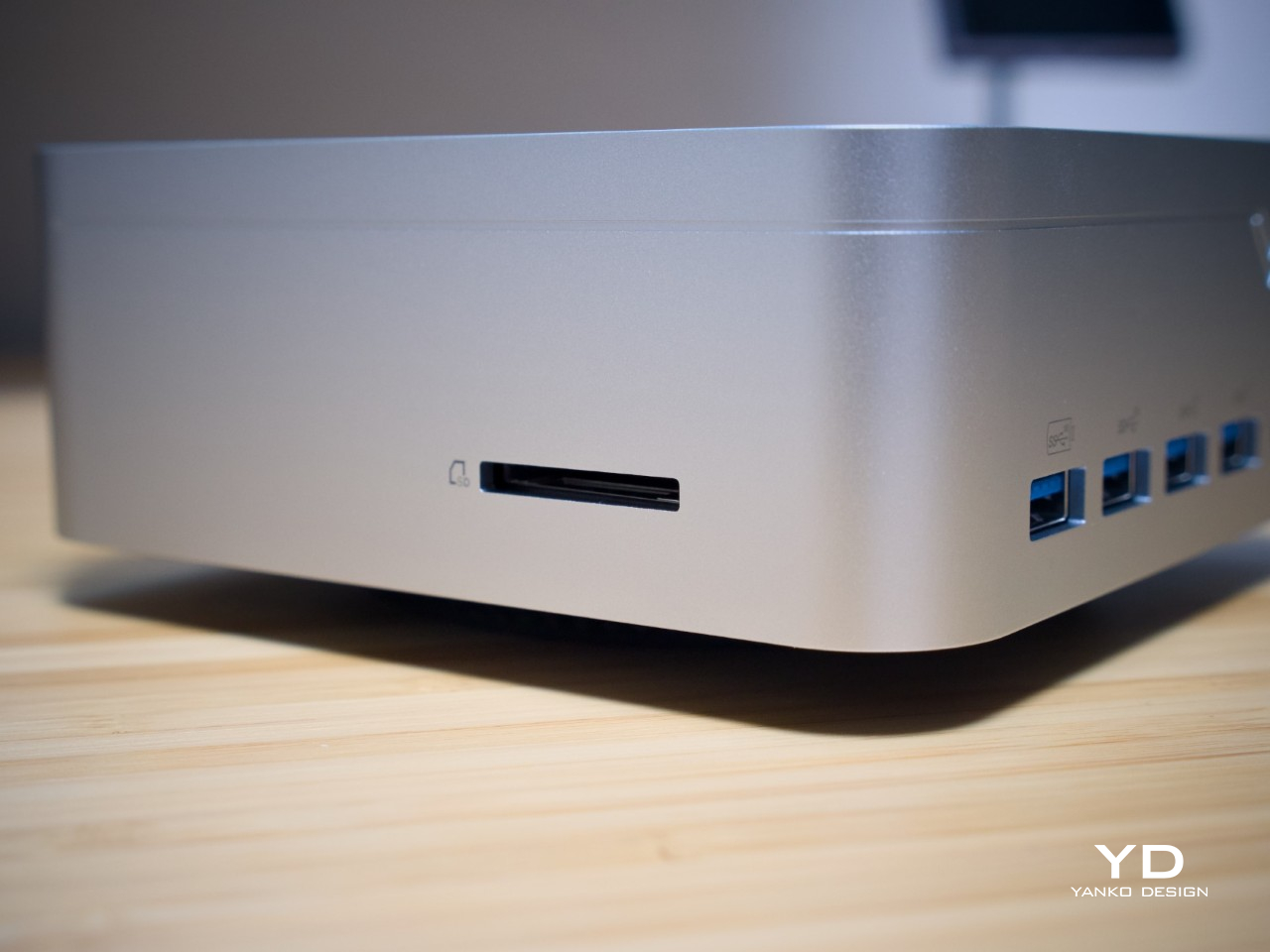
The front panel is refreshingly generous with four USB-A ports, a headset jack, and a power button. A side-mounted SD card slot adds another practical convenience for a photography desk. USB-C, however, stays around the back, so regularly connecting a portable drive or another USB-C accessory involves a little reaching. It’s a workable arrangement, though a front USB-C port would have made those frequent swaps easier.
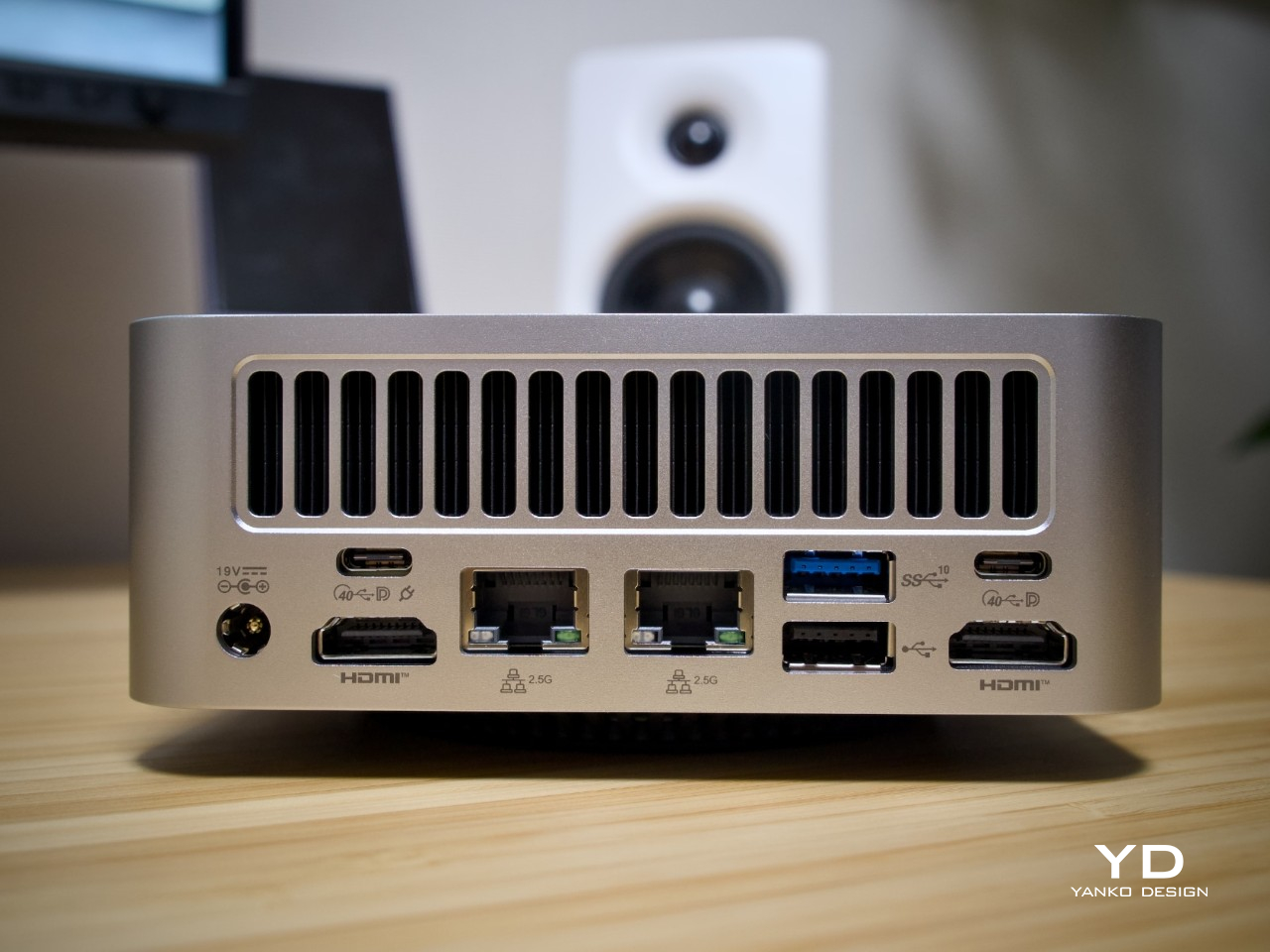
Those rear connections include two 40Gbps USB4 ports and dual 2.5GbE networking, giving a compact workstation useful flexibility for storage and wired connections. Placement still deserves some thought, especially behind a monitor. The bottom intake and rear exhaust need breathing room, so this is a machine to give a clear, firm surface rather than tuck into a fabric-lined corner just because it happens to fit.
Performance
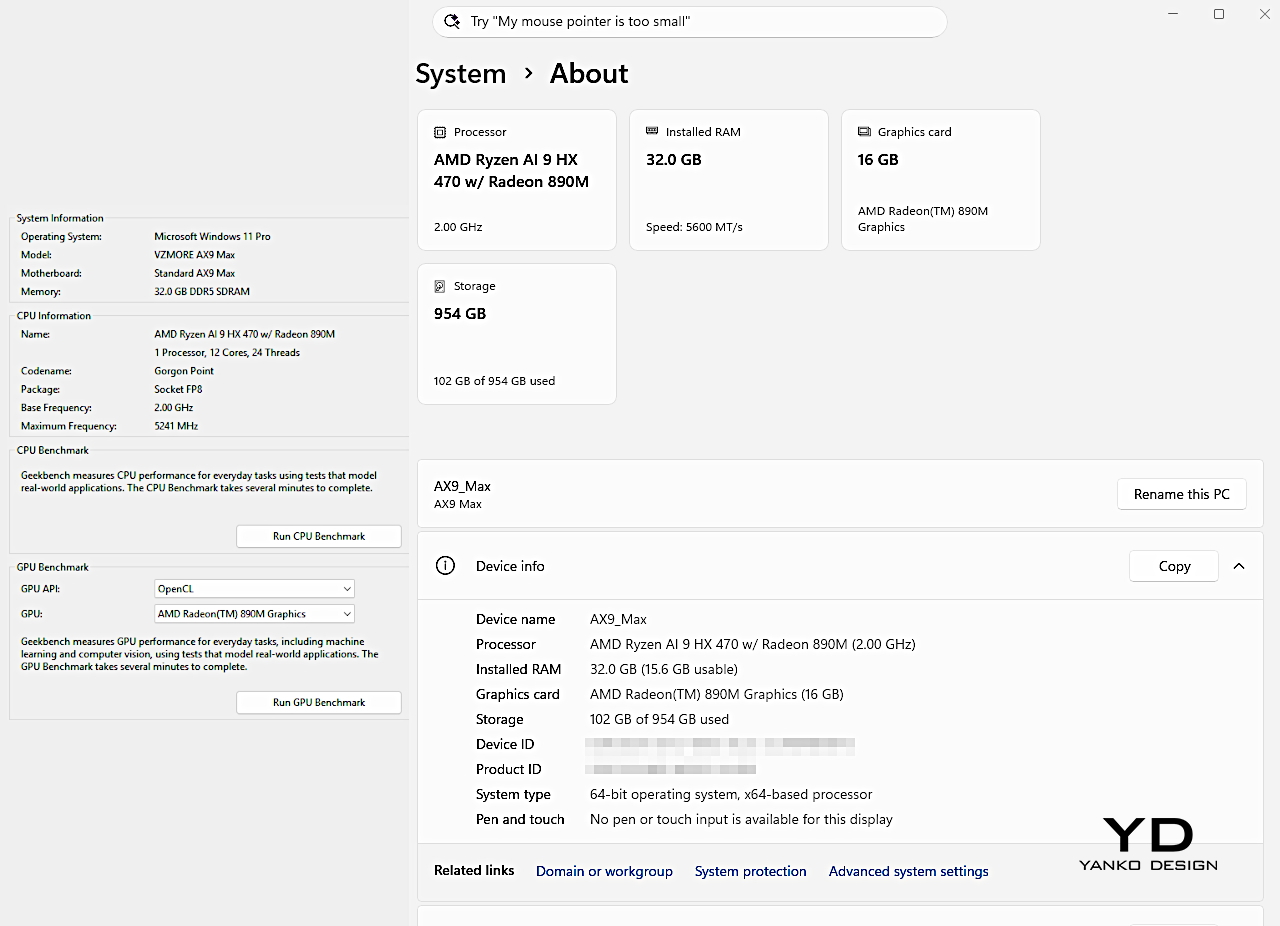

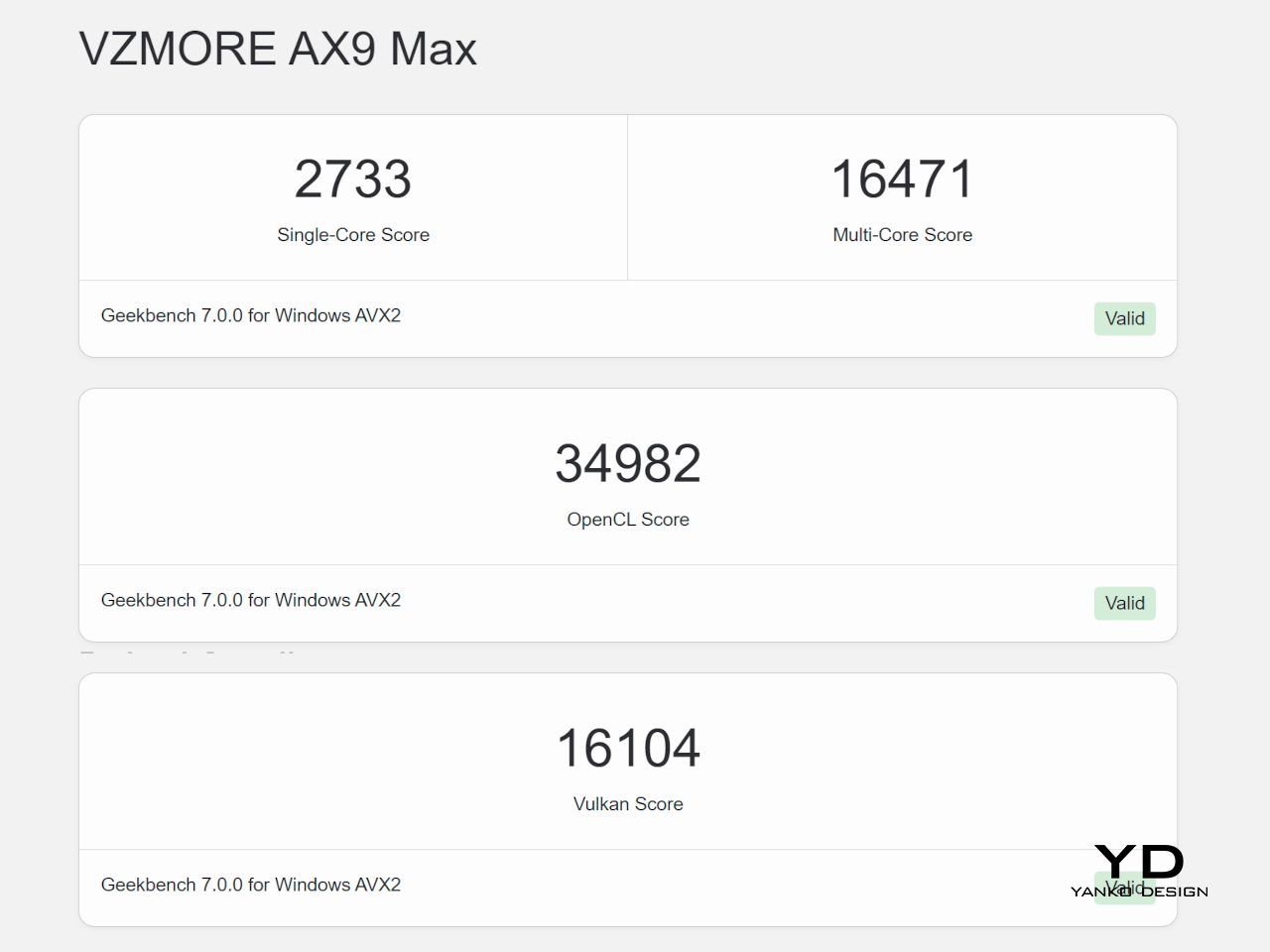
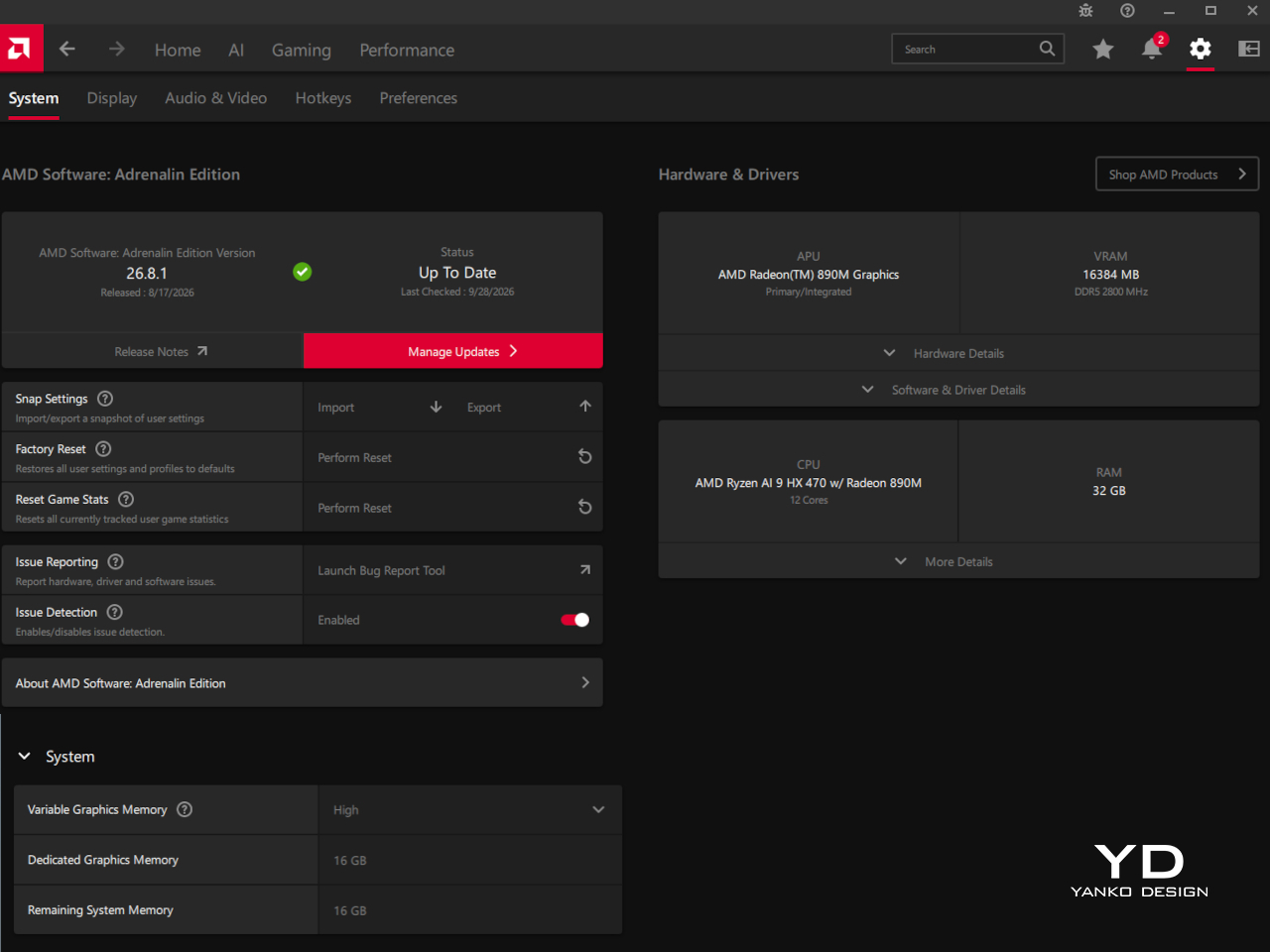
Inside, the Ryzen AI 9 HX 470 brings 12 CPU cores, 24 threads, and boost speeds up to 5.2 GHz. Its integrated Radeon 890M has 16 compute units, while our configuration pairs that hardware with DDR5 memory and PCIe 4.0 storage. These are substantial ingredients for a compact desktop, but their usefulness depends on how effectively the enclosure handles the heat generated once work gets demanding.
That’s where the vapor chamber earns its attention. Inside this sealed heat spreader, a working fluid evaporates near the hot area, carries heat across the chamber, and condenses in cooler regions. The process helps distribute concentrated heat across the cooling assembly, where fins and a fan can release it. It doesn’t eliminate the need for active cooling, but it gives that cooling system a more useful surface to work with.
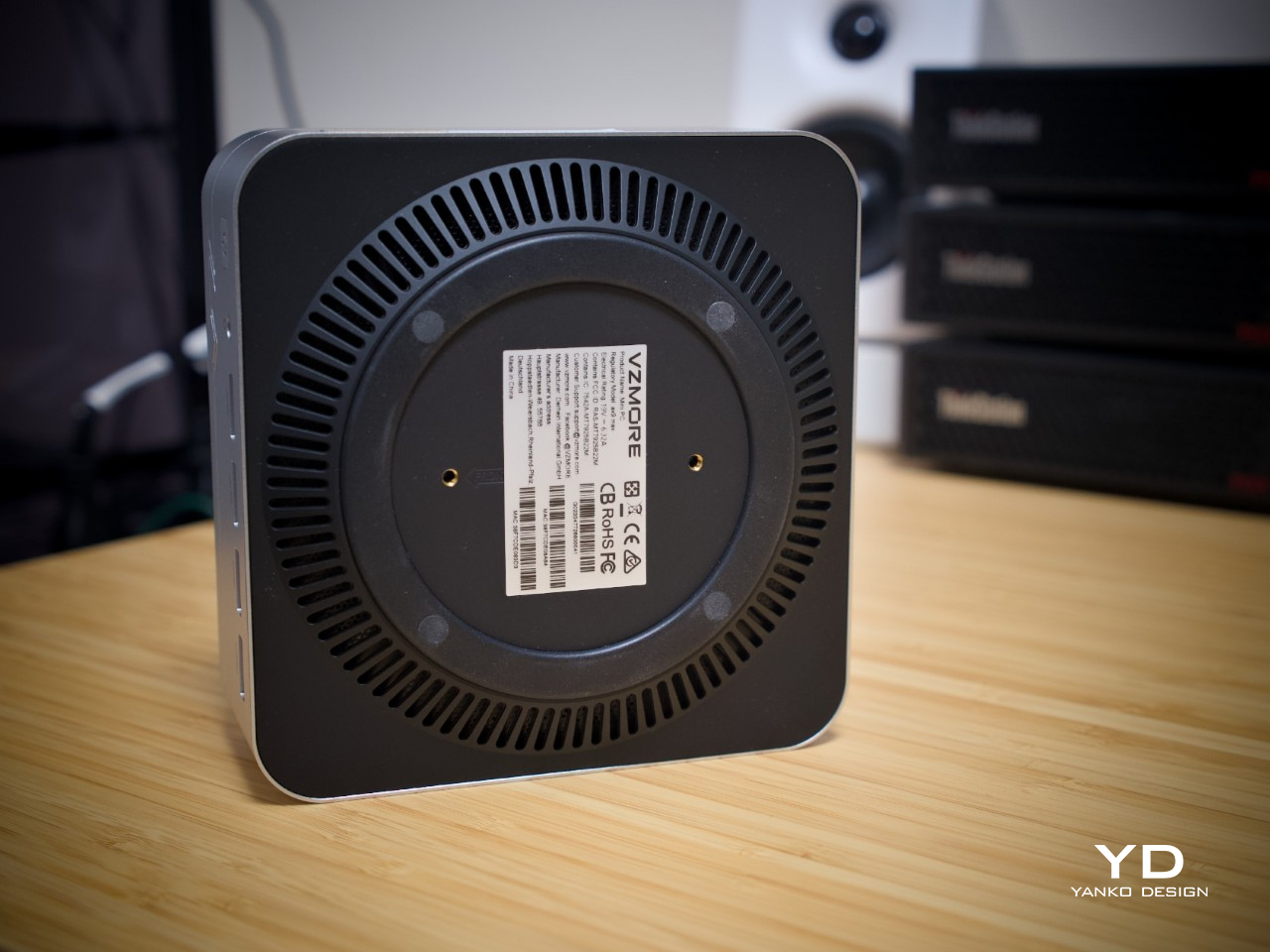
During our extended heavy tasks, the AX9 Max maintained performance without an observed sustained slowdown. The fan was clearly audible, although we wouldn’t describe it as exceptionally loud. That’s a trade-off worth understanding rather than disguising: this machine lets you hear some of the work going into keeping it running. For longer processing sessions, that steady output is more valuable to us than pursuing silence at any cost.
For a creative desk, that balance makes the AX9 Max an interesting candidate for editing footage, preparing graphics, or CPU-based rendering. We haven’t measured a specific video export or rendering project here, so there’s no promise that every creative application will behave alike. The appeal is a compact platform with useful processing headroom; demanding GPU effects and large 3D scenes still need expectations appropriate to integrated graphics.
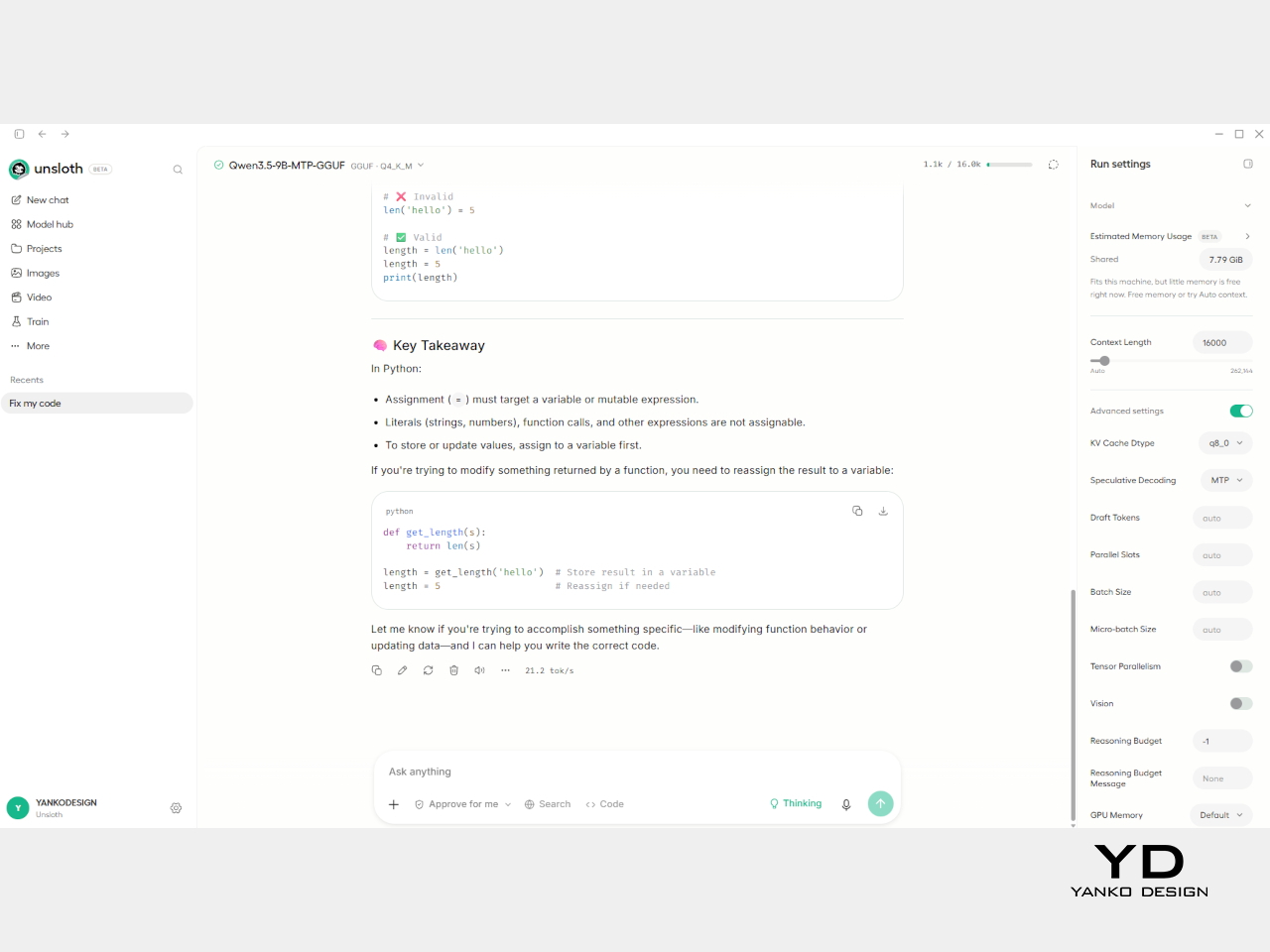
Local AI gave us something more tangible to explore. With up to 24GB of system memory allocated to graphics, a 27-billion-parameter Qwen model at Q4 quantization produced about 16 tokens per second in our setup. Quantization reduces the model’s memory requirements by storing its weights at lower precision. The result makes experimenting with a larger local language model practical, without having to accommodate a separate graphics card.
A smaller nine-billion-parameter Qwen model reached about 22 tokens per second at Q4, with multi-token prediction enabled, 16GB allocated to graphics, and a configured 32K-token context window. These are setup-specific results, not a guarantee for every model. That allocated memory is shared with the rest of the computer, too, so leaving room for other applications remains part of the balancing act when building a local AI workspace.
Our display testing revealed a useful distinction between the available connections. The 5K and 6K monitors worked properly over USB-C DisplayPort, giving us the high-resolution workspace we’d wanted. HDMI was less cooperative with those setups, producing flickering before the image disappeared. We haven’t established the cause, so it wouldn’t be fair to declare a universal HDMI problem. USB-C was simply the reliable option with our tested displays.
Gaming fits into the picture as an enjoyable extra. Fortnite ran in the neighborhood of 80 fps at 1080p in our testing, and 1440p also delivered a very playable experience. At 4K, however, frame rates sometimes dropped into single digits. Settings matter, and these results shouldn’t become a blanket performance promise. The practical takeaway is to enjoy its gaming ability at sensible resolutions rather than chase maximum pixel counts.
Sustainability
The metal enclosure is a welcome starting point for durability, although plastic remains part of the construction, particularly around the airflow base. We don’t have verified recycled-content figures or a life-cycle assessment to attach to it. Its more convincing sustainability argument concerns keeping the computer useful, rather than treating a metallic finish as an environmental credential. That’s a less glamorous story, but a more meaningful one.
Replaceable SO-DIMM memory and two internal SSD slots give the AX9 Max room to grow. The storage slots use different sizes, M.2 2280 and M.2 2230, so an upgrade needs the appropriate drive. That flexibility can extend usefulness as projects expand. VZMORE also provides a three-year limited hardware warranty for official-site purchases, although upgradeable components and warranty coverage don’t establish that every part is equally repairable.
Value
At $1,499 for the 32GB RAM and 1TB SSD configuration, the AX9 Max belongs in the premium mini PC conversation. Its price makes sense when the cooling system, local AI capability, connectivity, and compact design all serve your work. A cheaper office computer or a larger graphics-focused desktop answers a different brief. Here, the attraction is having several useful capabilities gathered into one fairly unobtrusive object.
Discounts, when they’re available, make the package more appealing, but the full-price argument rests on what you need. I’d consider it worthwhile for a compact local AI and content-creation setup, with the creative-work qualifications already noted. Silence-first buyers have another calculation. VZMORE lists 45W, 54W, and 65W profiles, giving users alternatives to selecting the most aggressive performance setting for every task.
Verdict
The VZMORE AX9 Max’s most appealing quality is how little its appearance tells you about the work it can attempt. Under that restrained exterior sits a computer that ran substantial local models and kept going through our extended heavy tasks. The cooling system is central to that experience, even when it’s audible. There’s a coherent relationship between the small enclosure, the airflow design, and the machine’s practical ambitions.
USB-C proved the better partner for our high-resolution monitors, and gaming made more sense below 4K. Those boundaries leave plenty of room for a capable everyday workstation, particularly if local AI is part of the plan. I can see the appeal of keeping a machine like this beside a drawing tablet and a good display. The desk stays available for the work, rather than being surrendered to the computer.