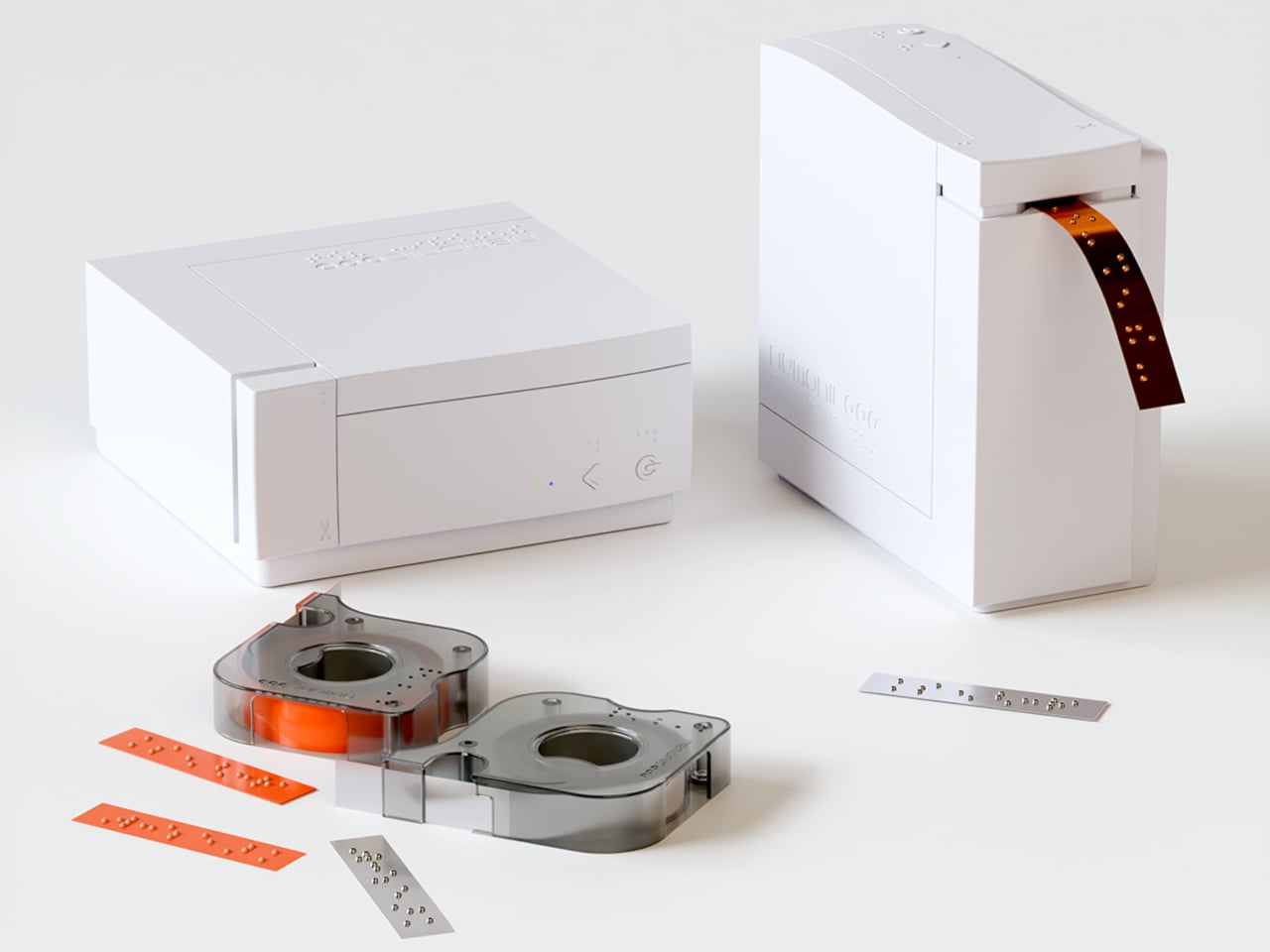
Picture this: you’re helping your grandmother organize her medicine cabinet, but she’s visually impaired. Those prescription bottles all look identical to her touch. You want to help, but learning Braille isn’t exactly something you picked up over coffee. Now imagine pulling out a compact printer, speaking into your phone, and watching as sticky Braille labels emerge, ready to paste onto each bottle. That’s the beautiful simplicity behind Mangoslab’s Nemonic Dot printer, unveiled at CES 2026.
This isn’t just another gadget trying to solve a problem nobody has. It’s a genuinely thoughtful piece of design that bridges the gap between those who want to help and those who need it. The Nemonic Dot is roughly the size of a stack of drink coasters, a plastic square about 4.5 inches wide and 2 inches thick that connects wirelessly to your smartphone. What makes it special isn’t its size, though. It’s what happens when you open the companion app and simply talk to it.
Designer: MangosLab
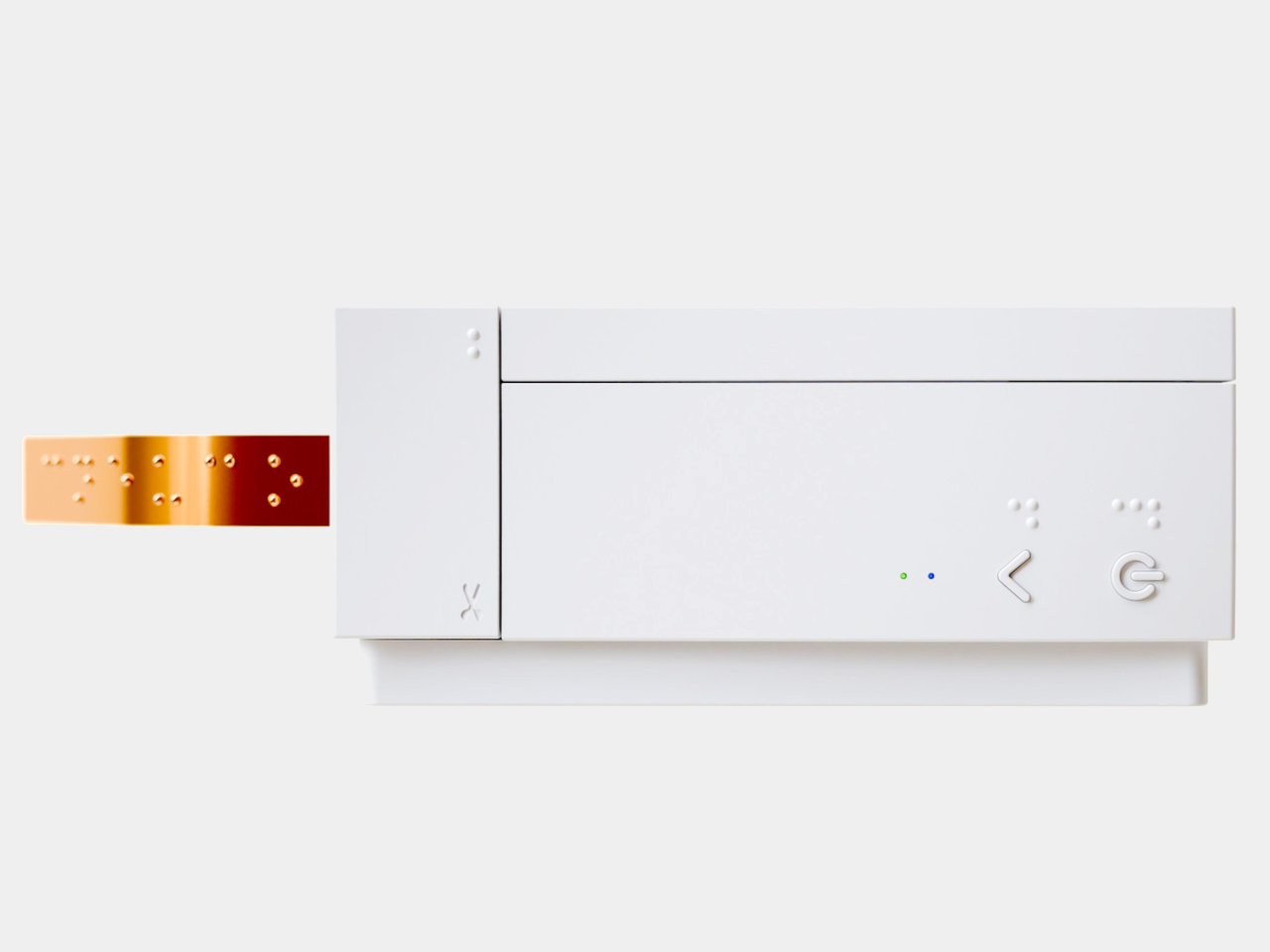
The magic lies in the voice interface. You speak a word into the app, and it converts your speech into text, then translates that text into Braille, and finally prints it onto a peel-and-stick strip. No Braille keyboard required. No special training needed. Just your voice and a desire to make someone’s daily life a little easier. It’s the kind of intuitive design that makes you wonder why nobody thought of it sooner.
Mangoslab, which spun off from Samsung’s internal C-Lab research department years ago, originally made their name with a cute sticky note printer. But they’ve evolved that concept into something with real social impact. Traditional Braille label makers cost upward of $1,250 and require users to type directly in Braille using specialized keyboards. The Nemonic Dot comes in under $1,000 and eliminates that learning curve entirely.
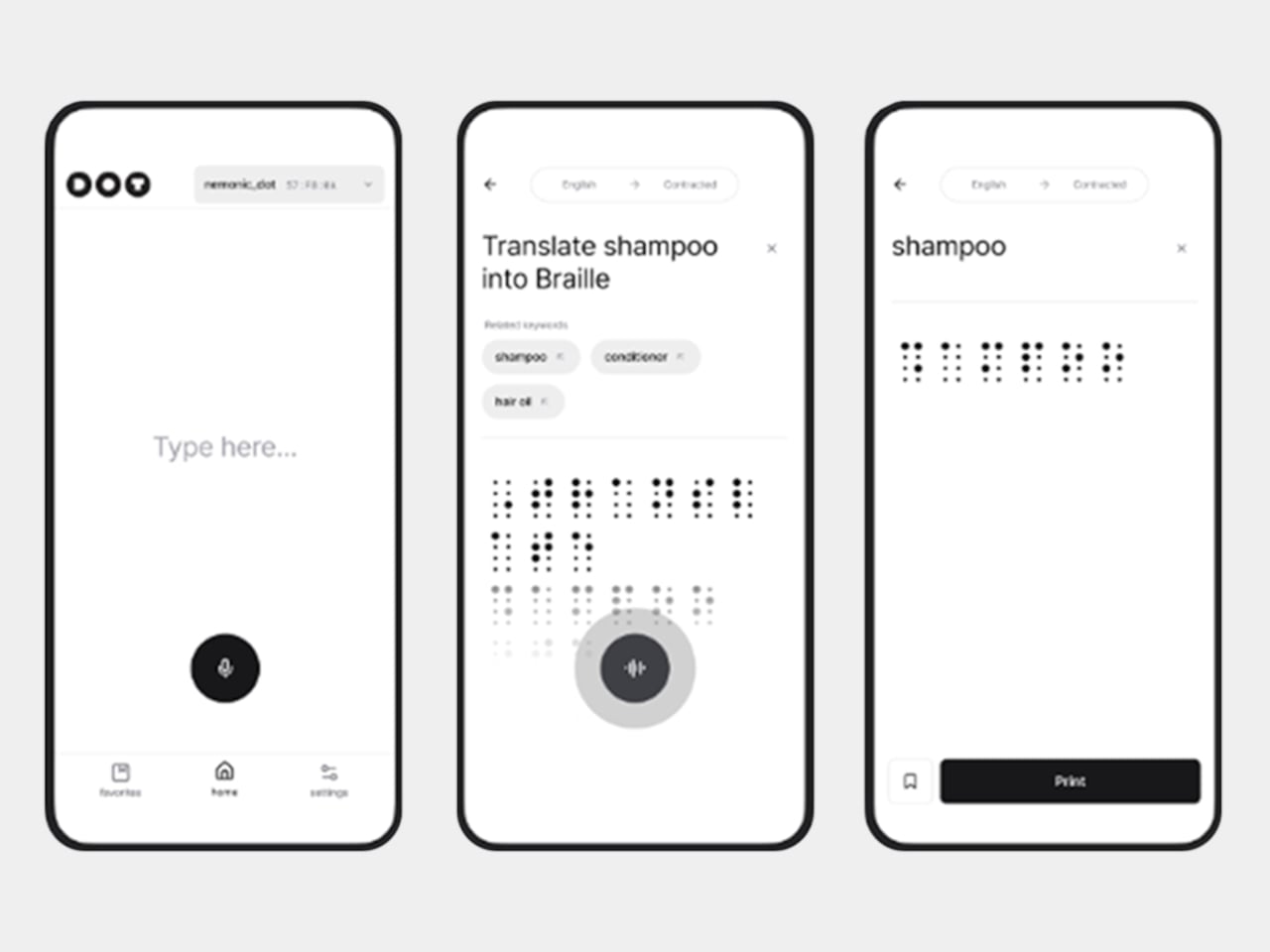
What’s particularly clever is how the device handles multiple languages and Braille standards. Because here’s something most people don’t realize: Braille isn’t universal. French Braille differs from English Braille, and there are both six-dot and eight-dot standards to navigate. The Nemonic Dot handles all of this through software translation, meaning it can adapt as standards evolve or when you need to switch between languages. The printer uses electric currents to move ball pins up and down, embossing uniform dots that are 0.6 millimeters high, meeting international standards for tactile readability.
The real-world applications are endlessly practical. Salt and pepper shakers that actually tell you which is which. Spice jars in the pantry. Light switches around the house. Medication bottles in the bathroom cabinet. These are everyday objects that most of us take for granted, but for someone with visual impairment, they represent small daily frustrations that add up. The Nemonic Dot turns those frustrations into solved problems, one sticky label at a time.
What I find most compelling about this design is how it shifts the power dynamic in accessibility. Usually, adaptive technology requires the person with a disability to do all the learning and adapting. But the Nemonic Dot is explicitly designed for friends and family members to use on behalf of their visually impaired loved ones. It’s a recognition that accessibility isn’t just about the end user, it’s about creating ecosystems of support that are easy for everyone to participate in.
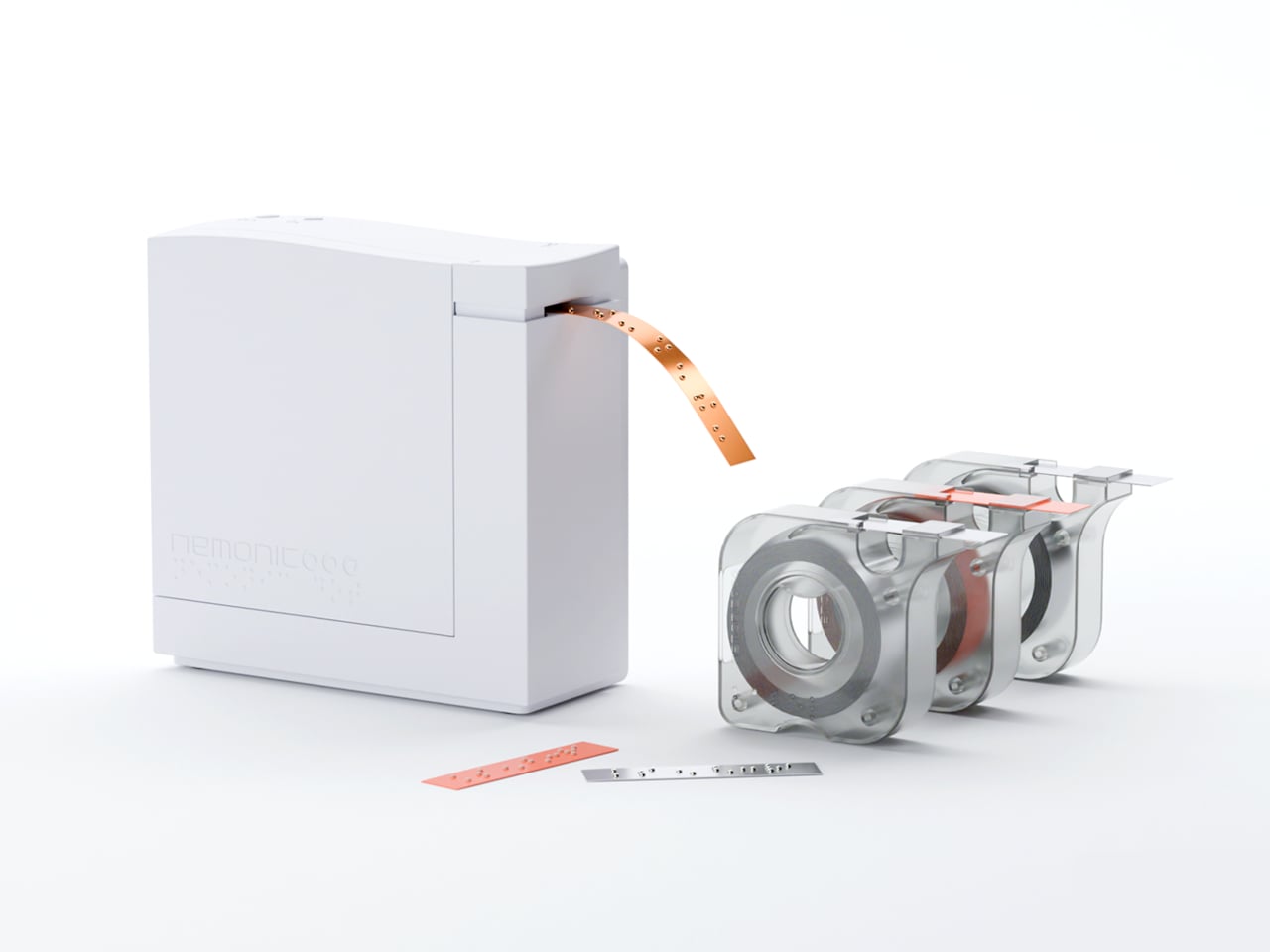
The printer runs on battery power or an AC adapter, making it genuinely portable. When your label is finished printing, you press a button on top to trim the strip, and you’re done. The whole process takes seconds. There’s something refreshing about technology that doesn’t try to overcomplicate things. In an era of smart everything and AI everything, the Nemonic Dot does one thing exceptionally well: it turns spoken words into tactile information.
This is inclusive design at its best. Not flashy, not trying to reinvent the wheel, just thoughtfully addressing a genuine need with elegant simplicity. It’s a reminder that the most impactful innovations aren’t always the ones with the most features or the biggest screens. Sometimes they’re the ones that quietly remove barriers and make life just a bit more navigable for everyone.