The maker movement has always had this tension between aspiration and reality. We want to believe that anyone with creativity and determination can fabricate complex physical objects, but the actual tools have never quite lived up to that vision. 3D printers got there eventually, becoming genuinely accessible after years of tinkering and iteration. CNC mills are still waiting for their Prusa moment, that breakthrough where capability and usability finally converge at a price point that makes sense for individual creators rather than small manufacturers.
Makera’s Z1 looks like it might be taking a serious run at becoming that machine. The specs are legitimately compelling: 4-axis machining for complex geometries, laser engraving for multi-material work, tool changing that doesn’t kill your workflow momentum. But the really smart move is how they’ve approached the software side with their Smart Machining Wizard that handles toolpath optimization automatically. That’s the kind of feature that could genuinely flatten the learning curve, because the hardest part of CNC work isn’t understanding what you want to make, it’s translating that into the specific sequence of cuts and feeds that won’t destroy your material or your bit.
Designer: Makera
Click Here to Buy Now: $899 $1199 (25% off). Hurry, only 964/7000 left! Raised over $8.4 million.
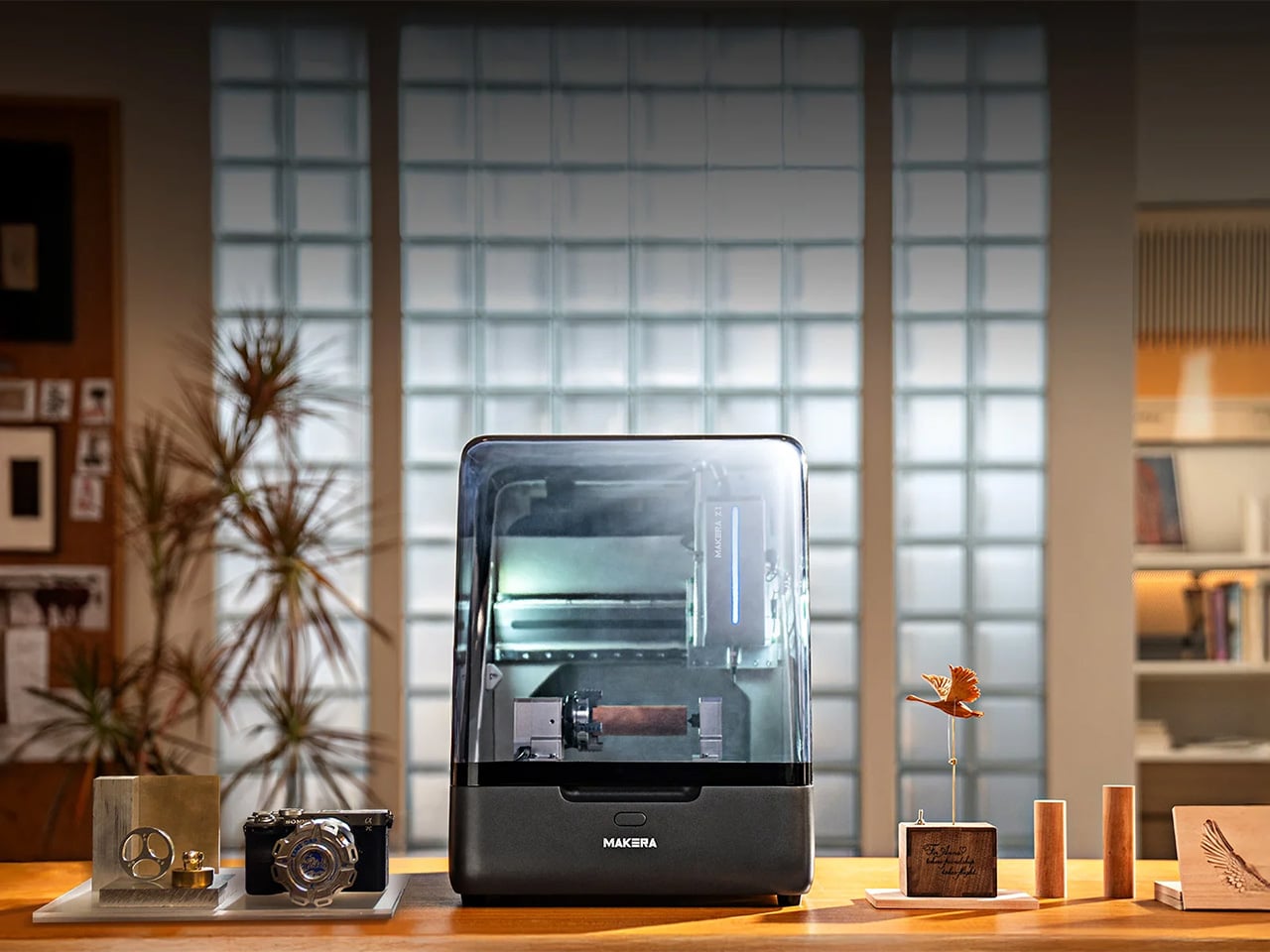
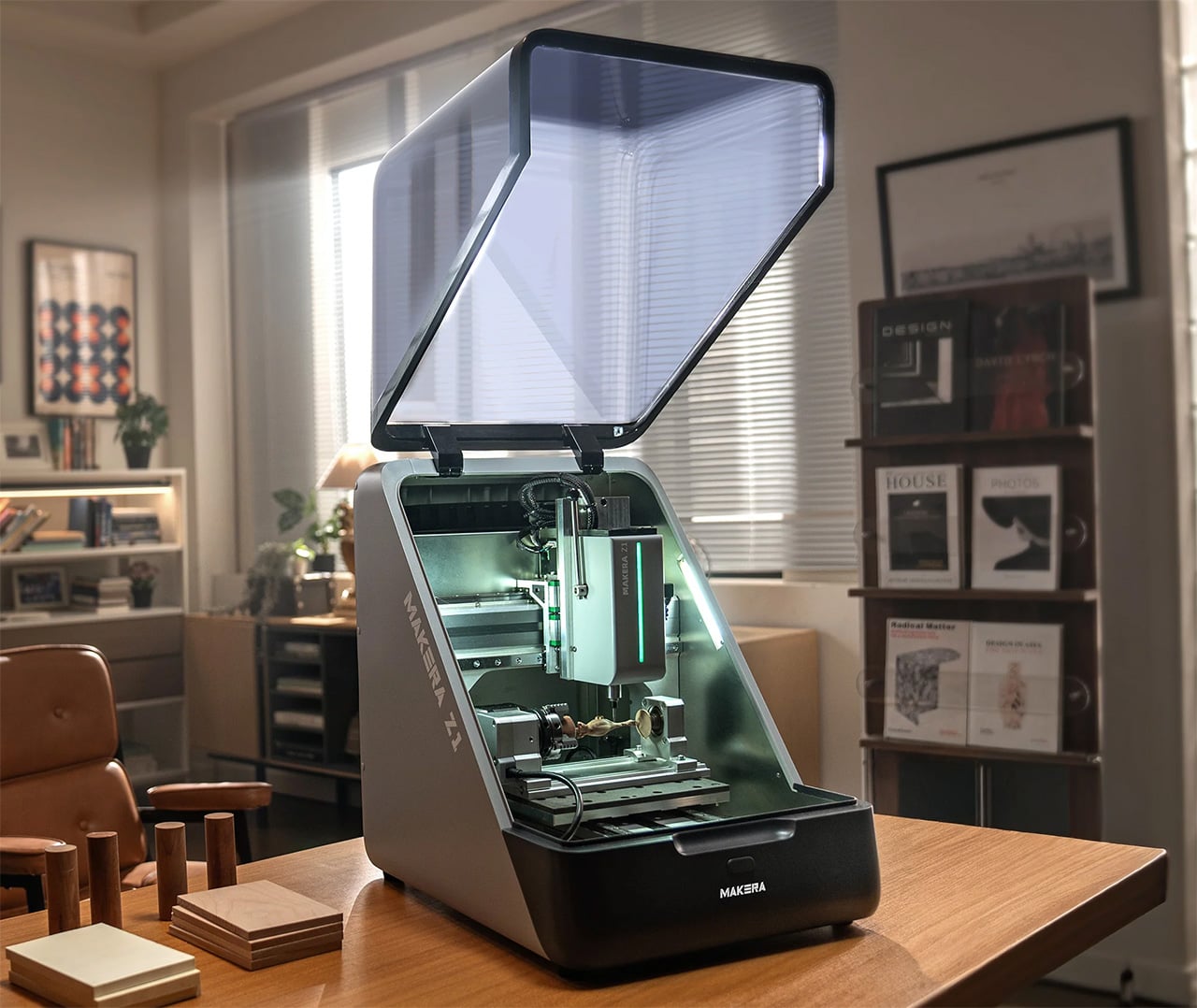
Makera built this thing with a die-cast metal frame that keeps it rigid enough for precision work while staying compact enough for a desk or workbench. Most desktop CNCs either sacrifice rigidity for size or end up being “desktop” machines that require you to dedicate half a room to them. The Z1 actually fits where people work without turning into a wobbly mess the moment you put any real cutting force on it. A transparent enclosure with blue LED lighting lets you watch what’s happening, which sounds purely aesthetic until you’ve spent enough time with CNC work to know that being able to see when something starts going wrong is the difference between catching a problem early and ruining your third attempt at an expensive piece of walnut.
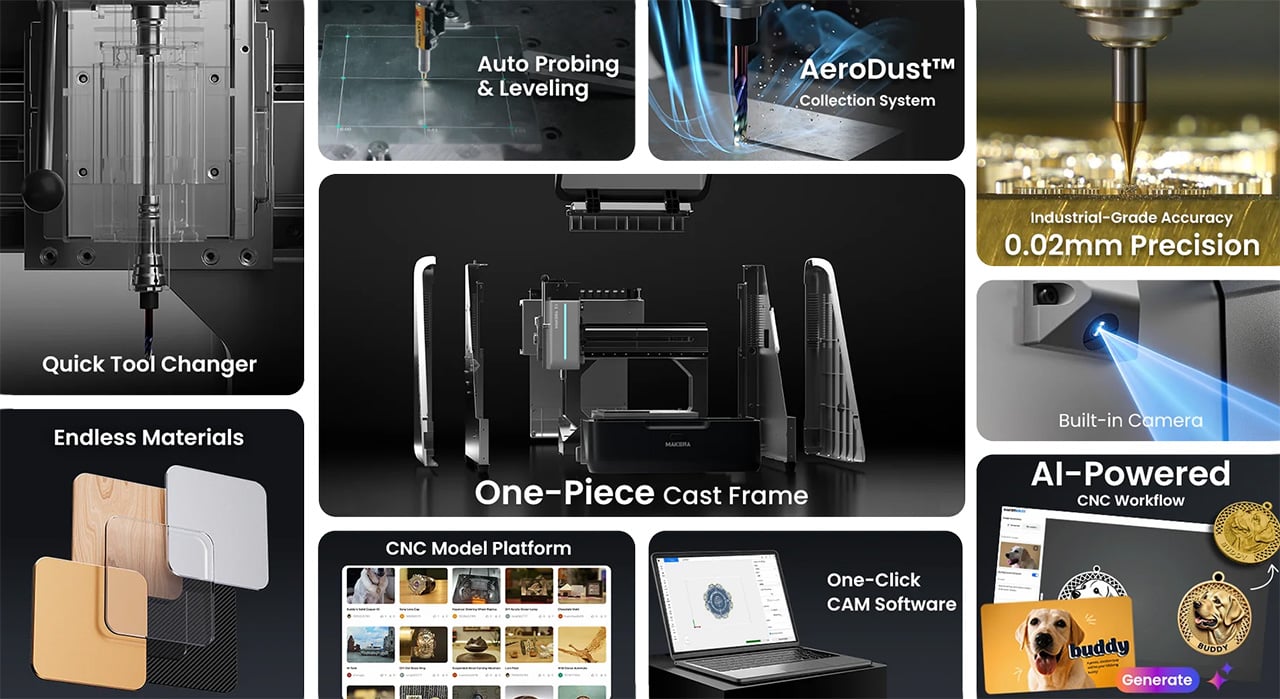
Most people who’ve used desktop CNCs have experienced the tool-changing nightmare. You’re halfway through a project, need to swap from a roughing bit to a finishing bit, and suddenly you’re stopping the job, manually changing tools, re-zeroing everything, and praying you didn’t throw off your alignment. Mess it up and you’ve wasted material, time, and patience. The Z1’s quick tool changer handles swaps in seconds without breaking workflow. Queue up your roughing pass, finishing pass, and laser engraving in sequence, start the job, and come back to finished work. You can actually plan projects with multiple operations now instead of avoiding them because the process is too tedious.

Adding a fourth axis changes what you can make, not just how easily you can make it. Standard 3-axis machines force you into flat-world thinking. Want details on a cylinder? You’re manually rotating and re-fixturing, hoping your alignment is perfect each time. Complex curves? Forget it unless you enjoy spending hours setting up custom jigs. With 4-axis capability, cylindrical parts become straightforward. Jewelry with wraparound patterns, custom instrument components, robotics parts with mounting features on multiple faces – projects that used to require either expensive shop time or elaborate workarounds become things you can just do.

Makera bundled a laser module into the same machine, which solves a problem anyone working on mixed-material projects has run into. Mills cut wood, plastic, soft metals well. Lasers excel at engraving and cutting leather, acrylic, veneer. Usually you need two machines, two software packages, and endless frustration trying to align work between them. Having both in one system with unified control means you can mill a relief pattern into wood and laser-engrave fine details in the same setup. For prototyping or small production runs, not having to move work between machines eliminates a huge source of error and wasted time.

Makera Studio unifies design, CAM, and machine control instead of forcing you to juggle multiple applications that barely talk to each other. More importantly, the Smart Machining Wizard actually does something useful: it looks at your geometry and suggests toolpath parameters. This matters because new CNC users consistently get stuck at exactly this point. You’ve got a 3D model, you know what you want to cut, but now you need to figure out feeds, speeds, stepover percentages, roughing versus finishing strategies. Get it wrong and you break expensive bits, ruin material, or spend six hours on a cut that should take forty minutes. Most CAM software assumes you already know this stuff. Makera’s wizard gives you a starting point based on your specific geometry and material, which won’t make you an expert overnight but might keep you from quitting in frustration after your fifth failed attempt.

Built-in presets cover relief carving, 4-axis operations, and PCB milling. PCB work is particularly brutal for beginners because you need precise depth control and appropriate feeds to get clean copper traces without destroying the board. Having proven workflows ready to use means these capabilities become practical tools instead of theoretical features you never figure out how to use properly.

Makerables, their content platform, lets users share projects and download models, which is table stakes for any modern fabrication tool. More useful is the AI modeling feature that generates 3D models or reliefs from images and prompts. You can argue about whether AI-generated designs are “real” making, but practically speaking, not everyone has years to invest in mastering Fusion 360. If you’ve got strong design sense but CAD software makes you want to throw your computer out a window, being able to go from concept to cuttable model without that barrier actually matters. Plenty of artists and designers who understand form, proportion, and aesthetics have been locked out of CNC work purely by software requirements.
Auto-probing and leveling handle surface calibration without manual tramming, which saves twenty minutes of tedious setup before every job. Integrated dust collection with ports for external collectors means you can run this indoors without coating your entire workspace in fine dust. The built-in camera lets you check on progress remotely and record time-lapses, catching problems before they get expensive and documenting your work without setting up separate recording equipment.
Pricing sits at an MSRP of $1,199, but early Kickstarter backers can secure the Z1 for $899. Compare that to quality 3-axis desktop CNCs without laser modules, 4-axis capability, or quick tool changing, and the Z1 looks legitimately competitive. So much so that over 6,000 backers have already pledged more than $8 million USD to secure the Makera Z1- with the campaign running until December 12 – before it begins shipping next month.
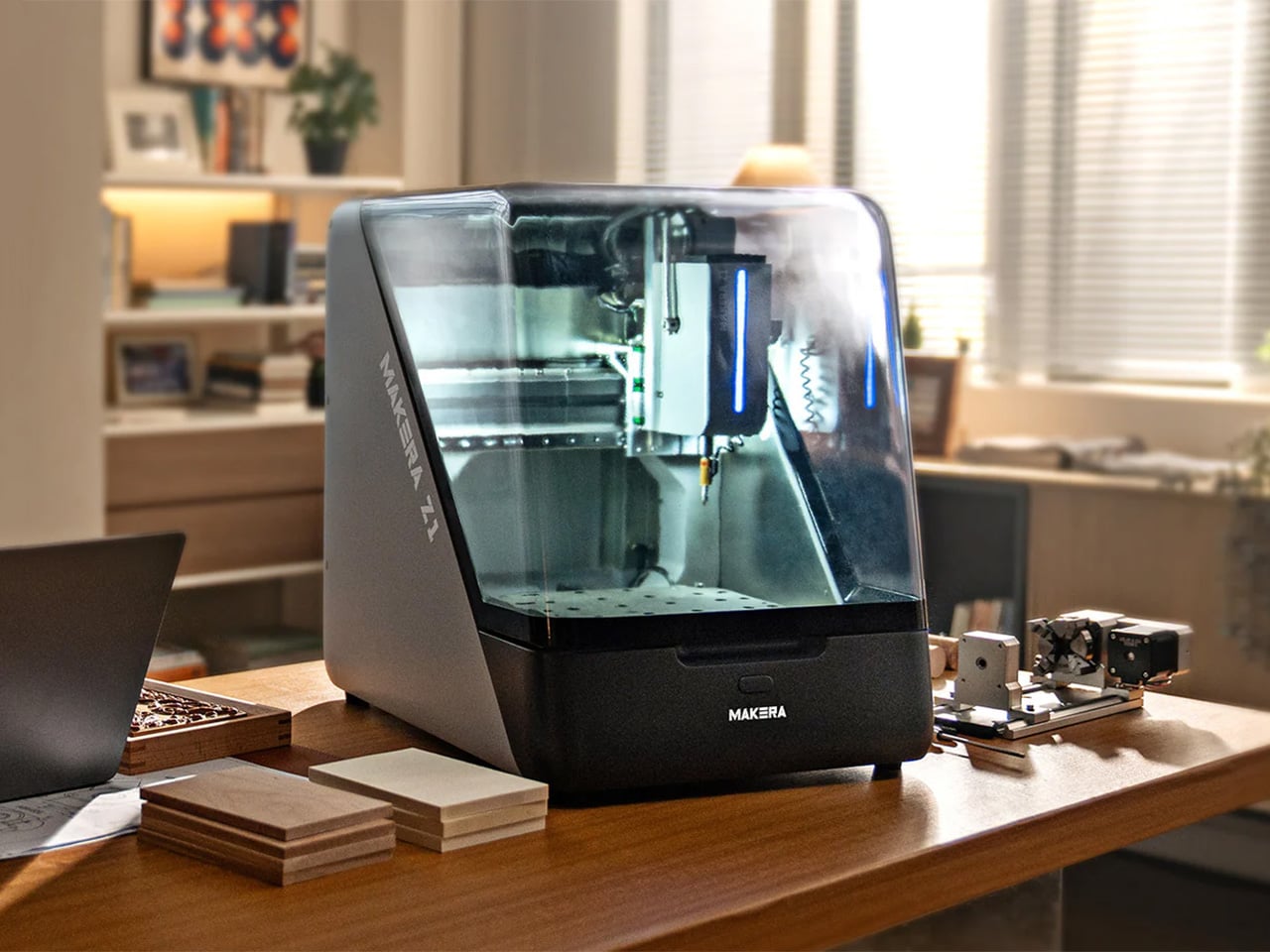
Makera is also offering a Z1 Pro configuration that addresses the performance ceiling some users will eventually hit. The standard Z1 uses lead screws and open-loop steppers, which work fine for most projects but can show limitations under sustained heavy use or when you’re chasing the tightest possible tolerances. The Pro upgrade swaps in ball screws across all three axes and adds closed-loop stepper motors. Ball screws reduce backlash and handle heavy cutting loads better over time, while closed-loop motors automatically correct position errors, eliminating the lost steps that can ruin a long job when you’re six hours in and something goes slightly wrong.
The upgrade costs $399 normally but Kickstarter backers can add it for $249. You’re looking at hardware changes that meaningfully improve accuracy and reliability rather than marginal spec bumps, which matters if you’re planning to use this machine for small production runs or client work where failures get expensive fast. The Pro units ship around two months after the standard Z1, starting March 2026, which makes sense given they’re swapping core motion components. Whether the upgrade is worth it depends on your use case – hobbyists and occasional users probably won’t notice the difference, but anyone planning serious production work or precision-critical projects should consider it seriously.
Click Here to Buy Now: $899 $1199 (25% off). Hurry, only 964/7000 left! Raised over $8.4 million.