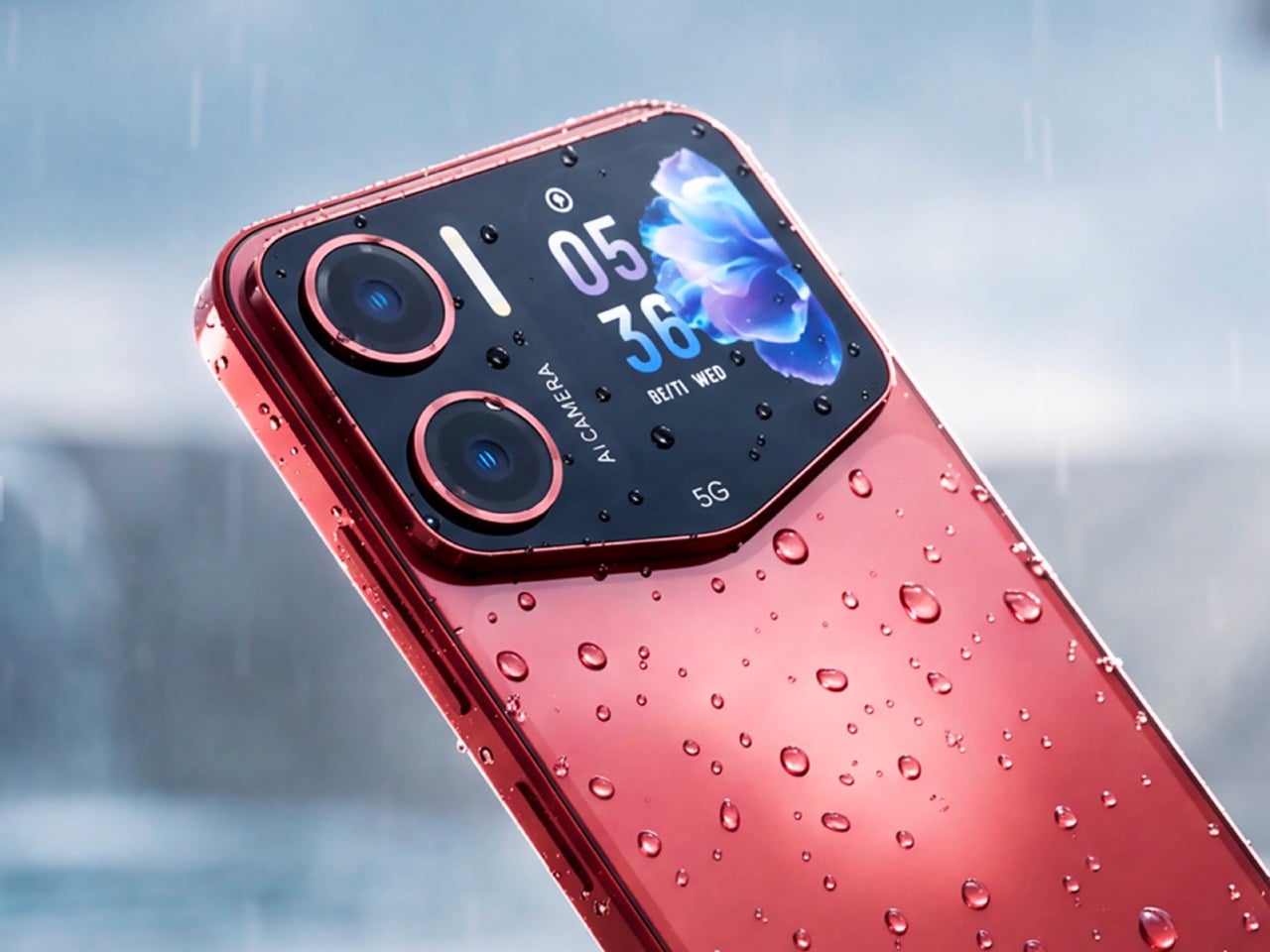

A headphone jack shouldn’t be a headline. Neither should a slot for adding storage, a battery you can change, or a keyboard with actual keys. Yet those are exactly the details that make certain gadgets interesting again. Acer’s Sospiro A70 is a particularly good example: a 5G phone that keeps wired audio and expandable storage while finding room for a second screen on its back. That’s a useful design brief.
The eight designs here earn their place by making a specific function accessible again, or refusing to bury it in the first place. Some revive physical media. Others preserve replaceable power or let you upgrade hardware yourself. This isn’t a collection of newly launched products, and a vintage silhouette alone doesn’t qualify. The point is what each feature lets you do, along with the compromises that come attached to it.
1. Acer Sospiro A70
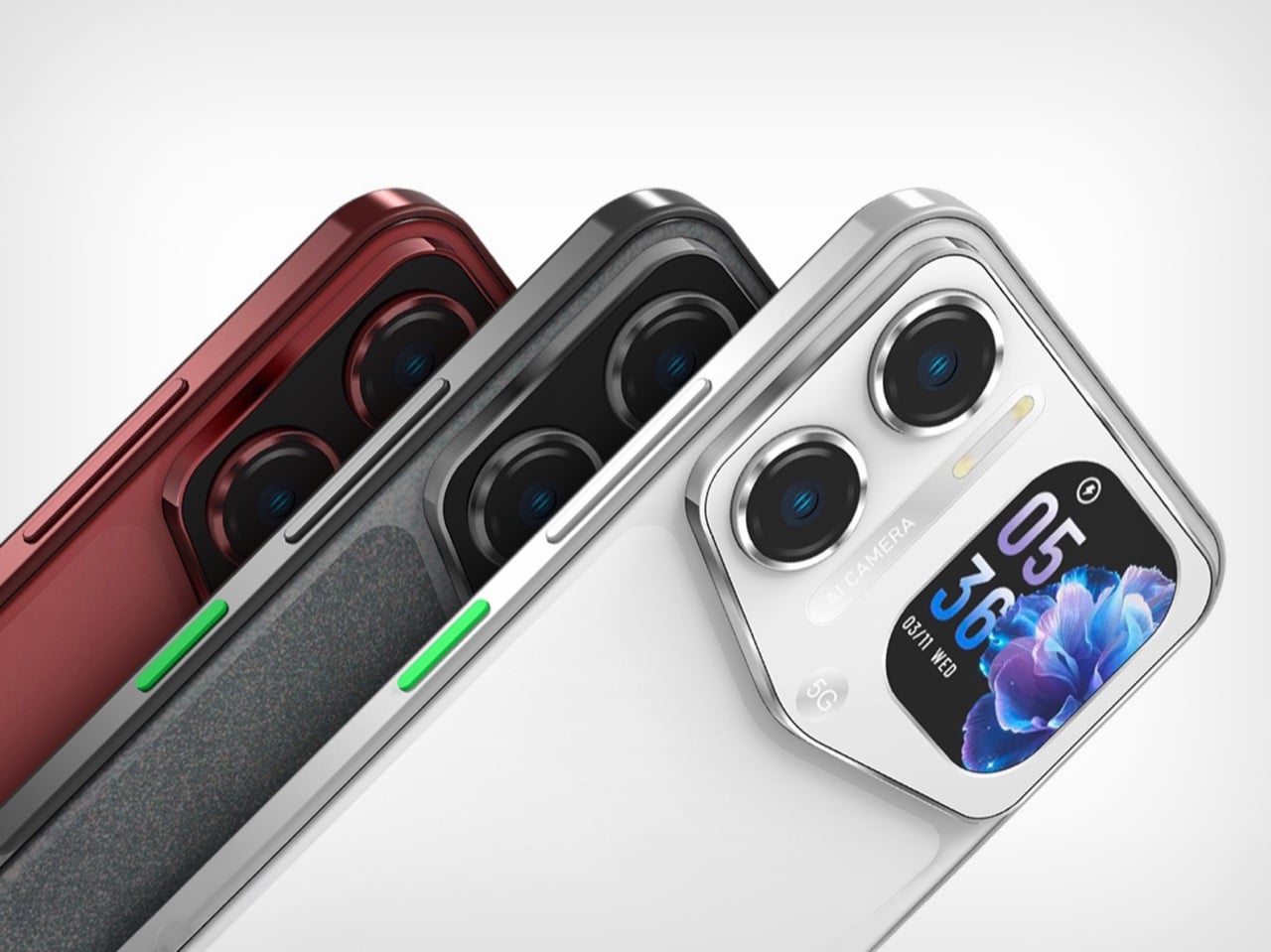

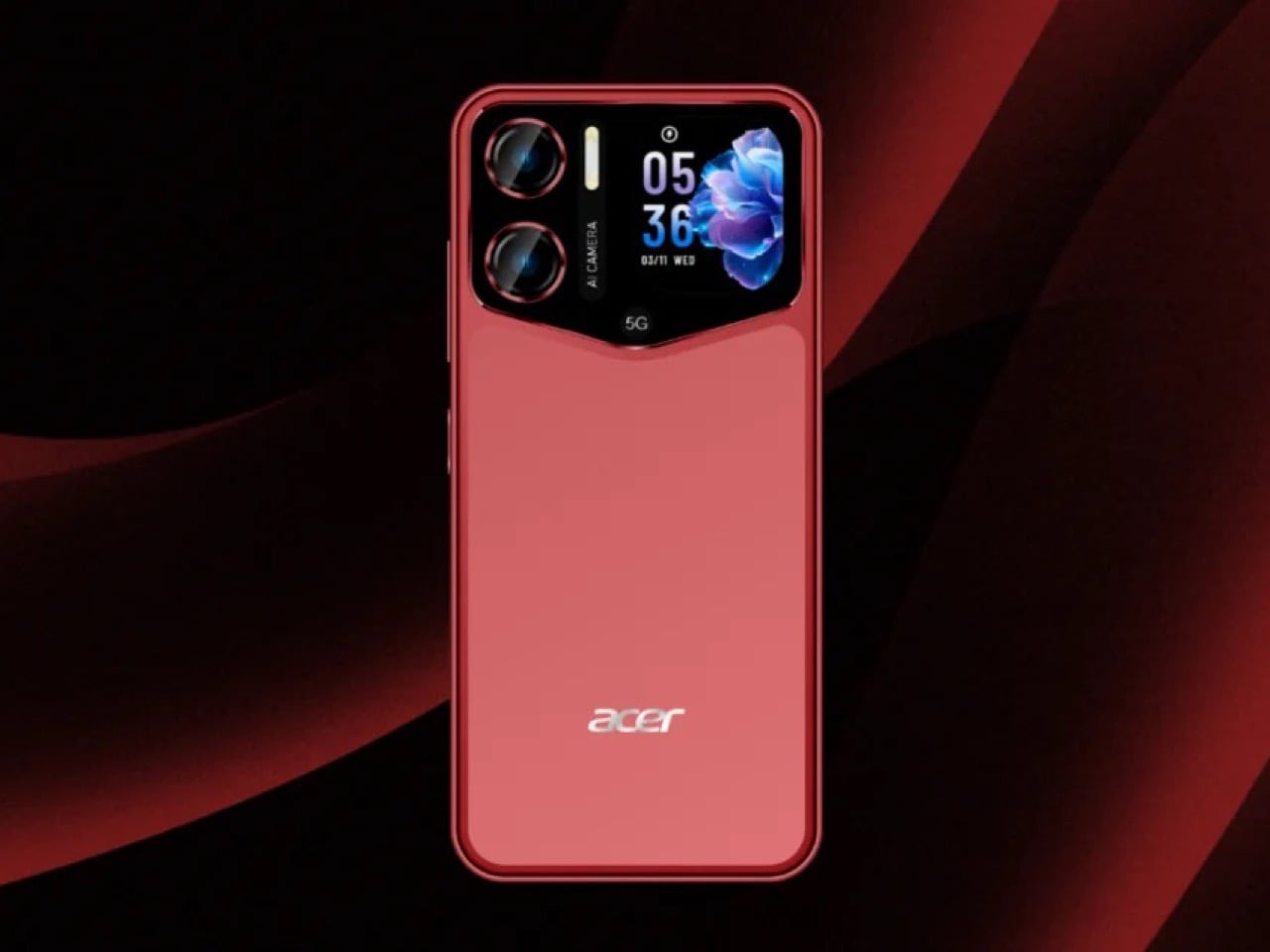
The Sospiro A70, announced for Latin America under Senwa Global’s Acer license, makes a persuasive case for leaving useful connections alone. There’s a 3.5mm headphone jack, FM radio, and a microSDXC slot supporting cards up to 1TB alongside 256GB of internal storage. For someone carrying a local music collection or keeping wired headphones in service, those are meaningful options. The attraction is choosing how to listen and store files without making the charging port responsible for every wired connection too.
The more conspicuous addition sits on the back: a 1.88-inch display that lets you frame selfies with the 64MP rear camera. It gives the broad camera module a purpose beyond housing lenses, while the retained ports handle less photogenic needs. There are limits to the appeal. The main 6.67-inch display has a modest 720 × 1600 resolution.
What we like
- Wired headphones and expandable storage remain options.
- The rear screen doubles as a main-camera selfie viewfinder.
What we dislike
- The large main display has a relatively low resolution.
- Unconfirmed pricing and US availability complicate a buying decision.
2. Clicks Keyboard Case
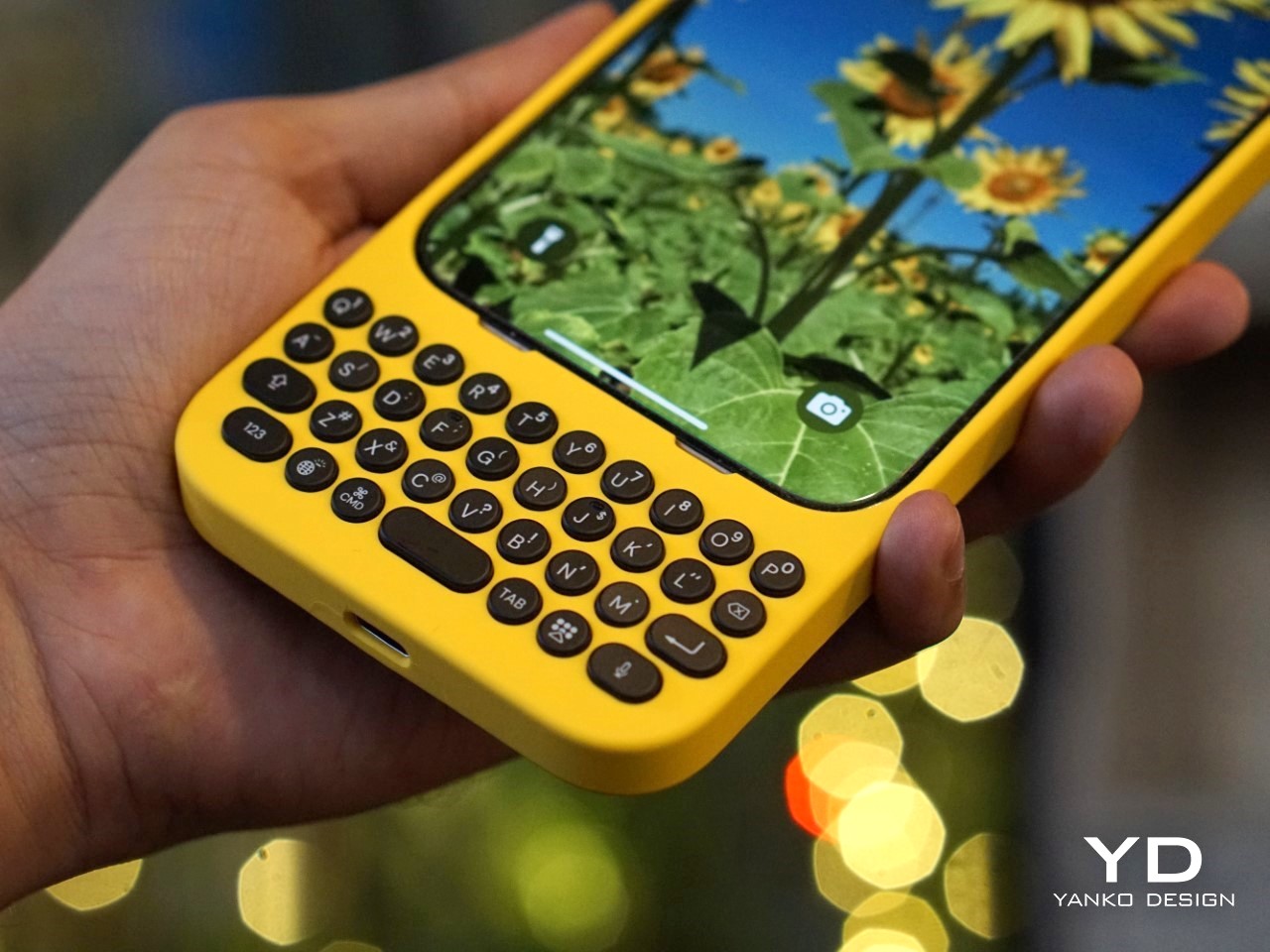
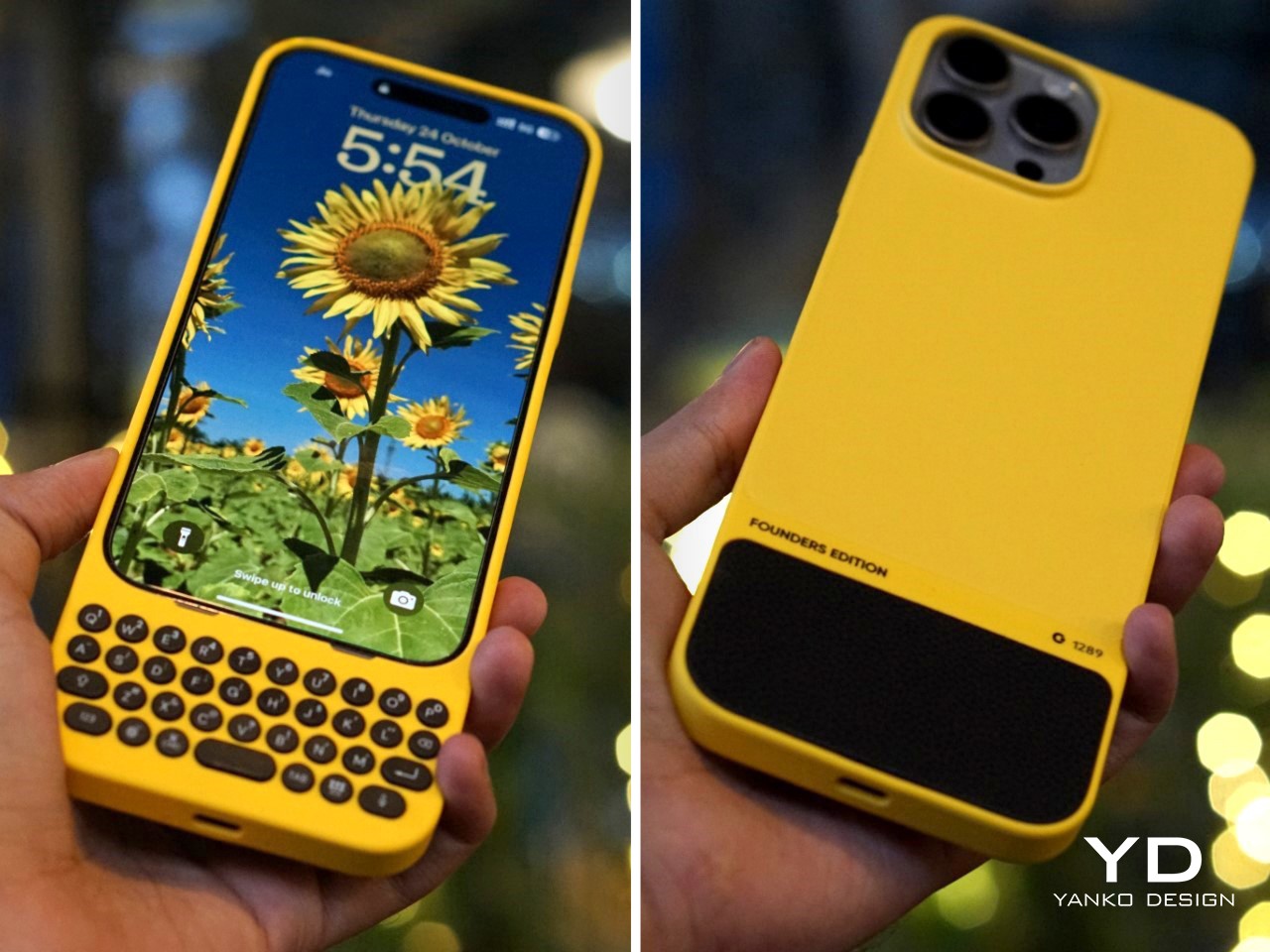
Clicks puts a physical QWERTY keyboard beneath an iPhone’s display, restoring something a touchscreen can imitate visually but can’t reproduce mechanically: individual keys. The benefit extends beyond the buttons themselves. Moving text entry below the screen leaves more room for the message, document, or website you’re working on. For anyone who misses a phone keyboard, this offers a way back without abandoning their current operating system. It changes the phone’s proportions rather than asking you to change your apps.
The iPhone 16 version includes backlit keys, keyboard shortcuts, built-in MagSafe support, and a USB-C data mode for connections such as wired CarPlay. Those details matter because restoring one feature shouldn’t unnecessarily disable another. The physical tradeoff is unavoidable: putting a keyboard below the display makes the whole assembly longer. Compatibility is model-specific, too. Think of Clicks as a deliberate input accessory for people who want buttons, rather than a universal promise of faster typing or fewer mistakes.
What we like
- Physical keys leave the display available for content.
- The iPhone 16 version retains MagSafe and USB-C data connectivity.
What we dislike
- The keyboard adds length below an already large phone.
- Model-specific fit limits reuse when you change phones.
3. ClearFrame Speaker CD Player
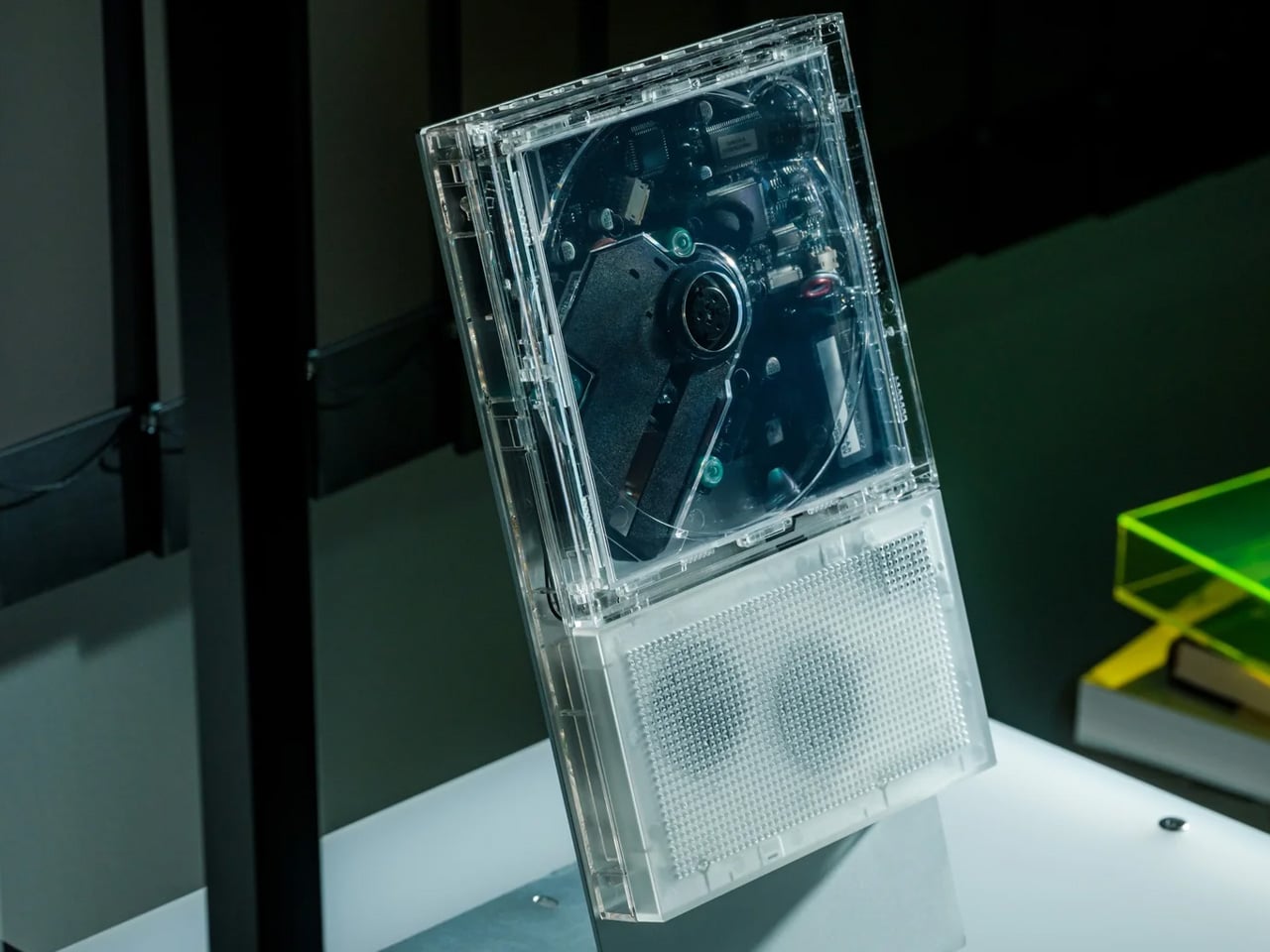

ClearFrame gives a CD collection two jobs: supplying the music and furnishing the player’s appearance. Its transparent body reveals the spinning disc and internal components, while an included tray lets you insert album artwork. Change the record and the face of the object changes with it. That’s a thoughtful reason to revisit physical media. The packaging becomes something you live with, rather than a thumbnail you briefly acknowledge before a playback screen takes over the rest of the interaction.
A built-in speaker means it can play without a separate sound system. There’s also a 3.5mm headphone output and Bluetooth transmission for sending CD audio to compatible headphones or speakers. That last distinction deserves attention: ClearFrame doesn’t receive Bluetooth music from your phone. Its purpose remains playing discs. At 27mm thick, it offers an unusually shallow format for displaying a physical album, though the optional stand and wall mount are separate purchases. Plan the placement before choosing the accessories.
Click Here to Buy Now: $240.00
What we like
- Album artwork becomes part of the player.
- Speaker, wired, and Bluetooth listening options.
What we dislike
- No Bluetooth reception from a phone.
- Stand and wall mount cost extra.
4. Framework Laptop 13 Pro

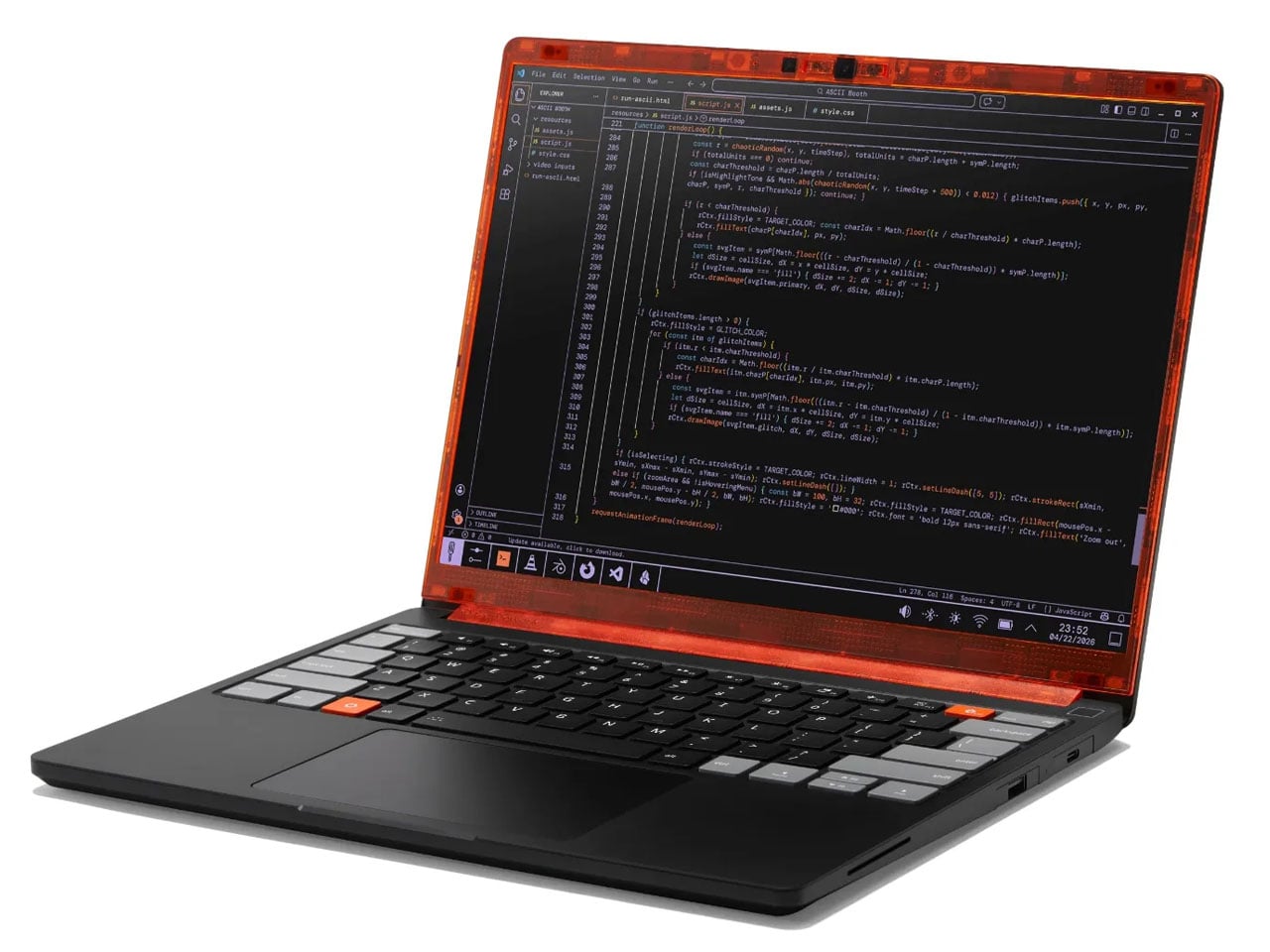
The Framework Laptop 13 Pro revives an expectation worth defending: buying a computer shouldn’t lock you into its original components forever. Its LPCAMM2 memory puts efficient LPDDR5X RAM on a replaceable module rather than soldering it permanently to the motherboard. It also supports storage and mainboard upgrades for an owner whose workload changes, creating options beyond replacing the entire machine. The important design detail is inside the enclosure, where access and component separation become part of the product’s usefulness.
Framework supports that architecture with repair guides, identifiable parts, and a marketplace for compatible replacements. Its Expansion Card system also lets owners choose connections, including USB-A, HDMI, and card readers, instead of accepting one fixed port arrangement. Repairability still requires judgment. A processor upgrade means replacing the mainboard, and buying the wrong memory format won’t help anyone. The appeal is having a documented route to maintenance and improvement, with the responsibility of checking compatibility before ordering the next part.
What we like
- Replaceable memory, storage, and mainboard preserve upgrade options.
- Repair documentation supports the accessible hardware.
What we dislike
- Processor upgrades require a replacement mainboard.
- Memory upgrades need compatible LPCAMM2 modules.
5. RetroWave 7-in-1 Radio
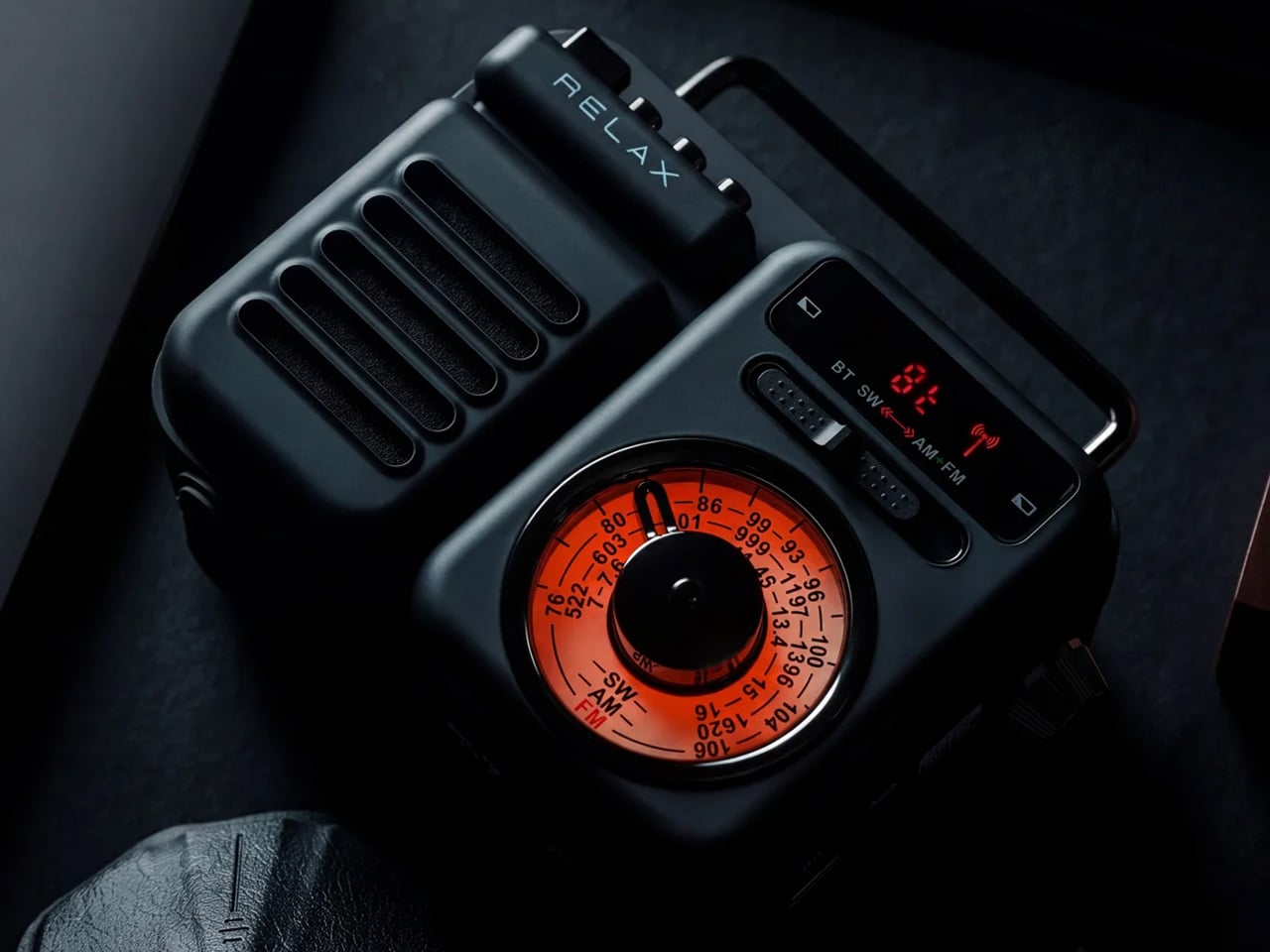
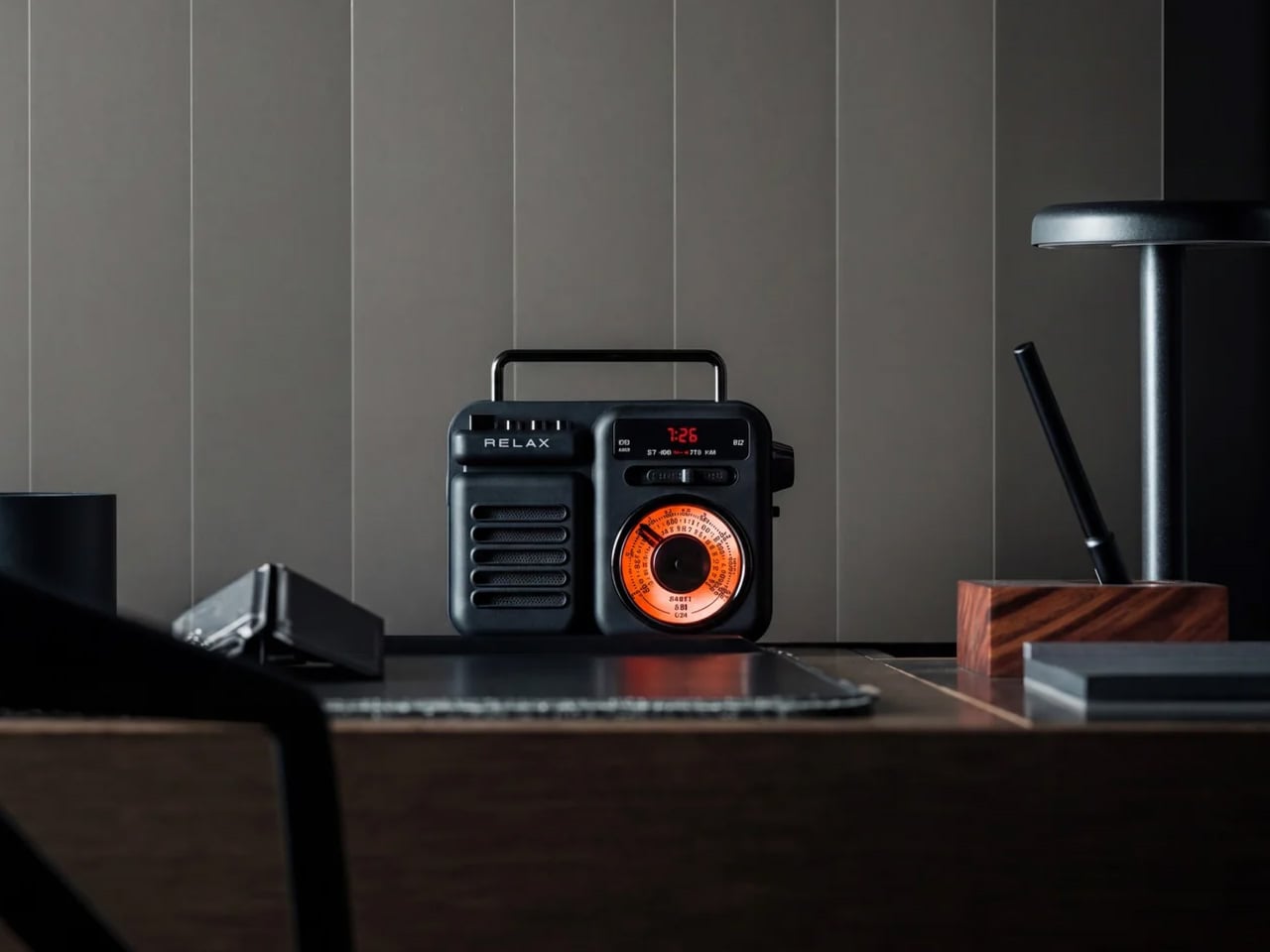
RetroWave brings back the tuning dial for a reason more useful than decoration. Its AM, FM, and shortwave receiver lets you listen to broadcasts without opening an app or connecting to Wi-Fi. That makes the interaction refreshingly direct: extend the antenna, select a band, and find a station. Reception will still depend on your location and conditions, but the listening route doesn’t depend on your phone. The familiar controls express what the object does instead of merely suggesting another decade.
Bluetooth reception and playback from USB or microSD give it alternatives when you want your own music. A flashlight, SOS alarm, and phone-charging function broaden its utility, though the power arrangements need careful reading. The USB is the primary charging method, the hand crank is an emergency option, and the solar is the supplementary. Treat those backup methods accordingly. The 2,000mAh battery also serves the radio itself, so charging a phone means drawing from the same reserve used for listening.
What we like
- Broadcast radio works without internet.
- USB and microSD support local music.
What we dislike
- Solar and crank charging are backups.
- Phone charging shares the radio’s battery.
6. ModRetro Chromatic, Transparent Edition
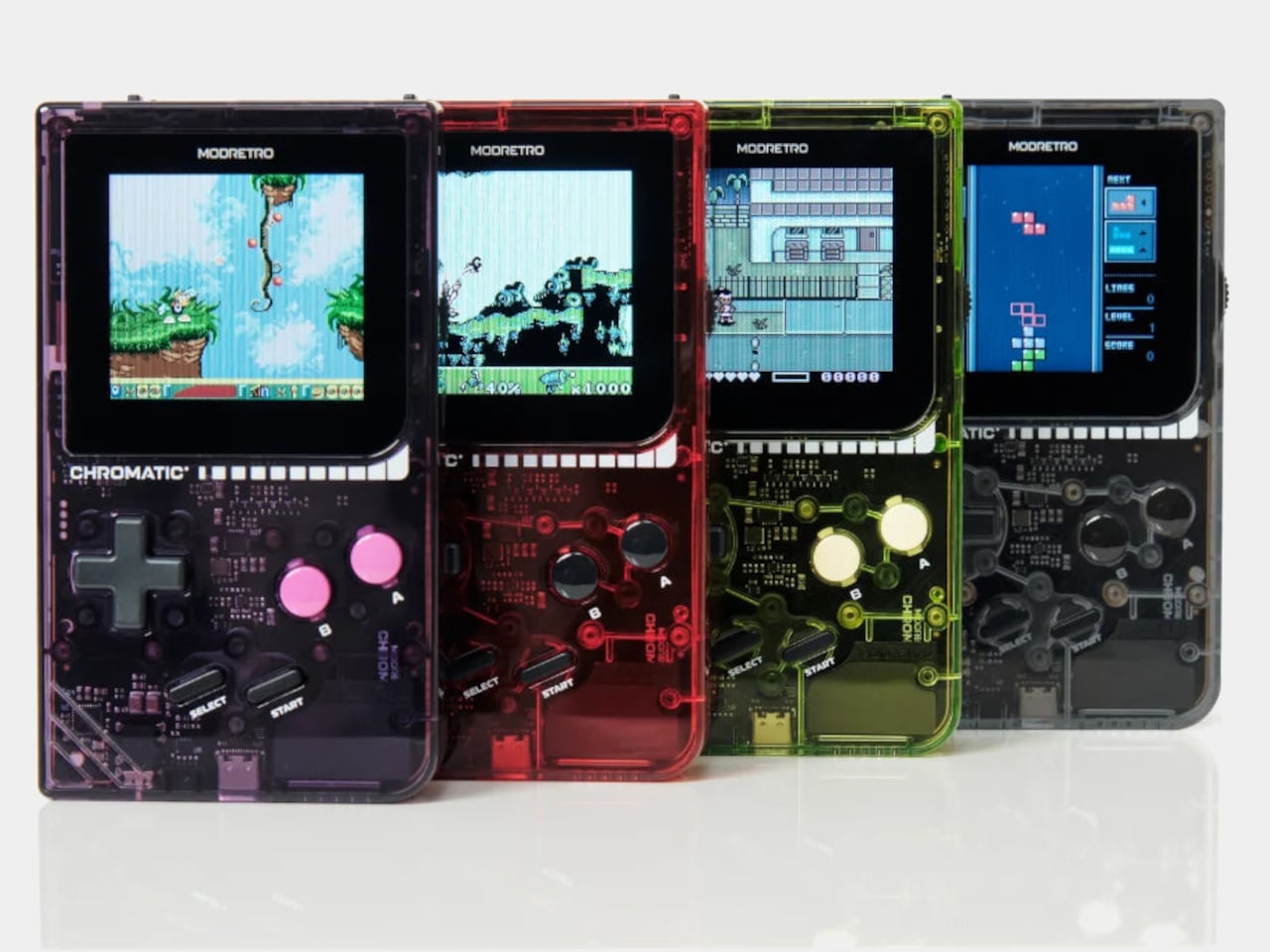
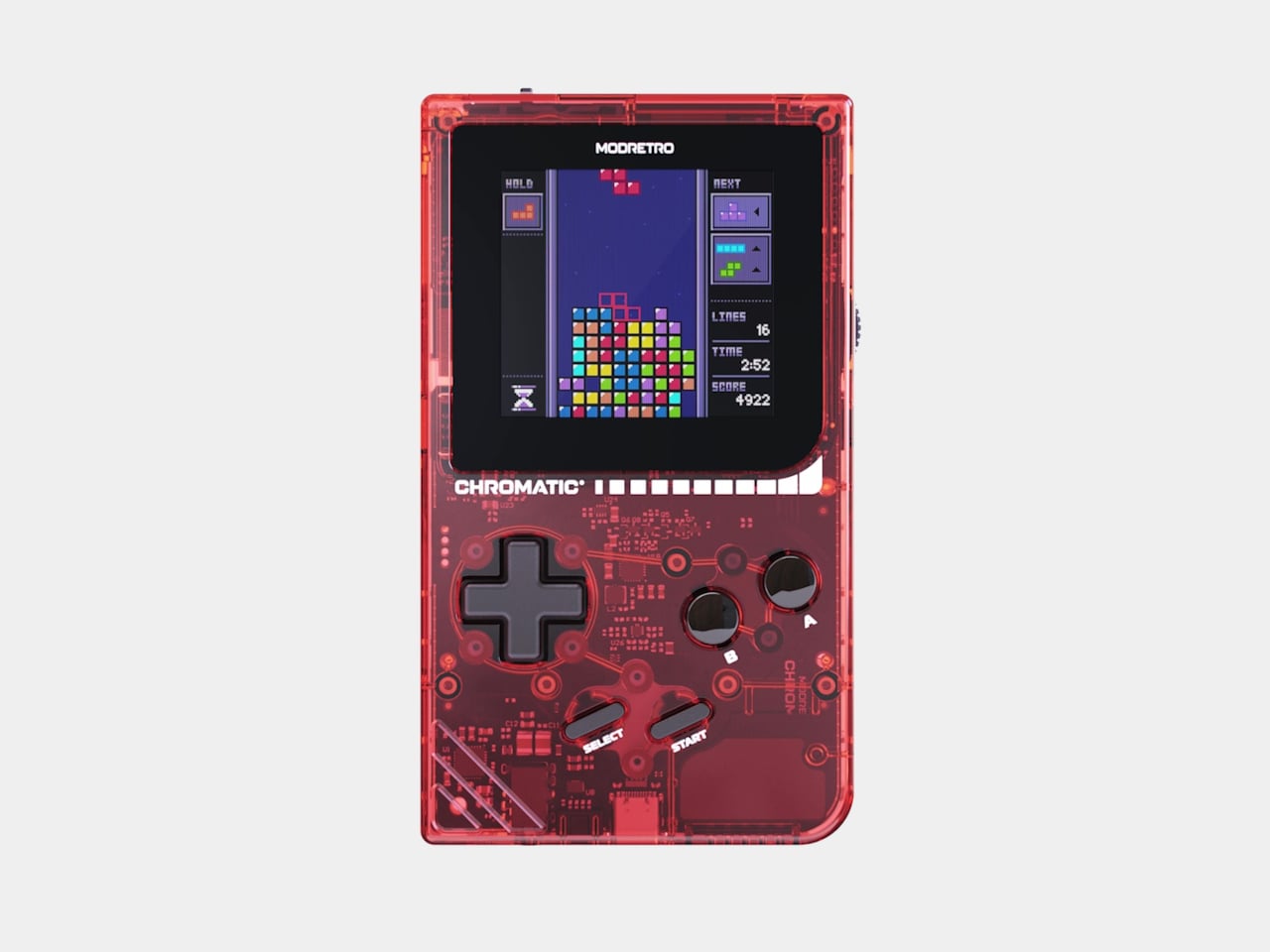
A cartridge slot is the detail that earns ModRetro’s transparent Chromatic its place here. It plays original Game Boy and Game Boy Color cartridges, giving an existing collection somewhere to go without replacing those games with downloads. The clear ABS shell adds another familiar pleasure: electronics that let you see the hardware. That appearance supports the premise rather than carrying it alone. Beneath it is an FPGA-based system built around playing physical cartridges, with a D-pad and separate face buttons.
Its 2.56-inch backlit display uses the original Game Boy Color’s 160 × 144 resolution, keeping the presentation tied to the games rather than enlarging everything onto a phone-sized panel. Three AA batteries power the console, and a separately sold Rechargeable Power Core provides another option. The retained link cable port and 3.5mm headphone output extend the appeal beyond the transparent body. This is a focused machine for compatible cartridges, so choose it for that collection rather than expecting general-purpose gaming.
What we like
- Plays original Game Boy and Game Boy Color cartridges.
- Replaceable AA batteries preserve a straightforward power option.
What we dislike
- Compatibility centers on a specific cartridge library.
- The rechargeable battery accessory is sold separately.
7. Anywhere-Use Lamp
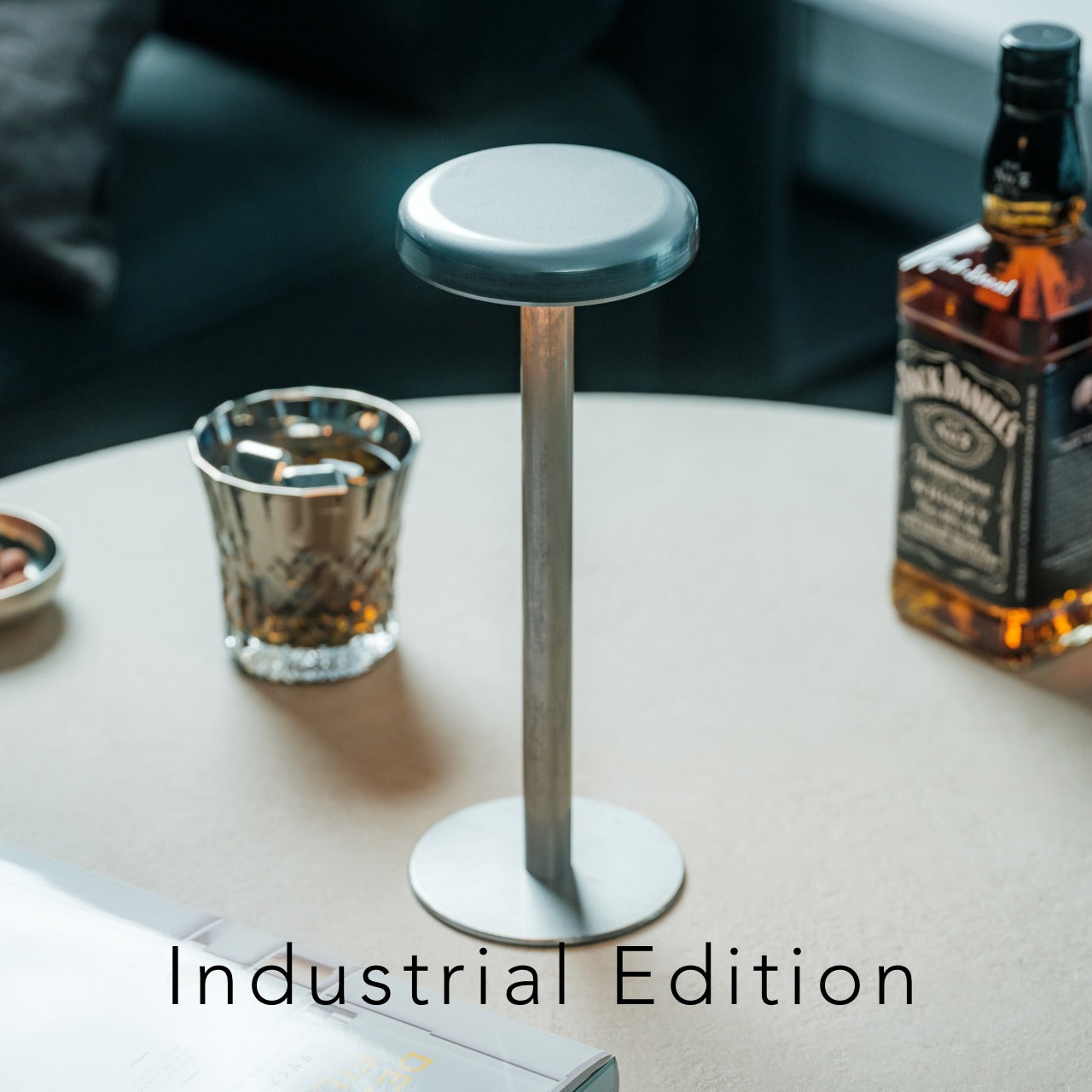


The Anywhere-Use Lamp keeps its most useful feature out of sight: four ordinary AA batteries housed inside the stem. Developed by TENT with Fujita Metal, the lamp is also known as ICHI. Its powder-coated iron construction and circular shade don’t advertise the battery arrangement, which is precisely the attraction. Replaceable power doesn’t require an exposed compartment dominating the object’s appearance. For a portable light, being able to change exhausted cells is a practical alternative to waiting beside a charging cable.
Pressing the shade’s edge cycles through four brightness levels, keeping the control integrated into the form. The lamp also separates into three pieces for packing, and its maker recommends rechargeable nickel-metal hydride AA batteries. That gives the replaceable format a sensible everyday routine without requiring disposable cells each time. Portability does need qualification: the lamp isn’t waterproof. Its one-hour automatic shutoff is useful beside a bed, but it may interrupt someone who wants continuous lighting for a longer evening’s work.
Click Here to Buy Now: $149.00
What we like
- Standard AA batteries remain accessible and replaceable.
- The shade doubles as a brightness control.
What we dislike
- It isn’t waterproof despite its portable format.
- The one-hour shutoff may interrupt longer use.
8. FiiO CP13 Cassette Player
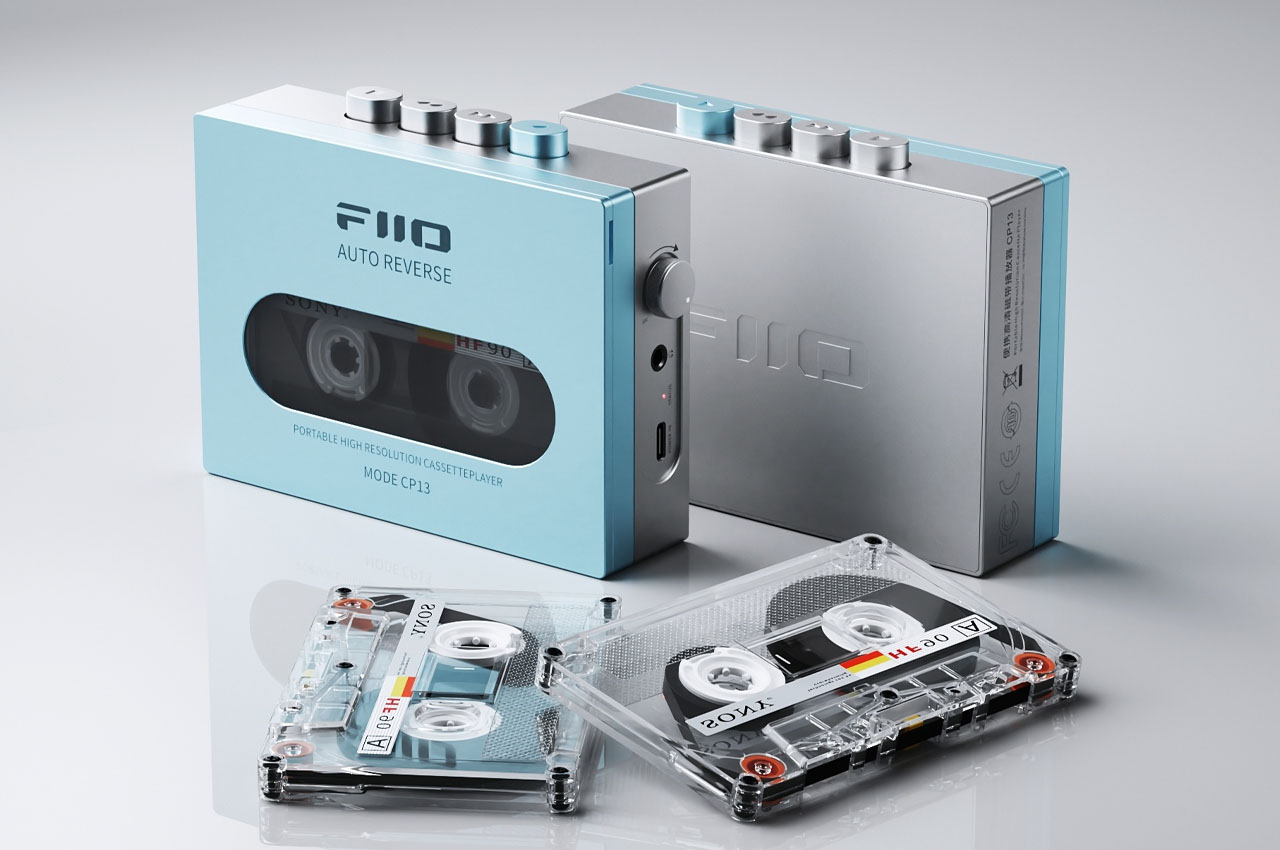

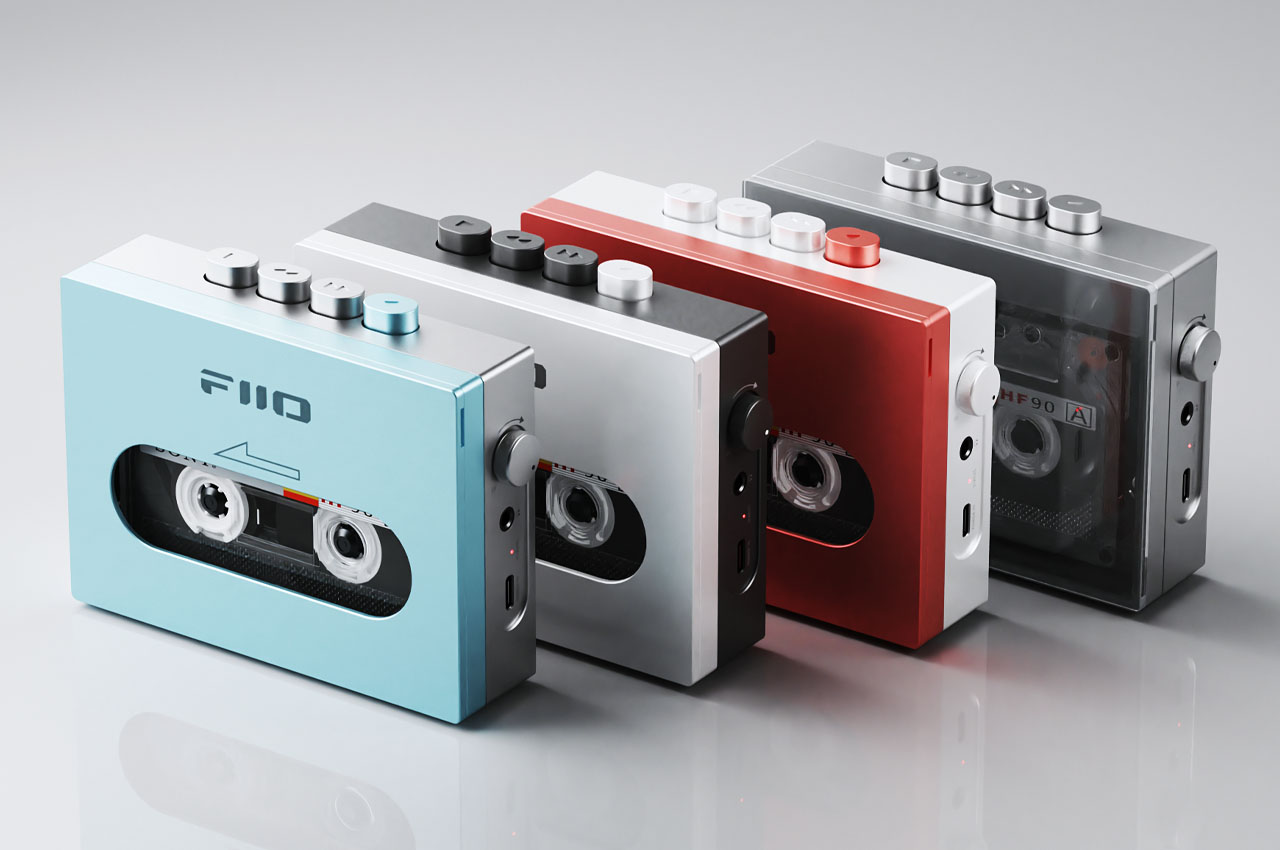
FiiO’s CP13 restores the actual cassette mechanism, rather than borrowing its outline for a Bluetooth speaker. A tape goes inside, physical buttons control playback, and a substantial volume knob handles listening level. The aluminum chassis gives those components a contemporary enclosure without disguising their purpose. For someone with a box of mixtapes or current cassette releases, the benefit is straightforward access to those recordings. You’re choosing a particular medium and its controls, not purchasing evidence that analog automatically sounds better.
USB-C charging is the useful update, powering an internal lithium battery without changing how the tape plays. FiiO describes an entirely analog audio path, from the magnetic head through amplification, and explicitly warns that cassette playback can have more background noise than digital sources. There’s no Bluetooth connection, and the CP13 won’t convert your tapes into digital files. Those limits make it a dedicated listening device rather than an archival tool. Buy it to play the tape, not rescue every recording.
What we like
- Real cassette playback with physical transport and volume controls.
- USB-C charging updates the power arrangement.
What we dislike
- No Bluetooth for wireless headphones.
- No tape-to-digital conversion for archiving recordings.
Keep the Features You’ll Actually Use
Before buying a comeback, check what you actually miss. A shelf of CDs gives a disc player a job; a fondness for transparent plastic doesn’t necessarily give a cartridge console one. The same distinction applies to keyboards and replaceable batteries. Choose the feature that resolves a recurring annoyance, then judge the object around it. Extra bulk, separate accessories, and incompatible formats still matter, even when the familiar styling is irresistible.
For hardware you hope to keep, look one step beyond the feature itself. Check the replacement battery type, the parts catalog, the supported phone model, or the connection your headphones need. Those details reveal whether the revived function will fit your routine after the initial attraction fades. There’s little value in winning back a headphone jack if the rest of the phone is wrong for you. Keep the useful part.