
Turning a radio dial asks something different of your hand than tapping an app. So does loading a game cartridge, pressing a calculator key, or framing a photograph without checking the result. Smartphones gathered these activities onto one surface, making them convenient and strangely similar. The appeal of a good retro gadget is getting some of those differences back, through controls and objects that give each activity its own character.
These eight designs approach that idea with different degrees of commitment. Some restore an older mechanism; others translate its habits into digital hardware. A cassette silhouette alone cannot bring back tape playback, and a dedicated writing machine won’t automatically improve a sentence. What matters here is the action each object makes possible, alongside the compromises it introduces. This is a collection about choosing an experience, rather than collecting vintage costumes.
1. RetroWave 7-in-1 Radio
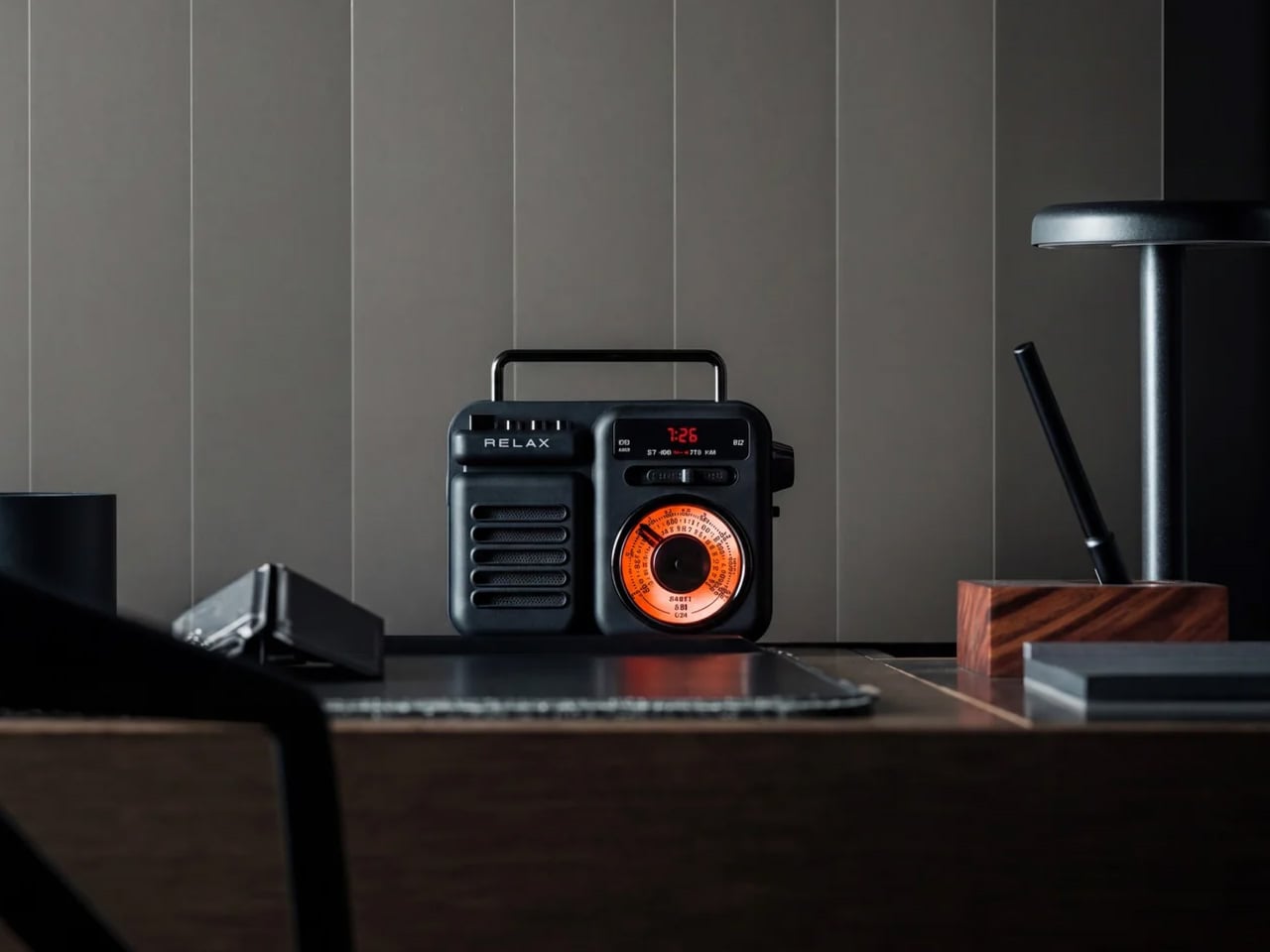
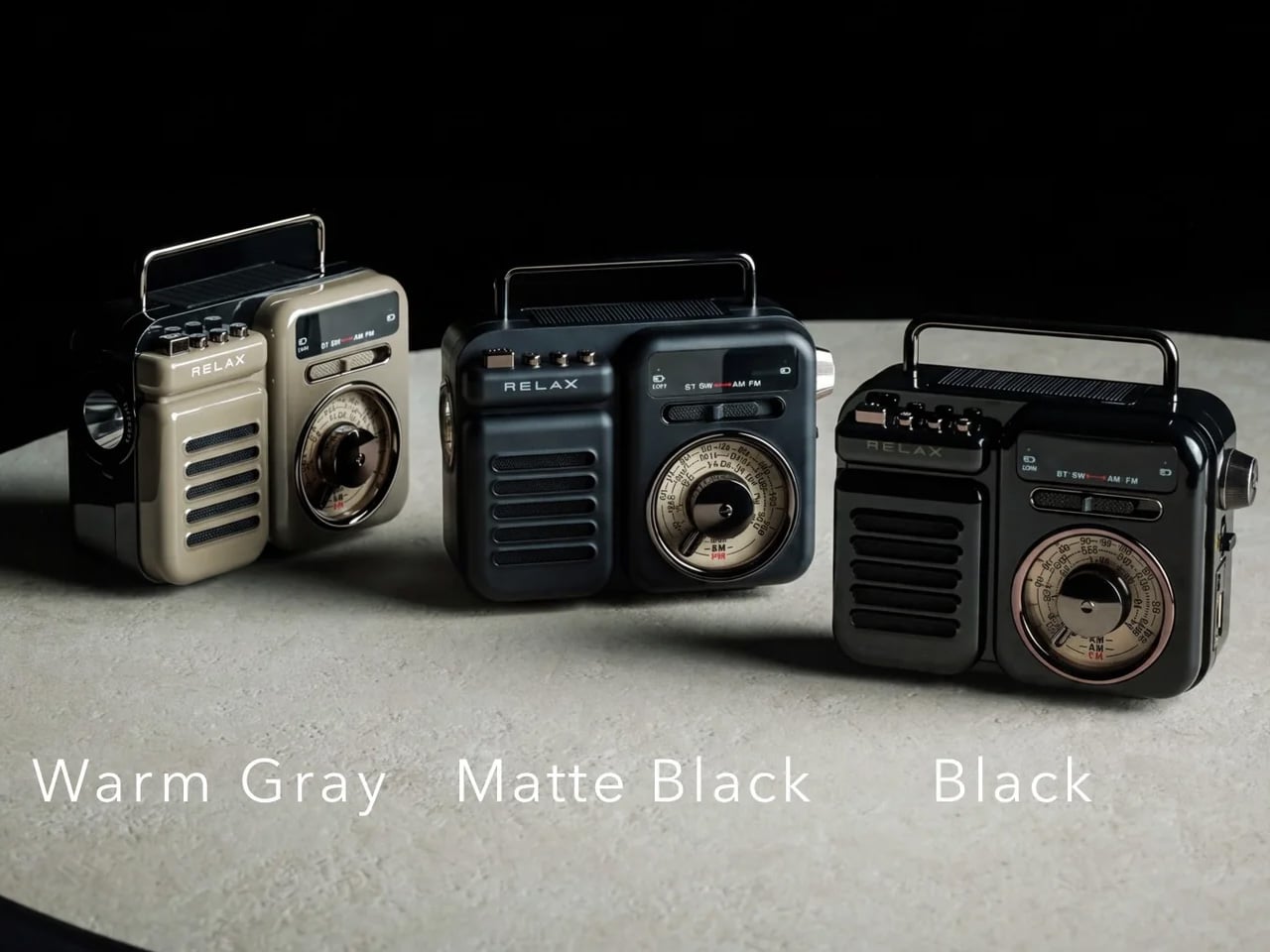
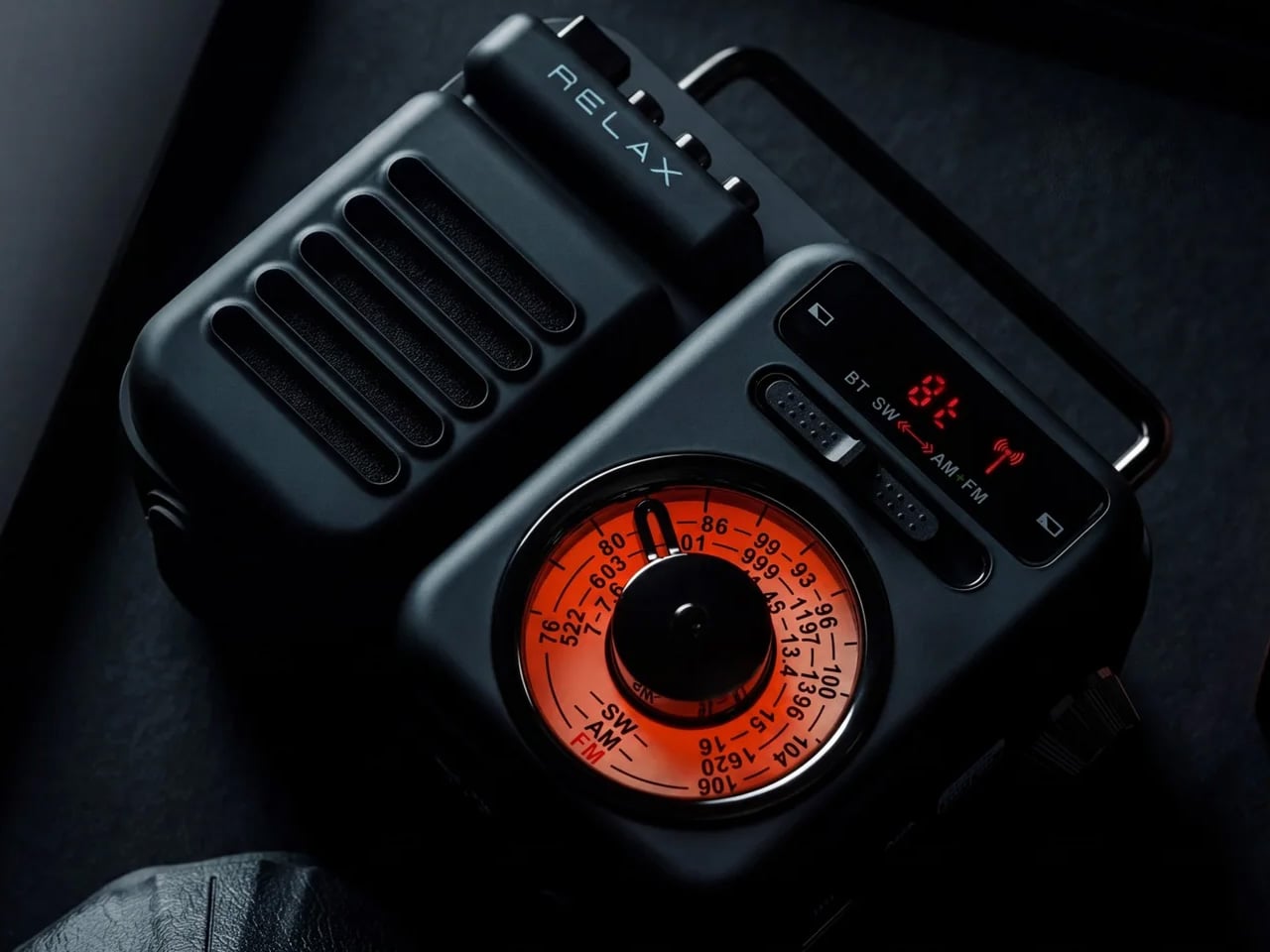
The RetroWave 7-in-1 Radio begins with a familiar gesture: turning a tuning dial until something worth hearing comes through. AM, FM, and shortwave reception let you listen without opening a streaming service, while Bluetooth, USB, and microSD playback cover more contemporary habits. Its compact body keeps those choices in one physical object. For a kitchen shelf or workbench, the attraction is straightforward: the radio can supply a soundtrack without turning your phone into the control panel for every listening session.
The extra functions give the nostalgic form a practical purpose. A flashlight, SOS siren, clock, and 2,000mAh battery with phone charging capability broaden its role beyond entertainment. The power arrangements deserve a closer look, though. The USB is the primary charging method, the hand crank is the emergency backup, and solar is the supplementary support. Think of it as an everyday radio with contingency features, rather than assuming that its small solar panel can replace regular charging from an outlet.
What we like
- Broadcast radio without internet.
- USB and microSD music playback.
What we dislike
- Solar charging is supplementary only.
- Hand cranking is an emergency backup.
2. Await Camera
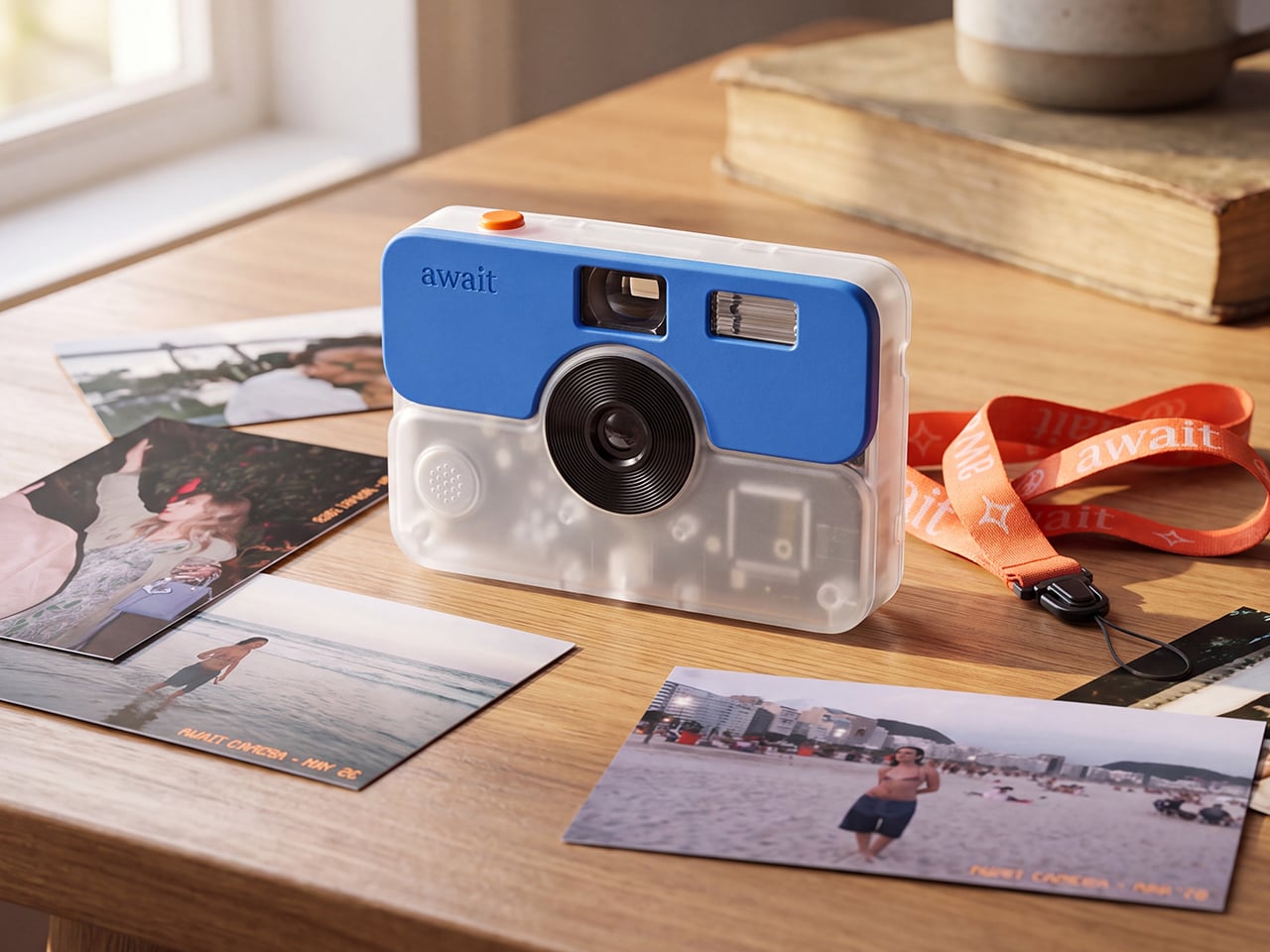
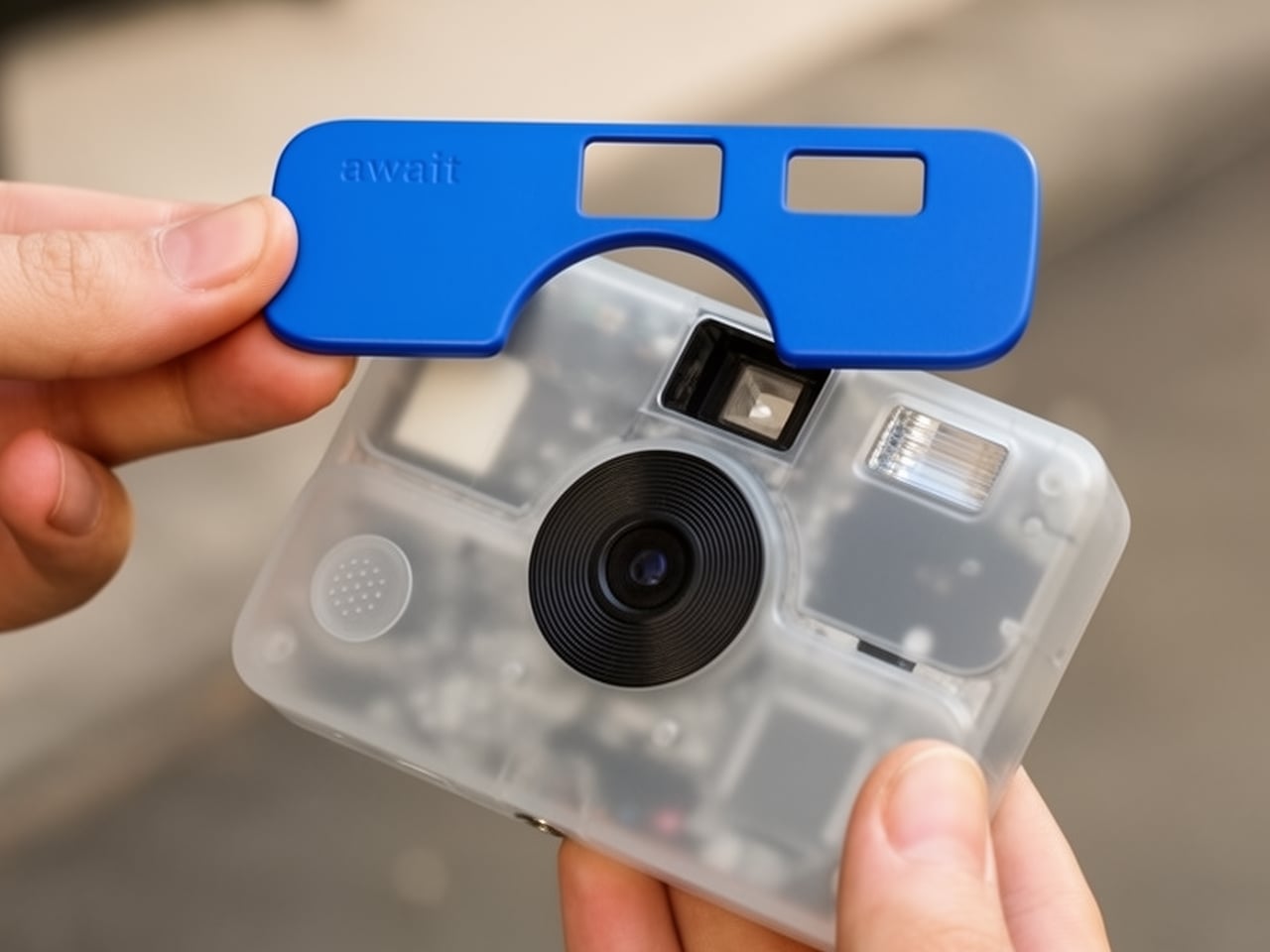
Await borrows the disposable camera’s discipline without using film. Rolling Square’s digital camera organizes pictures into rolls of 24, with no image preview to inspect after each shot. An optical viewfinder handles framing, while a small OLED shows status and remaining frames. The translucent body and interchangeable magnetic faceplates connect it to playful consumer electronics of the 1990s. Its most consequential choice is removing the immediate review, encouraging you to decide before pressing the shutter rather than shooting endless alternatives.
The proposed workflow carries that restraint beyond the camera. Its free companion app processes rolls with a vintage-inspired filter and offers optional mailed prints, while USB-C lets you export original files directly to a computer. You can keep photographs digital without paying for printing. That makes Await interesting for trips or gatherings where reviewing pictures can wait.
Click Here to Buy Now: $100 $145 (31% off). Hurry, only 6/800 left! Raised over $109,000.
What we like
- Optional prints without buying film.
What we dislike
- Printing introduces ongoing costs.
3. Freewrite Smart Typewriter Gen3 Valentine Edition
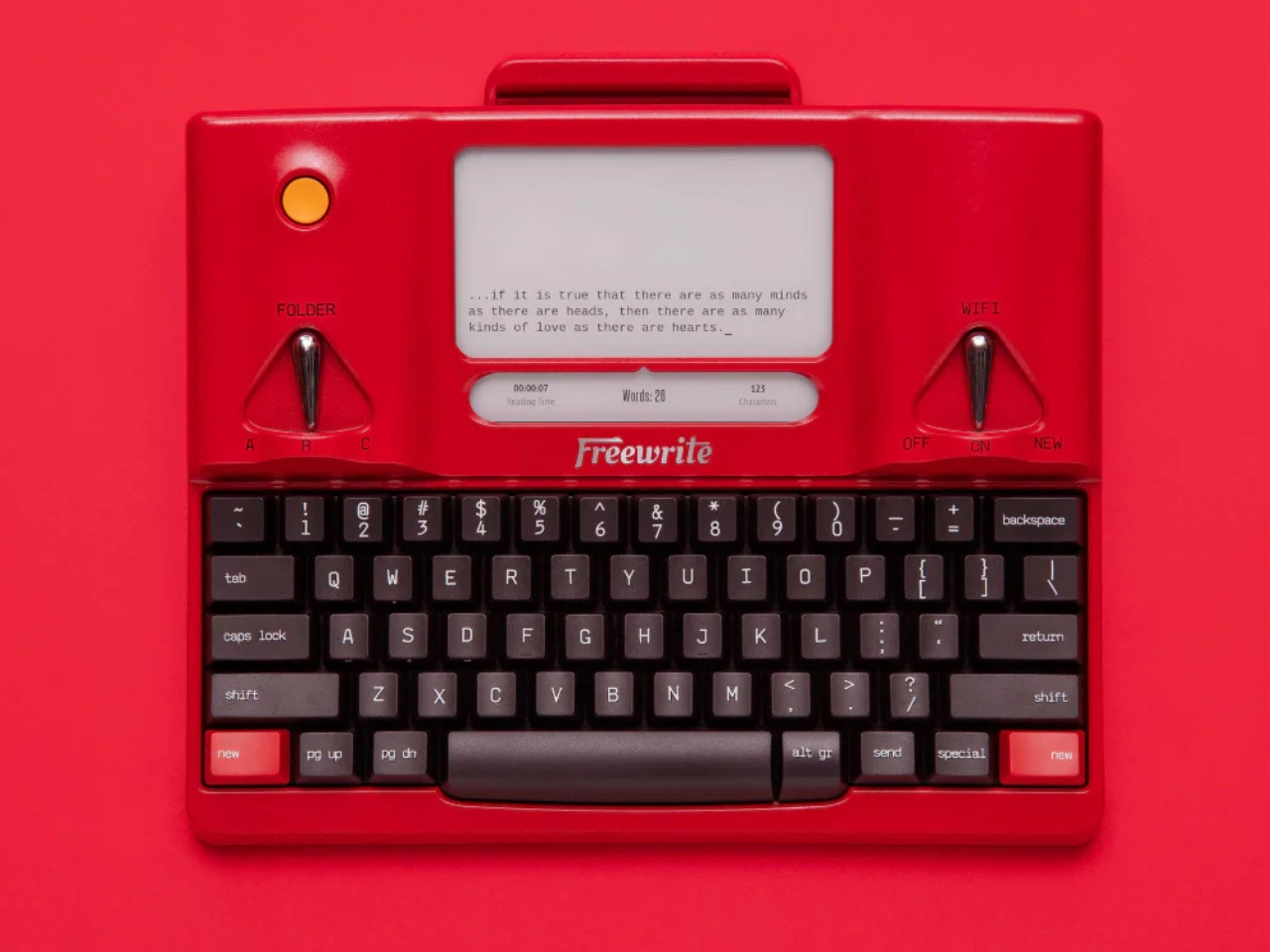
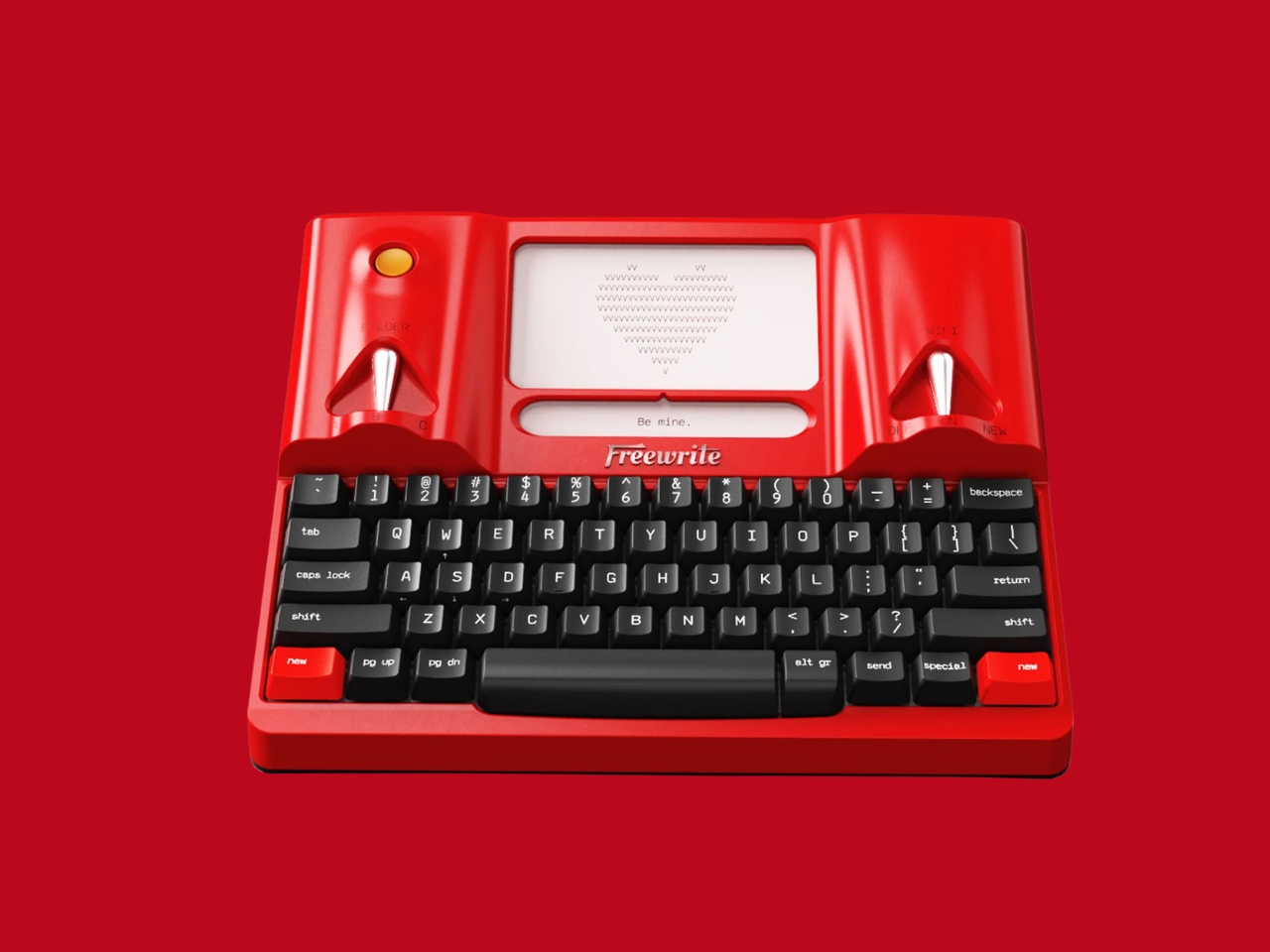
Freewrite’s Valentine Edition draws on the Olivetti Valentine, translating that typewriter’s red personality into an aluminum digital drafting machine. A mechanical keyboard with box brown switches sits below an E Ink display, giving writing its own dedicated surface. The appeal is especially clear for someone whose journals and first drafts currently live in a phone’s notes app. Sitting down at this keyboard creates a specific activity, rather than adding another task alongside messages, browser tabs, and social feeds.
The typewriter reference doesn’t extend to paper or ink ribbons. Drafts save locally, synchronize to Freewrite’s Postbox service over Wi-Fi, and can also transfer through USB. A matching carrying case and strap are included, extending the red treatment beyond the machine itself. This is a tool for getting words down before finishing them elsewhere, so it suits a deliberate drafting habit better than general computing.
What we like
- Mechanical keyboard and dedicated drafting display.
- Local saving with cloud and USB transfer.
What we dislike
- Drafting focus limits its broader usefulness.
4. Tivoli Audio SongBook MAX
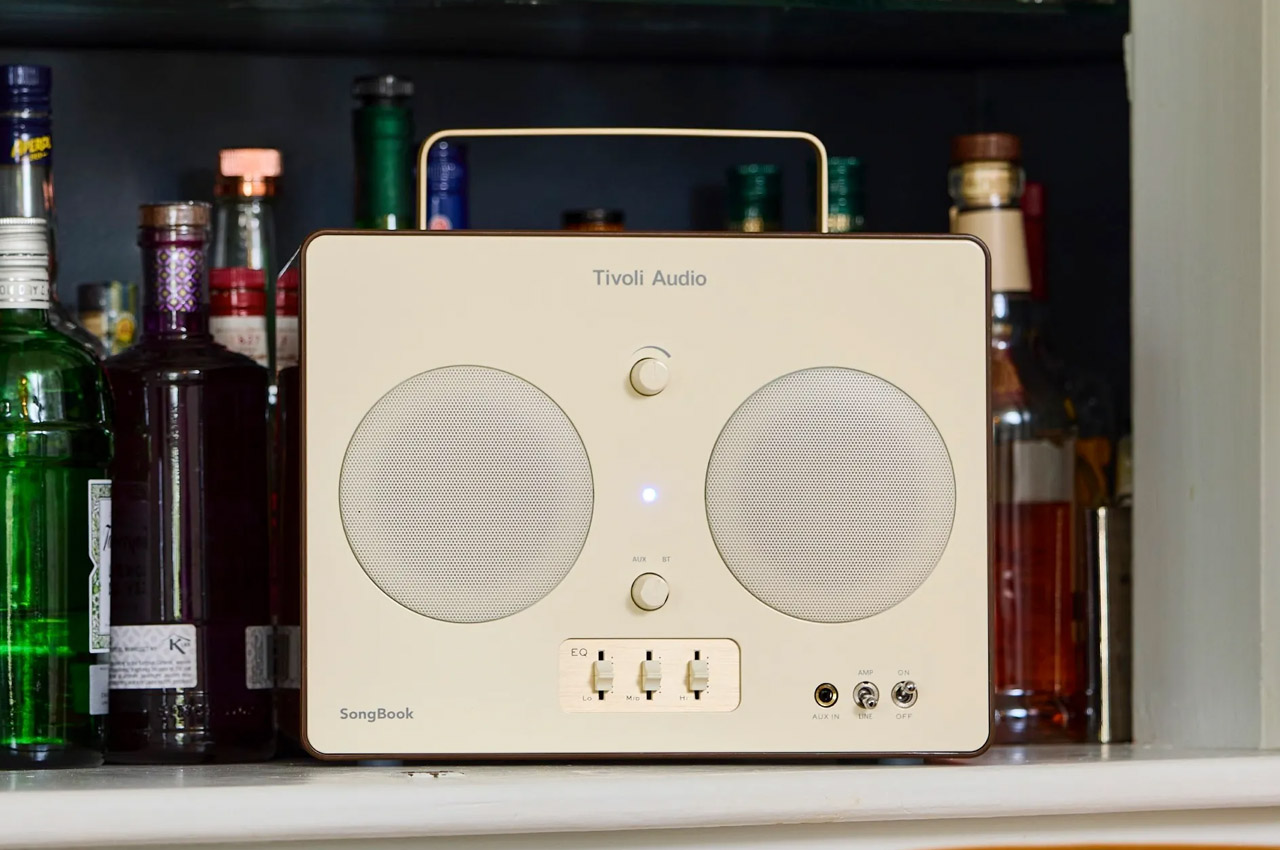

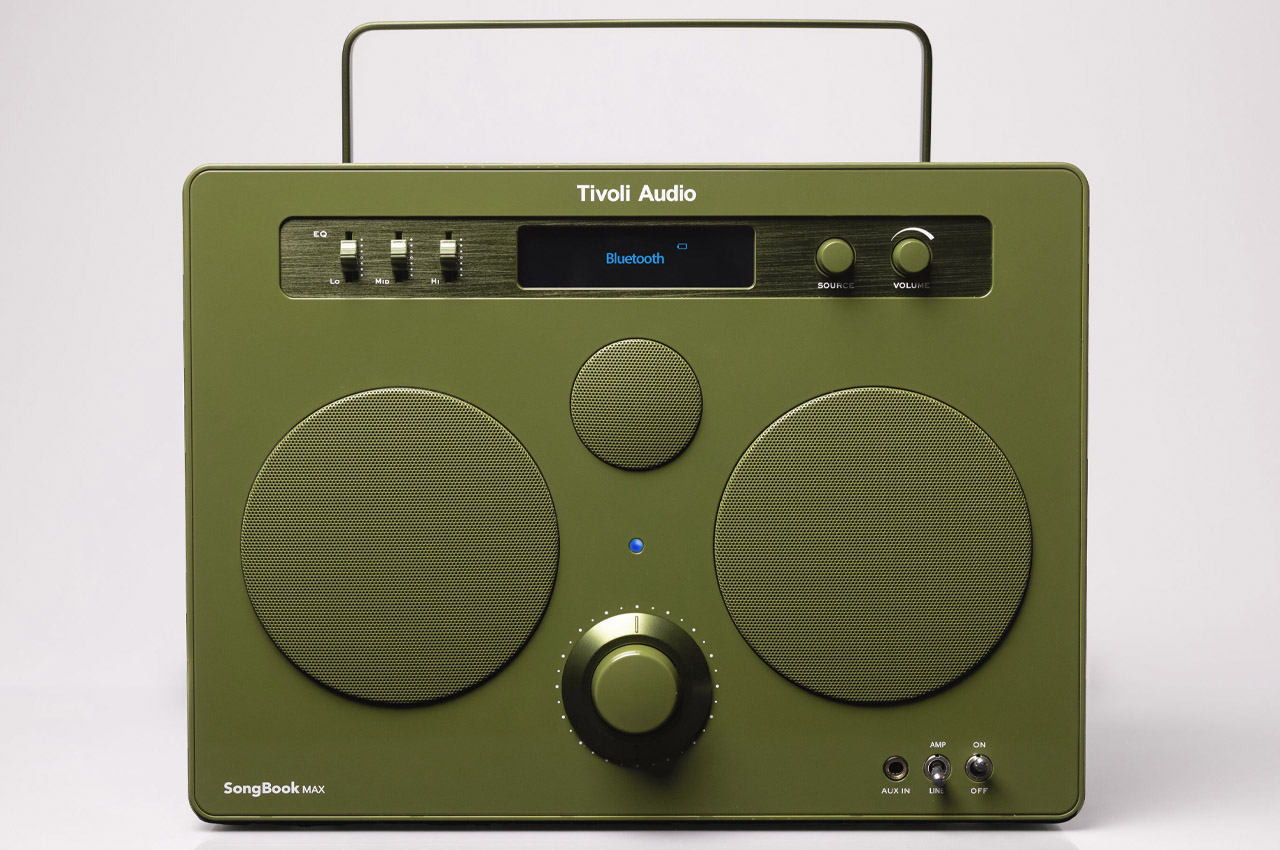
The SongBook MAX revives the boombox as something you carry into a room and operate directly. Tivoli Audio gives it a handle, a large tuning knob, physical switches, and separate sliders for low, middle, and high frequencies. Those controls make adjusting music part of listening, rather than a menu buried inside an app. FM radio adds another useful distinction: you can let a station make the selections. Bluetooth remains available when choosing your own soundtrack matters more than broadcast discovery.
Where the RetroWave offers compact utility, the SongBook MAX makes a larger commitment to shared listening. It weighs 11.5 pounds, and its quarter-inch input and built-in preamp also allow compatible instruments to join the session. Tivoli specifies up to 10 hours of battery life and IPX4 water resistance, which means splash resistance rather than waterproofing. Its multiple drivers form a mono speaker system, not stereo.
What we like
- Physical EQ sliders make adjustments accessible.
- Radio and instrument input broaden its role.
What we dislike
- Heavy for a portable speaker.
- Mono playback, with current stock limitations.
5. TWEMCO BQ-38 Calendar Flip Clock
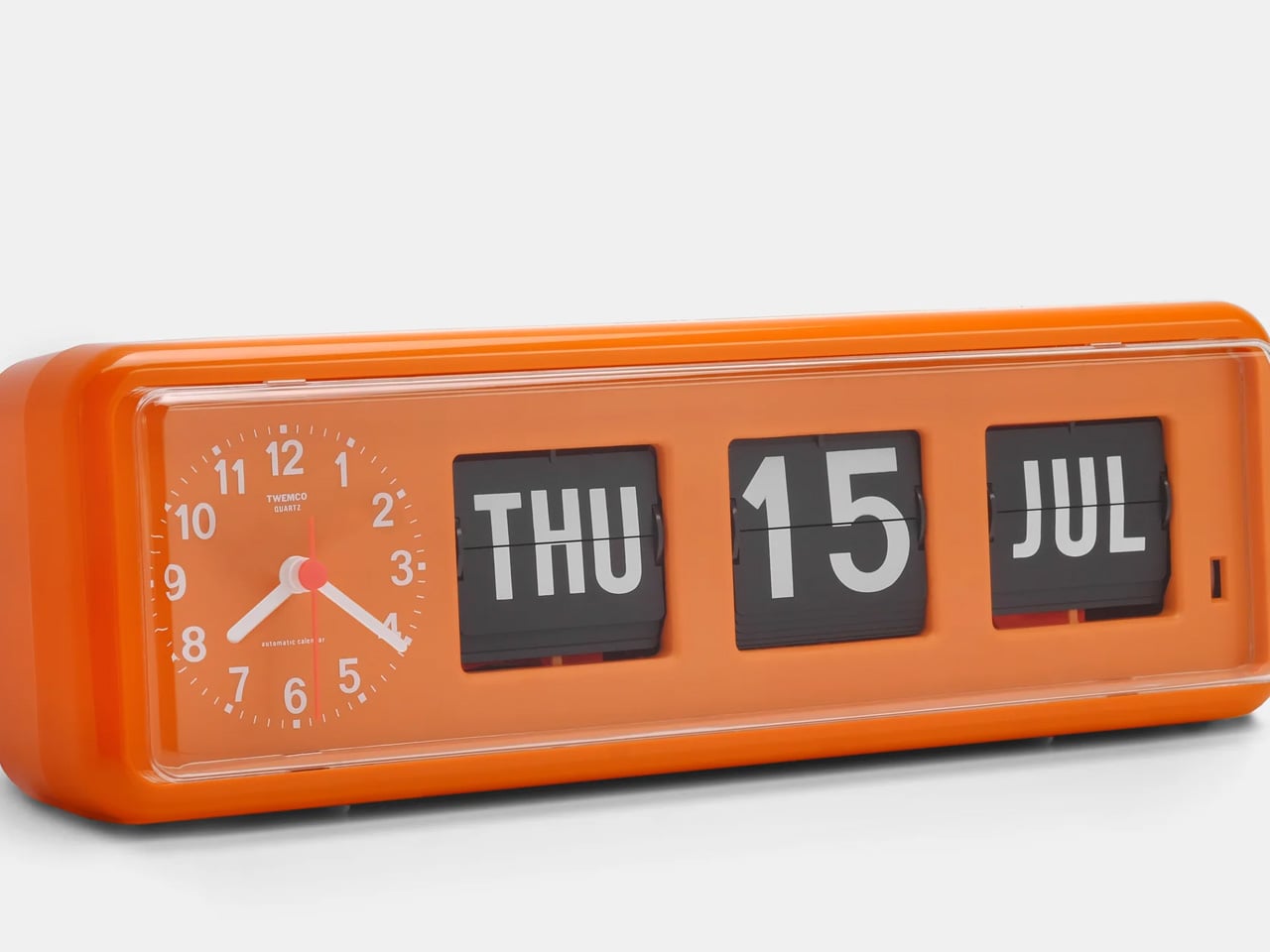
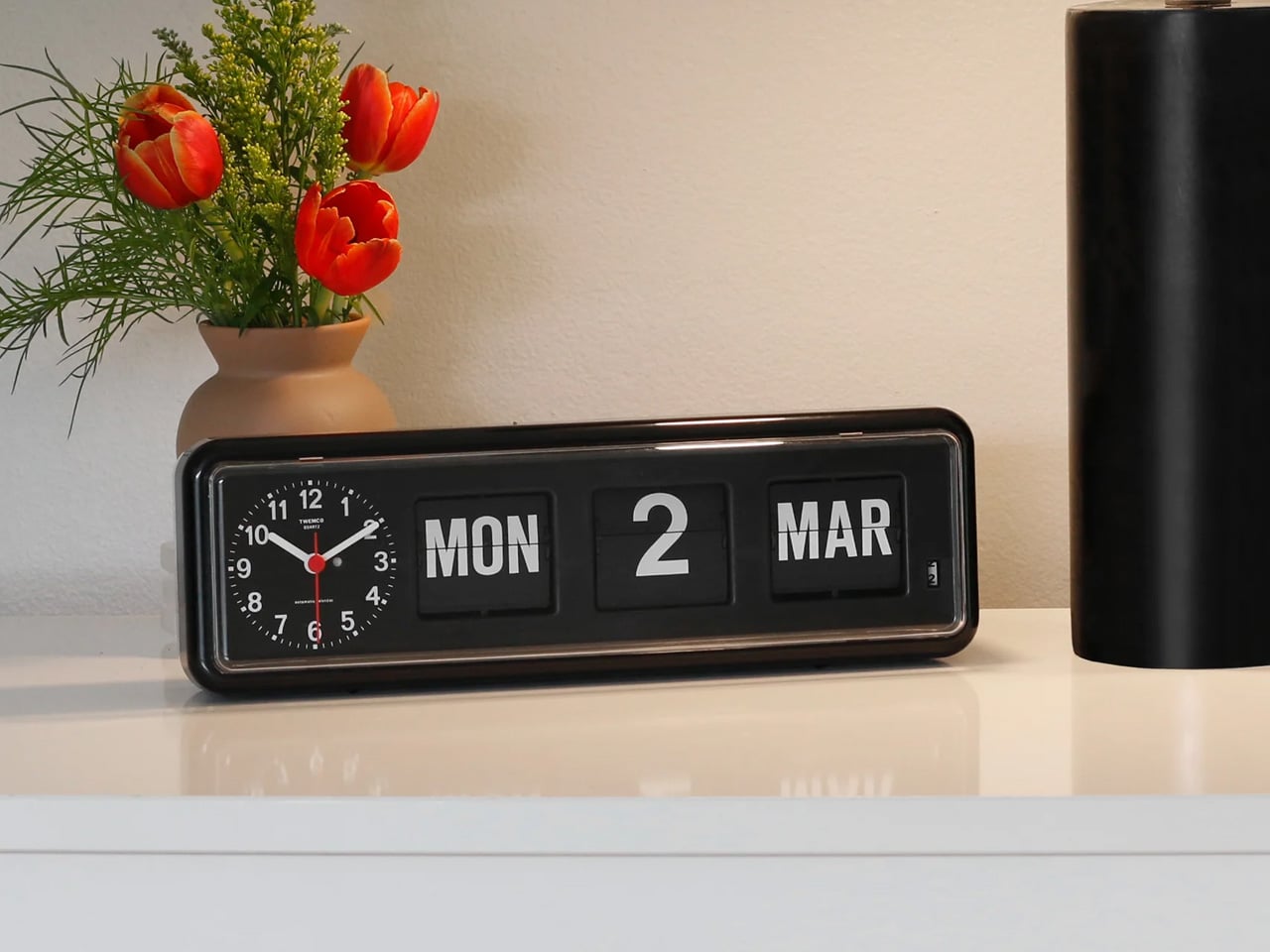
The TWEMCO BQ-38 gives the date somewhere to live outside your lock screen. Its long rectangular face combines an analog clock with three calendar windows displaying the weekday, date, and month on physical flipping cards. That distinction matters: the hands tell the time, while the cards handle the calendar. The orange version makes the arrangement particularly expressive, with white lettering against dark cards and a bright surrounding case. It reads as an object designed to remain visible, rather than disappear.
For a desk or shelf, the useful consequence is modest but welcome. You can check the date without picking up anything, entering a passcode, or encountering a notification. Retrospekt lists a battery-powered quartz movement and a single C battery, so there’s no charging cable to accommodate. The BQ-38 has no alarm, though, making it a calendar clock rather than a complete bedside replacement for your phone. The supplied retailer listing also currently shows it sold out, so finding stock comes first.
What we like
- Real calendar cards beside an analog clock.
- Battery power avoids a visible cable.
What we dislike
- No alarm function.
- Currently sold out at Retrospekt.
6. Casio CA-53WB Calculator Watch
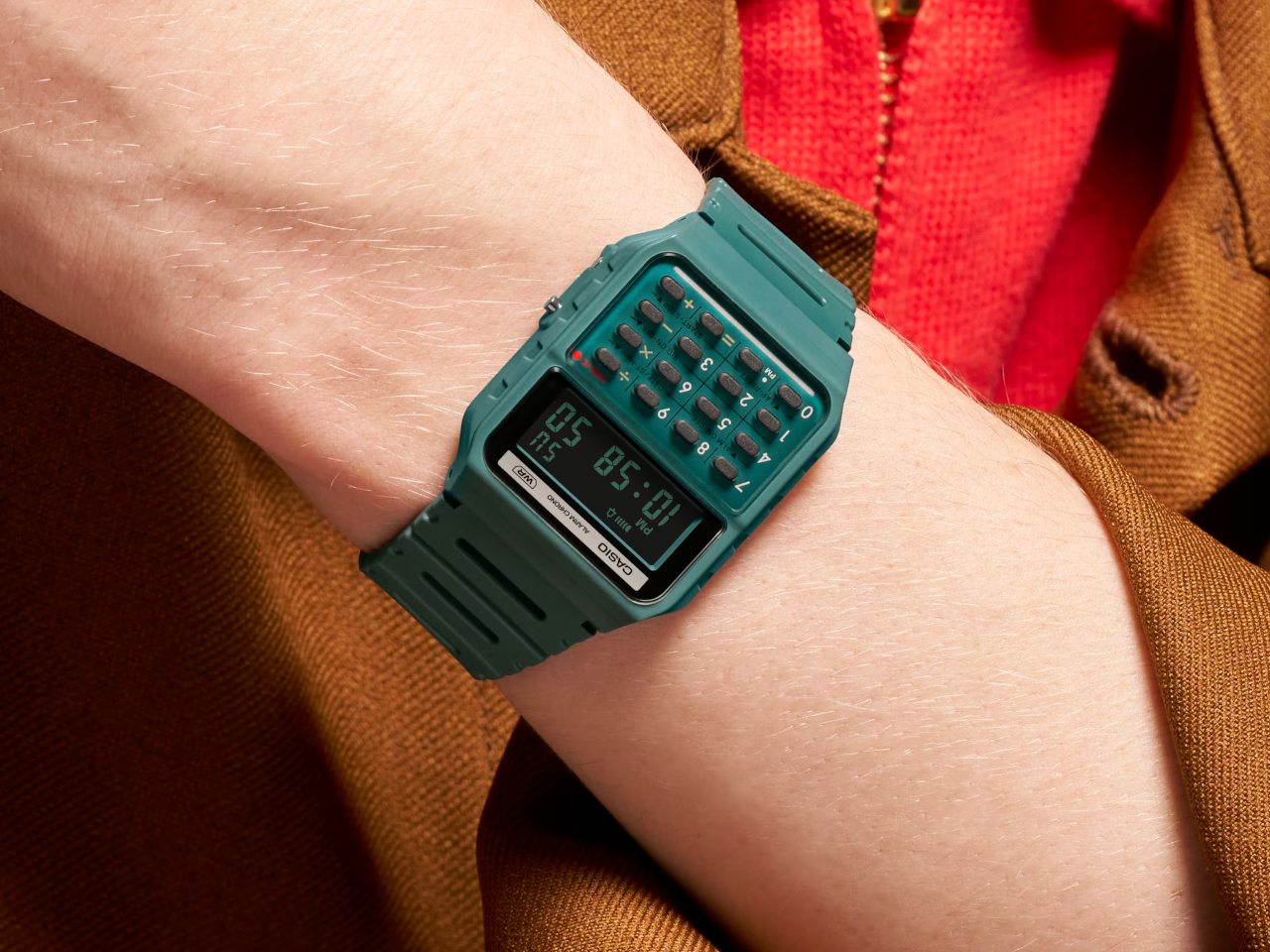
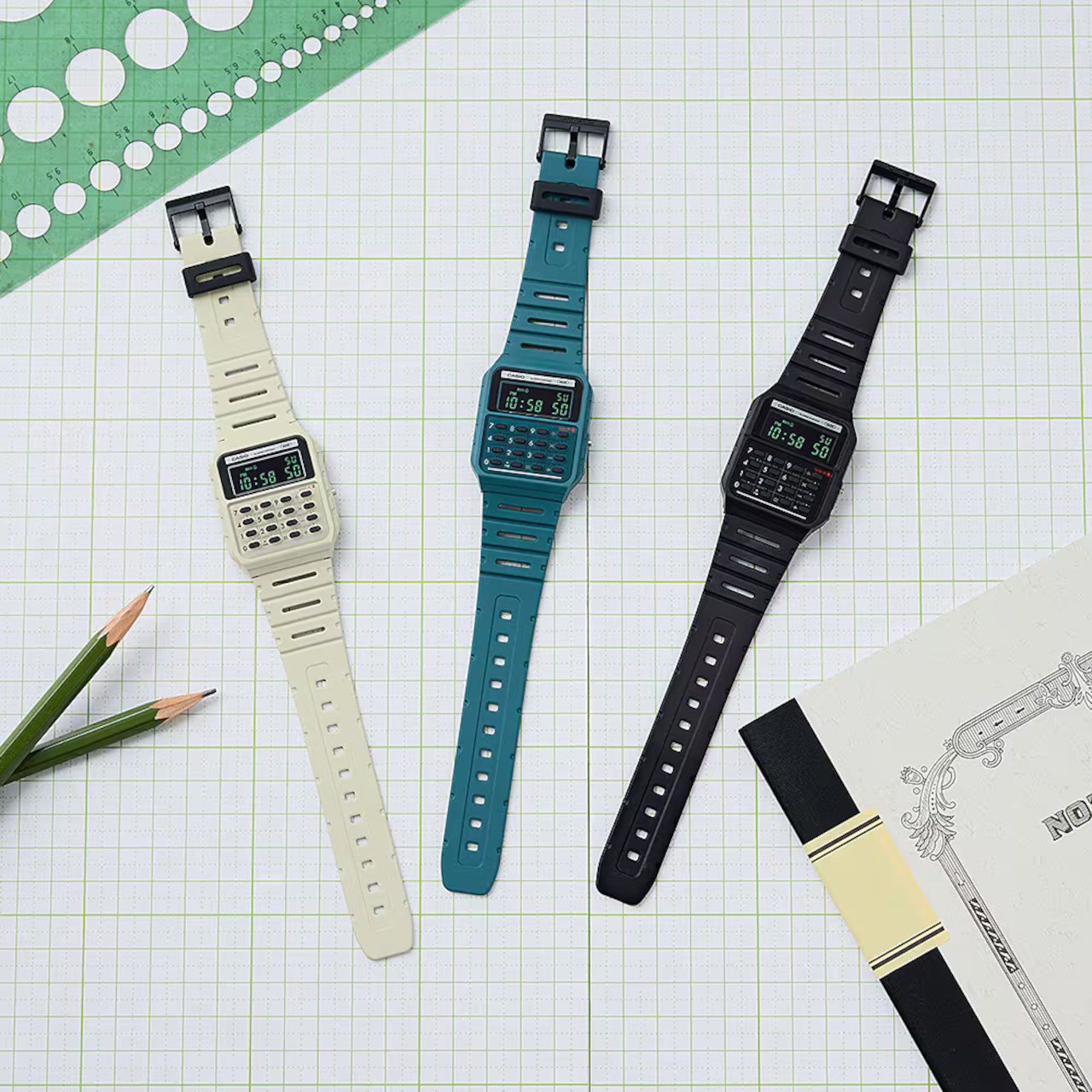

Casio’s CA-53WB makes a miniature piece of computing hardware part of getting dressed. Its design references the Casio Mini calculator introduced in 1972, carrying over green characters on a negative LCD, grid lines between the number keys, and a red mode indicator that recalls a power light. Black, blue, green, and ivory versions draw from the calculator family’s palette. These details give the watch a specific design history, rather than relying on a vague suggestion that anything digital looks retro.
The calculator performs basic arithmetic with up to eight digits, alongside dual time, a stopwatch, and an alarm. That won’t replace a scientific calculator, and the small keypad makes this a deliberate alternative to reaching for your phone, not an obvious shortcut. Its stronger everyday argument is having time and simple calculations immediately available on your wrist. Casio specifies a 25-gram weight and approximately five years of battery life, avoiding the regular charging routine associated with many more elaborate wearables.
What we like
- Specific, carefully carried-over calculator details.
- Time and arithmetic without a phone.
What we dislike
- Tiny keys require careful input.
- Eight-digit arithmetic has clear limits.
7. Analogue Pocket
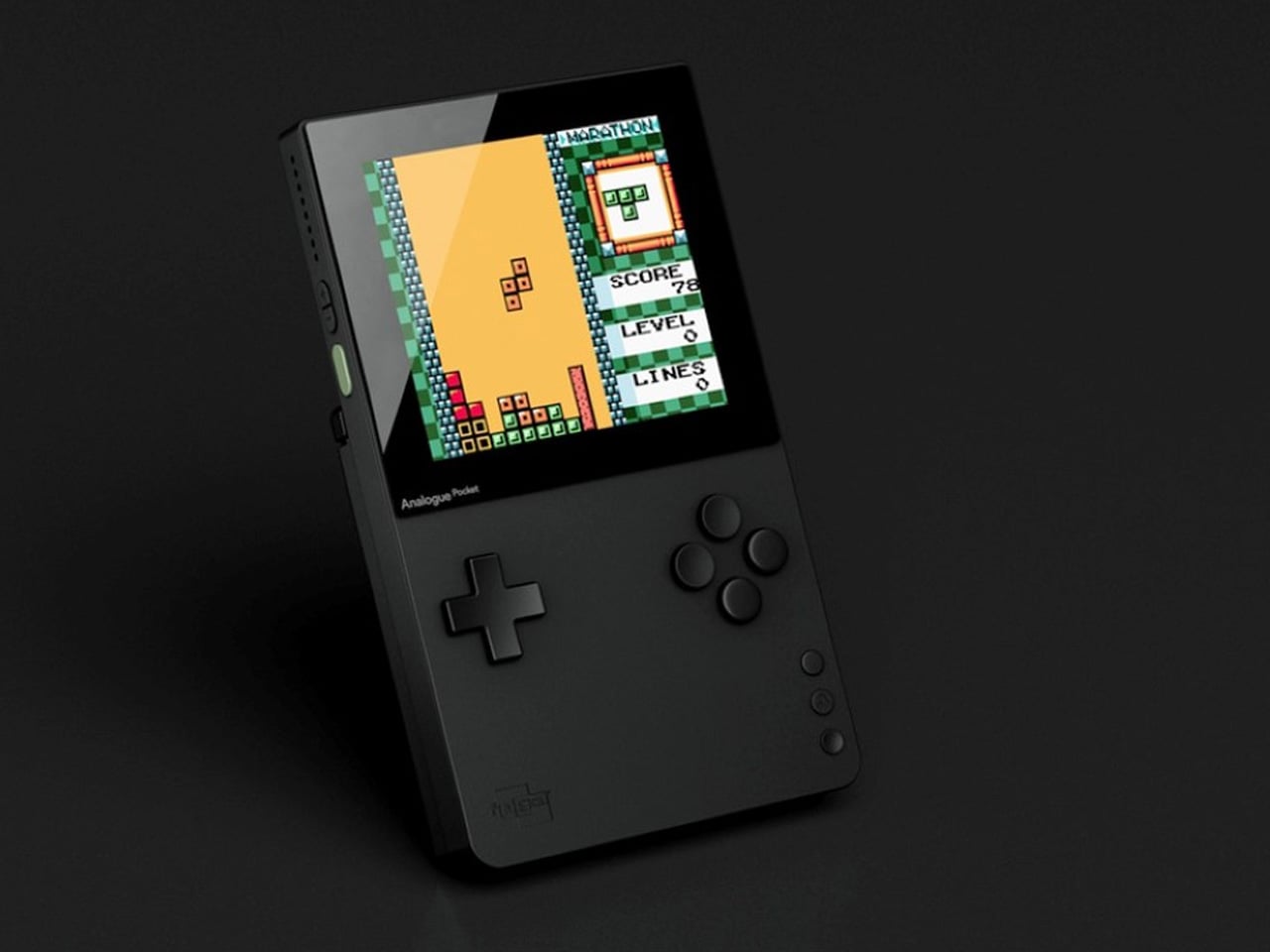
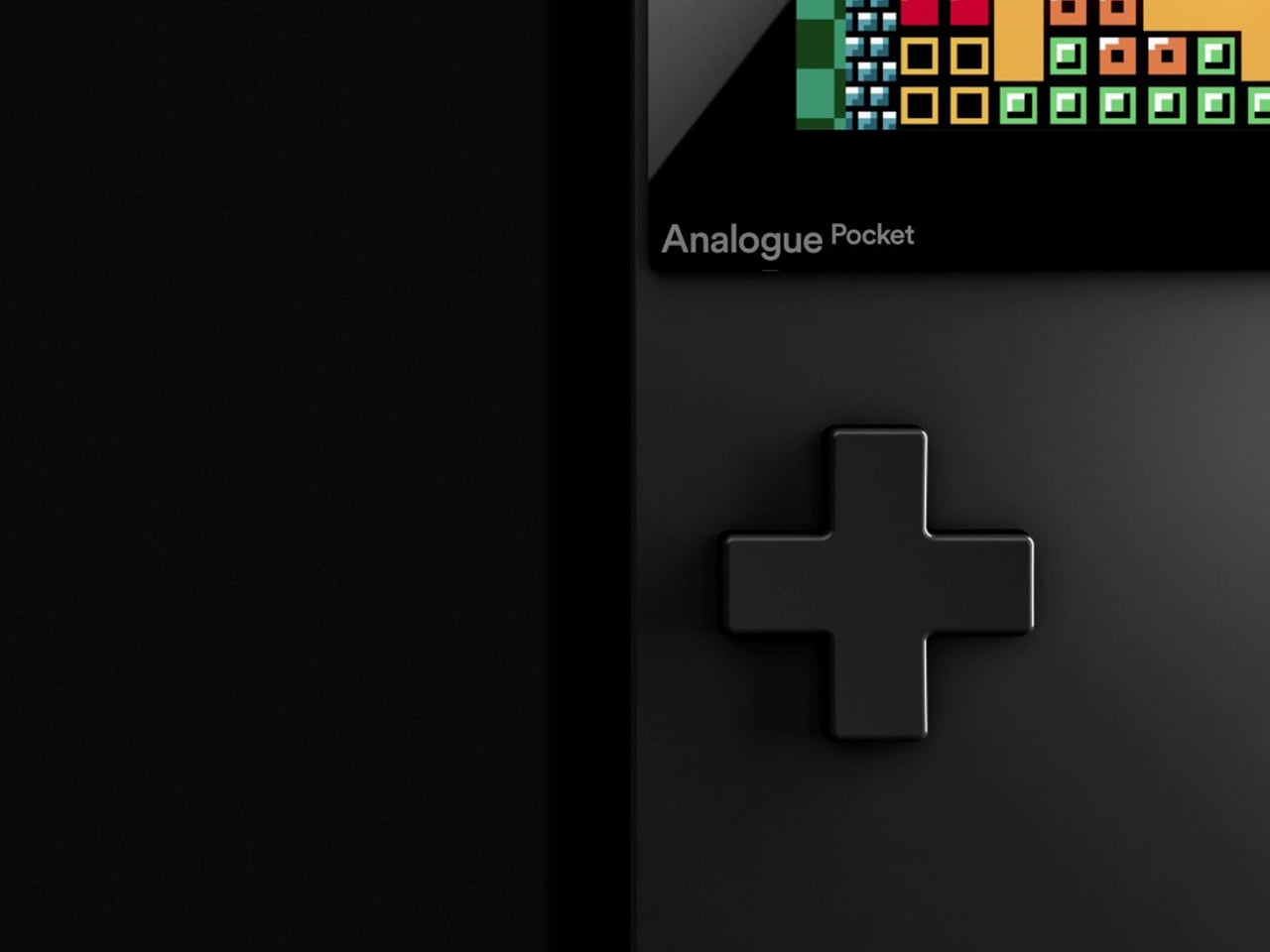
Choosing a cartridge gives a gaming session a physical beginning. The Analogue Pocket preserves that gesture, accepting original Game Boy, Game Boy Color, and Game Boy Advance cartridges directly. Its directional pad and buttons also keep controls separate from the image, unlike a touchscreen overlay. The modern part is the 3.5-inch, 1600 × 1440 LCD, with display modes that reproduce characteristics of older handheld screens. It’s a way to revisit the games while choosing how much of their original presentation to retain.
Analogue uses FPGA hardware to implement the supported systems, while modern conveniences include USB-C charging and save states. The built-in Nanoloop synthesizer and sequencer give the handheld a second life as a music-making device. For this collection, though, the cartridge slot remains the defining feature: picking one game can make play feel more intentional than browsing an app library. Other systems require separately sold adapters, and television output needs the optional Dock. The original handheld ritual comes with an accessory ecosystem.
What we like
- Original cartridges and physical controls.
- Modern display with vintage presentation options.
What we dislike
- Other cartridge systems need adapters.
- TV output requires a separate Dock.
8. Side A Cassette Speaker

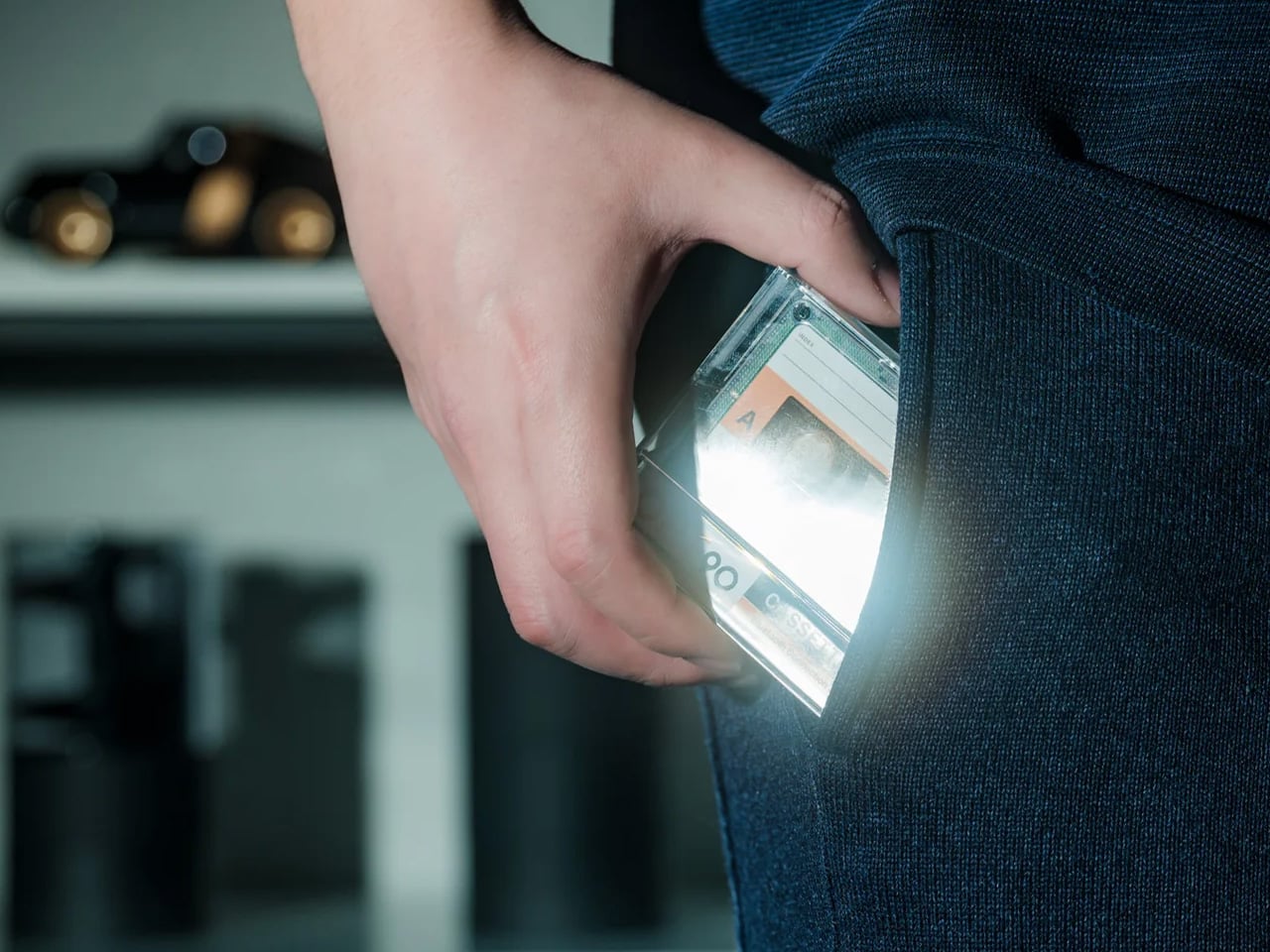
The Side A Cassette Speaker needs one distinction made immediately: it looks like a cassette, but it doesn’t play tapes. Its transparent shell and Side A label borrow the mixtape’s visual identity, while the hardware inside handles Bluetooth 5.3 and MP3 playback from microSD. The more interesting connection to old listening habits is that second option. Loading a card with a chosen set of tracks gives the little speaker its own music supply, rather than making it another destination for phone audio.
Its clear storage case doubles as a stand, turning the familiar cassette-and-case pairing into a small desktop arrangement. That makes sense for a speaker intended to sit nearby rather than occupy an entire shelf. The nostalgic shape earns its place when paired with an intentionally assembled card, not simply by resembling something older.
What we like
- microSD playback can leave the phone aside.
- Storage case doubles as a stand.
What we dislike
- Cannot play actual cassette tapes.
- Card playback supports MP3 files only.
Give One Habit Its Own Object
The useful starting point is a habit you already enjoy, rather than a decade you wish your home resembled. A dedicated object earns its space when its controls, limits, or physical presence improve that particular activity for you. Otherwise, it becomes another thing to charge, store, and occasionally dust. Nostalgia can make an introduction, but it shouldn’t have to carry the entire relationship once the novelty of ownership wears off.
There’s no need to reconstruct a whole room of separate devices to recover one satisfying interaction. Start with the moment that feels least rewarding on your phone, and consider what you actually miss about doing it another way. It might be a button, a visible calendar, or the decision to choose before beginning. The worthwhile purchase is the object you’ll keep using after you stop thinking of it as retro.