Spring changes the way students think about their tools. The semester finds its stride, the days stretch longer, and the quiet audit of what is actually working versus what has simply been tolerated becomes impossible to defer. For tech-savvy students, this impulse is never casual. It turns into a deliberate reckoning with every device in the bag, every cable on the desk, and every piece of hardware that earns or fails to earn its place in a schedule already running at capacity.
Most gadget guides aim too low. They recycle the same categories, suggest the predictable safe picks, and miss the specific texture of what a tech-savvy student’s day actually looks like in spring. Tools that genuinely serve that day are portable without sacrifice, precisely designed, and specific enough in their purpose to feel built for the exact problem they solve. The wishlists circulating among students who think carefully about design land on exactly that — and every product here was chosen to reflect it.
1. OrigamiSwift Folding Mouse
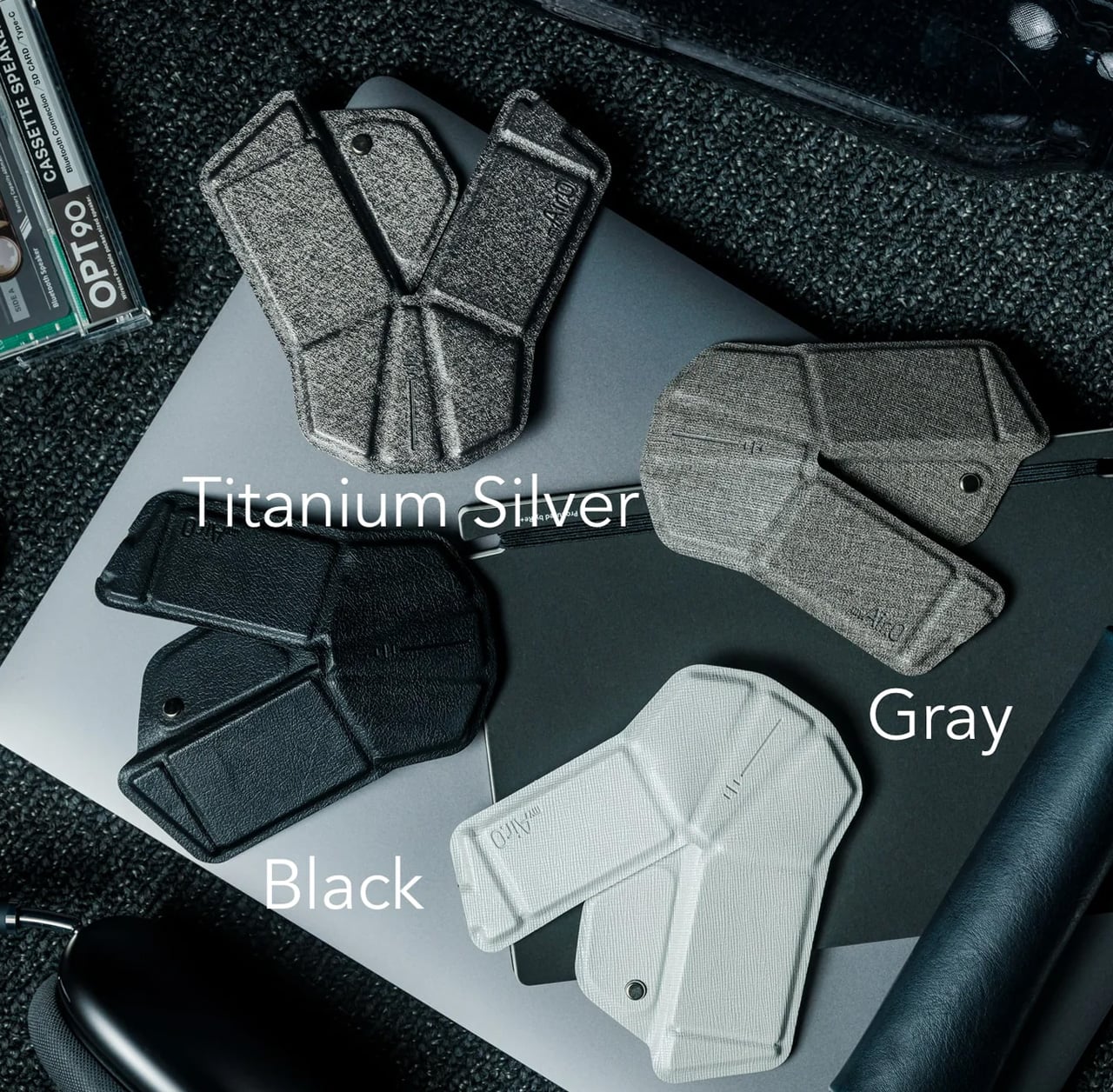
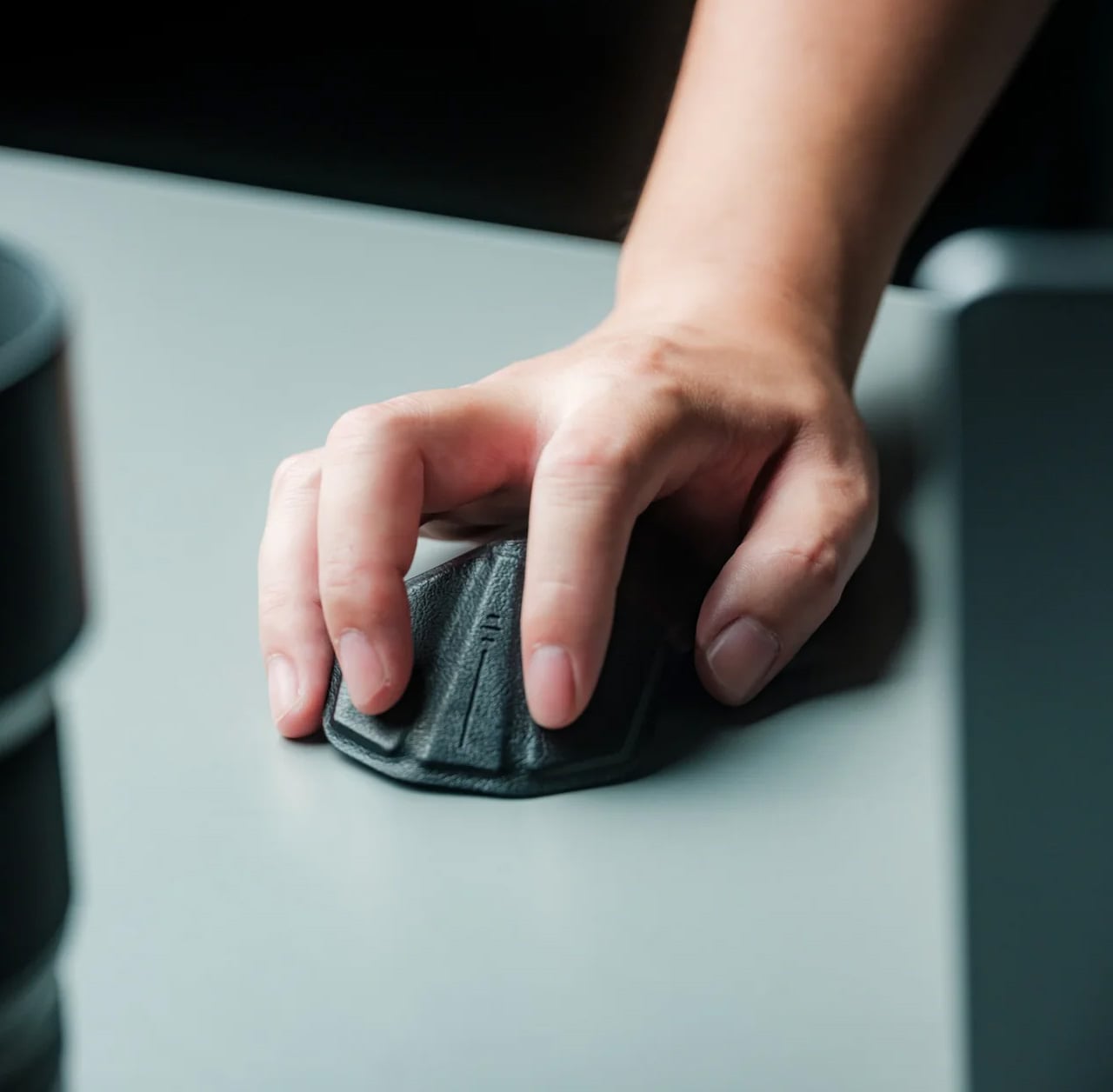
The mouse is the peripheral that students consistently overlook until a trackpad fails them mid-session. The OrigamiSwift changes that calculation. Drawing on origami’s structural logic, this Bluetooth 5.2 mouse collapses flat and springs into a full-sized ergonomic device in under 0.5 seconds. At 40 grams and 0.18 inches thin when folded, it disappears into a jacket pocket without adding noticeable weight. Soft-click buttons suit shared study spaces, and a USB-C battery sustains three months on a single charge.
For students moving between a library desk, a café table, and a campus bench in one afternoon, this is the mouse that travels without being noticed until needed. Compatible across Mac, Windows, Android, and iPadOS, it works equally on a personal laptop and a shared lab machine with no additional setup. The ergonomic form handles extended sessions without fatiguing the wrist, turning a recurring compromise into a peripheral that finally earns its place.
What We Like:
- Folds to 0.18 inches and 40 grams, fitting into a jacket pocket without adding meaningful bulk to the daily carry
- Three-month USB-C battery life removes it entirely from the weekly charging routine, so one less thing to think about
What We Dislike:
- Bluetooth-only connectivity limits use on older shared desktops or lab machines that lack wireless support
- The folding mechanism takes a brief adjustment period for students accustomed to the immediate grip of a conventional fixed-body mouse
2. Xiaomi UltraThin Magnetic Power Bank 5000 15W
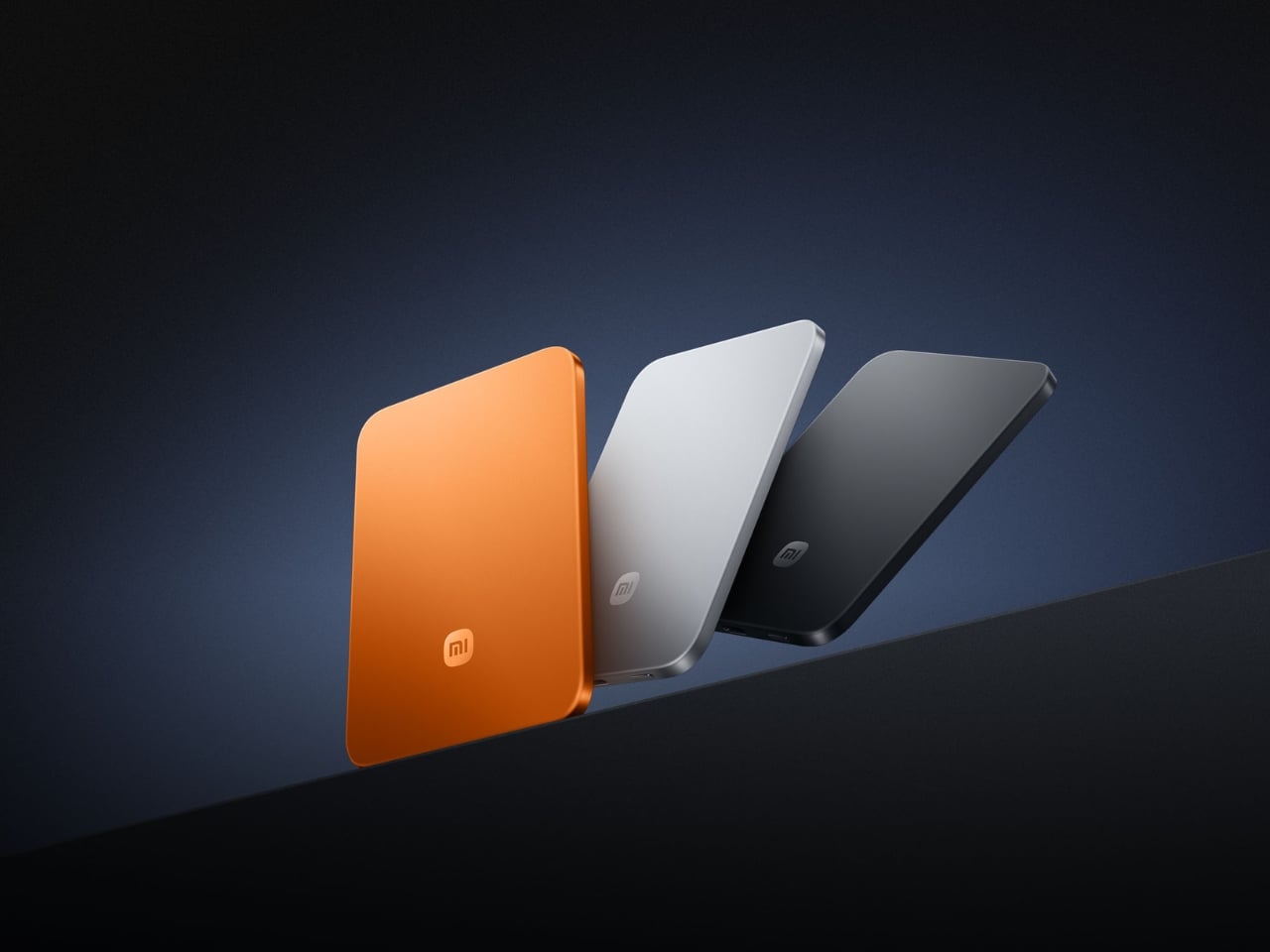
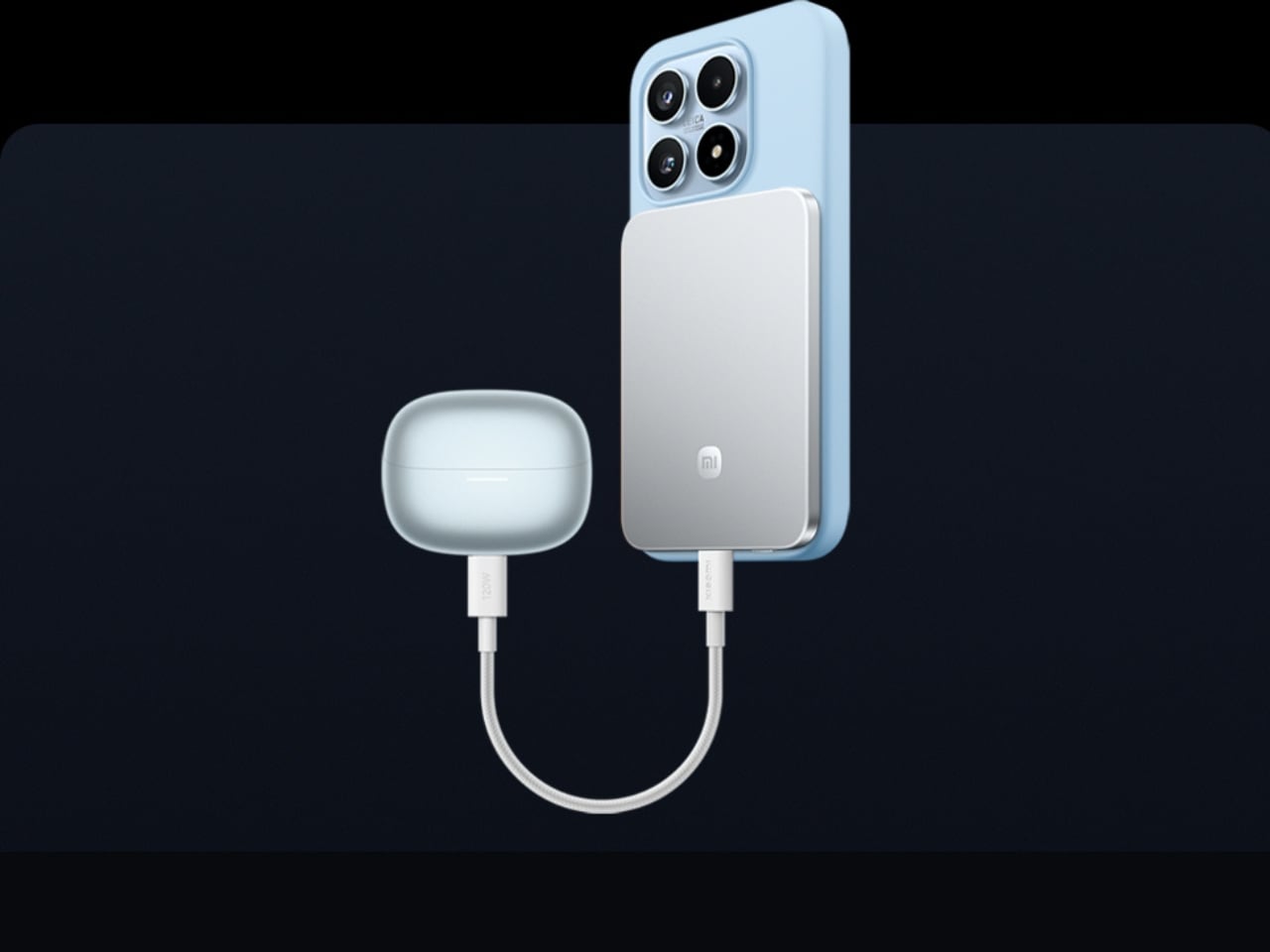
Power banks occupy a strange design dead zone. Most work as promised and are forgotten the moment they enter a bag. The Xiaomi UltraThin Magnetic Power Bank 5000 15W reframes the category. At 6mm thin — slimmer than any current smartphone — it holds 5,000mAh inside an aluminum alloy shell. Silicon-carbon battery chemistry with 16% silicon content enables higher energy density without expanding the footprint, and a fire-resistant fiberglass rear surface manages heat during wireless charging.
This solves the persistent problem of the charging backup that stays home because it feels too heavy to justify. At 6mm, it sits magnetically against a compatible phone and delivers 15W wirelessly while moving between buildings, sitting through a lecture, or waiting at a transit platform. No cable between bank and phone, no rummaging for the right end. It sits in a pocket as an extension of the device rather than a separate burden to manage throughout the day.
What We Like:
- Silicon-carbon chemistry achieves 5,000mAh within a 6mm profile, making it the thinnest power bank available at this capacity tier
- Magnetic cable-free attachment delivers 15W wirelessly while the phone stays pocketed between classes, with zero management required
What We Dislike:
- 5,000mAh covers roughly one full smartphone charge, which falls short on heavy-use days involving continuous navigation, recording, and streaming
- Magnetic wireless charging is limited to compatible phone models, restricting the cable-free feature for students outside that ecosystem
3. HubKey Gen2

The average student laptop setup involves a quiet accumulation of compromises: a dongle for the display, a separate hub for ports, a cable for audio, and none of it cohering. The HubKey Gen2 addresses this from a single USB-C connection. An 11-in-1 hub in a compact cube, it adds two HDMI ports, each capable of driving a 4K display at 60Hz, four fully customizable physical shortcut keys, and a central control knob that handles everyday actions without navigating software menus.
Spreading a research document across two 4K panels changes the quality of a work session in ways only understood from the inside. Reference material stays open while the draft stays active. Code and documentation share the same eyeline. The shortcut keys reduce the cognitive overhead of memorizing keyboard combinations, and the central knob delivers volume control with tactile immediacy that no software slider replicates. For students working across design, development, or video, this cube earns its place on day one.
What We Like:
- Dual 4K HDMI outputs at 60Hz each simultaneously expand a laptop into a proper two-monitor workstation from a single connection
- Physical shortcut keys and a central control knob bring immediate, tactile control to routine tasks that software menus handle more slowly
What We Dislike:
- Cube form factor suits a stationary desk, but does not pack into a travel bag as cleanly as a flat or cable-style hub alternative
- Full 11-in-1 performance depends on the connected laptop’s USB-C port supporting the required power delivery and data bandwidth specifications
4. BraX open_slate
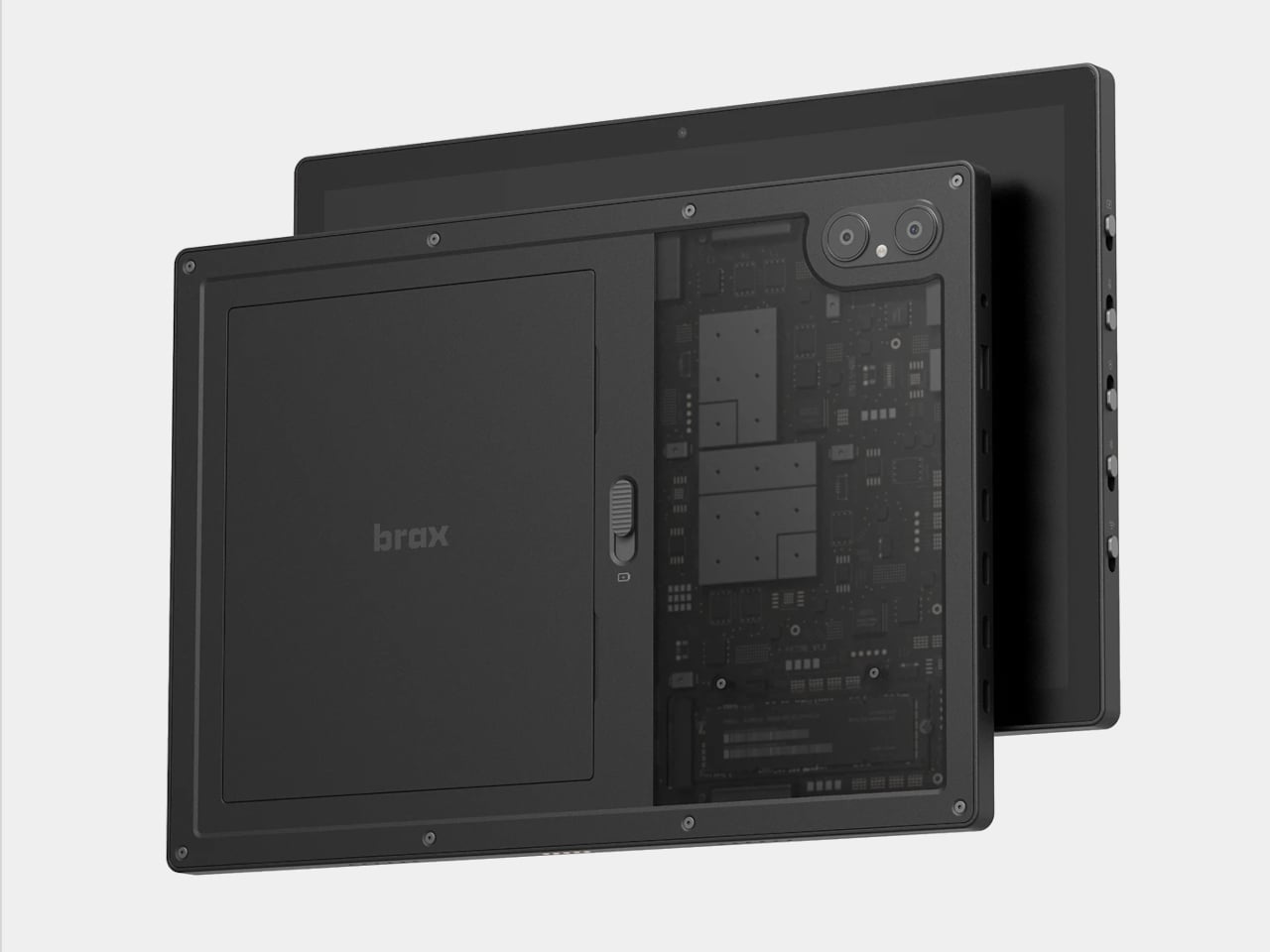
Almost every tablet arrives sealed, with decisions already made inside the chassis: fixed storage, an inaccessible battery, a software support window that closes on the manufacturer’s schedule. The BraX open_slate rejects that model. This 12-inch 2-in-1 includes an M.2 2280 slot for user-swappable storage, a replaceable 8,000mAh battery rated at 20 hours of runtime, and a 120Hz display driven by a MediaTek Genio 720 chip paired with either 8GB or 16GB of RAM.
The open_slate removes the most predictable frustration of the tablet ownership cycle: the moment a device slows enough to become an obstacle, and the only available response is full replacement. Swappable storage means a capacity upgrade takes an afternoon. A user-replaceable battery means two years of student use does not write off the entire device. For students making a deliberate, multi-year investment in one tablet, this is currently the only option making that argument with hardware to back it.
What We Like:
- User-replaceable M.2 storage and battery extend the device’s usable lifespan well beyond the typical two-to-three year sealed-tablet replacement cycle
- A 20-hour claimed battery runtime on a 120Hz display covers a full academic day without requiring a charge mid-session
What We Dislike:
- MediaTek Genio 720 is a capable mid-range chip, but it is not suited for students with intensive video rendering or compute-heavy creative workloads
- The open modular hardware requires a degree of technical confidence that students coming from fully managed, sealed device ecosystems may need time to build
5. Battery-Free Amplifying iSpeakers
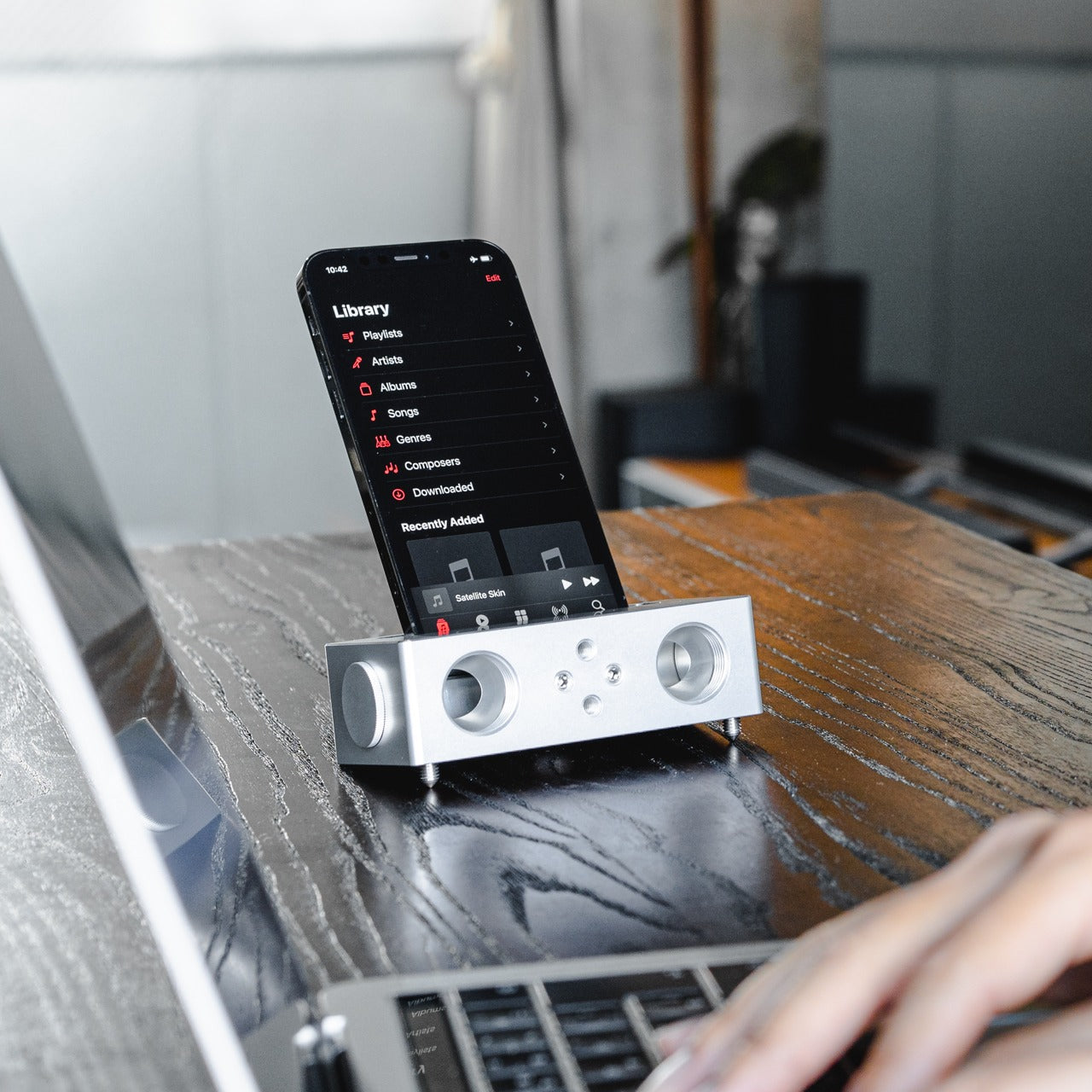
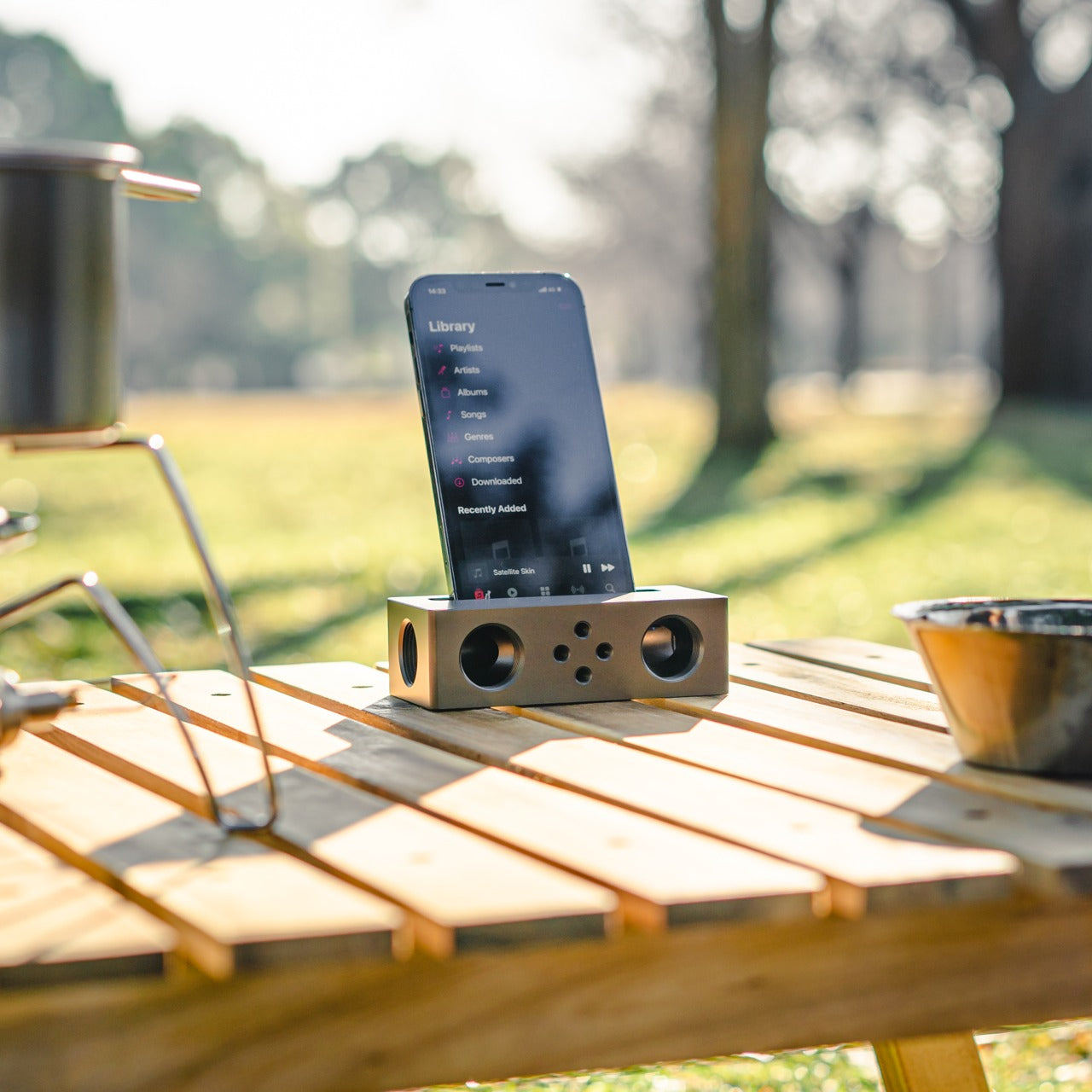
The Battery-Free Amplifying iSpeakers operate on a principle that is easy to underestimate until the sound fills the room. A smartphone sits in the machined Duralumin cradle, and sound waves are directed and amplified through the chamber without any electrical input. The body is the same aluminum alloy used in aircraft construction, chosen for its vibration resistance and acoustic properties. Chamber proportions were developed using the golden ratio, a structural decision that shapes the internal acoustic geometry deliberately.
No charging reminder, no Bluetooth pairing, no firmware update mid-session. A phone in the cradle and the room shifts immediately, audio gaining presence and warmth that a phone speaker lying flat on a desk cannot approach. For study sessions running on focus music, ambient sound, or a lecture replay, the difference registers in seconds. Duralumin handles daily movement without showing wear, and because it operates entirely outside the electrical ecosystem, it performs identically in ten years as it does today.
Click Here to Buy Now: $179.00
What We Like:
- Zero power requirement means no charging, no battery degradation, and no dependency on any cable or power source at any point
- Aircraft-grade Duralumin construction delivers acoustic quality and physical durability that holds across years of regular daily use without deterioration
What We Dislike:
- Passive acoustic amplification improves meaningfully on bare phone speaker output, but cannot match the volume or bass depth of even entry-level powered speakers
- Cradle sizing is optimized for specific smartphone dimensions, and compatibility may vary with larger phones or thick protective cases
The Setup That Actually Works for You
The five products here do not share a category, price point, or use case. What they share is design precision that addresses real daily friction rather than just performing a feature list. A wishlist built on that standard holds up across the full stretch of any semester. These are tools chosen because someone thought carefully about the problem first, and that clarity comes through every time you reach for one.
Spring is short. It moves quickly from the first warm afternoon to the last exam, and the tools you work with shape how much of that time goes toward actual output. The difference between owning something well-considered and tolerating what came with freshman year becomes obvious around week ten. Choosing now means spending the rest of the semester working with something that performs exactly the way a well-chosen tool should.