
Summer has a way of convincing you that working from a terrace in Lisbon or a cabin in the Dolomites will feel seamless. It rarely does. The gap between the idealized workation and the experience comes down to a few specific friction points: a dead device mid-call, no sense of what time it is back home, a trackpad making everything slower, and a hotel room that actively fights your sleep.
These five objects aren’t here because they photograph well in a flat lay. Each one solves a recurring problem that surfaces the moment you leave your home office. Some are brand-new hardware. One is a concept that shows exactly where phone design needs to go. All of them are built with the same underlying logic: less bulk, more intention, nothing wasted.
1. Lenovo ThinkTab X11
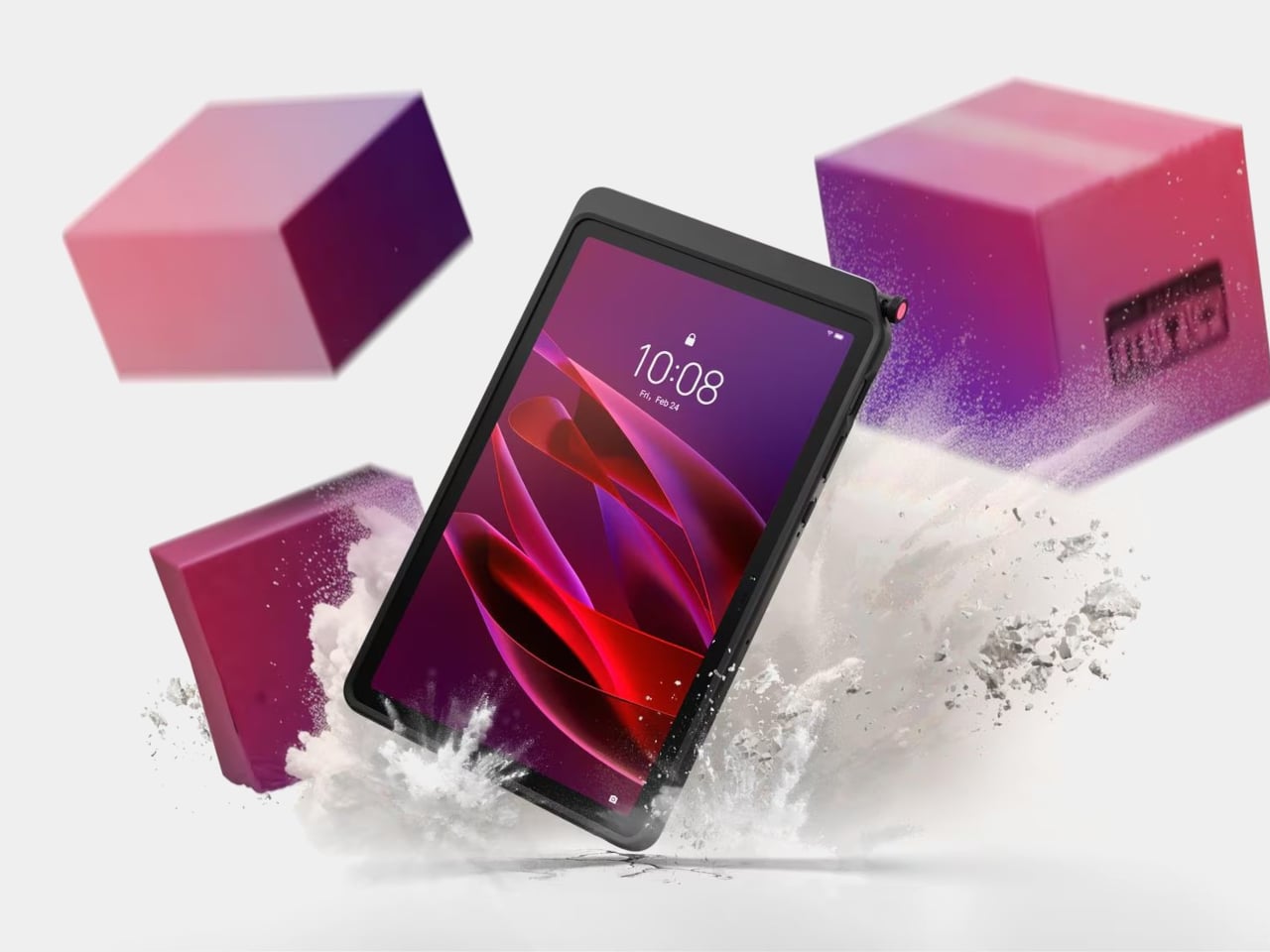

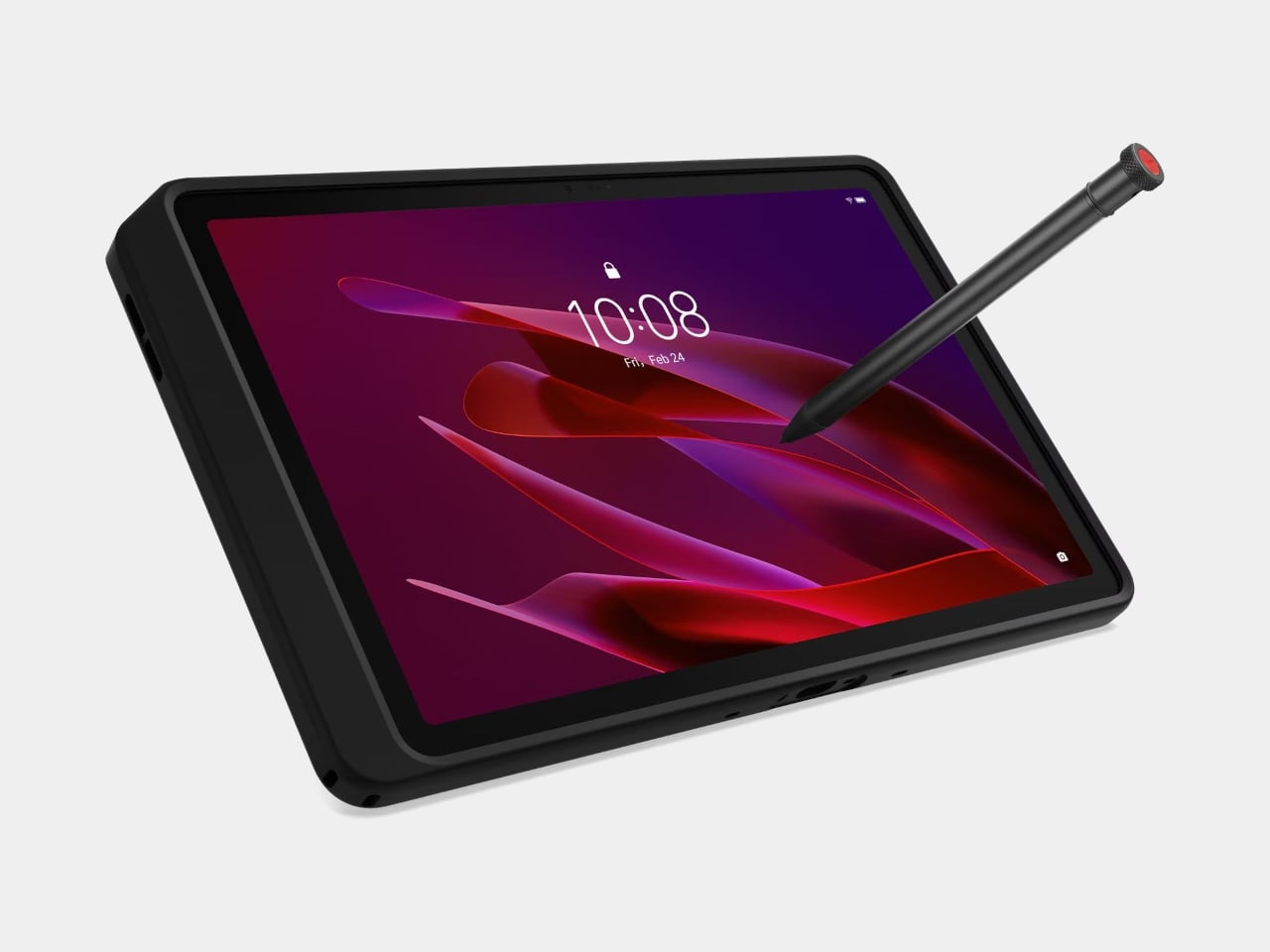
The story most tablets tell goes: thin is better, sleek is the goal, and if you drop it, that’s your problem. The Lenovo ThinkTab X11 tells a different one. It’s the first device in Lenovo’s Think portfolio to run Android, built for people who work outside of offices, starting at $499. That lands well below what enterprise rugged hardware typically costs, and it brings credentials those environments actually need rather than borrowing them from a device designed for a glass desk.
The most unusual feature isn’t the IP68 rating or the MIL-STD-810H drop certification. It’s the battery. The 10,200 mAh cell removes without tools using a screwless mechanism, so a depleted pack swaps for a fresh one without stopping work. For fixed deployments, it runs with no battery installed at all, reducing heat buildup and eliminating long-term cell degradation. The 10.95-inch 90 Hz display works with gloved hands and wet fingers, and the Snapdragon 7s Gen 3 handles processing with up to 12 GB of RAM.
What we like
- The screwless swappable battery is a design decision most tablet makers abandoned years ago and shouldn’t have
- MIL-STD-810H certification and IP68 rating that hold up to actual field conditions, not just the marketing copy
What we dislike
- Running Android 16 rather than a desktop OS limits compatibility for power users who depend on specific Windows software
- The rugged case, while swappable for a plain back panel, adds bulk that minimal travel setups may not want to carry
2. Rolling World Clock
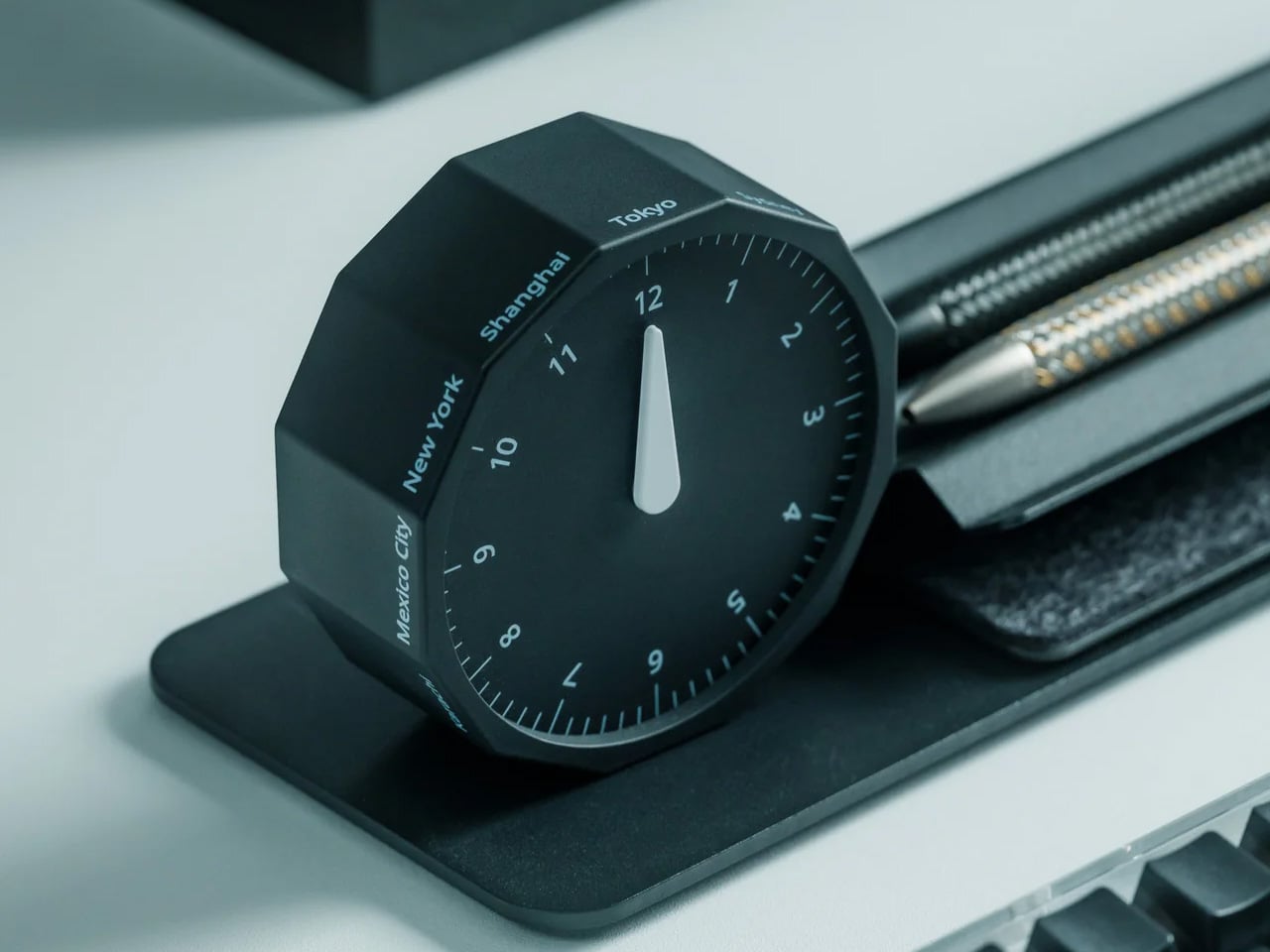
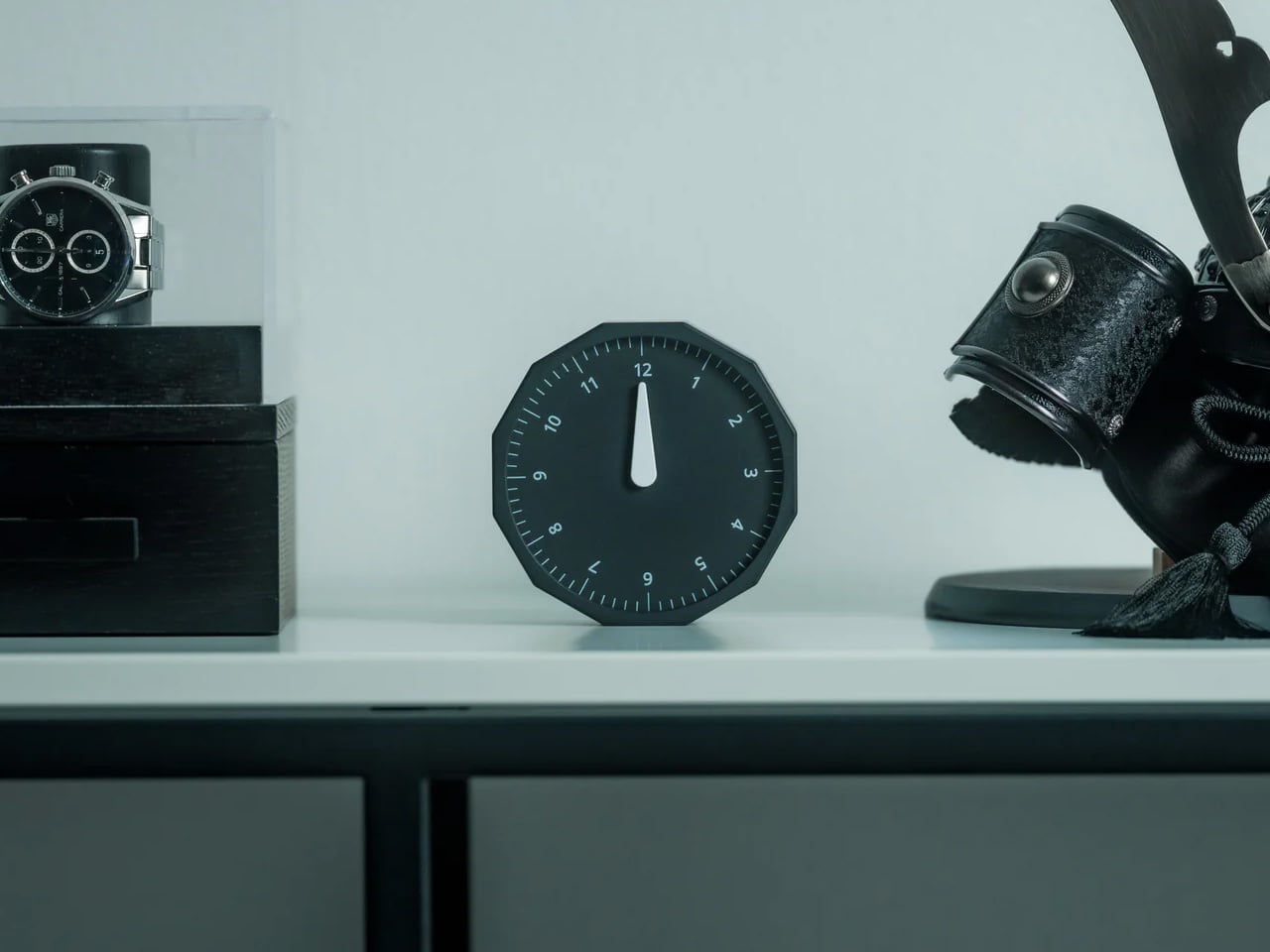
Remote work across time zones produces a specific kind of low-grade anxiety: the constant mental arithmetic of what time it is for your client in Tokyo, your team in Berlin, your editor in New York. Most solutions are digital, meaning another app and another screen. The Rolling World Clock handles it differently. It’s a physical object designed to give time zone awareness a permanent, glanceable presence on whatever surface you happen to be working from, at $49.
At that price, it occupies an increasingly rare space: the deliberate analog object that earns its place in a bag through presence rather than features. A world clock you can hold and orient matters in a way a phone widget doesn’t. It also removes the need to unlock a screen every time you run through time zone arithmetic, which at four in the afternoon after a long session is more useful than it immediately sounds.
What we like
- At $49, it brings a physical dimension to time zone tracking that no app or notification panel actually replicates
- A design-forward desk object that works regardless of whether your laptop is open or your phone is charged
What we dislike
- As a physical clock, it requires manual adjustment when crossing into a new time zone rather than updating automatically
- Limited product detail currently available on the YD Shop listing; worth confirming the display mechanism before ordering
3. Nothing 4a Pro E-ink Display Concept
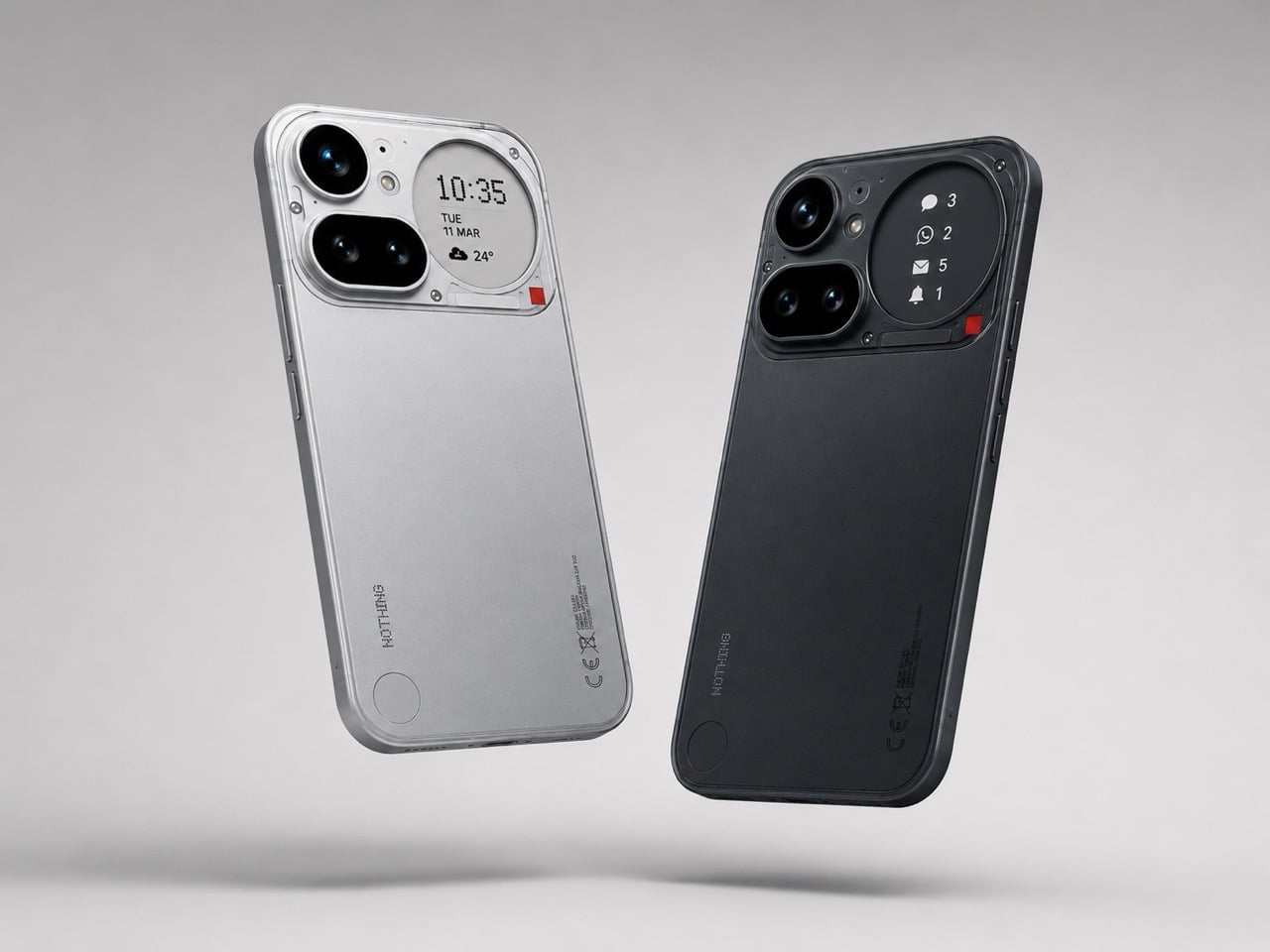
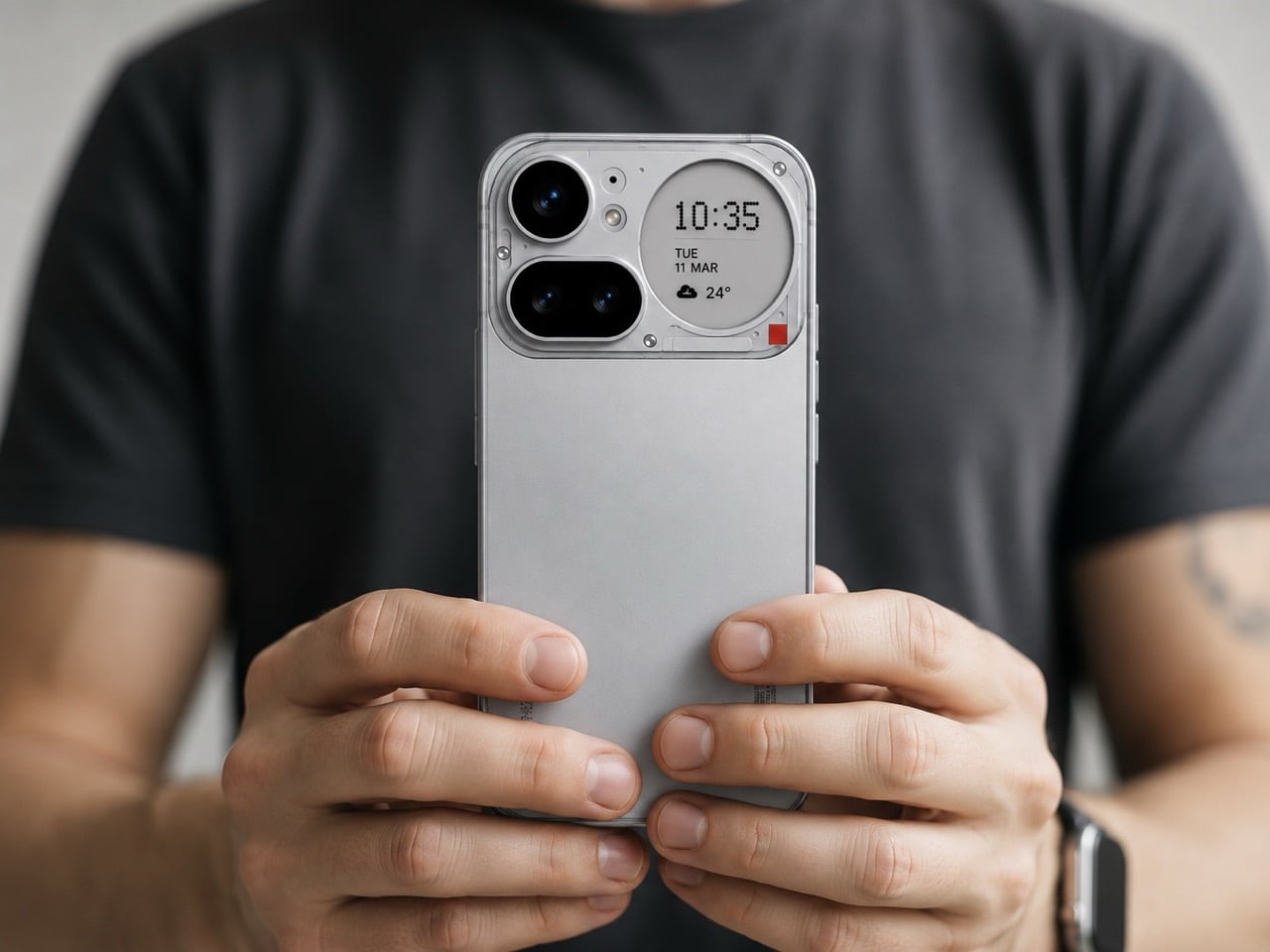
Not everything on this list ships tomorrow, and this one is upfront about that. The Nothing 4a Pro e-ink concept, imagined by Reddit user Taweros, replaces the Glyph Matrix on the back of Nothing’s phone with a small always-on e-ink display. Instead of spinning light patterns, the back shows something useful: a notification, a QR code at a networking event, the face of whoever is calling you. All without meaningfully touching battery life, since e-ink only draws power when the image changes.
The reason it belongs here is specific. When your bag is on the table at a co-working space, and you need to see whether that notification is worth picking up, a phone that surfaces information on its back without requiring you to unlock it removes a real interruption from your workflow. The Nothing 4a Pro hardware this concept builds on already runs a Snapdragon 7 Gen 4. The e-ink back is the single edit that would make it the travel phone worth actually wanting.
What we like
- E-ink only draws power when the image changes, making a permanently visible ambient display a viable idea without a battery penalty
- The concept makes a compelling case that the existing Nothing 4a Pro hardware is already there; the display and back panel are the only missing pieces
What we dislike
- This is a concept render, not a product you can buy, and Nothing has given no public indication it’s moving in this direction
- The e-ink area is small, which limits how much information it can usefully surface at a glance
4. OrigamiSwift Folding Mouse


At 40 grams and 0.18 inches thick when folded flat, the OrigamiSwift is the mouse that removes the excuse to keep using a trackpad. Designed by Horace Lam and rooted in origami’s structural logic, it unfolds in under half a second into a full-sized ergonomic form. The triangular folded geometry isn’t decorative. It provides the rigidity needed to hold its shape through long work sessions, on surfaces ranging from a co-working desk to the tray table of a long-haul flight.
Bluetooth 5.2 handles connectivity, the HD infrared sensor tracks at up to 4,000 CPI, and the USB-C battery lasts up to three months per charge. Soft-click buttons keep it quiet in shared spaces, which matters at a communal table three feet from a stranger on a call. For a travel mouse with this build quality and a three-month battery life, that’s not a difficult case to make.
What we like
- At 40 grams and 0.18 inches flat, it genuinely disappears into any bag without requiring a dedicated compartment or a case
- Three months of battery life on a single USB-C charge means one less thing to track, top up, or pack a cable for
What we dislike
- The right-handed ergonomic form means left-handed users will need to look elsewhere entirely
- At $85, it sits at the higher end of the travel mouse category, and some nomads will find comparable tracking performance at lower price points from established peripheral brands
5. Divoom FlowToo
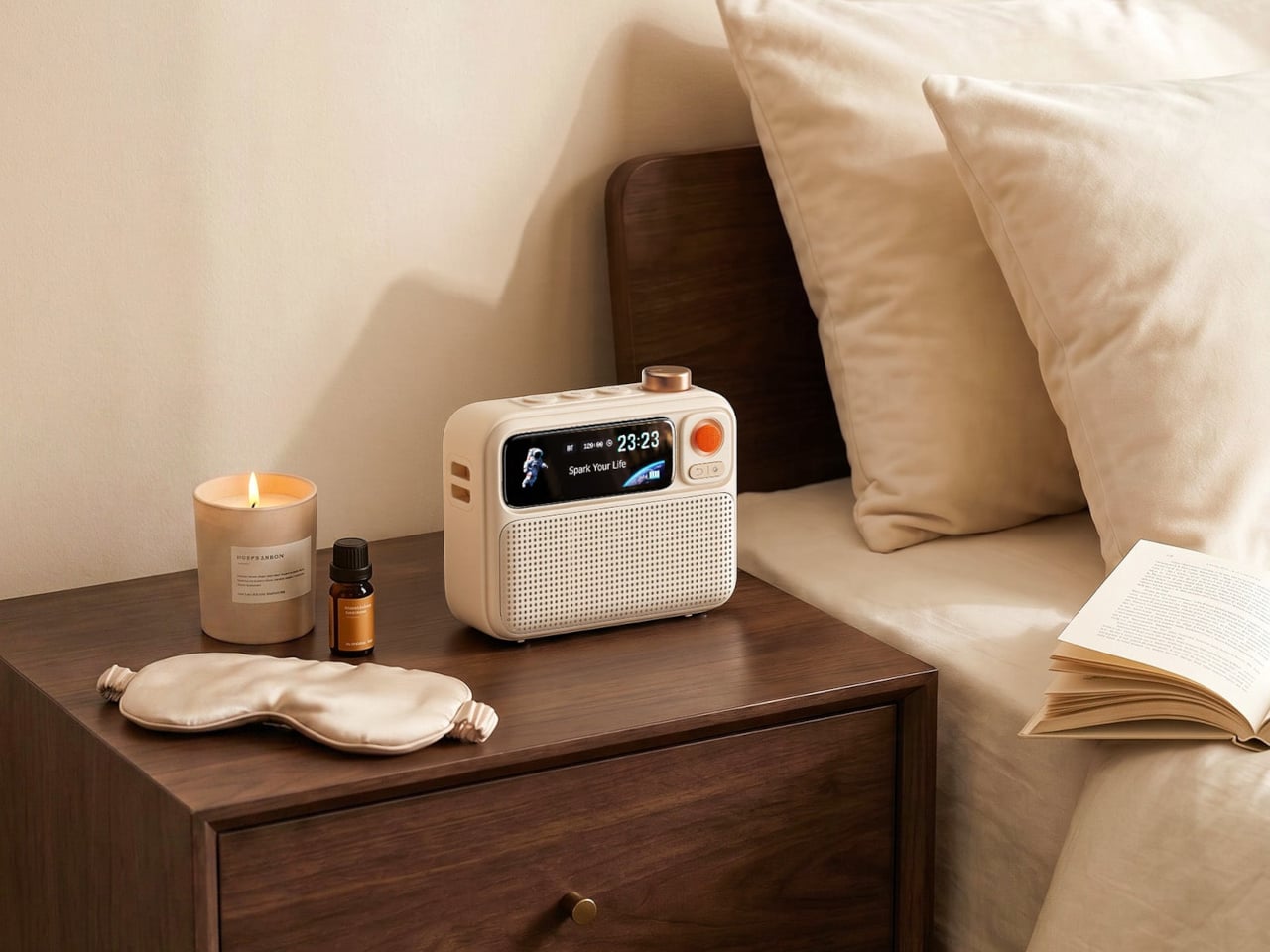
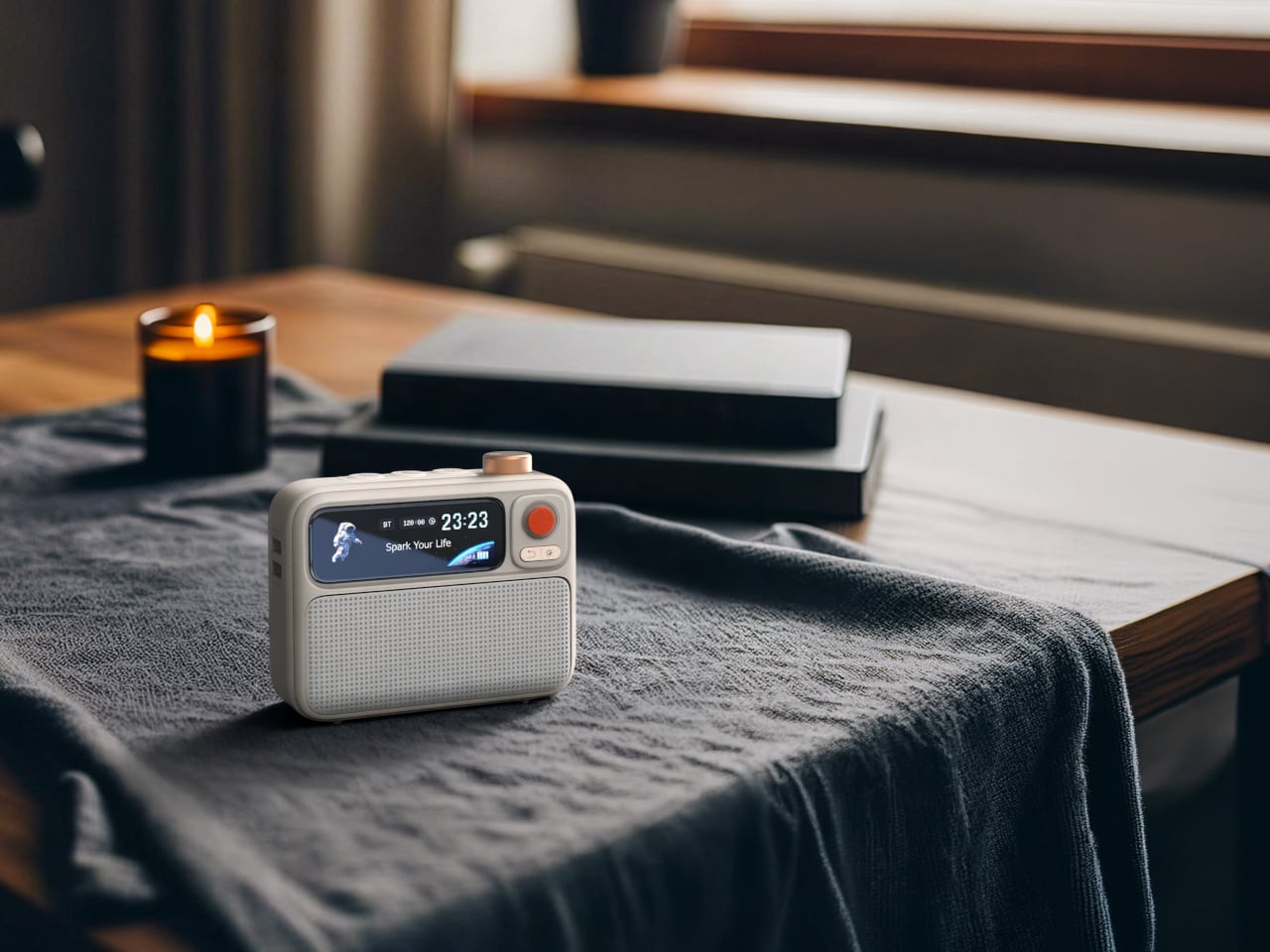
Serial hotel rooms accumulate a specific roster of problems. The alarm clock is always wrong. There’s no white noise option. Music has to come through a laptop speaker. The Divoom FlowToo addresses all three by collapsing a Bluetooth speaker, white noise machine, and alarm clock into one compact device with a 2.26-inch smart display. At $99.99, it doesn’t add to the nightstand pile. It replaces three items already on it, then does each job better than what it replaced.
The 10W amplifier and 45mm full-range driver make it a real speaker rather than an afterthought. The 90-plus built-in sounds cover rain, ocean, forest, and a wide enough library that finding something useful won’t take long. The wake function brings you up gradually with natural sounds and soft display light rather than a jarring tone, which matters when you’re functioning across time zones. The Divoom app handles alarm setting and sound selection from your phone, keeping the device itself simple to operate from any nightstand you find yourself at.
What we like
- Collapsing three bedside devices into one compact object is the right instinct for anyone who travels with a carry-on and nothing else
- The gradual natural-sound wake function is a genuine quality-of-life improvement over every hotel alarm clock in existence
What we dislike
- The 2.26-inch display is small enough that the visualizer and animations read more as ambient mood than functional information
- It runs on AC power with no built-in battery, which limits use to spaces with a wall outlet nearby
Pack Less. Work Better.
The best travel gear does two things well: it earns its weight, and it removes friction rather than adding it. Every object on this list was chosen because it solves a specific problem that shows up in the first week of working remotely, not a hypothetical one. A tablet that outlasts your work session. A mouse that doesn’t require you to compromise. A hotel room that finally lets you sleep properly.
One of them is a concept you can’t buy yet, and it’s worth watching. The rest are available now, four at price points that fall under $100. None of them are here because they looked good in a render. They’re here because the gap between a workation that works and one that slowly grinds you down usually comes down to a few objects you either packed or didn’t.

