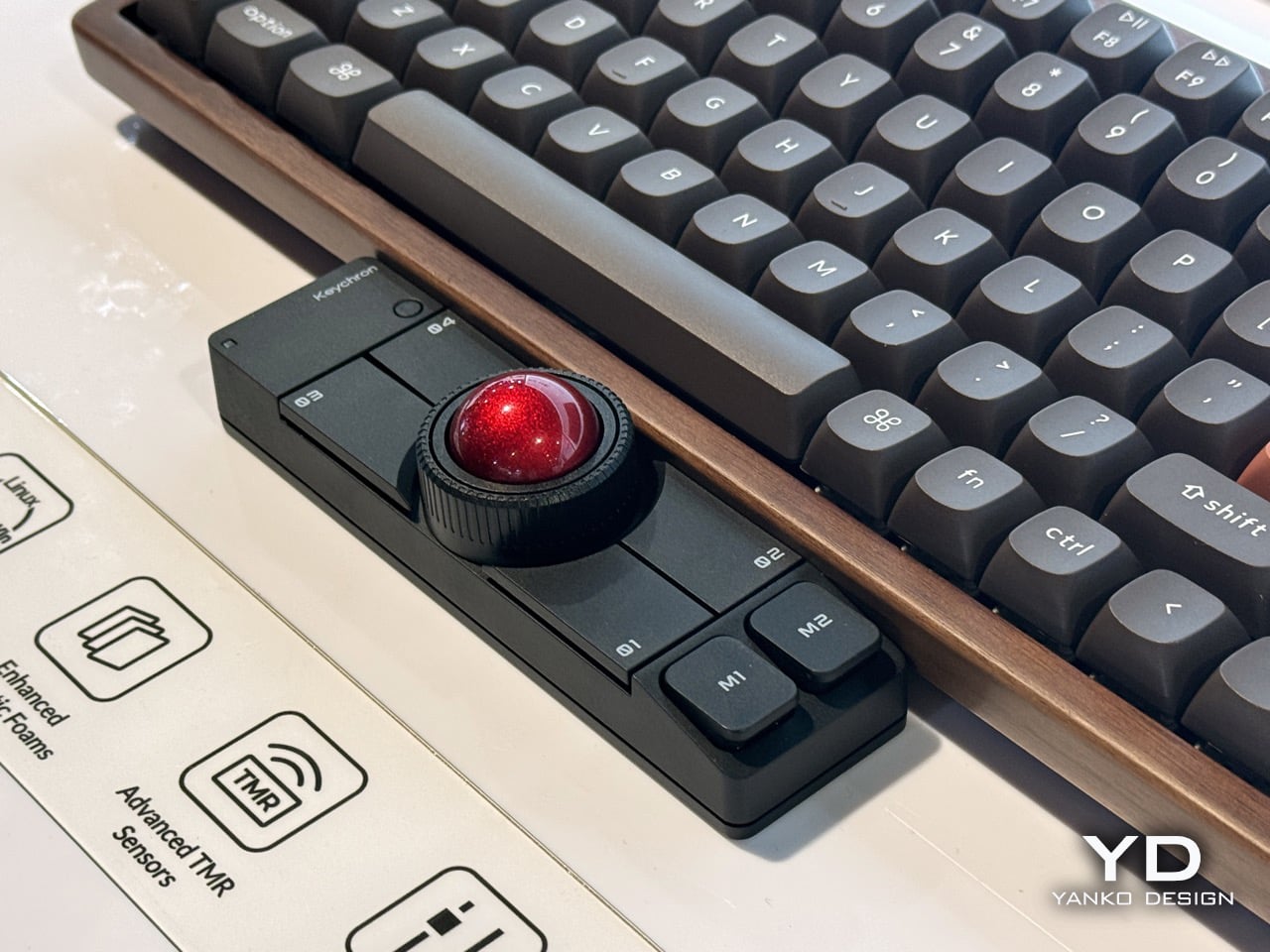
Most desktop setups still assume your mouse lives somewhere off to the right, waiting for you to break posture and reach across half the desk. Keychron’s new Nape Pro asks a different question: what if the pointing device simply came to meet your hands instead? Built as a slim bar with a 25 mm thumb trackball, six buttons, and a scroll wheel, it nestles right up against your favorite keyboard and behaves like a precision laptop pointing system for people who refuse to give up their mechanical boards.
Slide it to the side of the keyboard and the personality changes completely. Nape Pro turns into a compact, wireless trackball with full macro pad ambitions, complete with layers, shortcuts, and ZMK powered customization. It is less a mouse replacement and more a modular control surface that just happens to move your cursor, wherever you decide to park it.
Designers: Keychron & Gizmodo Japan
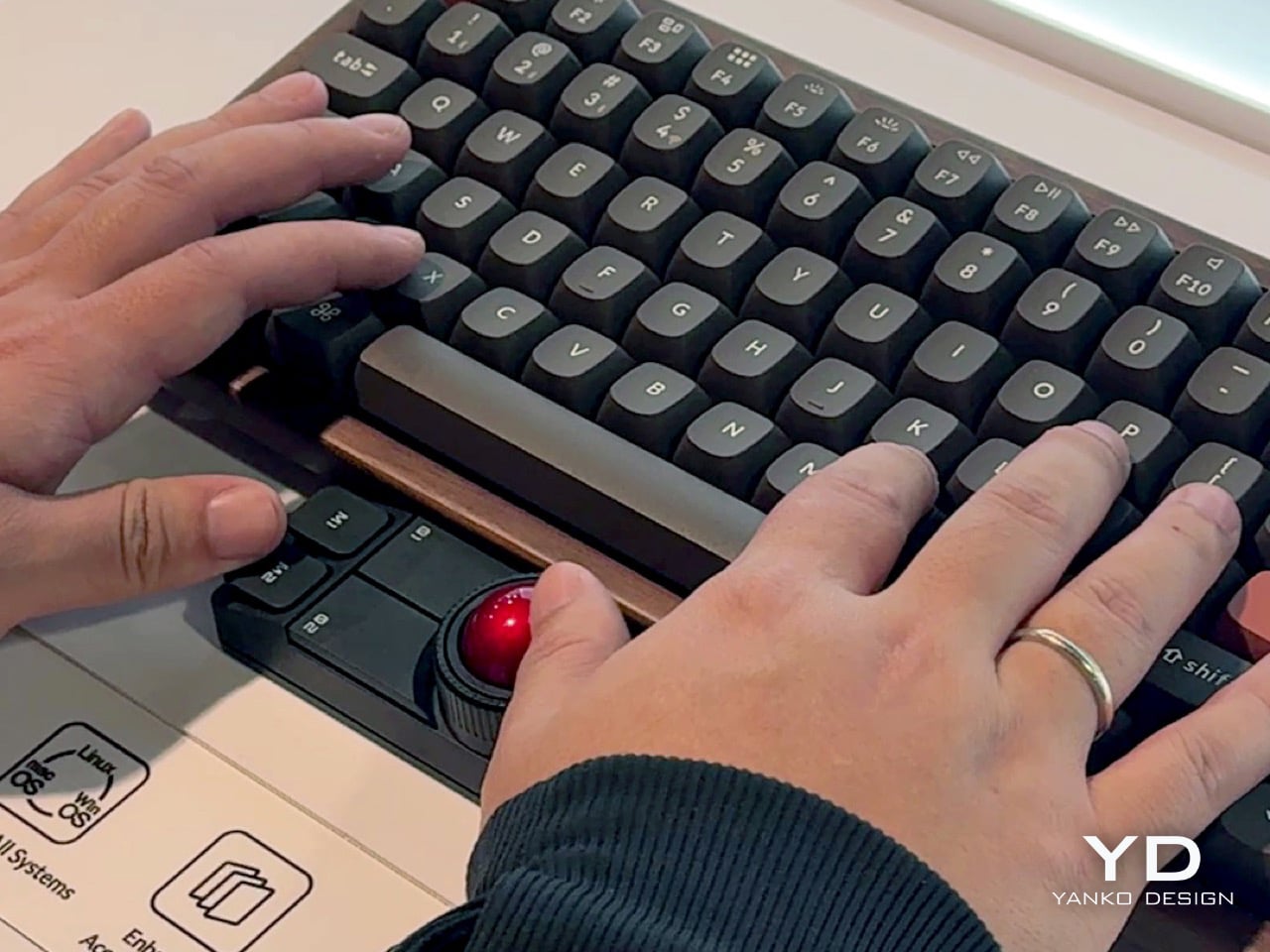
Seeing it here at the Keychron booth, tucked under a Q1 Pro, the immediate impression is how little space it occupies. The whole unit is only 135.2 mm long and 34.7 mm wide, so it fits neatly within the footprint of a standard tenkeyless board without feeling like an afterthought. They are using quiet Huano micro switches for the six buttons, which makes sense for a device meant to live right under your palms where an accidental loud click would be infuriating. The 25 mm ball is smaller than what you would find on a Kensington Expert, but it feels responsive enough for quick navigation. It is clearly designed for thumb operation, keeping your fingers on the home row and eliminating that constant, inefficient travel between keyboard and mouse.
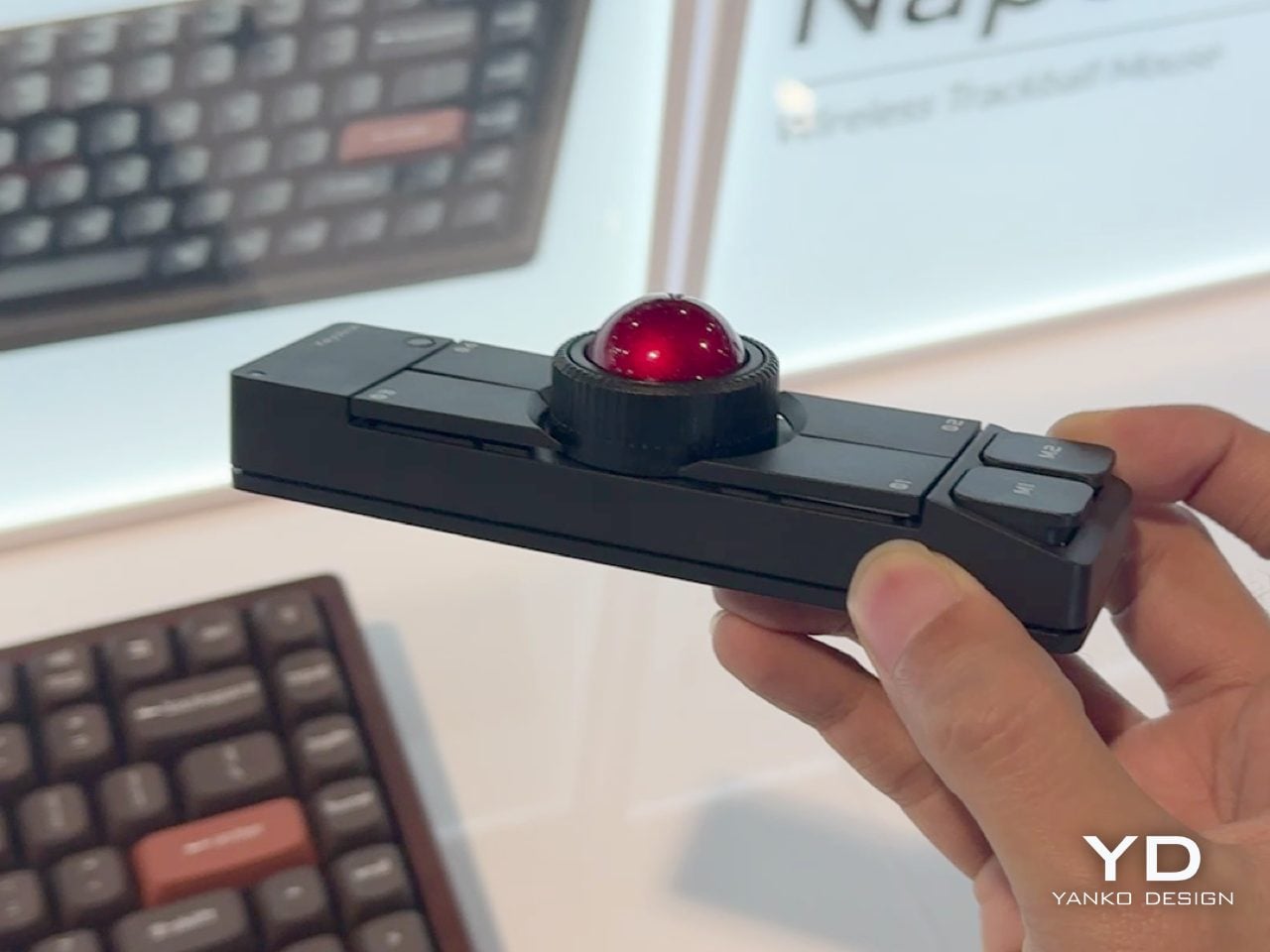
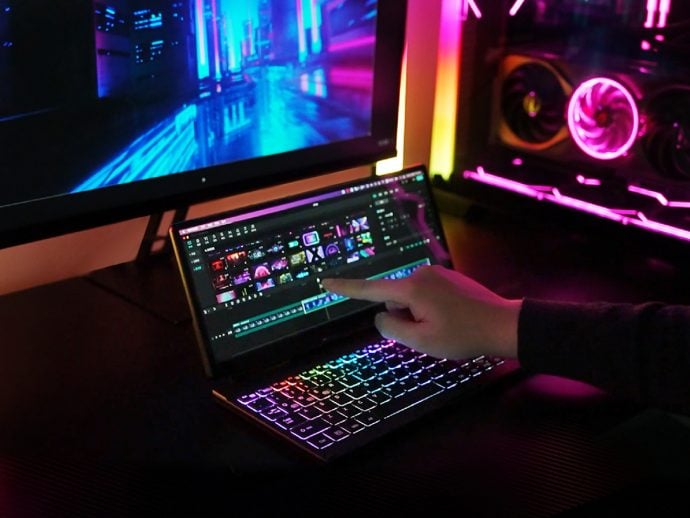
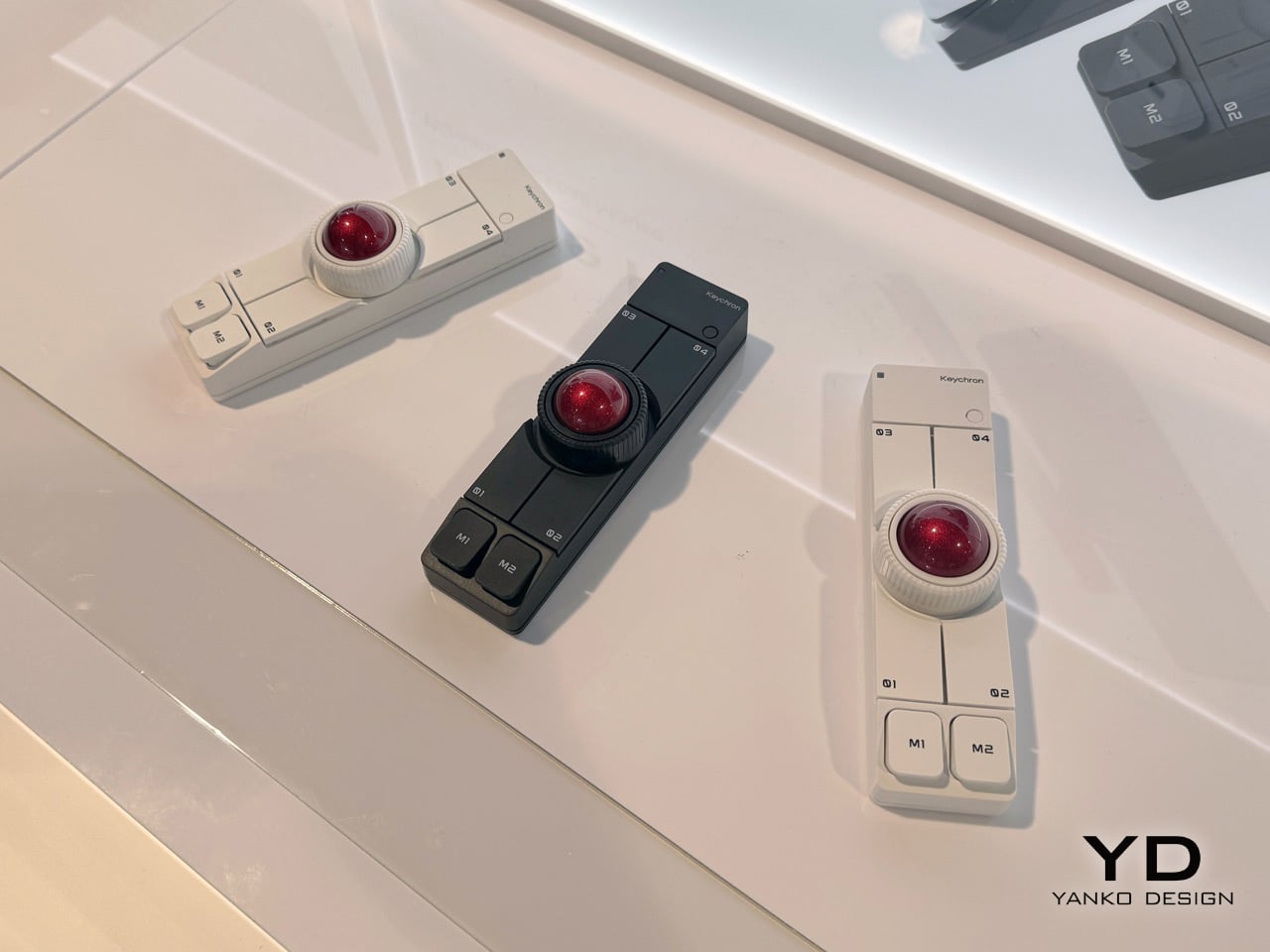
The real cleverness, though, is not in the hardware itself but in the chameleon-like software and orientation system. They call it OctaShift, which basically means the device knows how it is positioned and can remap its functions accordingly. The two buttons at the very ends, M1 and M2, are the easiest to hit in any orientation, so they naturally become your primary clicks whether the Nape Pro is horizontal, vertical, or angled. This flexibility is what separates it from a simple add-on. It is a tool that adapts to your workflow, whether you are a writer who wants to scroll with a thumb or a video editor who needs a dedicated shuttle wheel and macro pad next to their main mouse.
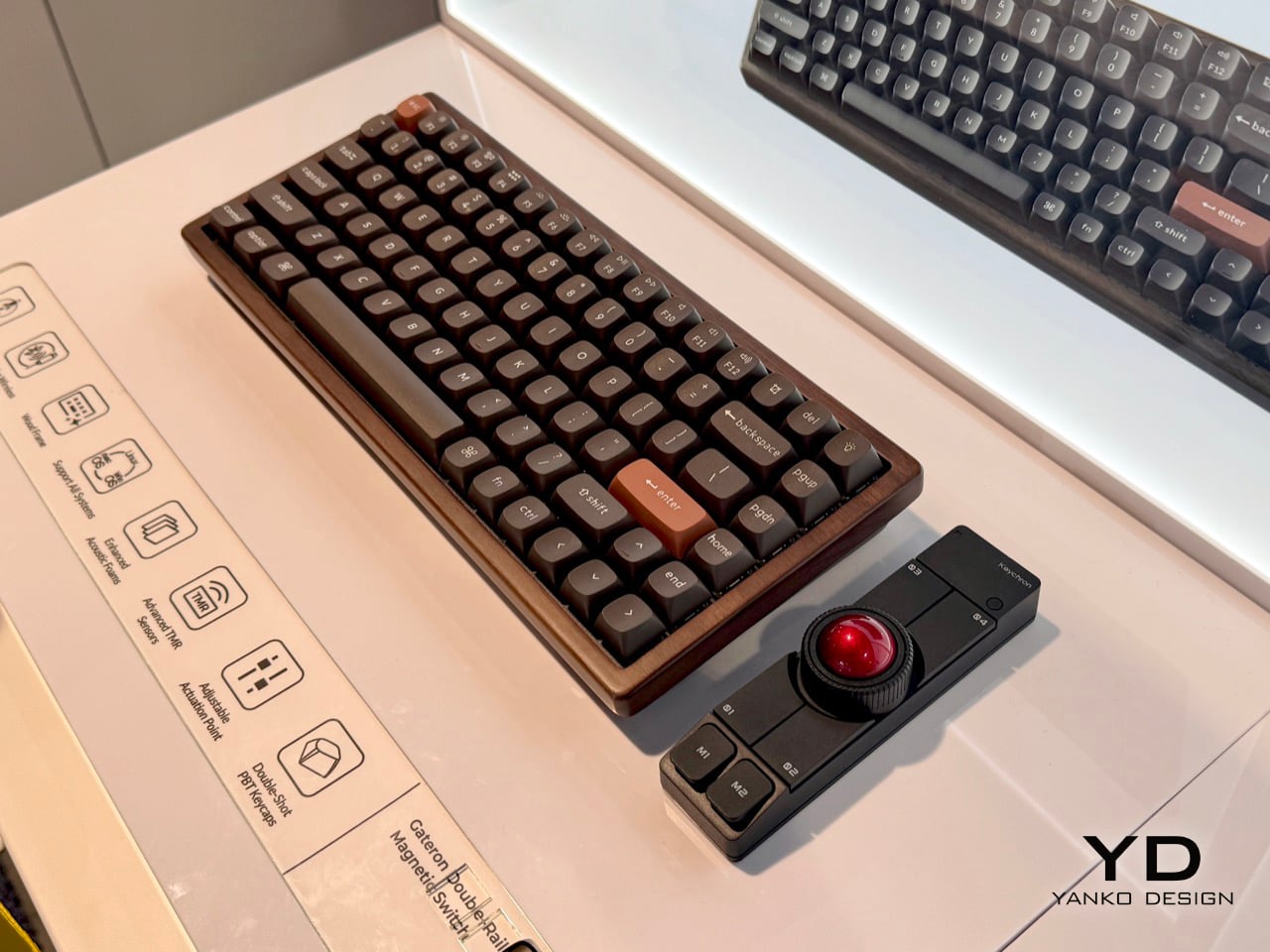
Under the hood, it is running on a Realtek chip with a 1 kHz polling rate and a PixArt PAW3222 sensor, so the performance is on par with a decent wireless gaming mouse. Connectivity is handled via Bluetooth, a 2.4 GHz dongle, or a simple USB-C cable. What really caught my attention was the commitment to the enthusiast community. The firmware is ZMK, a popular open-source platform in the custom keyboard world, and Keychron plans to release the 3D files for the case. This is not a closed ecosystem. It is an invitation for users to tinker, to print their own angled stands, custom button caps, or even entirely new shells.
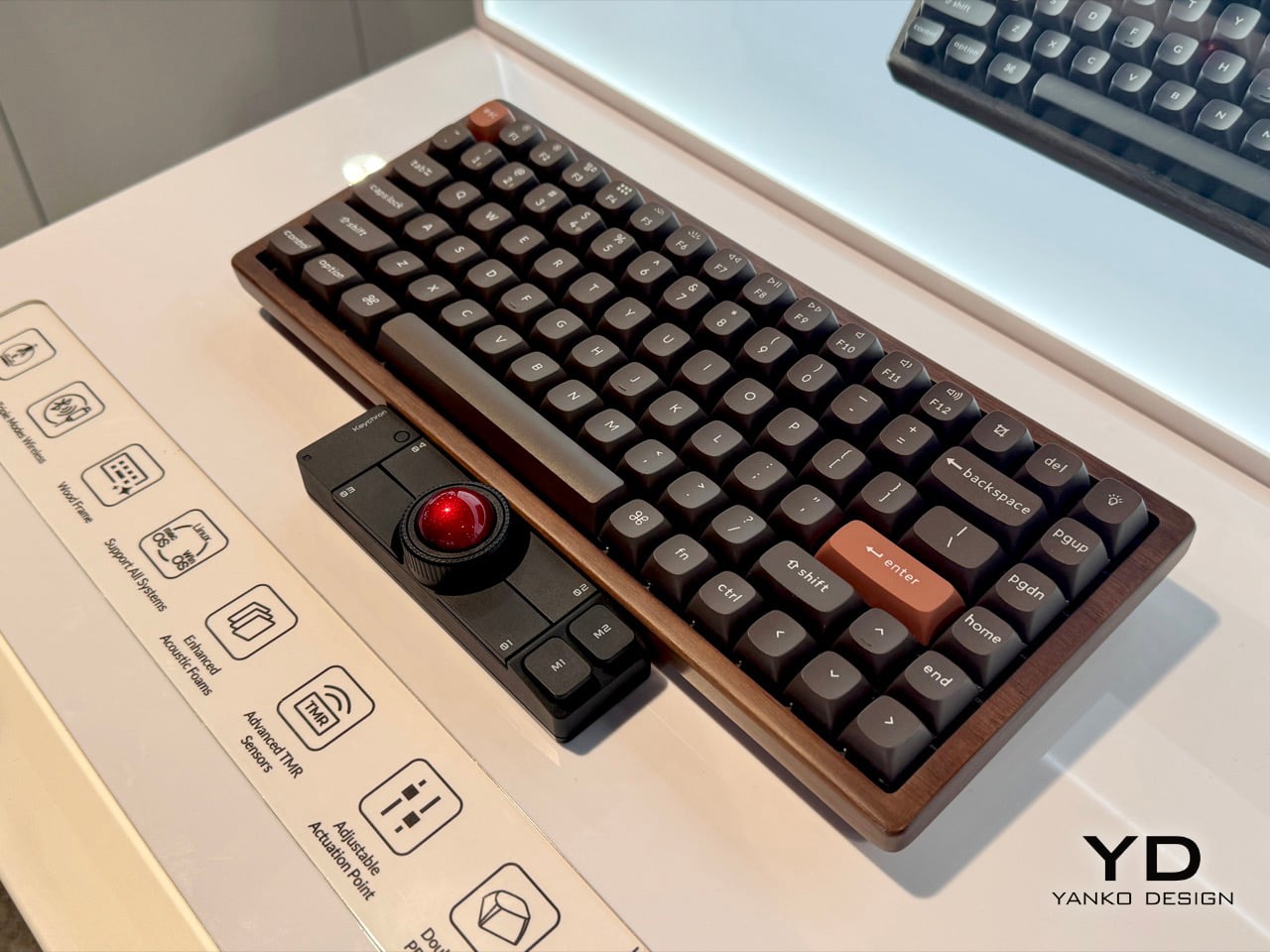
This open approach feels like the whole point. The Nape Pro is not just for people who want a trackball; it is for people who build their own keyboards, flash their own firmware, and spend hours fine-tuning their desk setup for optimal efficiency. It bridges the gap between high-end custom keyboards and generic pointing devices. It acknowledges that for a certain type of user, the mouse is the last un-programmable, inflexible part of their workflow. By making a pointing device that is as customizable and community-focused as the keyboards it is designed to sit next to, Keychron has built something genuinely new.