

The bag you carry into every café, co-working space, and airport lounge tells a story before the laptop opens. For years, that story was graceless — a tangle of cables, a charger shaped like a building block, a mouse that felt borrowed from a hotel business center. Nomad gear was assembled around survival rather than intention. Every surface it landed on looked worse for the visit.
Something has shifted. The tools built for people who work from everywhere are beginning to reflect the same care as the work itself. These eight gadgets share a quality that is harder to name than it is to recognize: they look considered. Each one earns its place in the bag not just by solving a problem, but by solving it in a way that leaves nothing clumsy on the table.
1. OrigamiSwift Folding Mouse

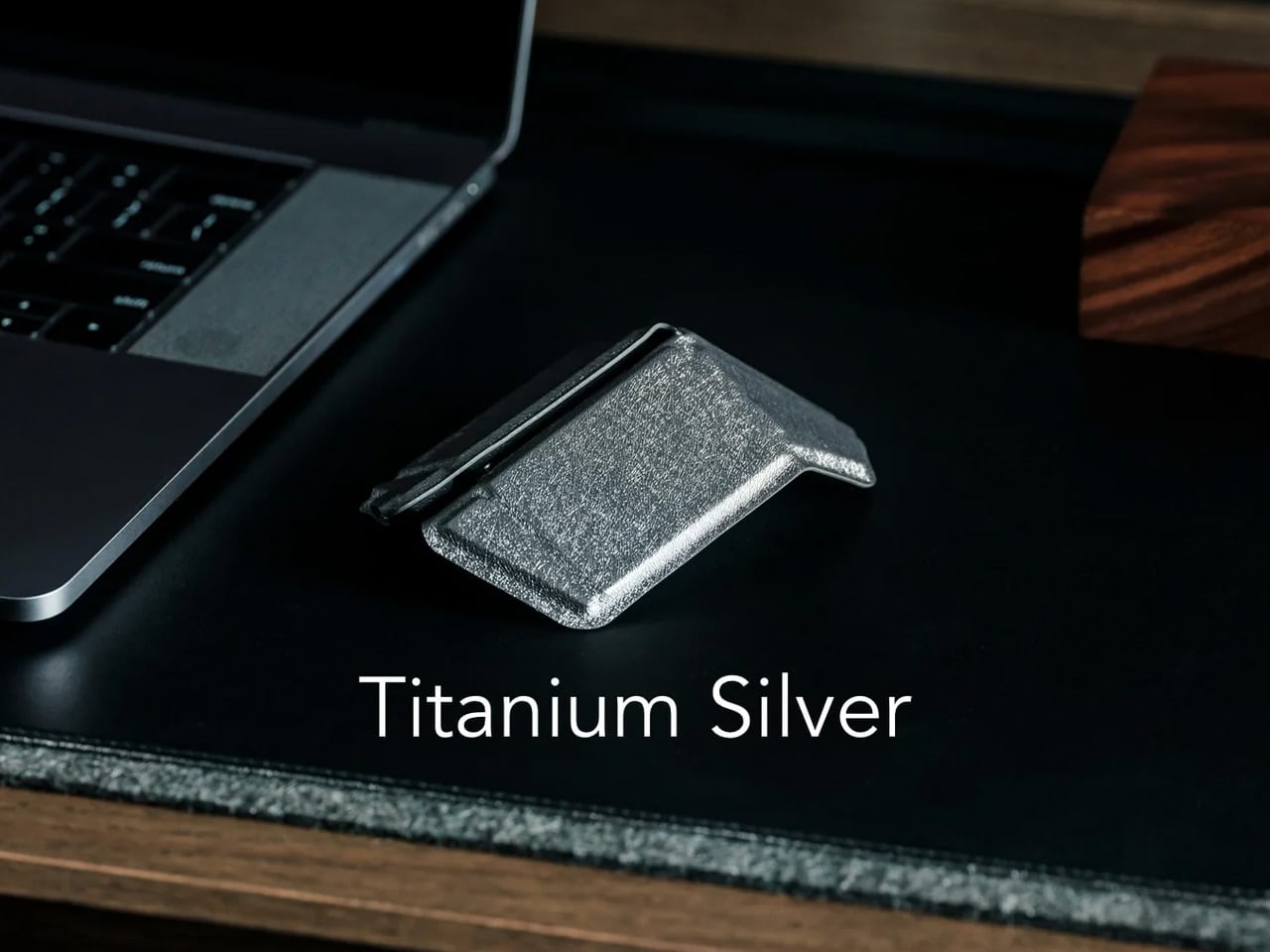
The travel mouse problem has never been about making mice smaller. Smaller mice create smaller hand cramps. The real solution is transformation, not compression, and the OrigamiSwift understands this from the geometry up. Borrowing the logic of its name, it collapses to card-sized flatness and snaps open — via magnetic clips — into a fully contoured ergonomic mouse that actually fits a palm. At 40 grams, it weighs less than a pen and disappears into a jacket pocket without announcing itself.
The polygonal folded surface earns its grip through geometry rather than rubber texture, which gives the form a visual coherence that most travel mice never achieve. Bluetooth 5.2 connects without a dongle, and three months of battery life on a single USB-C charge keeps it out of the daily rotation entirely. For the nomad whose work demands precision that a trackpad fails to deliver in the critical stretch of an afternoon, this removes every excuse for not carrying a proper mouse.
What we like:
- Folds to true card-size flatness without compromising full ergonomic comfort when open, which is the only trade-off that actually matters in a travel mouse
- Three-month battery life means it charges about as often as a passport gets stamped
What we dislike:
- The hinge mechanism is structurally the most complex part of the design, and daily fold cycles over the years could introduce wear that a solid-body mouse would never accumulate
- Scroll feedback is softer than premium stationary alternatives, something certain users notice immediately, and others never register
2. Lana Laptop Stand
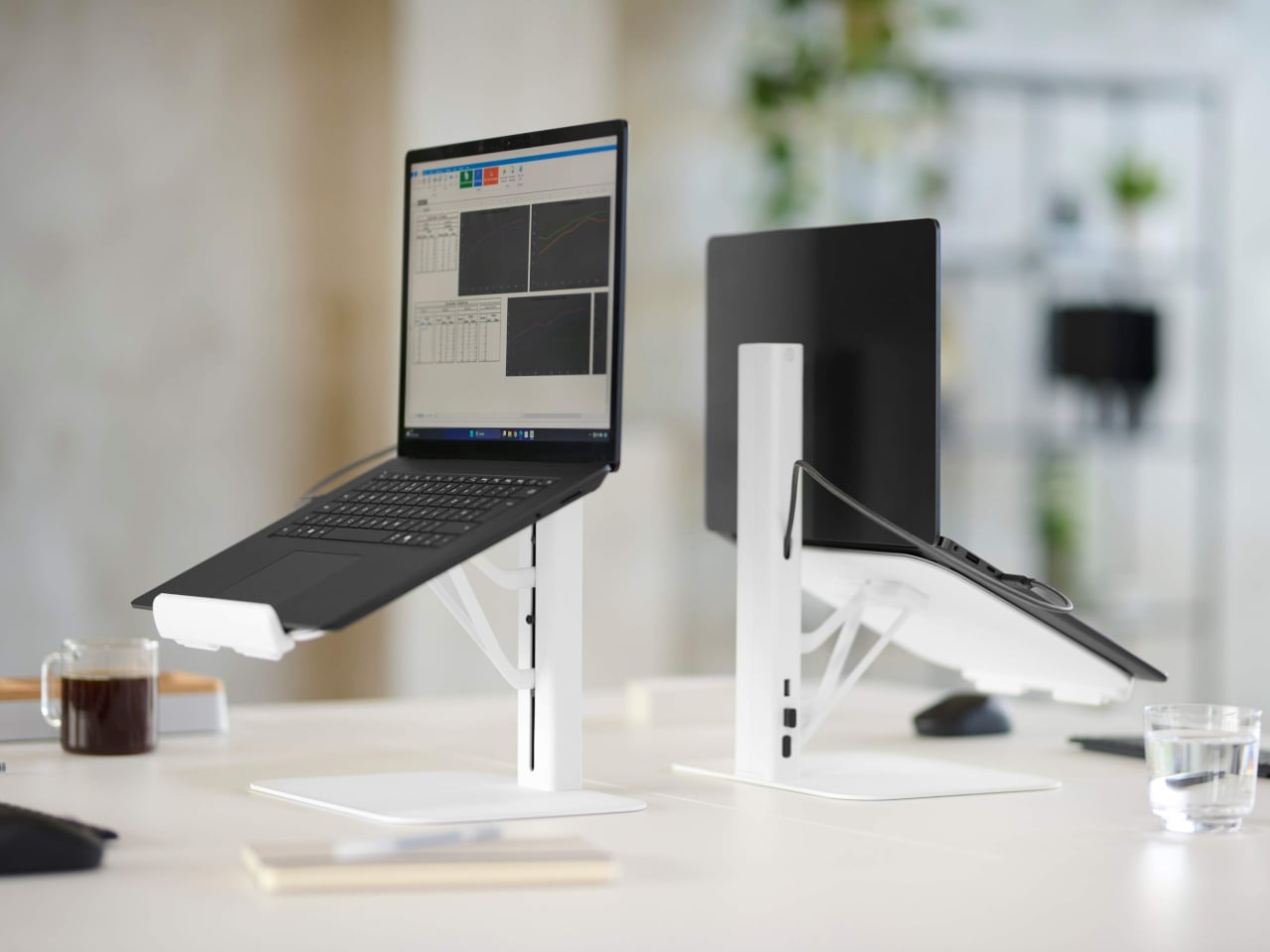
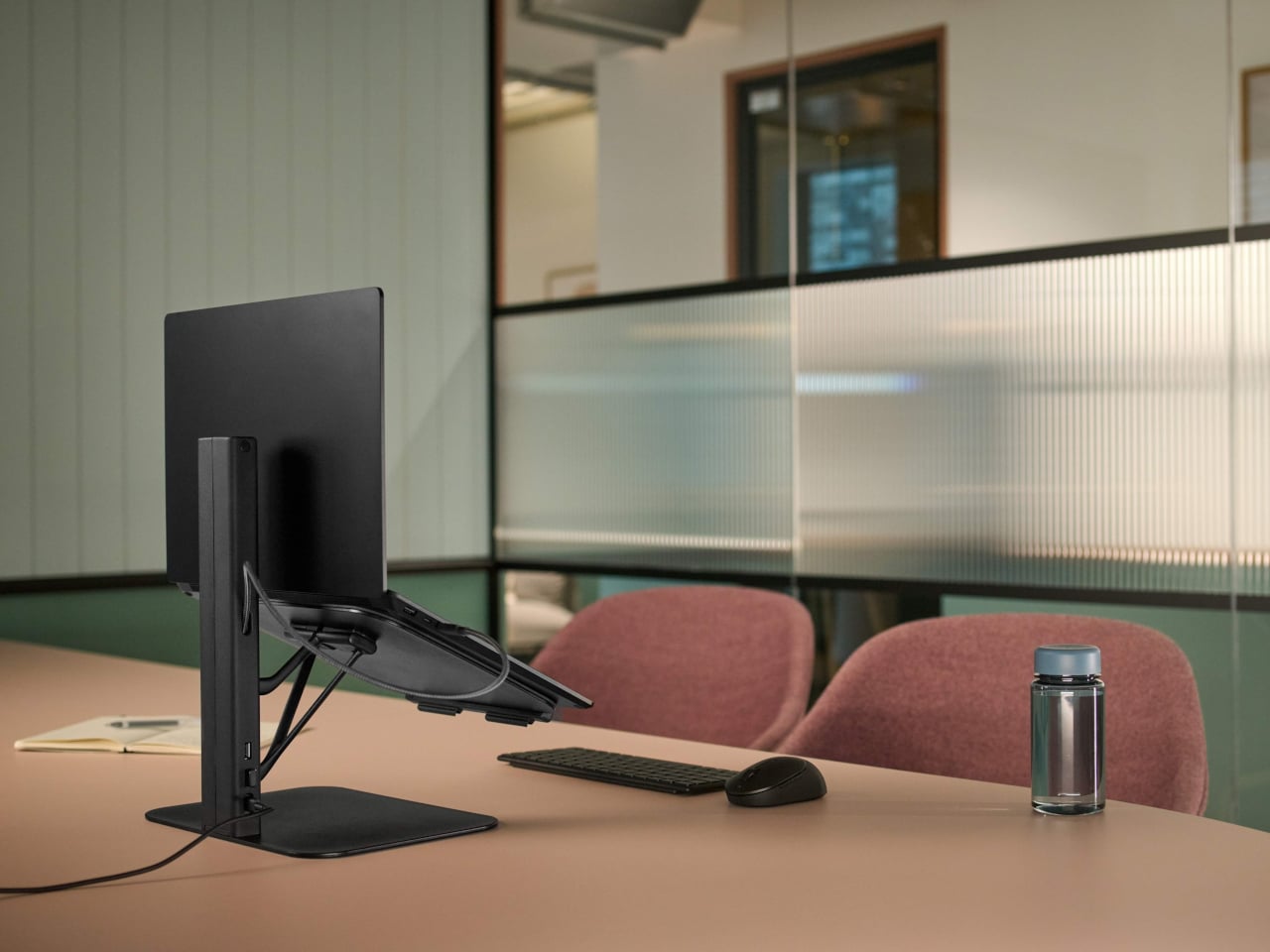
Working from borrowed surfaces has always involved a compromise that people accept rather than solve. Laptop too low, neck forward, shoulders rounded inward — the session ends the same way regardless of how productive the hour before felt. The Lana laptop stand from Colebrook Bosson Saunders is a compact riser with a USB hub integrated directly into its spine, meaning a single USB-C cable connects the laptop, keyboard, mouse, and power simultaneously. The temporary desk stops feeling improvised from the moment everything clicks into place.
Lana was designed specifically for the shared spaces nomads actually inhabit: pods, booths, communal benches — furniture built for lunch breaks, not extended output. The footprint is small enough for a café booth table, but tall enough to bring the screen level. A 12-year warranty from a British-designed and engineered product communicates something important. This is not a disposable gadget but a long-term fixture in a kit that gets used every single day, on surfaces that were designed for everything other than this.
What we like:
- An integrated USB hub means one cable manages everything, collapsing the connectivity setup into a single plug-in rather than a small archaeology project
- The 12-year warranty reflects an engineering confidence that most portable accessories never earn the right to claim
What we dislike:
- Works best alongside an external keyboard, meaning it adds an item to the bag rather than replacing one
- Price sits at the premium end of the laptop stand category, which is a real consideration for a product that functions before anything else as a riser
3. Nimble WALLY Pro Wireless
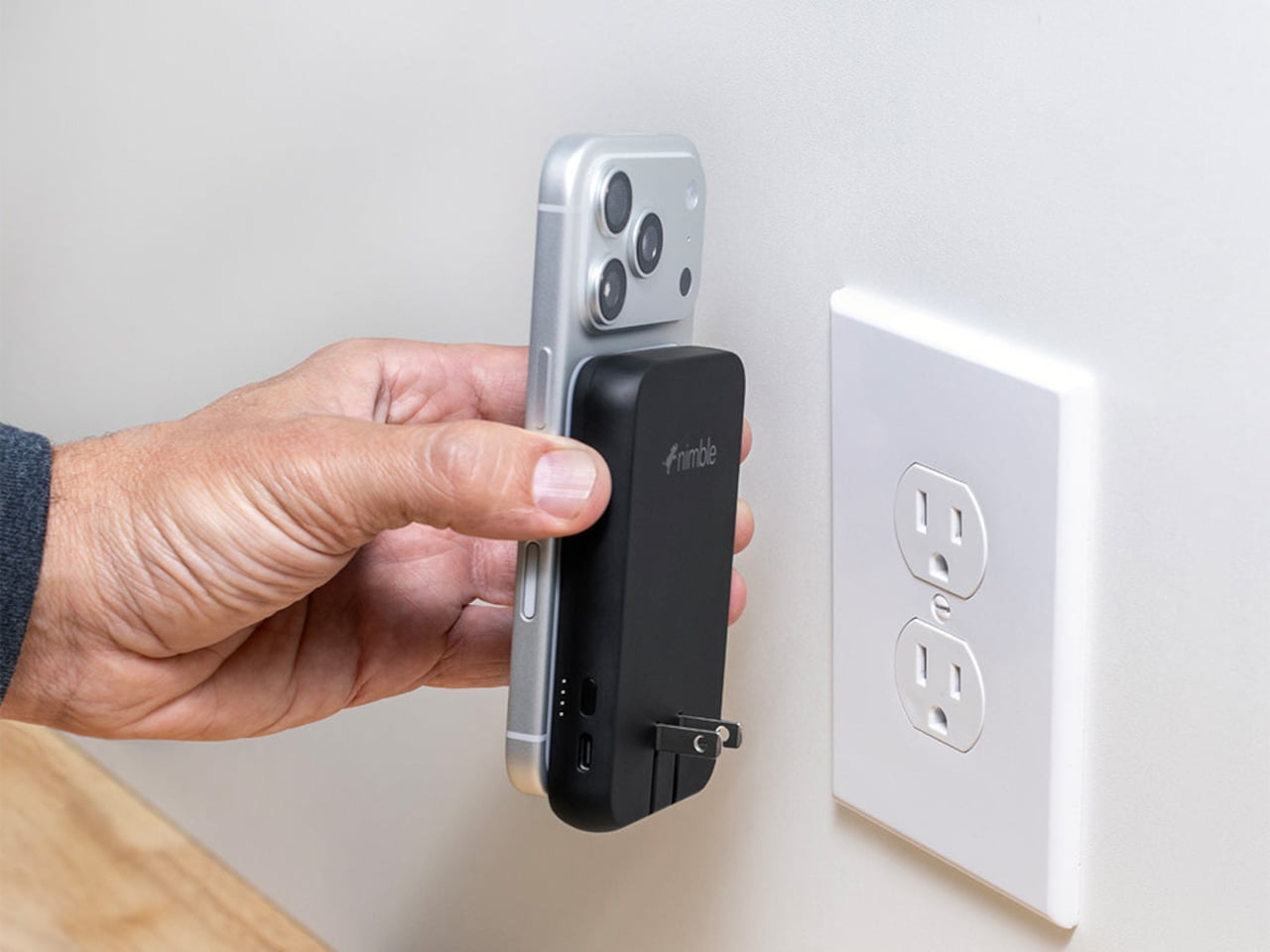
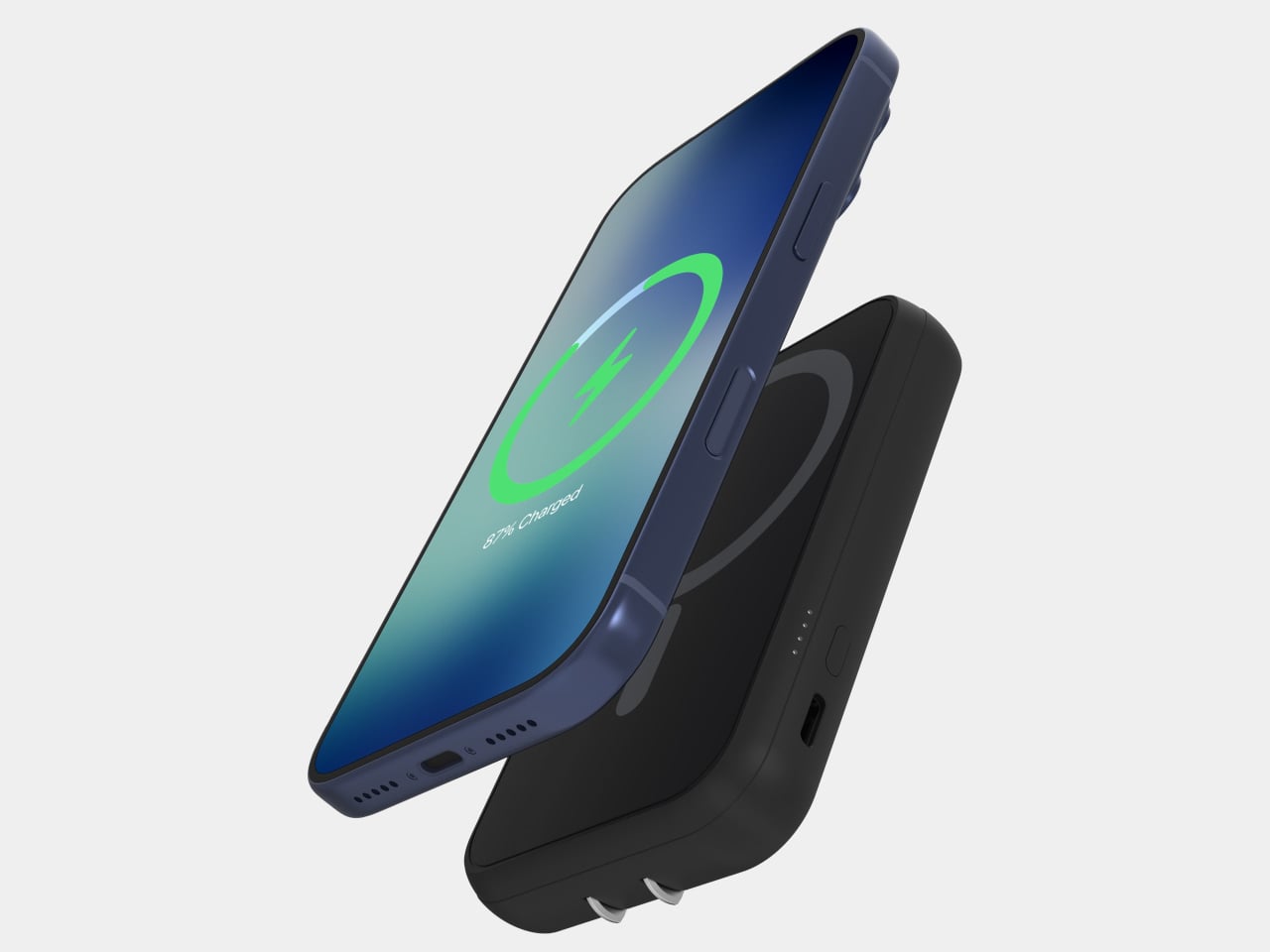
Traveling with electronics has long meant traveling with three separate charging accessories: a wall charger for the laptop, a power bank for the phone, and a wireless pad for overnight top-ups. Most people pack all three, use each one just enough to feel justified in carrying it, and leave one at a hotel room in a different country at least once a year. The Nimble WALLY Pro Wireless is a direct answer to that pattern. At 0.61 inches thin, it functions as a wall charger, a 5,000mAh power bank, and a Qi2 wireless charging pad, simultaneously.
Plug it into any outlet globally using folding prongs, and it charges its own internal battery while sending up to 15W wirelessly to a phone placed on its back. Pull it from the wall, and it switches to power bank mode without missing a step. The housing is 100% post-consumer recycled plastic, carbon-neutral certified, TSA-approved, and biodegradably packaged. At $49.95, it removes a genuine category of bag-packing anxiety rather than simply reducing it, which is the kind of simplicity that only feels obvious after someone else has done the work.
What we like:
- Three accessories in one device, at under six ounces, address the entire charging layer of the nomad kit without requiring any rethinking of the rest
- Recycled housing and carbon-neutral certification make the sustainability story as important as the engineering story
What we dislike:
- A 5,000mAh capacity handles phones and earbuds cleanly, but will not meaningfully extend a laptop’s battery under any serious workload
- Wireless charging tops out at 15W, which suits passive overnight top-ups more than emergency fast-charges before a gate closes
4. Rolling World Clock
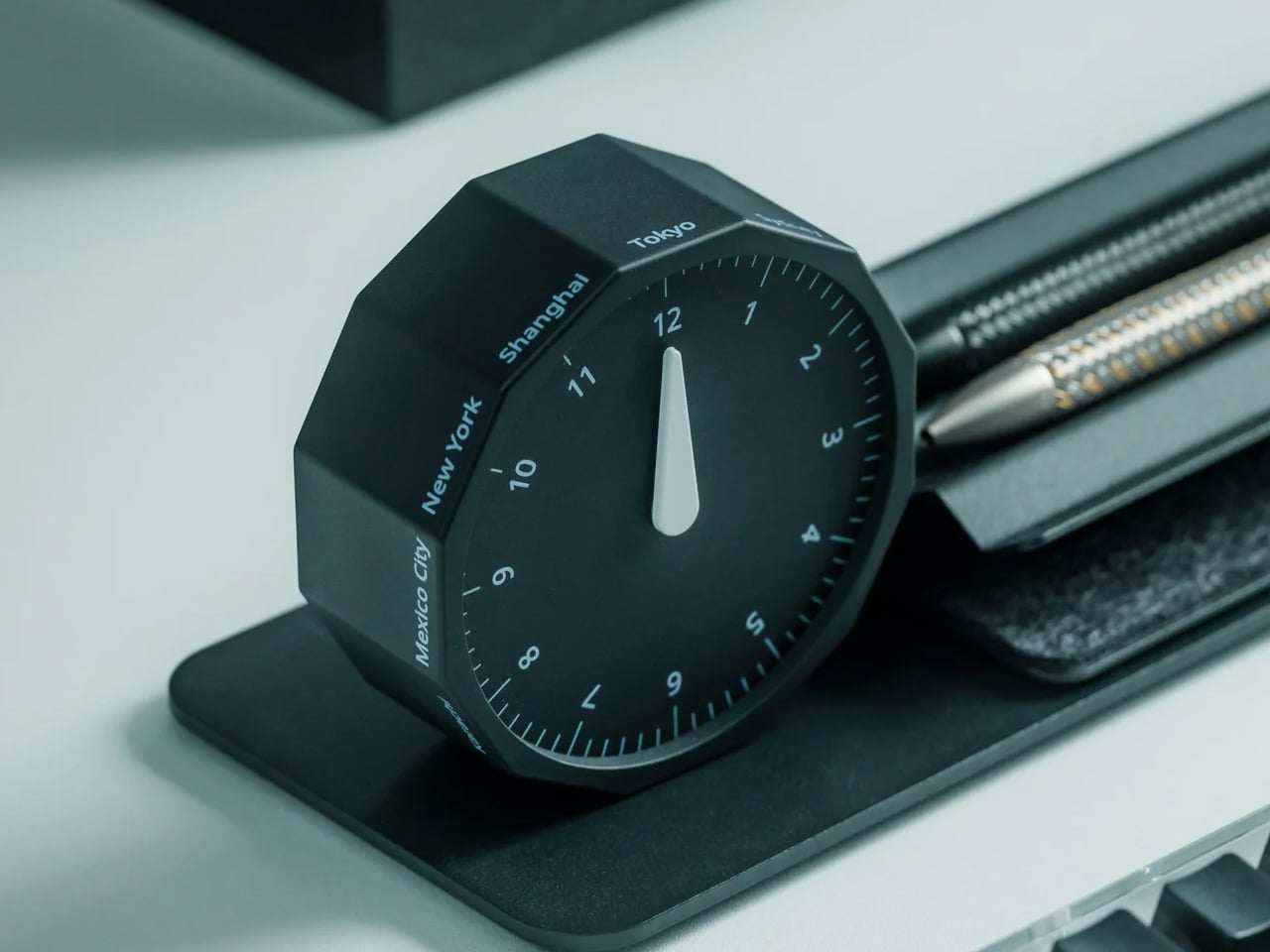
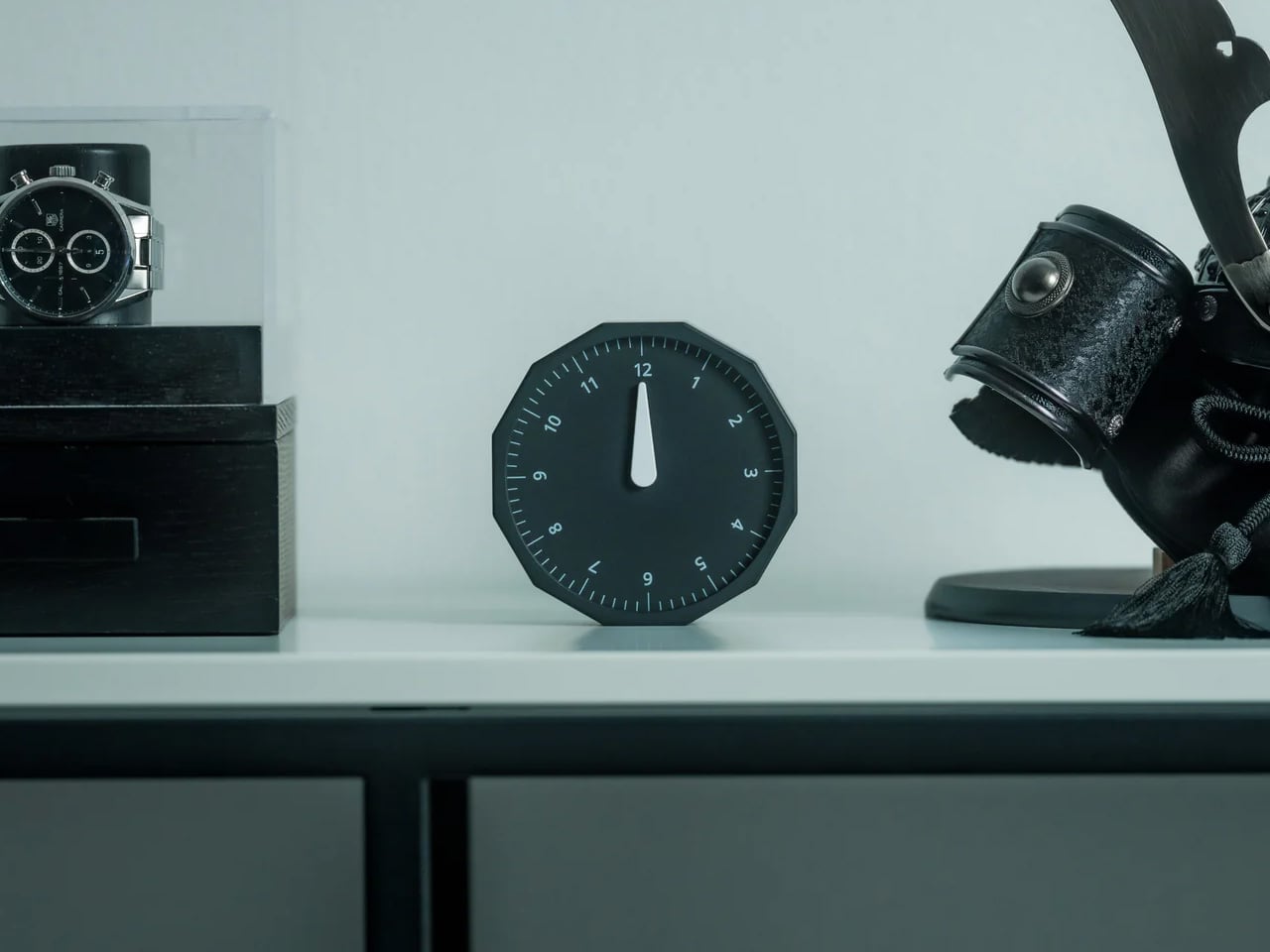
Working across time zones involves an arithmetic problem most people solve by unlocking a phone and navigating to a setting buried several menus deep. The Rolling World Clock removes the phone from that interaction entirely. A 12-sided dodecahedron, one analog hand per face, each face assigned to a city: roll it to any side, and it reads the correct local time in that location. The entire interaction takes less time than the lock screen.
Available in black and white at $49, it occupies the surface area of a hockey puck and sits at the precise intersection of functional object and desk sculpture. The design works because it resists adding more — no digital layer, no companion app, no charging port. On a surface full of screens and cables, a clock answered by physically rolling it is the object every person at the adjacent table wants to pick up and examine. That kind of unselfconscious utility is genuinely rare at any price.
What we like:
- Rolling to read a time zone is a screen-free physical gesture that removes a phone unlock from the workflow without requiring any habit change
- The form communicates its function completely without a label, a tutorial, or a single button
What we dislike:
- Twelve faces cover most regular international relationships, but nomads managing more than twelve cities regularly will need a secondary solution
- The face-to-city mapping takes roughly a week of regular use before the interaction becomes fully automatic
5. RedMagic Power Bank with Flight Mode
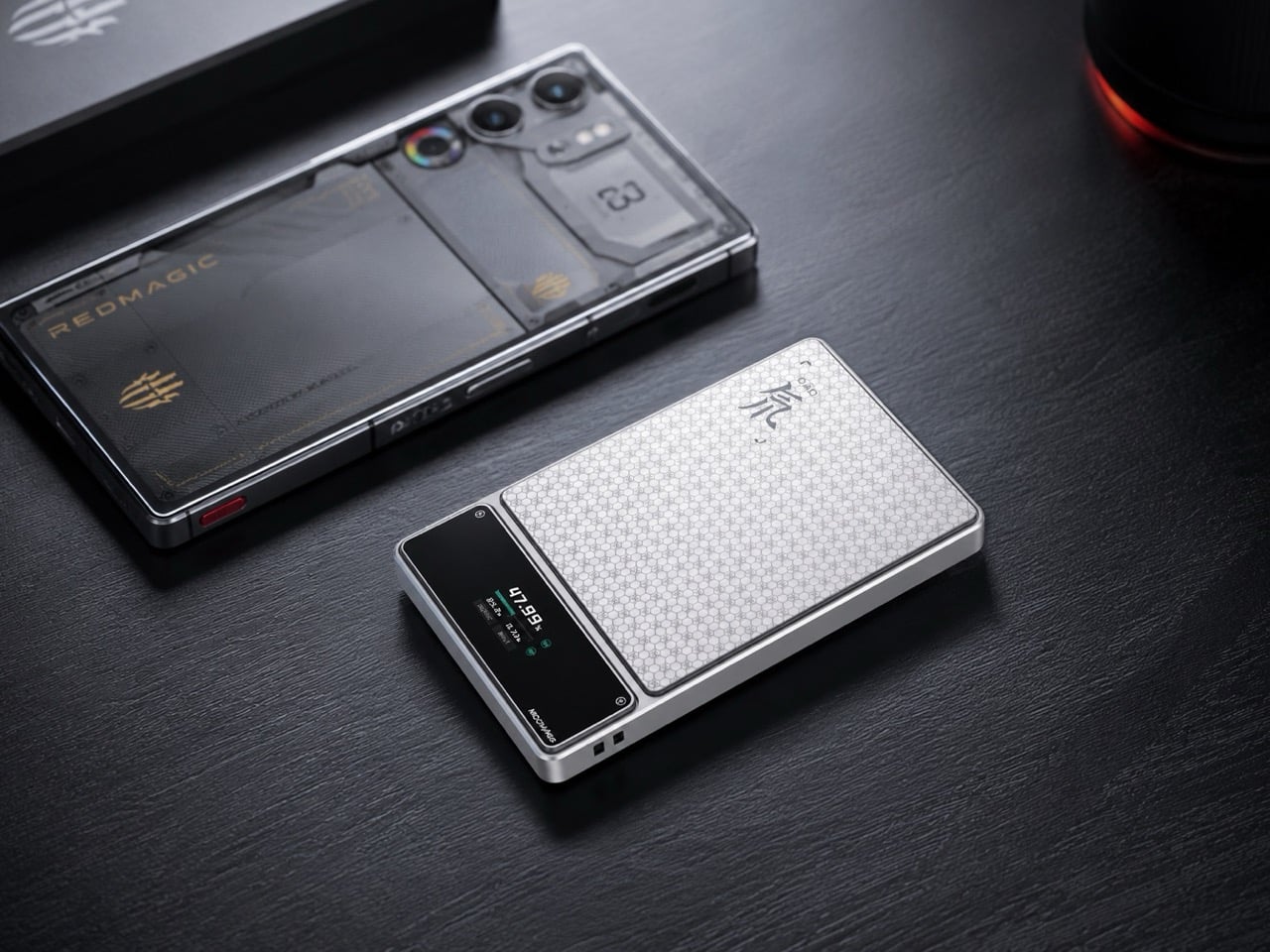
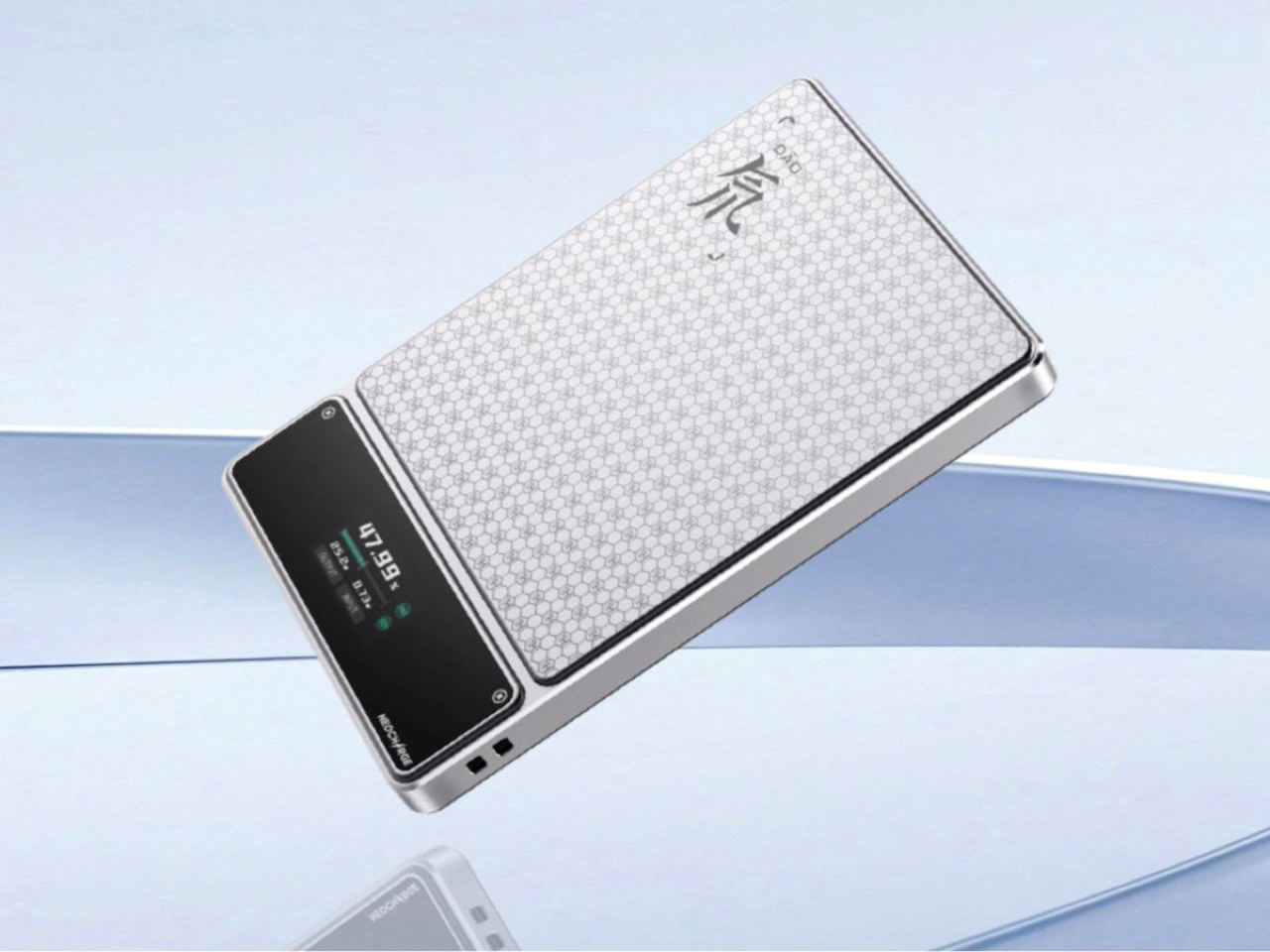
Aviation rules around lithium batteries have changed significantly in 2026 — multiple major carriers now ban in-flight power bank use entirely, and the regulations are still tightening. Most power bank manufacturers have responded to this by doing nothing. RedMagic responded by designing for the regulation directly. Their power bank includes a dedicated flight mode switch that disables active output functions on command, aligning with carrier requirements that previously involved gate-side arguments about a device nobody could quickly verify.
The one-touch flight mode cuts wireless transmission instantly, transforming a potential boarding problem into a one-press demonstration. Beyond the compliance story, the honeycomb aluminum finish suggests RedMagic wants you to leave this on your desk even when you are not traveling — a power bank that earns surface rights rather than disappearing into a pocket. For a brand that built its credibility making hardware for people who care about how their tools look and feel, the application to travel infrastructure is a natural extension rather than a category stretch.
What we like:
- The dedicated flight mode switch turns a potential boarding conflict into a physical demonstration rather than a verbal explanation
- Honeycomb aluminum finish gives the device a desk presence that most power banks, designed purely for pocket anonymity, never consider
What we dislike:
- The flight mode feature is more useful than ever, but represents a design workaround for a regulatory gap that clearer aviation policy could simply close
- Gaming-adjacent branding will read as the wrong register for some professional nomads who prefer their gear to carry no identity beyond the work
6. Centarui80

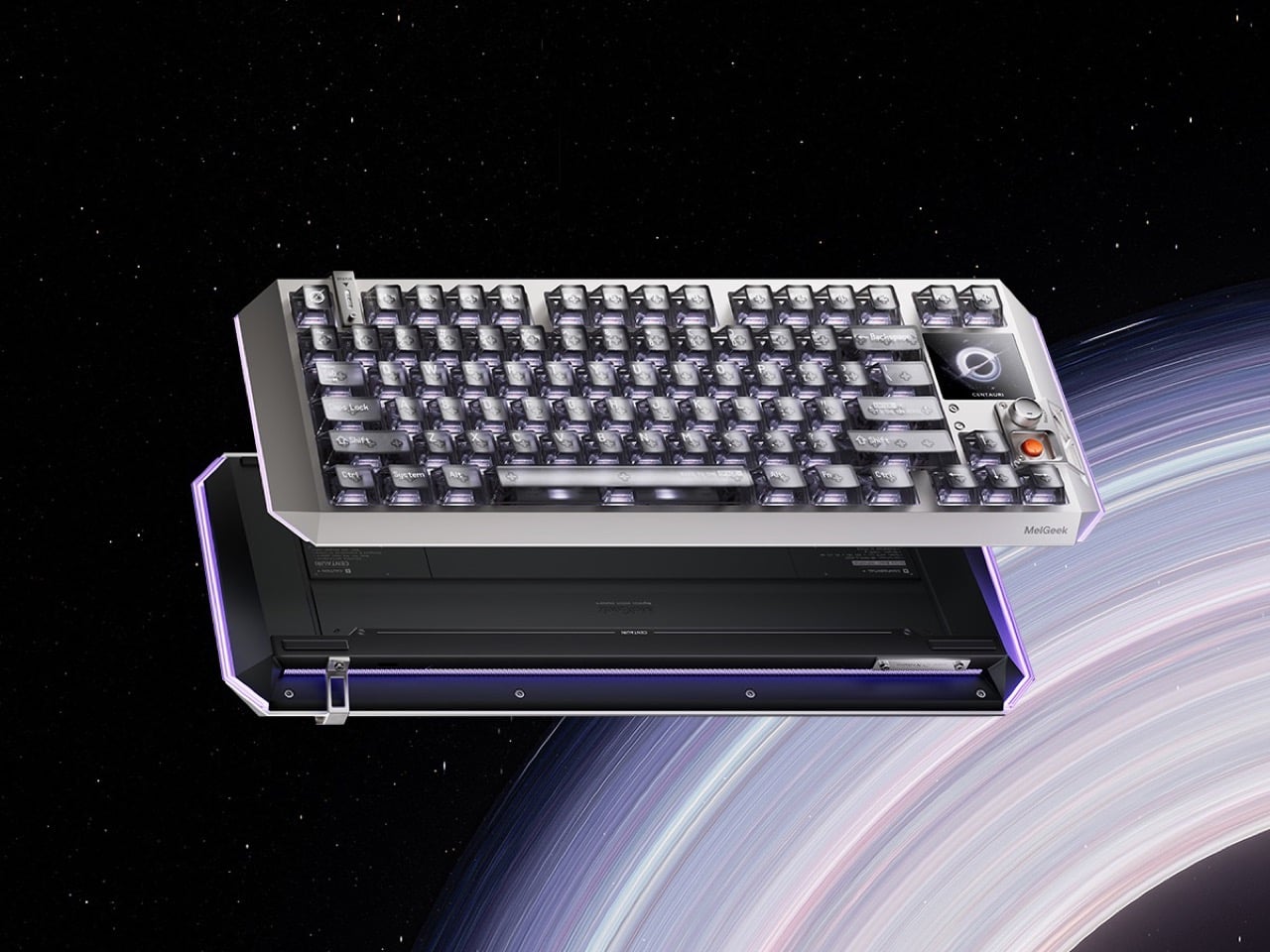
Fifty years of keyboard design produced better switches, heavier plates, and an entire hobbyist economy built around sound profiles — but the object itself stayed stubbornly analog in its ambitions. The Centauri80 breaks that contract. MelGeek embedded a 1.78-inch OLED touchscreen directly into the board at 325 PPI, the same pixel density as an Apple Watch face, alongside a physical rotary encoder called the Super Dock. Live wallpapers, macros, and lighting adjustments happen on the board itself, without alt-tabbing out of whatever the afternoon actually requires.
The engineering underneath supports the ambition. Six microcontroller chips drive TTC Flip King Hall Effect magnetic switches to 0.125ms latency at an 8000Hz polling rate — numbers that make the 80% aluminum unibody the most responsive input device on most desks, not just the most considered one. At $299 from MelGeek’s own store, the Centauri80 competes directly against the Wooting 60HE and the rest of the Hall Effect field while carrying something none of them have: a visual interface that turns the keyboard into a control surface with its own design language.
What we like:
- A 325 PPI OLED screen embedded into the board makes macro and lighting control a keyboard-side interaction rather than a software detour through a menu nobody enjoys navigating
- Hall Effect magnetic switches at 8000Hz polling deliver the kind of input responsiveness that makes every other keyboard in the same price range feel noticeably behind
What we dislike:
- An onboard touchscreen and six microcontroller chips add genuine complexity to a device category where simpler hardware has historically outlasted ambitious feature sets
- At $299, the Centauri80 is considered a purchase rather than an impulse one — the OLED and polling rate premium asks for conviction before checkout
7. Orbitkey Desk Mat
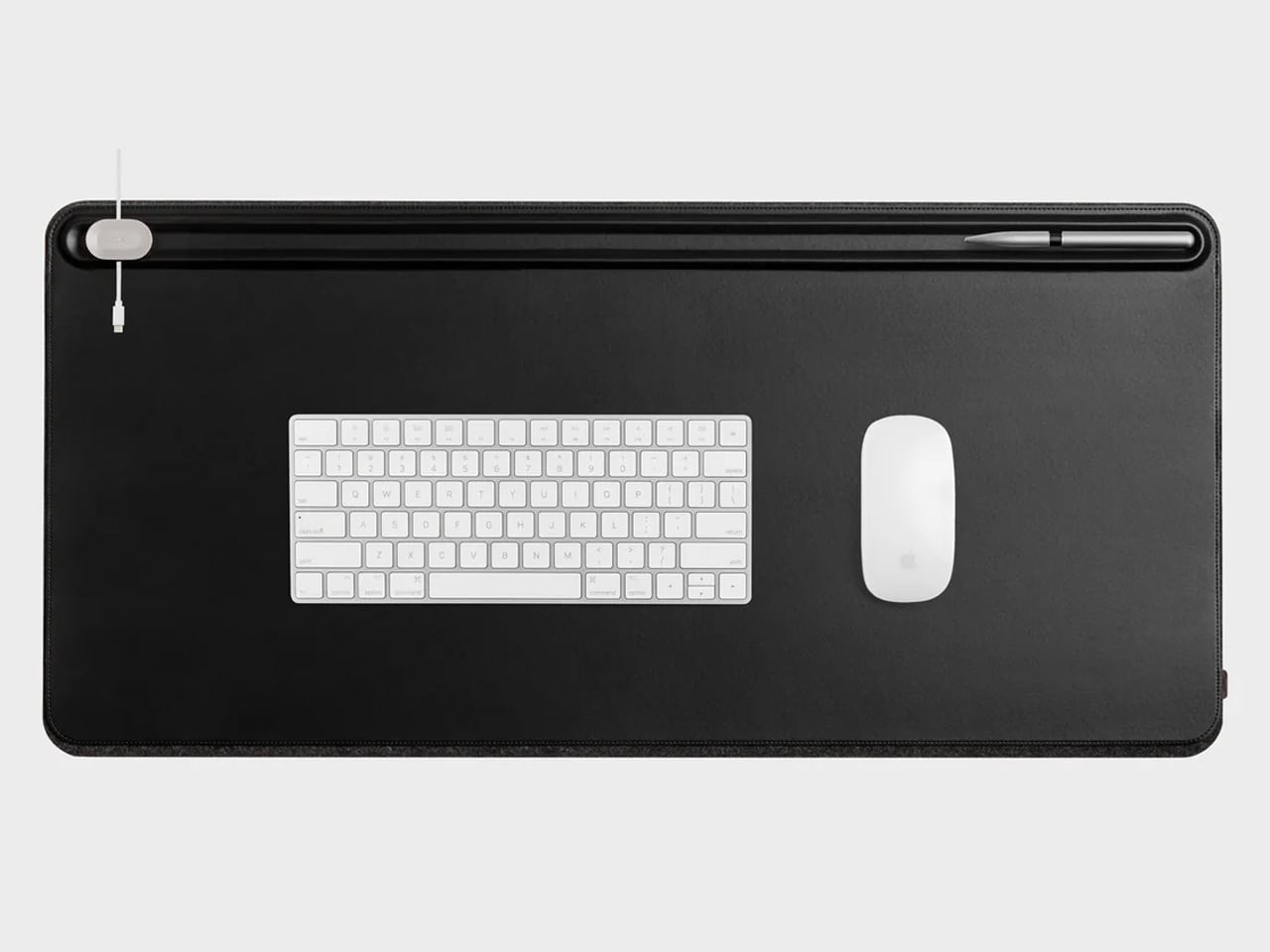
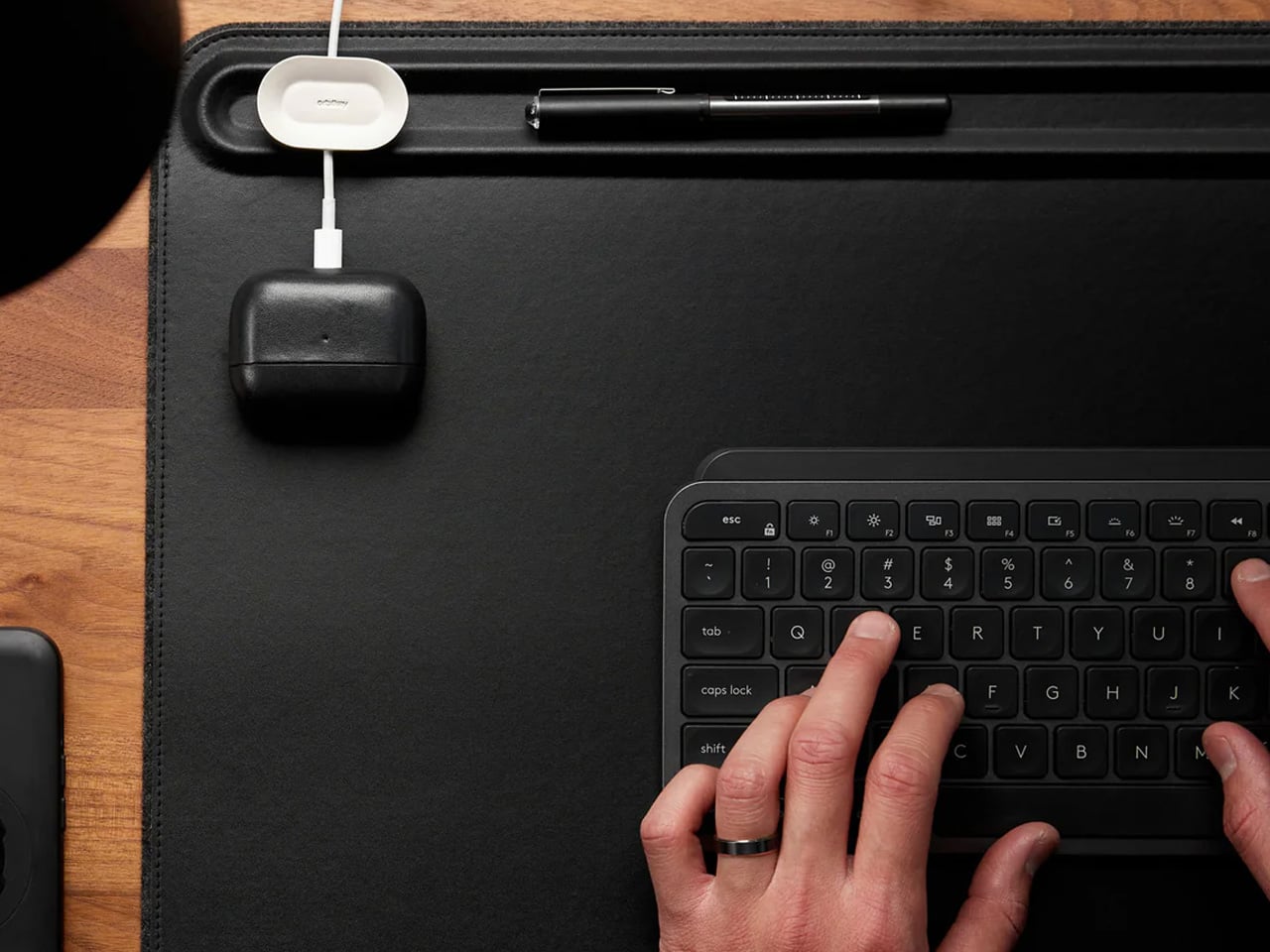
A borrowed table is still a borrowed table until something on it says otherwise. The Orbitkey Desk Mat doesn’t announce itself — it simply reframes the surface it occupies. Full vegan leather across the top, recycled PET felt underneath, a document slot along the upper edge, and Qi wireless charging embedded invisibly into the upper-right zone. Place a phone there, and it charges. No cable surfaces anywhere in the composition. The mat claims the desk and turns it into something that belongs to you, at least for the session.
It rolls tight enough to travel inside most laptop sleeves, deploys completely flat, and develops a surface character over months of use that reads as the quality indicator it actually is. Magnetic cable holders keep charging cables from drifting off the edge mid-session. A pen loop stitched into the left side holds exactly one pen. These details were thought through rather than listed on a spec sheet, which is the difference between a product designed for desk photography and one designed for daily work. At $99.90, it is the kind of surface investment that compounds quietly over the years.
What we like:
- Wireless charging disappears so cleanly as a feature that it stops being a feature and becomes simply a behavior: phone down, phone charges
- Rolls compactly enough to travel inside a laptop sleeve, adding no dedicated bag volume to the packing equation
What we dislike:
- Wireless charging tops out at 10W, making it a passive convenience layer rather than a serious fast-charging solution
- The leather surface requires periodic conditioning at the fold line after extended travel use to maintain its original finish
8. HubKey Gen2


Every modern ultrabook ships with two USB-C ports. Every modern nomad workflow needs more than two ports running simultaneously. The HubKey Gen2 resolves the gap with eleven connections in one compact 7 × 7 × 3cm cube: dual 4K/60Hz HDMI outputs, USB-A 3.1, USB-C 3.1, SD and TF card readers, 2.5Gbps ethernet, a 3.5mm audio jack, and 100W power delivery through a single cable into the laptop. The port problem disappears from the workflow rather than being permanently managed around it.
The programmable shortcut keys and central control knob on the top panel are what distinguish this from a standard travel hub. Volume, mute, display toggle, and screenshot become physical actions handled by the left hand while the right hand stays on the mouse. For nomads driving external displays across video calls and creative sessions in co-working spaces, turning a connectivity device into a tactile control surface is the kind of upgrade that feels immediately obvious on the first day and genuinely irreplaceable from the second. The cube form fits anywhere without announcing itself.
What we like:
- Dual 4K/60Hz HDMI outputs let you build a two-monitor workstation from a single cube that fits inside a laptop sleeve pocket
- Programmable shortcut keys and a control knob give the desk a physical control layer that no other travel hub currently offers
What we dislike:
- Tightly spaced ports mean thick cables or large flash drives can crowd each other along the edges during a fully loaded setup
- The cube form, while genuinely compact, is less pocketable than flat card-style alternatives when volume and weight are being counted carefully
The Desk You Build Is Better Than the One You’re Given
The kit assembled here is not a packing list. It is a position that the tools a nomad carries every day deserve the same design attention as the work those tools are used to produce. A mouse that folds with geometric logic. A clock answered by rolling it. A charger that stopped being three separate objects. A hub that turned its top surface into a control panel. Each object solves a specific problem in a way that leaves the desk better than it found it.
The best version of working from anywhere is not about freedom from a particular address. It is about arriving at any table with a kit that makes the table feel chosen. These eight products do that together in a way that none of them manages alone — and that is the standard worth holding to when every other square centimeter of the bag is already spoken for.