
The meeting ends. The ideas fade. The action items that felt so clear twenty minutes ago are now a blur of half-remembered phrases scrawled in a margin you’ll never look at again. Note-taking has been a productivity staple for decades. Yet, most people are still terrible at it — not because they’re disorganized, but because the tools they’ve been handed have never really matched how the brain works under pressure, in flow, or during creative momentum.
These five tools take a different approach. Some are physical, some are digital, and one sits somewhere elegantly in between. What they share is a willingness to rethink the ritual from scratch: whether that means flipping a desk whiteboard to reveal a second surface, whispering a half-formed idea into your earbuds mid-walk, or letting a handwritten time cue trigger its own reminder automatically. Note-taking doesn’t have to be a discipline you fail at. These are the tools that prove it.
1. Note
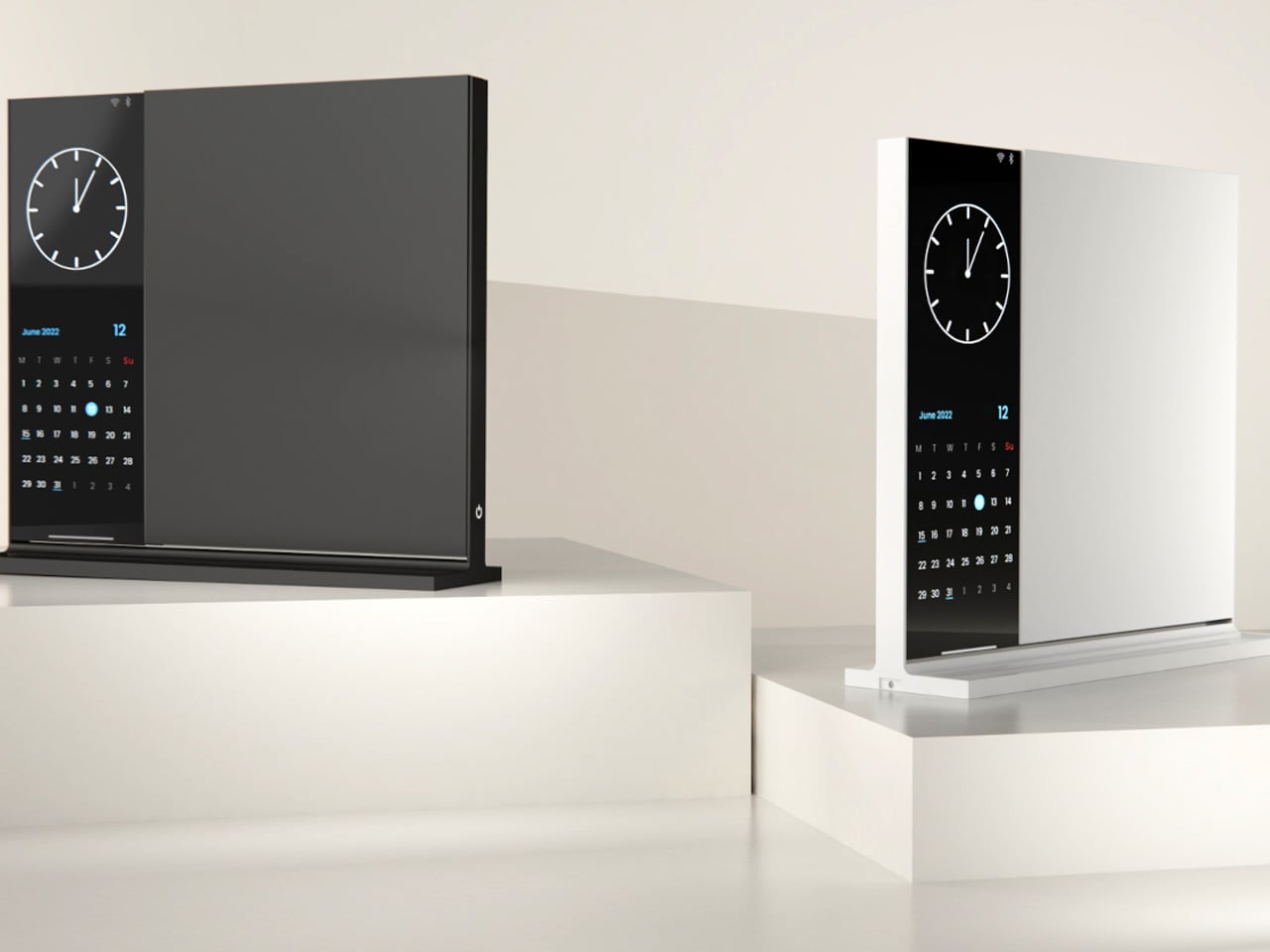
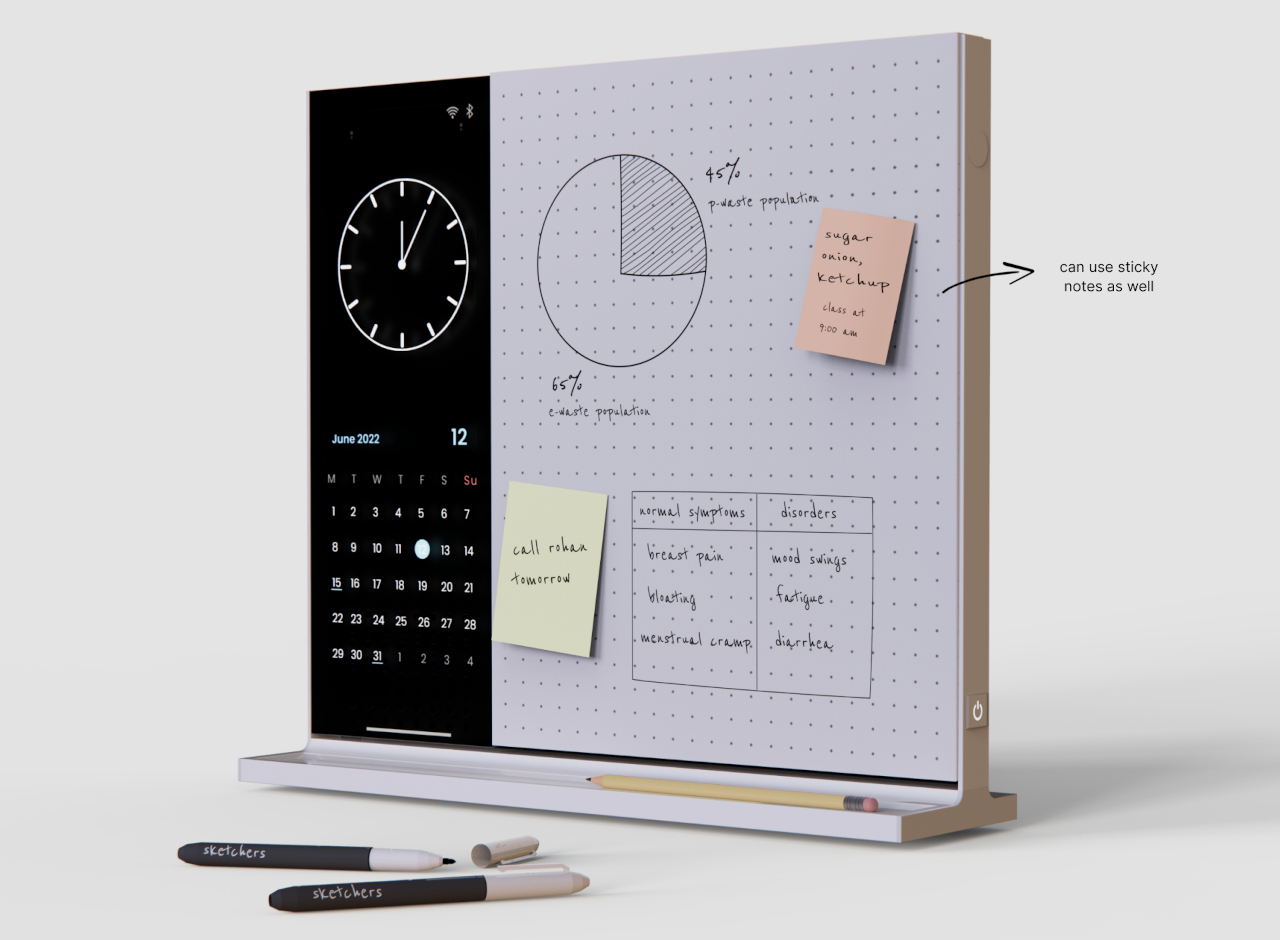

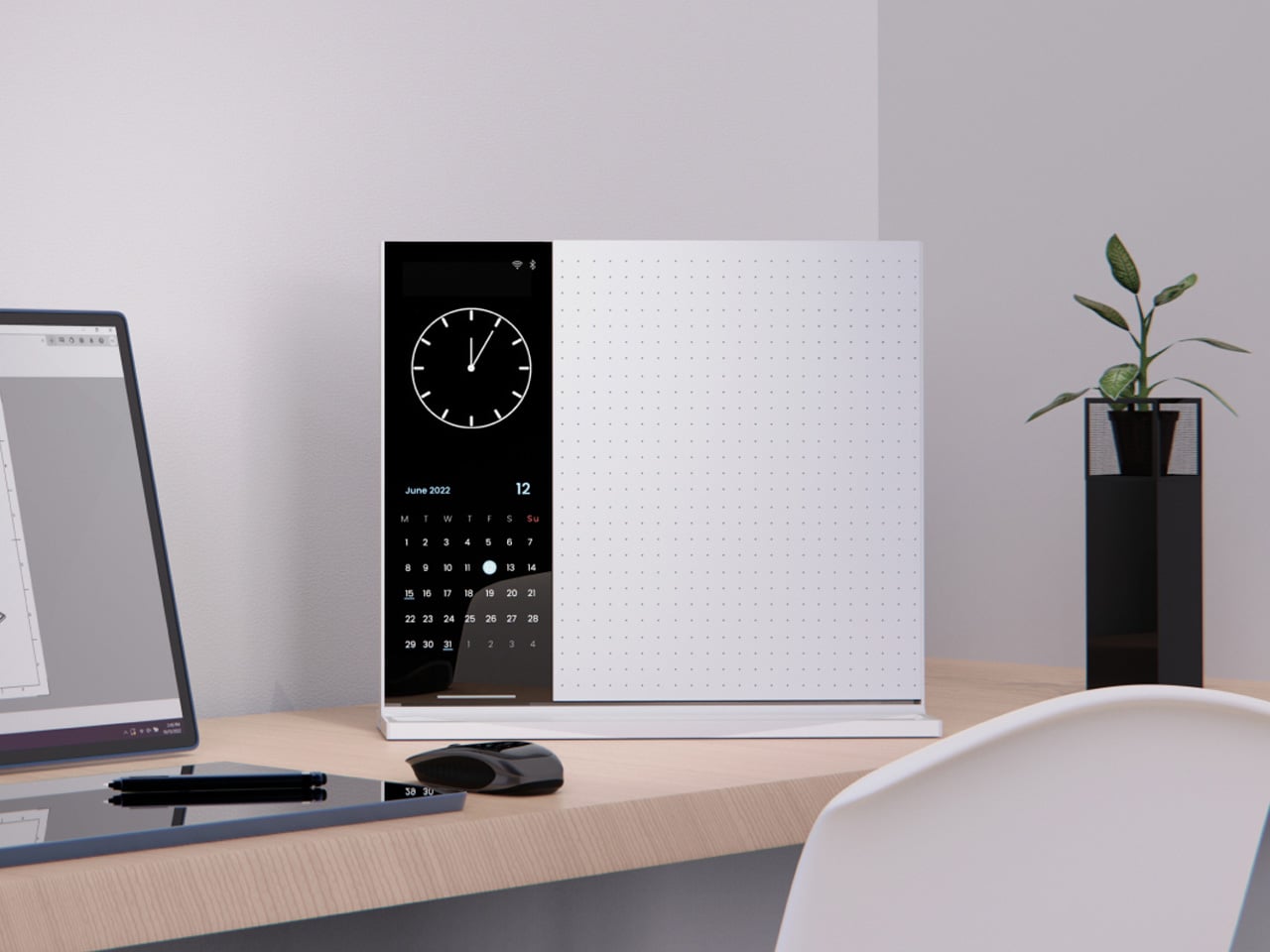
The Note desk whiteboard is exactly what it sounds like, and that restraint is the point. A small vertical slate designed for the kind of thinking that doesn’t need to last: quick diagrams, passing ideas, calculations that only need to survive the afternoon. It sits on your desk without drama, works without setup, and erases with a single cloth wipe. For anyone who has stared at a page of old notes and wondered why they kept them, the appeal is immediate. Temporary thinking deserves a temporary surface.
What earns Note a place on this list beyond the obvious is the flip mechanism. The whiteboard rotates to reveal a second surface, doubling your working space without claiming any extra desk real estate. One side can carry a dotted grid for structured diagrams and spatial thinking, while the other stays plain for freeform notes. The vertical format also accepts sticky notes directly on the surface, so you’re never locked into one method. A quick wipe resets everything, and you’re back to a blank slate without the guilt of wasted paper or the overhead of an app.
What we like
- The double-sided flip mechanism gives you twice the working surface while keeping the desk footprint identical
- Accepts sticky notes directly on the board, so you can blend methods without committing to just one
What we dislike
- Notes are entirely temporary, meaning anything worth keeping still needs to be photographed or transferred before you wipe
- The vertical format may feel unnecessary for people whose thinking is already fully digital
2. HiNotes 3.0
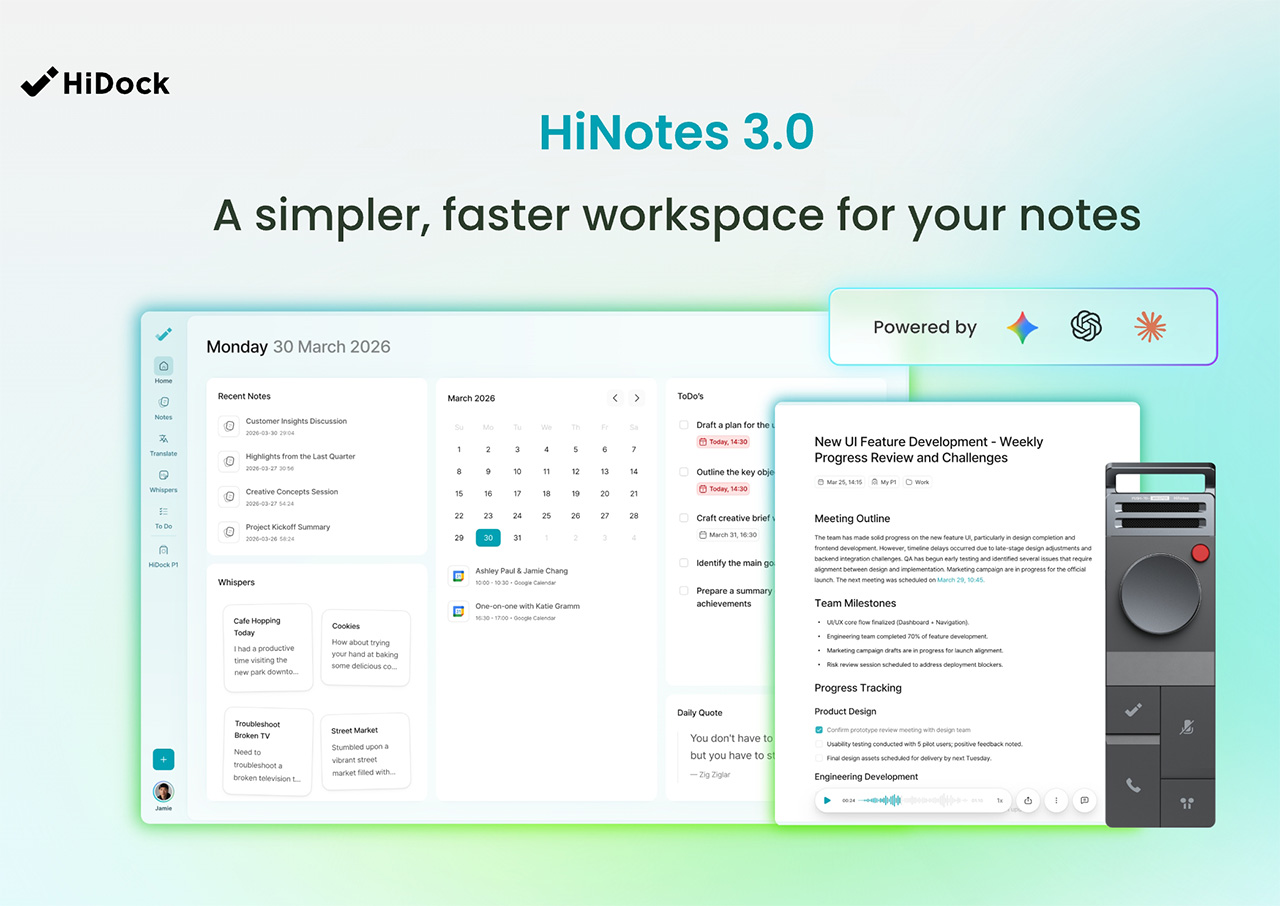

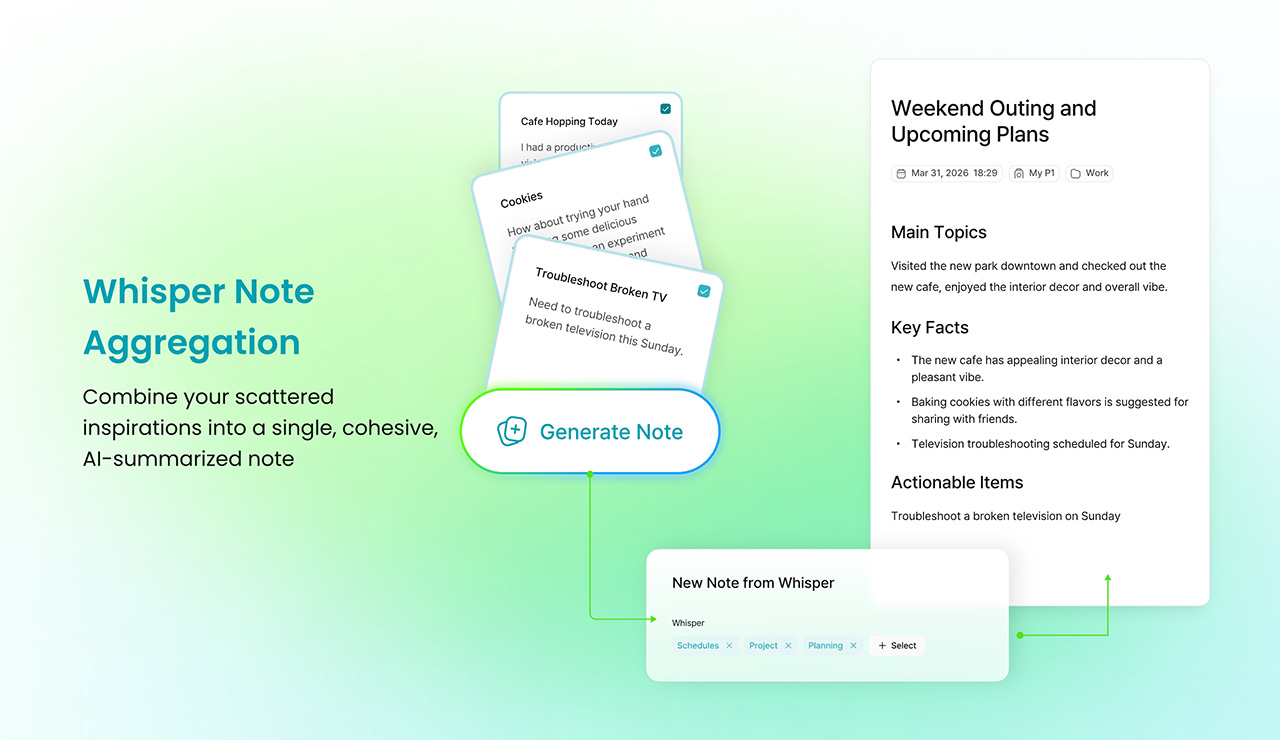

Most meeting tools solve the easy part. They record, they transcribe, and they deliver a summary you’ll skim once and never open again. HiNotes 3.0 is built around what happens after that. The HiDock P1 hardware works through your own earbuds with no bots, no awkward announcements, no friction at the point of capture. As founder Sean Song puts it, the real productivity crisis was never about recording: “We have built some of the most sophisticated recording and transcription technology in history, and we are still leaving meetings with a list of things we never act on.” HiNotes is an attempt to fix the silence that follows.
Where HiNotes 3.0 genuinely separates itself is in two places: context and capture on the move. Action items come with the original conversation attached, not just a stripped-down to-do. The transcript lives behind a dedicated button in each note, expandable inline so you can cross-reference the AI output against what was actually said. Speaker labels are editable after the fact. And Whisper Notes handles the other end of the problem entirely: a low-friction way to voice-record ideas wherever they arrive, pulling scattered recordings from across the day into a single coherent summary. Seven frontier models, including GPT, Claude Sonnet, and Gemini Pro, are switchable per meeting, because different content asks for different kinds of intelligence.
What we like
- Whisper Notes captures ideas on the move with zero friction, solving the single biggest gap that every other meeting tool leaves open
- Per-meeting model switching gives users real control over how their content gets synthesized, rather than burying a single default choice
What we dislike
- The full feature set requires the HiDock P1 hardware, which adds a meaningful cost above the software alone
- Seven model options, while genuinely useful, may feel like unnecessary complexity for users who want one reliable tool and nothing more
3. Almo


Almo starts from one quietly brilliant question: what if your handwritten notes could set their own reminders? The premise sounds minor until you’ve lost track of a time-sensitive idea because writing it down felt like enough. Almo reads the time you scrawl next to a note and sets a gentle alert automatically, with no menus, no switching apps, no separate alarm to configure. It respects the ritual of writing by hand while adding the one layer of intelligence that handwriting has always lacked. The result is a device that feels less like a gadget and more like a natural extension of how most people already think.
The hardware is designed to live on a desk without demanding attention. A sturdy kickstand and a magnetic back mean it can sit upright on a surface, attach to a metal cabinet, or move between both throughout the day. The dedicated pen clips magnetically to the top, so it’s never missing when you need it. Writing and erasing feel immediate and light, which matters more than it sounds. A note-taking device that creates friction is one you quietly stop reaching for. Almo removes that excuse with a form that stays out of your way until the moment it needs to be useful.
What we like
- Automatic reminders triggered by handwritten time cues remove a step that most people skip, which is the very step that causes ideas to go unfollowed
- The magnetic pen attachment solves a persistently annoying problem with stylus-based devices in a way that feels genuinely considered
What we dislike
- As a concept design, production availability remains uncertain, and the final version may differ from what has been shown
- Handwriting recognition accuracy depends on legibility, which could limit reliability for fast writers or people with naturally loose handwriting
4. Rocketbook Reusable Sticky Notes

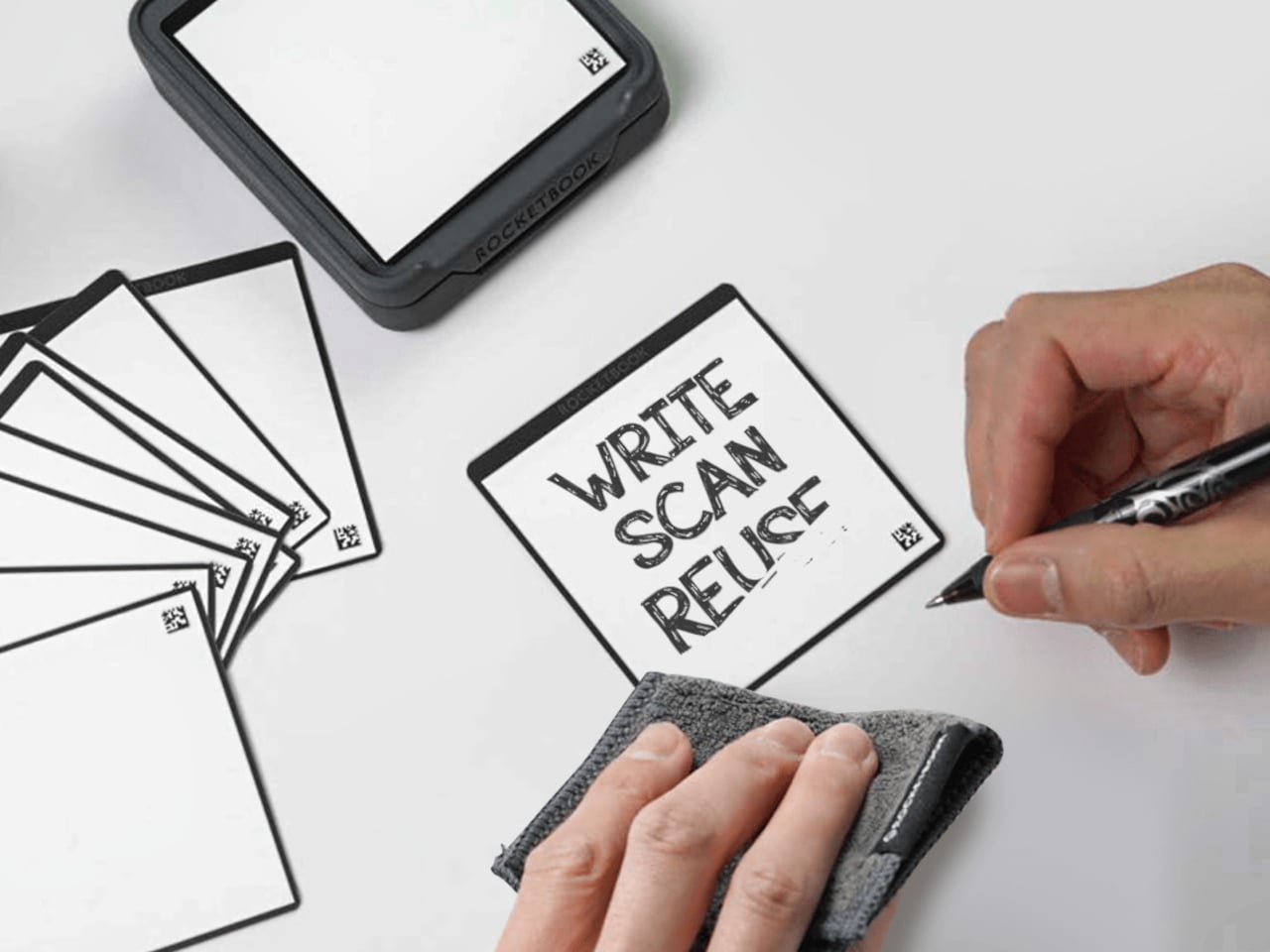
The sticky note is one of the most quietly brilliant office inventions ever made. Small, repositionable, and readable wherever you place it, it solves a spatial problem that digital tools have never fully replicated. The Rocketbook version keeps everything that works about the format and fixes the one thing that doesn’t: waste. Using the same whiteboard-like paper surface that Rocketbook has built its name on, these sticky notes wipe clean, hold their adhesive across multiple uses, and work in every situation where you’d reach for a regular one. The familiar format does most of the heavy lifting, and Rocketbook doesn’t get in its way.
The size itself is doing real design work here. Because sticky notes are small, the reusable format doesn’t feel like a compromise or a replacement for something better. You still get the spatial flexibility of rearranging your thinking across a wall, a whiteboard, or a monitor frame. The hoarding problem disappears too: one pad replaces the rotating stack of barely-used sheets that most people accumulate and eventually discard in bulk because the adhesive has given out. Sustainability and function are pointing in the same direction, which is rarer in stationery than it should be.
What we like
- The reusable adhesive retains its stickiness across multiple uses, unlike standard sticky notes that degrade and lose grip over time
- The small format preserves the spatial flexibility that makes sticky notes worth using, rather than scaling up into something that changes the whole behavior
What we dislike
- The whiteboard surface requires a compatible marker rather than any pen, which introduces a small but real dependency into an otherwise simple system
- Erasing requires a damp cloth, a noticeable shift from the instant-disposal habit that most sticky note users have spent years building
5. Personal Whiteboard
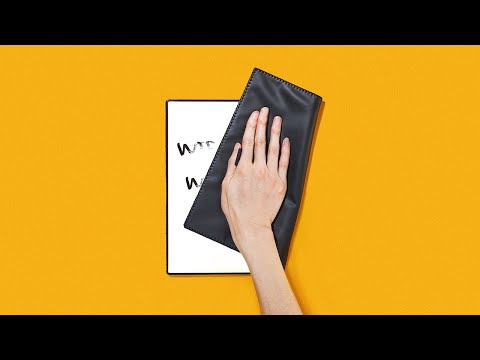
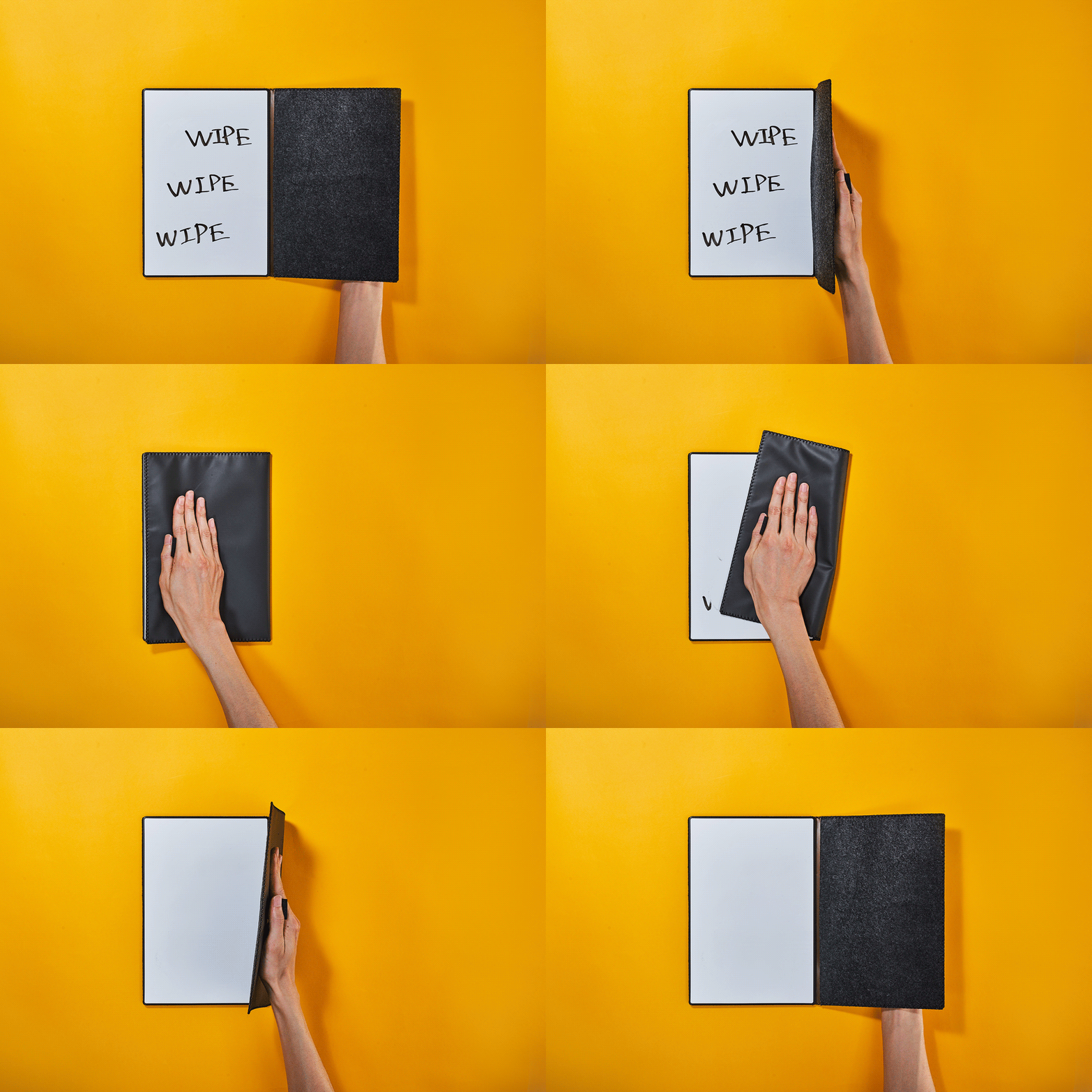

There is a version of note-taking that doesn’t need to be precious. No archiving, no syncing, no formatting decisions. Just a surface to think on and a way to clear it when you’re done. The Personal Whiteboard Notebook is built precisely for that kind of thinking: compact enough to carry anywhere, works with any standard whiteboard marker, and resets completely clean when you need it to. The object makes no claims beyond what it is. It gives fast, temporary thinking the right kind of home, and it does it without asking for anything complicated in return.
What makes the notebook more considered than it first appears is how the cover functions. It acts as an eraser, a built-in stand, and a storage pocket, so the entire system travels as a single self-contained unit. The Mag Force system doubles as a handle for the cover and a holder for the marker pen, keeping everything tight and within reach. Snap a photo before you wipe, and your notes move to wherever you need them without the board ever needing connectivity of its own. It is portable thinking fully resolved, in a format that fits in a bag without negotiation.
What we like
- The multi-functional cover as eraser, stand, and storage pocket means the entire system is contained in one slim, travel-ready object
- Compatible with any standard whiteboard marker, so there is no proprietary dependency keeping you tied to a specific brand or refill
What we dislike
- The single-surface format limits working space compared to double-sided or larger alternatives if your thinking runs long
- Cloud backup depends entirely on the user remembering to photograph before wiping, which is easy to forget in the middle of a fast-moving session
The Best Tool Is the One That Gets Out of Your Way
The brain is genuinely bad at holding onto things under pressure. Meetings, momentum, ideas that arrive mid-walk — they all create cognitive load that makes reliable recall harder than it feels in the moment. Research suggests that nearly 44% of action items go unexecuted after meetings, not because people lack the intention, but because the tools designed to help have been solving the wrong problem entirely. These five objects aim for the actual gap: the distance between capturing something and doing something with it.
None of them asks you to become a better note-taker. That’s what makes them worth paying attention to. The best productivity tools are the ones that disappear into how you already work, removing friction at exactly the right moment without adding new habits on top. Whether that means a wipe-clean surface on your desk or an AI that reads context back to you after the room empties, the logic is the same: less distance between the thought and what happens next. That’s not laziness. That’s design working the way it’s supposed to.