
There’s a version of your day that doesn’t start with your phone face inches from your eyes. Gen Z is slowly remembering it exists. Doom-scrolling sounds like a boss level you keep losing. The fix isn’t a screen time limit you’ll override in two days or a wellness app that wants your data. It’s gadgets that give your hands something real to do, something that clicks, twists, and responds without asking for your attention span.
These five picks are not nostalgia for nostalgia’s sake. They are considered objects built around single purposes, each doing exactly one thing well and nothing else. A camera that shoots. A phone that calls. A tablet that writes. A clock that tells time. A CD player that plays music. In a world designed to keep you hooked, choosing a device that doesn’t compete for your attention is its own kind of resistance.
1. Camera (1)
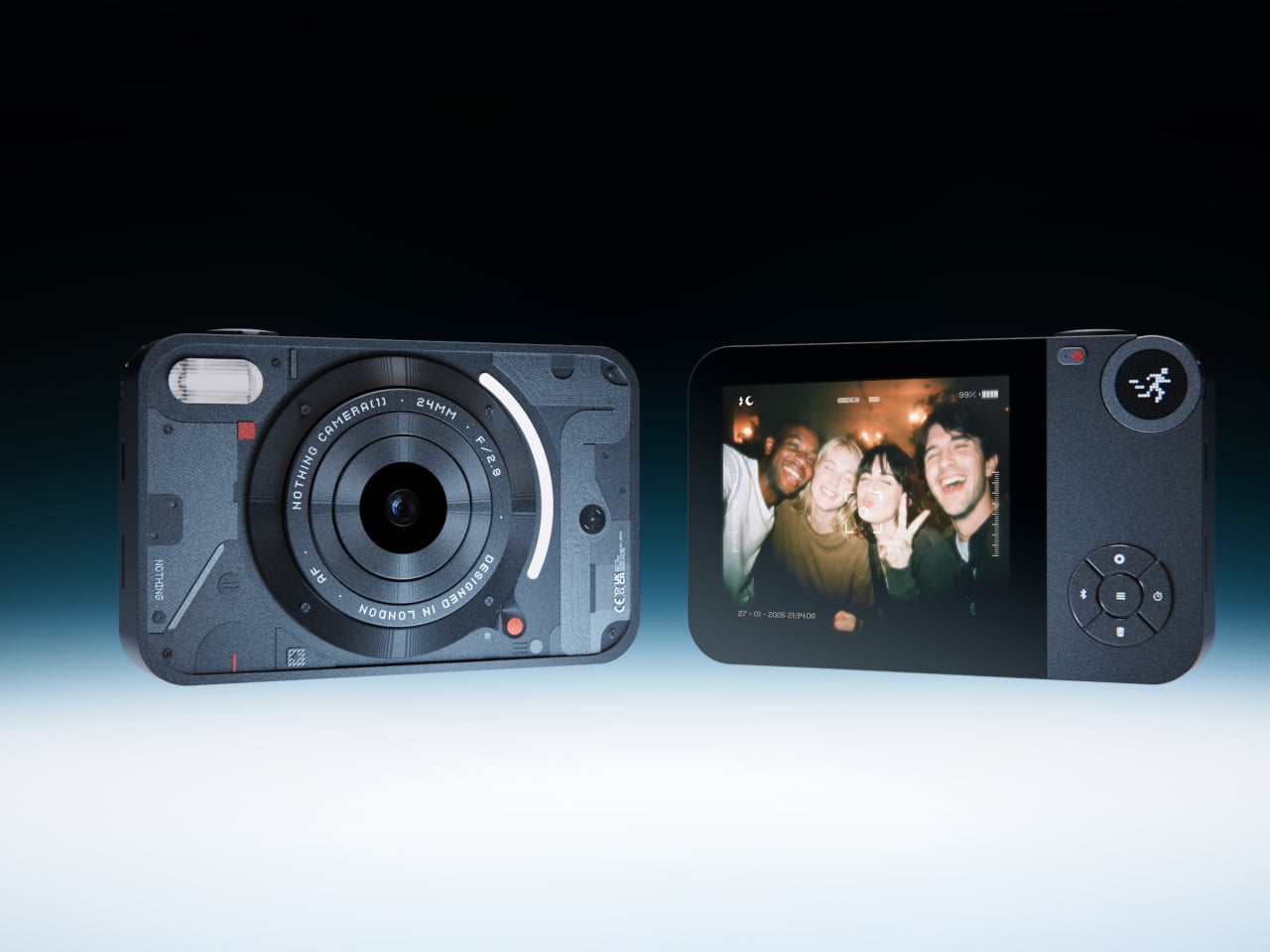
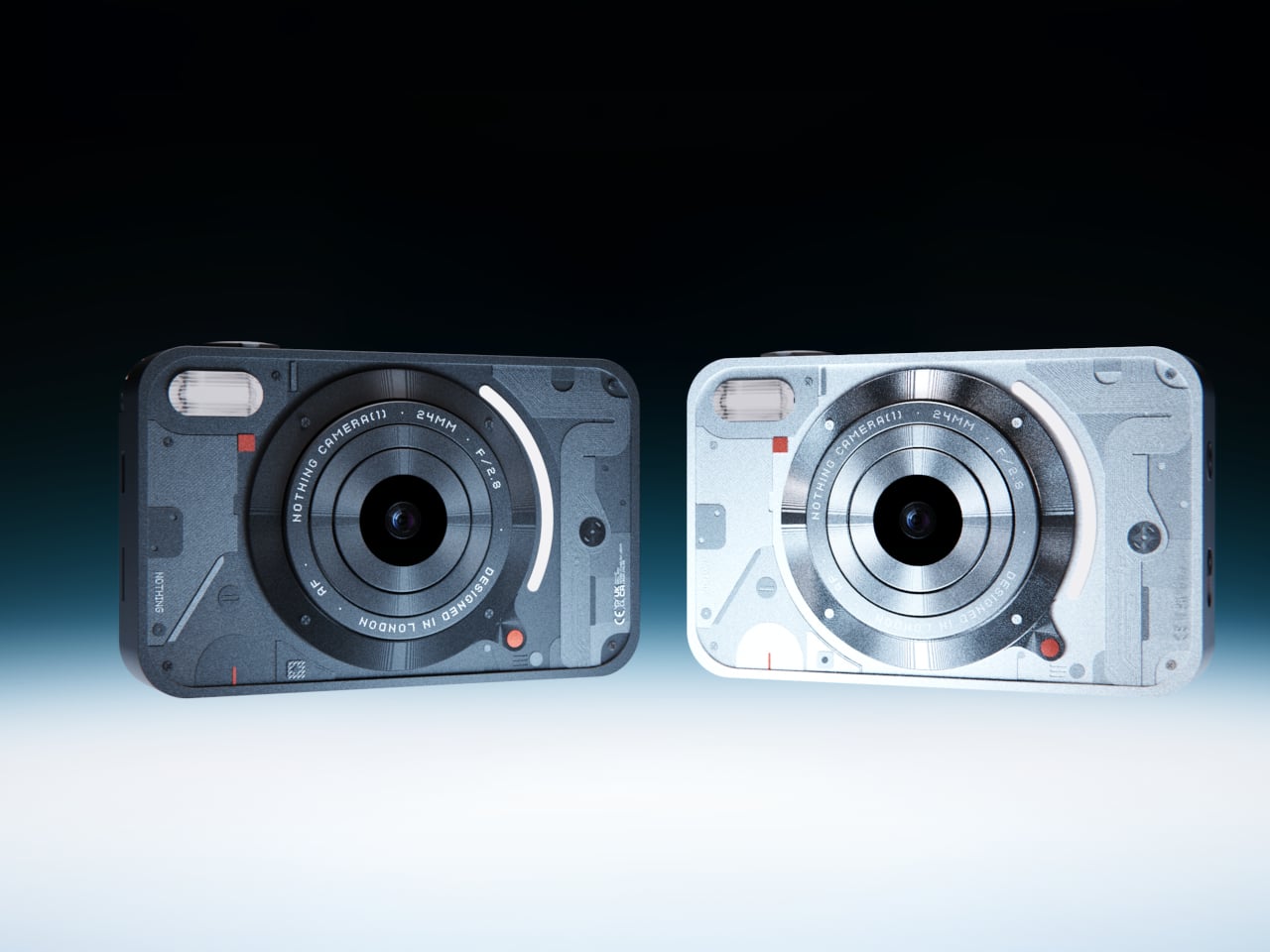
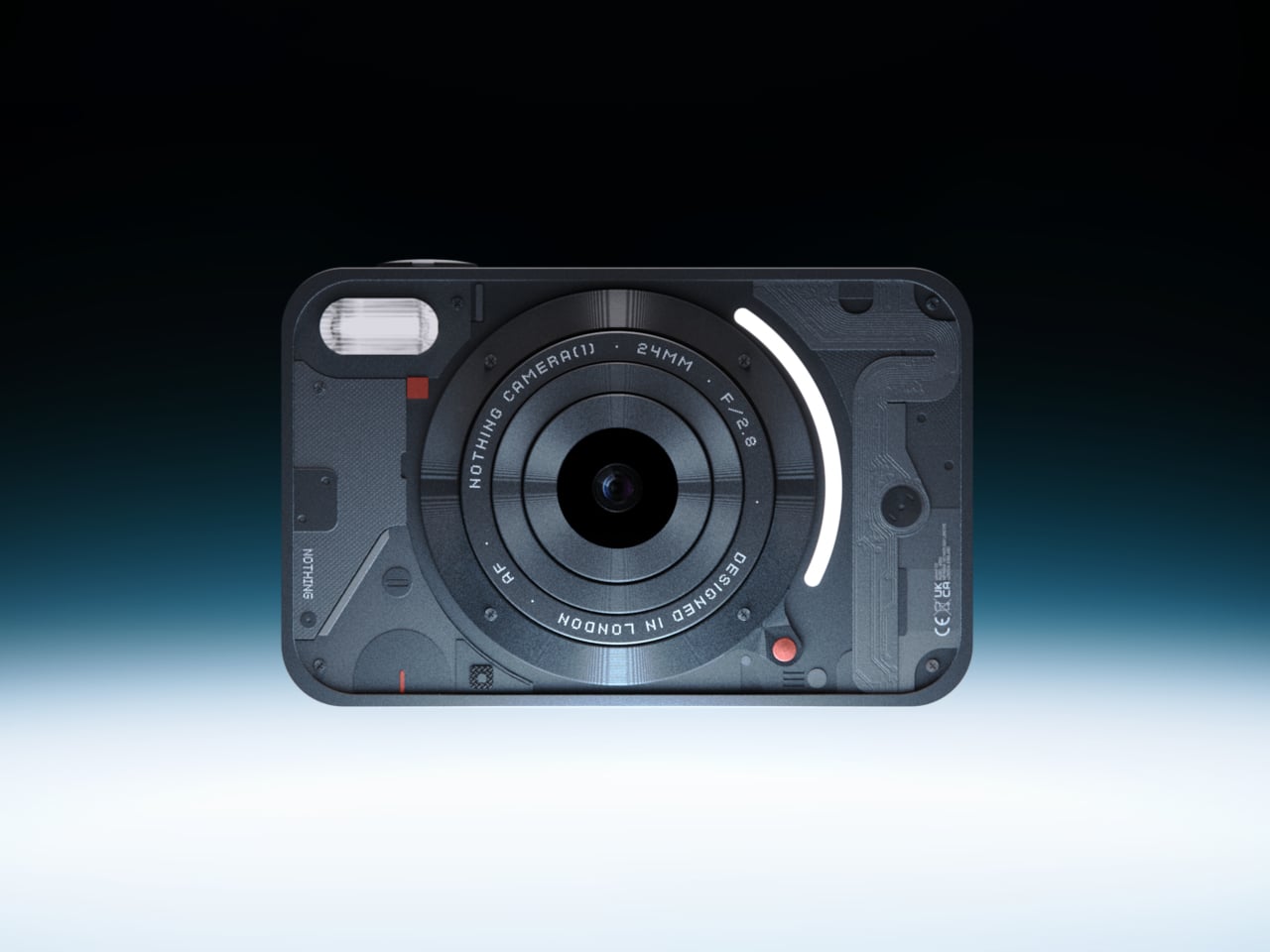
Photography moved inside phones and got buried under notifications. Camera (1) imagines what it looks like when shooting becomes a thing you do with your hands again. Camera (1) is a concept design with a compact, metal body sized to slip into a pocket but solid enough to fill the hand. All the main controls live on one edge: a shutter, a circular mode dial with a glyph display, and a D-pad your thumb can reach without shifting your grip or touching a screen. The design draws from Nothing’s hardware-forward language, with circuit-like relief on the front panel, small red accents, and a bead-blasted metal shell that feels considered across every surface.
A curved light strip around the lens pulses for a self-timer, confirms focus, or signals that video is rolling. The engraved lens ring invites you to twist rather than pinch. Taking this camera to a dinner or a show means twisting to frame, feeling the click of the shutter, and glancing at the glyph to confirm your mode. That is it. The rear display stays out of the way, and so does every instinct to start scrolling.
What We Like
- Physical controls replace every touchscreen interaction, keeping your attention on the moment in front of you.
- The glyph dial and LED strip communicate everything the camera needs to say without waking a rear display.
What We Dislike
- Camera (1) is a student concept and not currently in production, with no confirmed release date.
- No direct sharing path to your phone means adjusting to reviewing images later on a separate device.
2. Portable CD Cover Player

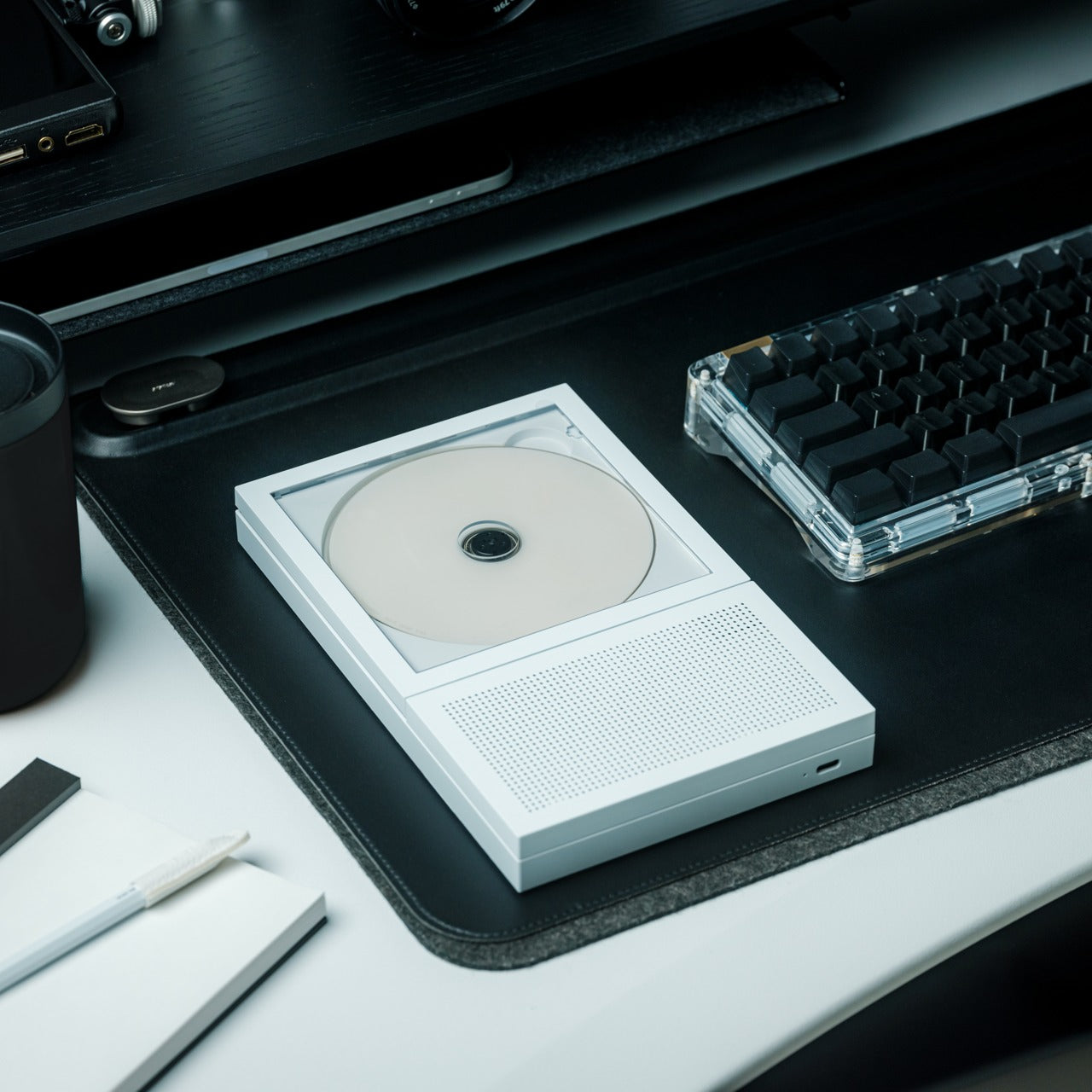

Most listening devices treat album art as a thumbnail. The Portable CD Cover Player treats it as the whole point of sitting down to listen. Slide a CD into the front pocket, and the jacket art faces outward while the music plays through the built-in speaker. A rechargeable battery means you can carry it from room to room or out the door, and a wall-mount bracket option lets it hang like a small piece of art between sessions. It is a device designed to involve your eyes as much as your ears, and that one decision changes how the experience of listening actually feels from the first time you press play.
Streaming made music invisible. Open an app, hit shuffle, and album art scrolls past as a thumbnail nobody really looks at. The CD Cover Player reverses that entirely. The physical disc becomes a reason to engage with the full artwork, the liner notes, and the sequence of tracks someone arranged with intention. That kind of listening has more in common with reading a book than with background audio. It makes music feel like something worth sitting with, not just filling silence while you check your phone.
Click Here to Buy Now: $199.00
What We Like
- Displaying the CD jacket while music plays turns listening into a visual ritual rather than ambient noise.
- Functions as a portable speaker, a shelf object, and a wall-mounted display all at once.
What We Dislike
- Built-in speaker quality will not satisfy anyone used to a dedicated Hi-Fi setup or a good pair of headphones.
- Building a physical CD collection takes time and shelf space if your library currently lives inside a streaming app.
3. reMarkable Paper Pro
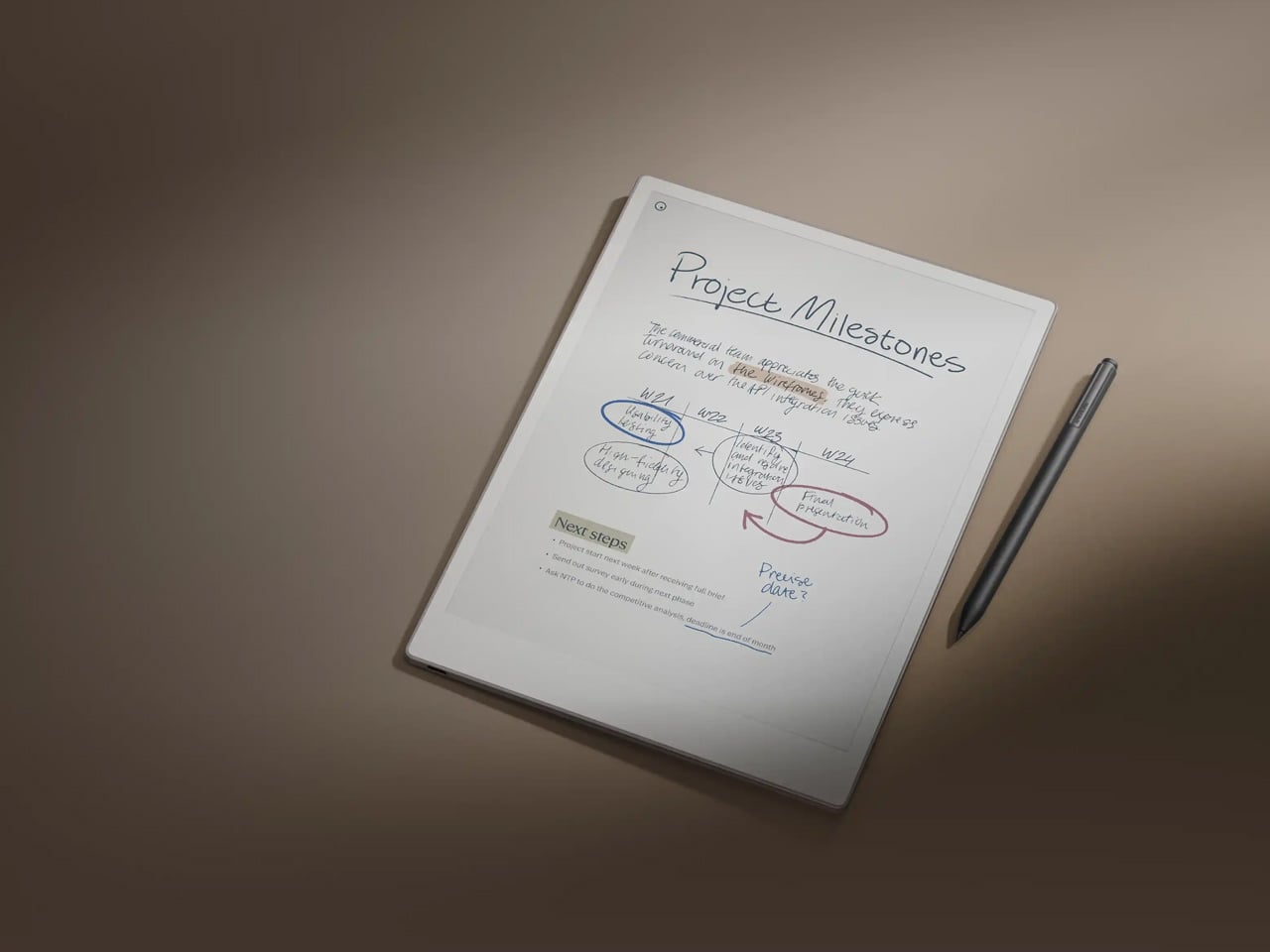
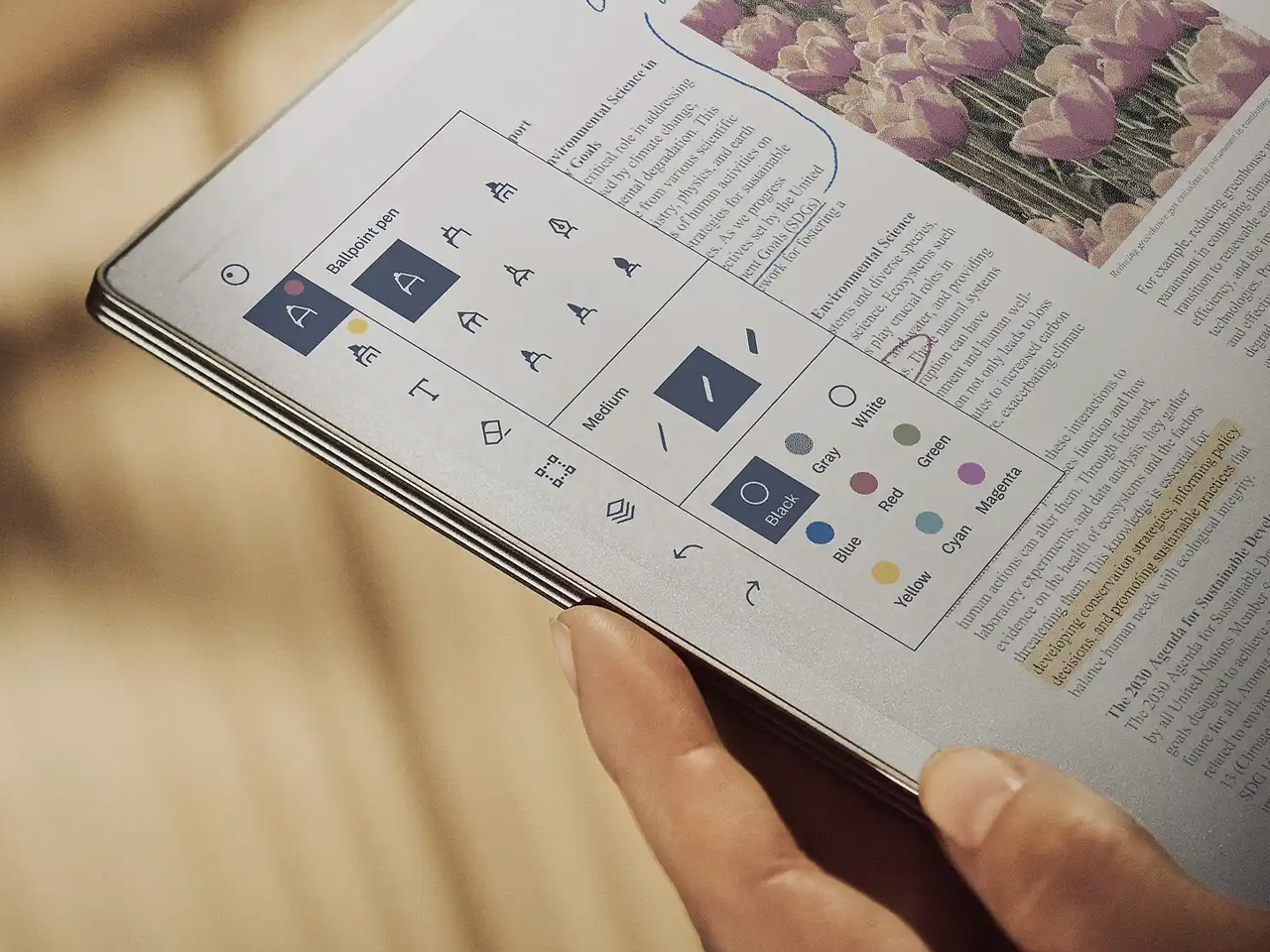
Writing moved onto phones and tablets and gradually stopped feeling like thinking. The reMarkable Paper Pro brings friction back to the process, and it turns out friction was doing most of the work all along. The reMarkable Paper Pro is an 11.8-inch writing tablet with a textured surface built to feel like paper under the pen. The Canvas Color display uses millions of color ink particles rather than a backlit panel, delivering depth and natural tones without glare or eye strain during long sessions. Responsiveness is near-instant, with a pen-to-ink distance of under one millimeter. An adjustable reading light means you can write comfortably in the dark without turning on a screen that floods the room with blue light at midnight.
Writing on the reMarkable Paper Pro does not feel like typing a text or filling in a form. The surface friction slows you down in a way that is genuinely worth something. Notes become more considered. Ideas take longer to arrive, which means they tend to stick around. Color adds another layer of possibility: use it to organize thoughts, mark priorities, or simply make a page feel like yours. Carrying it feels closer to carrying a notebook than carrying a device, and that distinction matters more than it sounds once you’ve spent a week with it.
What We Like
- Canvas Color display delivers full color without a backlit panel, so long writing sessions never leave your eyes sore.
- Paper-like surface friction makes every note feel deliberate, consistently producing better thinking than a keyboard does.
What We Dislike
- Premium pricing is a real barrier to knowing whether a dedicated writing tablet fits your daily routine.
- The 11.8-inch size does not slip into a jacket pocket, which changes when and where it realistically comes with you.
4. Light Phone 3

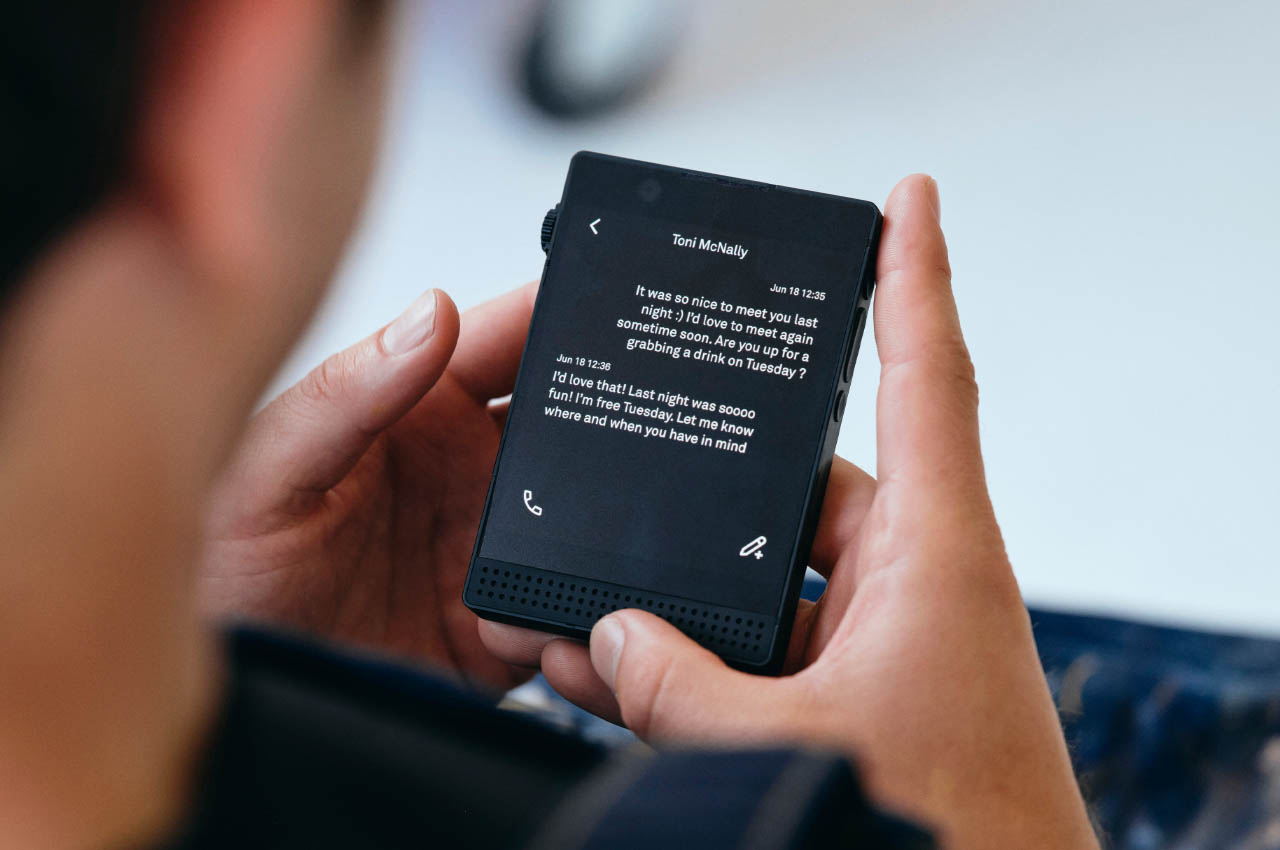

The Light Phone 3 is not a worse version of your phone. It is a different one, built around the idea that doing less on purpose is more valuable than doing everything by reflex. The Light Phone 3 is built by New York-based Light Phone and does far less than your current device on purpose. This third-generation minimalist phone restricts usage to calls and texts, with no access to social media, email, or internet browsing. The 3.92-inch OLED display runs in black and white, and a 50MP rear camera with a dedicated two-step hardware shutter button handles every moment worth capturing. A brightness scroll wheel on the right side replaces every on-screen slider you never actually enjoyed using.
Switching to a phone that cannot open Instagram does not mean going offline. It means being reachable for what matters and unreachable for everything else competing for your attention. The Light Phone 3 arrived five years after its predecessor, and that time shows in the hardware quality, the metal frame, and the more refined interface. Using it for a weekend resets something in how you relate to a screen. By Monday, returning to your smartphone feels like a choice rather than the only available setting.
What We Like
- A 50MP camera with a dedicated two-step hardware shutter means you never lose moments worth keeping, even without social media to post them on.
- Restricting the device to calls and texts removes ambient distraction without requiring willpower each time you pick it up.
What We Dislike
- No maps, ride-share apps, or mobile browsers means planning in a way most people have quietly stopped doing.
- The black-and-white display is intentional, but the adjustment period is real enough to factor in before committing.
5. Rolling World Clock


A clock that tells time by being rolled, with no screen, no charging port, and no app to pair it with, turns out to be one of the more quietly satisfying objects you can put on a desk in 2026. The Rolling World Clock is a 12-sided object that tells time by being rolled. Each face corresponds to a major timezone city: London, Paris, Cape Town, Moscow, Los Angeles, Karachi, Mexico City, New York, Shanghai, Tokyo, Sydney, and New Caledonia. Roll it to the city you need, and the single hand reads the correct local time. No charging, no syncing, no setup required. It handles one task and nothing else, and that simplicity is precisely the point of placing it on a desk at all.
Most people check the time on their phones and put the phone down thirty seconds later than they planned to. The Rolling World Clock short-circuits that loop completely. Available in black or white, it sits on a desk or shelf with the quiet presence of something that earns its place as both a functioning clock and a piece of considered design. The physical act of rolling it to a different city does something a world clock widget never could: it makes checking the time feel like a deliberate act rather than a gateway to something else.
What We Like
- Twelve faces covering every major timezone make it genuinely useful for anyone with friends or collaborators spread across the world.
- Works as well as a desk sculpture as it does as a functioning clock, earning its place in a room even when nobody is actively using it.
What We Dislike
- The single hand and minimal face markings take a moment to read accurately if you’re used to relying on digital displays.
- Twelve flat sides mean the clock can rock when bumped, so placement on a hard desk surface matters more than expected.
The Best Gadgets Don’t Ask Anything Back
None of these five objects needs you. They do not send notifications, hold streaks, refresh feeds, or run recommendation engines quietly in the background. That indifference is the point. Gadgets that do one thing well leave you with more room to decide what to do with the rest of your time, and that turns out to feel like a significant amount of room once you actually notice it.
Touching grass is not really about being outside. It is about choosing where your attention goes before something else makes that choice for you. A camera that makes you look up. A phone that stays quiet. A tablet that brings friction back to thinking. A clock you roll with your hands. A CD player that makes you sit with an album from beginning to end. All of it adds up to a different relationship with your own time, and that is worth more than any app that promises the same thing.